图像
Nanobanana Prompt Engineering Workflow
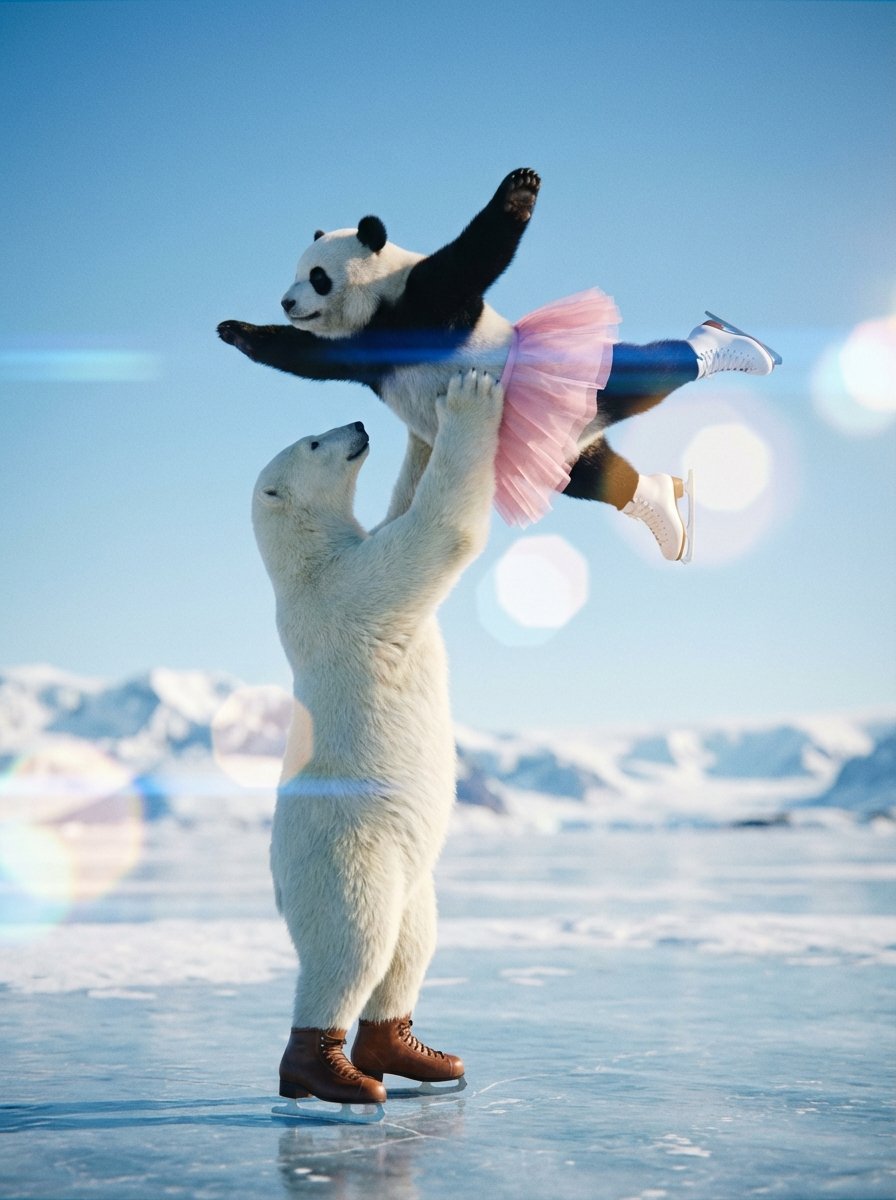
A user describes their workflow for creating high-quality Nanobanana prompts using a custom tool. The process involves defining the subject (e.g., polar bear and panda on skates), generating the initial image, performing detailed annotation (labeling parts like pose, background, face, clothing) based on file names, and finally adding compositional and color information for the final generation. This highlights the importance of detailed language specification for effective prompting.
提示词
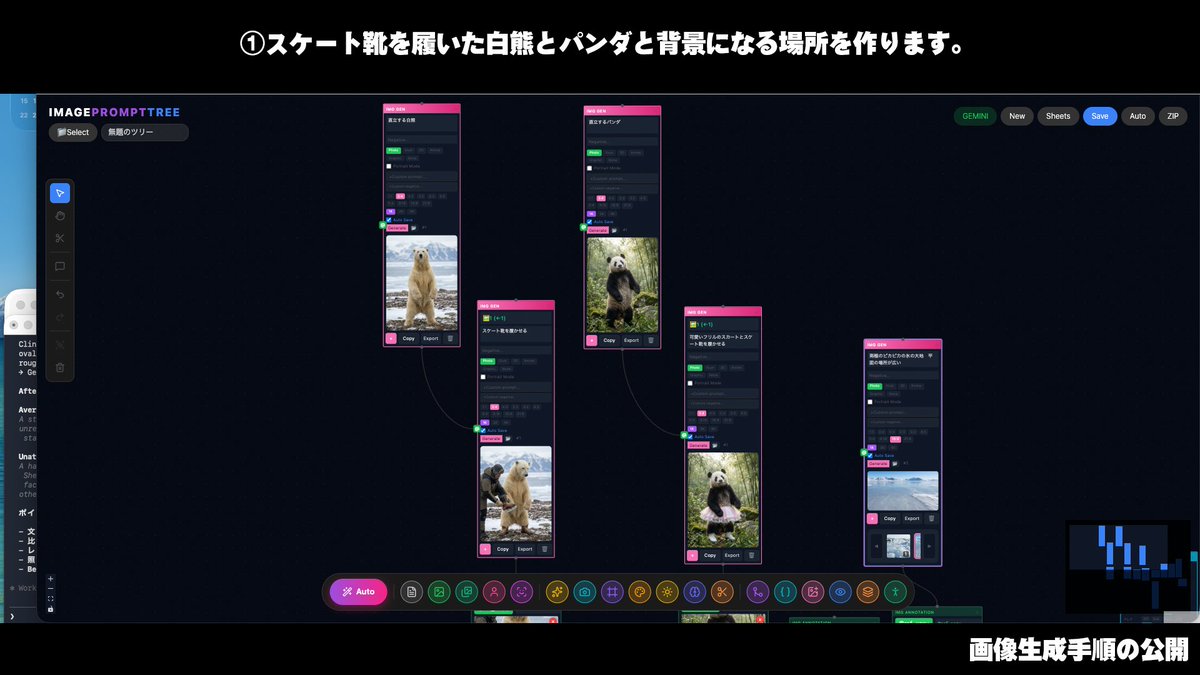
① Create a "{argument name="character 1" default="Polar Bear"}" and a "{argument name="character 2" default="Panda"}" wearing ice skates, and the background location. Normal chat-based input is also OK. Whether you generate it all at once or separately, the process is the same.

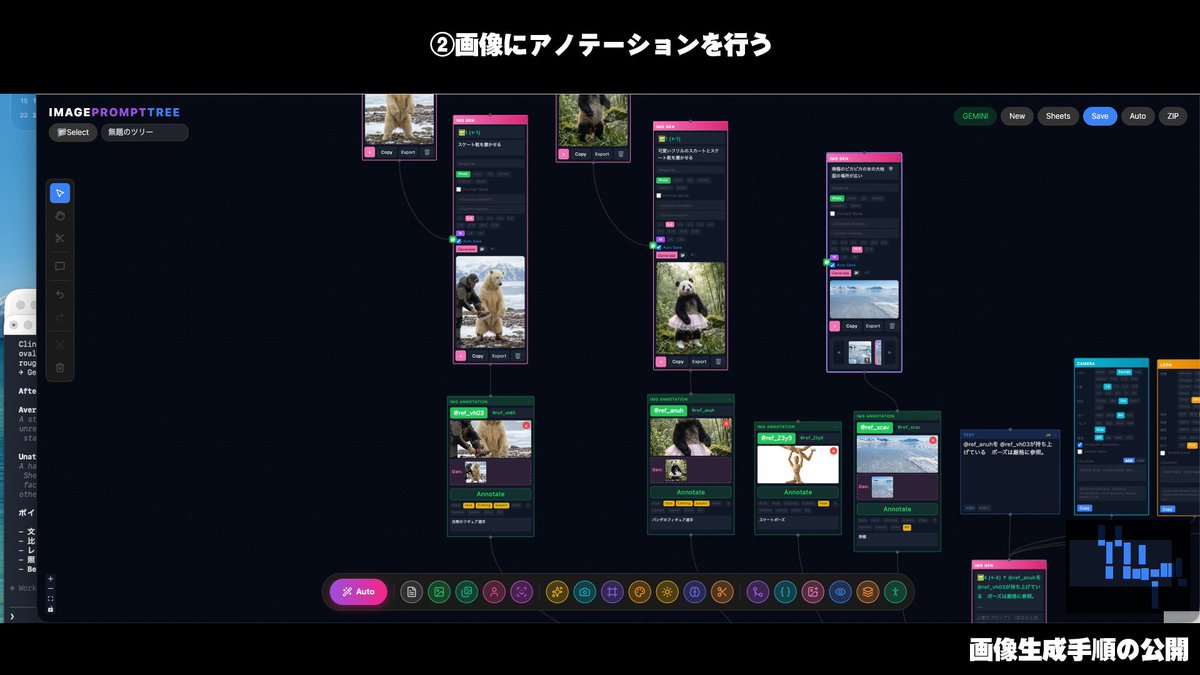
② Perform annotation on the image.
This is the most troublesome part, so I made it a tool.
Based on the file name, I create a prompt that organizes "which part of which image to reference."
(Pose / BG / Face / Clothing, etc.)

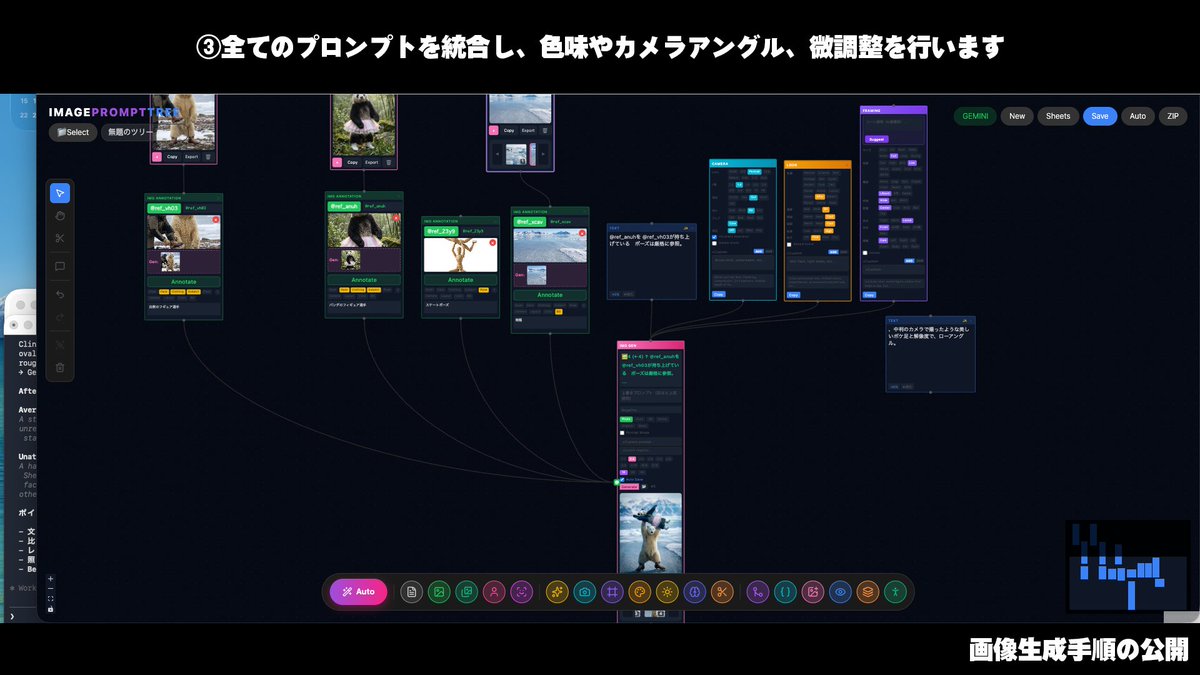
③ Add supplementary information such as composition and color scheme for the final generation.- 作者
- 社区创作者
- 发布时间
- 2026年7月26日
- 使用场景
- 漫画 / 故事板游戏素材