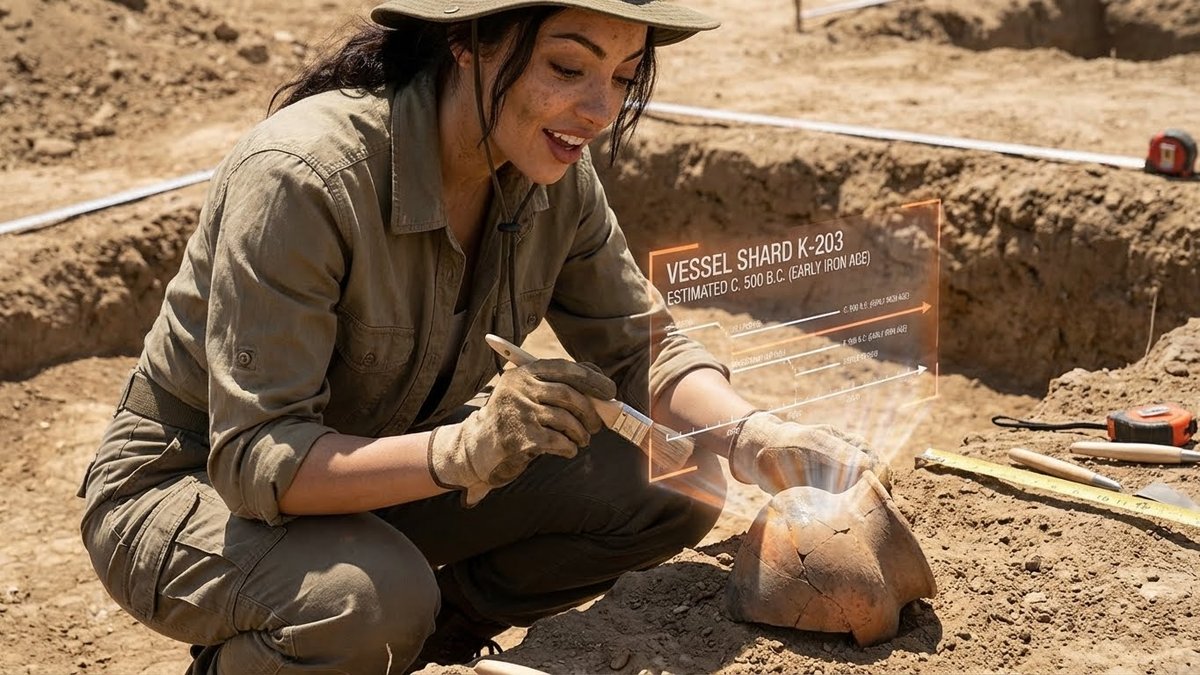
A highly structured JSON-formatted prompt for Nano Banana Pro detailing an archaeological scene. The prompt specifies the setting (dusty desert trench), subject (based on an uploaded image, crouching, excited), technical style (5:4 portrait, documentary, high contrast), and a unique element: a semi-transparent 3D timeline and data projection emanating from a recently uncovered ceramic pot.
提示词
{
 "promptDetails": {
 "description": "An archaeological dig scene where the subject is viewing a 3D timeline and data overlay projected onto a recently uncovered artifact.",
 "styleTags": [
 "Archeology",
 "Earthy Textures",
 "Academic/Documentary",
 "Dry and Dusty"
 ]
 },
 "scene": {
 "background": {
 "setting": "An active archaeological trench in a dusty, sun-baked desert environment",
 "details": "Brushes and small tools visible, measuring tapes and grid markers in the soil, exposed layers of earth, a recently uncovered ceramic shard/pot."
 },
 "subject": {
 "description": "The person defined by `[UPLOADED IMAGE]`, wearing field clothes and perhaps a brimmed hat, looking excited and careful.",
 "pose": "Crouching down in the trench, holding a small brush near the artifact, looking intently at the projection.",
 "focus": "The artifact and the projection are the key points of visual interest."
 }
 },
 "overlayObject": {
 "type": "3D Timeline and Data Projection",
 "relationshipToEnvironment": "A semi-transparent, three-dimensional graphic emanating directly from the surface of the ceramic pot, showing its timeline.",
 "transform": "A series of floating text labels and lines showing dates and cultural periods, seemingly anchored to the artifact.",
 "surfaceInteraction": "Faint, slightly flickering orange/white text and lines that look 'hot' or energized, contrasting with the dry earth.",
 "components": {
 "artifactID": "{argument name=\"artifact ID\" default=\"Vessel Shard K-203\"}",
 "dating": "{argument name=\"dating\" default=\"Estimated C. 500 B.C. (Early Iron Age)\"}",
 "position": "Emanating from and hovering around the pot."
 }
 },
 "technicalStyle": {
 "aspectRatio": "5:4 (Portrait)",
 "photographyStyle": "Documentary, High Contrast",
 "camera": {
 "shotType": "Close-Up",
 "angle": "Low to the ground, capturing the detail of the soil and the artifact.",
 "depthOfField": "Shallow, focusing tightly on the subject's hands, the artifact, and the projection."
 },
 "lighting": {
 "type": "Harsh, Overhead Daylight",
 "description": "Strong, high-angle sun casting short, dark shadows, emphasizing the dry, dusty nature of the scene."
 },
 "color": {
 "palette": "Monochromatic earth tones (browns, tans, desaturated oranges), contrasted by the bright white/orange of the projection."
 }
 }
}