Kenerate AI

提示词库

AI 提示词库

汇集全球创作者的精选图像、视频与建站提示词。复制任意一条,替换主体或风格,即可用最新模型生成。

15,630 条提示词 · 每日更新 · 完全免费

共 242 条

Nano Banana Pro Pictogram Generation Prompt

Nano Banana Pro Pictogram Generation Prompt

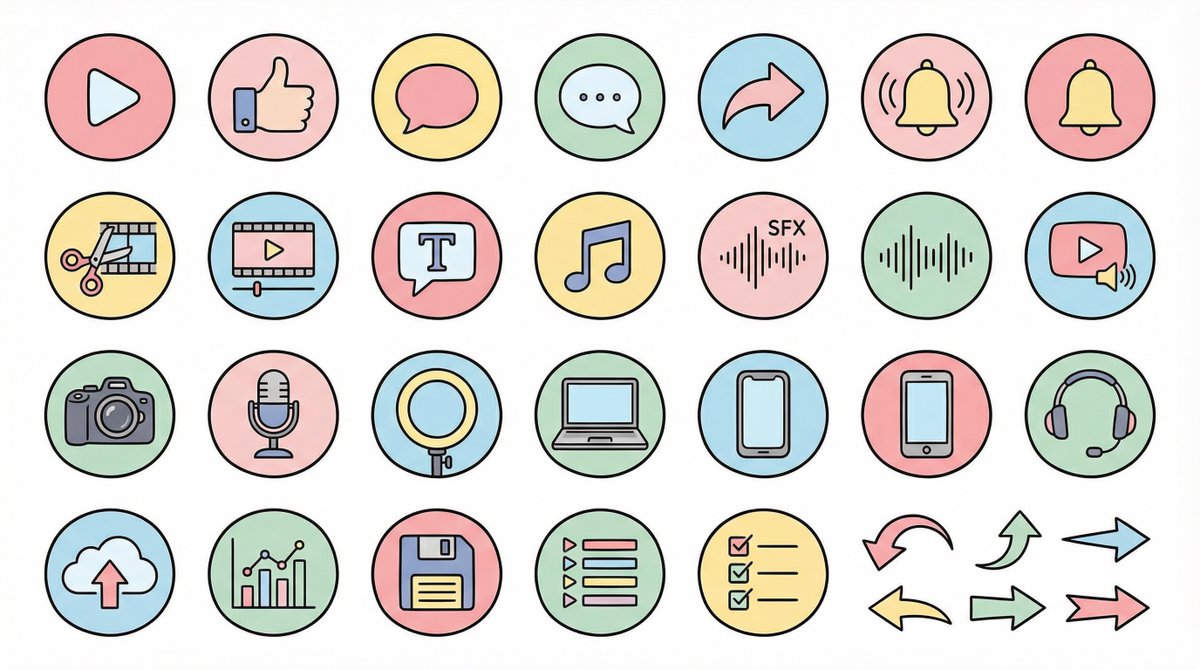
● Generation Theme {argument name="generation theme" default="Icon material set for YouTube videos"} ● Content {argument name="content" default="Create icons for YouTube production, editing, posting, and analysis in a unified design. Examples: Actions: Play button, high rating, comments, share, notification bell; Editing: Cut, timeline, telop, BGM, sound effects; Filming equipment: Camera, microphone, light, PC, smartphone, headset; Operation: Upload, analysis, save, playlist, list, arrow"} ● Production Conditions ・Unified ratio, line width, color scheme, and world view ・High visibility ・No text required ・Background: Solid white color ・Resolution: "2K" ・Aspect Ratio: "16:9" ● Design Image → Insert the design image below here 💡 【Negative prompt】 Real, photo texture, three-dimensional, 3D, overly complex details, metal texture, dark shadows, horror, overly dark colors ------------------- ● Design Image ① (Soft and Fluffy) Rounded shapes, soft color scheme, thin black lines, pastel colors, friendly atmosphere, hand-drawn illustration style ------------------- ● Design Image ② (YouTube Simple Flat Style) Thick lines, emphasis on Red×White×Black, sharp corners, emphasized lines, priority on visibility, modern UI icon ------------------- ● Design Image ③ (Simple) Minimal, thin lines, refined spacing, centered on achromatic colors, icon font style, elegant and calm design ------------------- ● Design Image ④ (Game Streaming/Streamer) Fluorescent accent colors (neon blue/purple/red), SF feel, Sharp edges, HUD UI style, cyber and edgy design ------------------- ● Design Image ⑤ (Colorful Pop/KIDS Education) Thick, rounded silhouette, bright colorful scheme (red, yellow, green, blue, pink), picture book style, soft and fun atmosphere, simple and recognizable icons, educational design that is cute but not too childish. ------------------- ● Design Image ⑥ (Explanation/History/Retro) Calm retro color scheme (brown, dark green, deep navy, sepia), novel/bulletin board/analytical atmosphere, thin lines, slightly heavy icon feel, old map/document/archive feel, mysterious tone with a unified world view. ------------------- ● Design Image ⑦ (Flashy/Dynamic) Thick lines, strong contrast, flashy colors (red, yellow, black), energetic and dynamic impression, Japanese manga-style emphasis (exclamation marks, speed lines, emphasized text style), powerful pop design that grabs the viewer's attention.
Felted Wool Smartphone Lock Screen Music Player

Felted Wool Smartphone Lock Screen Music Player

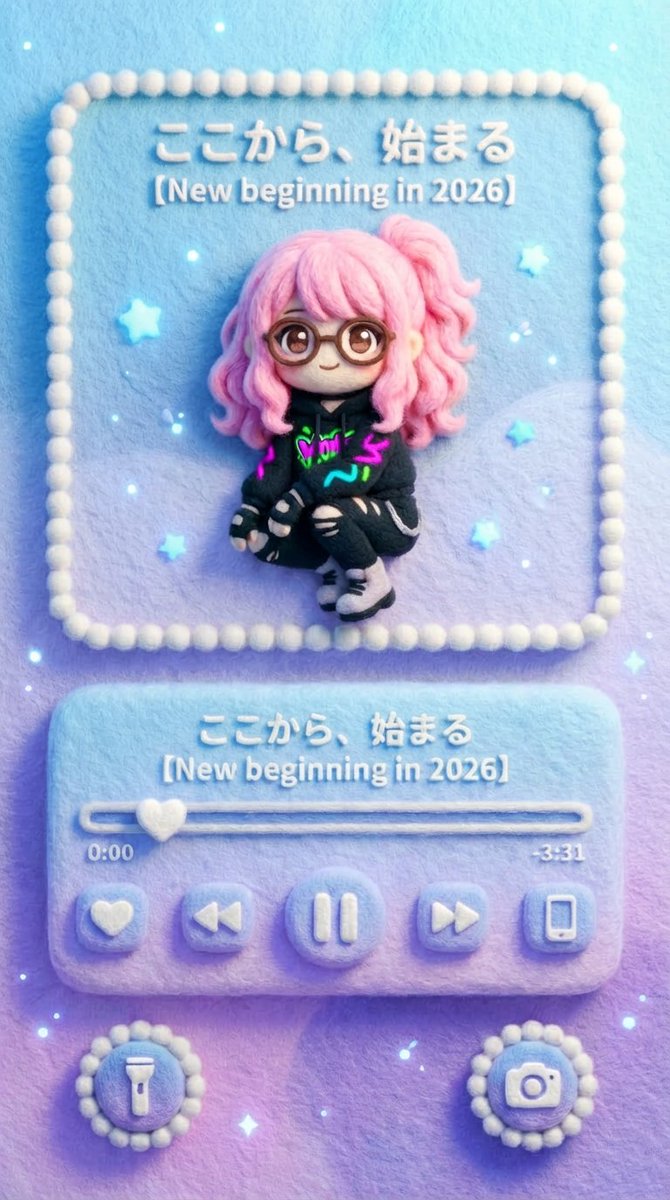
### (Smartphone Lock Screen × Felted Wool Music Player) Visual representation of a music player UI displayed on a smartphone lock screen. The aspect ratio is vertical (smartphone screen ratio), with a flat composition viewed from the front. The entire image has a three-dimensional, handmade texture, as if made from felted wool/needle felting. All UI elements, text, icons, and borders are made of felt material. Screen Composition (Lock Screen Layout) Top: Album Art Display Area A square-like album art display frame, similar to the music player on an iOS / Android lock screen, is placed in the upper center of the lock screen. This album art section is the [Input Image]. The content and style of the replacement image are free (photos, illustrations, cityscapes, characters, etc.). However, the final output will be completely re-rendered in a felted wool/felt embroidery style. - Outlines are slightly blurred - Colors are softly blended - Fiber unevenness is visible The style differences of the original image are not retained; only the texture is completely unified. Center: Music Player UI Below the album art is the music player control area specific to smartphone lock screens. - Song title display - Artist name display - Playback bar (progress) - Play / Pause button - Previous / Next button All are arranged as rounded felt buttons. The text on the playback bar is "{argument name="playback bar text" default="ここから、始まる"}" The song title/series name section is "{argument name="song title" default="【New beginning in 2026】"}" Time display: 0:00 / -3:31 Both text and numbers have a texture as if embroidered or sewn with felt. Bottom: Lock Screen Shortcuts At the bottom of the screen are round shortcut icons, like those on a lock screen. - Flashlight - Camera These are placed on the left and right as fluffy felt icons. Atmosphere, Color, and Light Automatic Color Matching Rule (Important) The main color tone, atmosphere, and brightness of the album art [Input Image] are automatically analyzed and reflected in the overall background color of the screen. The background area, excluding the music player UI (album display/control part), shares the color world view of the album art. Background expression is one of the following, or a combination: - Solid felt background using the main color of the album art - Gentle gradient extracted from the album art colors - Abstracted/simplified felt pattern derived from the album art background The background is kept subtle and does not interfere with the player UI and album art. However, the color consistency ensures that the entire screen forms a single album world view. Regardless of the color pattern, the background material must always retain the texture of felted wool/needle felting. Background expression is one of the following, or a combination: - Solid felt background using the main color of the album art - Gentle gradient extracted from the album art colors - Abstracted/simplified felt pattern derived from the album art background. The background is kept subtle and does not interfere with the player UI and album art. However, the color consistency ensures that the entire screen forms a single album world view. Regardless of the color pattern, the background material must always retain the texture of felted wool/needle felting. Small particles of light (gentle point light) are scattered as decoration on the lock screen. The light is subtle and soft, like a smartphone screen at night. The overall impression is - Cute - Gentle - Quiet - Touchable. The world view is **"A smartphone lock screen made of felt."**

Bauhaus Functional Identity Brand Logo Generation

Bauhaus Functional Identity Brand Logo Generation

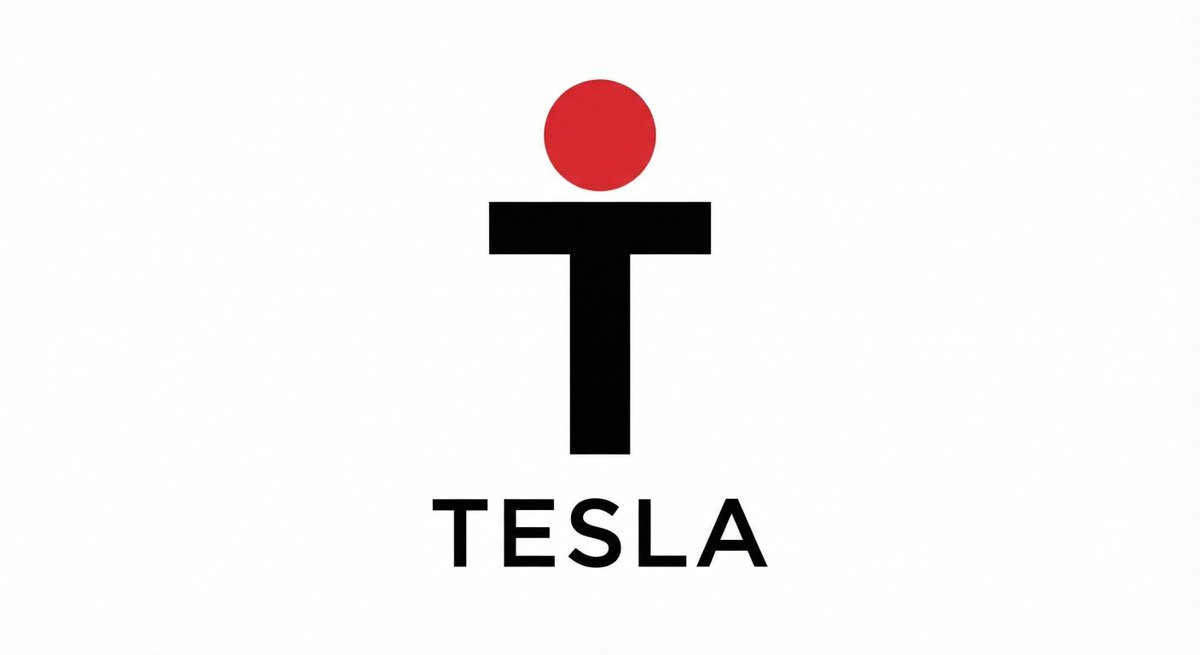
Reimagine [{argument name="brand name" default="BRAND NAME"}] through strict Bauhaus principles, reducing the logo to its most essential visual logic. The mark is built from pure geometry, perfect balance, and intentional spacing. There is no decoration, symbolism is abstracted, and every element serves a function. The typography is clean, modern, and rational, aligned precisely with the symbol. The entire composition feels intelligent, timeless, and confidently restrained, as if designed to outlast trends.

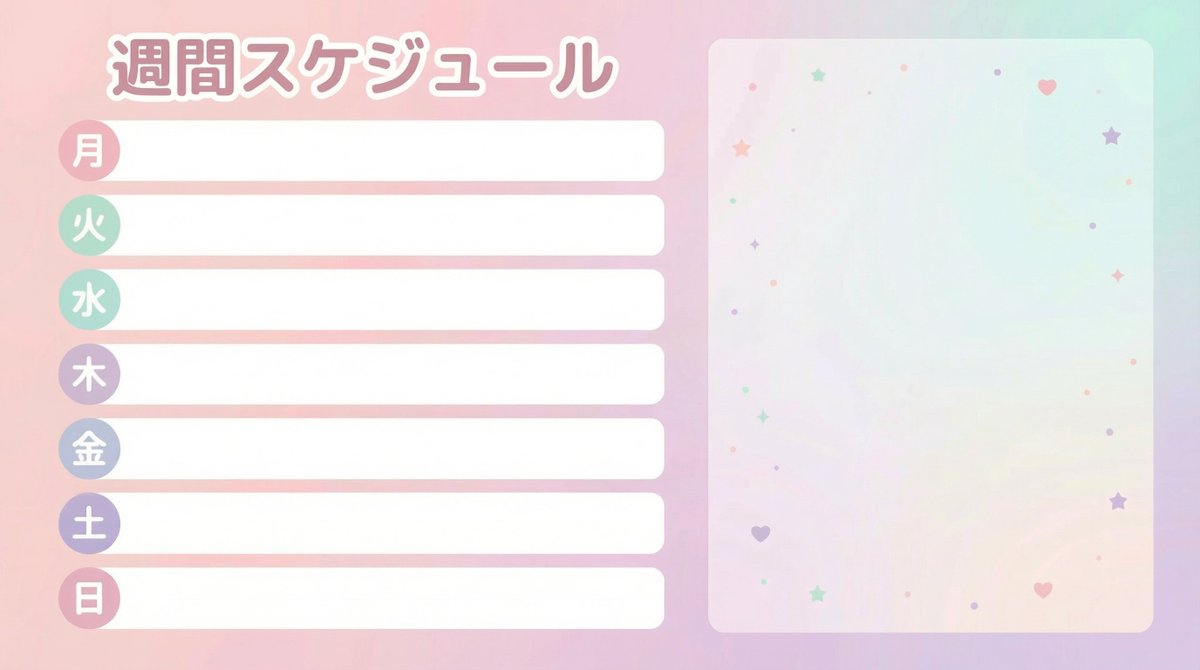
Weekly Schedule Template for VTubers

Weekly Schedule Template for VTubers

Create a "Weekly Schedule" template image for VTubers and streamers. Horizontal 16:9, size 1920x1080, flat, neat, print-like design (vector style). The overall look should be cute pastel tones (gentle colors like pale pink, mint, lavender), prioritizing readability without clutter. Layout specification: ・Place the schedule section top-aligned on the left 60% of the screen. ・7 rows (Days of the week: "Mon, Tue, Wed, Thu, Fri, Sat, Sun"). ・Each row consists of a "Day label (small round badge)" + "Horizontal blank box for writing plans." ・The blank box must be completely empty. Absolutely do not include sample text (e.g., 'Plan here', 'SAMPLE', 'MEMO', etc.). ・The right 40% of the screen is empty space for later synthesis of a standing character image. Do not draw people, animals, mascots, or silhouettes. The background should only be a faint gradient and subtle abstract patterns of small stars/hearts/dots. Text specification: ・The only text to include is "Weekly Schedule" and "Mon Tue Wed Thu Fri Sat Sun" (in Japanese). ・Do not include any other text (SNS, date range, warnings, logos, hashtags, watermarks). ・The font should be rounded Gothic style, easy to read, and legible even on a white background. Finishing: ・Ensure ample margin around the perimeter, and elements on the left and right sides do not overlap. ・No logo.

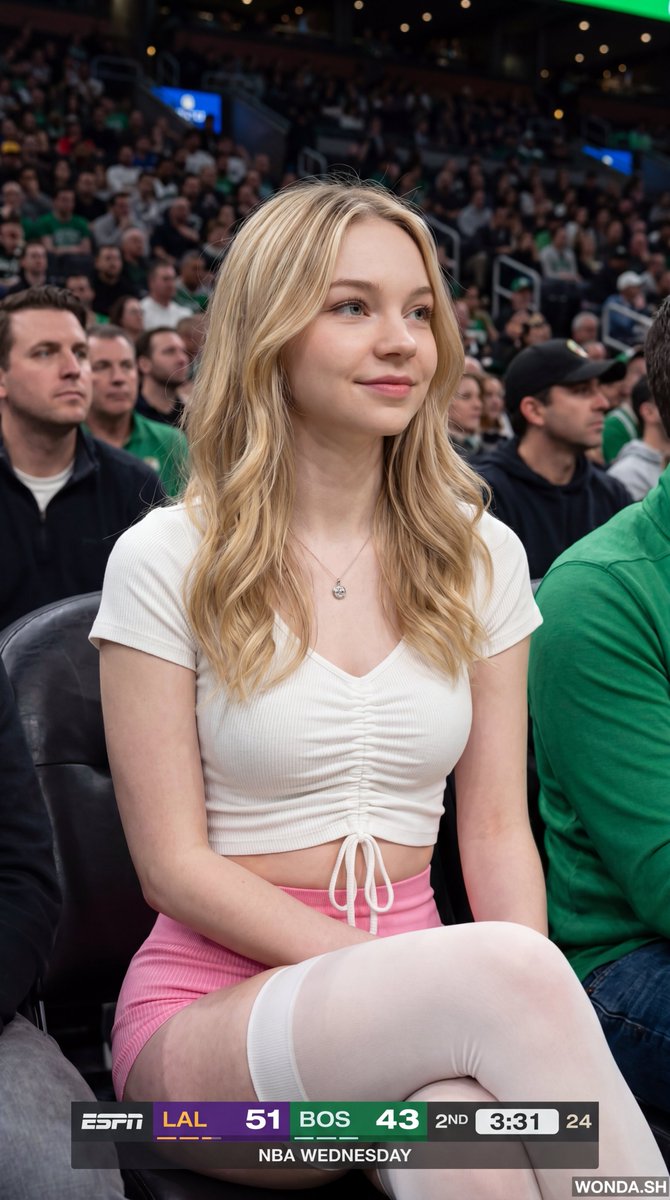
NBA Broadcast Stadium Screenshot

NBA Broadcast Stadium Screenshot

{"meta":{"image_quality":"High","image_type":"Screenshot","resolution_estimation":"1920x1080","file_characteristics":{"compression_artifacts":"Low","noise_level":"Low","lens_type_estimation":"Medium telephoto"}},"global_context":{"scene_description":"A medium shot of a young woman with long dark hair sitting in a crowded arena, likely a basketball game, with an ESPN broadcast overlay at the bottom and top right.","environment_type":"Indoor arena","time_of_day":"Unknown","weather_atmosphere":"Crowded, indoor lighting","lighting":{"source":"Artificial arena lighting","direction":"Frontal, slightly overhead","quality":"Soft, diffused","color_temperature":"Neutral"},"color_palette":{"dominant_hex_estimates":["#1a1a1a","#333333","#ffffff"],"accent_colors":["#fdb927","#007a33"],"contrast_level":"Medium"}},"composition":{"camera_angle":"Eye-level","framing":"Medium shot","depth_of_field":"Shallow","focal_point":"The woman's face","symmetry_type":"None","rule_of_thirds_alignment":"Woman's face is positioned in the upper right quadrant"},"objects":[{"id":"obj_001","label":"Woman","category":"Person","location":{"relative_position":"Center","bounding_box_percentage":{"x":0.25,"y":0.05,"width":0.5,"height":0.9}},"dimensions_relative":"Large","distance_from_camera":"Near","pose_orientation":"Facing slightly right, head turned towards the left","material":"Skin, hair, fabric","surface_properties":{"texture":"Smooth skin, wavy hair","reflectivity":"Low","micro_details":"Natural skin texture, subtle makeup","wear_state":"N/A"},"color_details":{"base_color_hex":"#d2b48c","secondary_colors":["#000000"],"gradient_or_pattern":"None"},"interaction_with_light":{"shadow_casting":"Soft shadows under chin and nose","highlight_zones":"Cheekbones, nose bridge, lips","translucency":"None"},"text_content":null,"relationships":[]},{"id":"obj_002","label":"ESPN Scoreboard Overlay","category":"UI elements","location":{"relative_position":"Bottom center","bounding_box_percentage":{"x":0.25,"y":0.85,"width":0.5,"height":0.15}},"dimensions_relative":"Medium","distance_from_camera":"Overlay","pose_orientation":"Flat","material":"Digital graphic","surface_properties":{"texture":"Smooth","reflectivity":"None","micro_details":"Sharp typography","wear_state":"N/A"},"color_details":{"base_color_hex":"#000000","secondary_colors":["#fdb927","#007a33","#ffffff"],"gradient_or_pattern":"Solid color blocks"},"interaction_with_light":{"shadow_casting":"None","highlight_zones":"None","translucency":"Slightly opaque"},"text_content":{"raw_text":"{argument name="scoreboard text" default="LAL 51 BOS 43 2ND 3:31 24 NBA WEDNESDAY"}","font_style":"Sans-serif","font_weight":"Bold","text_case":"Uppercase","alignment":"Center","color_hex":"#ffffff"},"relationships":[]}],"background_details":{"texture":"Blurred crowd","patterns":"None","lighting_behavior":"Out of focus","additional_elements":["Person holding a plastic cup on the left","Person on the right"]}}

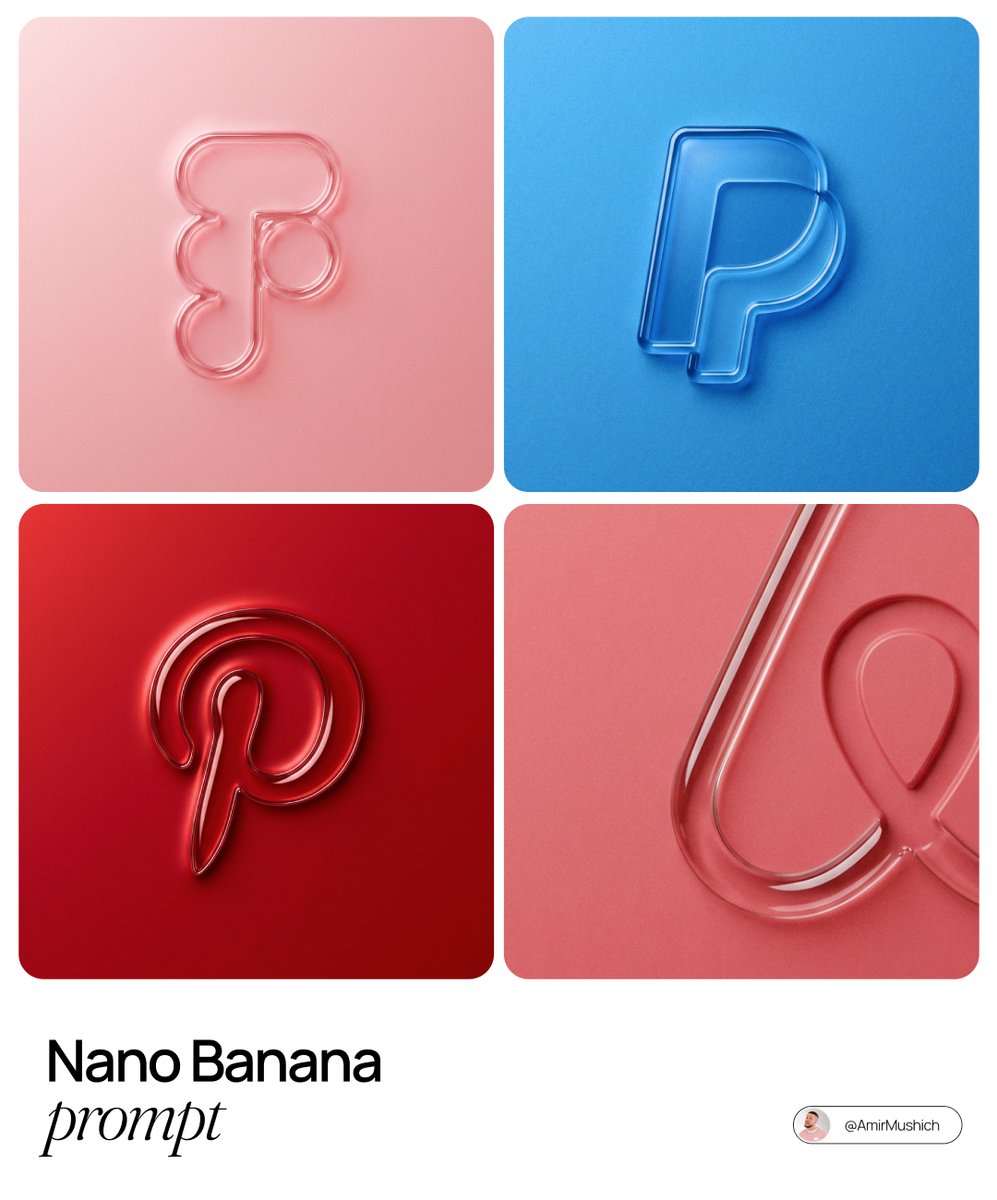
3D embossed brand logo on monochrome background

3D embossed brand logo on monochrome background

The centrally aligned {argument name="brand name" default="[brand name]"} on a flat surface is rendered with a 3D embossed glossy outline, perfectly centered in the composition with ample surrounding white space, creating a high-end minimal aesthetic. A monochrome {argument name="main color" default="[color]"} palette with a soft gradient in tone. The object is defined by raised, liquid-smooth glass borders or chrome edges, blending seamlessly with the background to form an integrated embossed effect. A matte surface overlaid with subtle film grain or noise texture. Soft diffused lighting with strong specular highlights at the rounded corners, viewed from a top-down perspective.

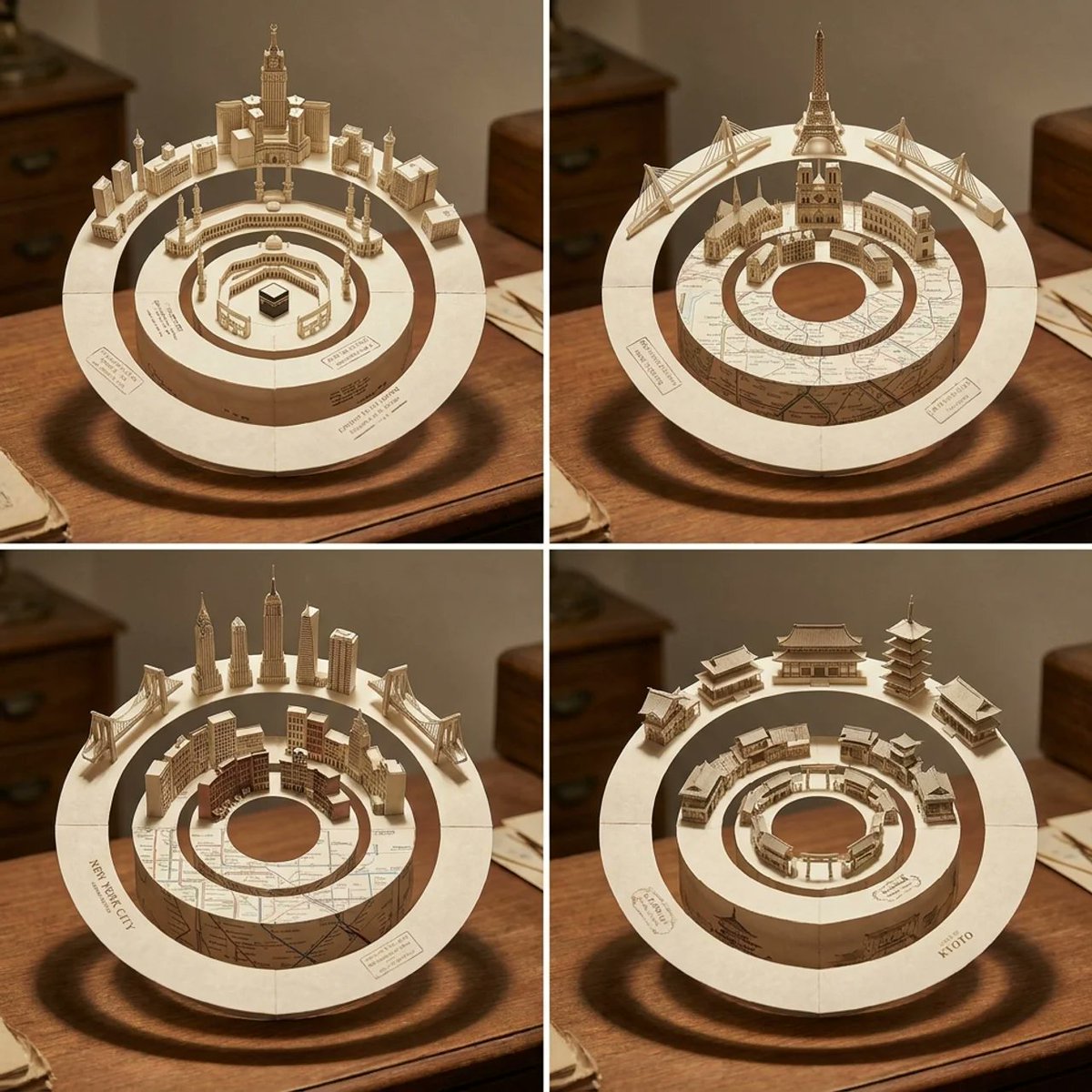
Concentric Papercraft City Installation

Concentric Papercraft City Installation

2x2 grid, do this for {argument name="city name" default="mecca"} and 3 other cities: { "Scene_Aesthetic": "Physical Desktop Art Installation, Masterpiece Papercraft", "Target_Location": "[CITY_NAME]", "Geometry": { "Structure": "Three interlocking, concentric circular tracks (Gyroscopic gimbal) made of thick ivory parchment.", "Axis": "Resting upright on a vintage desk, casting complex circular shadows." }, "AI_Semantic_Inference": { "Outer_Ring": "AI_INFER(The modern skyline and bridges of [CITY_NAME] folded out of the paper, pointing outward)", "Inner_Rings": "AI_INFER(Historical districts and transit systems of [CITY_NAME] lining the inside of the rings, pointing inward toward the hollow center)", "Texture": "Visible paper grain, delicate fold lines, sepia ink text stamped onto the flat surfaces." } }

AI Vision Augmented Reality Overlay Concept

AI Vision Augmented Reality Overlay Concept

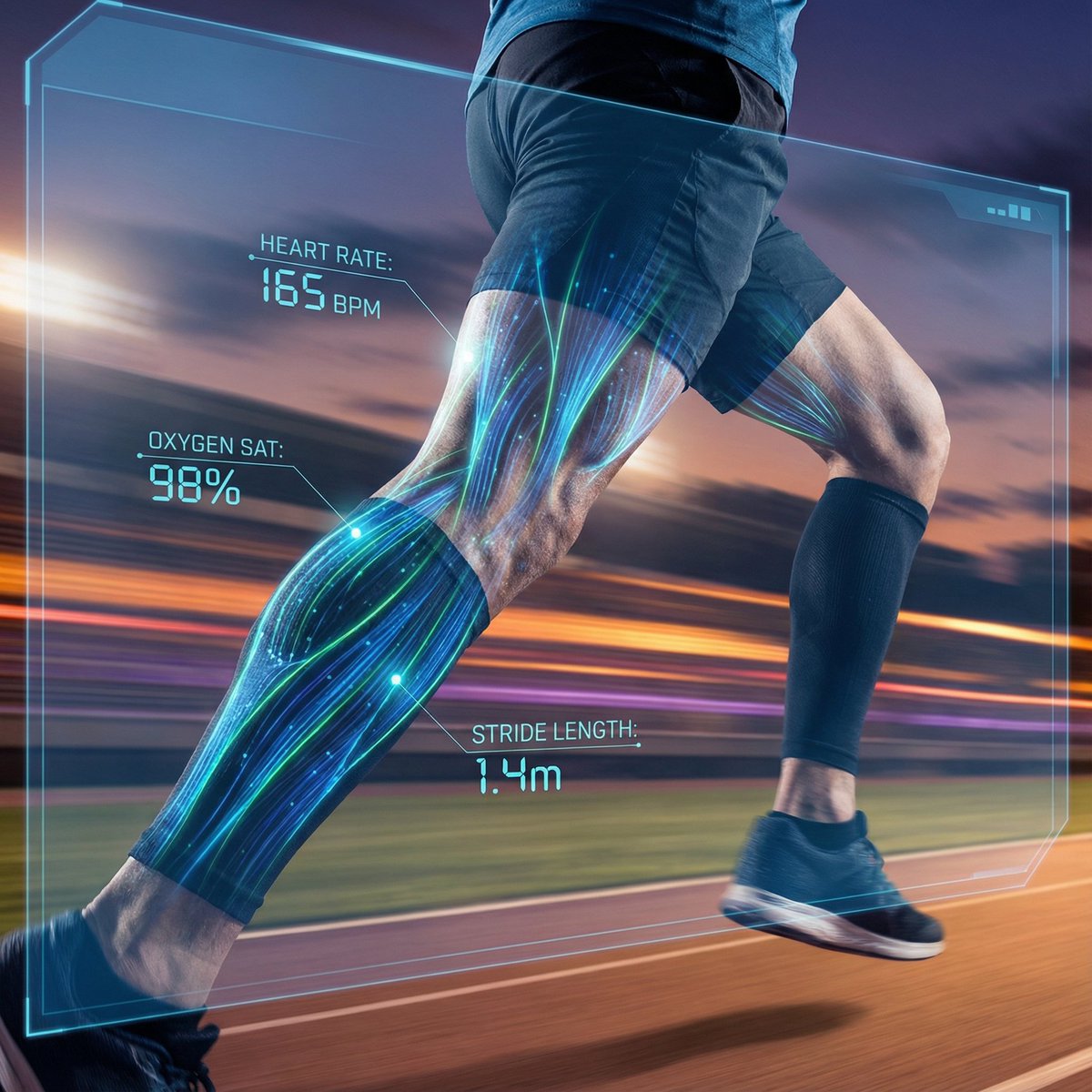
{ "concept_name": "AI Vision & Data Overlay (Augmented Reality)", "instructions": "Replace [SUBJECT] with any object, person, architectural structure, or vehicle.", "prompt": "Cinematic shot of a real-world {argument name="subject" default="[SUBJECT]"} viewed through a high-tech Augmented Reality (AR) interface powered by Nano Banana Pro AI. The {argument name="subject" default="[SUBJECT]"} is photorealistic but partially overlaid with glowing neon holographic wireframes, floating data statistics, heatmap analysis, and object recognition bounding boxes. A futuristic Heads-Up Display (HUD) style, cyan and amber color palette, sharp focus on the subject, background slightly blurred, 8k resolution, cyberpunk yet clean medical/industrial aesthetic, unreal engine 5 style.", "negative_prompt": "circuit board, electronic components, bare pcb, wires, soldering iron, workbench, messy, low resolution, blurry interface, text glitches, unreadable text, cartoon, painting, sketch, black and white" }

3D Isometric Floating Home Office Illustration

3D Isometric Floating Home Office Illustration

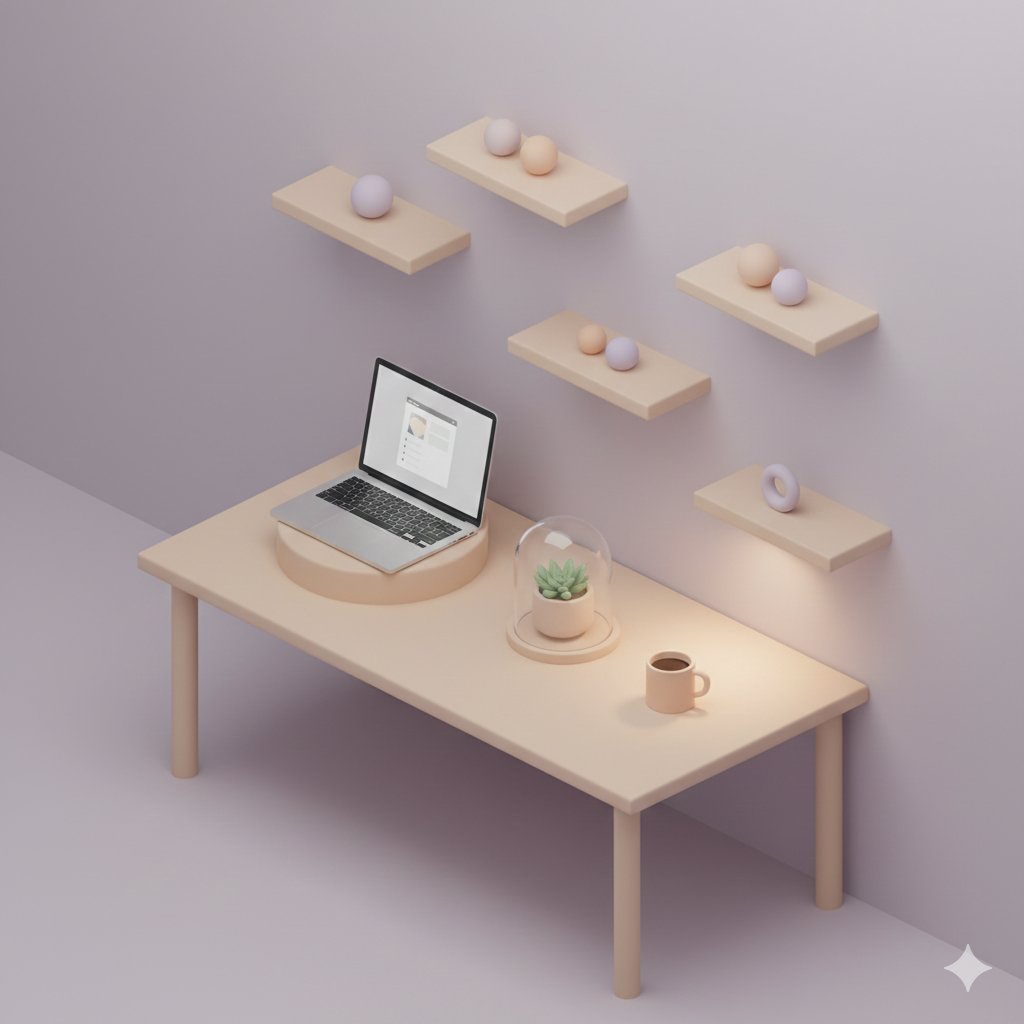
A 3D isometric pastel home office scene where objects appear gently lifted, featuring a modern desk with a laptop slightly hovering, plants slowly floating upward, shelves detached from the wall, and a coffee cup resting in mid-air without spills. Smooth rounded surfaces, soft matte materials, {argument name="color palette" default="light mint, lavender, and warm beige"} palette, minimal and clean details, subtle depth, soft ambient lighting, gentle shadows that hint at weightlessness, peaceful futuristic mood, illustration-style render, modern UI-friendly composition.

Luxurious Retrofuturistic Train Exterior

Luxurious Retrofuturistic Train Exterior

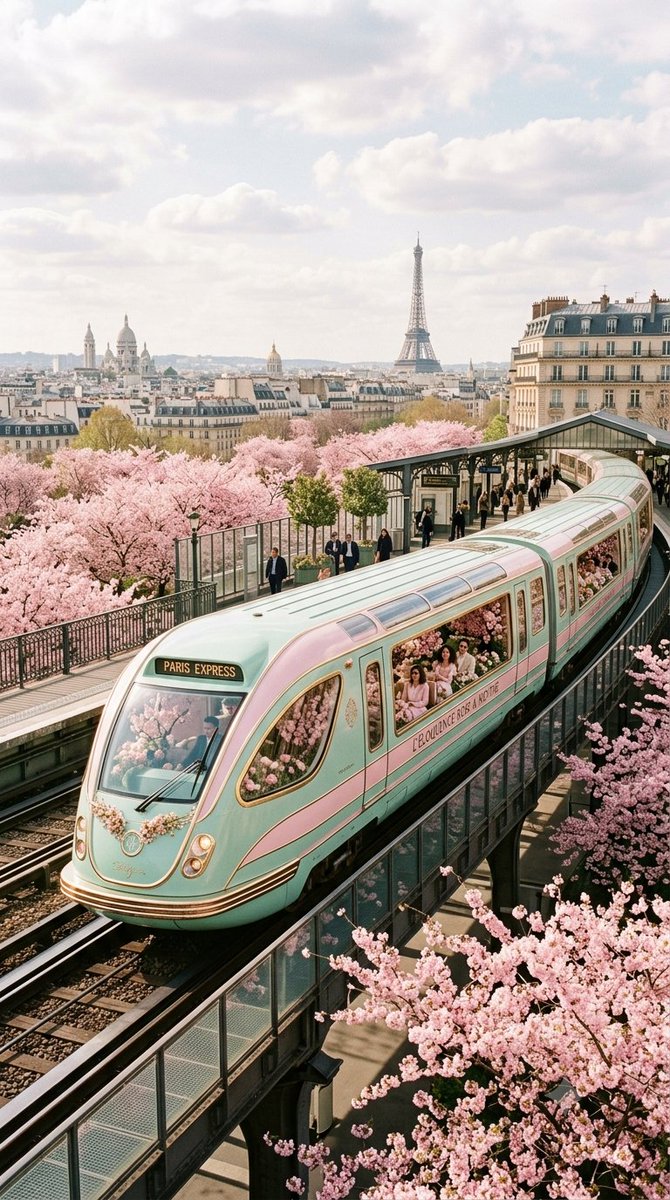
{ "image_generation_prompt": { "shot_type": "exterior shot, photo", "subject": "{argument name="subject" default="A luxurious retrofuturistic train"}", "color_palette": [ "{argument name="primary color" default="pastel pink"}", "{argument name="secondary color" default="mint green"}" ], "interior_design": { "style": "Zaha Hadid", "elements": "filled with flowers", "features": "large windows" }, "setting": "{argument name="environment" default="overlooking Paris during cherry blossom season"}", "focus": "train exterior", "parameters": { "aspect_ratio": "9:16", "version": 7 } } }

Stylized Tech Illustration Template

Stylized Tech Illustration Template

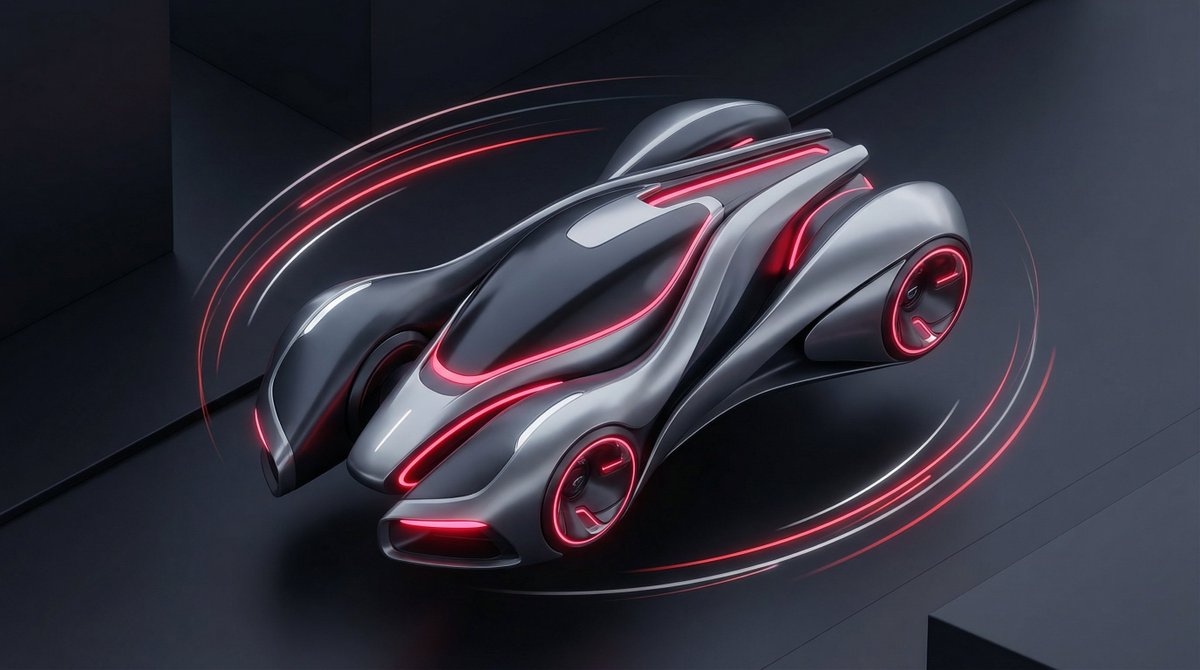
A stylized illustration of {argument name="product or technology" default="[PRODUCT / TECHNOLOGY]"} visualized as {argument name="futuristic metaphor" default="[FUTURISTIC METAPHOR]"}. Isometric or 3D-inspired illustration, smooth surfaces, glowing accents. Color scheme: {argument name="color scheme" default="[NEON / DARK MODE / PASTEL TECH]"}. Clean background, soft shadows, premium startup aesthetic. (Great for SaaS visuals, AI tools, landing pages.)

Liquid Glass UX Button Prompts for Nano Banana Pro

Liquid Glass UX Button Prompts for Nano Banana Pro

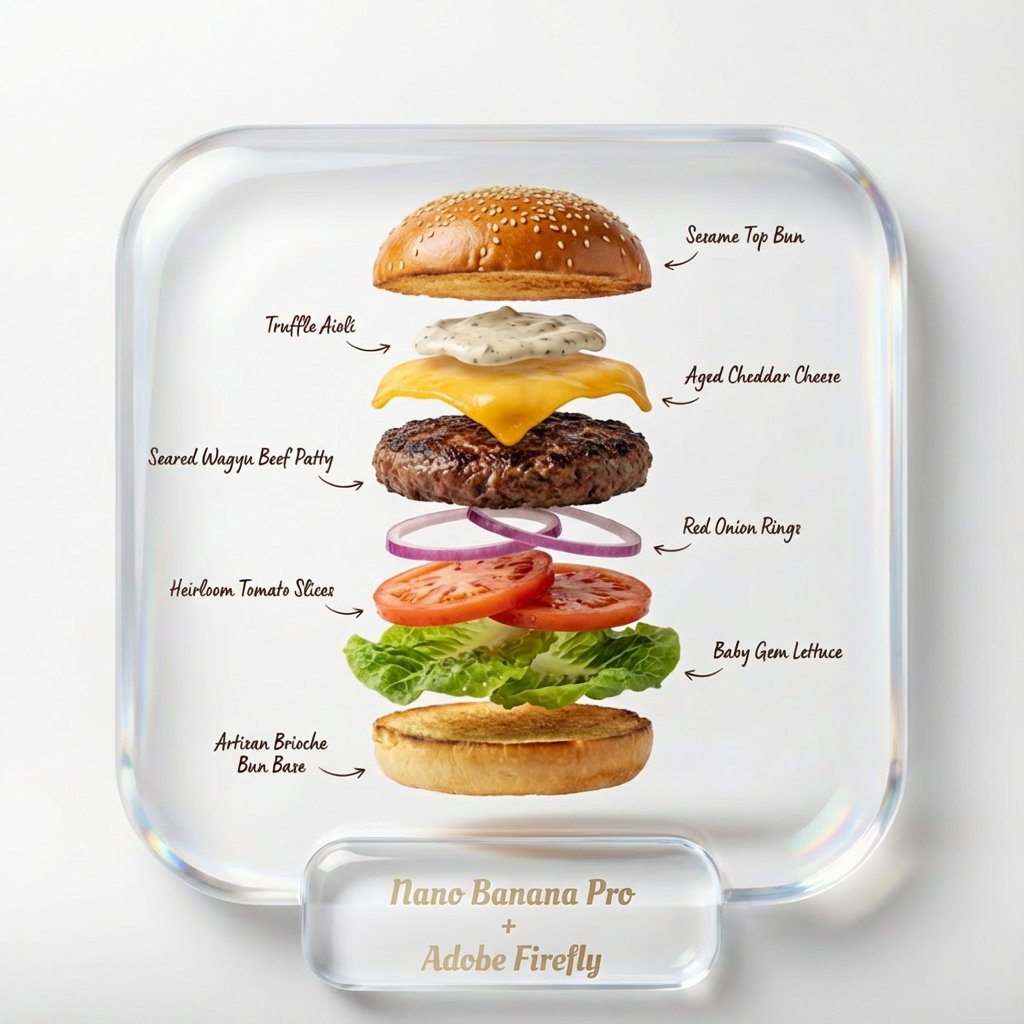
add a 3D UX button around text at the bottom "Nano Banana Pro + Adobe Firefly" harmonize everything to look like a professional UX, button is liquid glass style, all text dark color add a 3D UX button around text at the bottom "Nano Banana Pro + Adobe Firefly" harmonize everything to look like a professional UX, button is liquid glass style

Architectural Illustrator Presentation Board Template

Architectural Illustrator Presentation Board Template

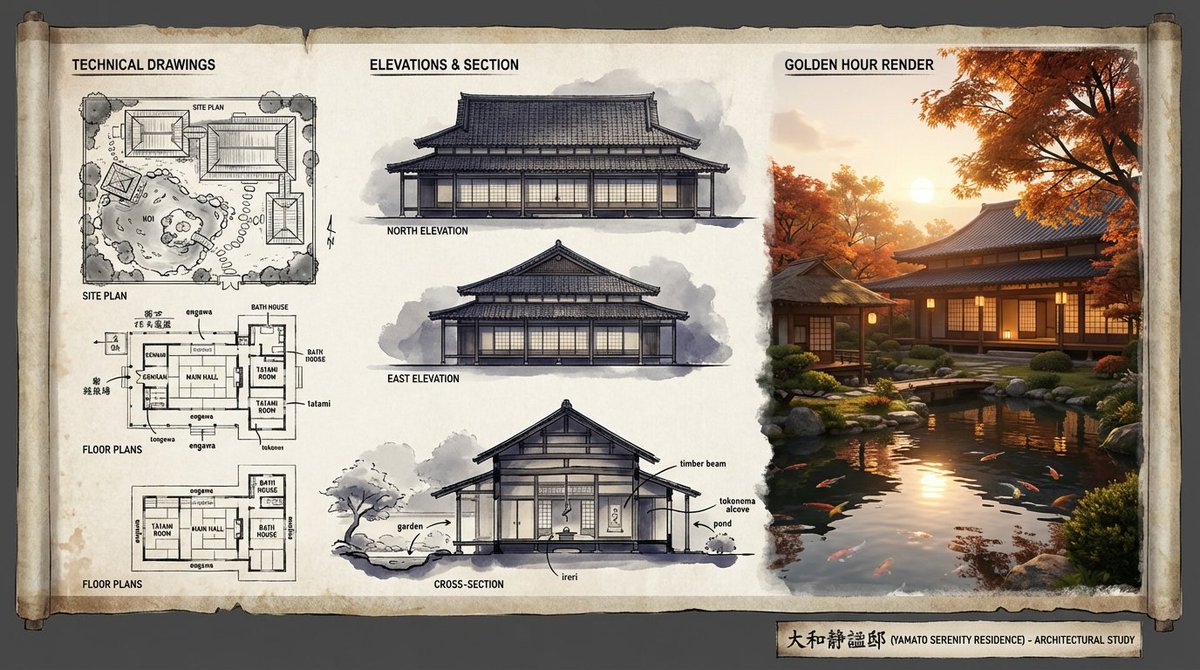
An expert architectural illustrator's presentation board for a [{argument name="style" default="STYLE"}] residence featuring [{argument name="architectural elements" default="KEY ARCHITECTURAL ELEMENTS"}]. The canvas flows left to right: black and white 2D drawings (Site Plan, Floor Plans) on the left, Elevations and Cross-Section in the center, and a photorealistic 3D render at [{argument name="time of day" default="TIME OF DAY/LIGHTING"}] on the right. Unified aesthetic blending [{argument name="linework style" default="LINEWORK STYLE"}] with [{argument name="texture" default="TEXTURE/MATERIAL"}]. [{argument name="drawing tones" default="TECHNICAL DRAWING TONES"}] transitioning to [{argument name="render palette" default="RENDER COLOUR PALETTE"}]. Title block reads '[{argument name="project name" default="PROJECT NAME"}]'.

Mixed Reality Retail Experience Prompt

Mixed Reality Retail Experience Prompt

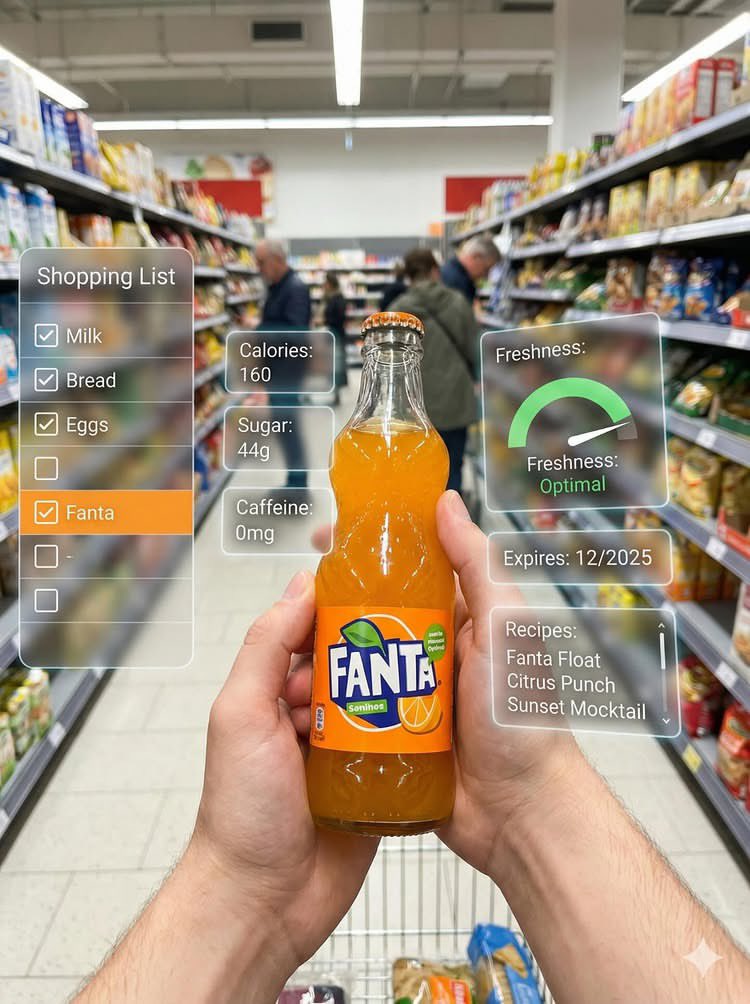
First-person perspective inside a brightly lit supermarket aisle or section. Realistic human hands are holding {argument name="product name" default="[PRODUCT NAME]"} close to the camera. The product’s [key visual traits: color, texture, packaging, freshness details] are clearly visible under natural store lighting. The {argument name="product name 2" default="[PRODUCT NAME]"} is surrounded by a multi-layered holographic augmented reality interface displaying relevant product information, including [nutritional or product data such as calories, protein/sugar/caffeine, vitamins, freshness indicator, origin, expiration date, usage or recipe suggestions]. The AR UI elements smoothly shift and reorganize based on the viewer’s gaze direction, as if dynamically responding to user focus. In the left peripheral vision, a vertical semi-transparent shopping list is visible with checked-off items, where {argument name="product name 3" default="[PRODUCT NAME]"} is highlighted as the currently active selection. Hyper-realistic mixed reality, clean futuristic AR design, glass-like UI panels, soft ambient glow, realistic lighting and shadows, natural depth of field, immersive first-person interface, showcasing next-generation retail technology.

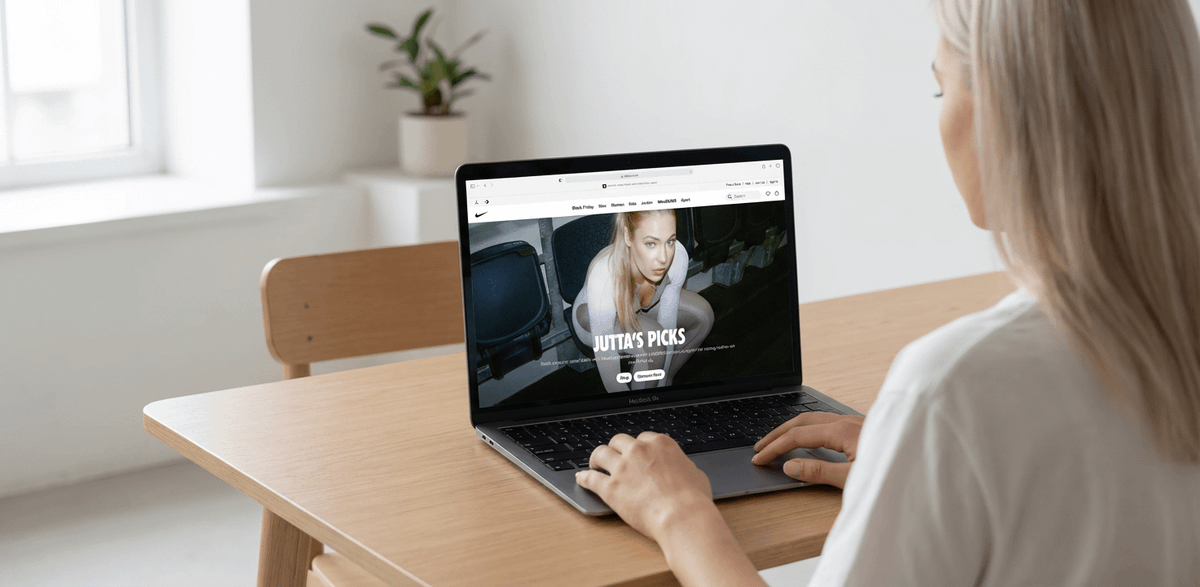
MacBook Mockup with User from Behind

MacBook Mockup with User from Behind

Create a MacBook mockup placed in a minimalist room. Use the attached image on the laptop screen. A woman is sitting at the desk, using the computer, shown from behind. https://t.co/Kerh2vHqqE

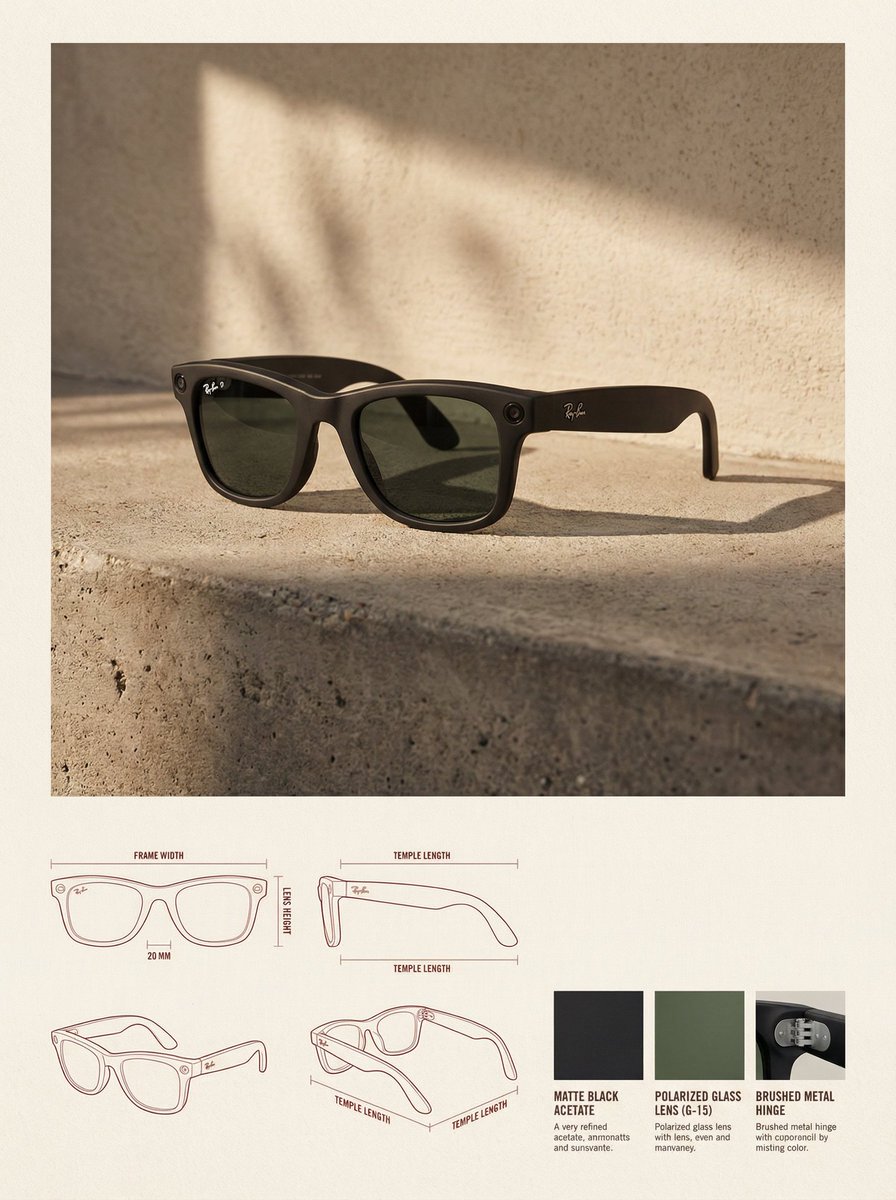
High-End Product Catalog Style Prompt (Nano Banana Pro)

High-End Product Catalog Style Prompt (Nano Banana Pro)

✓ Reference Image: Use the uploaded image as a precise visual reference for the product's form, proportion, material, and overall identity. Do not redesign or reinterpret the product. ✓ Layout: Vertical 3:4 canvas, background is a warm neutral paper surface, the upper part is the lifestyle hero area, and the lower part is the technical specification area. ✓ Upper Section: The product image is placed in the top center, dominating the space, with ample white space around it. ✓ Environment Setting: Minimalist architectural interior, natural side lighting, soft high-contrast shadows, concrete floor, textured stucco walls. ✓ Rendering Style: Editorial lifestyle photography, highly realistic, warm and soft high-end color grading. ✓ Lower Section: Technical specification panel uses a modular grid layout. The bottom left features architectural line drawings (front view, side view, three-quarter top view), soft red or sepia thin lines, with minimal annotations. ✓ Bottom Right: 3-4 material samples, derived from the product's actual materials ({argument name="material type" default="fabric, leather, metal, wood, plastic"}). ✓ Typography: Minimalist editorial style, soft black or dark brown, no large titles. ✓ Overall Style: Design catalog/product design journal, architectural, high-end, calm. Avoid clutter, bold colors, heavy branding, excessive decoration. ✓ Constraints: Do not change the product design, do not fabricate materials, do not add logos unless present in the reference, do not use perspective distortion in the drawings.

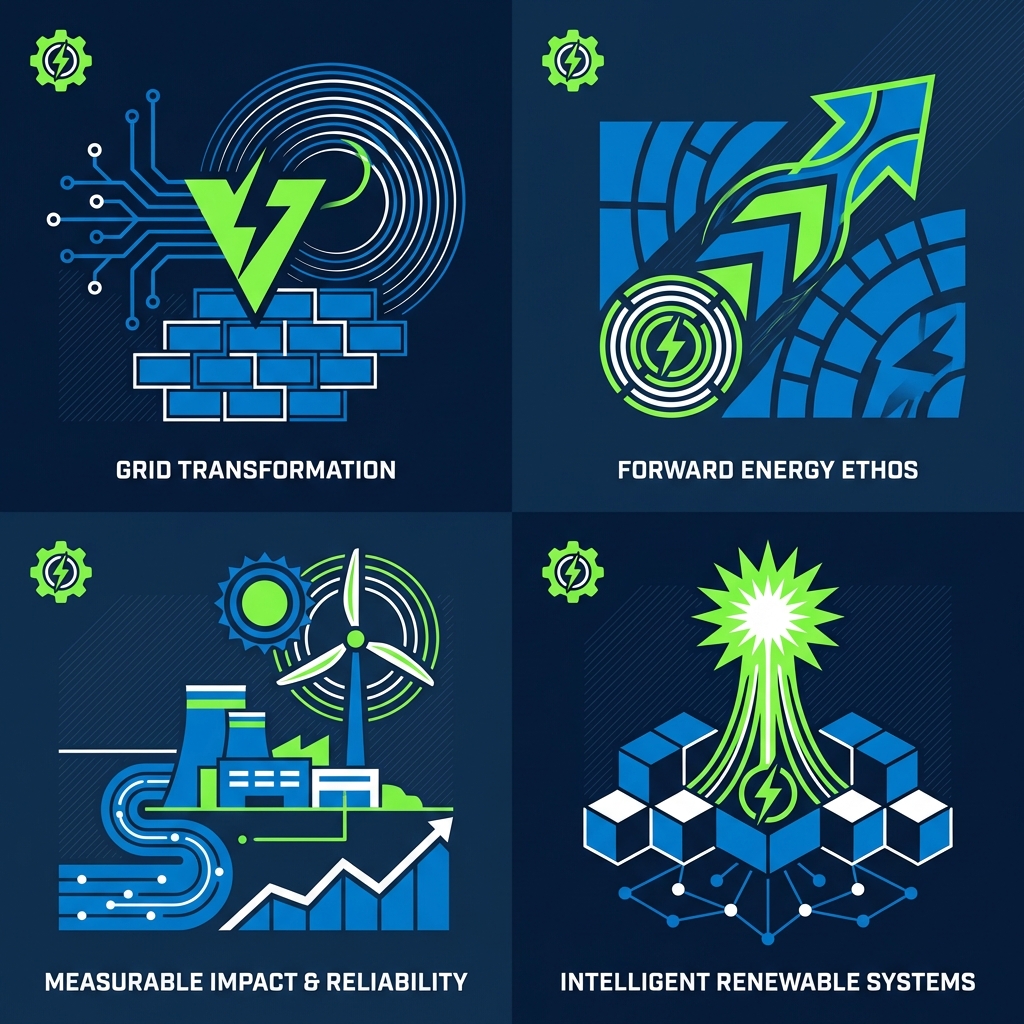
Minimal Abstract Vector Illustration Style

Minimal Abstract Vector Illustration Style

Minimal abstract illustration. Flat but layered vector-style shapes, precise curves, consistent stroke logic, limited color palette with high harmony, balanced spacing and alignment, designed to feel systemized and scalable, like a mature brand illustration set.

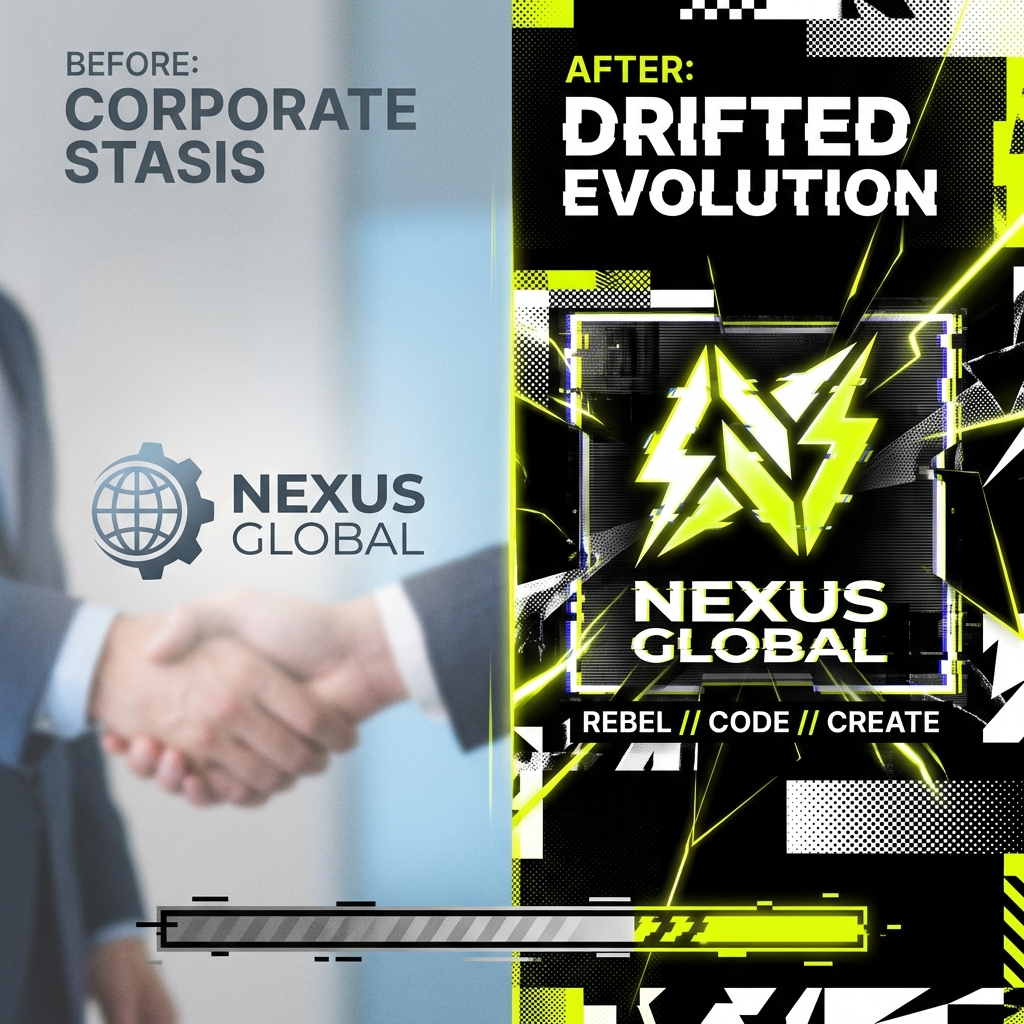
Conceptual Rebrand Reveal Visual Prompt

Conceptual Rebrand Reveal Visual Prompt

Conceptual rebrand reveal visual for a modern tech company. Abstract transformation motifs, before-and-after visual tension, soft directional lighting, restrained palette, confident, forward-looking tone, crafted like a global agency rebrand case study.

Freepik Prompt Share with Nano Banana Pro

Freepik Prompt Share with Nano Banana Pro

A stylized, minimalist vector illustration of a {argument name="subject" default="person working on a laptop"} surrounded by abstract geometric shapes, vibrant color palette, clean lines, suitable for a modern website banner, Freepik style.

3D Paper-Cut Illustration Style

3D Paper-Cut Illustration Style

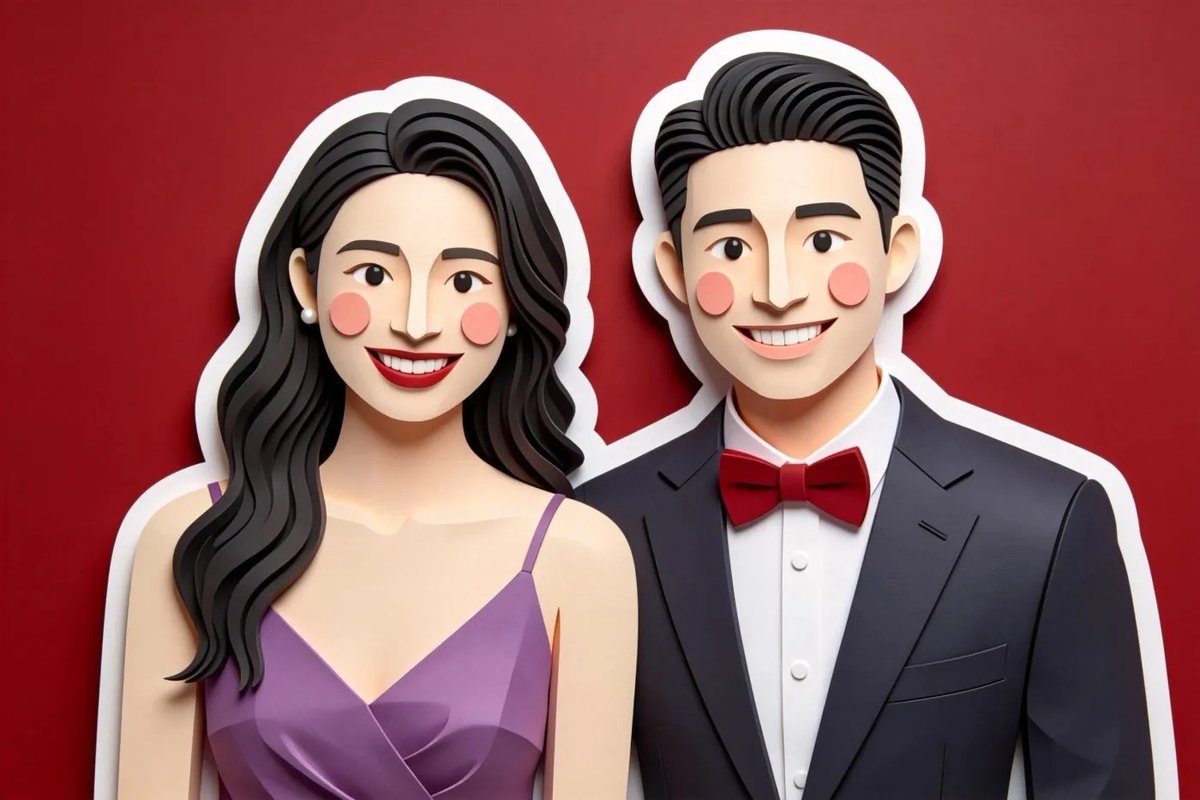
Charming 3D paper-cut illustration, smooth rounded shapes, minimal character features ({argument name="character features" default="dot eyes, blush cheeks"}), {argument name="border style" default="thick white sticker border"} around subjects, {argument name="color palette" default="gentle pastel colors"}, soft even lighting, matte tactile art paper texture.

Minimal Flat Javanese Animation

Minimal Flat Javanese Animation

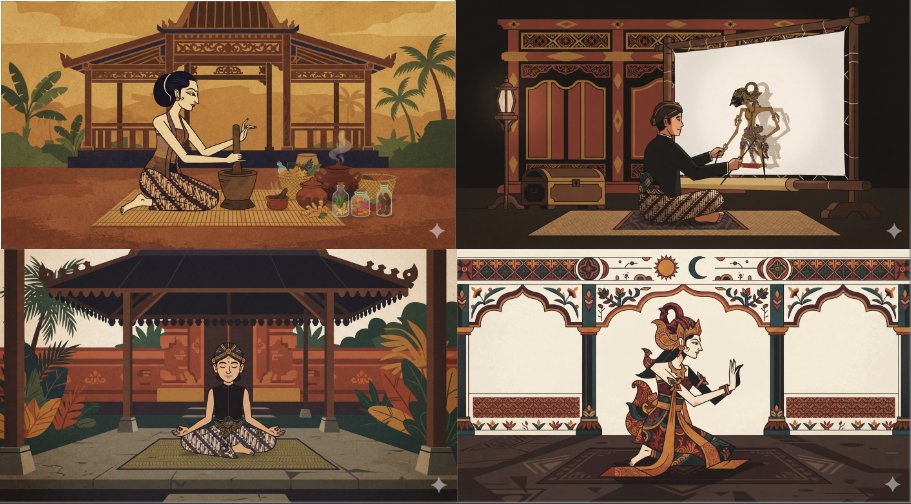
a minimal flat animated scene of {argument name="subject" default="something neutral but interesting"}, {argument name="character count" default="a single character"}, pick an unusual animation style and palette. {argument name="art style" default="Javanese style"}.

Cinematic Vector Fashion Portrait

Cinematic Vector Fashion Portrait

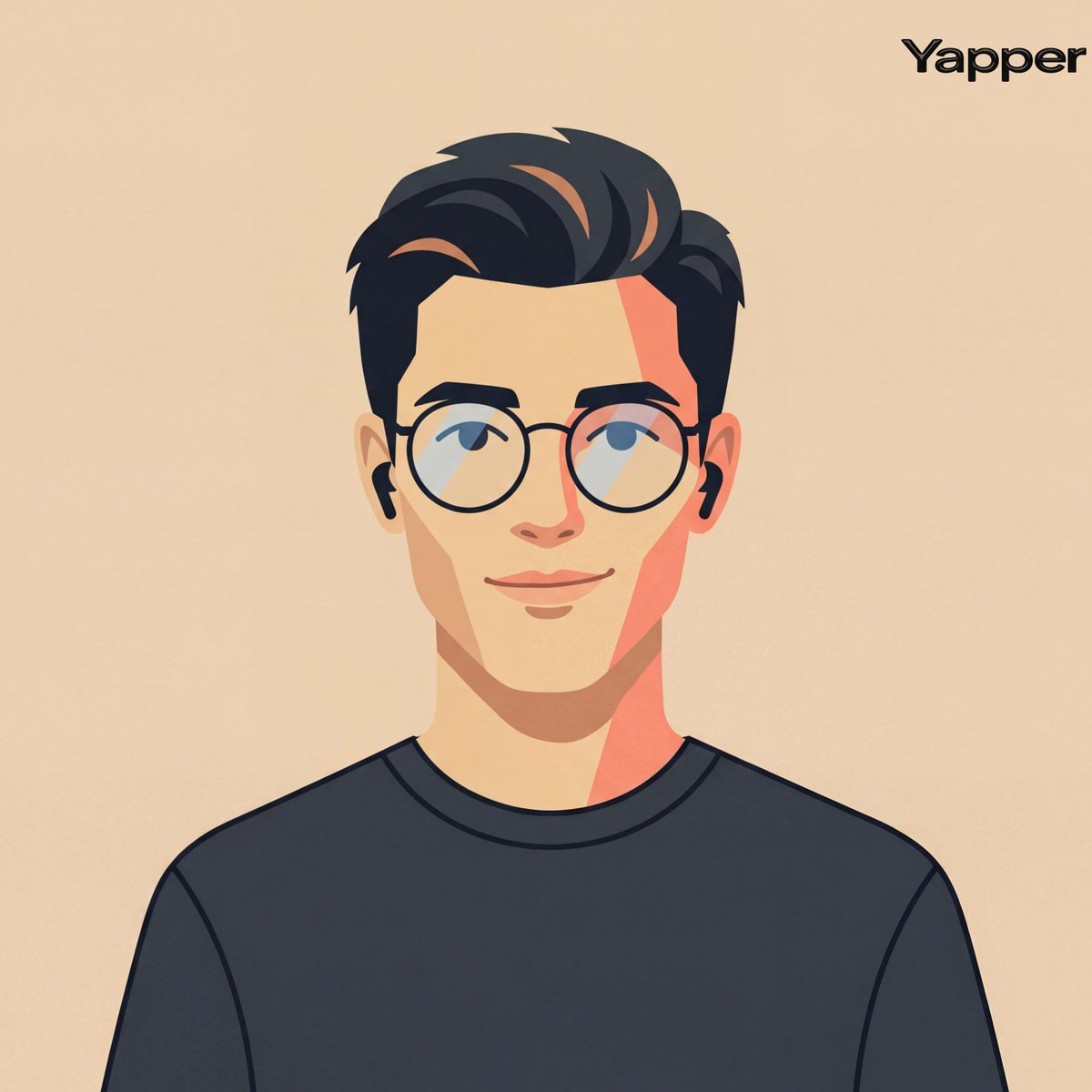
Create A Cinematic Fashion-editorial Portrait Of A Person Using Their Photo As Identity Reference, Rendered In A Clean Flat Vector Illustration Style With Smooth Geometric Shapes, Crisp Outlines, And Simplified Facial Geometry, Framing Centered Head-and-shoulders Composition With Symmetrical Alignment, Subject Facing Forward With Relaxed Posture And A Subtle Friendly Smile Styling Minimal Modern Casual With A Simple Dark Crew-neck Shirt And Thin Round Eyeglasses, Paired With Small Wireless Earbuds As Understated Accessories, Background A Flat Warm Beige Studio Tone (#ebdbc6) With No Gradients Or Textures To Maintain A Graphic Design Aesthetic, Lighting Implied Through Stylized Flat Color Blocking Rather Than Realistic Shading, With A Gentle Warm Highlight Tone (-4800k) On One Side Of The Face And A Slightly Darker Tonal Block On The Opposite Side To Create Minimal Dimensional Contrast, Reflections Extremely Subtle On The Glasses Lenses, Lens Simulation Conceptually Equivalent To A Neutral Portrait Crop (50-70mm) Translated Into A Flat Graphic Design Perspective With No Depth Blur; Texture Perfectly Smooth Matte Vector Surfaces With Solid Color Fills And Clean Edges, Color Palette Warm Skin Tones, Muted Peach And Coral Accents, Charcoal Black Hair And Clothing, And Soft Beige Background, Overall Mood Friendly, Approachable, Modern Tech-avatar Aesthetic Suitable For Product Design Or Ui Identity Illustration Editorial, Modern, High-detail, Cinematic Composition, Ultra-realistic Textures, Professional Fashion Photography Style

Abstract Background for Premium Website

Abstract Background for Premium Website

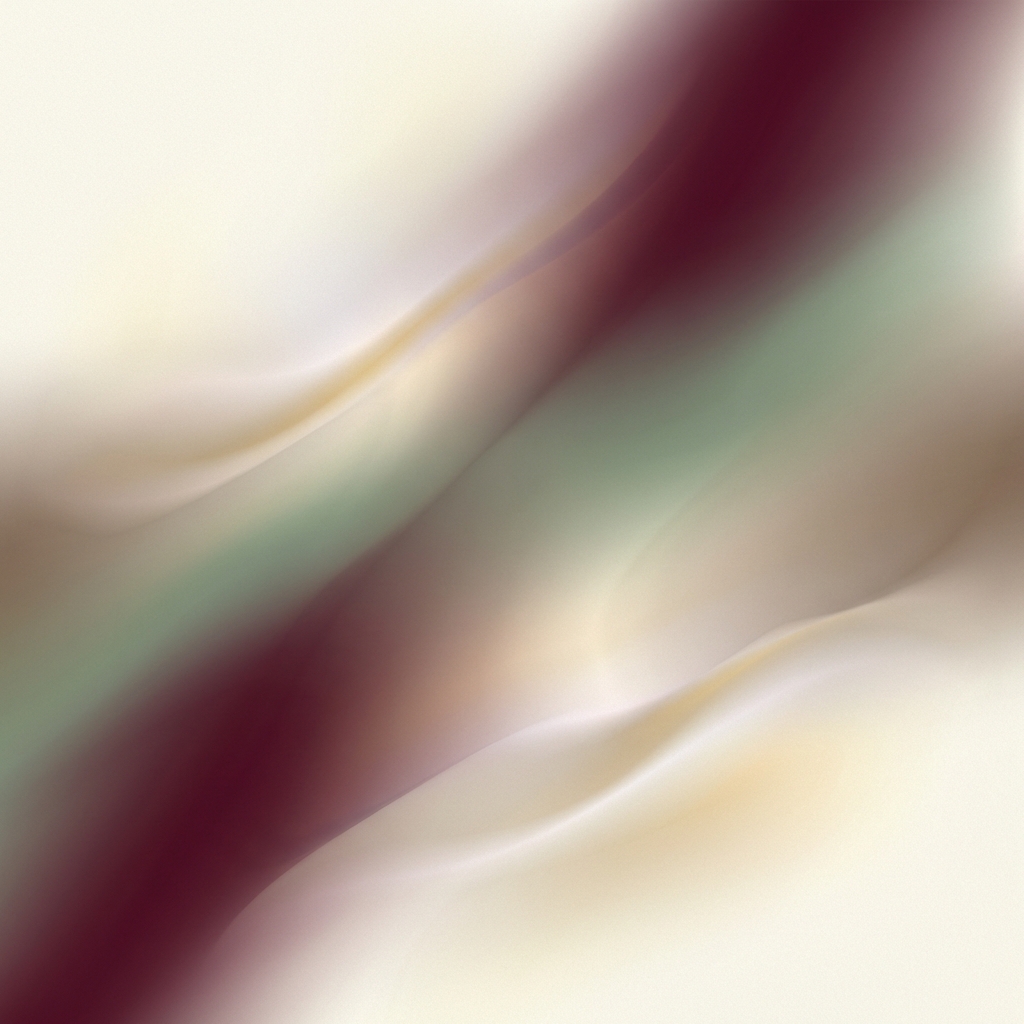
Abstract background visual for a premium website section. Soft gradients, subtle depth, low visual noise, modern color harmony, non-distracting composition, scalable across layouts, designed like a senior product designer asset.

部分提示词收录自 X 平台创作者,版权归原作者所有。