Kenerate AI

提示词库

AI 提示词库

汇集全球创作者的精选图像、视频与建站提示词。复制任意一条,替换主体或风格,即可用最新模型生成。

15,630 条提示词 · 每日更新 · 完全免费

共 599 条

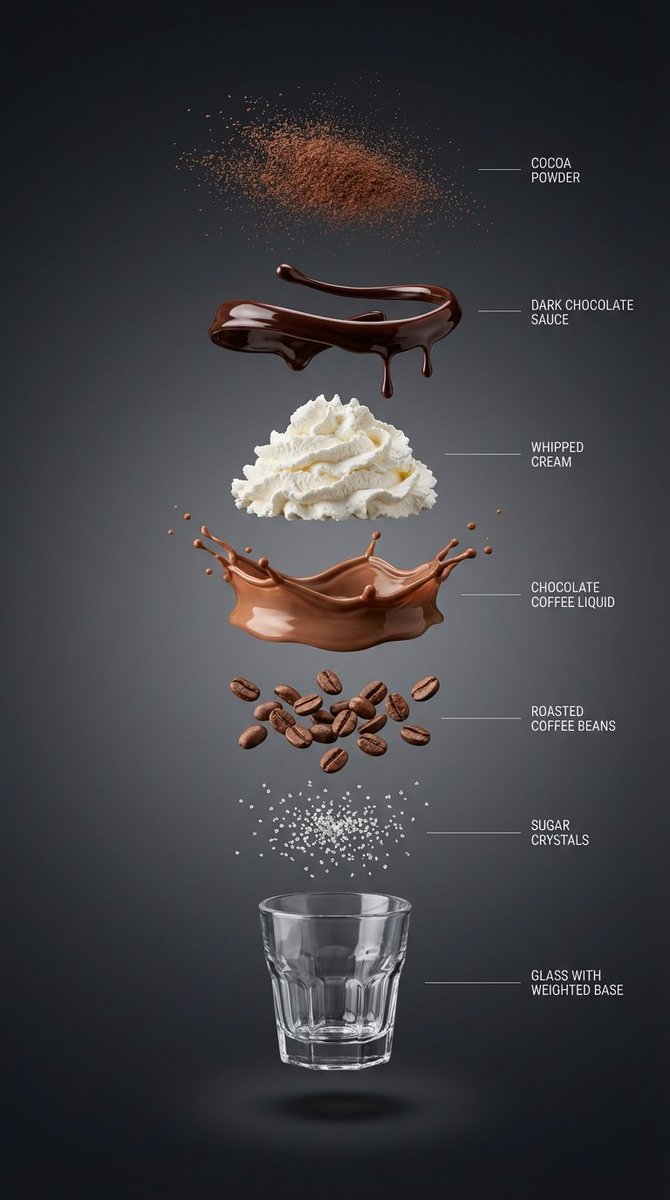
Exploded View Infographic Prompts for Coffee and Milkshakes

Exploded View Infographic Prompts for Coffee and Milkshakes

{ “subject”: “{argument name="beverage name" default="Hyper-realistic vertical exploded view infographic of a chocolate coffee drink"}”, “layout”: “Center vertical alignment, components independently suspended with clear spacing”, “layers”: [ { “component”: “Fine cocoa powder particles”, “position”: “Top” }, { “component”: “Glossy dark chocolate sauce ribbons and drips”, “position”: “Separate layer” }, { “component”: “Light whipped cream pile”, “position”: “Separate layer” }, { “component”: “Silky chocolate coffee liquid layer”, “position”: “Separate layer” }, { “component”: “Roasted coffee beans”, “position”: “Separate layer” }, { “component”: “Sugar crystals”, “position”: “Separate layer” }, { “component”: “Small transparent threaded glass cup with weighted base (empty cup)”, “position”: “Bottom” } ], “background”: “High-end dark background: Clean studio background, near-black graphite to charcoal gradient, soft and smooth”, “lighting_and_style”: { “lighting”: “Soft and controlled studio light, clear layered shadows beneath each component”, “detail”: “Ultra-sharp macro realism, minimalist thin guide lines and English labels on the right”, “category”: “High-end product infographic”, “resolution”: “8K” } } ------------- { “subject”: “Hyper-realistic vertical exploded view infographic of a matcha milk cap fruit coffee drink”, “layout”: “Center vertical alignment, components independently suspended with clear spacing”, “layers”: [ { “component”: “Fine matcha powder particles”, “position”: “Top” }, { “component”: “Fresh strawberries and mango slices (with crystalline moisture)”, “position”: “Separate layer” }, { “component”: “Thick savory cheese matcha milk cap layer (with delicate foam)”, “position”: “Separate layer” }, { “component”: “Clear cold brew coffee liquid mixed with emerald matcha layer”, “position”: “Separate layer” }, { “component”: “Crystal clear ice cubes and mint leaves”, “position”: “Separate layer” }, { “component”: “Concentrated fruit syrup at the bottom (e.g., raspberry sauce)”, “position”: “Separate layer” }, { “component”: “Minimalist straight striped glass cup (empty cup)”, “position”: “Bottom” } ], “background”: “Fresh minimalist background: Bright studio environment, soft gradient from pale beige to light gray”, “lighting_and_style”: { “lighting”: “Bright natural light feel, with clear glass reflections and layered shadows”, “detail”: “Ultra-sharp macro realism, minimalist thin guide lines and English labels on the right”, “category”: “High-end product infographic”, “resolution”: “8K” } } --------------------- { “subject”: “Hyper-realistic vertical exploded view infographic of a pink grapefruit peach smoothie”, “layout”: “Center vertical alignment, components independently suspended with clear spacing”, “layers”: [ { “component”: “Dried rose petal fragments and gold sugar powder”, “position”: “Top” }, { “component”: “Crystal clear grapefruit pulp particles”, “position”: “Separate layer” }, { “component”: “Light cherry blossom pink whipped cream pile”, “position”: “Separate layer” }, { “component”: “Silky peach oolong smoothie liquid layer (with delicate clinging texture)”, “position”: “Separate layer” }, { “component”: “Fresh juicy peach chunks”, “position”: “Separate layer” }, { “component”: “Chewy translucent amber pearls or tea jelly”, “position”: “Separate layer” }, { “component”: “Minimalist exquisite tall-stemmed tulip glass (empty cup)”, “position”: “Bottom” } ], “background”: “High-end Morandi pink background: Soft warm-toned cream pink to light beige gradient, pure and transparent”, “lighting_and_style”: { “lighting”: “Bright and fresh natural light, high-key illumination, light transparent shadows beneath each layer”, “detail”: “Ultra-sharp macro realism, minimalist thin guide lines and English labels on the right”, “category”: “High-end beverage visual poster”, “resolution”: “8K” } }
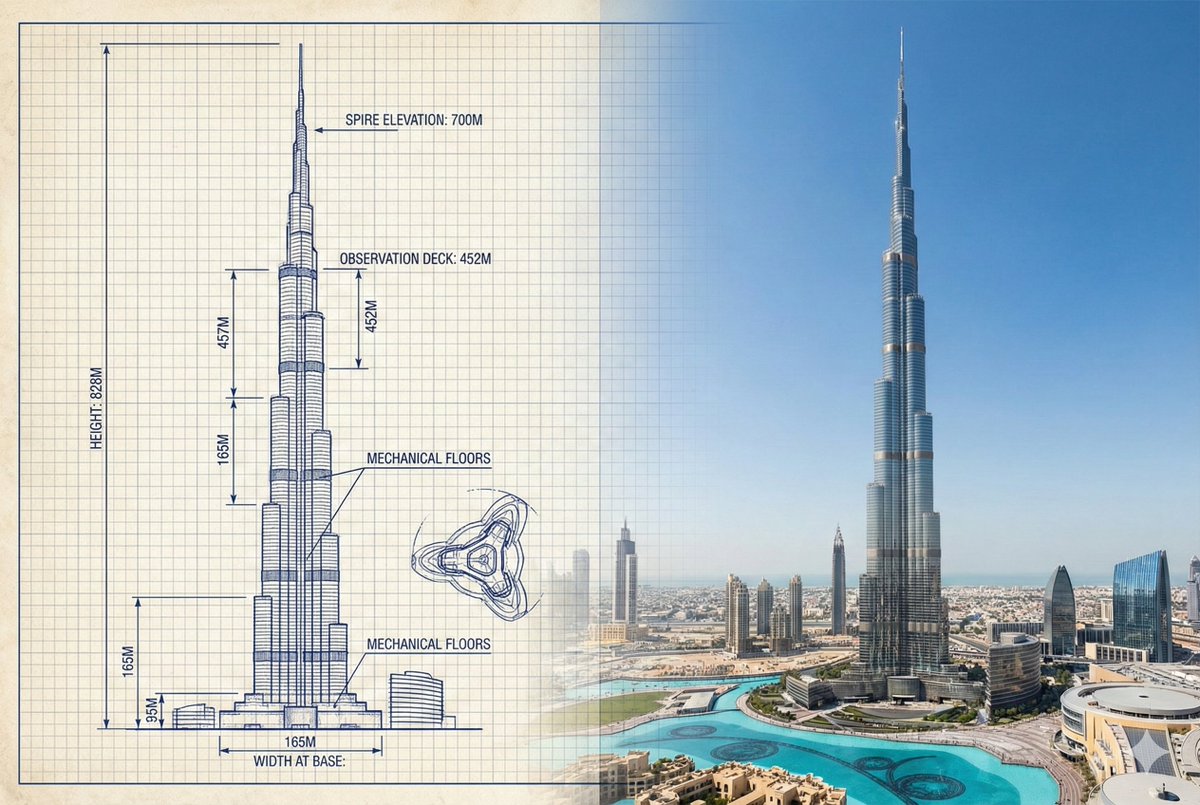
Burj Khalifa Technical Sketch and Real Photo Comparison

Burj Khalifa Technical Sketch and Real Photo Comparison

{ "objective": "Create a side-by-side comparison image featuring a technical sketch and real photograph of the Burj Khalifa", "image_specifications": { "style": "Mixed media (Technical drawing + Real photograph)", "layout": "Horizontal split - Left side: Sketch with measurements, Right side: Real photo", "aspect_ratio": "3:2" }, "left_side": { "content_type": "Technical sketch of the Burj Khalifa", "features": [ "Detailed architectural lines showing tiered setbacks", "Numerical height and width measurements", "Elevation labels for different tower sections", "Side and front elevation views (top-down projection if space allows)" ], "text_annotations": { "units": "Metric (meters)", "language": "English", "font_style": "Blueprint or engineering-style typography" }, "positioning": "Take up the left half of the image" }, "right_side": { "content_type": "High-resolution real photo of the Burj Khalifa", "features": [ "Full view of the tower from base to spire", "Natural daylight with clear sky", "Color image with Dubai skyline or Downtown Dubai context" ], "positioning": "Take up the right half of the image" }, "visual_elements": { "border_division": "Vertical line or subtle transition between left (sketch) and right (photo)", "color_palette": { "left": "Monochrome or blueprint blue for sketch", "right": "Natural realistic colors" } }, "output_format": { "type": "Image", "use_case": ["Educational poster", "Architectural comparison", "Engineering visualization", "Tourism visual aid"], "high_resolution": true } }

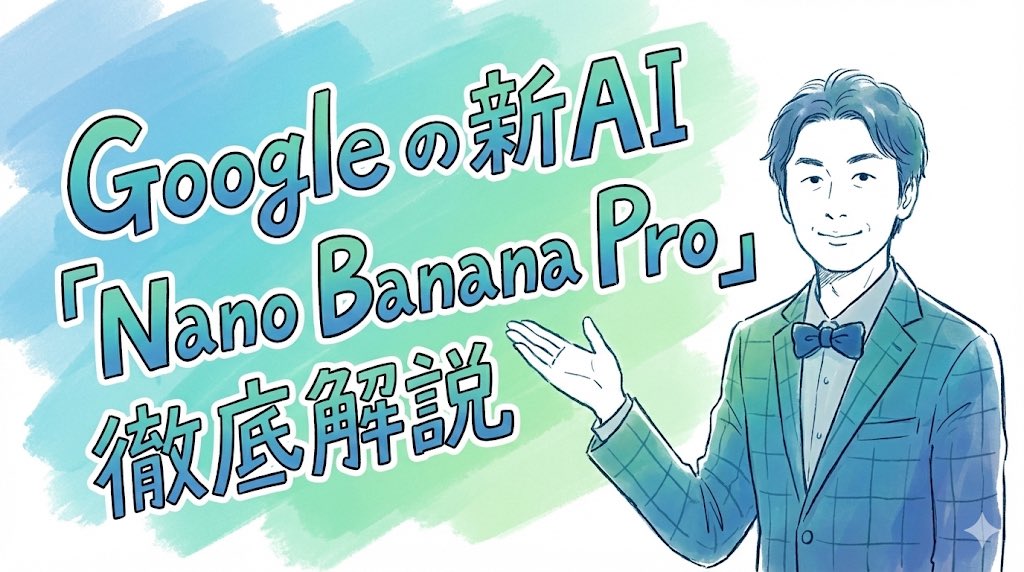
手绘风格标题图片提示(来自照片)
Nano Banana Pro精选

手绘风格标题图片提示(来自照片)

完全重塑上传的人物。 将其作为一篇笔记文章的标题图片,该人物在文章中介绍“Nano Banana Pro”。 长宽比:横向 16:9。 风格和颜色:简洁、手绘风格、斜体,带有蓝绿色渐变。 标题文字:“深入解读 Google 全新 AI ‘Nano Banana Pro’”。

@セミナー講師専門AIコンシェルジュ|工藤 晶
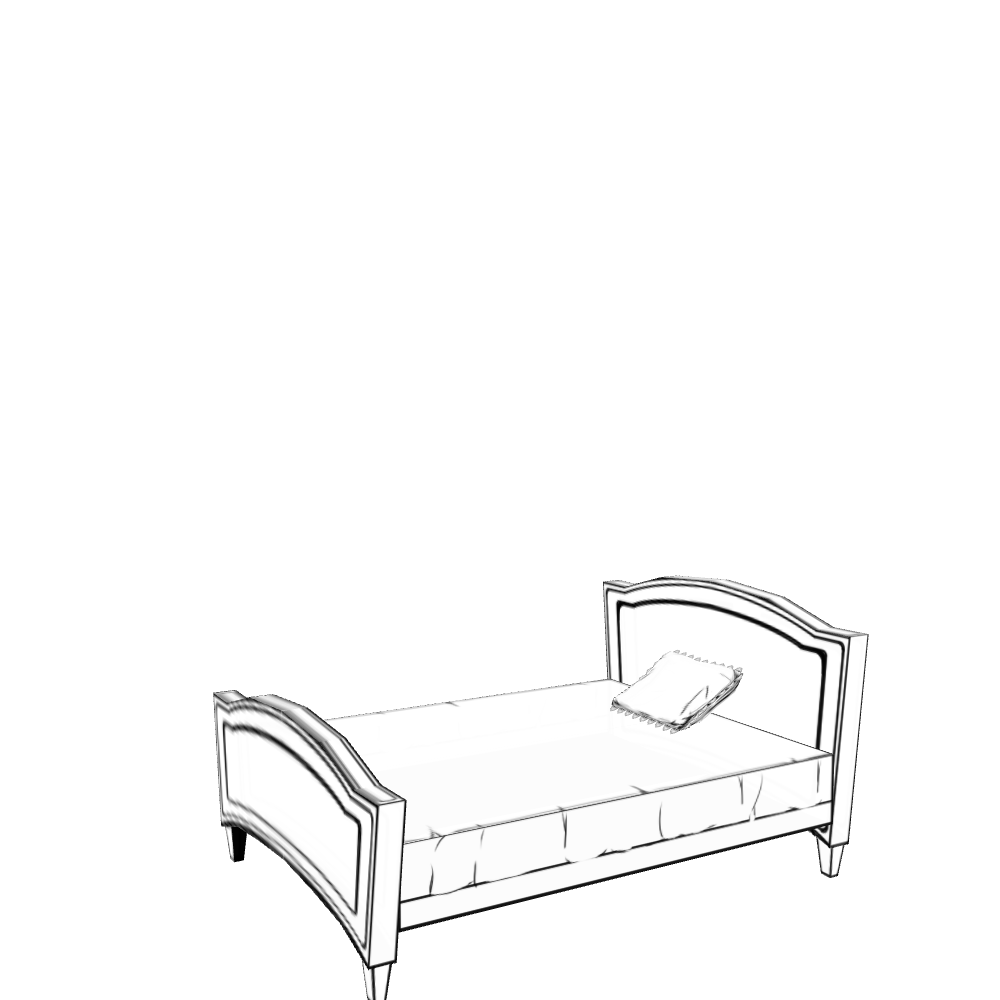
Isometric living room layout based on a sofa photo

Isometric living room layout based on a sofa photo

Create a living room layout that suits this sofa. Make it a room in a single-story house in the city where a married couple lives. Show the entire room as an isometric bird’s-eye view. Use an anime-style illustration.

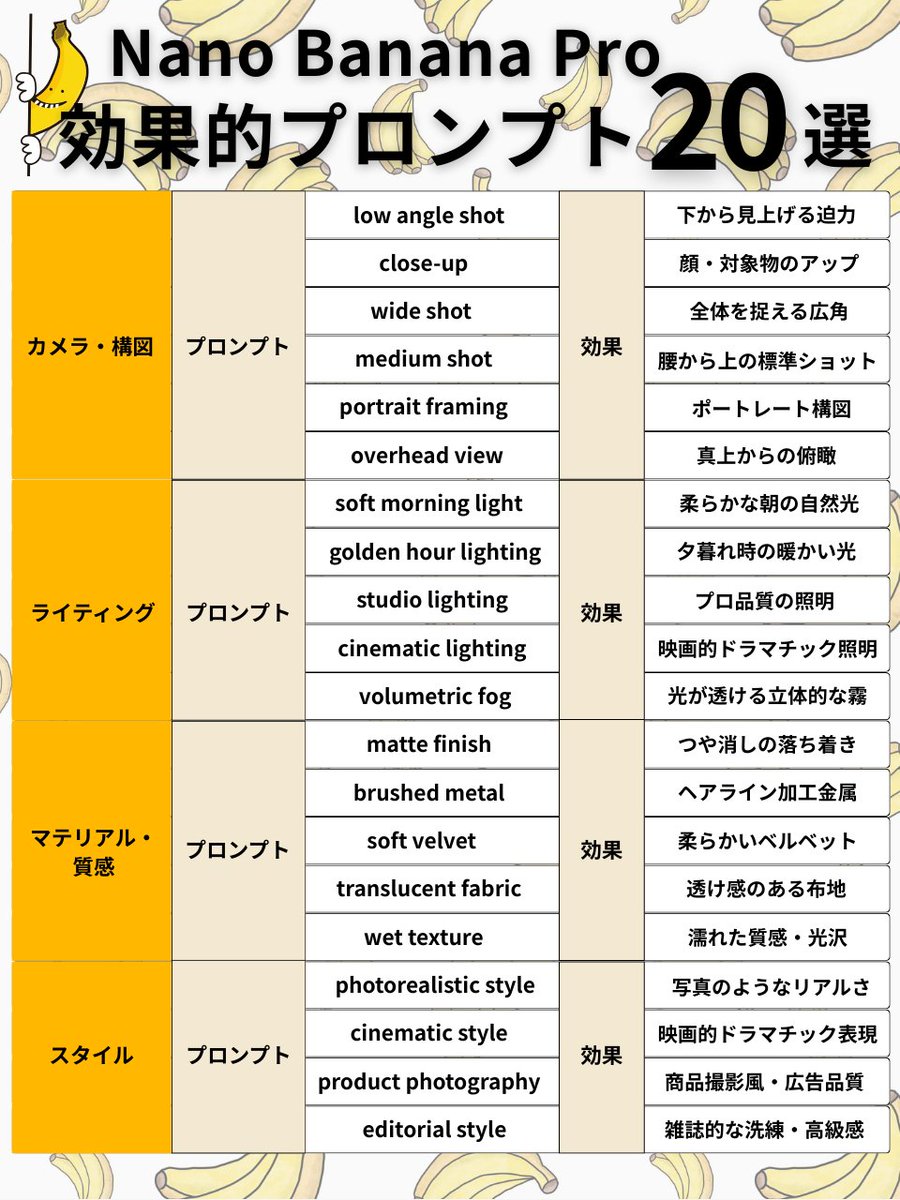
Nano Banana Pro Prompt Structure and Visual Elements

Nano Banana Pro Prompt Structure and Visual Elements

Subject + Composition + Action + Setting + Style + Lighting/Material <Camera/Composition 6 selections> ✅ low angle shot → Powerful view looking up from below ✅ close-up → Close-up of face/subject ✅ wide shot → Wide angle capturing the whole scene ✅ medium shot → Standard shot from the waist up ✅ portrait framing → Portrait composition ✅ overhead view → Bird's eye view from directly above <Lighting 5 selections> ✅ soft morning light → Soft natural morning light ✅ golden hour lighting → Warm light during sunset ✅ studio lighting → Professional quality lighting ✅ cinematic lighting → Cinematic dramatic lighting ✅ volumetric fog → Volumetric fog where light shines through <Material/Texture 5 selections> ✅ matte finish → Calm, non-glossy finish ✅ brushed metal → Hairline finished metal ✅ soft velvet → Soft velvet ✅ translucent fabric → Sheer fabric texture ✅ wet texture → Wet texture/gloss <Style 4 selections> ✅ photorealistic style → Photorealistic quality ✅ cinematic style → Cinematic dramatic expression ✅ product photography → Product photography style/advertising quality ✅ editorial style → Magazine-like sophistication/luxury feel

Luxury Cookbook Ingredient Flat Lay Infographic

Luxury Cookbook Ingredient Flat Lay Infographic

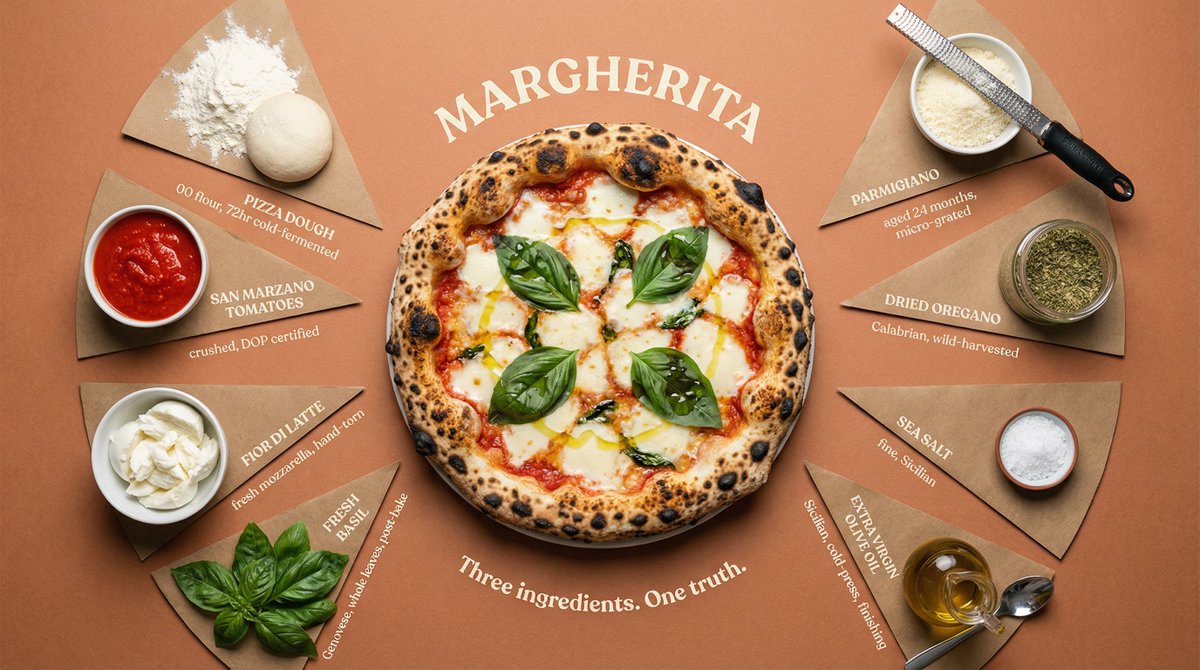
Top-down flat lay of all {argument name="dish" default="DISH"} ingredients arranged in a perfect radial burst pattern, each in its own pie-slice section radiating from the center. Sections divided by thin hand-drawn lines. Final plated {argument name="dish 2" default="DISH"} in {argument name="vessel" default="VESSEL"} sits at the center, beautifully presented and steaming. Each ingredient labeled at outer edge in uppercase serif with small italic descriptor below — "[INGREDIENT] / [quantity, preparation, origin]". Surface: {argument name="color" default="COLOR"} kraft paper, subtly aged. Overhead soft box lighting, zero harsh shadows, slight vignette pulling focus to center. Dish name curved around center circle like an engraving: "[DISH NAME]". Subtitle: "[TAGLINE]". Luxury cookbook editorial meets heritage restaurant poster. 4K overhead, tack sharp, warm film grain.

Prompt for Generating Logical Tree Diagrams with Nano Banana Pro

Prompt for Generating Logical Tree Diagrams with Nano Banana Pro

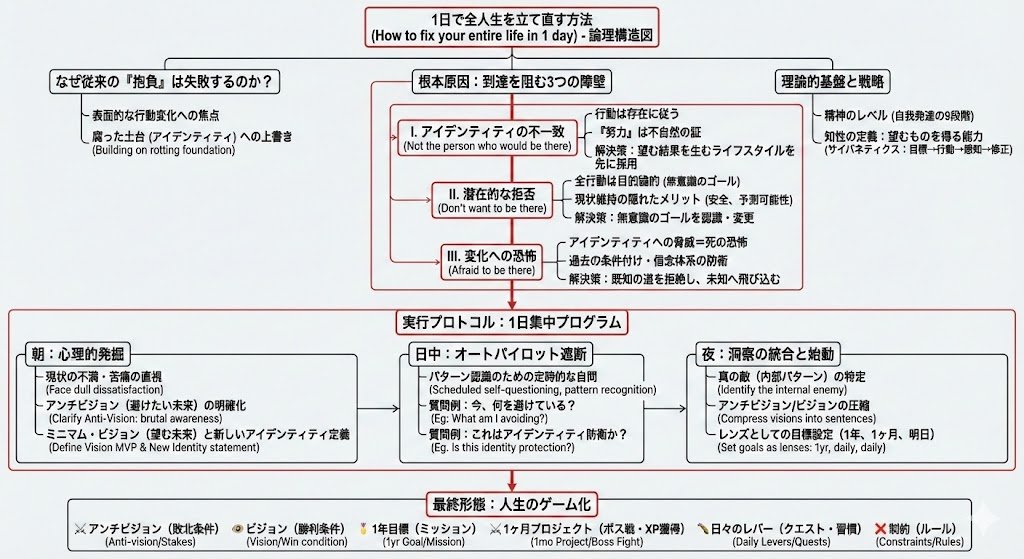
Illustrate this article ``` ({argument name="article text" default="Paste the article text you want to illustrate"}) ``` This is how to illustrate it ``` A dense and expansive Japanese logic tree diagram drawn on a clean white page. The image is packed with structured information: neat hierarchical boxes, lists of bullet points, and precise connecting lines drawn with a fine-point pen. There is no messiness; the "chaos" comes from the sheer overwhelming volume of organized data and Japanese text. It looks like a complex master plan or algorithm design. Important nodes are boxed in red. The handwriting is small, neat, and rapid. Style: Technical diagram, neat handwriting, information visualization, minimalist background. Quality: High definition, distinct Japanese text.

Voxel Magazine Pop-up Art

Voxel Magazine Pop-up Art

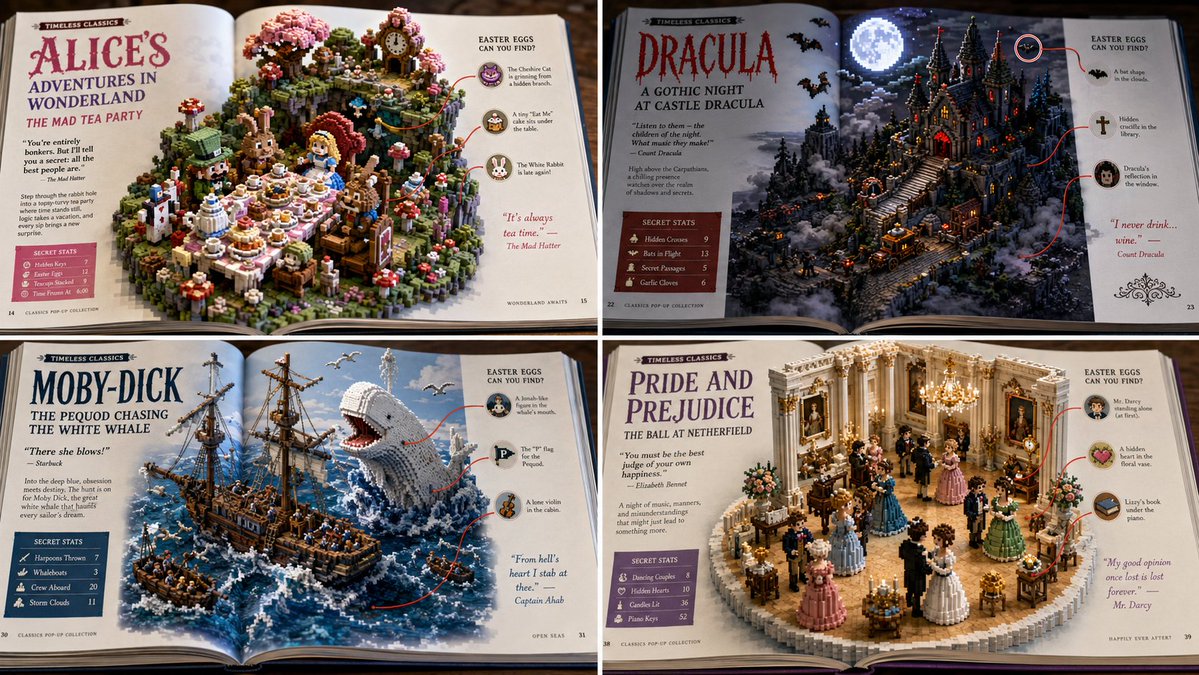
2x2 grid, 16:9, do this for public space, non copyrighted books: { "Scene_Type": "Macro Photography of an Open Magazine Spread", "Topic": "{argument name=\"franchise\" default=\"[FRANCHISE]\"} - {argument name=\"scene\" default=\"[SCENE]\"}", "AI_Semantic_Inference": { "The_Pop_Up": "A 3D, isometric, highly detailed voxel/clay block of the [SCENE] rising out of the glossy magazine pages.", "The_Layout": "Left and Right margins feature editorial text columns, bold headlines, and 'Secret Stats' boxes.", "The_Callouts": "Red circles drawn around AI_INFER(hidden easter eggs in the 3D model), with red lines connecting them to the 2D margin text." }, "Aesthetic": "Slightly glossy paper texture, vibrant colors, satisfying tactile blend of 2D print media and 3D isometric art." }

Miniature Bridge of Ancient Mathematical Knowledge

Miniature Bridge of Ancient Mathematical Knowledge

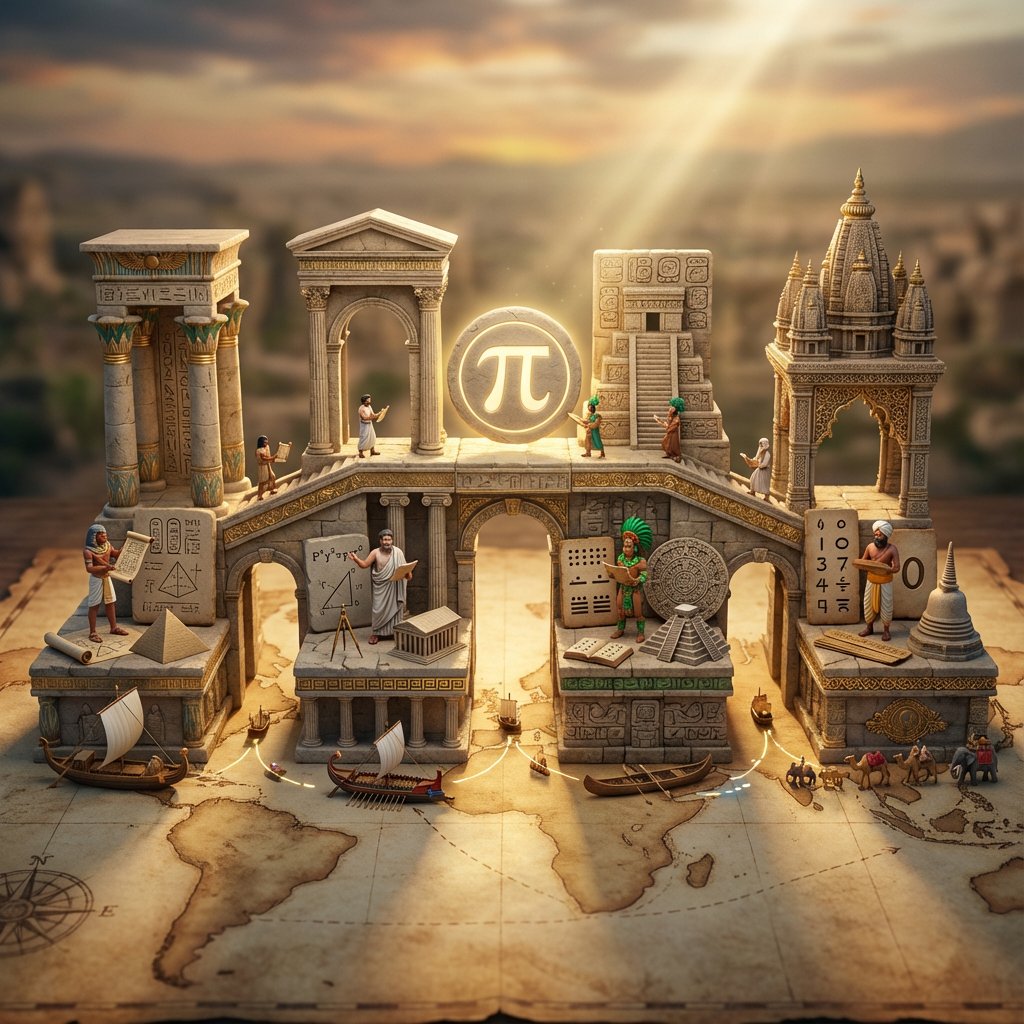
<instruction> Input A is an invention or technology Analyze: how this innovation appeared independently or was transmitted across ancient civilizations (Egyptian, Chinese, Islamic, Mayan, Greek, etc.). Goal: Miniature bridge structure connecting 3-5 civilization "islands." Rules: * Base: ancient world map (aged parchment) as foundation * Bridge structure: ornate multi-level walkway with different architectural styles for each section (columns, arches, pagoda elements) * Each "island" platform: distinct civilization's version of Input A invention (Chinese compass vs Viking sunstone, Mayan zero vs Indian zero, etc.) * Civilization figurines: tiny scholars/inventors from each culture examining each other's versions * Include: trade route markers, tiny ships/caravans between islands, scrolls being passed * Center of bridge: the "universal truth" they all discovered (mathematical formula, physical principle) etched in neutral symbol * Materials: stone textures, gold leaf accents, cultural pattern details * Lighting: mystical golden hour with light ray connecting all islands Output: 1 x image, 16:9 landscape for maximum bridge span visibility, mythological epic photography </instruction>

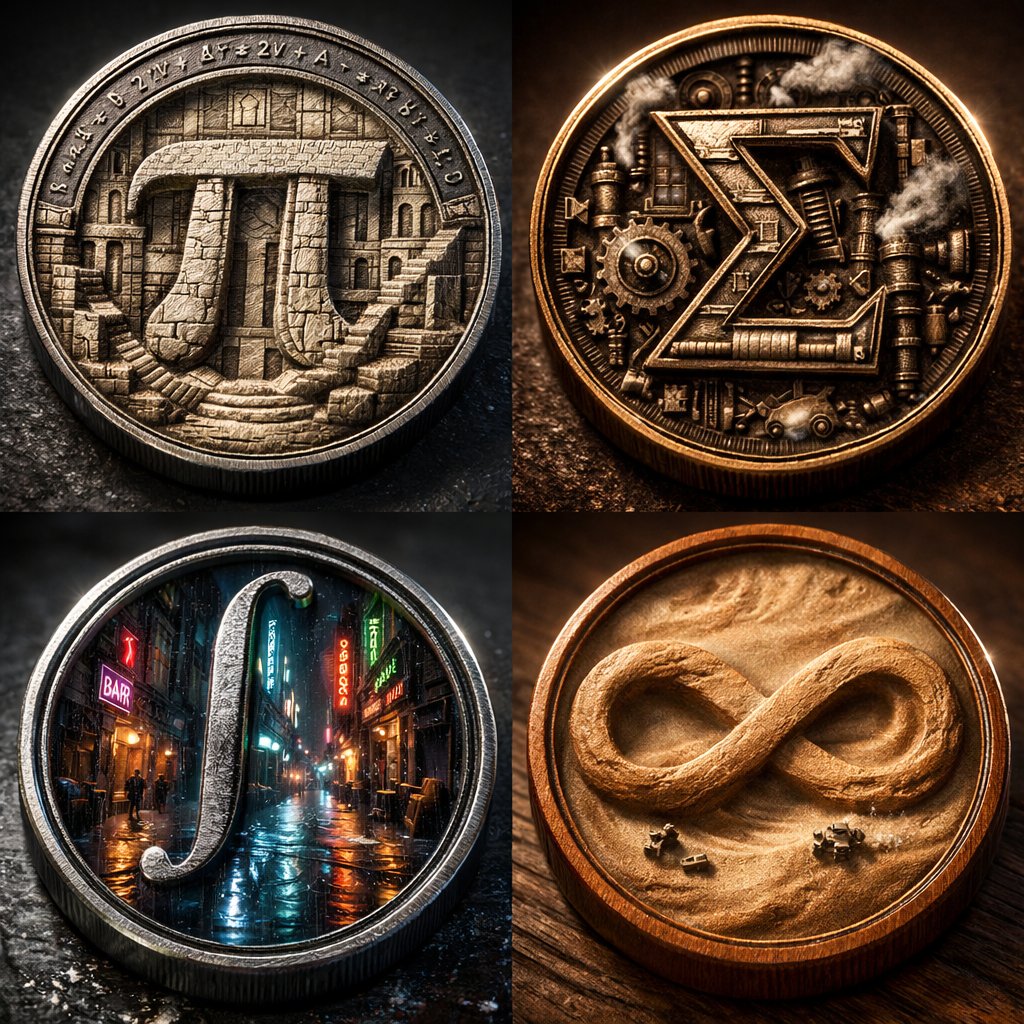
Micro-World Mathematical Symbols Grid Prompt

Micro-World Mathematical Symbols Grid Prompt

2x2 grid of 4 monumental mathematical symbols built as 3d micro-world reliefs inside circular medallions [Top Left: The Pi (π) as a carved stone relief city inside a metal coin, tiny staircases and colonnades, equations engraved around the rim] [Top Right: The Sigma (Σ) as a mechanical relief with gears and steam vents, patinated bronze, sharp rim lighting] [Bottom Left: The Integral (∫) as a neon rain-soaked micro-alley world inside a steel medallion, reflective puddles, tiny silhouettes] [Bottom Right: The Infinity (∞) as a dust-storm desert relief inside a warm wooden coin, swirling sand texture, miniature rovers] Collector macro product photography, crisp rim highlights, realistic metal/wood grain, shallow DOF, high contrast, swiss 2x2 grid layout.

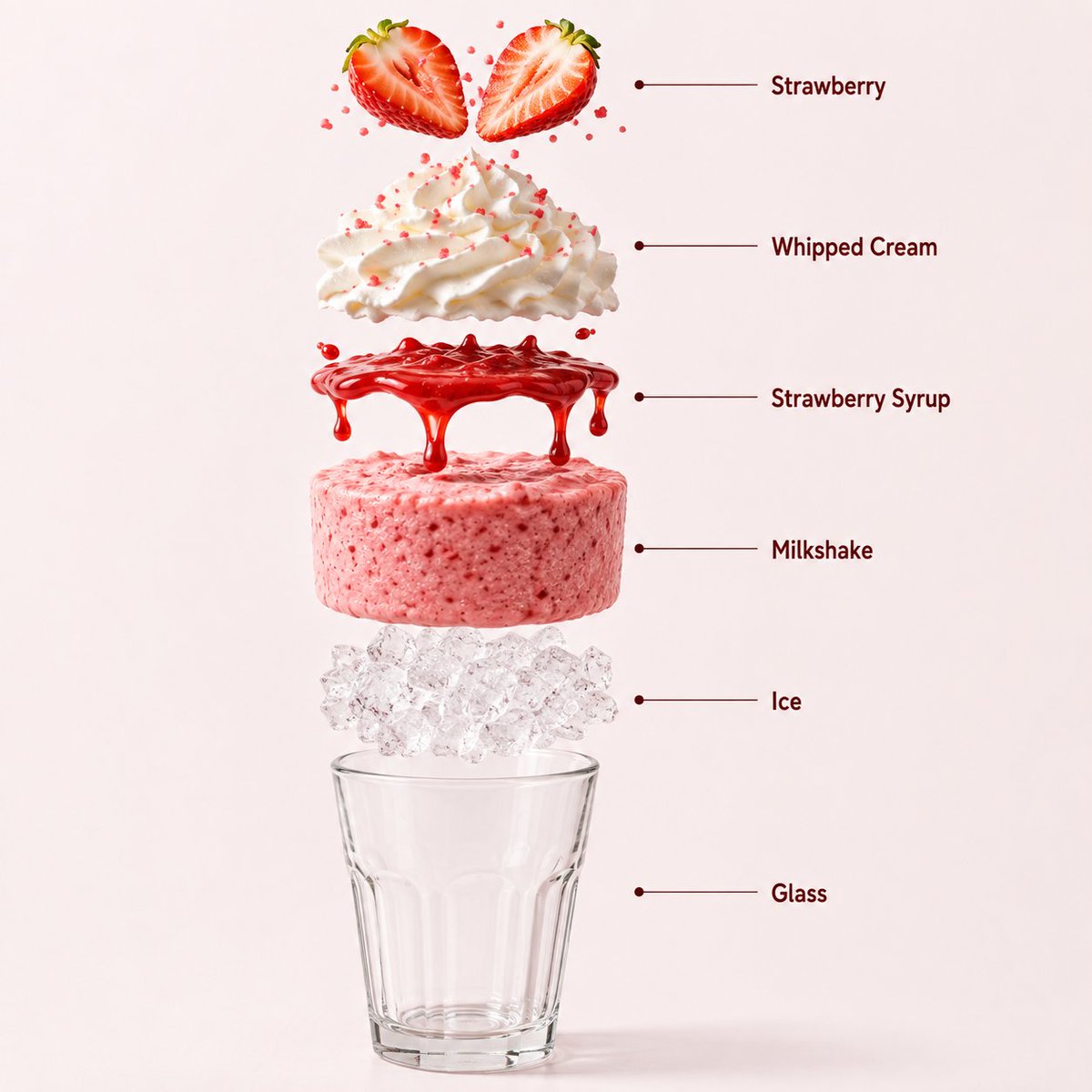
信息图 / 教育视觉图 - Milkshake 产品信息图
Nano Banana Pro

信息图 / 教育视觉图 - Milkshake 产品信息图

一张高质量的专业产品摄影照片,展示了一杯盛在透明高脚杯中的高端草莓奶昔,背景为柔和的淡粉色无缝影棚背景。奶昔具有浓郁的草莓质感,杯内壁挂着光泽的草莓糖浆,顶部覆盖着厚厚的鲜奶油,配有新鲜草莓切片和精致的粉色糖珠。逼真的冷凝水珠覆盖在杯身上,反射着影棚灯光的柔和光泽。优雅的柔光在杯底营造出微妙的自然阴影。超清晰对焦,单反微距饮品摄影,高端咖啡馆广告风格,超写实,简洁的商业构图,8K 分辨率。长宽比:1:1。创建一个超写实的垂直爆炸视图信息图构图,展示高端草莓奶昔。从上到下的结构:新鲜草莓装饰 → 鲜奶油 → 草莓糖浆 → 浓郁草莓奶昔 → 碎冰 → 透明玻璃杯底。所有元素必须完美居中、间距均匀且垂直对齐。展示逼真的草莓质感、蓬松的鲜奶油、光泽的糖浆、浓稠的奶昔质地、半透明的冰块以及逼真的玻璃反射效果。使用柔和的淡粉色无缝影棚背景,搭配优雅的咖啡馆灯光,并在每个悬浮元素下方添加微妙的逼真阴影。超清晰单反微距饮品摄影,高端甜点饮品信息图美学,简洁的专业构图,超写实,8K 分辨率。添加简洁的极简主义信息图文本标签,并使用细引线标注,标签内容如下:“Strawberry”(草莓)、“Whipped Cream”(鲜奶油)、“Strawberry Syrup”(草莓糖浆)、“Milkshake”(奶昔)、“Ice”(冰块)、“Glass”(玻璃杯)。长宽比:1:1。奶昔开始缓慢旋转,同时配料轻柔而精确地分离,保持对齐和比例。动作流畅、丝滑且可控,无额外特效。

@𝐌
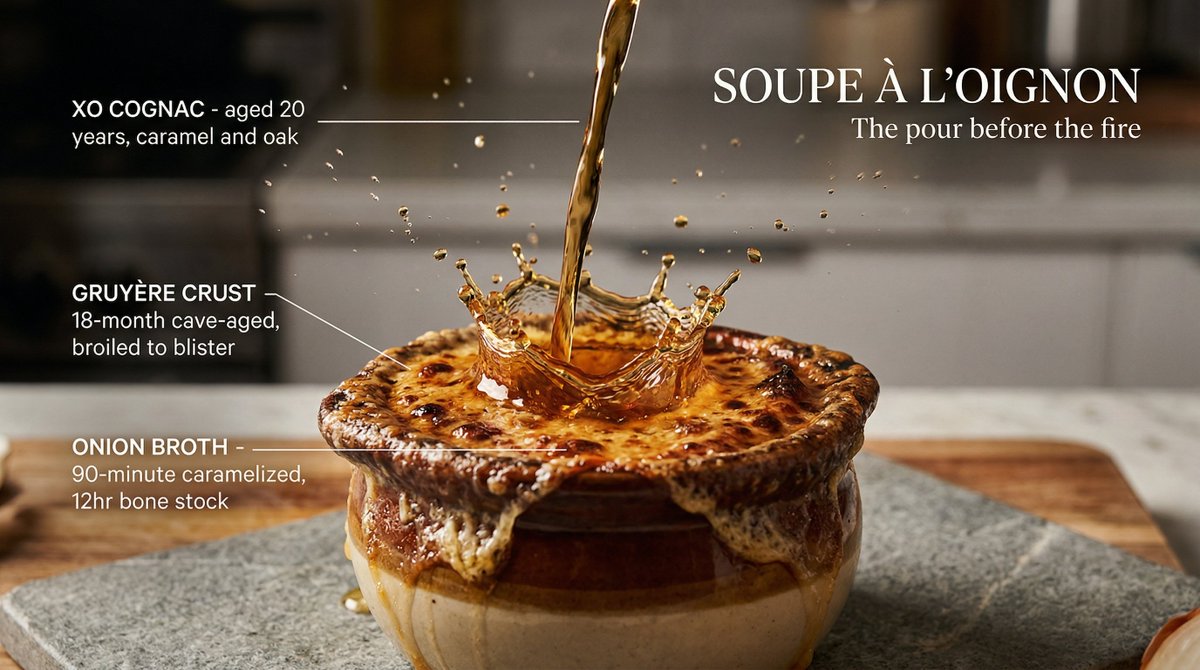
Slow Motion Pour Food Photography Prompt for Nano Banana 2

Slow Motion Pour Food Photography Prompt for Nano Banana 2

[DISH] at the precise moment of a dramatic [LIQUID] pour in ultra high-speed photography, liquid cascade frozen mid-fall in perfect clarity. Hero [DISH] center on matte [COLOR] surface, [LIQUID] pouring from above in one cinematic ribbon catching warm single-source light, splitting and branching into suspended droplets and threads as it hits the surface. Splatter crown frozen at moment of impact, droplets suspended in perfect arcs. Every surface texture hyperreal: glistening, steaming, sauce pooling in slow motion. Each element labeled with ultra-thin lines in clean uppercase: "[INGREDIENT] [descriptor]". Dish name in elegant editorial typography: "[DISH NAME]". Subtitle: "[TAGLINE]". Mood: Albert Watson food photography meets Harold Edgerton fluid dynamics meets Michelin-star editorial. 4K, tack sharp every thread and droplet, warm single-source light, extraordinary and craveable.

Technical Infographic Overlay on a Photorealistic Object

Technical Infographic Overlay on a Photorealistic Object

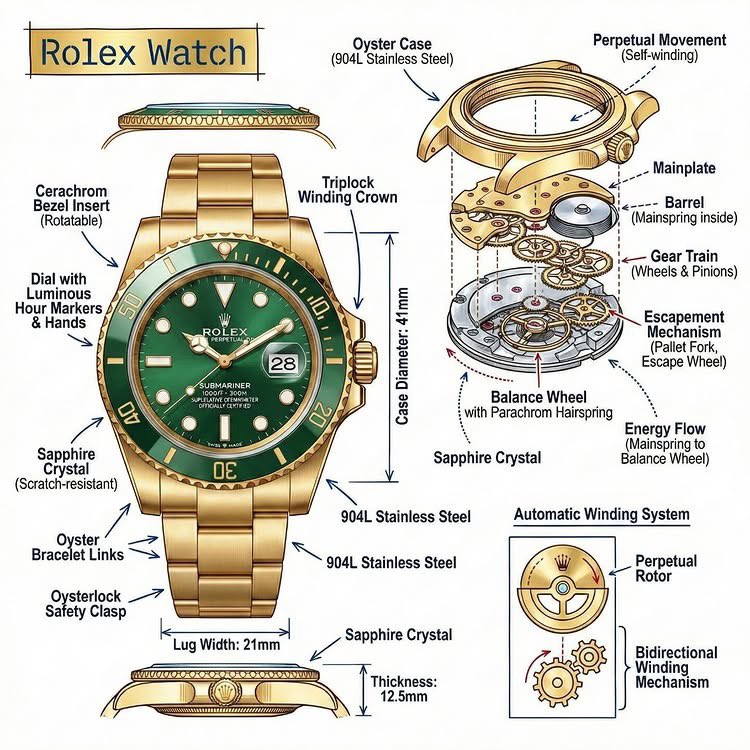
Create an infographic image of {argument name="object" default="[OBJECT]"}, combining a realistic photograph or photorealistic render of the object with technical annotation overlays placed directly on top. Use black ink–style line drawings and text (technical pen / architectural sketch look) on a pure white studio background. Include: •Key component labels •Internal cutaway or exploded-view outlines (where relevant) •Measurements, dimensions, and scale markers •Material callouts and quantities •Arrows indicating function, force, or flow (air, sound, power, pressure, movement) •Simple schematic or sectional diagrams where applicable Place the title {argument name="object title" default="[OBJECT]"} inside a hand-drawn technical annotation box in one corner. Style & layout rules: •The real object remains clearly visible beneath the annotations •Annotations look hand-sketched, technical, and architectural •Clean composition with balanced negative space •Educational, museum-exhibit / engineering-manual vibe Visual style: Minimal technical illustration aesthetic. Black linework layered over realistic imagery. Precise but slightly hand-drawn feel. Color palette: Pure white background. Black annotation lines and text only. No colors. Output: 1080 × 1080 resolution Ultra-crisp Social-feed optimized No watermark

Human Anatomy Educational Infographic

Human Anatomy Educational Infographic

This combination infographic, based on images of the {argument name="subjects" default="human heart and brain"}, provides a comparative and complementary look at the body’s most vital organs. Following a consistent and clean illustrative style with detailed callouts and key summary cards, it presents a comprehensive "Human Anatomy: Heart and Brain" profile. The central section features a detailed internal cross-section of the heart on the left and a detailed, regionalized map of the brain (Frontal, Parietal, Temporal, and Occipital lobes) on the right. Below the heart, the "Cardiac Cycle" and "Blood Flow Path" diagrams are presented. To the left, a vertical sequence detailing the brain’s "Frontal Lobe," "Temporal Lobe," and "Cerebellum" (with descriptions of functions like memory, motor control, and reasoning) matches the structure of the cardiac information. Above the brain diagram, a revised "Key Regions & Functions" list replaces the chambers and valves, and below it, a revised "Top 5 Brain Functions" list includesCognition & Thinking, Sensory Processing, and Emotion Regulation. Both columns share common "Optimization Tips," "Risks & Warnings" (tailored to each organ's respective risks, such as cardiovascular disease vs. neurodegenerative disease), and "Quick Summary Cards," highlighting the heart as the body's pump and the brain as its control center, emphasizing their integrated nature and critical roles. The entire layout is structured to facilitate a direct side-by-side analysis, making it an exhaustive and cohesive educational tool.

Diagram Style Prompts for Nano Banana 2

Diagram Style Prompts for Nano Banana 2

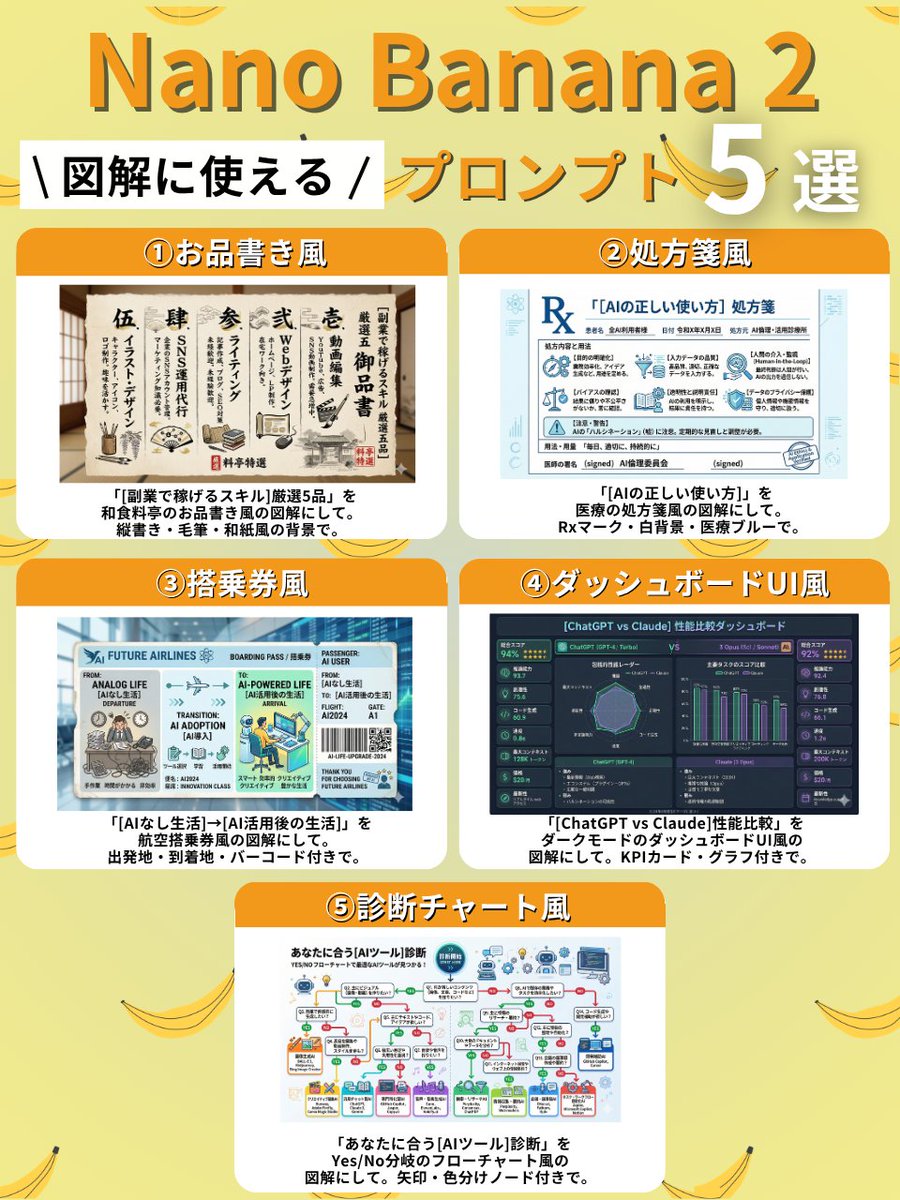
① Menu Style Create a diagram of "5 selected {argument name="side job skills" default="skills to earn money with side jobs"}" in the style of a Japanese restaurant menu. Use vertical writing, brush strokes, and a Japanese paper-like background. ② Prescription Style Create a diagram of "{argument name="AI usage" default="correct way to use AI"}" in the style of a medical prescription. Include an Rx mark, white background, and medical blue color. ③ Boarding Pass Style Create a diagram of "{argument name="departure point" default="life without AI"} → {argument name="destination" default="life after AI utilization"}" in the style of an airline boarding pass. Include departure point, destination, and a barcode. ④ Dashboard UI Style Create a diagram comparing the performance of "{argument name="comparison subjects" default="ChatGPT vs Claude"}" in the style of a dark mode dashboard UI. Include KPI cards and graphs. ⑤ Diagnosis Chart Style Create a diagnosis chart for "{argument name="AI tool" default="AI tool"}" that suits you, in the style of a Yes/No branching flowchart. Include arrows and color-coded nodes.

Image Redrawing and Style Transfer Prompt

Image Redrawing and Style Transfer Prompt

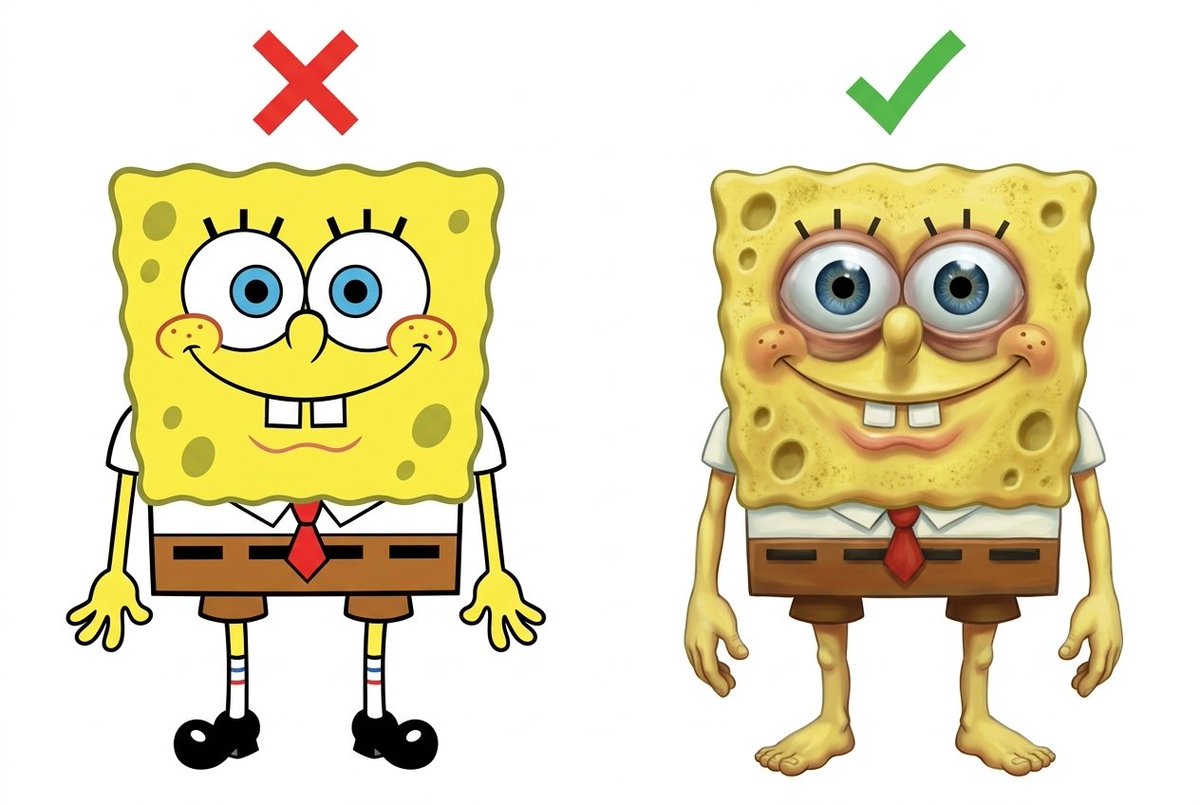
Carefully study Figure 1, and redraw Figure 2 according to its requirements. Place Figure 2 and the redrawn version on the left and right sides of the same white background image, ensuring the logo is not visible.

Motion and Image Prompt for Ultra-Realistic Food Photography of Pasta

Motion and Image Prompt for Ultra-Realistic Food Photography of Pasta

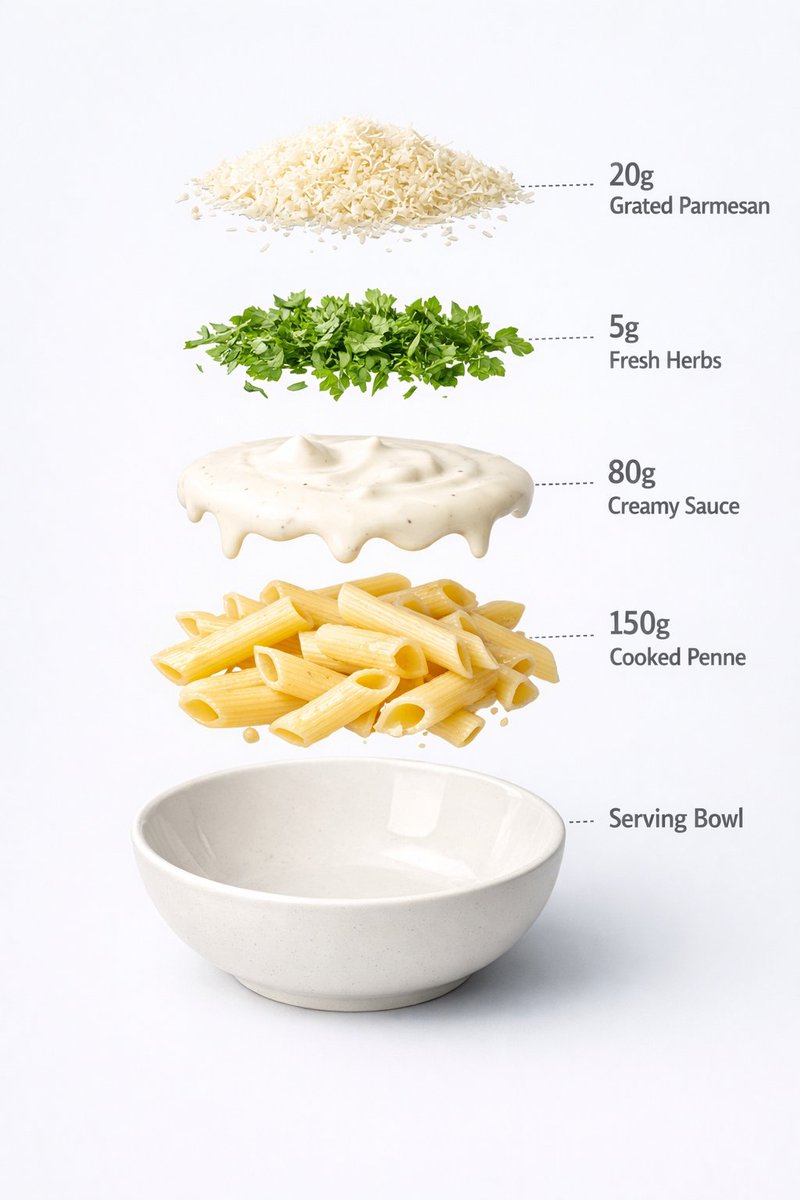
Motion Prompt: The pasta Cup start to round spin while ingredients separate gently and precisely, maintaining alignment and scale. The motion is smooth, with no extra effects. IMAGE 1 - Ultra-realistic food photography of a prepared creamy white sauce penne pasta served in a minimal ceramic bowl. Perfectly cooked penne coated evenly in rich, glossy cream sauce, topped with freshly grated parmesan cheese and finely chopped green herbs. Clean white studio background, soft diffused lighting, gentle shadows under the bowl, natural highlights on the sauce, realistic texture and thickness. Centered composition, shallow depth of field, premium restaurant-style presentation, high-detail food styling, 8K quality, sharp focus, no text, no labels, no hands, no props, no watermark. IMAGE 2 - Exploded view of a creamy pasta bowl, presented as a clean commercial breakdown. Exactly five ingredients, evenly spaced in vertical order. Ingredient order (top → bottom): Grated parmesan cheese — 20 g Fresh herbs garnish — 5 g Creamy white sauce — 80 g Cooked penne pasta — 150 g Serving bowl base — 200 g (bottom) Minimal infographic annotations, instructional food design.

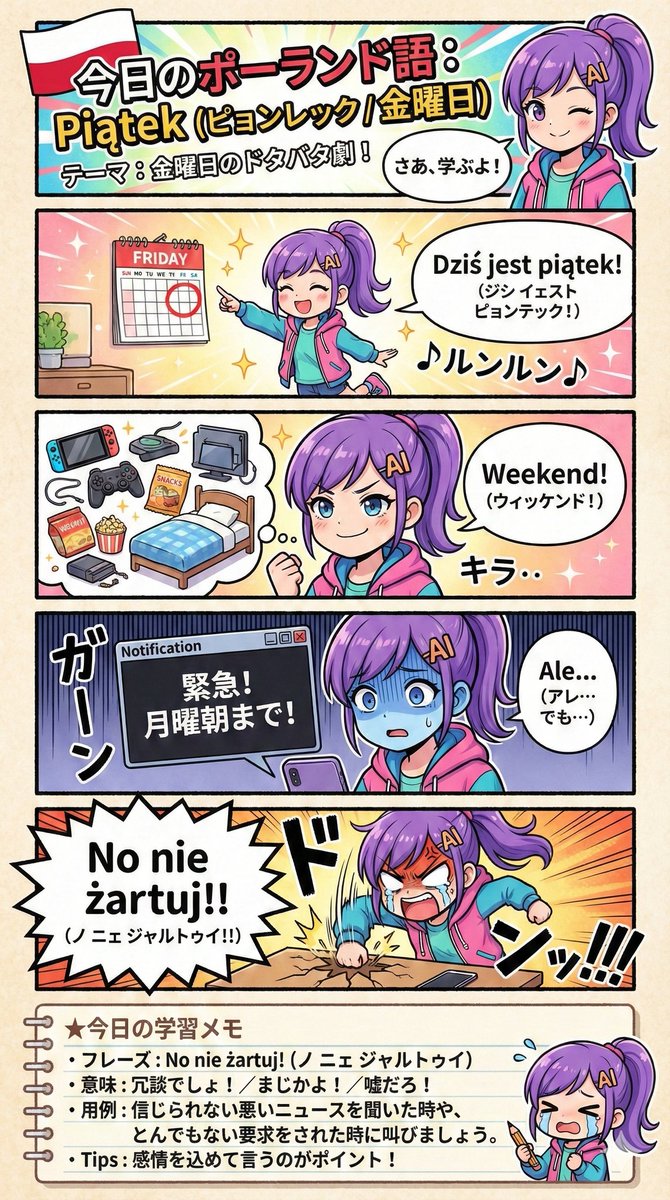
Creating a Geography Manga about Poland

Creating a Geography Manga about Poland

For NanoBanaPro (via GeminiPro), I define the direction, such as the design structure, in the prompt. Using the attached image as the main visual, create an educational manga about Poland based on the following prompt: <{argument name="Prompt" default="Prompt"}>

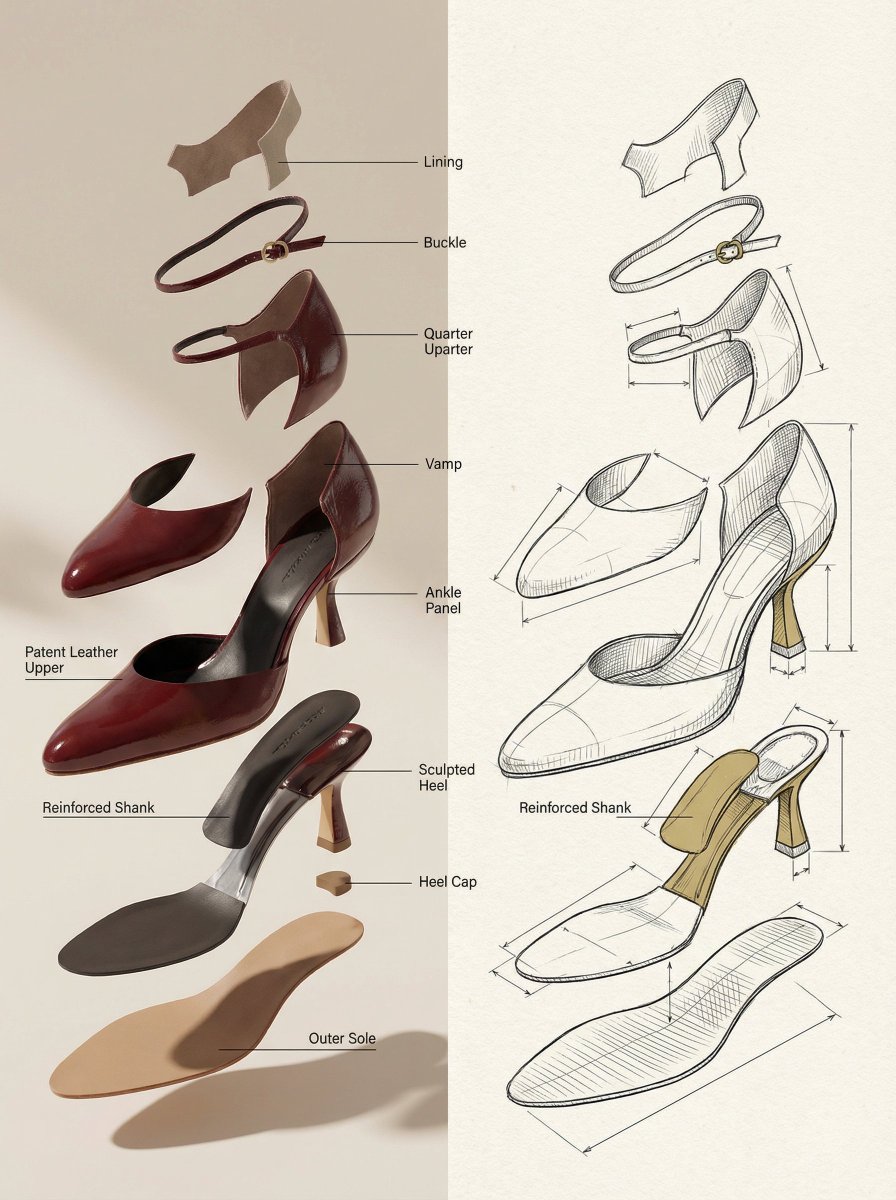
Exploded View Product Render Prompt

Exploded View Product Render Prompt

A hyper-realistic {argument name="product name" default="[INSERT PRODUCT]"} presented in an "exploded view" where internal components float upward in a gravity-defying vertical stack. Graphic Elements: Fine technical lines (ink-style) connecting parts to minimalist sans-serif labels. Layout: Horizontal split — Left side: Photorealistic 3D render with soft shadows; Right side: Matching architectural line drawing (blueprint style) on textured paper. Color Palette: Monochrome technical sketch with a {argument name="accent color percentage" default="15%"} accent color on key functional parts. Overall Mood: Design journal aesthetic, premium, calm, and highly educational.

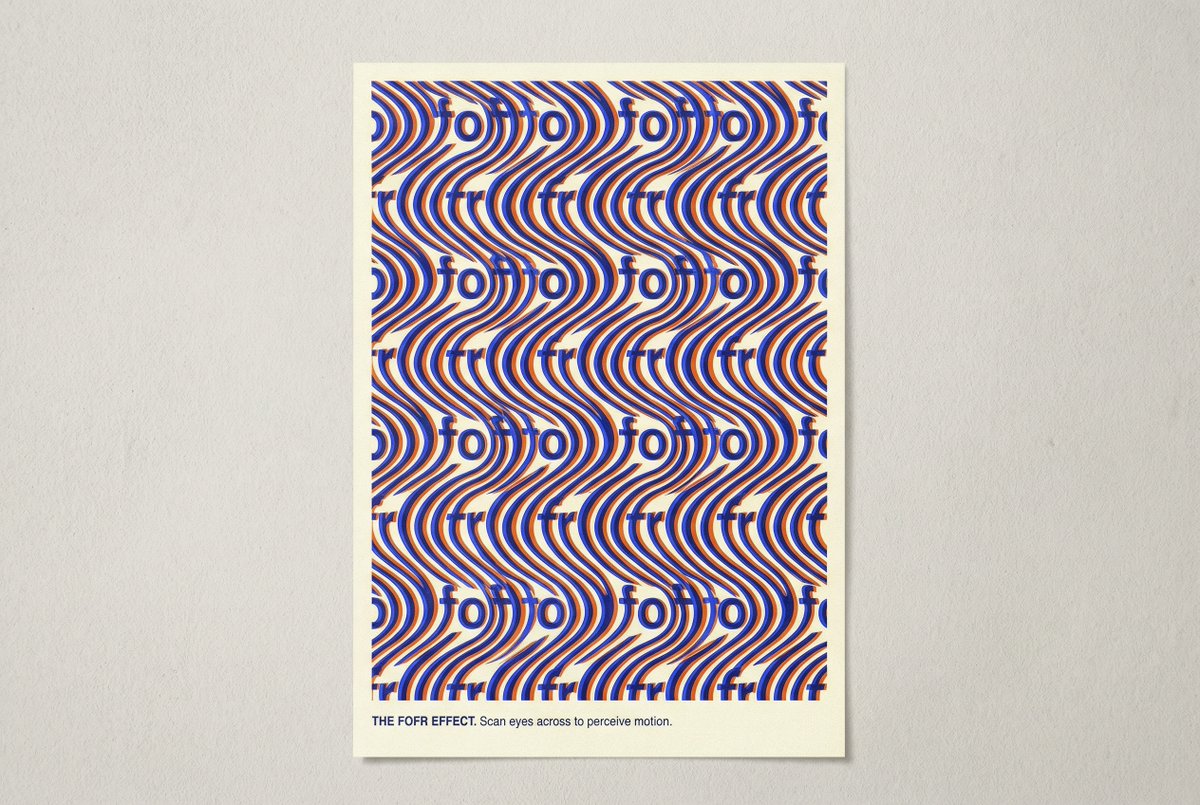
Novel Optical Illusion Generation

Novel Optical Illusion Generation

Consider the elements of typical optical illusions. Think about all the different types and how they work. Now make an image that is a novel optical illusion. Avoid the common tropes like impossible structures, steps, faces and vases. Surprise me. The illusion should be based around the word fofr.

部分提示词收录自 X 平台创作者,版权归原作者所有。