Kenerate AI

提示词库

AI 提示词库

汇集全球创作者的精选图像、视频与建站提示词。复制任意一条,替换主体或风格,即可用最新模型生成。

15,630 条提示词 · 每日更新 · 完全免费

共 606 条

High-Fashion Zootopia Miniature Visualization

High-Fashion Zootopia Miniature Visualization

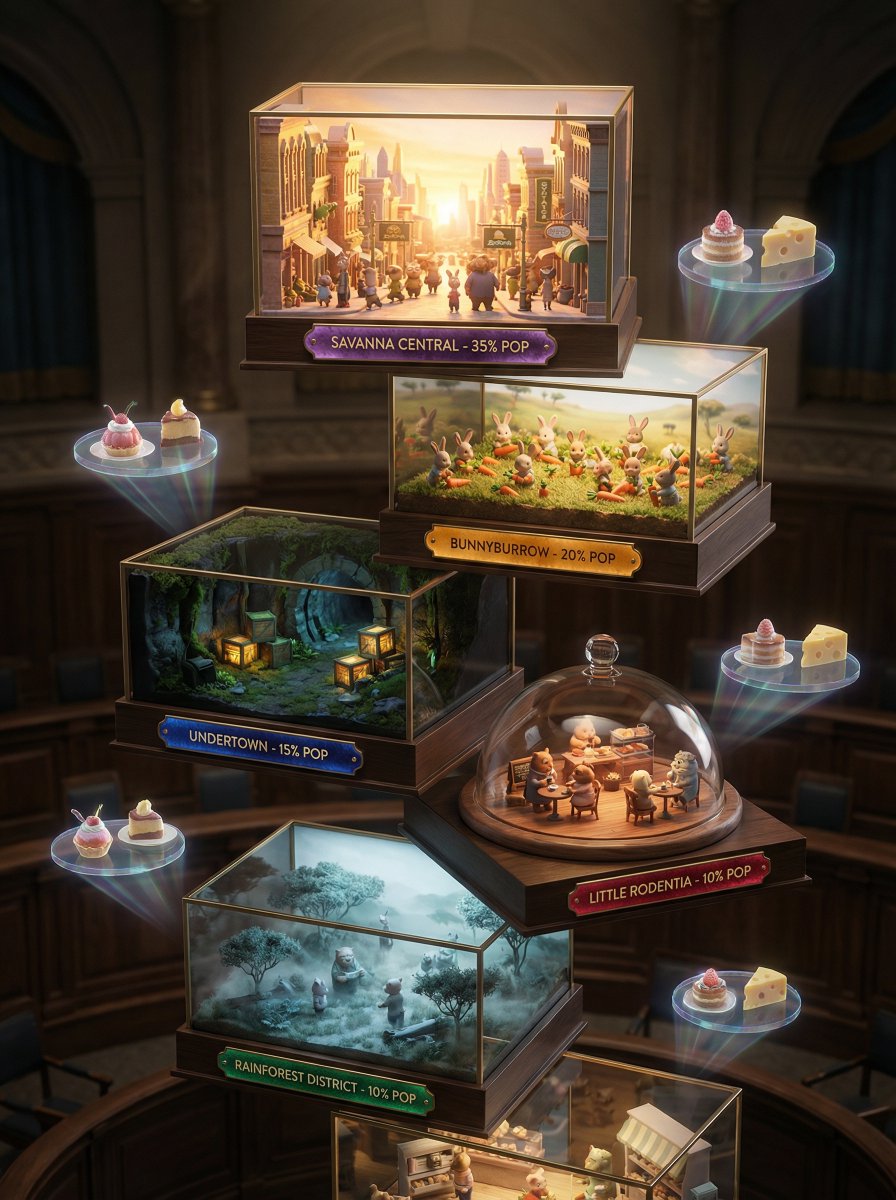
A 3D miniature Zootopia visualization, no human model, showcasing seven artistic miniature stages: bustling Zootopia streets kissed by sunrise, tiny animal citizens harvesting carrots, dimly lit underground tunnels with precise rows of produce crates, intimate city cafe gatherings, ethereal misty morning savanna ambiance. Each tier displays district name, population percentage, and Zootopia Gazette tasting notes designed like precious gems. Backdrop evokes an expensive city hall setting, utilizing strong chiaroscuro lighting to create a high-fashion editorial ambiance. Shot with Hasselblad H6D-100c, 100mm f/2.2, extremely shallow depth of field with exquisite bokeh. Holographic displays of carrot cake pairing suggestions drift subtly, featuring artisanal cheese pairings for whites, intense dark chocolate for reds. The color story shifts from deep earth tones and jewel tones for full-bodied wines to icy greens, silvery golds, and champagne hues for crisp varietals.

Vintage travel journal watercolor

Vintage travel journal watercolor

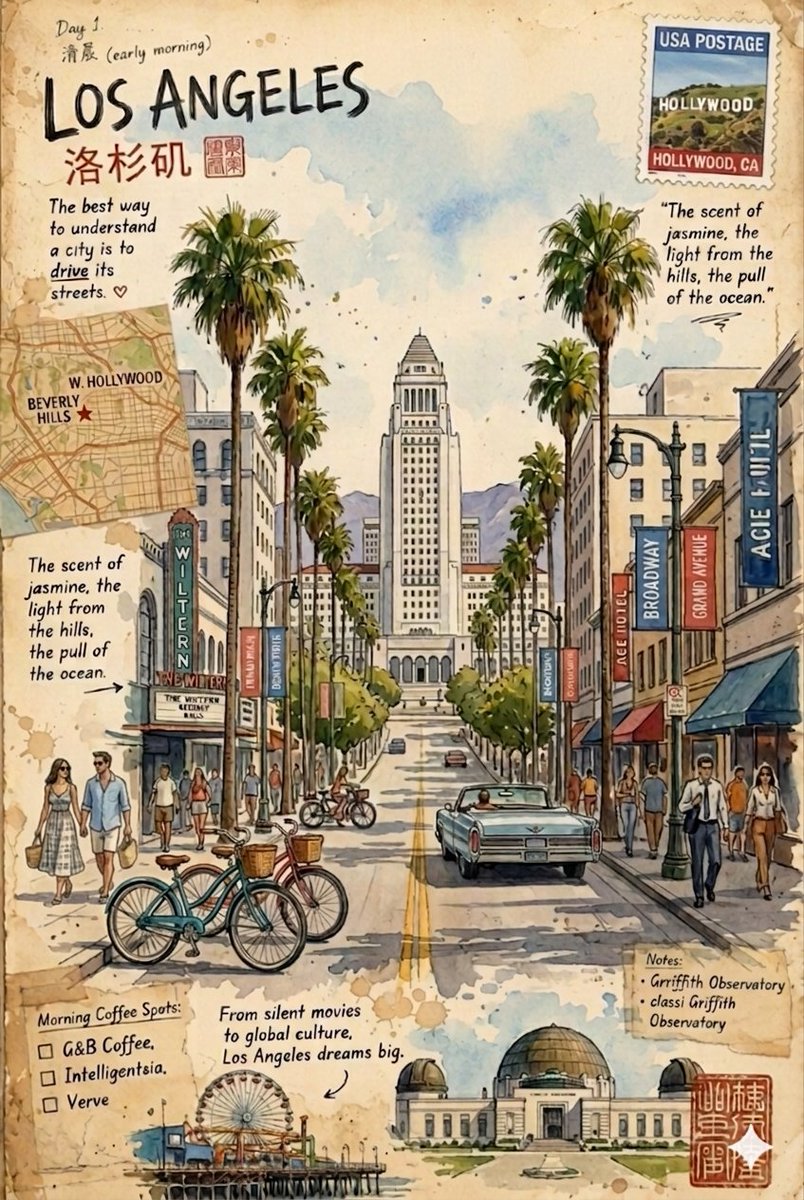
Vintage travel journal watercolor illustrations of {argument name="locations" default="two cities"} on aged paper with stamps, handwritten notes, and maps. First: {argument name="city one" default="Los Angeles street scene"} with palm trees, City Hall, Wiltern Theatre, classic cars, bicycles, and pedestrians, capturing the scent of jasmine and ocean breeze. Second: {argument name="city two" default="Artisan City inspired by Japanese culture"} with Mount Fuji in the background, showcasing lacquerware, tea bowls, geta sandals, kimonos, and a pagoda temple blended with modern elements like vending machines. Both use soft watercolor washes, ink details, warm earthy tones, and a mix of cultural landmarks, local crafts, and urban life in a scrapbook, postcard-like style.

Kickstarter Campaign Generator Prompt

Kickstarter Campaign Generator Prompt

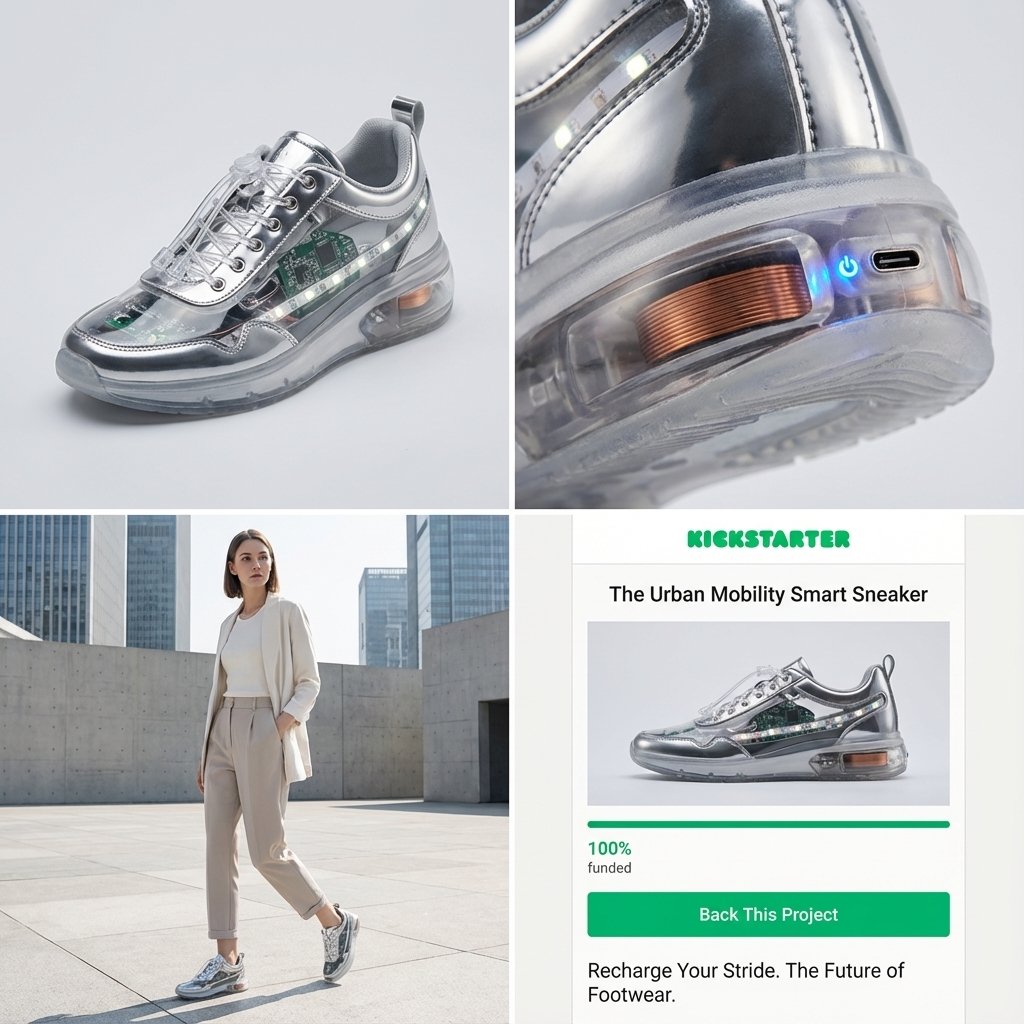
Act as a Senior Product Designer and Crowdfunding Campaign Manager. 1. ANALYZE INPUT Look at the attached image. Determine the material properties (Soft vs. Hard), the primary colors, and the texture. 2. AUTO-SELECT SMART WEARABLE Use this logic to choose the product category. The goal is Clean Modern Tech, not Cyberpunk. IF the input is Soft or Fabric-like ({argument name="soft input examples" default="Ramen, Towel, Moss"}) GENERATE: The All-Climate Smart Jacket. Features: Self-regulating temperature control, hydrophobic coating based on the input texture, and hidden magnetic pockets. IF the input is Rigid, Boxy, or Container-like ({argument name="rigid input examples" default="Toaster, Book, Suitcase"}) GENERATE: The Ultimate Commuter Backpack. Features: Integrated power bank with solar coating, anti-theft biometric zipper locks, and organized modular compartments. IF the input is Mechanical or Footwear-shaped ({argument name="mechanical input examples" default="Stapler, Car, Tool"}) GENERATE: The Urban Mobility Smart Sneaker. Features: Energy-returning sole technology, step-tracking sensors embedded in the heel, and auto-tensioning laces. 3. EXECUTE VISUALIZATION (2x2 GRID) Generate a single image split into a precise 2x2 grid layout. Top Left Panel (Hero Shot): A clean, studio-lit 3/4 angle view of the product on a white or light grey background. It must look refined and manufacturable, using the texture of the input image as a premium material. Top Right Panel (Detail Shot): A zoomed-in macro shot focusing on a specific high-tech feature (e.g., a USB-C port, a magnetic buckle, or a waterproof seam) that shows off the input texture quality. Bottom Left Panel (Lifestyle Shot): A photorealistic shot of a fashionable model wearing the item in a clean, modern city setting (daytime). They look comfortable and stylish. Bottom Right Panel (Campaign UI): A mockup of a Kickstarter campaign page. It should show the product title, a green progress bar at 100% funded, and a bright green button that says Back This Project. Overall Style: High-key lighting, soft shadows, 8k resolution, commercial product photography, minimalist design aesthetic.

Knolling-style exploded flat-lay photo

Knolling-style exploded flat-lay photo

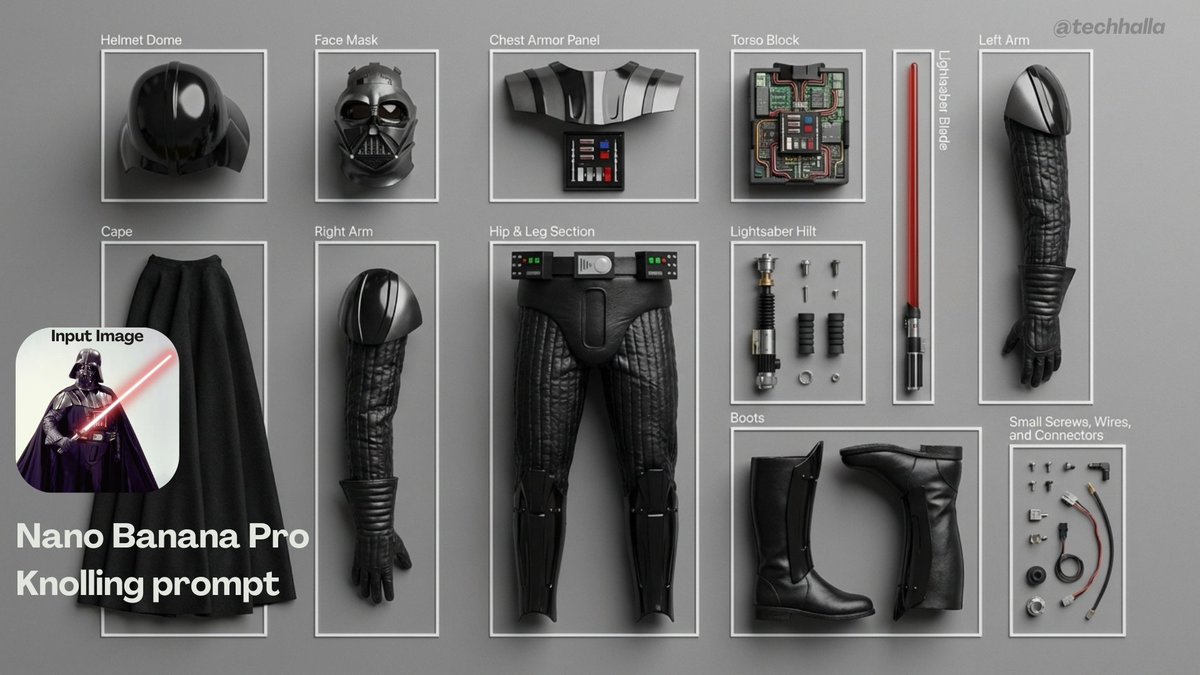
Ultra-realistic 8K flat-lay photo in strict knolling style. A top-down 90º shot of the object from the attached image, fully disassembled into {argument name="min_parts_en" default="8"}–{argument name="max_parts_en" default="12"} key parts and arranged in a clean grid or radial pattern on a minimalist {argument name="surface_material_en" default="wooden or matte gray"} table. Use even spacing, perfect alignment, no overlaps, and no extra objects. Light the scene with soft, diffused multi-source lighting, creating subtle shadows, neutral color balance, and crisp focus across the entire frame. Show highly detailed real-world materials (metal, plastic, rubber grips, circuit boards, screws). For every part, add a thin white rectangular frame and a short, sharp English label in clean sans-serif text, placed next to the component without covering it; annotations must be legible but unobtrusive.

Nano Banana Pro Quality Enhancement Keywords

Nano Banana Pro Quality Enhancement Keywords

1. Significantly increase detail and texture 🎨 ・absurdres: For absurdly high resolution. Makes hair and clothing details intricate. ・intricate details: When you want to increase complex details like background or costume decorations. ・official art: Suppresses roughness, resulting in a well-composed and colored image like a professional artist drew it. 2. Change the atmosphere with "Light and Shadow" 💡 ・cinematic lighting: Adds depth and storytelling to the screen with movie-like lighting effects. ・soft lighting / soft focus: Makes the whole image soft, creating a gentle and cute atmosphere. ・ray tracing: Realistically expresses light reflection. Improves the texture of eyes, metal, and water. 3. Enhance character appeal 📸 ・beautiful detailed eyes: Strengthens the drawing of the "eyes," which are the life of anime illustrations. ・looking at viewer: Makes the character look at the viewer, increasing the image's appeal. ・dynamic angle: Prevents stiff standing poses, using dynamic compositions like diagonal or low-angle shots. 4. Adjusting the art style 🖌️ ・flat color: Reduces shadows, resulting in a crisp anime coloring style like a cel painting. ・thick painting: For a rich, heavy texture like impasto painting, when you want a sense of gravitas. Tips for further improving accuracy 🛠 ・Emphasis syntax: Important words are stabilized by enclosing them in parentheses and a numerical value, such as (best quality:1.2). ・Negative prompt: In addition to basics like worst quality, excluding muted color makes the colors more vivid 😳

Educational Prompt for High School Math Formulas on a Chalkboard

Educational Prompt for High School Math Formulas on a Chalkboard

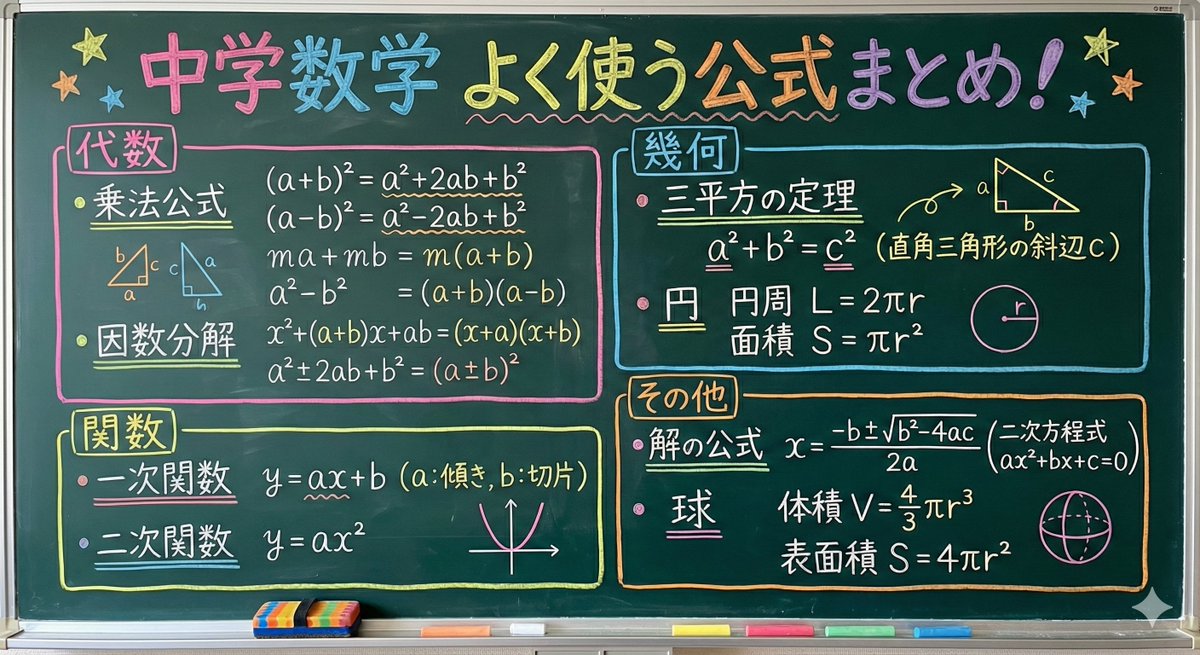
Please summarize the frequently used formulas for high school entrance exam mathematics, written on a chalkboard with chalk. The formulas should be color-coded for each formula, resulting in a design that is easy to understand at a glance.

Futuristic facial age-checker infographic portrait

Futuristic facial age-checker infographic portrait

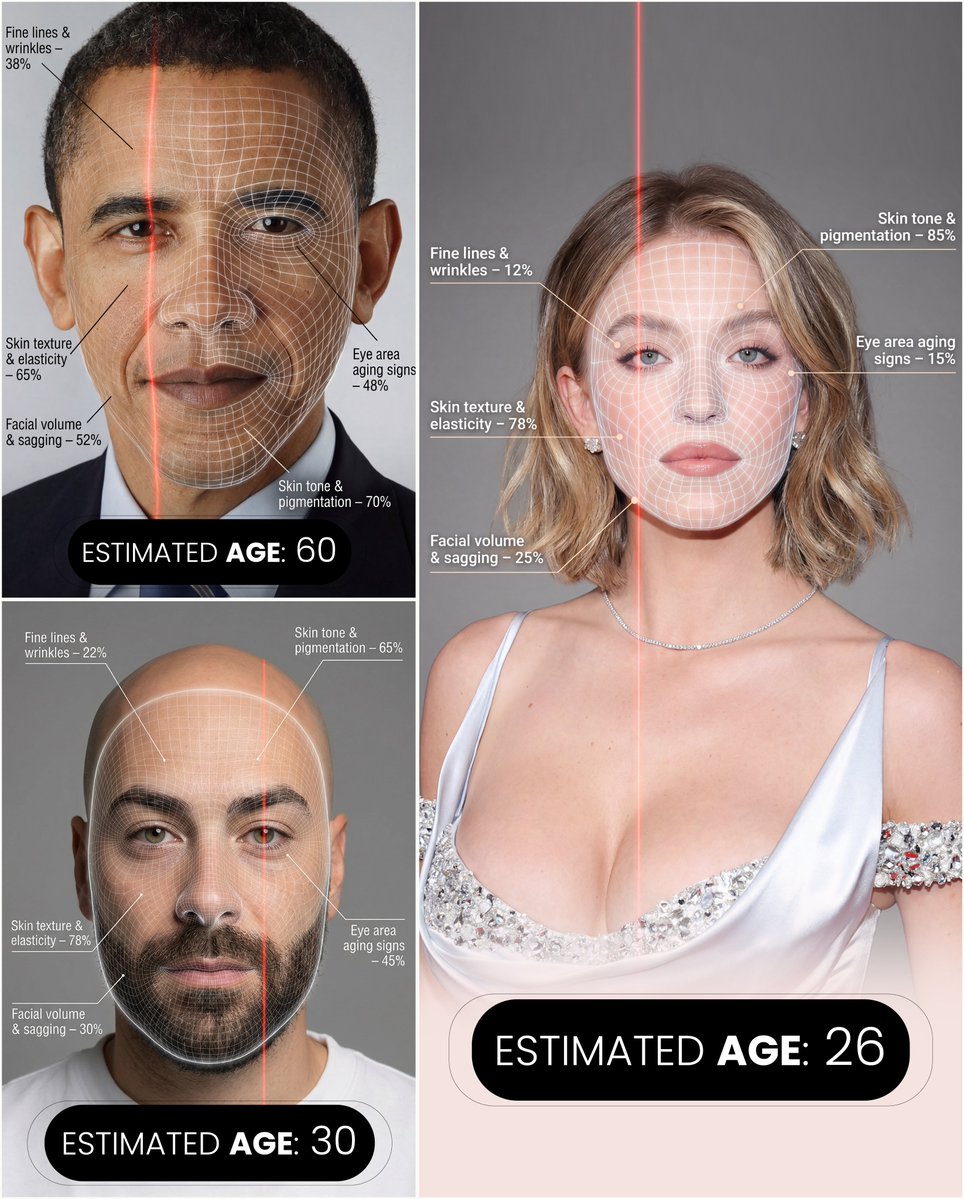
A hyper-realistic, high-resolution portrait infographic based on ({argument name="reference_photo_en" default="your photo"}). Keep the same person, identity, hairstyle, clothing, and natural skin tone from ({argument name="reference_photo_short_en" default="your photo"}), with a neutral studio background. Overlay a subtle, semi-transparent facial analysis grid over the entire face, similar to a 3D face-scanning mesh: thin, soft white lines following the facial contours, slightly glowing but not hiding the skin details. Add one clean vertical red laser line running down one side of the face, like a futuristic scan. All analysis lines must be soft, minimal, and elegant, exactly like a cosmetic-tech advertisement. Create a clean medical–aesthetic infographic that evaluates 5 aging factors using global data percentages: 1. Fine lines and wrinkles 2. Skin texture and elasticity 3. Facial volume and sagging 4. Eye area aging signs 5. Skin tone and pigmentation For each factor, place a small label with a thin line pointing to the relevant facial area, and next to it write a short title and a realistic percentage score from 0–100% (based on global data), for example: “Fine lines & wrinkles – 18%” “Skin texture & elasticity – 72%” “Facial volume & sagging – 35%” “Eye area aging signs – 41%” “Skin tone & pigmentation – 63%” Use clean, modern sans-serif typography and small technical-style text, like a scientific facial analysis UI. At the bottom of the image, in the center, write a large bold text showing the final estimated real age based on the analysis, for example: “ESTIMATED AGE: (random number based on face analysis)” Overall style: futuristic AI-guided skincare analysis, minimalistic, premium editorial lighting, no gender specified, suitable for any human face.

Paper Annotation and Review Prompt

Paper Annotation and Review Prompt

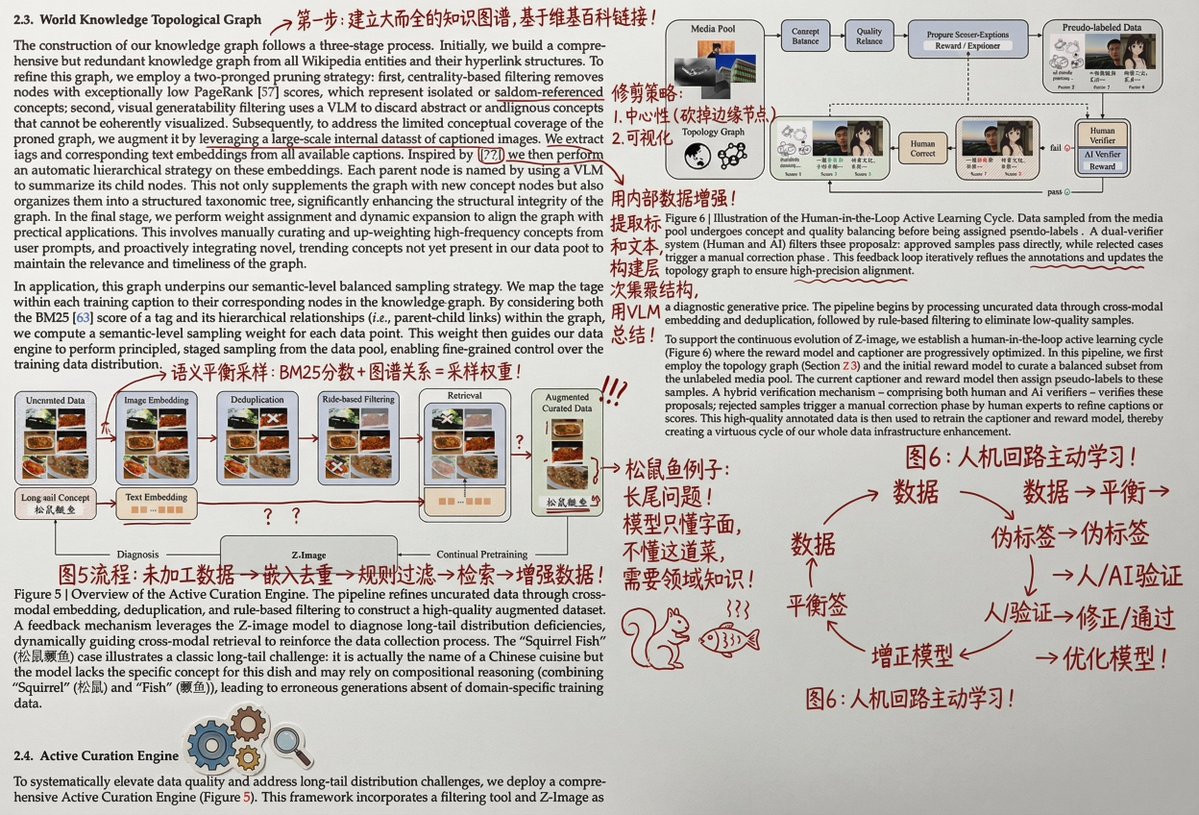
Print it out, and then wildly add handwritten Chinese annotations, graffiti, and doodles in red ink. You can also add some small clip art. The main content of the Chinese annotations should be to help a person with university-level knowledge understand the principles and details of this part of the paper.

Molecular Gastronomy Display Box for Food Visualization

Molecular Gastronomy Display Box for Food Visualization

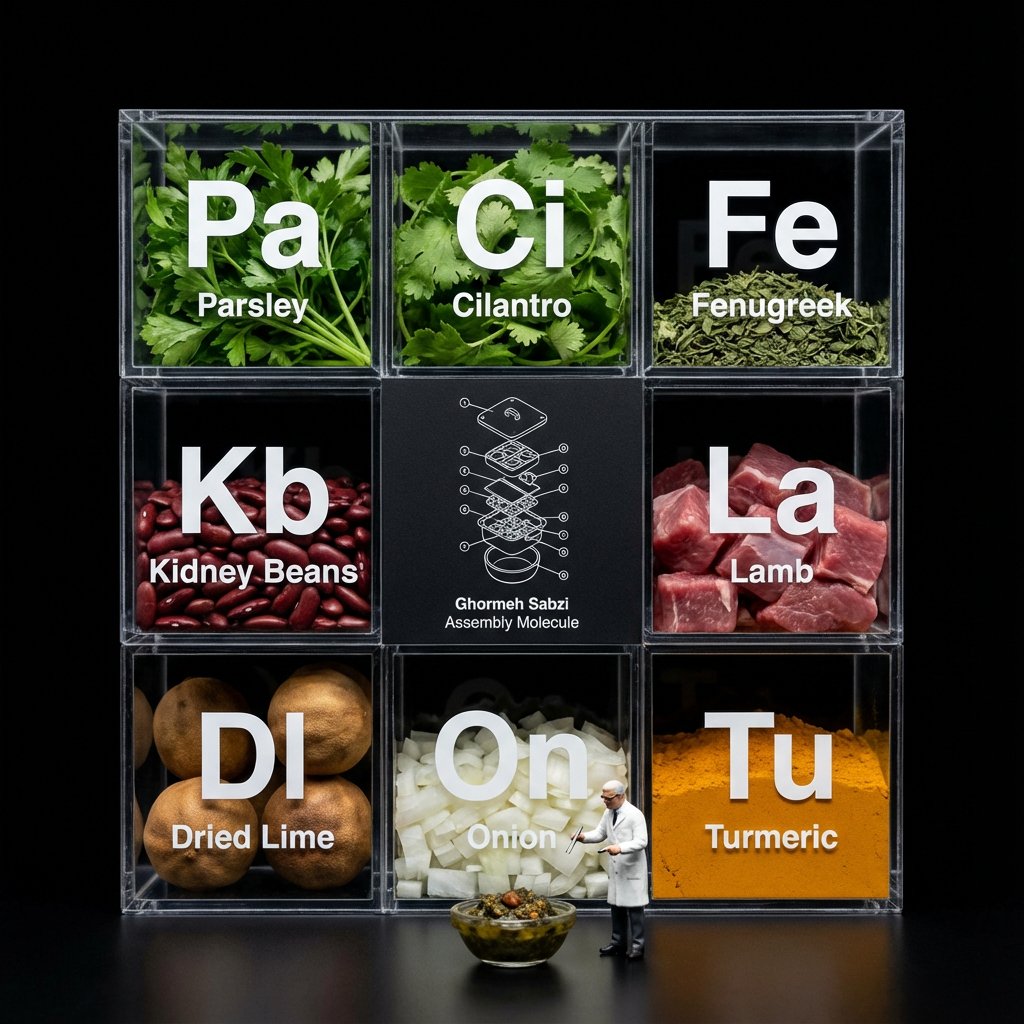
Do this for [your meal] Do this for {argument name="food item" default="pineapple pizza"} <instruction> Input A is a complex food item. Analyze: Break the item down into raw ingredients and assign each a "Periodic Table" style abbreviation (e.g., To, Li, On). Goal: A "Molecular Gastronomy" acrylic display box set against a void black background. Rules: Layout: determine layout based on # of ingredients, always round up to square or rectangle, clear acrylic grid box. Center Slot: The center square is NOT clear; it is a matte black card featuring a white technical exploded view blueprint/wireframe of Input A labeled "[{argument name="food name" default="food name"}] Assembly Molecule." Surrounding Slots: The outer slots contain the fresh, raw ingredients (tortillas, lime wedges, chopped onions, meat). Typography: Large white "Periodic Table" style lettering (Symbol + Name) printed on the front glass of each compartment, floating over the ingredients. Figure: A 1:12 scale miniature scientist in a lab coat standing on the table surface in front of the box, interacting with a miniature version of Input A. Lighting & Atmosphere: Dark Mode aesthetic. Stark contrast lighting, pure black background, sharp reflections on the acrylic edges. Output: ONE image, 1:1, macro photography, 8k resolution. </instruction>

Sushi Commercial Photography and Exploded Diagram Prompt

Sushi Commercial Photography and Exploded Diagram Prompt

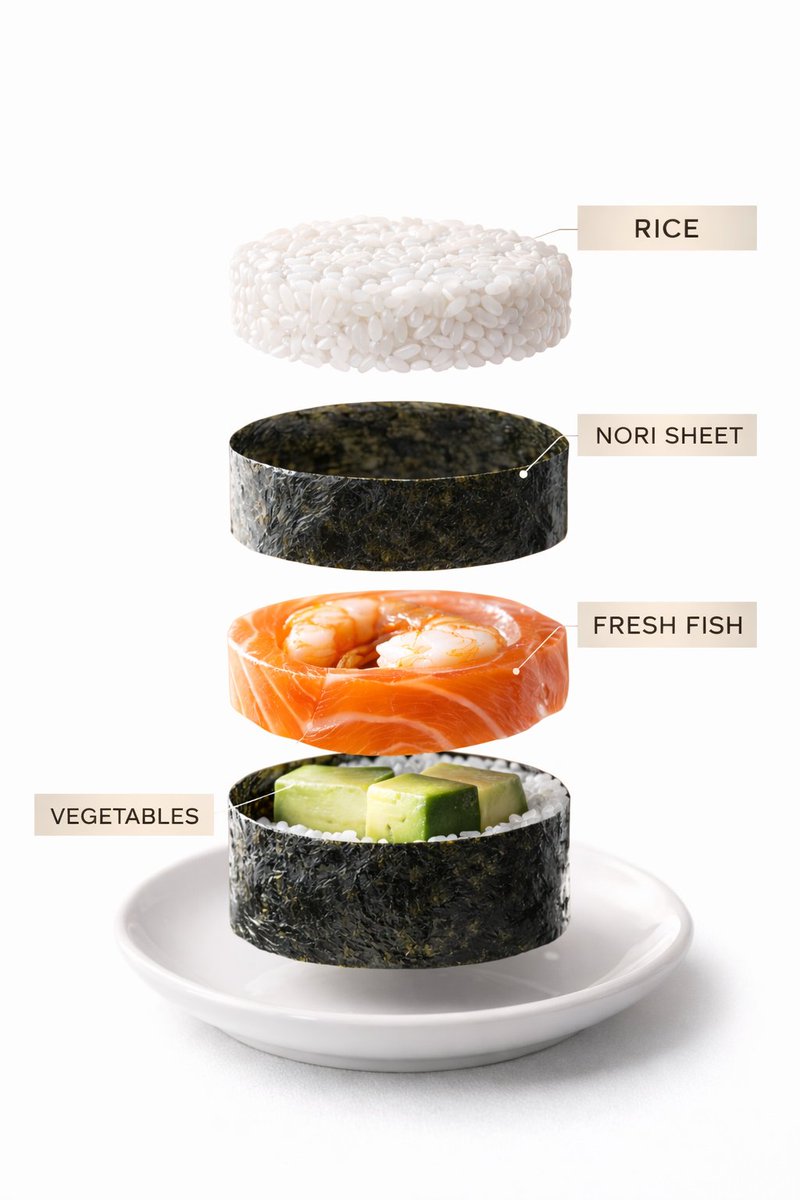
Image 1: Premium commercial photograph of assorted sushi rolls arranged elegantly on a slate plate. Soft diffused lighting, clean Japanese restaurant background blur, crisp textures, vibrant colors. Image 2: Exploded visualization of one sushi roll showing rice layer, nori sheet, fish filling, vegetables — precise vertical separation, minimal elegant labels.

Exploded View Sandwich Animation Prompt

Exploded View Sandwich Animation Prompt

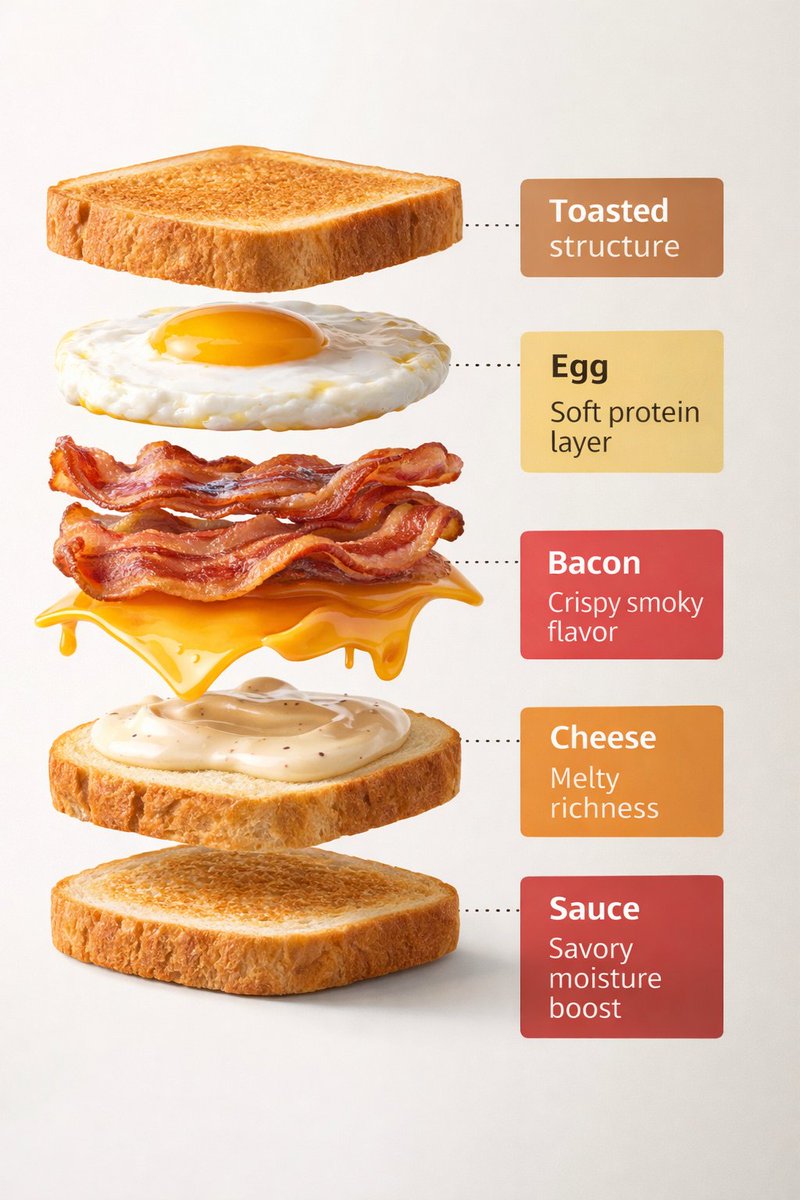
Motion Prompt: The sandwich start to spin while ingredients separate gently and precisely, maintaining alignment and scale. The motion is smooth, with no extra effects. IMAGE:— Using the first breakfast sandwich image as a base, create a clean exploded-view visualization of the same sandwich. 5 elements: – Bread slices – Egg – Bacon – Cheese – Sauce Annotations: – Bread: “Toasted structure” – Egg: “Soft protein layer” – Bacon: “Crispy smoky flavor” – Cheese: “Melty richness” – Sauce: “Savory moisture boost”

Instrument Genealogy Board (Luthier's Legacy)

Instrument Genealogy Board (Luthier's Legacy)

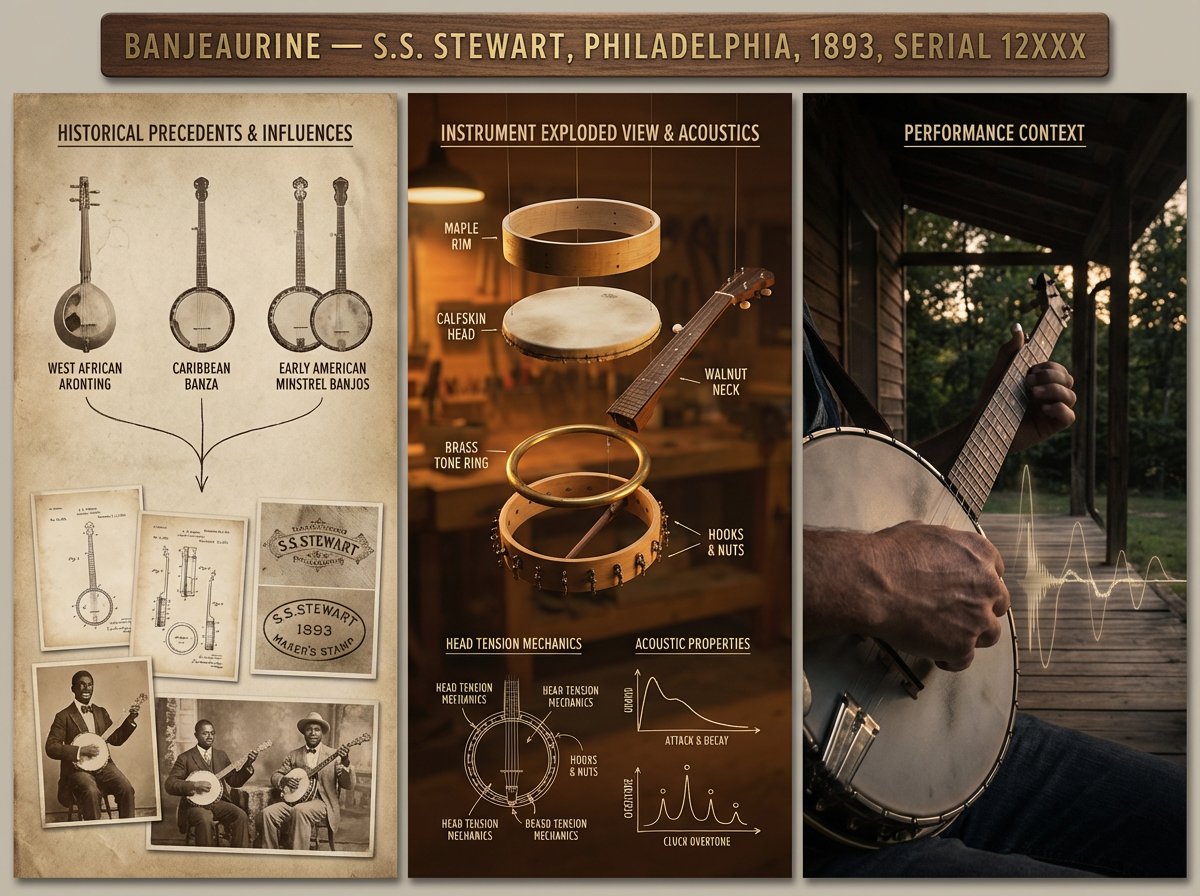
A luthier's legacy board for {argument name="instrument" default="[INSTRUMENT]"} — {argument name="maker" default="[MAKER / SCHOOL / PERIOD]"}. Left section: historical precedents and influences, showing ancestor instruments with lineage lines connecting them, maker's marks, and period photographs. Center section: the subject instrument in exploded view, every component separated and floating, wood species identified, varnish layers shown in cross-section, acoustic properties annotated with frequency response curves and tap tone locations. Right section: the instrument in performance context, musician's hands in motion, concert hall ambiance, sound made visible through subtle waveform overlay. Visual style transitions from aged daguerreotype through workshop amber to concert hall chiaroscuro. Title block reading "{argument name="instrument name" default="[INSTRUMENT NAME]"} — [MAKER], [CITY], [YEAR], OPUS [NUMBER]".

Safety Hazard Analysis and Visualization

Safety Hazard Analysis and Visualization

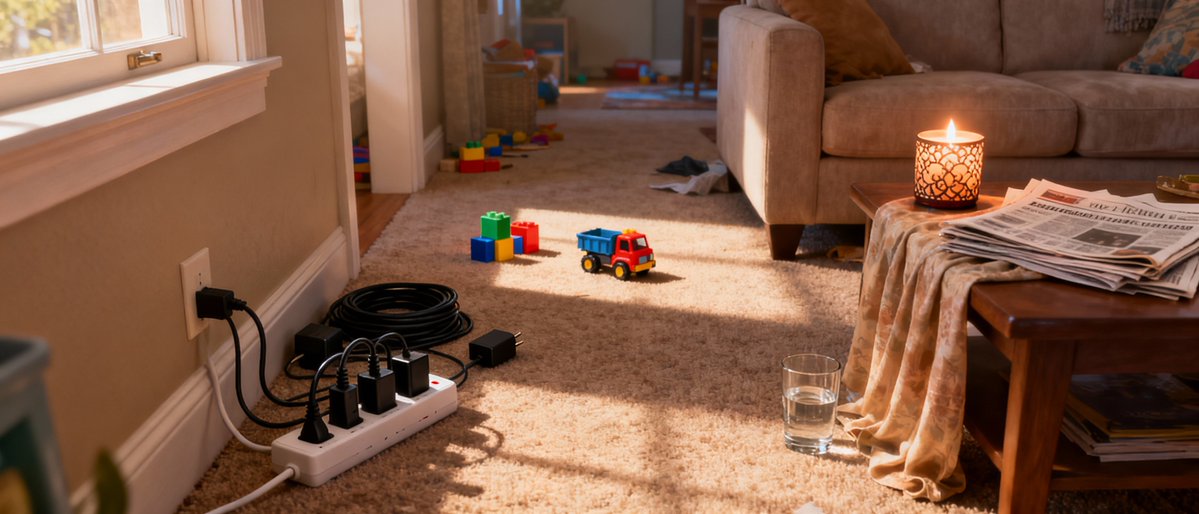
Analyze this image for safety hazards. Re-generate this exact room in black and white, but overlay bright NEON RED bounding boxes around every safety risk you find. Specifically look for: fire risks, tripping hazards, and electrical issues. Label each red box with a small text tag explaining the danger (e.g., 'Fire Risk').

Evolutionary Blueprint Sheet for an Invention

Evolutionary Blueprint Sheet for an Invention

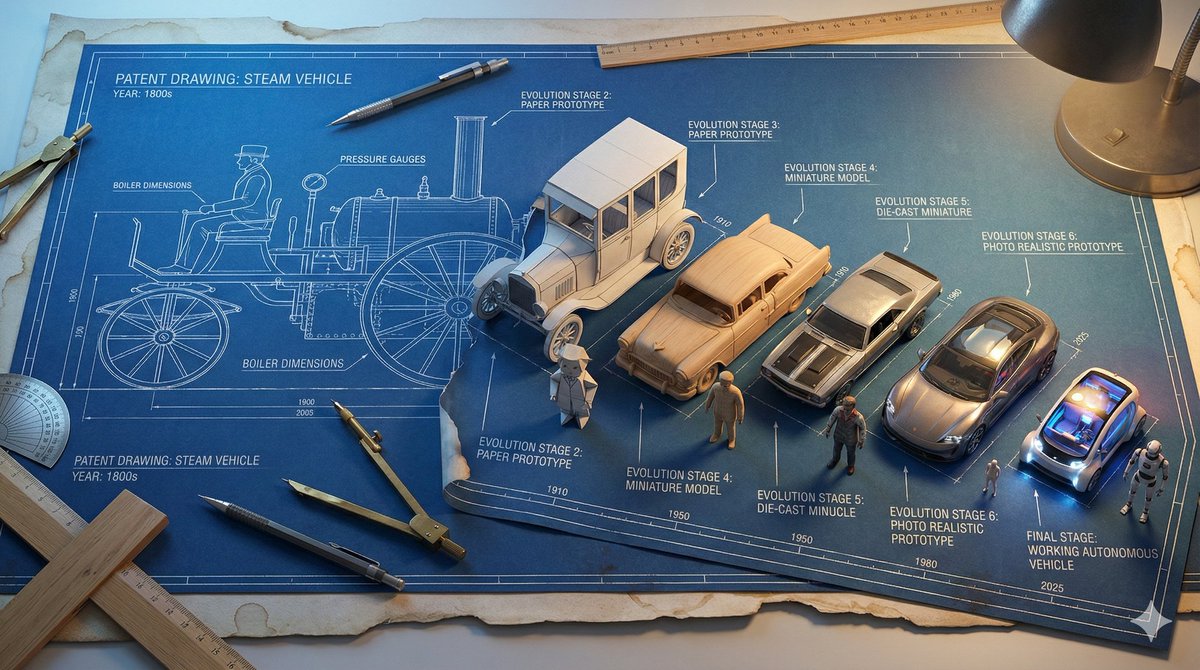
Single large horizontal blueprint sheet, 16:9 aspect ratio, showing the complete evolutionary journey of **{argument name="invention name" default="[INVENTION]"}** from its first concept to its modern form, presented as a technical blueprint coming to life. Authentic aged blueprint paper with white technical lines on deep blue background, subtle coffee stained edges and worn paper texture. Forced perspective across the page from left to right. Left side shows the original patent era design of **{argument name="invention name" default="[INVENTION]"}** as a pure flat 2D technical line drawing, precise drafting style, no depth. Inventor figure on the far left also drawn fully in 2D blueprint line art. Gradual transformation across 7 to 9 clearly separated stages moving rightward: Stage 1 pure technical line drawing. Stage 2 blueprint lines beginning to lift off the page with a paper craft effect. Stage 3 partial miniature model emerging from the blueprint. Stage 4 fully formed 3D miniature model, unpainted. Stage 5 painted miniature with realistic materials. Final stage shows a photo realistic tiny working version of **{argument name="invention name" default="[INVENTION]"}**. The inventor figure evolves in parallel from flat 2D drawing on the left into a fully 3D miniature figurine on the right, matching the same transformation stages. Each stage labeled with technical annotations, measurement markings, arrows, and small evolution dates in blueprint drafting style typography. Drafting tools including compass, protractor, mechanical pencil, ruler, and T square interacting with the flat blueprint areas, while the 3D sections break free from the page. Lighting transitions from cool LED blueprint table backlight on the left to realistic practical lighting on the right, emphasizing depth and realism. Ultra detailed technical illustration meets practical effects, high realism, clean composition, museum quality concept visualization.

Food Recommendation System Prompt for Cookbook Generation

Food Recommendation System Prompt for Cookbook Generation

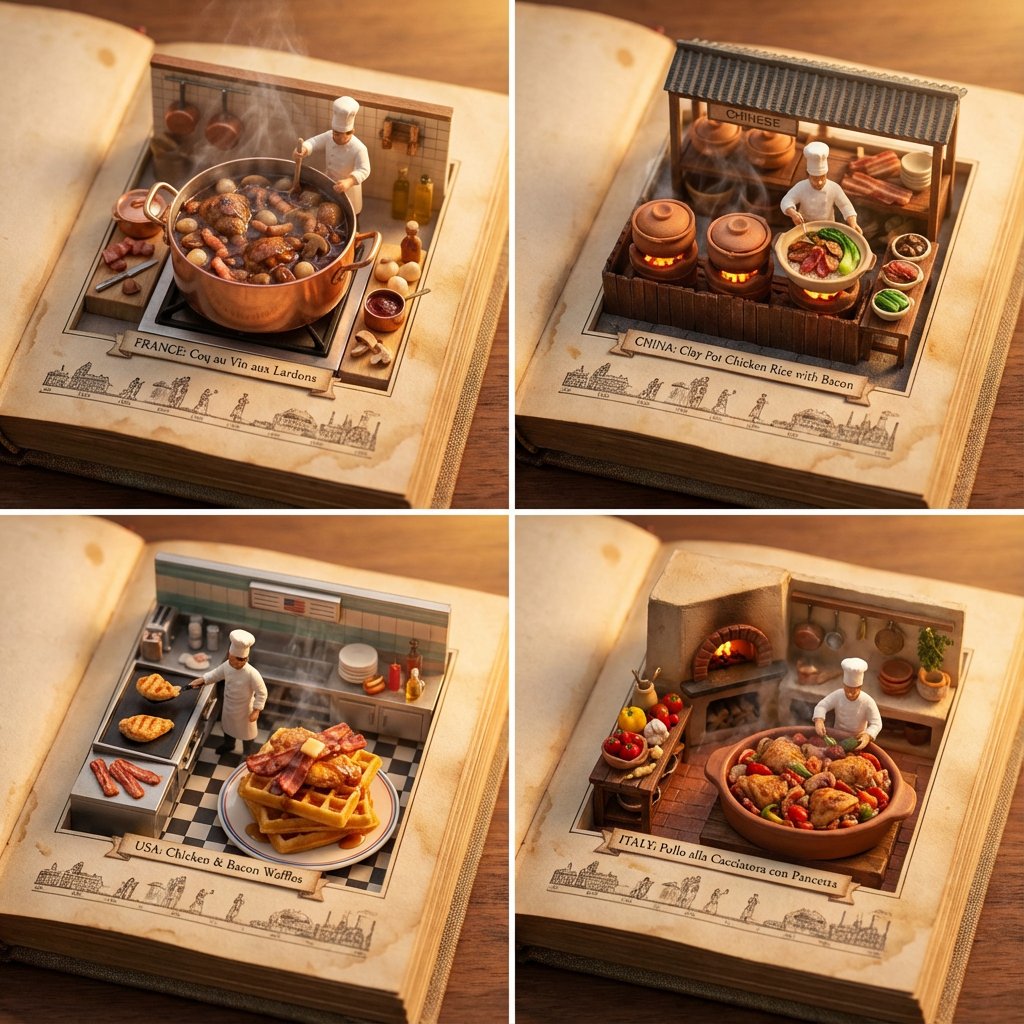
do this for {argument name="ingredient one" default="bacon"} and {argument name="ingredient two" default="chicken"}: <instructions> step 1. user enters one or more ingredients. step 2. analyze the ingredients, their taste and delicious meals that can be made with all of them. step 3. pick 4 random countries and their popular food that maybe be less known that use all these ingredients (if given one, only that, if given 2, the meal should have both those). Goal: A cookbook where ingredients and dishes emerge in delicious detail Rules: Base: A vintage cookbook with stained pages and fabric cover, historical timeline of food Scene: 3D Miniature kitchen or market scene with 3D chef & ingredients Details: Detailed and accurate food textures, steam effects, cooking implements Lighting: Warm kitchen lighting with golden hour quality Output: a 2x2 grid, each with a Single 1:1 image of the meals with appetizing details </instructions>

Ancient Civilizations Innovation Bridge Image Generation Prompt

Ancient Civilizations Innovation Bridge Image Generation Prompt

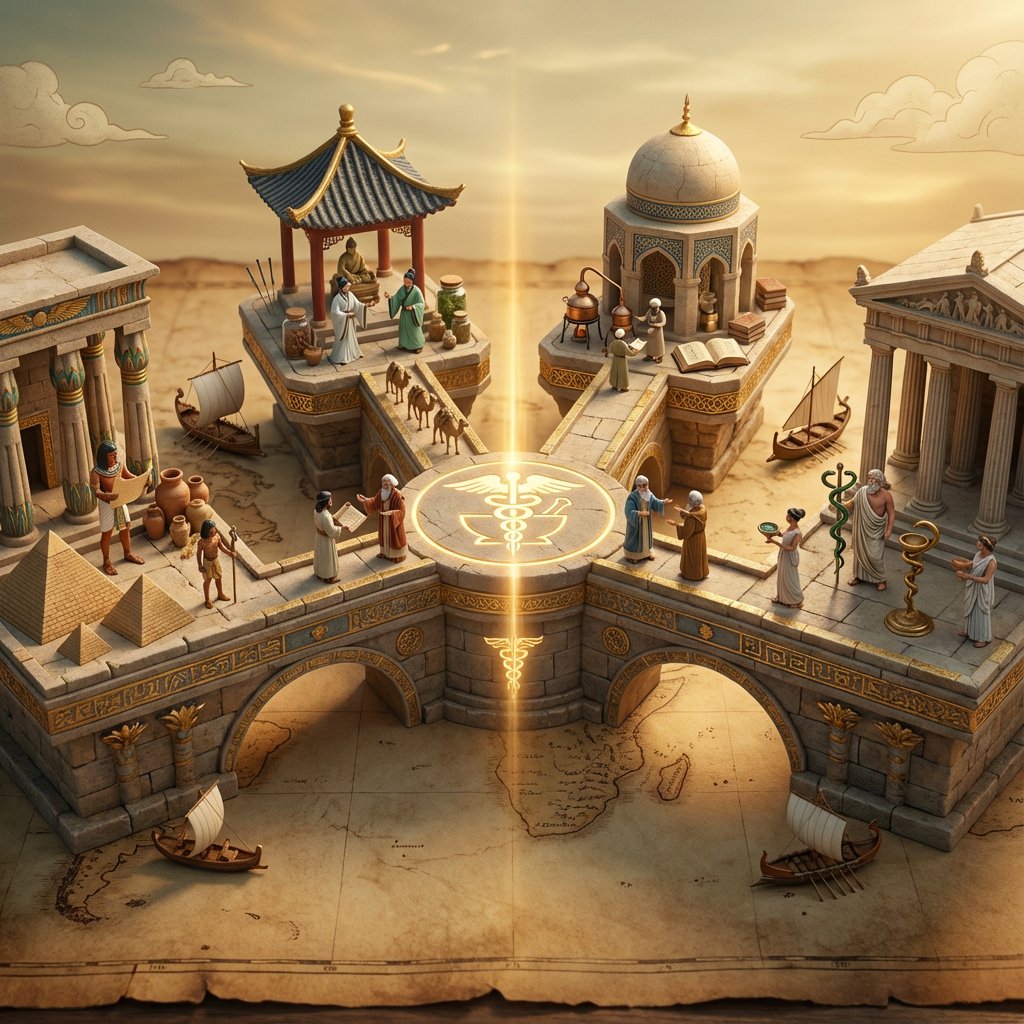
Input A is an invention or technology Analyze: how this innovation appeared independently or was transmitted across ancient civilizations (Egyptian, Chinese, Islamic, Mayan, Greek, etc.). Goal: Miniature bridge structure connecting 3-5 civilization "islands." Rules: * Base: ancient world map (aged parchment) as foundation * Bridge structure: ornate multi-level walkway with different architectural styles for each section (columns, arches, pagoda elements) * Each "island" platform: distinct civilization's version of {argument name="invention" default="Input A invention"} (Chinese compass vs Viking sunstone, Mayan zero vs Indian zero, etc.) * Civilization figurines: tiny scholars/inventors from each culture examining each other's versions * Include: trade route markers, tiny ships/caravans between islands, scrolls being passed * Center of bridge: the "universal truth" they all discovered (mathematical formula, physical principle) etched in neutral symbol * Materials: stone textures, gold leaf accents, cultural pattern details * Lighting: mystical golden hour with light ray connecting all islands Output: 1 x image, 16:9 landscape for maximum bridge span visibility, mythological epic photography

Shoe pattern pieces layout

Shoe pattern pieces layout

Create an image showing the individual pattern pieces of this shoe, each separated and placed on a neutral background.

Exploded Product Breakdown Image Generation Prompt

Exploded Product Breakdown Image Generation Prompt

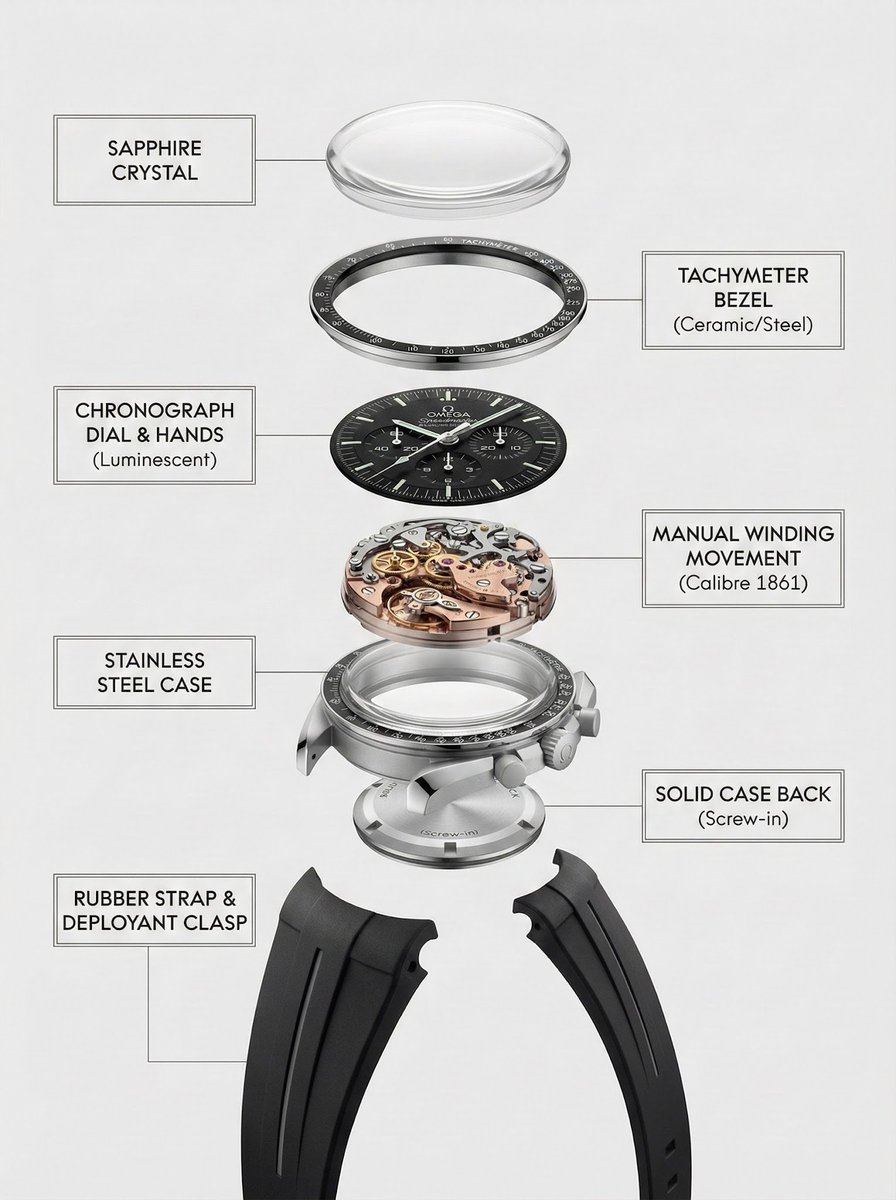
A clean, top-to-bottom exploded breakdown of the uploaded image, showing all components separated and aligned vertically, against a pure white background, minimal shadows, studio lighting, high detail, photorealistic, 8k, product photography, {argument name="product type" default="watch"}

Dreamy Studio Creative Illustration

Dreamy Studio Creative Illustration

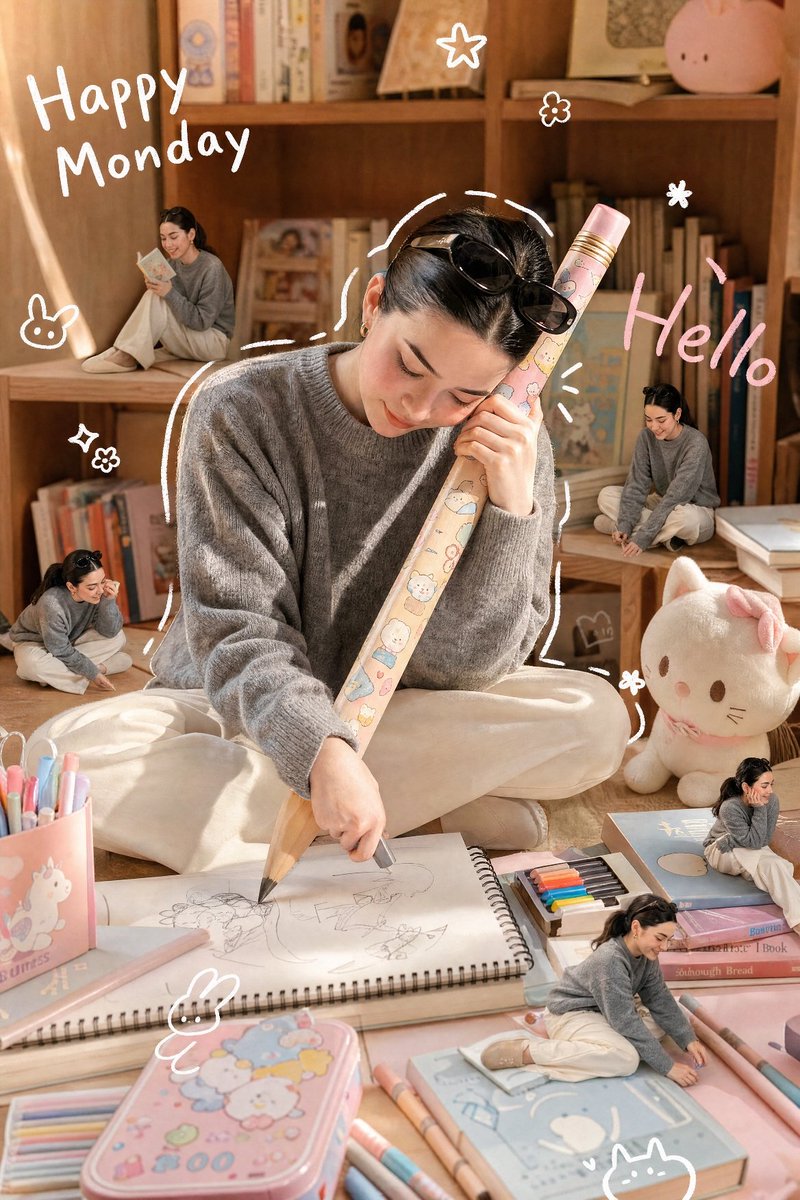
A realistic, candid photograph of a {argument name="subject" default="petite Asian woman"} with a detailed, lifelike face and hairstyle (referencing the provided image for specific features), captured during a soft afternoon. She is wearing the specific clothing from the reference image. She is happily and intently hugging a {argument name="prop" default="gigantic wooden pencil"} adorned with cute, kawaii cartoon patterns with both hands, using it to draw on a massive sketchbook spread before her on a cozy room floor. The scene is full of warmth, with a soft, diffused sunlight filtering in. The floor is covered in pastel-colored (light pink, light blue) oversized toys, stationery, and a cute colored pencil box. A small, fluffy cat plush sits nearby. The room background features warm-toned wooden bookshelves filled with charming books and collectibles, all glowing with soft afternoon light. A minimal white doodle outline loosely traces the woman's figure. Cute, minimal white handwritten text on the side reads "{argument name="text" default="Happy Monday"}", and pink handwritten text reads "Hello". Small, simple white doodle elements like stars, flowers, cats, and bunnies are scattered around. Four distinct, miniature 3D chibi-style figures, exact miniature replicas of the woman in the same clothing but in playful, mischievous poses, are placed around her on the shelves, books, and among the giant stationery. The entire image has a soft, dreamy, and warm glow, with pastel tones in the surroundings contrasting with natural wood and cream background colors. Shot on a Canon EOS R5 with a 35mm f/1.4 lens, natural grain, cinematic lighting. Aspect Ratio: 4:5 Style: Realistic Photo, Candid, Warm, Dreamy Lighting: Soft Afternoon Sunlight, Diffused

Culinary Periodic Table Display Board Generator

Culinary Periodic Table Display Board Generator

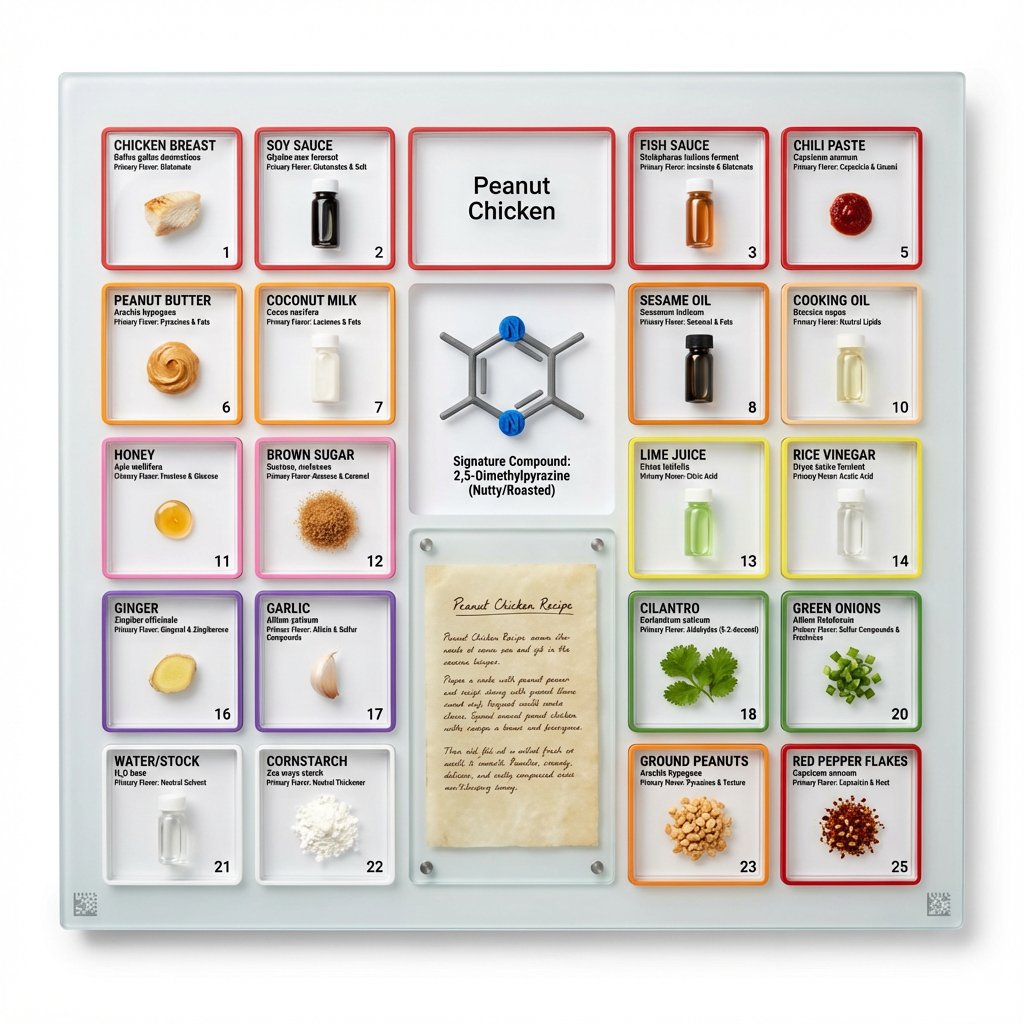
<instruction> Input A is a famous dish (photo or dish name). Analyze the dish's complete ingredient breakdown, primary flavor compounds, chemical interactions, and scientific basis for why ingredients work together. Optional Input B is a style reference (laboratory equipment / tech product packaging). If missing, choose scientific periodic table meets Apple product design aesthetic. Goal: Grid-format display board (20"x16") in periodic table structure, with each ingredient in its own compartment labeled with both culinary and scientific information, color-coded by flavor profile. Rules: Brushed aluminum, white acrylic, or frosted glass backing 20-30 small clear compartments in periodic table grid layout Each compartment contains: ingredient specimen, common name, scientific name, primary flavor molecule Color-coded borders: umami (red), sweet (pink), sour (yellow), bitter (green), fat (orange), aromatic (purple) Center "legend" section: 3D molecular structure diagram of signature compound Lower corner: actual handwritten recipe on aged vellum or parchment under glass AR markers for scanning to see animated 3D molecule models Clean sans-serif typography (like Helvetica or Futura) Minimal design with generous white space Include atomic-style "numbers" for each ingredient showing ratio/importance Output: ONE image, 4:5 clean product photography style with soft shadows on pure white background </instruction>

Technical Infographic Overlay for Object Annotation

Technical Infographic Overlay for Object Annotation

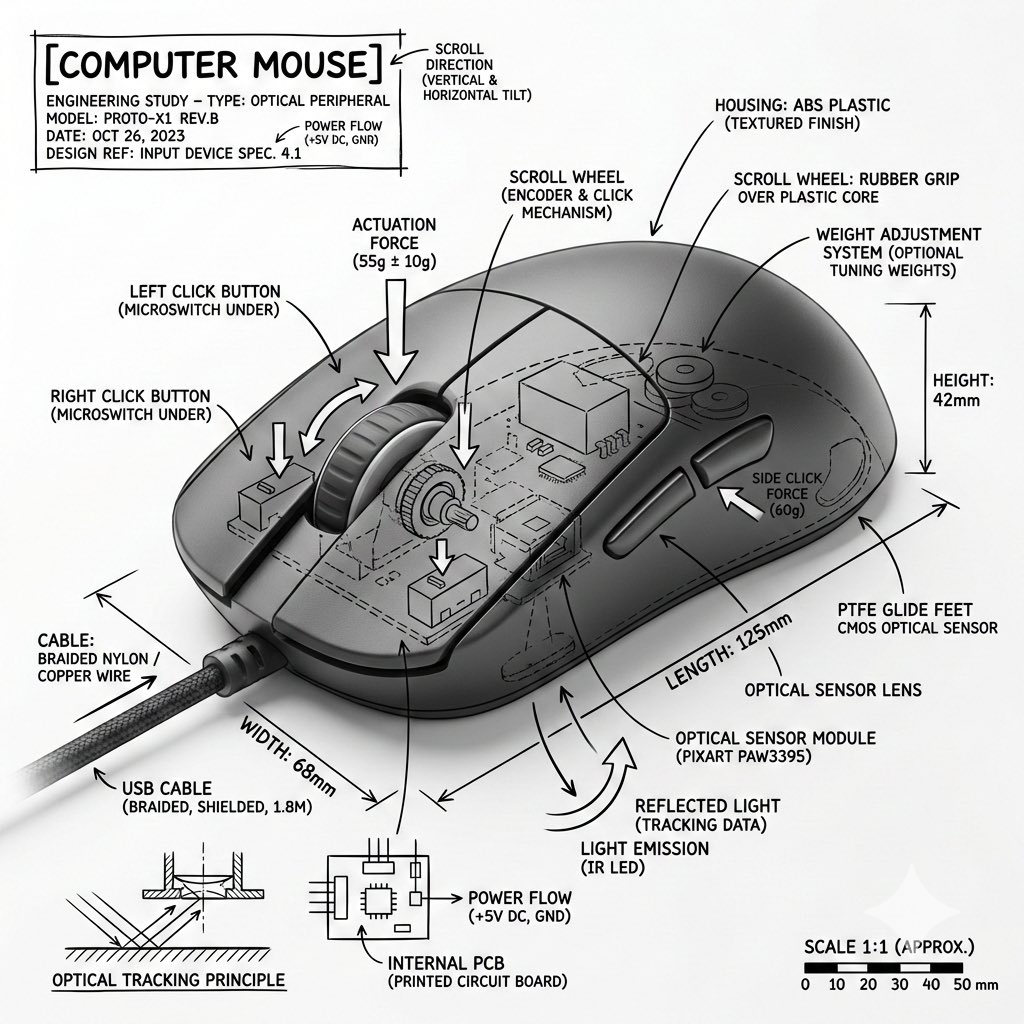
Create an infographic image of {argument name="object" default="[OBJECT]"}, combining a realistic photograph or photorealistic rendering of the object with an overlay of technical annotations placed directly on top. Use black ink line drawings and text (in the style of a technical pen / architectural sketch) on a clean white studio background, including: • Labels on key components • Internal outlines in cutaway or cross-section view • Measurement, dimension, and scale markers • Material and quantity designations • Arrows indicating function, force, or flow (air, sound, power, pressure) • Simple diagrams or cross-sections where appropriate Place the title {argument name="object title" default="[OBJECT]"} in a box with hand-drawn technical notes in one of the corners. Style and layout rules: • The real object remains clearly visible under the annotations • Annotations look schematic, technical, and architectural • Clear composition with balanced negative space • Educational atmosphere resembling a museum exhibition or engineering manual. Visual style: Minimalist technical illustration aesthetics, black lines over realistic images, crisp but slightly hand-drawn. Color palette: White background, only black annotation lines and text. No colors. Output: 1080x1080 resolution, very sharp image, optimized for social media, no watermarks.

Exploded-View Burger Composition with Annotations

Exploded-View Burger Composition with Annotations

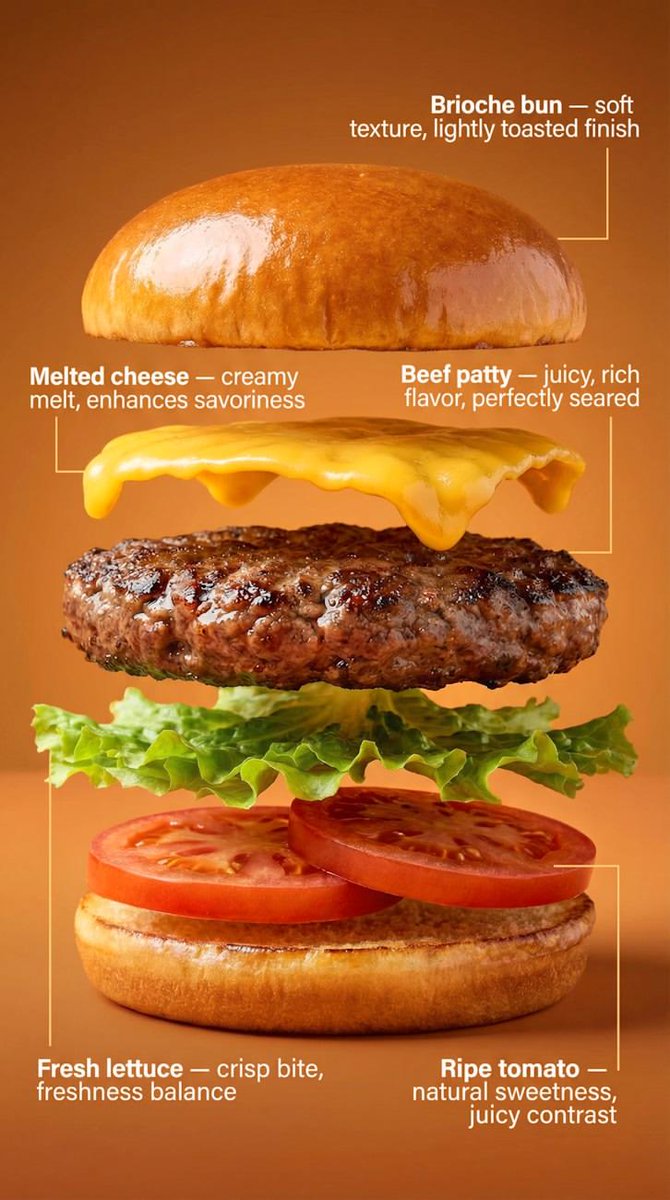
Transform the burger into a clean exploded-view composition. The burger is separated into exactly five layers, floating vertically with even spacing: Brioche bun Beef patty Melted cheese Fresh lettuce Ripe tomato Each layer remains photorealistic and aligned, maintaining the original proportions from the hero shot. Add minimal, clean annotations with thin lines and clear typography, describing benefits: Brioche bun — {argument name="bun benefit" default="soft texture, lightly toasted finish"} Beef patty — juicy, rich flavor, perfectly seared Melted cheese — creamy melt, enhances savoriness Fresh lettuce — crisp bite, freshness balance Ripe tomato — natural sweetness, juicy contrast Background remains the same, slightly darkened to ensure maximum annotation readability. Lighting stays consistent with the first image for visual continuity. Commercial, technical, clean, easy to understand at a glance.

Exploded View Taco Visualization and Commercial Food Photography Prompt

Exploded View Taco Visualization and Commercial Food Photography Prompt

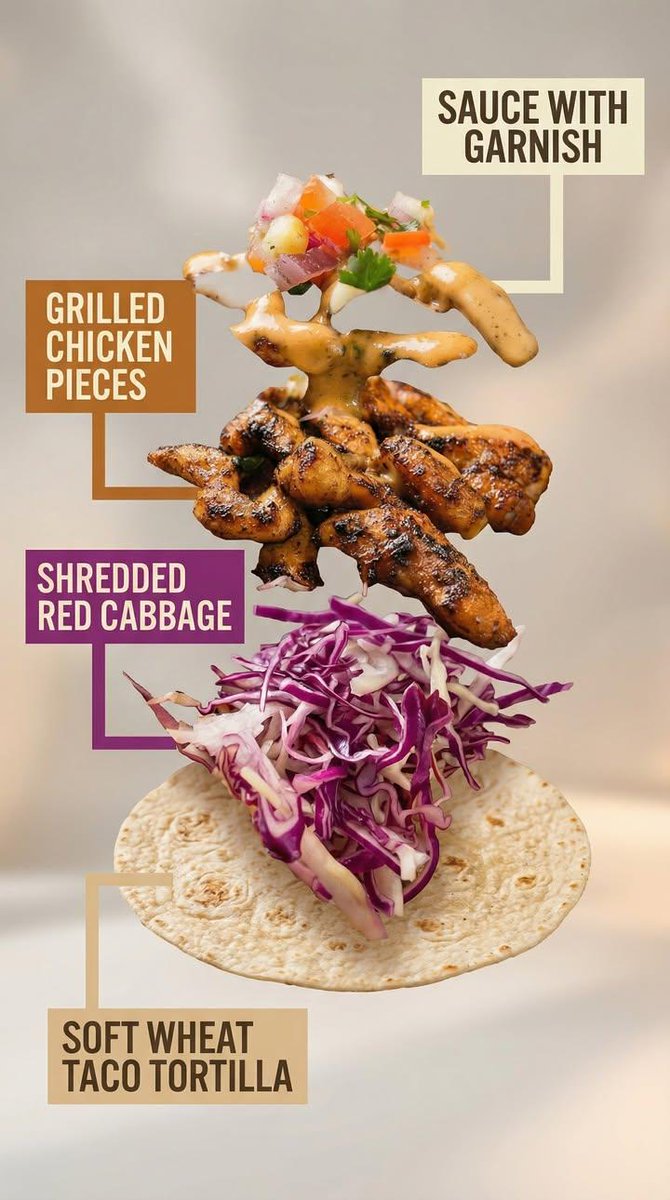
Motion Prompt: The food start to round spin while ingredients separate gently and precisely, maintaining alignment and scale. The motion is smooth, with no extra effects. Image 1: A high-end commercial food photograph of the same two tacos from the reference image, preserving their exact structure, fillings, proportions, and arrangement. The camera angle is slightly adjusted to a more flattering three-quarter close-up, enhancing depth and appetite appeal without altering the tacos themselves. Soft cinematic lighting highlights the textures of the tortillas and fillings, with subtle steam and natural sheen to emphasize freshness. The background is replaced with a clean, modern, out-of-focus setting in warm complementary tones that enhance the food without distracting from it. Shallow depth of field, crisp focus on the tacos, rich contrast, natural colors, and premium restaurant advertising quality. No added or removed ingredients, refined composition, lighting, and environment. Image 2: Exploded-view commercial visualization of the taco from the image, presented as premium recipe-style breakdown. The taco is deconstructed into four visible ingredients, matching the original taco precisely in composition, color, and texture. No additional ingredients. The ingredients are separated and arranged in a clean vertical stack, evenly spaced from bottom to top, floating in place with precise alignment and symmetry. Ingredient order (bottom → top): Soft wheat taco tortilla Shredded red cabbage Grilled chicken pieces Sauce with garnish (topped with a small mixed garnish of diced onion, tomato, and parsley, approximately 5–6 small cubes total, lightly mixed, placed naturally on top) Each ingredient is visually distinct and clearly readable in shape and texture. Annotation design requirements: – Large, bold sans-serif font, high legibility at feed scale – Each annotation placed inside a solid or softly rounded rectangular color block – Background color of each block corresponds subtly to the ingredient color (tomato red, lettuce green, meat warm brown, sauce white/cream, pita beige) – High contrast text (dark on light, light on dark) – Thick, clean connector lines pointing clearly to each ingredient – No transparency that reduces readability – Annotations must visually dominate over background without covering ingredients Background is soft, neutral, and atmospheric, with subtle depth and gentle gradients, inspired by premium food advertising. Overall style is clean, modern, and appetizing, commercial-ready without technical or schematic feel. No extra elements, no substitutions, no reinterpretation of ingredients.

部分提示词收录自 X 平台创作者,版权归原作者所有。