Kenerate AI

提示词库

AI 提示词库

汇集全球创作者的精选图像、视频与建站提示词。复制任意一条,替换主体或风格,即可用最新模型生成。

15,630 条提示词 · 每日更新 · 完全免费

共 226 条

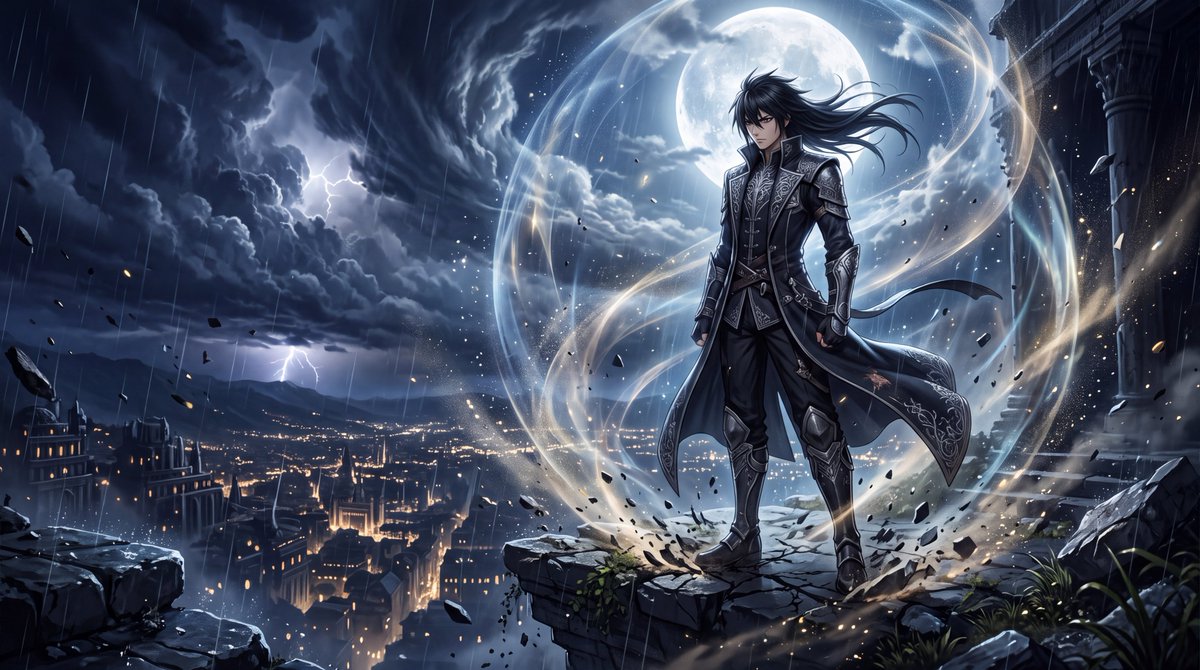
YouTube 缩略图 - 顶级暗黑奇幻动漫电影感画面
Nano Banana Pro

YouTube 缩略图 - 顶级暗黑奇幻动漫电影感画面

创作一幅令人惊叹的顶级动漫电影感艺术作品,背景设定在暗黑奇幻世界,呈现出史上最昂贵动漫作品的画面质感。画面主体为 {argument name="character" default="一位冷静、极具魅力的男性战士,独自伫立在宏伟的废墟神庙边缘,俯瞰着夜晚充满未来感的古城"}。他拥有锐利且富有表现力的双眼,乌黑的头发在风中自然飘动,身着饰有精致银色细节的优雅暗色战斗外套,带有细微的战斗痕迹,姿态从容且充满威慑力。他没有发起攻击或大声呼喊,只是静静地站立,微微低头,神情冷漠而自信。他仅凭存在感就足以掌控整个场景。他周围环绕着 {argument name="aura effect" default="巨大的气场——深邃的氛围能量如同可见的无形压力般在环境中自然流淌"}。细小的发光粒子、漂浮的余烬、尘埃和雨滴碎片在他身体周围环绕。由于他强大的气场,脚下的地面呈现出细微的裂纹。他的外套和头发在充满能量的风中剧烈摆动。在他身后,巨大的风暴云在天空中盘旋,被远处的闪电照亮。一轮巨大的月亮穿透云层,为他的身影勾勒出强有力的轮廓。远处的下方,成千上万的城市灯火营造出宏大的深度与规模感。气场应呈现出美感、威慑力与超凡脱俗的质感,而非普通的荧光轮廓。运用分层的半透明能量、大气畸变、微妙的光线折射、漂浮粒子以及角色周围淡淡的波纹状压力。保持角色面部与身体的轮廓清晰,同时让环境对他的存在做出反应。构图:低角度英雄视角,角色略微偏离中心,上方留有巨大的负空间,戏剧性的深度,前景粒子,远处的城市,广阔的天空,电影级视角。视觉风格:精英级现代动漫制作,极其细腻的线条,油画质感的背景,写实的光影,符合物理逻辑的阴影,电影级调色,写实的大气透视,高度精细的眼睛、发丝与织物纹理,细腻的皮肤质感,体积感月光,高对比度,锐利的主体焦点,令人屏息的环境细节。将风格化的动漫角色设计与写实的电影级渲染相结合,使画面呈现出顶级动漫剧照的质感,而非普通的插画。角色应散发出极致的“气场压制”能量:沉默的自信、压倒性的存在感、毫不费力的统治力、神秘的力量、优雅与危险并存。无文字,无 Logo,无水印,无滑稽表情,无夸张的尖叫,无巨型肌肉,无普通超级英雄服装,无杂乱构图,无过度的霓虹灯,无模糊面部,无畸形解剖结构,无多余手指,无变形的手部,无廉价的 CGI 感。长宽比:16:9。超精细,电影级

@WeWant Mars
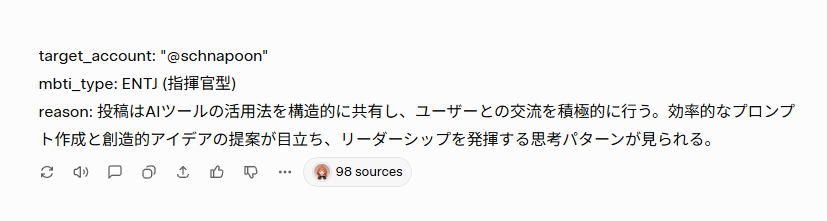
Nano Banana Pro Image Generation Prompt for MBTI Character Visualization

Nano Banana Pro Image Generation Prompt for MBTI Character Visualization

## 1. Input Variables (Rewrite this) Generate an illustration based on the following information. User Information: target_account: "{argument name="Account Name" default="@schnapoon"}" mbti_type: {argument name="MBTI Type" default="ENTJ (Commander)"} reason: "{argument name="Diagnosis Reason" default="Posts structurally share how to utilize AI tools and actively engage with users. Efficient prompt creation and creative idea proposals stand out, showing a leadership-oriented thought pattern."}" Character Setting (base_character_profile): Appearance: Anime-style girl. Brown medium hair, red eyes, slightly pointed teeth (giza-ba). ## 2. Generation Instructions A. Overall Image Composition (UI Layout) Generate a vertical 9:16 image. The background color is clean off-white (#F5F5F7). The screen is composed of the following elements from top to bottom: 1. Header Text: Place the text `target_account` + "'s diagnosis result is" at the top of the screen. Color: Dark gray (#333333), Font size: Medium, Alignment: Center. 2. Main Character Illustration: Important (Consistency): Maintain the "physical features (face, hair, body type)" and "basic clothing (innerwear, bottoms, etc.)" of the `base_character_profile` without alteration. Changes (Layering): Express the individuality of each type by "layering" the specified outerwear, mantle, and decorations from "B. MBTI Style Definitions" below over the basic clothing. Presentation: Draw specified effects and floating items around the character. Style: High-quality anime coloring. 3. MBTI Type Label: Place the `mbti_type` text largely directly below the illustration. Color: Theme color of each type definition. Font: Bold for high visibility. 4. Diagnosis Reason Text Box: Place a white, rounded-corner box (card-like design) at the bottom of the screen. Write the `reason` text in Japanese inside it. Text color: Gray (#555555), Left-aligned, readable size. B. MBTI Style Definitions (16 Types Layering Rules) Apply the style matching the input `mbti_type` and add the following items over the basic clothing: [Analysts - Purple/Dark Blue/Deep Red] INTJ (Architect): Layering: Black long coat or a chic jacket with a standing collar. Items: Chess pieces, hologram of blueprints. INTP (Logician): Layering: Lab coat (slightly disheveled), or a loose hoodie. Items: Flasks, floating mathematical formulas, gadget parts. ENTJ (Commander): Layering: Military-style Napoleon jacket, or a heavy mantle with a red lining. Items: Baton, crown-like decoration. ENTP (Debater): Layering: Unconventional design blazer, or a magician-like cape. Items: Microphone, smirking expression, jack-in-the-box effect. [Diplomats - Green/Gold/Pastel] INFJ (Advocate): Layering: Hooded robe, or a mystical shawl. Items: Lantern, staff, mystical light particles. INFP (Mediator): Layering: Oversized knit cardigan, or a forest-girl style poncho. Items: Flower crown, butterflies, books. ENFJ (Protagonist): Layering: Hero-like mantle, shining brooch or sash on the chest. Items: Holy sword (light-shaped), halo-like effect. ENFP (Campaigner): Layering: Colorful patchwork vest, or a flashy scarf. Items: Balloons, confetti, party goods. [Sentinels - Blue/White/Teal] ISTJ (Logistician): Layering: Neat navy blazer, armband. Items: Clipboard, glasses, neatly arranged documents. ISFJ (Defender): Layering: Clean apron, or medical coat/nurse uniform-style outerwear. Items: First aid kit, warm drink (tea, etc.). ESTJ (Executive): Layering: Formal suit jacket,

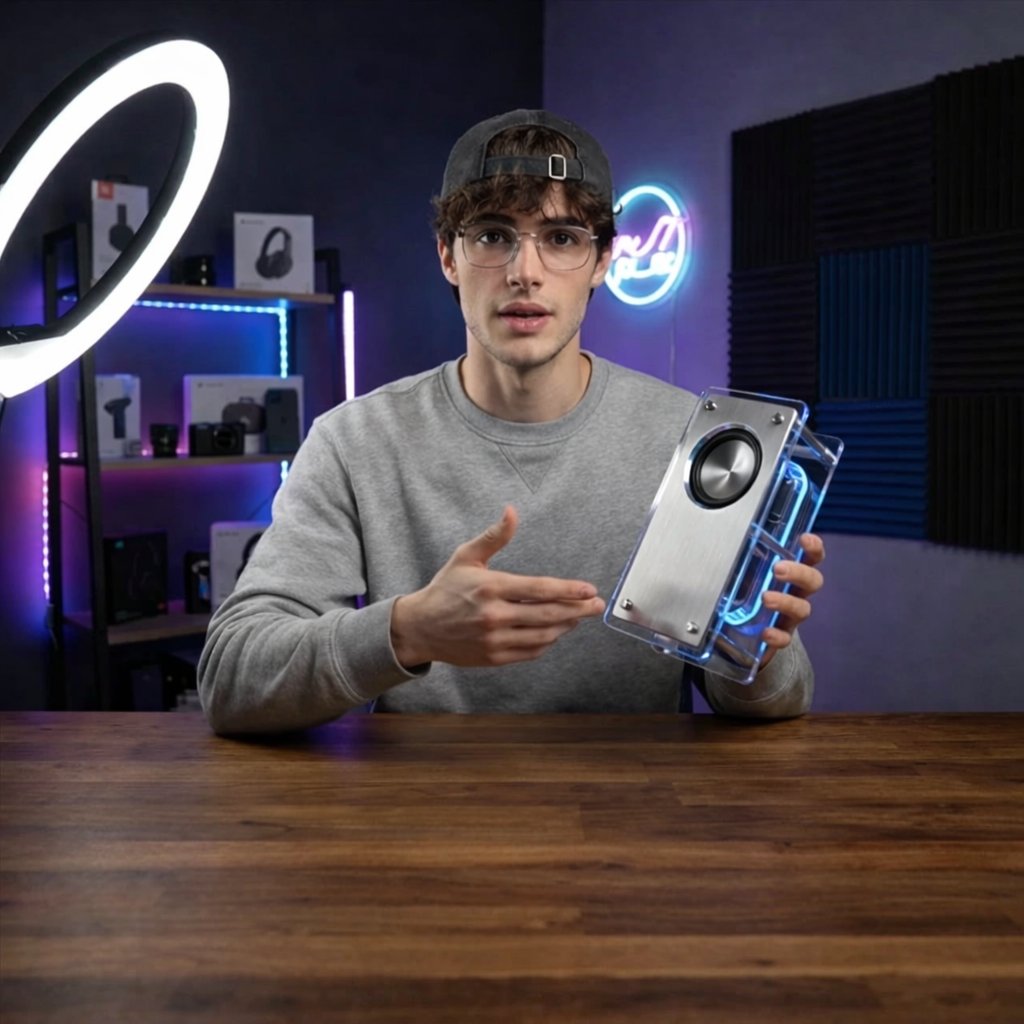
Tech YouTuber Demoing Bluetooth Speaker Video Prompt

Tech YouTuber Demoing Bluetooth Speaker Video Prompt

A young man tech YouTuber demoing a bluetooth speaker. He is sitting in front of the camera at a desk and wearing a sweatshirt and a cap. The desk is front on to the camera. The background is a dimly lit YouTuber's studio setup. The YouTuber is illuminated by a ring light. The Bluetooth speaker looks minimalistic and retro-futuristic.

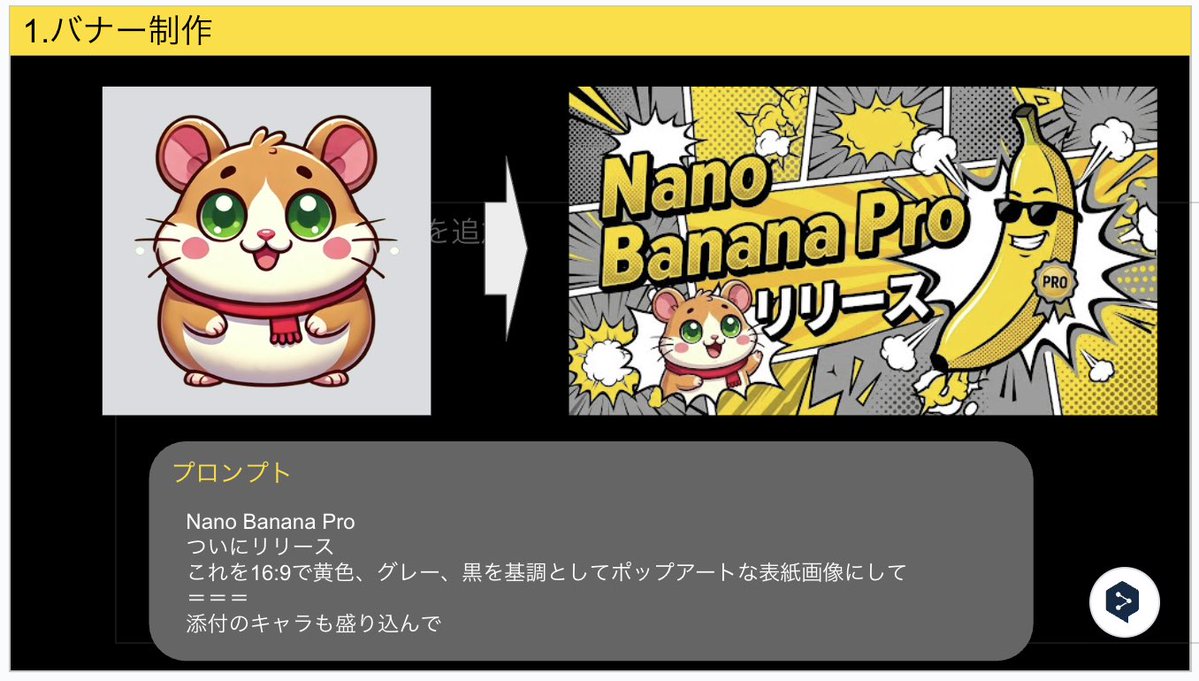
Nano Banana Pro Banner Creation Prompt

Nano Banana Pro Banner Creation Prompt

Nano Banana Pro Finally released Turn this into a pop art cover image with a 16:9 aspect ratio, based on yellow, gray, and black, and include the attached character.

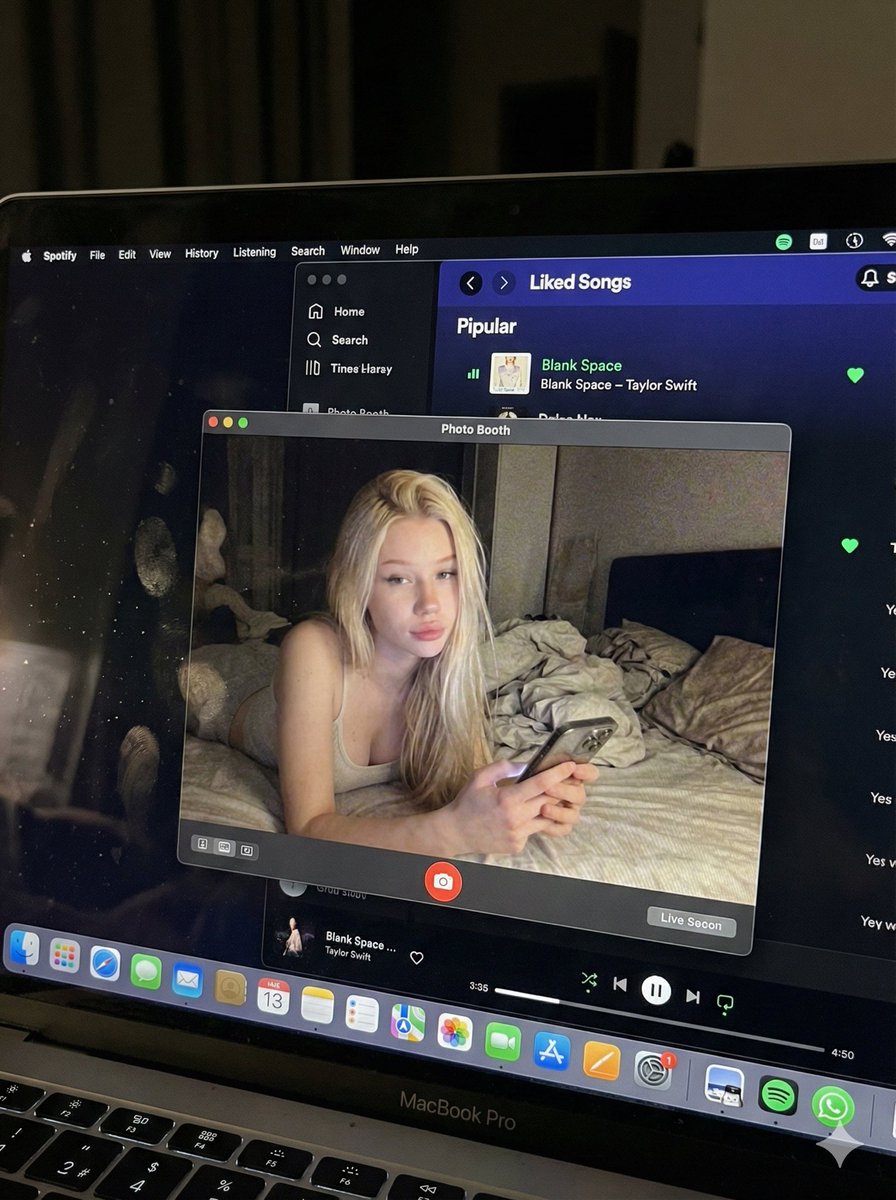
Photorealistic MacBook Screen POV Selfie Prompt

Photorealistic MacBook Screen POV Selfie Prompt

{ "image_settings": { "aspect_ratio": "3:4", "resolution": { "width": 1152, "height": 1536 } }, "prompt": { "identity_lock": { "reference": "{argument name="reference" default="input_photo"}", "preserve": [ "{argument name="preserve 1" default="face"}", "{argument name="preserve 2" default="facial proportions"}", "{argument name="preserve 3" default="eye shape"}", "{argument name="preserve 4" default="nose"}", "{argument name="preserve 5" default="lips"}", "{argument name="preserve 6" default="skin tone"}", "{argument name="preserve 7" default="skin texture"}", "{argument name="preserve 8" default="hairline"}", "{argument name="preserve 9" default="overall identity"}" ], "rules": [ "{argument name="rule 1" default="no face swap"}", "{argument name="rule 2" default="no beautify"}", "{argument name="rule 3" default="no smoothing"}", "{argument name="rule 4" default="no reshaping"}", "{argument name="rule 5" default="no AI look"}" ] }, "scene": { "camera_angle": "{argument name="camera angle" default="high-angle downward shot, POV"}", "composition": "{argument name="composition" default="MacBook screen fills most of the frame, thin strip of physical keyboard visible at the bottom"}", "screen_surface": [ "{argument name="screen surface 1" default="visible RGB pixel grid"}", "{argument name="screen surface 2" default="subtle moire effect"}", "{argument name="screen surface 3" default="micro dust on glass"}", "{argument name="screen surface 4" default="faint fingerprints"}", "{argument name="screen surface 5" default="soft ambient reflections"}" ] }, "digital_interface": { "os": "{argument name="os" default="macOS dark mode"}", "background_app": { "name": "{argument name="background app name" default="Spotify"}", "view": "{argument name="background app view" default="Liked Songs"}", "visible_tracks": [ "{argument name="track 1" default="Blank Space – Taylor Swift"}", "{argument name="track 2" default="Shake It Off – Taylor Swift"}", "{argument name="track 3" default="Cruel Summer – Taylor Swift"}", "{argument name="track 4" default="Love Story – Taylor Swift"}" ] }, "foreground_app": { "name": "{argument name="foreground app name" default="Photo Booth"}", "state": "{argument name="foreground app state" default="live preview window"}", "position": "{argument name="foreground app position" default="floating, center-right"}" } }, "photo_booth_content": { "environment": { "room": "{argument name="room" default="dim bedroom"}", "background": "{argument name="background" default="off-white wall, rumpled bedding"}", "lighting": "{argument name="lighting" default="low-light, nocturnal, cool screen glow mixed with warm skin tones"}" }, "subject": { "pose": "{argument name="subject pose" default="lying down, relaxed, candid"}", "expression": "{argument name="subject expression" default="natural, slightly relaxed"}", "outfit": "{argument name="subject outfit" default="light-colored tank top"}", "prop": { "item": "{argument name="prop item" default="iPhone 15 Pro"}", "hand": "{argument name="prop hand" default="right hand"}" } } }, "realism_rules": [ "{argument name="realism rule 1" default="this is a photo of a screen, not a screenshot"}", "{argument name="realism rule 2" default="raw smartphone photo look"}", "{argument name="realism rule 3" default="natural noise"}", "{argument name="realism rule 4" default="imperfect glass"}", "{argument name="realism rule 5" default="no studio lighting"}", "{argument name="realism rule 6" default="no HD polish"}" ] }, "negative_prompt": [ "{argument name="negative 1" default="screenshot"}", "{argument name="negative 2" default="flat UI"}", "{argument name="negative 3" default="perfect screen"}", "{argument name="negative 4" default="clean glass"}", "{argument name="negative 5" default="studio lighting"}", "{argument name="negative 6" default="beauty filter"}", "{argument name="negative 7" default="cartoon"}", "{argument name="negative 8" default="3d render"}", "{argument name="negative 9" default="painting"}", "{argument name="negative 10" default="watermark"}", "{argument name="negative 11" default="blurred face"}" ] }

Double Exposure Portrait of an AI Engineer

Double Exposure Portrait of an AI Engineer

A double exposure photograph depicting the silhouette profile and headshot portrait of an AI engineer, with a symbolic environment constructed from glowing neural networks, floating code streams, and futuristic server architecture, in the style of double exposure photography, sun flare, white background, hyper-realistic, detailed rendering, stock photo, high-resolution photography.

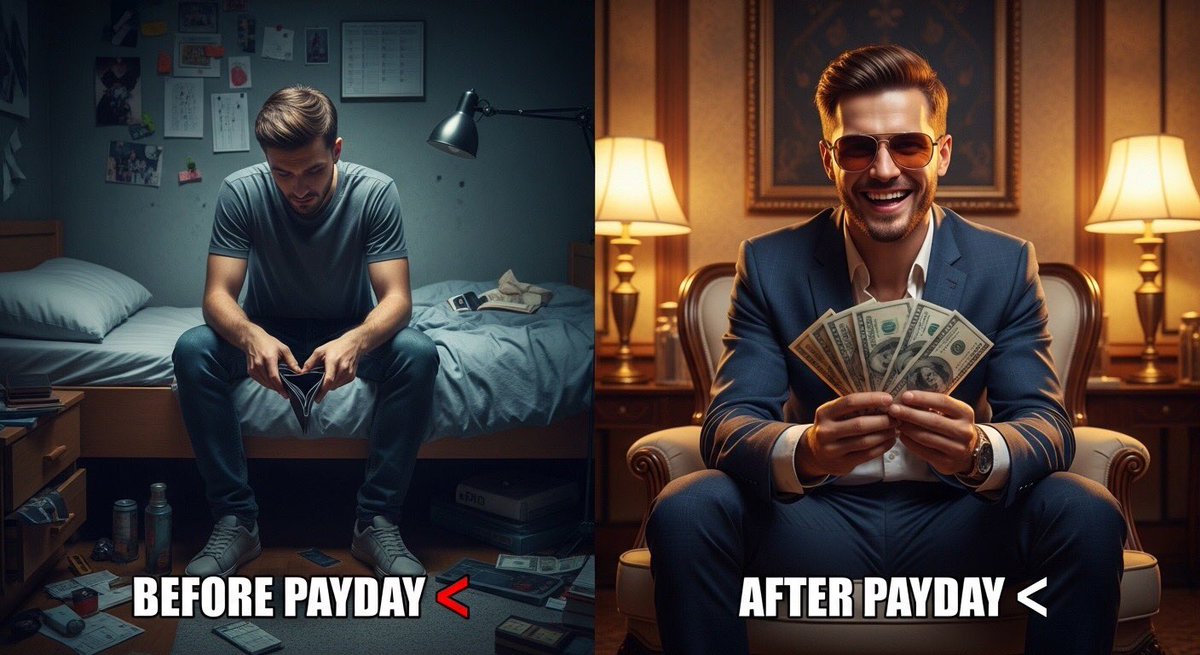
Split Scene 'Before and After Payday' Prompt for Nano Banana Pro

Split Scene 'Before and After Payday' Prompt for Nano Banana Pro

Ultra-realistic split scene of a young man. Left side: sitting on a bed in a small messy room, tired face, empty wallet, dim lighting, depressed mood. Right side: same man after payday, wearing stylish clothes and sunglasses, holding cash, confident smile, bright lighting, luxury background. Add bold meme text: “{argument name="meme text 1" default="Before Payday "}” and “{argument name="meme text 2" default="After Payday "}”. Cinematic lighting, 8K realism, sharp details, viral social media style.

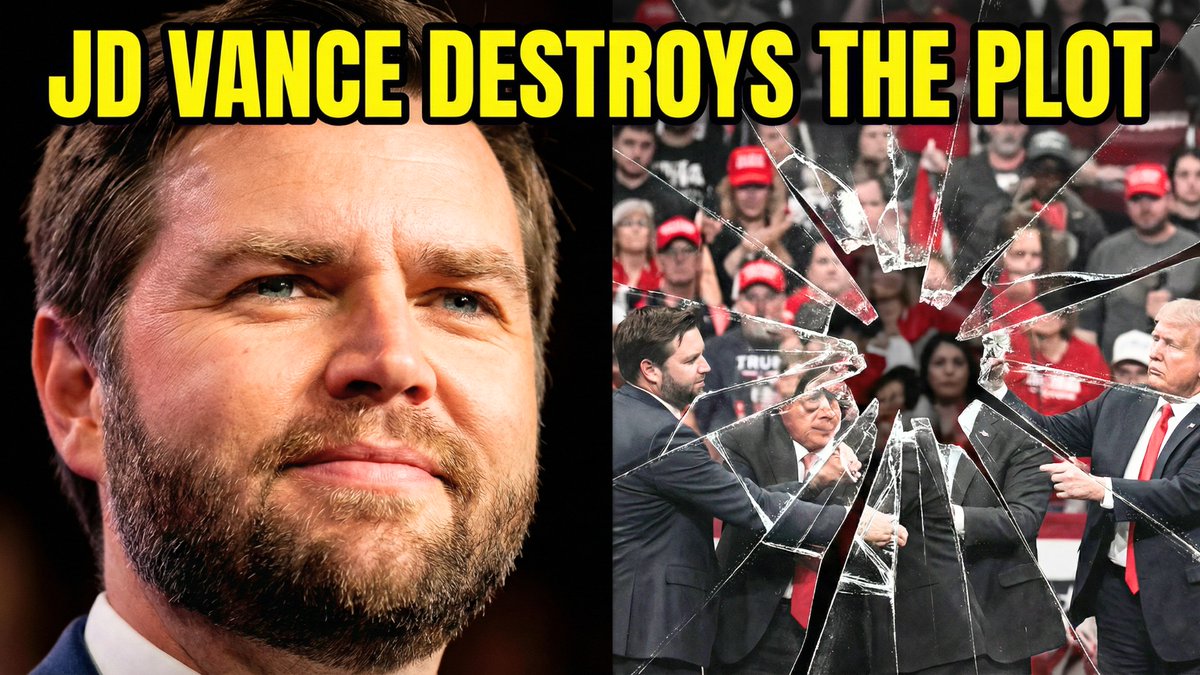
Split-Screen YouTube Thumbnail: JD Vance Political Commentary

Split-Screen YouTube Thumbnail: JD Vance Political Commentary

Split-screen YouTube thumbnail composition. LEFT SIDE (60%): JD Vance's face, professional warm lighting, determined confident expression with slight smirk, slight low angle shot looking up, high contrast and saturated colors, dark blurred background, heroic and resolute mood. RIGHT SIDE (40%): Shattered fractured glass effect overlaying darkened desaturated images of MAGA supporters and political figures pulling in different directions, visible crack lines and fragmentation throughout, chaotic and divided composition, dark grays and muted reds, broken and unstable visual. TOP OF ENTIRE THUMBNAIL: Bold yellow text with thick black outline reading "{argument name="text" default="JD VANCE DESTROYS THE PLOT"}", text spans across both sides at top third.

Advanced Two-Step Prompting Strategy for Nano Banana Pro Thumbnails

Advanced Two-Step Prompting Strategy for Nano Banana Pro Thumbnails

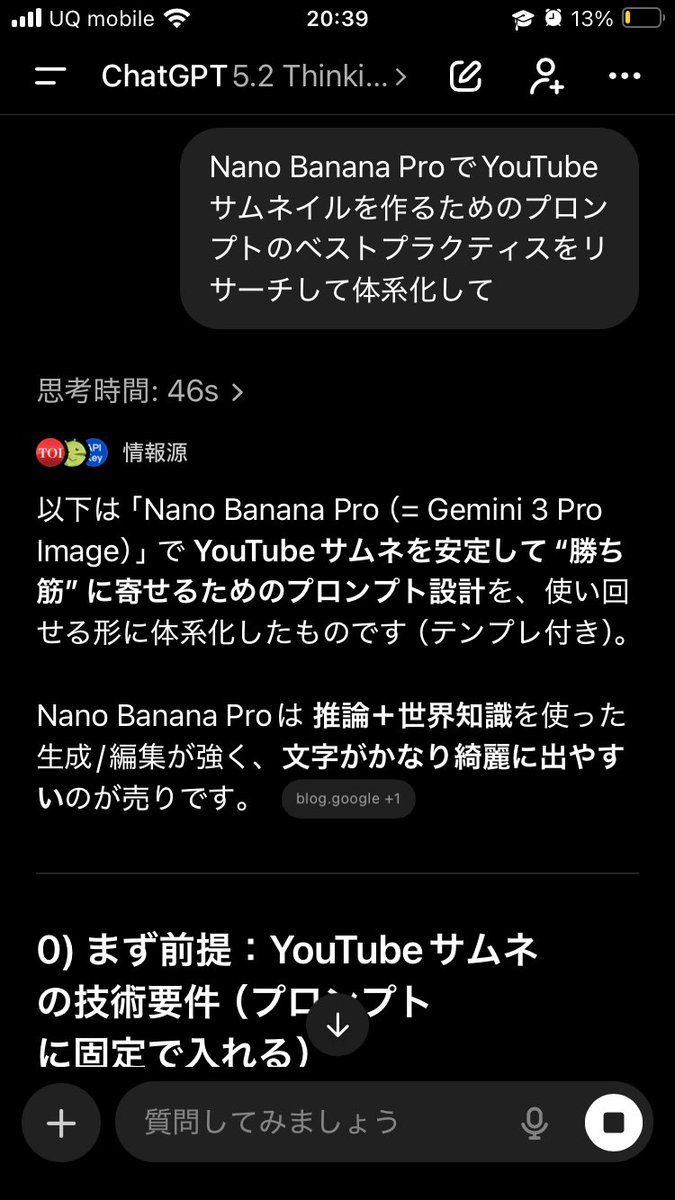
Actually, there's a trickier way to use this. First, have it systematically summarize the information → Then, based on that, have it create the output/deepen the discussion Just doing this makes the quality of the output completely different. This is because if you first create a blueprint in the AI's mind—including "terminology," "judgment criteria," "prohibited items," "patterns," and "priorities"— The next instructions will be output according to that blueprint, making it less likely to deviate. For example, if you want Nano Banana Pro to create a thumbnail: ① First, ask GPT-5.2: "Thoroughly research and systematize the best practices for creating prompts for YouTube thumbnails using Nano Banana Pro. Include common mistakes as well." ② After that, ask: "Based on the current system, create a prompt for making a YouTube thumbnail on the theme of {argument name="theme" default="XX"} using Nano Banana Pro. The video content is like this, and I want to include {argument name="wording" default="this kind of wording"}." Then, input the completed prompt into Nano Banana Pro. It becomes much easier to get the desired output. If you just ask it to "create" every time, the AI outputs based on the moment, leading to inconsistent results. But if you create a map (system) first, it's powerful. Moreover, this method works for side business strategies, sales copy, and video scripts. The versatility is insane. I highly recommend having the AI organize how to create good output before having it perform the task, and then having it think based on that organization. By the way, the thumbnail created this time is the third image. Since the first attempt was mediocre, I had it systematize how to create attractive YouTube thumbnails before generating the prompt.

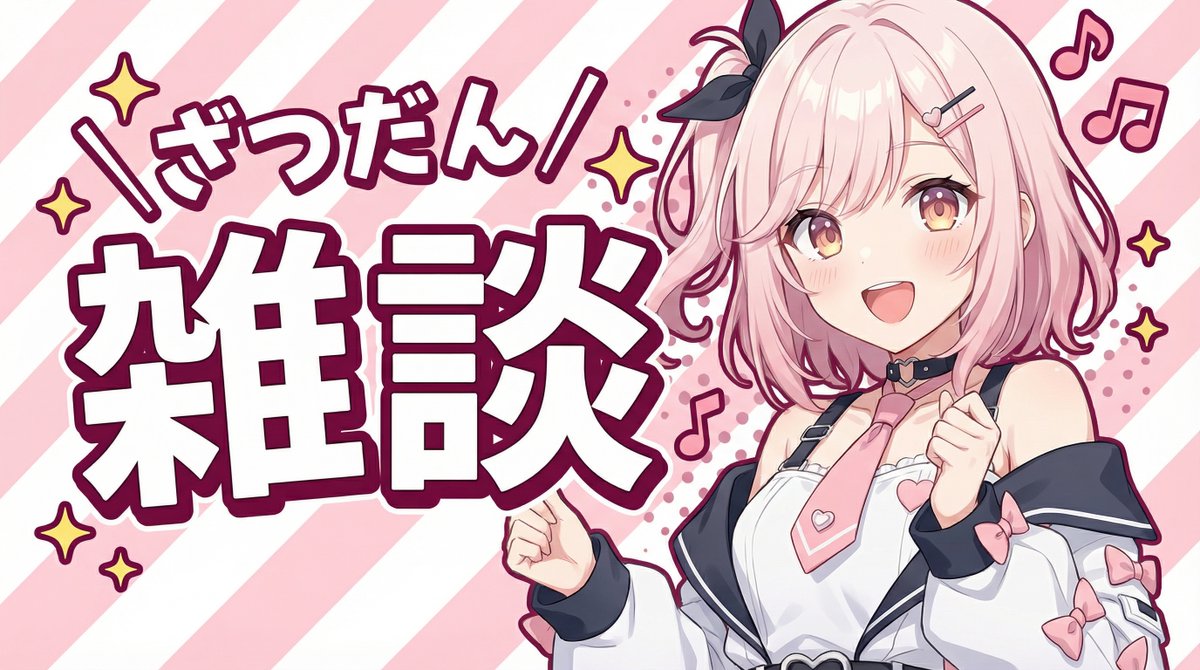
YouTube thumbnail using a specific character for chat stream

YouTube thumbnail using a specific character for chat stream

Please create a YouTube thumbnail using this character. - Use only the upper body, with a cheerful pose and expression. - Include large text that says “{argument name="title_text_en" default="雑談"}” and add the furigana “{argument name="furigana_en" default="ざつだん"}”. - Give it a pop feel, but make the background simple and composed of stripes.

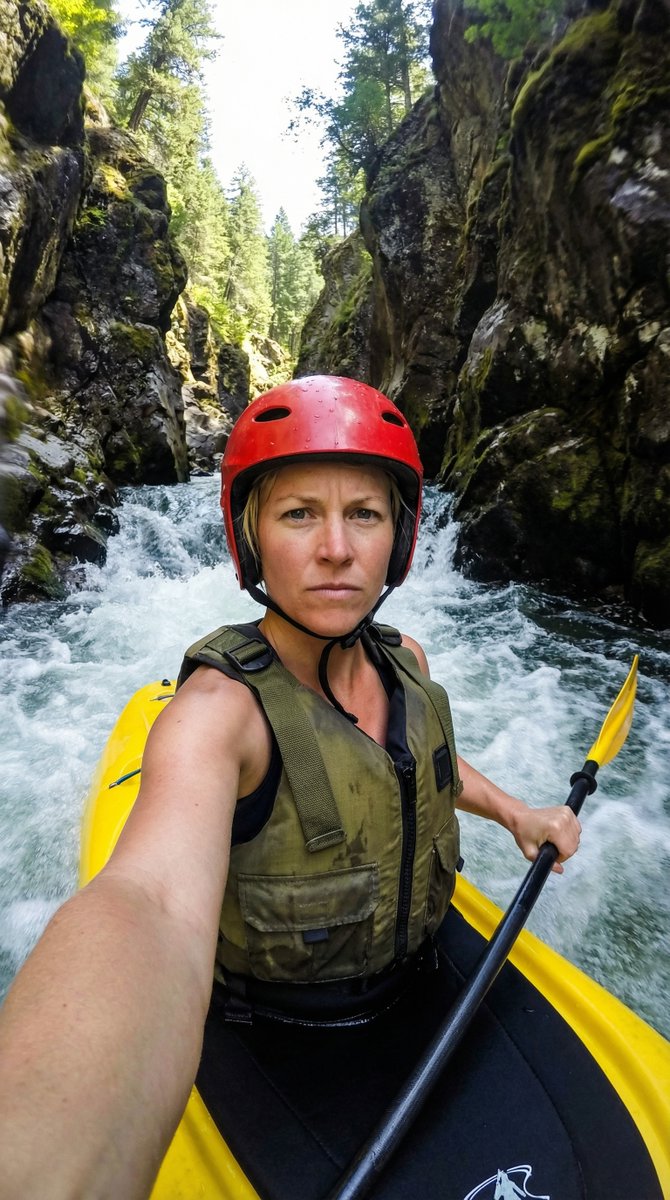
Action Kayaking Selfie Prompt for Google Gemini Nano Banana Pro 2.5

Action Kayaking Selfie Prompt for Google Gemini Nano Banana Pro 2.5

{ "action": "generate", "content": { "subject": { "description": "A close-up selfie of a determined athletic woman with short blonde hair, wearing a red protective helmet and a rugged olive-green life vest with black straps.", "pose": "The woman is seated in a yellow kayak, holding a black paddle with a yellow blade in his right hand while taking a selfie with his left arm extended toward the camera." }, "environment": { "setting": "A narrow, steep rocky canyon with dark, mossy cliff walls and lush green trees visible at the top peaks.", "water_conditions": "Fast-moving white water rapids with churning foam and splashes hitting the side of the kayak." }, "technical_details": { "camera_angle": "Low-angle wide-lens selfie perspective, creating a sense of immersion and speed.", "lighting": "Bright, natural sunlight filtering down from the top of the gorge, creating high-contrast shadows on the rocks and sparkling highlights on the water.", "style": "Hyper-realistic action photography with a shallow depth of field, focusing sharply on the man's intense expression while the background rapids have a slight motion blur." }, "color_palette": [ "Vibrant yellow kayak and paddle", "Deep red helmet", "Natural mossy greens and dark grey rock", "Crisp white water foam" ] } }

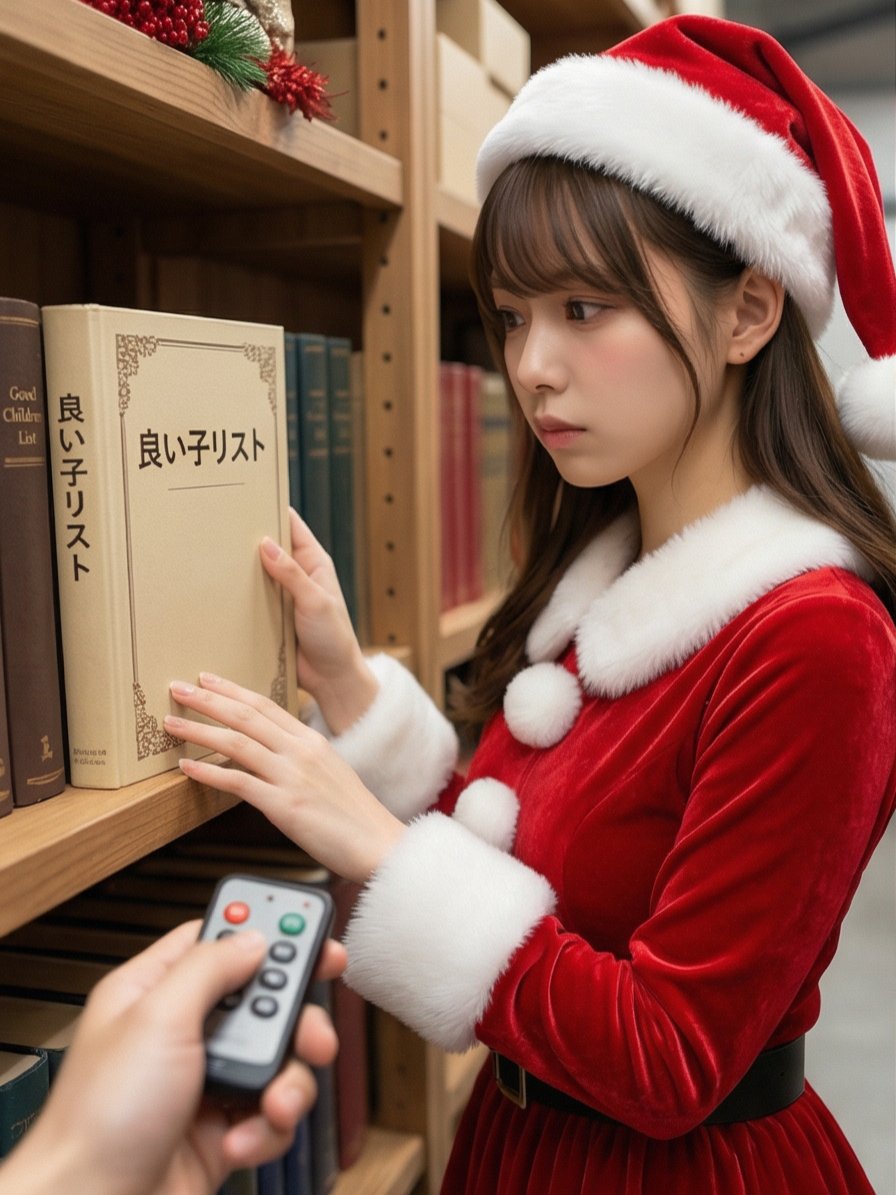
Santa's Switch Prank Multi-Angle Grid

Santa's Switch Prank Multi-Angle Grid

Read the motifs depicted in the attached image, generate multi-angle shots, and create four scenes divided into a 2x2 grid. 【Action 1】 Santa Claus, with a serious expression, is looking at documents (thick books) on a bookshelf in a Christmas-decorated warehouse. The book title is left to the AI's interpretation in a way that suggests a story. The photographer presses a button on a remote control in their hand, making a unique 'Pikoon!' electronic sound or a cute chime sound. 【Dialogue 1】 Santa jumps in surprise and immediately turns toward the camera (photographer). While shaking his white beard, he says a word or phrase that is slightly embarrassed yet playful (left to the AI's interpretation in a way that suggests a story). 【Action 2】 The photographer grins and immediately presses the 'Pikoon!' electronic sound again. 【Action 3】 Santa looks down shyly with an expression of "Oh, come on!" He curls his large body and squats momentarily in a "moe-costume" (instead of moe-sleeves), then stands up, laughs heartily, and covers his face with red gloves to hide his embarrassment. Caption: "{argument name="caption" default="I pressed the switch on Santa preparing in the warehouse 🎅✨"}" Two hashtags. The content of the hashtags is left to the AI's interpretation in a way that suggests a story.

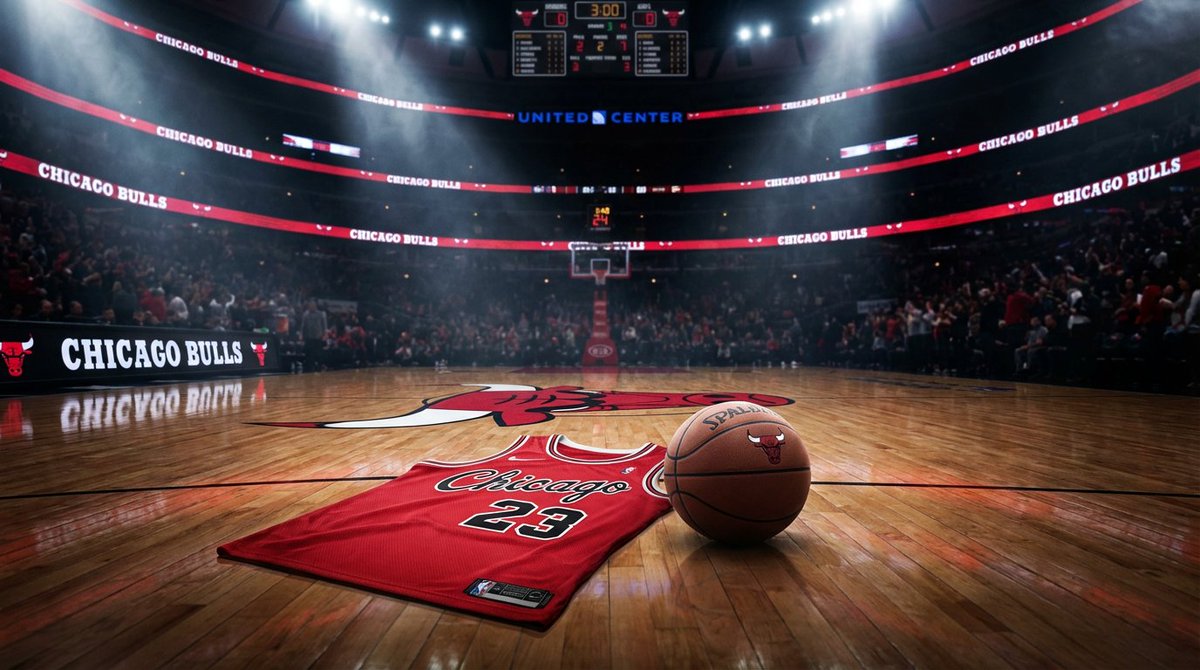
Master Prompt for NBA Finals Arena Promos

Master Prompt for NBA Finals Arena Promos

Master Prompt" using the Nano Banana PRO model that creates elite-tier arena promos. It doesn't just put a logo on a court; it captures the electric pre-game energy of any franchise.

Dan-Style Cover Image Prompt

Dan-Style Cover Image Prompt

A highly detailed, professional, and visually striking cover image for a blog post about {argument name="topic" default="AI tools"}. The image should feature a clean, modern design with bold typography and a minimalist color palette, emphasizing {argument name="visual focus" default="technology and innovation"}. Use dramatic, high-contrast lighting and a shallow depth of field to draw attention to the central subject. The style should be photorealistic and cinematic, similar to high-end tech editorial photography. Aspect ratio 16:9.

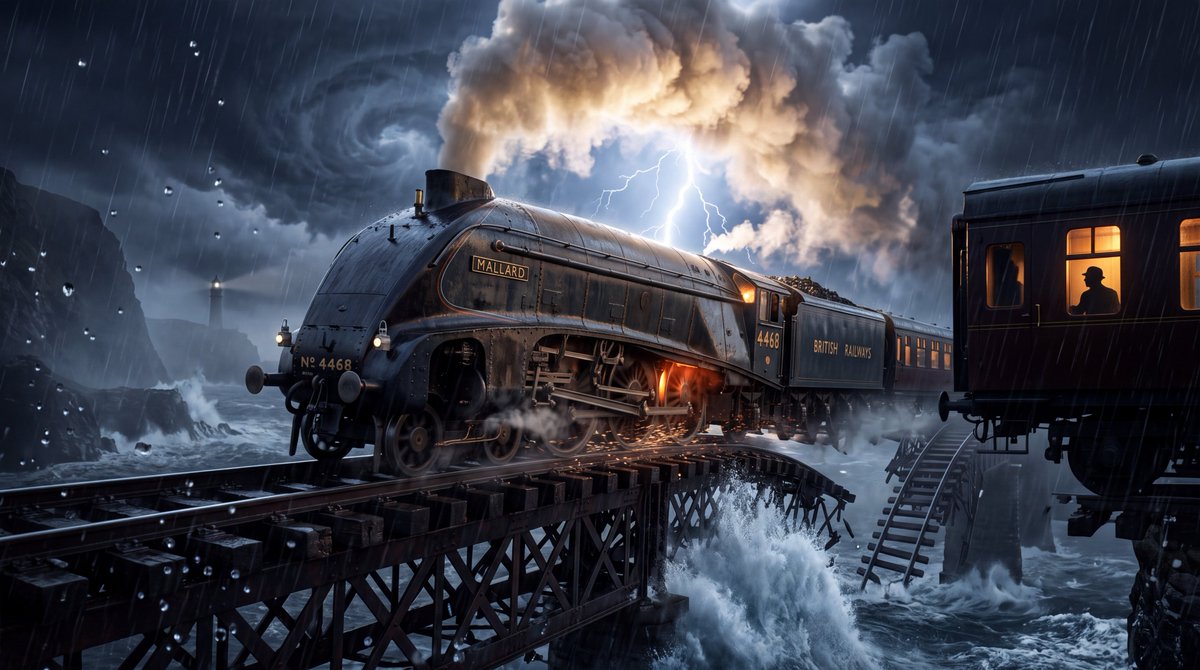
YouTube 缩略图 - 蒸汽机车与坍塌桥梁风暴
Nano Banana Pro

YouTube 缩略图 - 蒸汽机车与坍塌桥梁风暴

超写实 4K 电影感图像,画面主体为 {argument name="locomotive" default="一列巨大的复古蒸汽机车在摇摇欲坠的巨型铁路桥上疾驰"},背景是 {argument name="weather" default="一场看起来超自然但符合物理规律的雷暴"},下方是汹涌的海洋。火车被定格在巨浪拍打下方桥梁的瞬间,闪电照亮了整个场景。前景中数百滴雨水清晰凝固,反射出微小的光影碎片。机车细节极其丰富:风化的黑色钢材、抛光的黄铜部件、发光的炉火、从阀门中喷出的逼真蒸汽、潮湿的金属表面、车轮旋转时溅起的水花和撞击铁轨产生的火花。 环境宏大壮丽:高耸的黑色悬崖没入风暴云层,远处的灯塔在暴雨中若隐若现,巨大的海浪拍击岩石,戏剧性的云层在天空中盘旋,桥下雾气缭绕,破碎的铁轨延伸至远方。画面中包含一个 {argument name="mystery detail" default="透过一扇温暖明亮的火车车窗可见的孤独乘客剪影"},营造出神秘感与叙事张力。 构图采用铁轨旁极低角度的视角,使机车显得庞大而充满力量感。铁轨形成的强烈引导线将视线直接引向火车。闪电提供了戏剧性的背光,在机车和蒸汽周围勾勒出明亮的轮廓。温暖的室内光线与寒冷风暴的氛围形成自然对比。照片级真实材质、物理准确的反射、逼真的雨水表现、大气透视、体积雾、电影级景深、车轮上细微的动态模糊而机车主体保持锐利、HDR 光效、自然胶片颗粒、令人惊叹的微观细节、真实的比例、专业好莱坞电影摄影、35mm 变形镜头美学、高动态范围、震撼的视觉叙事、清晰的 4K 超高清画质,无文字、无 Logo、无水印、无人工合成的 CGI 感、无卡通风格。 核心视觉元素:巨型火车 + 坍塌桥梁 + 海洋风暴 + 闪电 + 微小的人类剪影 = 在同一画面中呈现出规模感、危险感、神秘感与电影叙事。

@WeWant Mars
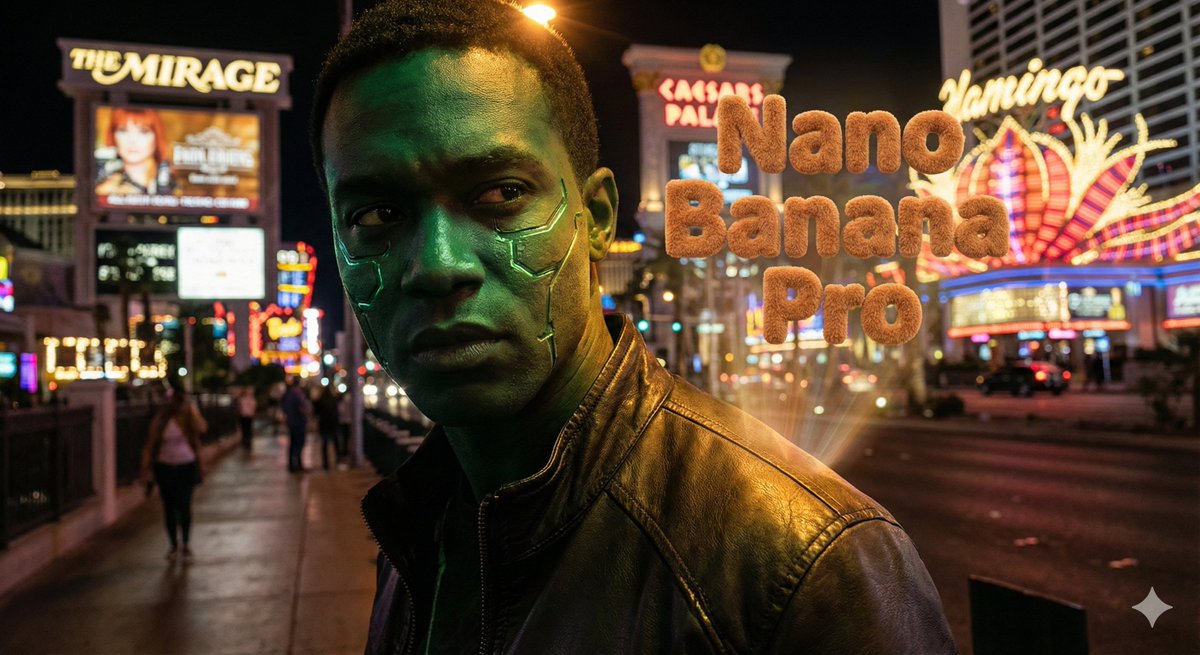
Hyper-realistic portrait with vibrant green skin on the Las Vegas Strip

Hyper-realistic portrait with vibrant green skin on the Las Vegas Strip

Hyper-realistic portrait of a main character with vibrant green skin, standing in front of the Las Vegas Strip at night with neon lights, casinos, and glowing signs in the background. Cinematic lighting on the face, deep shadows, crisp details, slight lens bloom from the Vegas lights, shallow depth of field. Add the text “{argument name="model's name" default="[model's name]"}” with 3D teddy bear texture typography integrated into the scene.

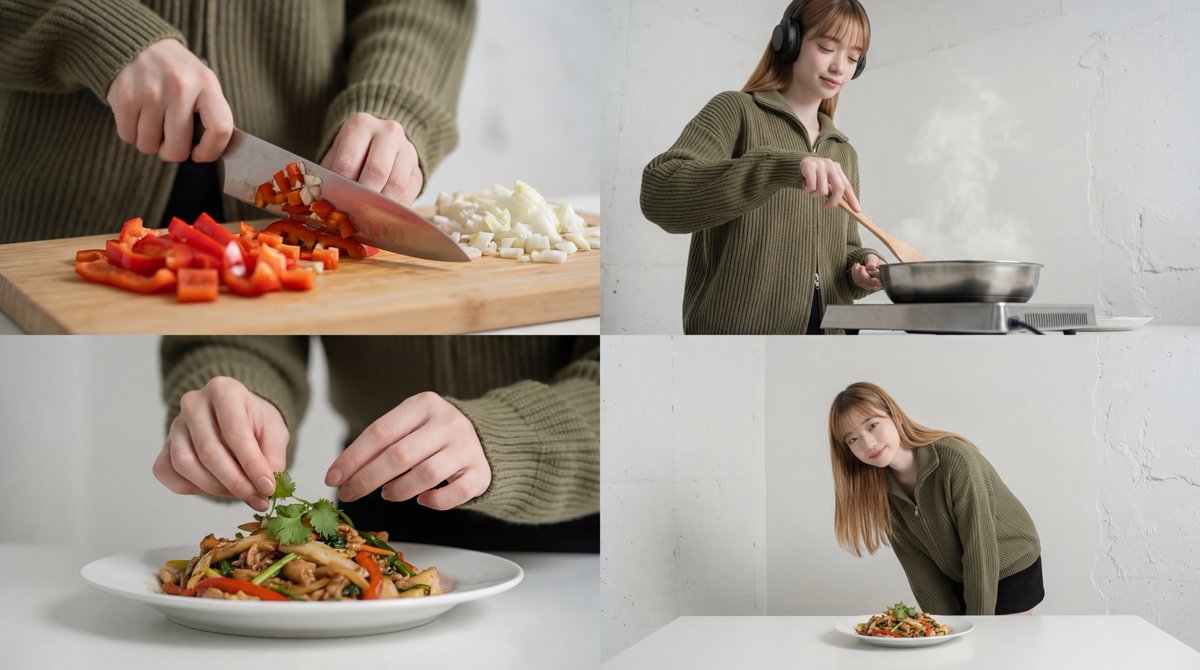
Cinematic Food Short Video Prompt (Summary)

Cinematic Food Short Video Prompt (Summary)

A cinematic food short video composed of 4 cuts, emphasizing warm lighting and ASMR sound. It smoothly transitions from rhythmic ingredient cuts captured with a macro lens to a slow-motion frying scene. Shallow depth of field is used to depict cute hand plating, concluding with the finished dish and the lingering feeling of the meal. Utilizing match cuts and motion blur to create an immersive experience where sight and sound seamlessly connect.

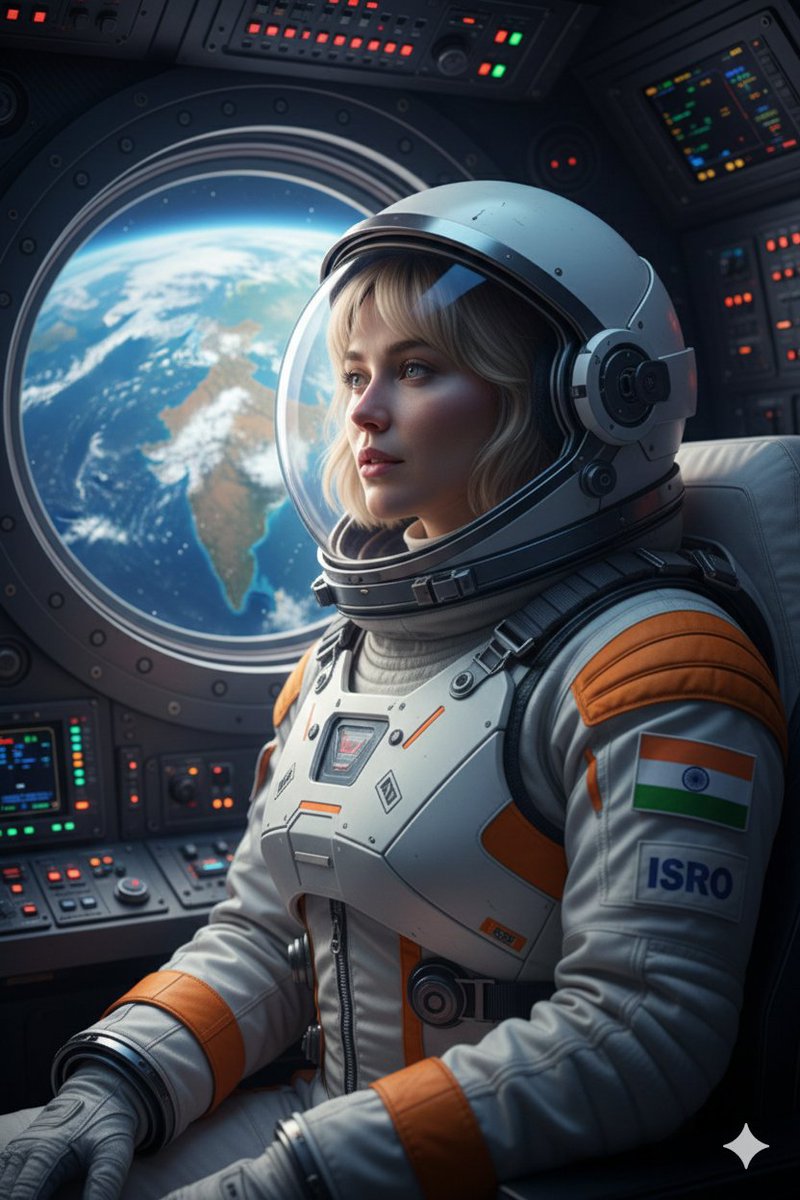
Cinematic Portrait of Indian Astronaut in ISRO Spacesuit

Cinematic Portrait of Indian Astronaut in ISRO Spacesuit

Create an ultra-realistic 8K cinematic portrait of an astronaut inside an Indian spacecraft, looking out of the circular window at the Earth below, with the Indian subcontinent clearly visible. wearing a modern white and saffron ISRO spacesuit with the Indian flag emblem on the shoulder. Expression is one of awe and quiet pride. The soft blue light from the Earth illuminates the face, while the complex buttons and screens of the cockpit glow faintly in the background. The mood is patriotic, futuristic, and deeply inspiring.Keep face and features exactly the same.

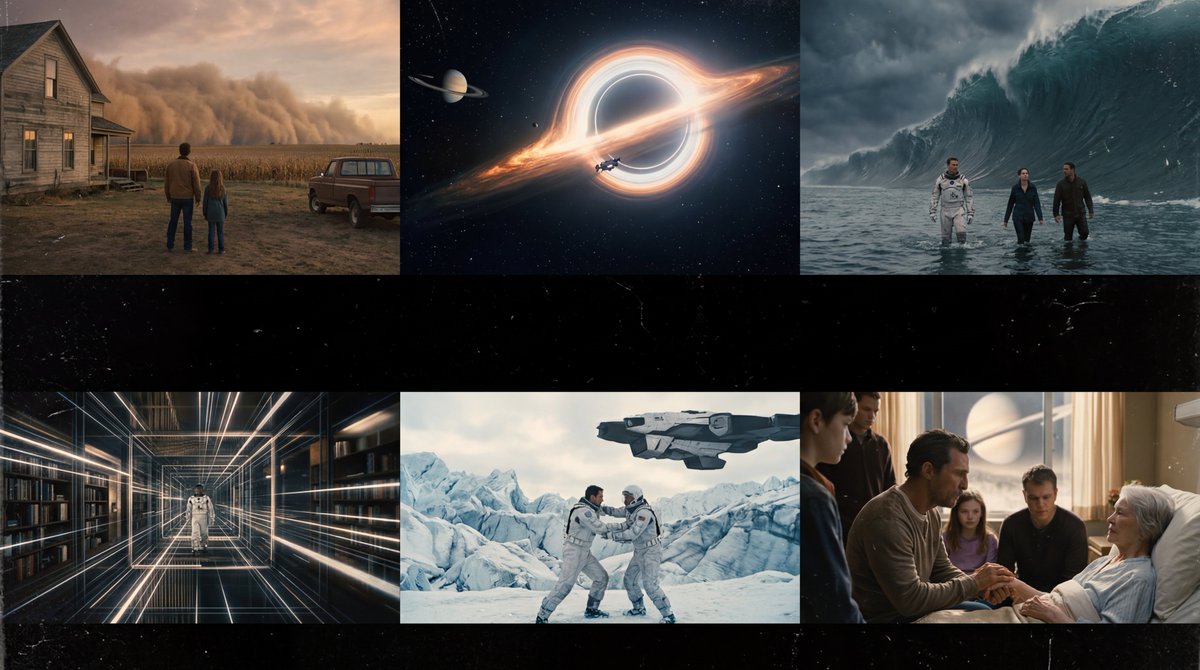
Interstellar-Inspired Cinematic Film Stills Prompt

Interstellar-Inspired Cinematic Film Stills Prompt

Create cinematic, ultra-realistic film stills inspired by Interstellar (Christopher Nolan vibe). Look like real movie screenshots with consistent color grading, Output as an aesthetic storyboard: visually cohesive, no text

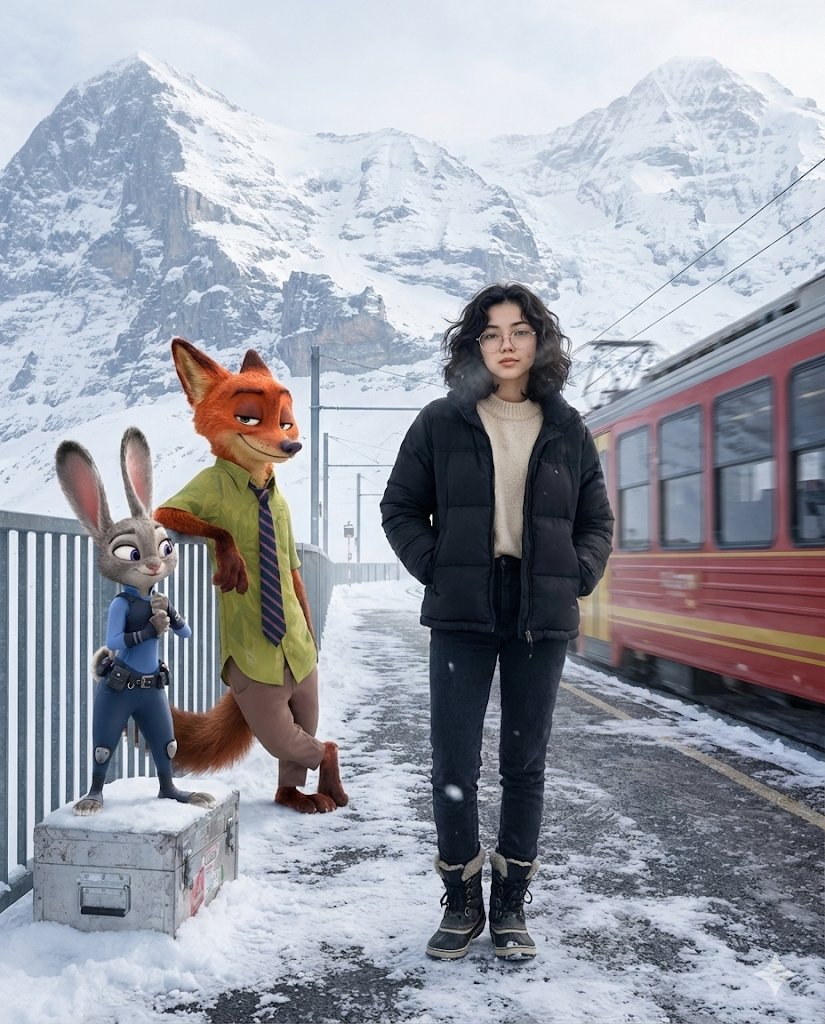
Cinematic Alpine Travel Scene with Zootopia Characters Prompt

Cinematic Alpine Travel Scene with Zootopia Characters Prompt

A cinematic winter travel moment set at a quiet Alpine mountain station just after snowfall. A young woman stands near the edge of a snow-dusted platform, wearing a matte black puffer jacket layered over a soft neutral sweater, dark winter jeans, and insulated boots. Her posture is relaxed and confident, hands tucked into her jacket pockets, breath faintly visible in the cold air. She has a calm, self-assured expression with natural, realistic skin texture and subtle winter glow. Beside her, {argument name="character 1" default="Nick Wilde from Zootopia"} leans casually against a metal railing, arms loosely folded, wearing his signature green shirt and striped tie, giving a knowing side-smirk as if mid-conversation. A few steps away, {argument name="character 2" default="Judy Hopps"} stands atop a snow-covered luggage crate, adjusting her blue police uniform with an upbeat, alert expression, ears slightly raised and lively. In the background, towering snow-covered Alpine peaks fade into a soft atmospheric haze. A red mountain train slowly departs the station, creating gentle motion blur and a sense of quiet journey. Cold winter daylight with soft, diffused lighting reflecting off the snow, realistic grounded shadows, ultra-detailed textures, crisp winter air, and cinematic depth of field. Photorealistic female subject seamlessly blended with high-quality animated characters. Travel-film aesthetic, emotionally warm yet minimal, high resolution, 4:5 aspect ratio.

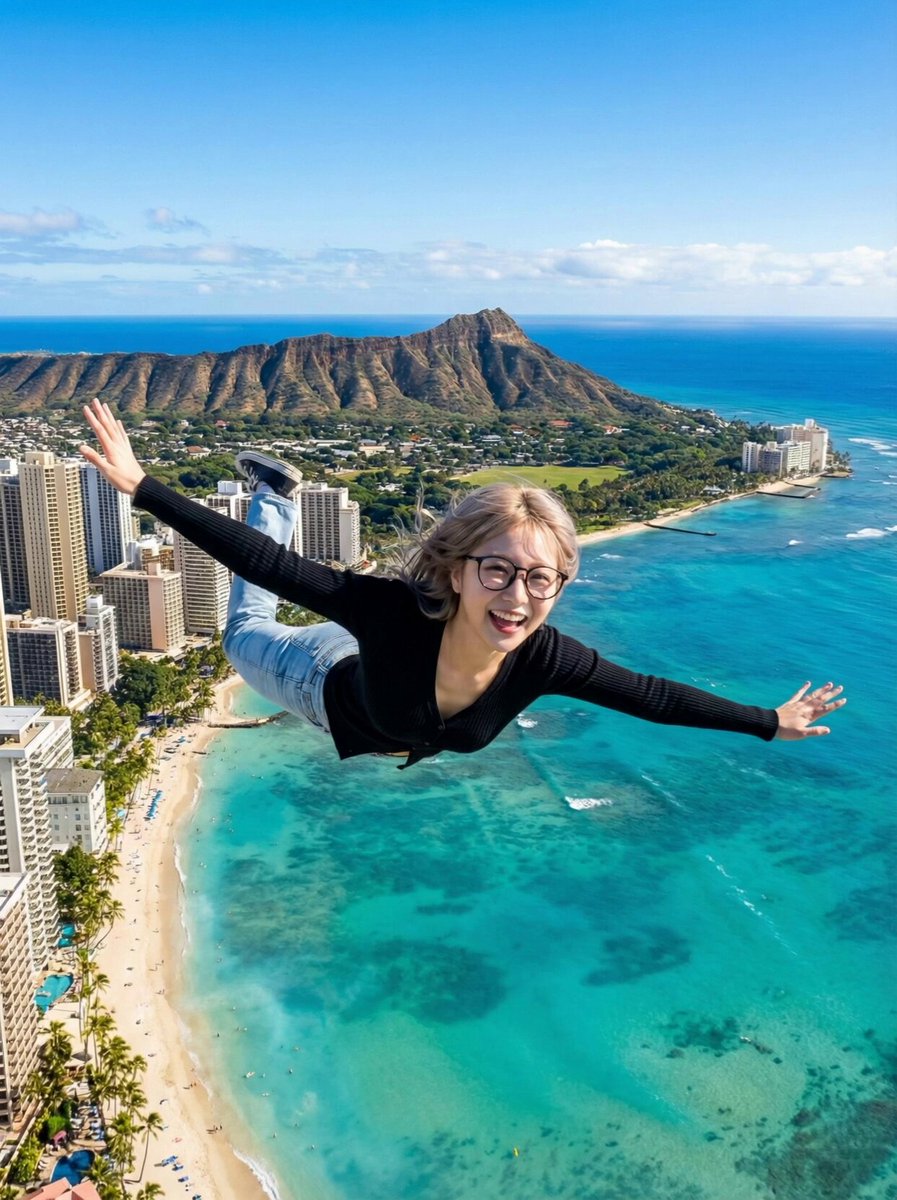
AI Video Generation Prompt for Flying Superhero

AI Video Generation Prompt for Flying Superhero

Scene: High altitude above Waikiki Beach, Hawaii. Sunny day. Action: The woman is flying forward at high speed (Superman pose). Her hair and clothes flap violently in the strong wind. She looks excited and shouts to the camera. Audio: Energetic female voice shouting in Chinese over the wind noise: "{argument name="Chinese Dialogue" default="Brothers, I can fly now! I can go anywhere I want!"}" (Xiongdi men, wo xianzai keyi fei le! Xiang qu nali jiu qu nali!). Loud wind rushing sound (Whoosh). Camera: Tracking Shot / Dolly Forward. The camera follows her at the same speed. The background city and ocean move backwards rapidly to show speed.

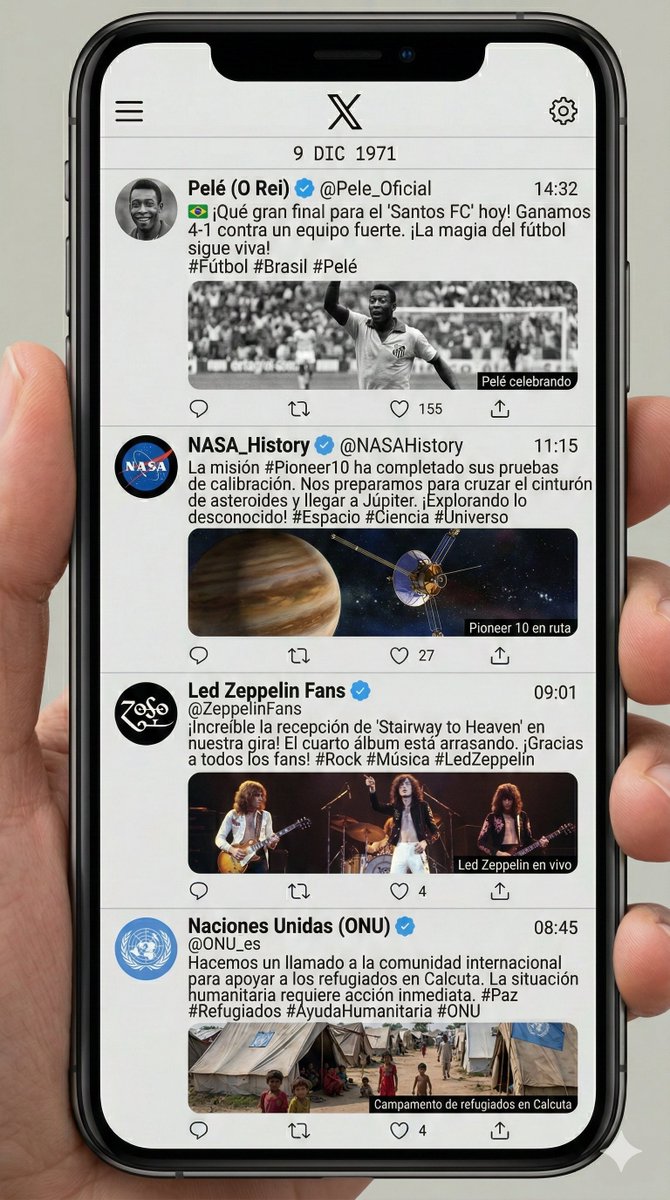
Historical Social Media Feed Generation

Historical Social Media Feed Generation

I was born on December 9, 1971. Investigate what happened in the world that day, search for images of the protagonists of those news stories, and create an image of an X (Twitter) feed as if those characters had posted that day. Vertical format, all writing in Spanish.

部分提示词收录自 X 平台创作者,版权归原作者所有。