
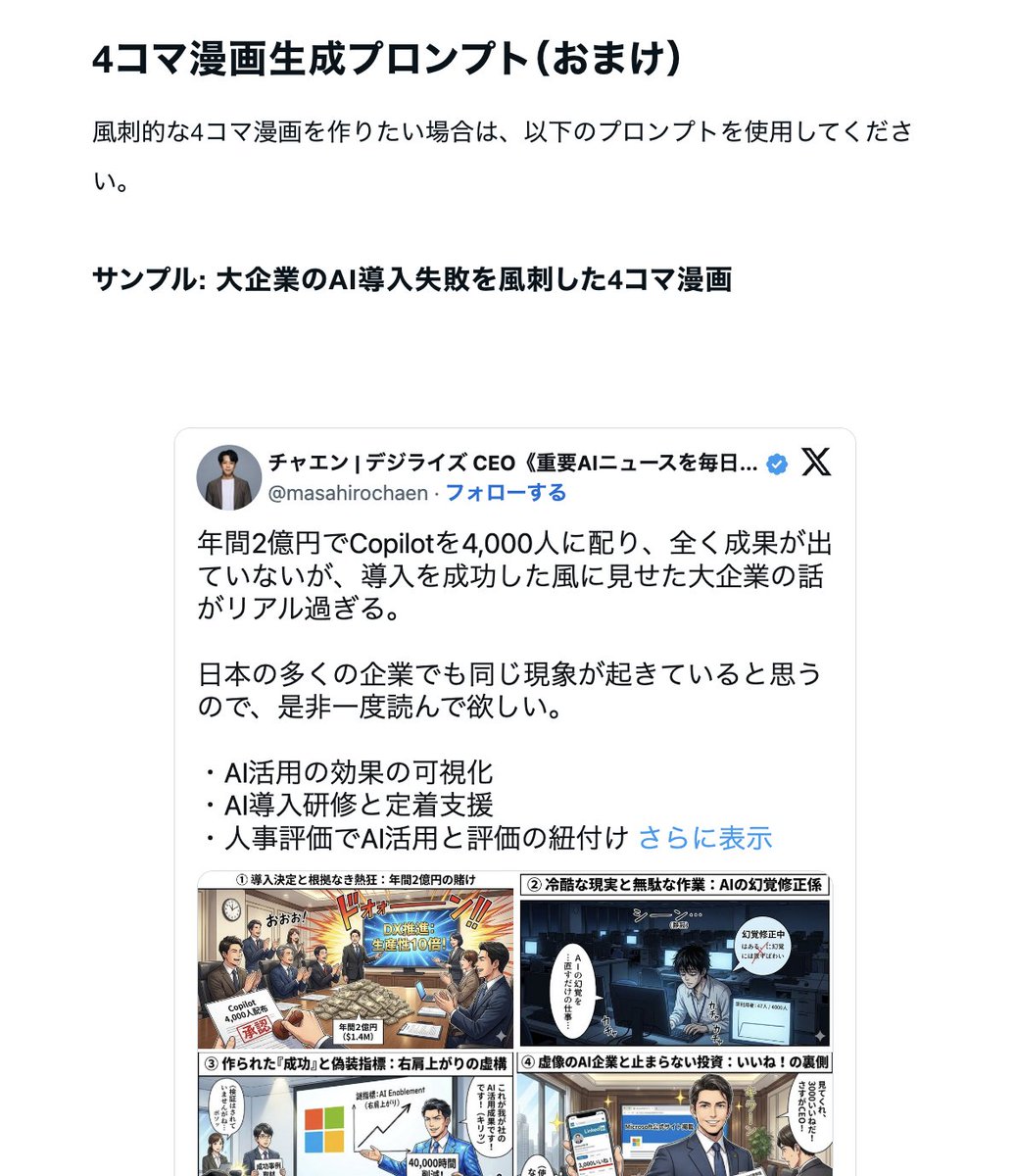
Nano Banana Pro Prompt for Generating 'Viral Diagrams'
Secret prompt revealed for instantly generating "viral diagrams" with Gemini "Nano Banana Pro" ・ Diagram creation Bot ・ Four-panel comic creation
Prompt Library
Curated image, video and web design prompts from creators around the world. Copy any prompt, swap the subject or style, and generate with the latest models.
15,630 prompts · Updated daily · 100% free
606 prompts
Secret prompt revealed for instantly generating "viral diagrams" with Gemini "Nano Banana Pro" ・ Diagram creation Bot ・ Four-panel comic creation

These detailed {argument name="subject" default="infographics"} illustrate the complex sensory systems of the {argument name="target" default="human eye and human ear"}, highlighting their roles as the body's primary units for visual and auditory/vestibular processing. Both charts utilize a {argument name="layout" default="structured, clinical layout"} featuring anatomical diagrams, "Quick Profiles," and "Knowledge Scores" to break down biological functions like photoreception and sound detection. By juxtaposing the eye's delicate internal structures, such as the retina and lens, with the ear's intricate ossicles and cochlea, the images emphasize the sophisticated mechanical and neural pathways required for humans to navigate and perceive their environment.
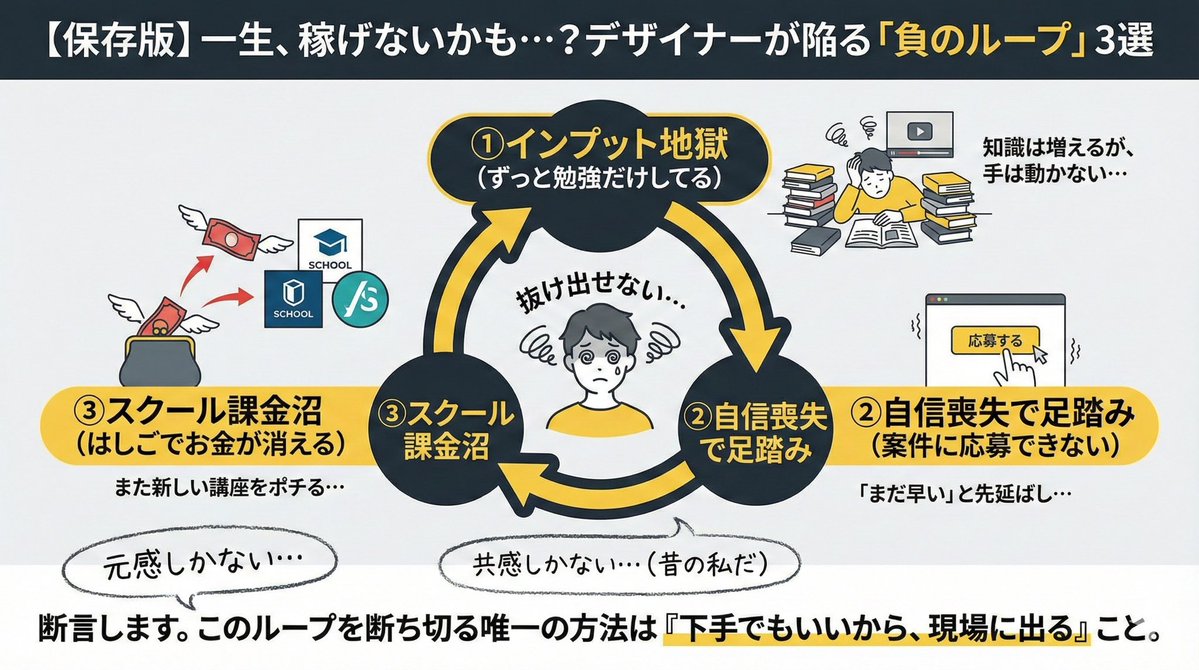
"Conditions to include in the diagram: ・Top 3 reasons why designers fail ① Always studying ② Lacking confidence to apply for projects ③ Spending too much money hopping between schools Create an image for an X post based on these conditions"
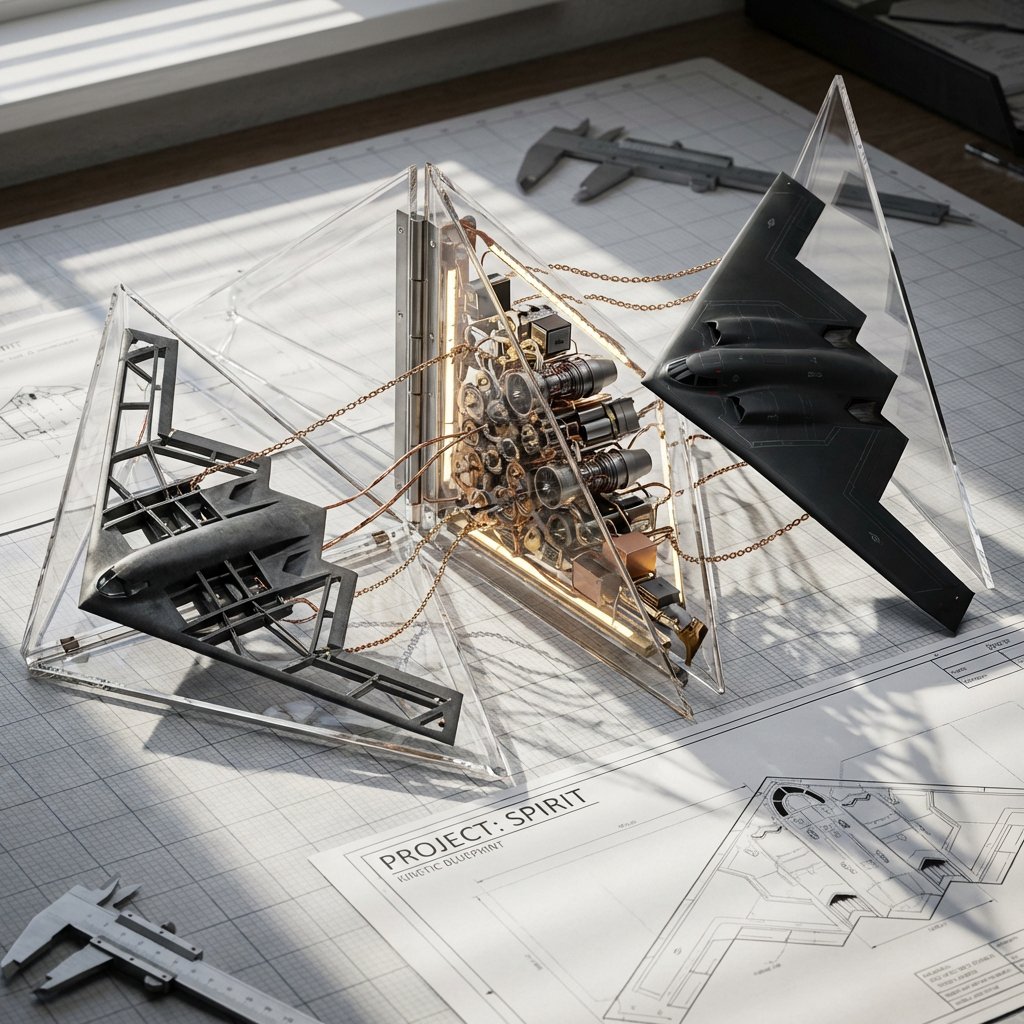
<instruction> Input A is a Complex Machine (e.g., {argument name="machine type" default="A Space Shuttle"}, A Grand Piano, A Clockwork Watch). Deconstruct into 3 Assembly Phases : Phase 1: Raw chassis/frame. Phase 2: Internal gears/wires. Phase 3: Finished exterior. 2. Container (The Geometric Unfold): Goal: "Kinetic Blueprint" Photography. The Object: A series of Triangular Acrylic Wedges attached to a central hinge, opening like a blooming flower or a tool-kit. The Layout: The wedges are partially unfolded across a drafting table surface. 3. The Dioramas (The Exploded View): Internal Content: Each wedge holds a different "Phase" of the machine. Visual Link: Real copper wires or brass chains physically cross the gaps between the acrylic wedges, "connecting" the assembly line. 4. Visual Background: A cluttered workshop desk with blueprints and calipers. Lighting: Hard side-lighting to cast shadows of the internal gears through the clear acrylic walls onto the table. Output: ONE image, 16:9 Aspect Ratio, 3D Macro Render, "Technical Art" aesthetic. </instruction>
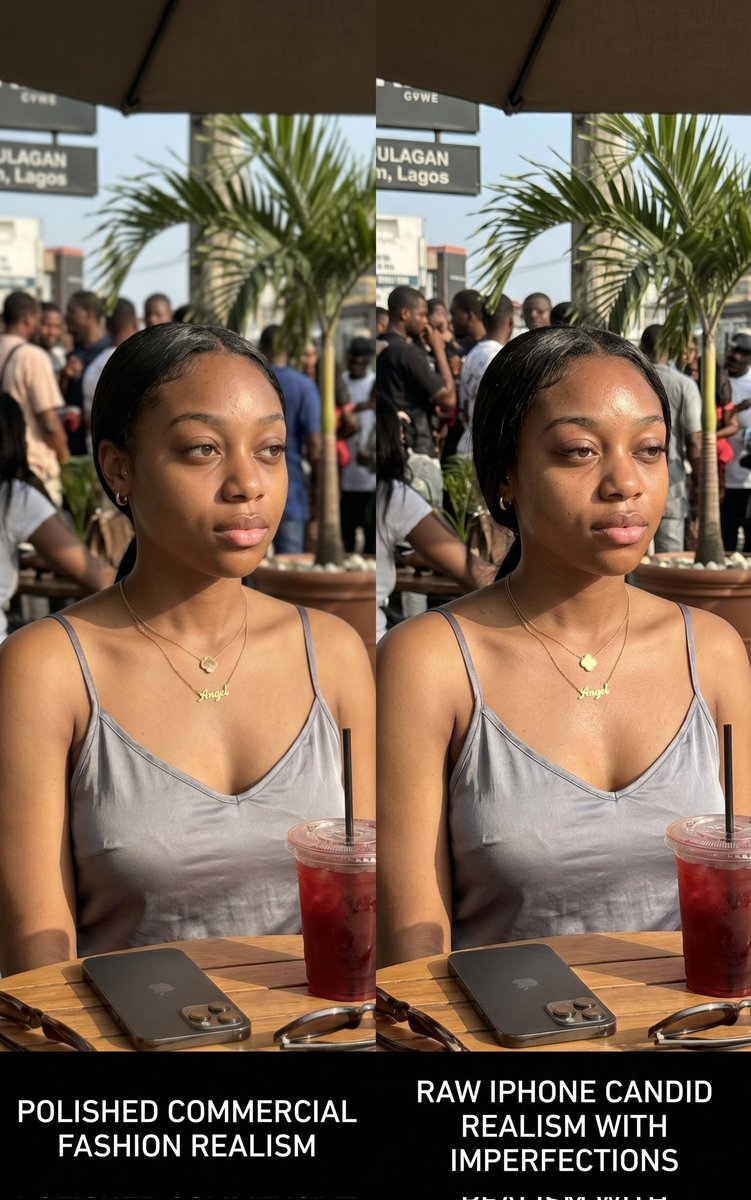
Side-by-side comparative AI-generated visual study showing two variations of the same {argument name="subject" default="African woman"} in {argument name="location" default="Lagos café environment"}. Both images simulate different generation styles: one highly polished commercial fashion realism, the other raw iPhone candid realism with imperfections. Subject wears {argument name="outfit" default="elegant neutral dress"}, gold jewelry, seated at outdoor restaurant table. Include iced drink, phone, sunglasses, and subtle background crowd blur. Lighting is bright afternoon sunlight with realistic exposure variation between both images. Skin detail must include pores, natural texture, slight blemishes, sweat shine. Composition intentionally tests realism perception for educational purposes in AI content creation. Designed to demonstrate prompt control differences, not character storytelling.
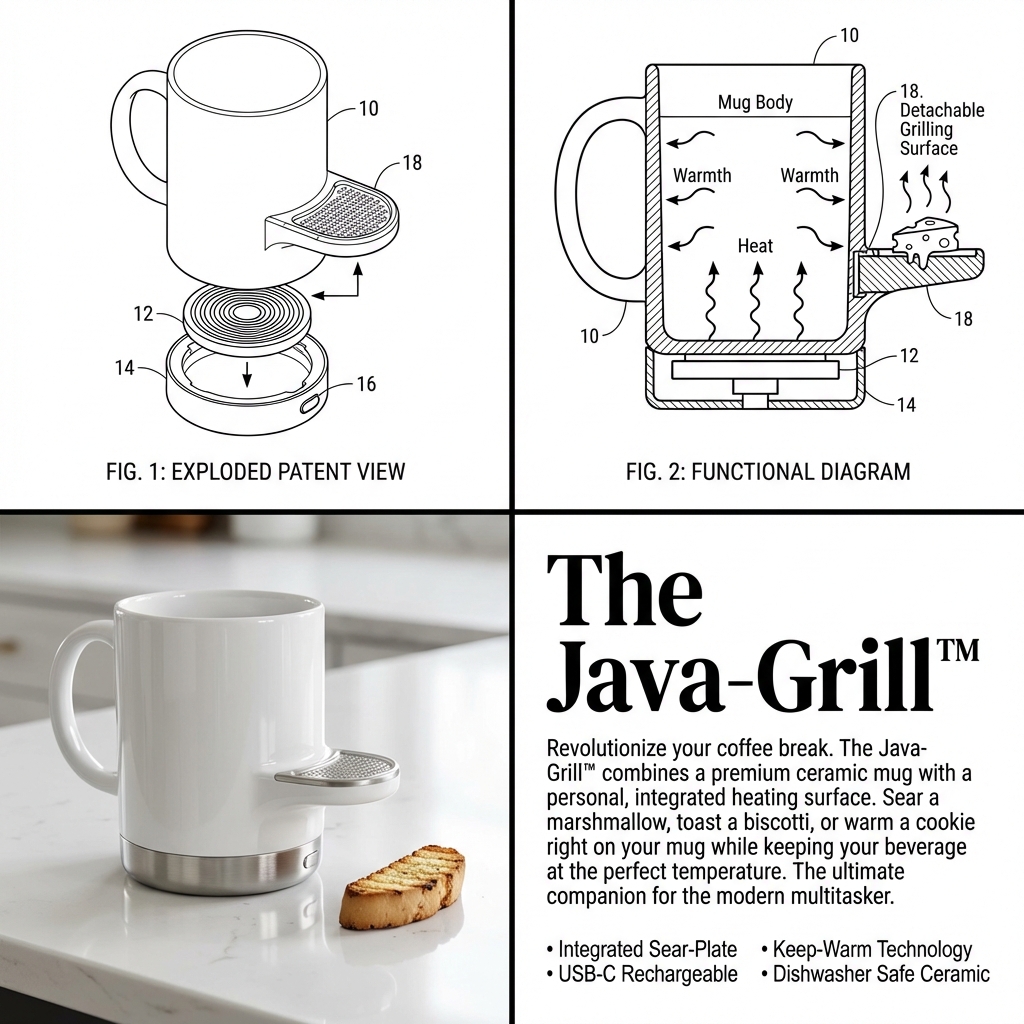
Input Variable: {argument name="input objects" default="[INSERT 1 or 2 OBJECTS]"} Instruction: Act as a Visionary Industrial Designer and Patent Clerk. Create a 2x2 Grid visualizing the invention of a new product based on the Input. Innovation Logic : Analyze Functions: Identify the primary utility of Input A and Input B. The Fusion: Combine them into a single, cohesive device that solves a specific (niche) problem. If 2 Inputs: Hybridize them (e.g., Mug + Grater = A self-cooling mug with a garnish shaver). If 1 Input: Evolve it (e.g., Toothbrush = A self-sanitizing, toothpaste-injecting smart wand). The Branding: Generate a catchy, corporate product name (e.g., "The Breeze-Grate™", "Solar-Brella Pro"). The Visual Structure (The 2x2 Grid): CRITICAL: The image must be split into 4 distinct quadrants with different visual styles. Panel 1 (Top Left): The Exploded Patent View Style: Black & White Technical Line Art. Thin distinct lines, no shading. Content: An isometric "Exploded View" of the device, showing the internal motor, battery, or mechanism separated from the shell. Detail: Add Numbered Leader Lines (10, 12, 14) pointing to specific parts. Panel 2 (Top Right): The Functional Diagram Style: Black & White Schematic with bold arrows. Content: A cross-section or "In-Use" drawing showing how how the device works. Use Action Arrows to show airflow, rotation, or liquid movement. Detail: Show the "Result" (e.g., cheese falling, water spraying). Panel 3 (Bottom Left): The Product Render Style: High-End Studio Photography. Color, Glossy, "Apple/Braun" Design Aesthetic. Content: The final physical product sitting on a white reflective surface. It should look sleek, using materials like White Ceramic, Brushed Aluminum, or Matte Plastic. Context: Include a small prop to show scale (e.g., a block of cheese, a coffee bean, a hand). Panel 4 (Bottom Right): The Marketing Pitch Style: Editorial Magazine Layout. White background, black text. Typography: Headline: Large, Bold Serif Text displaying the [Invention Name]. Body: A block of clean "Lorem Ipsum" or readable text describing the "Revolutionary Features." Bullets: A small list of specs (e.g., "Dishwasher Safe," "USB-C"). Visual Syntax: Cohesion: The product design in Panel 3 must perfectly match the line art in Panel 1. Design Language: Minimalist, Ergonomic, Consumer Electronics aesthetic. Even if the idea is silly, the design must look expensive. Output: 2x2 Grid, Mixed Media (Line Art vs. Photorealism), 8k Resolution, "Kickstarter Campaign" Aesthetic.
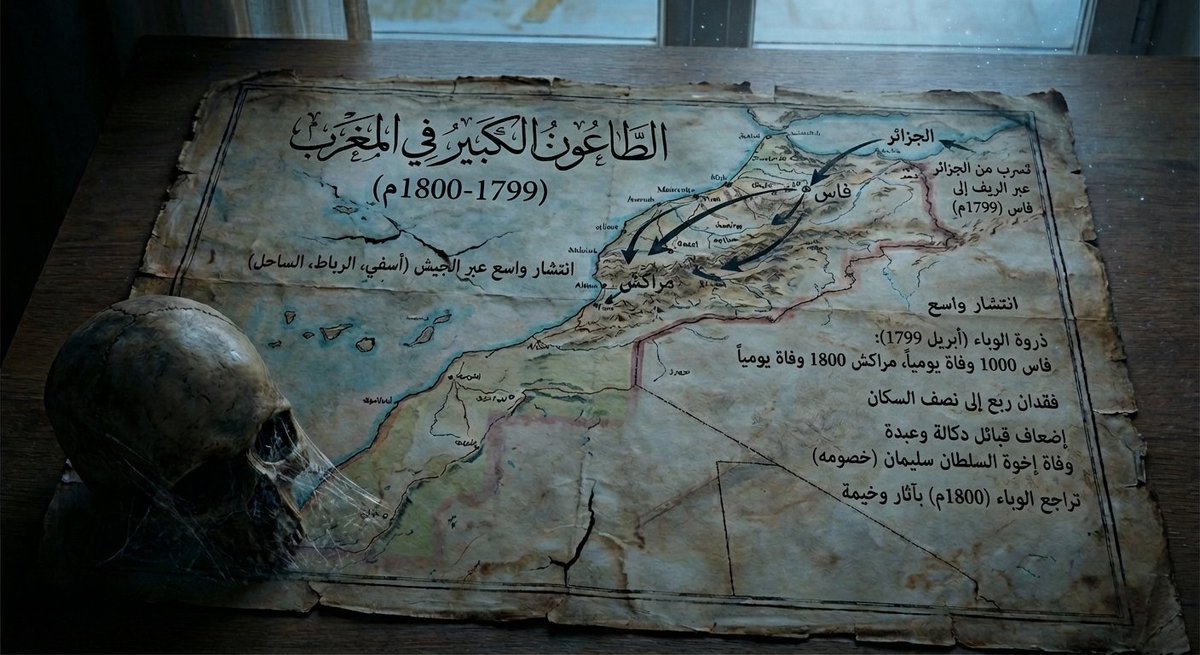
Give me a map of {argument name="region_en" default="Morocco"} in {argument name="period_en" default="1799–1800"}, showing how the plague spread at that time and its consequences, and make it a bit dark in tone.
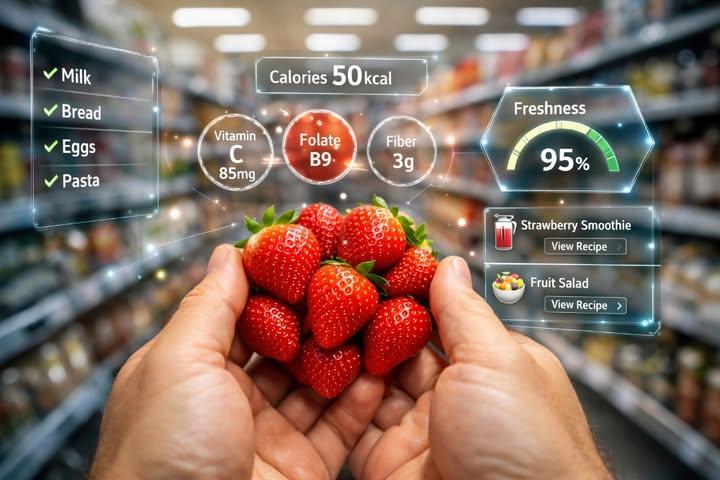
A realistic first-person perspective (POV) shot of a person's hands holding a bunch of fresh, red strawberries in a blurred supermarket aisle. The image features a futuristic Augmented Reality (AR) interface overlay. Glowing holographic graphics surround the strawberries displaying nutritional information like 'Calories {argument name="calories" default="50kcal"}', 'Vitamin C', 'Folate', and 'Fiber'. On the right, a digital gauge shows 'Freshness {argument name="freshness" default="95%"}' and recipe suggestions like 'Strawberry Smoothie'. On the left, a holographic shopping list checks off items like Milk and Bread. High-tech, smart shopping concept, photorealistic lighting, 8k resolution.

Put {argument name="count_en" default="50"} artifacts from completely different eras and cultures together in a single image.
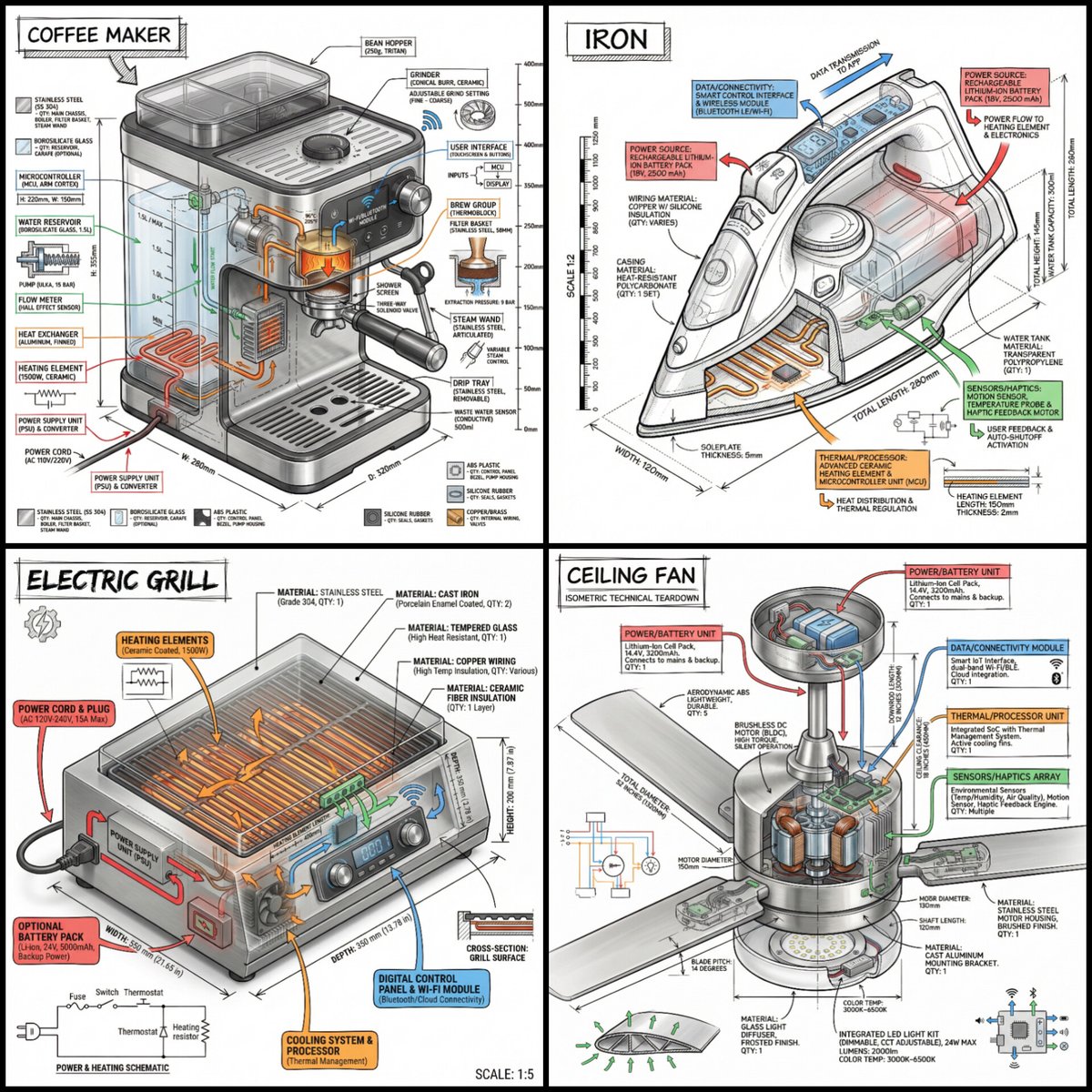
“Create a technical infographic of {argument name="object" default="OBJECT"} with a 45-degree isometric 3D perspective showing the device slightly tilted to reveal depth and dimension. Combine a realistic photoreal render with black ink technical annotations on pure white background. Include: Key component labels with color-coded callout boxes Internal component visibility through transparent/cutaway sections Measurements, dimensions, and precise scale markers Material callouts and quantities Color-coded arrows for function/flow: RED (power/battery), BLUE (data/connectivity), ORANGE (thermal/processor), GREEN (sensors/haptics) Simple schematics or cross-sectional diagrams where relevant Place “OBJECT” title in a hand-drawn technical box (top-left corner). Style: Black linework (technical pen/architectural), sketched but precise. Object remains clearly visible. Educational museum-exhibit vibe. Clean composition, balanced negative space. Perspective: Isometric 3D angle—tilted to show depth, dimension, and internal architecture dramatically. Like a professional product teardown or engineering manual. Colors: ~10-15% accent density. Black dominant. White background. Output: 1080×1080, ultra-crisp, social-feed optimized.”
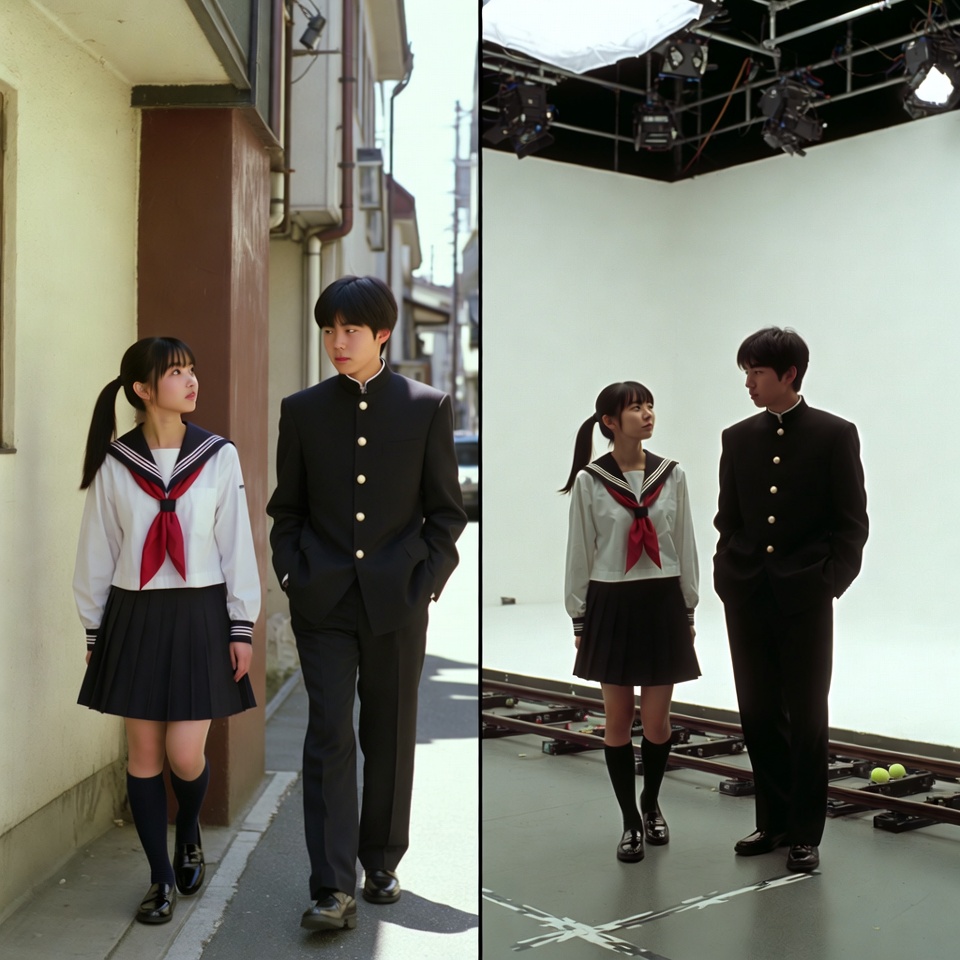
A VFX comparison image based on a scene described by the theme or specific content (Example: {argument name="theme" default="A woman flying over the sea"}), featuring the person in the attached image. VFX comparison composition with a split screen accurately aligned by a central vertical line. **IMPORTANT: The number of characters, gender, and appearance must exactly match the provided input image. Do not add or remove characters.** **Left Half (Finished Shot):** A photorealistic movie scene perfectly depicting the theme "**[Enter Theme]**". * **Character:** The person from the input image is performing actions (pose and expression) suitable for the theme "**[Enter Theme]**". * **Background:** A detailed and realistic environment (outdoor or indoor) suitable for the theme, with cinematic lighting and atmosphere. **Right Half (Green Screen Shooting):** Standing in a studio with a giant blue/green screen (chroma key) in the **exact same composition and pose** as the person in the left half. Visible white cyclorama wall, complex lighting rigs overhead, cables, black marks (tape) indicating standing positions, dolly tracks for camera rails, harsh studio lighting that is not blocked, faint shadows of the film crew visible at the edges. The background is a completely flat, solid green screen for compositing. Look and feel of VFX before-and-after from early 2000s Japanese cinema, texture of extremely degraded, low-quality analog video, noise, and color fading.
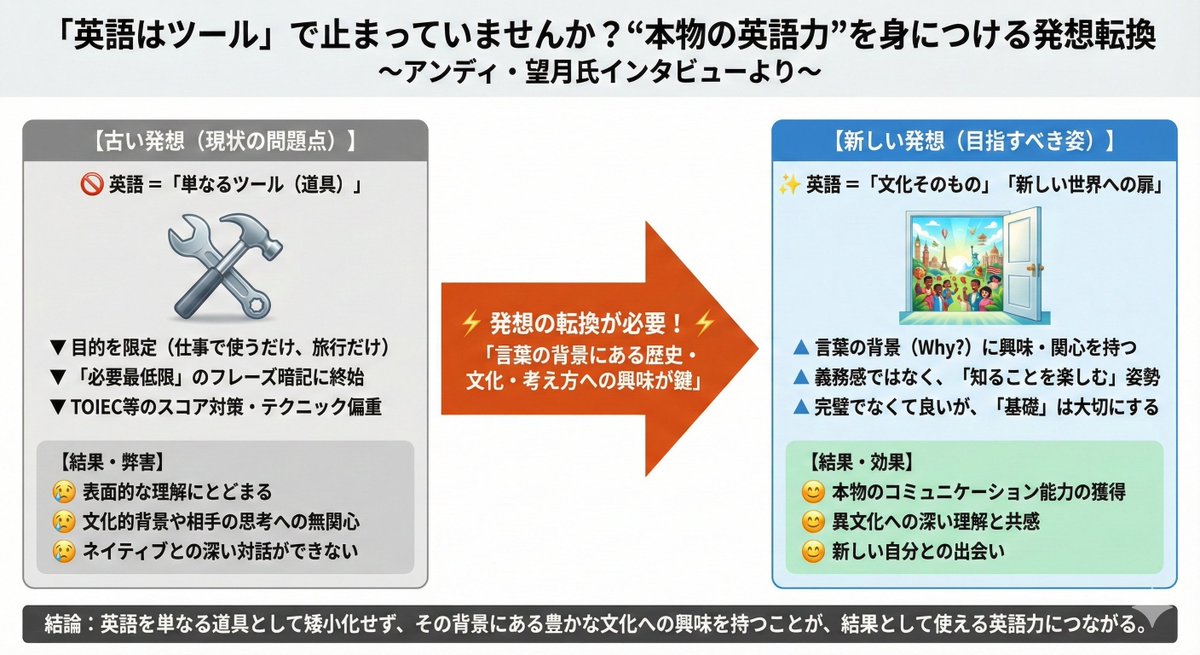
https://t.co/QLQaHeytKz Illustrate this news article onto a single slide.
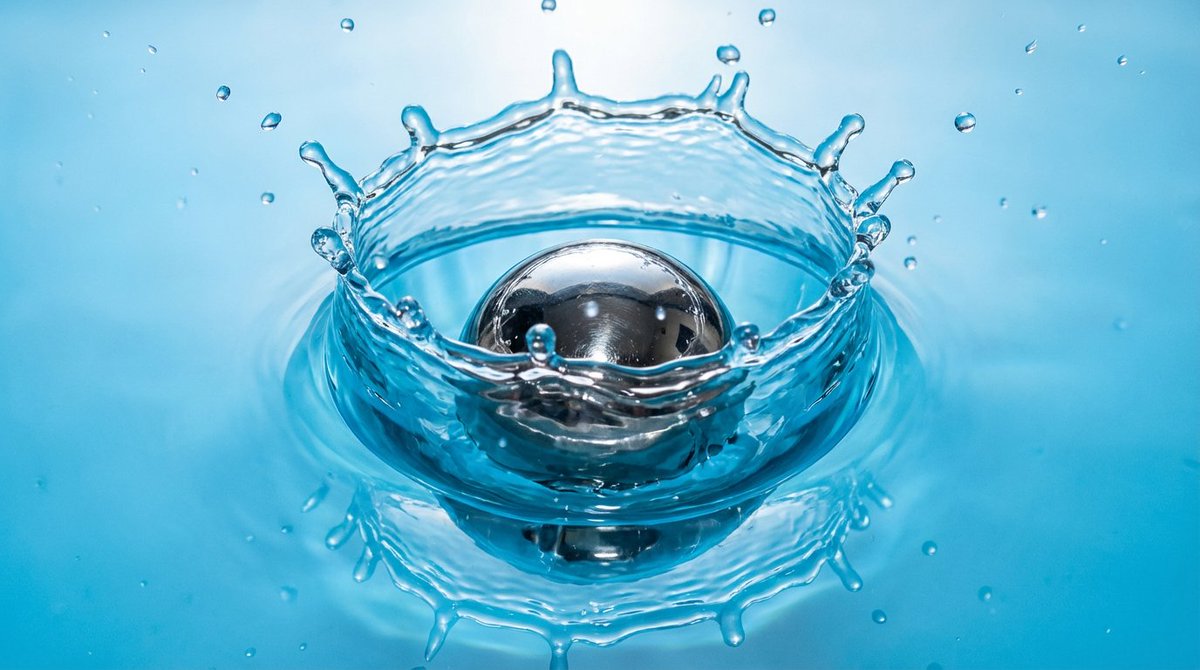
A {argument name="object_en" default="metal ball"} dropping into water, with a slow-motion splash, realistic physics and refraction, at {argument name="resolution_en" default="2K"} resolution.
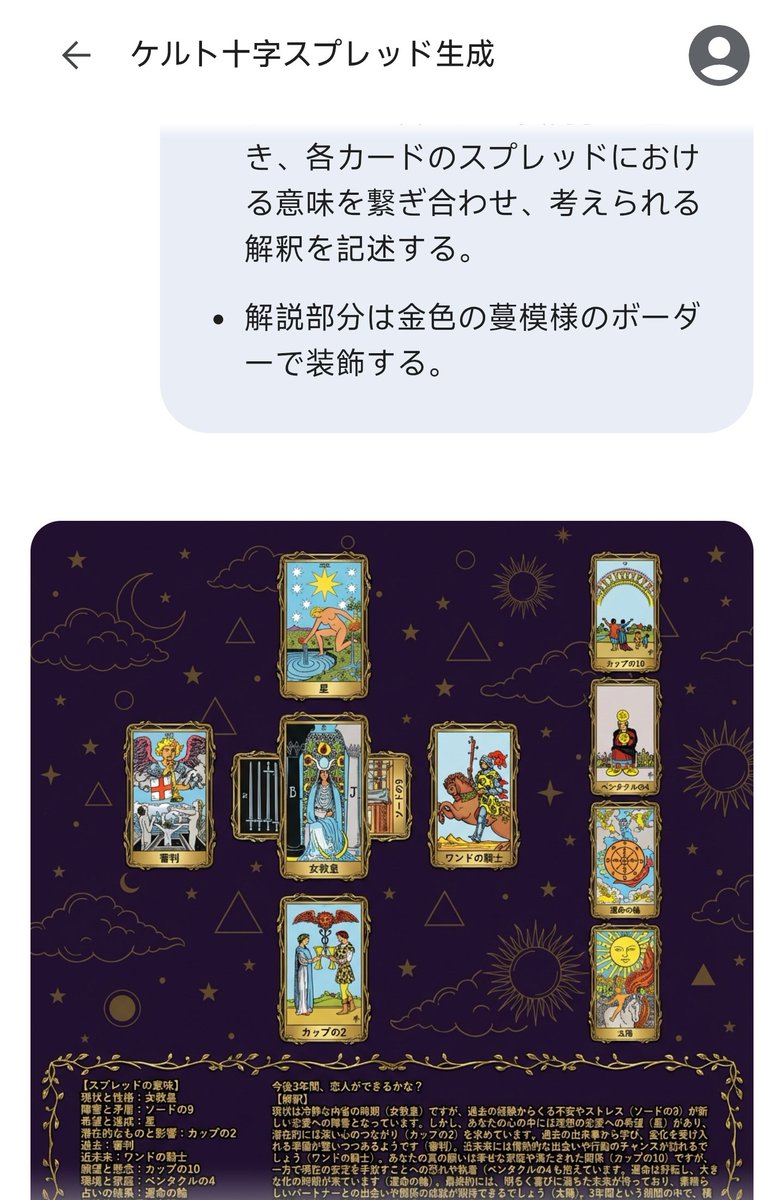
# Generate Results for the Celtic Cross Spread ## Fortune-Telling Parameters - Card indicating the essence of the problem: {argument name="card essence of problem" default="(Fill in 1 card from 78 cards)"} - Question to be asked: {argument name="question to ask" default="(Describe in one sentence)"} ## Image Requirements ### Canvas Settings - 2048*2048px 2K image - Cards and text elements must be at least 20px away from the canvas edges - The card layer should be placed horizontally centered and in the upper 2/3 vertically - The text layer (explanation section) should be placed in the lower 1/3 vertically ### Background Layer - Dark purple background with dark gold stars, clouds, moon, sun, and lines of circles and triangles added to create a mystical atmosphere ### Card Layer - Use all 78 standard Tarot cards. Breakdown: 22 Major Arcana (from "The Fool" to "The World") and 56 Minor Arcana (4 suits: Wands, Cups, Swords, Pentacles). - Each Minor Arcana suit includes number cards 1 through 10 and 4 Court cards. - The edges of the cards are framed with golden metallic vines, and the inside depicts the corresponding image and the name in Japanese. The size of each card is unified and arranged so as not to be cramped. To ensure the text and images of the overlapped cards are visible, the short side (bottom and top edges) of the card should be 1/2 the length of the long side. - Each extracted card must appear only once. If duplication occurs during random extraction, redraw a different card. - Exclude the card specified in "Fortune-Telling Parameters - Card indicating the essence of the problem," and extract the spread from the remaining cards. - Extract 1 card randomly, placed vertically in the center. - Extract 1 card randomly, placed horizontally in the center (with the top of the card facing left), overlapping the vertical center card to form a cross. - Extract 1 card randomly for each position (Up, Down, Left, Right) surrounding the central cross. - Extract 4 cards randomly in a vertical column on the right side. ### Meaning of the Spread - Center, vertical: Current situation and personality - Center, horizontal: Obstacles and contradictions - Up: Hopes and achievements - Down: Potential and influence - Left: Past - Right: Near future - Right column, 1st card: Wishes and concerns - Right column, 2nd card: Environment and family - Right column, 3rd card: Result of the reading - Right column, 4th card: Final outcome ### Text Layer - Use Mincho font, dark gold color, with a 2px black border (#000). - Card Name: Display the name in Japanese at the bottom center of each generated card image. For horizontally placed cards, the name should be displayed at the bottom of the card itself (not the bottom relative to the horizontal placement). - Explanation Section: Include the following content in the explanation section. - On the left side of the explanation section, list all extracted cards in the format: "[Meaning of the Spread] Card Name". - On the right side of the explanation section, describe the possible interpretation by connecting the meaning of each card in the spread, based on the "Fortune-Telling Parameters - Question to be asked". - Decorate the explanation section with a golden vine pattern border.
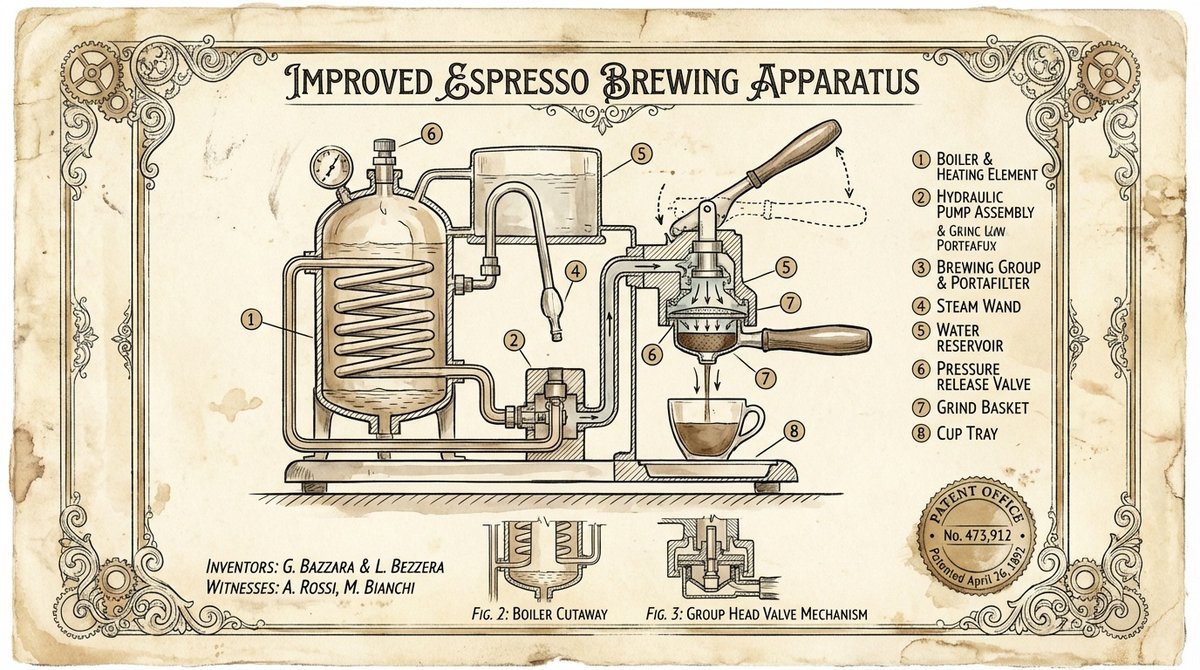
Create a vintage patent-style technical illustration of {argument name="object" default="a complex mechanical device"} on aged cream parchment paper. Black ink linework with sepia accents, hand-lettered labels, cross-section views, numbered component callouts, official patent border frame with fake patent number and date. Style of 1890s mechanical engineering drawings. Elegant, authoritative, museum-worthy.
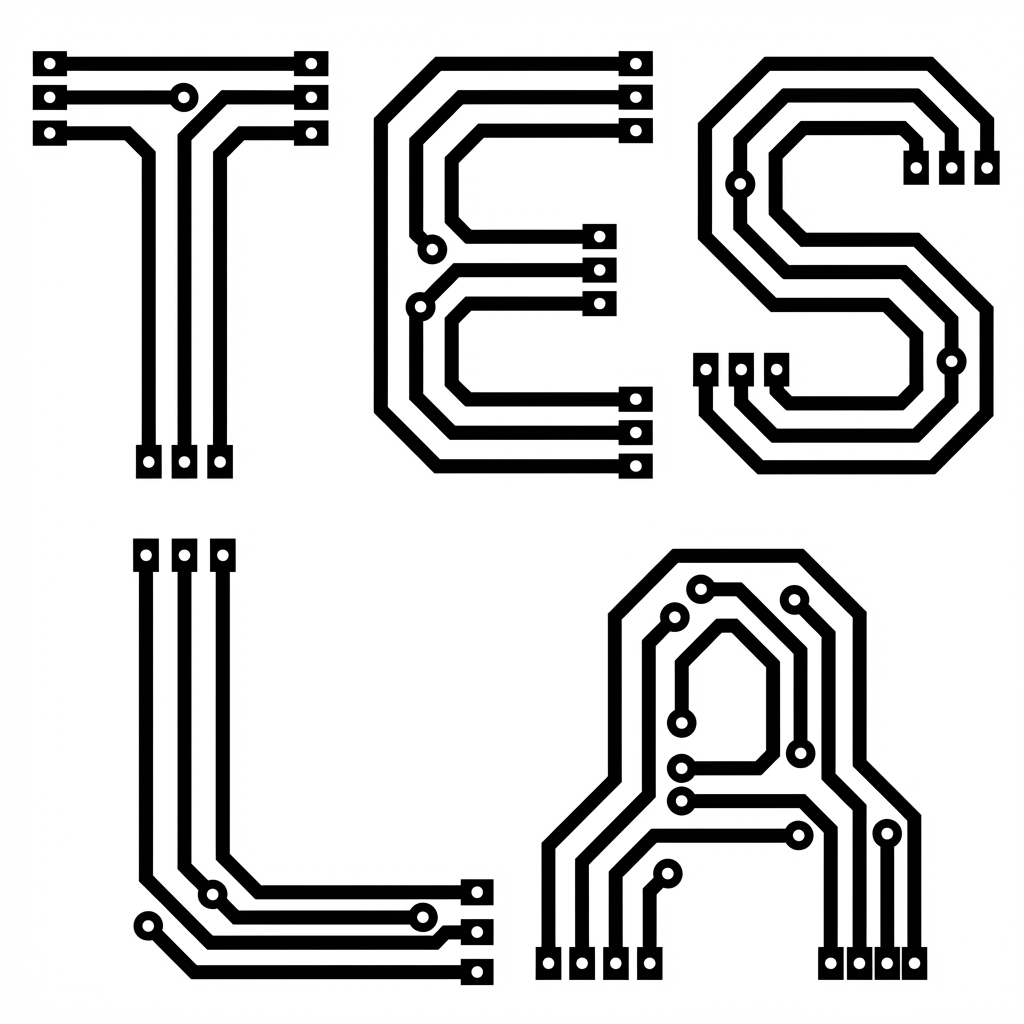
Anchor: The word "{argument name="word to construct" default="Tesla"}" :: constructed entirely from printed circuit board traces, where each letterform is a functional-looking PCB layout — solder pads as terminals, vias as joints, trace paths forming the strokes ::4 Morphology: Technical PCB illustration. Letter strokes are traces of varying widths. Circular vias punctuate stroke junctions. Solder pad rectangles anchor stroke terminals. The letters read as living circuit diagrams. Monochrome technical vector ::3 Material Physics: Jet black trace lines on white substrate, exposed copper-pad circles with concentric detail rings, uniform stroke weight with deliberate corner chamfers (45°) ::3 Illumination: Flat technical illustration lighting, no depth, pure 2D schematic clarity ::2 Render Stack: Electronics schematic aesthetic, hardware documentation style, Gerber file visual output ::1 Negative: [Silhouette shapes, actual electronic components, chip illustrations, realistic PCB green color, perspective, photographic textures, solder reflections] ::-1
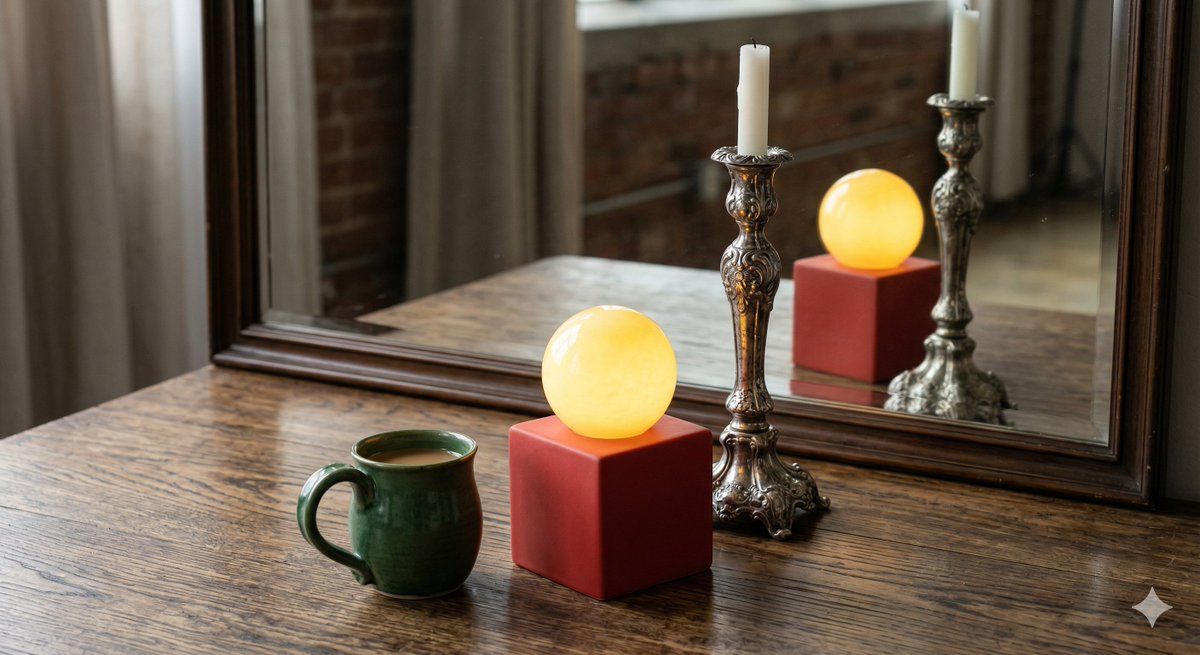
A photorealistic studio shot. On a wooden table sits a solid red cube. Resting exactly on top of the red cube is a glowing yellow sphere. Directly to the left of the red cube is a green ceramic coffee mug. Directly behind the red cube is a tall, ornate silver candlestick. Behind all of these objects is a large, clear mirror reflecting the scene. In the mirror's reflection, the red cube, the yellow sphere, and the silver candlestick are perfectly reflected, but the green ceramic coffee mug is completely absent from the reflection. The space where the green mug should be in the mirror shows only the empty wooden table.
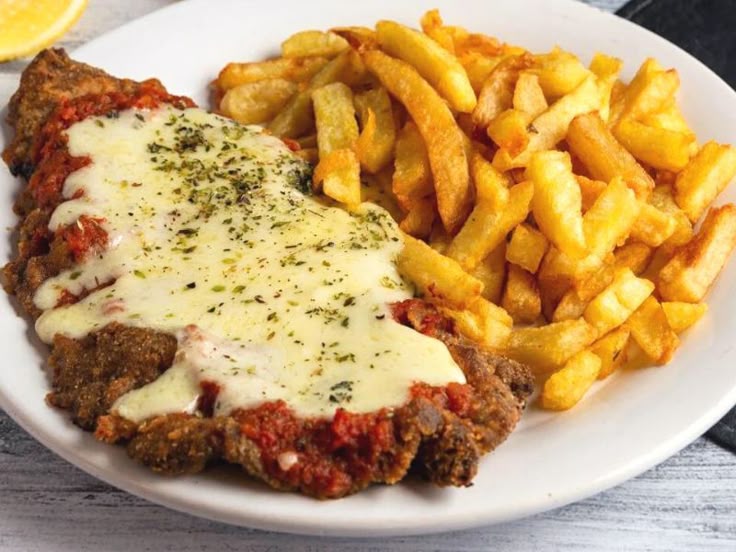
Create a photo of all the ingredients of this dish, labeled with their names and quantities.
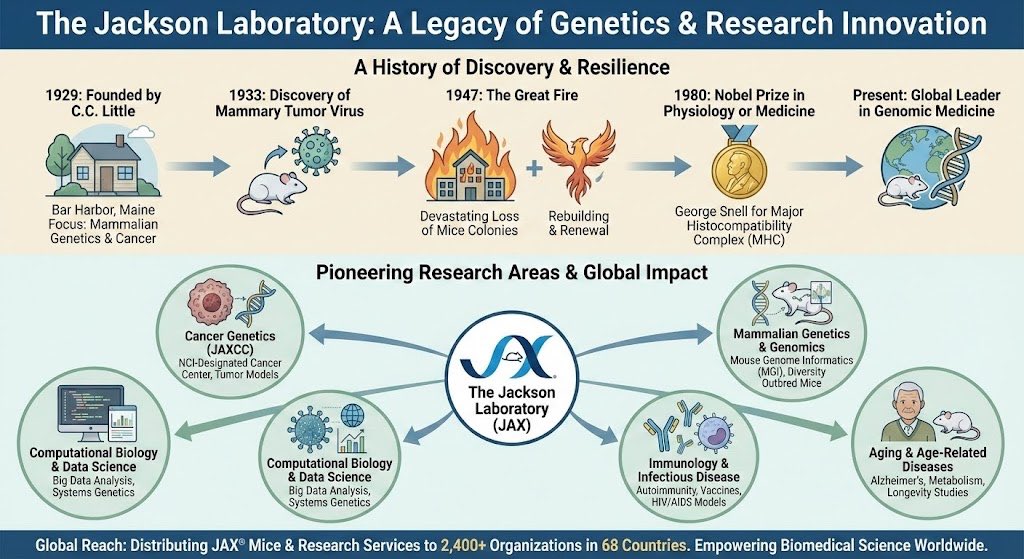
Infographic about {argument name="topic_en" default="the Jackson Laboratory"}.
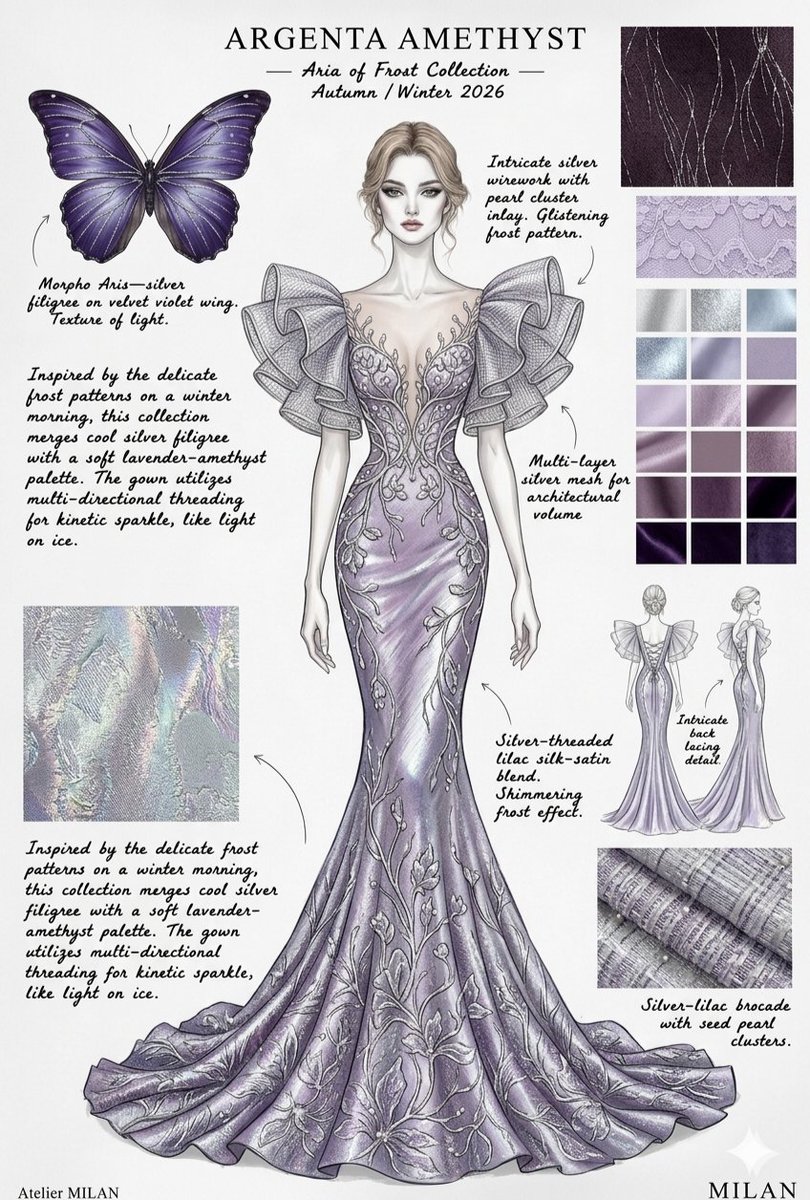
Create high-fashion couture sketches for an "{argument name="collection name" default="Aria of Frost"}" and "Lumina Papilio" collection, featuring ethereal, butterfly-inspired evening gowns. The designs should showcase sleek mermaid silhouettes, architectural ruffled sleeves that mimic lepidoptera wings, and intricate silver filigree wirework. Use a luxurious color palette of {argument name="color palette" default="iridescent amethyst, frozen lilac, and deep cerulean blue"} accented with metallic gold and silver threads. The mood board should include technical details like fabric swatches of silk-satin, silver mesh, and seed pearl clusters, presented in a professional atelier style with elegant calligraphy and butterfly reference anatomy.
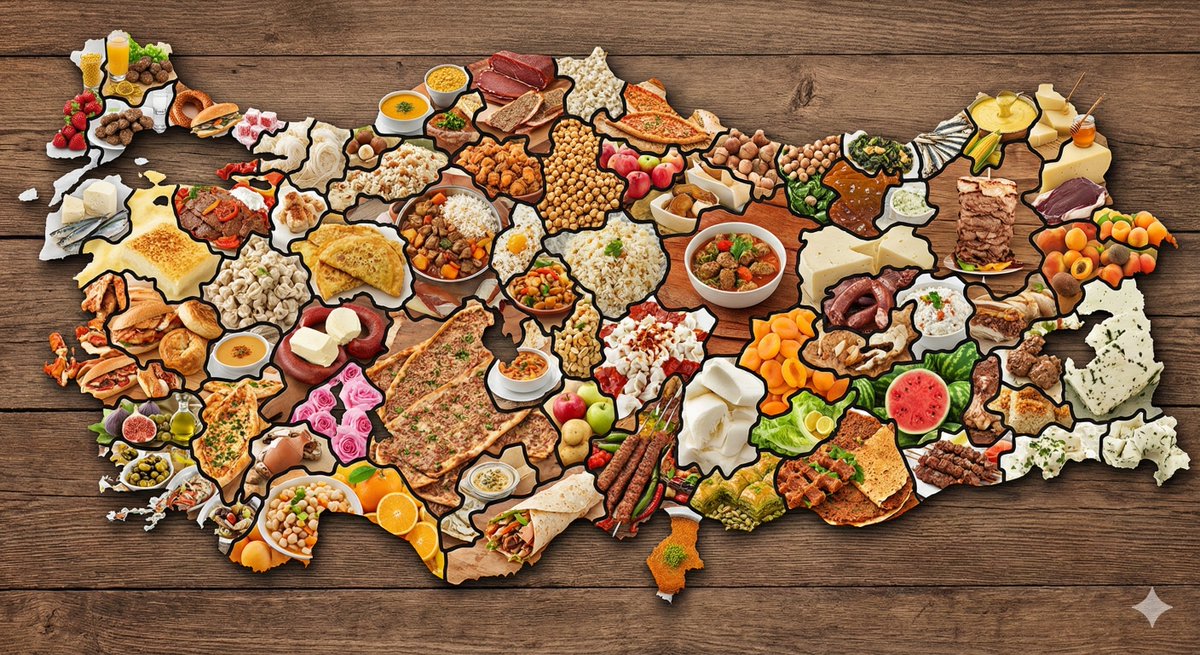
create a map of the Türkiye where every city is made out of its most famous food (cities should actually look like they are made of the food, not a picture of the food). Check carefully to make sure each city is right.
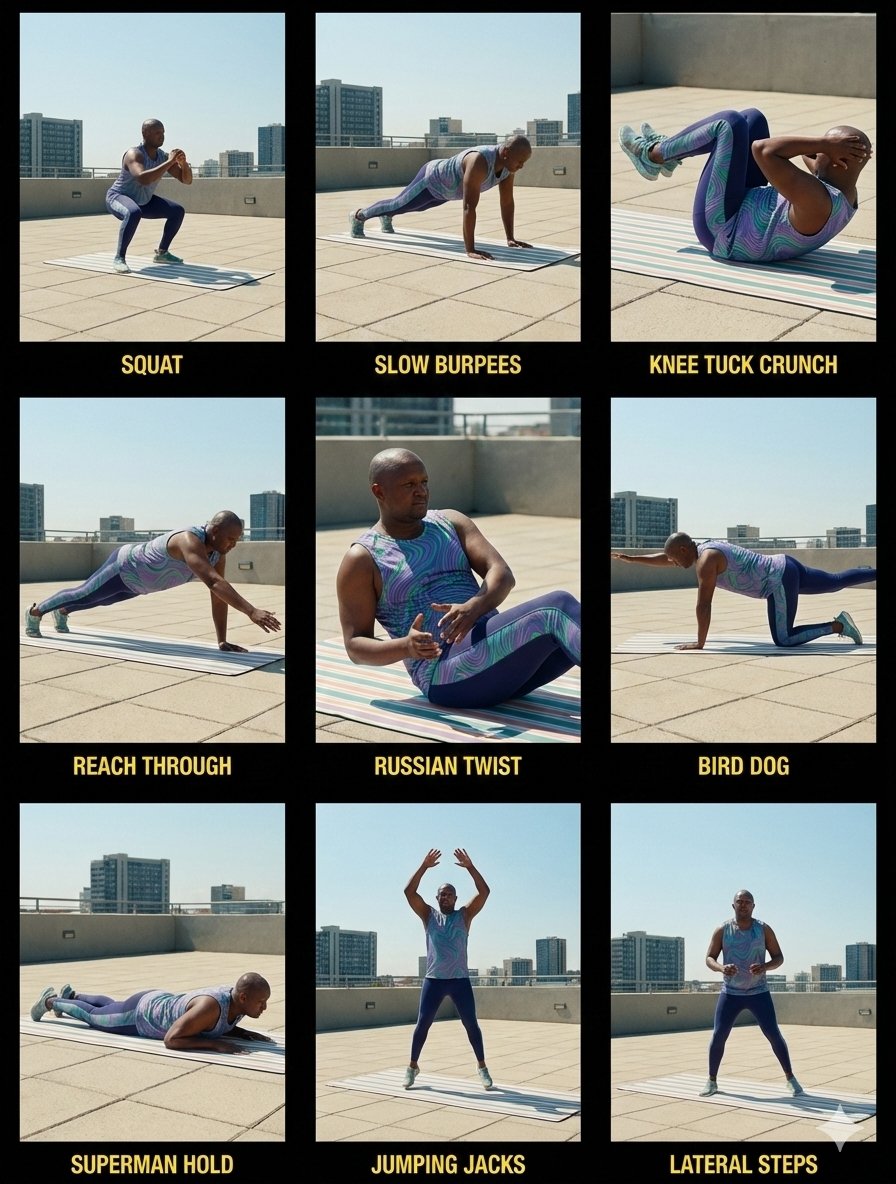
Create a cinematic 3×3 contact sheet from the uploaded image. Keep the same athlete, face, body proportions, workout lingerie, workout mat, and workout location across all nine frames. Update the environment to an outdoor setting. Set time of day to midday with natural overhead sunlight. The workout mat stays identical in color, position, texture, and orientation in every frame. Use a mix of wide shots and close-up shots. Apply consistent cinematic color grading, soft contrast, and film-style lighting adapted to bright midday conditions. Every frame appears as a film still from the same outdoor workout session. Environment details • Outdoor location such as {argument name="outdoor location" default="rooftop, park, terrace, or open concrete space"} • Clear midday sky • Bright natural light from above • Soft natural shadows under the athlete • No background changes between frames Workout lingerie details • Fitted sleeveless workout top • High-waist compression leggings • Seamless matte athletic fabric • Wavy {argument name="lingerie pattern color" default="purple, green, and blue"} pattern • Practical training-focused fit • Lightweight workout shoes • Stable sole for balance For each cell • Show the correct exercise pose matching the workout label • Add a workout exercise label at the top left • Match label text exactly to the exercise shown • Place text on a solid black background • Keep a clear margin from the image edge • Add padding inside the label • Use a small corner radius • Use clean sans-serif text in white • Keep label size consistent across all cells • Add a 1px solid black border around each cell Top row • Squat, athlete performing a squat • Slow Burpees, athlete mid controlled burpee • Knee Tuck Crunch, athlete performing knee tuck crunch Middle row • Reach Through, athlete performing reach through • Russian Twist, athlete seated performing Russian twist • Bird Dog, athlete performing bird dog on the mat Bottom row • Superman Hold, athlete holding superman position • Jumping Jacks, athlete mid jumping jack • Lateral Steps, athlete performing lateral side steps Rules • No identity change • Same workout lingerie across all frames • Same workout mat across all frames • No body shape change • Outdoor location stays consistent • No added equipment • Same lighting direction across all frames • Film still style, no collage

"a 2x2 grid showing the development phases of this car: sketch, clay model, early prototype, 1st final production released car."
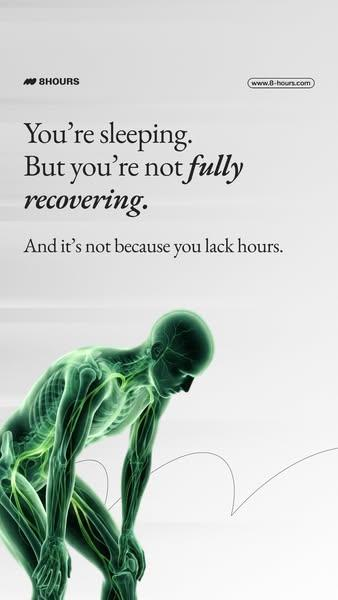
A ultra-detailed, hyper-realistic 3D rendering of {argument name="subject" default="human waist"}, presented against a {argument name="background" default="smooth, clean white-to-light-grey gradient background"}. The style must mimic that of an advanced, glowing medical scan (like an fMRI combined with a CT). The entire structure is composed of luminous, semi-transparent green tissue (fascia, muscles, nerves), with skeletal elements and major neural pathways rendered in a {argument name="glow color" default="brilliant, glowing electric green light"}. The texture is that of a complex, interwoven network of lit fibers and nodes. The aesthetic is clean, technological, and medicinal, with the green structures appearing to emit light. The composition must be high-focus and minimalist, with a single, clear subject and no text.
Some prompts are collected from creators on X. Copyright belongs to the original authors.