Kenerate AI

Prompt Library

AI Prompt Library

Curated image, video and web design prompts from creators around the world. Copy any prompt, swap the subject or style, and generate with the latest models.

15,630 prompts · Updated daily · 100% free

227 prompts

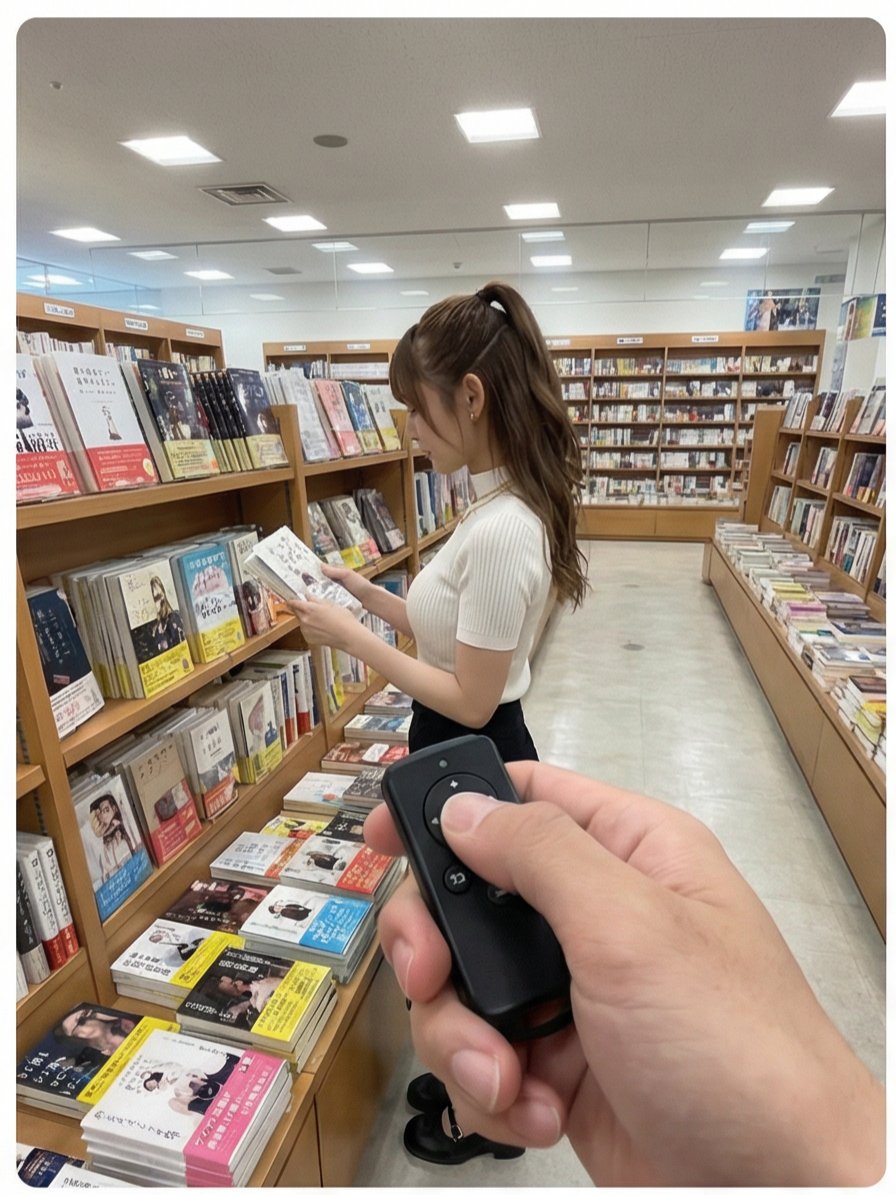
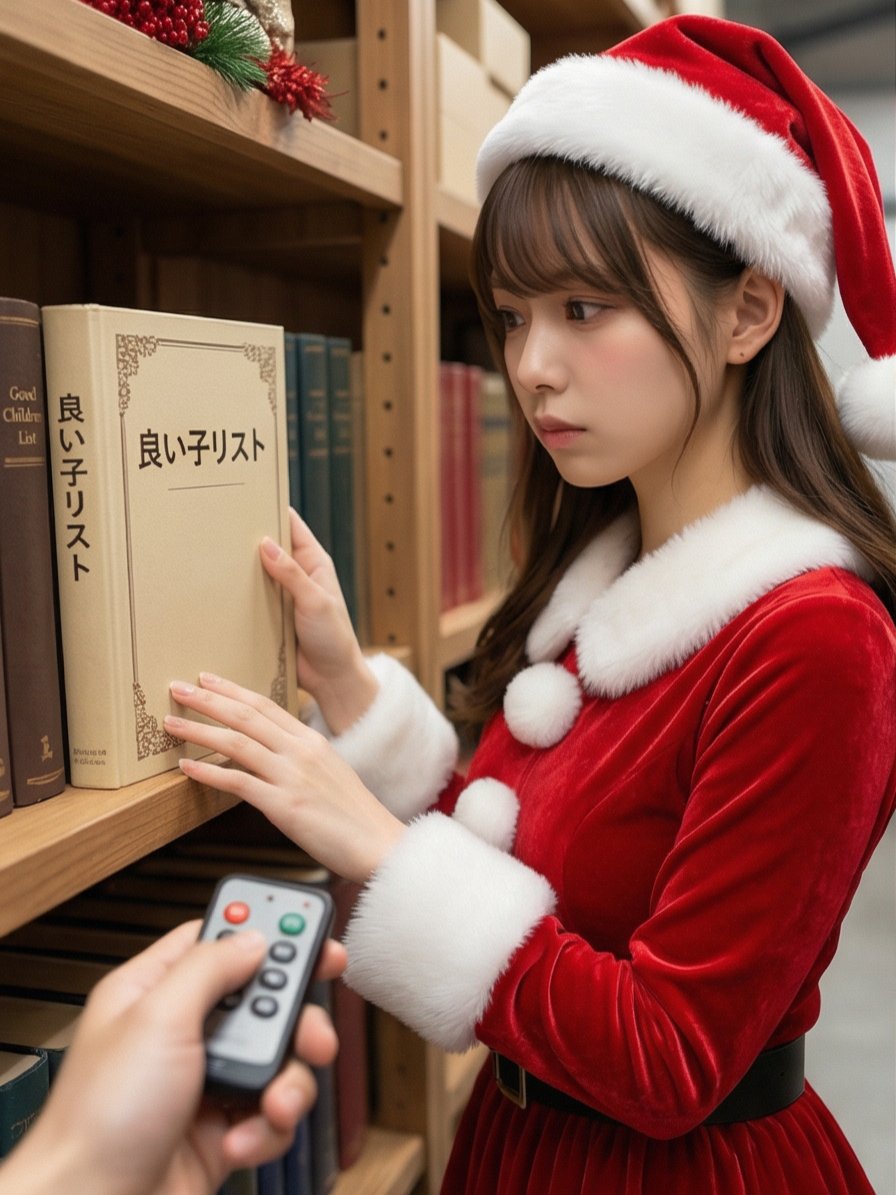
Multi-Angle Scene Generation Prompt (Oshi no Ko Style)

Multi-Angle Scene Generation Prompt (Oshi no Ko Style)

Read the motif depicted in the attached image, generate multi-angle shots, and create four scenes divided into a 2x2 grid. [Action 1] The senior colleague (senpai) is looking at books on a shelf. The photographer presses a button on a remote control in their hand, and a distinctive electronic sound/chime rings. [Dialogue 1] The senpai is surprised, immediately turns to the camera, and playfully says, "Stop it." [Action 2] The photographer rings the electronic sound again. [Action 3] The senpai looks down shyly, squats momentarily, then stands up, laughing and covering their face with their hands. [Text Overlay] "{argument name="text overlay 1" default="Tried pressing the senpai's switch while they were shopping at the bookstore"}" "{argument name="text overlay 2" default="#This feeling is too cute www"}" "{argument name="text overlay 3" default="#Definitely inviting me www"}"

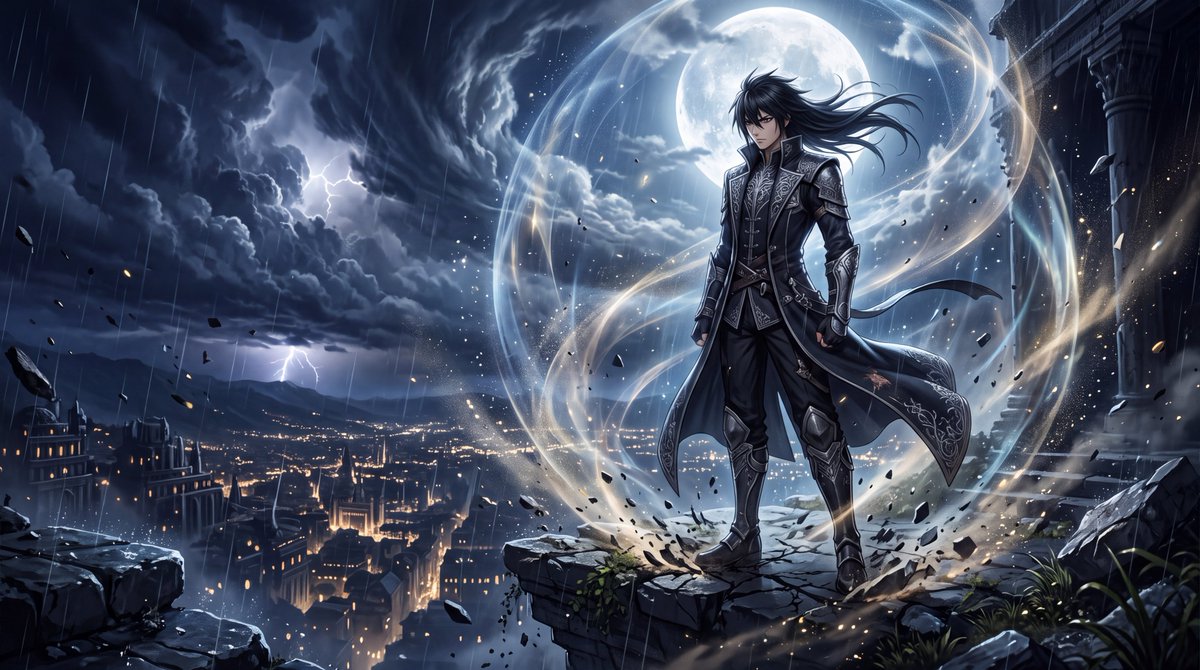
YouTube Thumbnail - Premium Dark Fantasy Anime Cinematic
Nano Banana Pro

YouTube Thumbnail - Premium Dark Fantasy Anime Cinematic

Create a breathtaking, ultra-premium anime cinematic artwork set in a dark fantasy world, designed to look like a frame from the most expensive anime ever produced. A {argument name="character" default="calm, impossibly charismatic male warrior stands alone on the edge of a massive ruined temple overlooking a futuristic ancient city at night"}. He has sharp expressive eyes, detailed black hair moving naturally in the wind, an elegant dark combat coat with intricate silver detailing, subtle battle damage, and an effortless, intimidating posture. He is not attacking or shouting. He simply stands completely still, looking slightly downward with an emotionless, confident expression. His presence alone dominates the entire scene. Around him is an {argument name="aura effect" default="enormous aura field—deep atmospheric energy flowing naturally through the environment like invisible pressure made visible"}. Thin luminous particles, drifting embers, fragments of dust and rain curve around his body. The ground beneath his feet shows subtle cracks from the sheer pressure of his presence. His coat and hair move dramatically in the energy-filled wind. Behind him, enormous storm clouds spiral across the sky, illuminated by distant lightning. A gigantic moon breaks through the clouds, creating a powerful silhouette around his figure. Far below, thousands of tiny city lights create immense depth and scale. The aura should feel beautiful, intimidating and otherworldly, not like a generic glowing outline. Use layered translucent energy, atmospheric distortion, subtle light refraction, floating particles and faint wave-like pressure around the character. Keep the character's face and body sharply defined while the environment reacts to his presence. Composition: low-angle hero shot, character positioned slightly off-center, massive negative space above him, dramatic depth, foreground particles, distant city below, enormous sky, cinematic perspective. Visual style: elite modern anime production, extraordinarily detailed linework, painterly backgrounds, realistic lighting, physically believable shadows, cinematic color grading, realistic atmospheric perspective, highly detailed eyes, hair strands and fabric, subtle skin texture, volumetric moonlight, high contrast, razor-sharp focal subject, breathtaking environmental detail. Blend stylized anime character design with realistic cinematic rendering, so the image feels like a premium anime still rather than a generic illustration. The character should radiate the ultimate “aura farming” energy: silent confidence, overwhelming presence, effortless dominance, mysterious power, elegance and danger. No text, no logos, no watermark, no goofy expression, no exaggerated screaming, no giant muscles, no generic superhero costume, no messy composition, no excessive neon, no blurry face, no distorted anatomy, no extra fingers, no deformed hands, no cheap CGI appearance. Aspect ratio: 16:9. Ultra-detailed, cine

@WeWant Mars
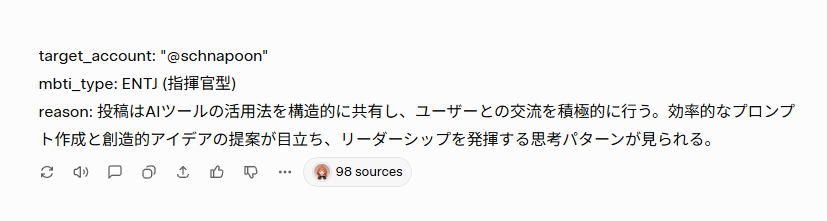
Nano Banana Pro Image Generation Prompt for MBTI Character Visualization

Nano Banana Pro Image Generation Prompt for MBTI Character Visualization

## 1. Input Variables (Rewrite this) Generate an illustration based on the following information. User Information: target_account: "{argument name="Account Name" default="@schnapoon"}" mbti_type: {argument name="MBTI Type" default="ENTJ (Commander)"} reason: "{argument name="Diagnosis Reason" default="Posts structurally share how to utilize AI tools and actively engage with users. Efficient prompt creation and creative idea proposals stand out, showing a leadership-oriented thought pattern."}" Character Setting (base_character_profile): Appearance: Anime-style girl. Brown medium hair, red eyes, slightly pointed teeth (giza-ba). ## 2. Generation Instructions A. Overall Image Composition (UI Layout) Generate a vertical 9:16 image. The background color is clean off-white (#F5F5F7). The screen is composed of the following elements from top to bottom: 1. Header Text: Place the text `target_account` + "'s diagnosis result is" at the top of the screen. Color: Dark gray (#333333), Font size: Medium, Alignment: Center. 2. Main Character Illustration: Important (Consistency): Maintain the "physical features (face, hair, body type)" and "basic clothing (innerwear, bottoms, etc.)" of the `base_character_profile` without alteration. Changes (Layering): Express the individuality of each type by "layering" the specified outerwear, mantle, and decorations from "B. MBTI Style Definitions" below over the basic clothing. Presentation: Draw specified effects and floating items around the character. Style: High-quality anime coloring. 3. MBTI Type Label: Place the `mbti_type` text largely directly below the illustration. Color: Theme color of each type definition. Font: Bold for high visibility. 4. Diagnosis Reason Text Box: Place a white, rounded-corner box (card-like design) at the bottom of the screen. Write the `reason` text in Japanese inside it. Text color: Gray (#555555), Left-aligned, readable size. B. MBTI Style Definitions (16 Types Layering Rules) Apply the style matching the input `mbti_type` and add the following items over the basic clothing: [Analysts - Purple/Dark Blue/Deep Red] INTJ (Architect): Layering: Black long coat or a chic jacket with a standing collar. Items: Chess pieces, hologram of blueprints. INTP (Logician): Layering: Lab coat (slightly disheveled), or a loose hoodie. Items: Flasks, floating mathematical formulas, gadget parts. ENTJ (Commander): Layering: Military-style Napoleon jacket, or a heavy mantle with a red lining. Items: Baton, crown-like decoration. ENTP (Debater): Layering: Unconventional design blazer, or a magician-like cape. Items: Microphone, smirking expression, jack-in-the-box effect. [Diplomats - Green/Gold/Pastel] INFJ (Advocate): Layering: Hooded robe, or a mystical shawl. Items: Lantern, staff, mystical light particles. INFP (Mediator): Layering: Oversized knit cardigan, or a forest-girl style poncho. Items: Flower crown, butterflies, books. ENFJ (Protagonist): Layering: Hero-like mantle, shining brooch or sash on the chest. Items: Holy sword (light-shaped), halo-like effect. ENFP (Campaigner): Layering: Colorful patchwork vest, or a flashy scarf. Items: Balloons, confetti, party goods. [Sentinels - Blue/White/Teal] ISTJ (Logistician): Layering: Neat navy blazer, armband. Items: Clipboard, glasses, neatly arranged documents. ISFJ (Defender): Layering: Clean apron, or medical coat/nurse uniform-style outerwear. Items: First aid kit, warm drink (tea, etc.). ESTJ (Executive): Layering: Formal suit jacket,

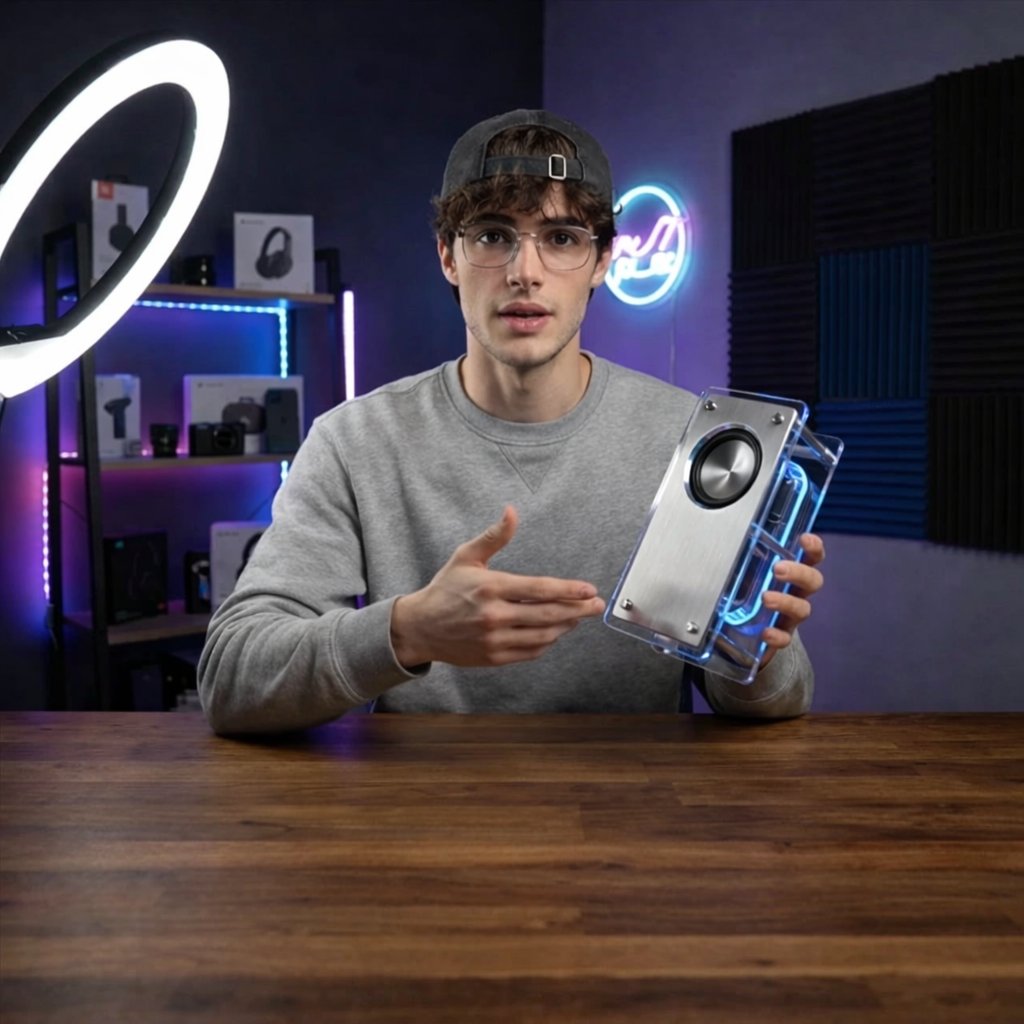
Tech YouTuber Demoing Bluetooth Speaker Video Prompt

Tech YouTuber Demoing Bluetooth Speaker Video Prompt

A young man tech YouTuber demoing a bluetooth speaker. He is sitting in front of the camera at a desk and wearing a sweatshirt and a cap. The desk is front on to the camera. The background is a dimly lit YouTuber's studio setup. The YouTuber is illuminated by a ring light. The Bluetooth speaker looks minimalistic and retro-futuristic.

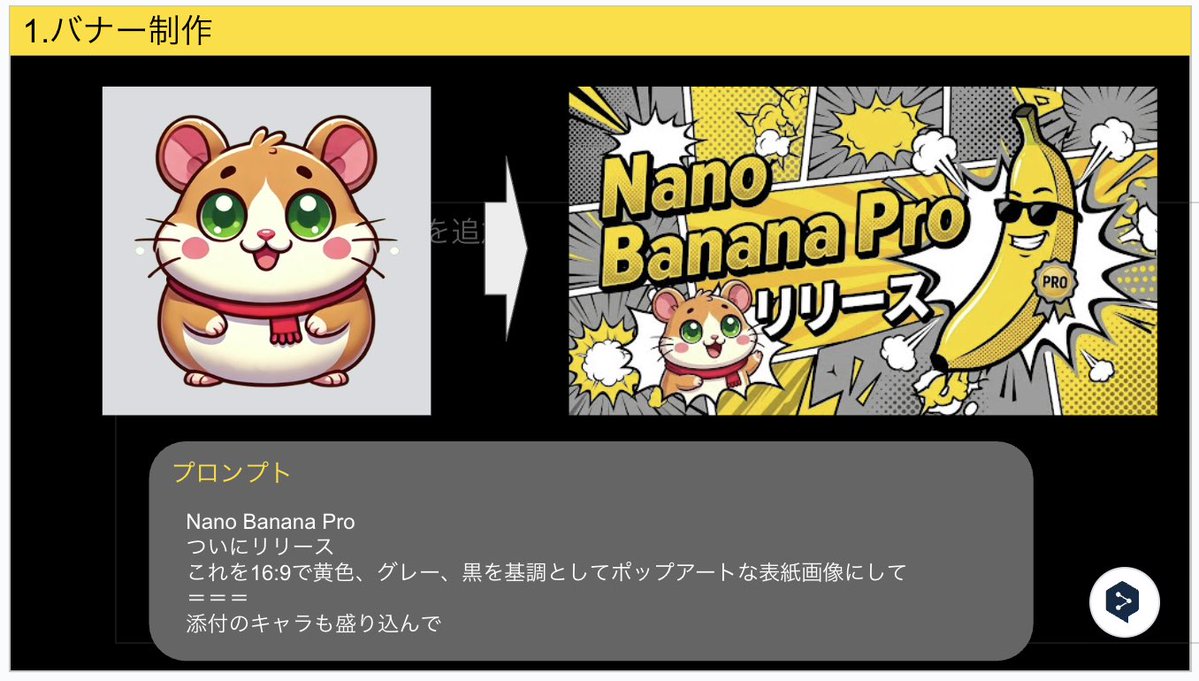
Nano Banana Pro Banner Creation Prompt

Nano Banana Pro Banner Creation Prompt

Nano Banana Pro Finally released Turn this into a pop art cover image with a 16:9 aspect ratio, based on yellow, gray, and black, and include the attached character.

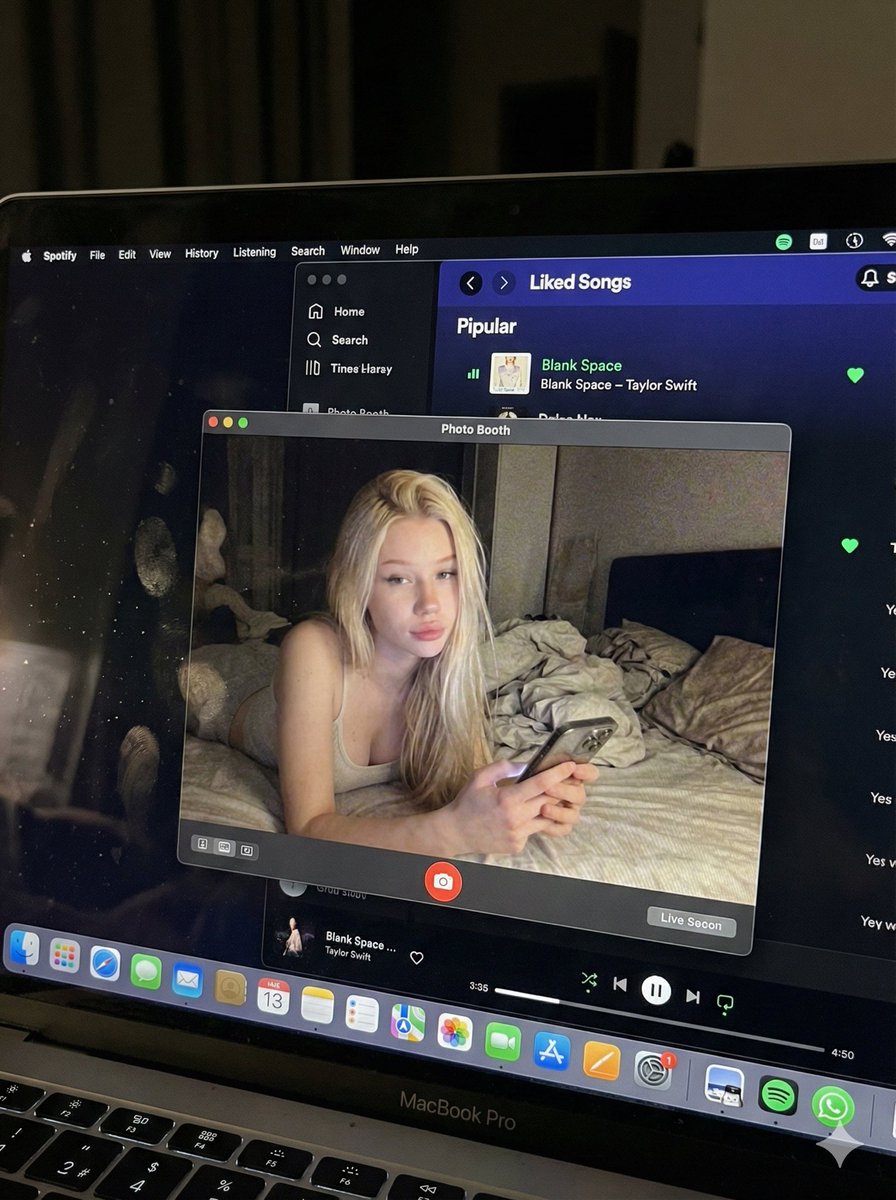
Photorealistic MacBook Screen POV Selfie Prompt

Photorealistic MacBook Screen POV Selfie Prompt

{ "image_settings": { "aspect_ratio": "3:4", "resolution": { "width": 1152, "height": 1536 } }, "prompt": { "identity_lock": { "reference": "{argument name="reference" default="input_photo"}", "preserve": [ "{argument name="preserve 1" default="face"}", "{argument name="preserve 2" default="facial proportions"}", "{argument name="preserve 3" default="eye shape"}", "{argument name="preserve 4" default="nose"}", "{argument name="preserve 5" default="lips"}", "{argument name="preserve 6" default="skin tone"}", "{argument name="preserve 7" default="skin texture"}", "{argument name="preserve 8" default="hairline"}", "{argument name="preserve 9" default="overall identity"}" ], "rules": [ "{argument name="rule 1" default="no face swap"}", "{argument name="rule 2" default="no beautify"}", "{argument name="rule 3" default="no smoothing"}", "{argument name="rule 4" default="no reshaping"}", "{argument name="rule 5" default="no AI look"}" ] }, "scene": { "camera_angle": "{argument name="camera angle" default="high-angle downward shot, POV"}", "composition": "{argument name="composition" default="MacBook screen fills most of the frame, thin strip of physical keyboard visible at the bottom"}", "screen_surface": [ "{argument name="screen surface 1" default="visible RGB pixel grid"}", "{argument name="screen surface 2" default="subtle moire effect"}", "{argument name="screen surface 3" default="micro dust on glass"}", "{argument name="screen surface 4" default="faint fingerprints"}", "{argument name="screen surface 5" default="soft ambient reflections"}" ] }, "digital_interface": { "os": "{argument name="os" default="macOS dark mode"}", "background_app": { "name": "{argument name="background app name" default="Spotify"}", "view": "{argument name="background app view" default="Liked Songs"}", "visible_tracks": [ "{argument name="track 1" default="Blank Space – Taylor Swift"}", "{argument name="track 2" default="Shake It Off – Taylor Swift"}", "{argument name="track 3" default="Cruel Summer – Taylor Swift"}", "{argument name="track 4" default="Love Story – Taylor Swift"}" ] }, "foreground_app": { "name": "{argument name="foreground app name" default="Photo Booth"}", "state": "{argument name="foreground app state" default="live preview window"}", "position": "{argument name="foreground app position" default="floating, center-right"}" } }, "photo_booth_content": { "environment": { "room": "{argument name="room" default="dim bedroom"}", "background": "{argument name="background" default="off-white wall, rumpled bedding"}", "lighting": "{argument name="lighting" default="low-light, nocturnal, cool screen glow mixed with warm skin tones"}" }, "subject": { "pose": "{argument name="subject pose" default="lying down, relaxed, candid"}", "expression": "{argument name="subject expression" default="natural, slightly relaxed"}", "outfit": "{argument name="subject outfit" default="light-colored tank top"}", "prop": { "item": "{argument name="prop item" default="iPhone 15 Pro"}", "hand": "{argument name="prop hand" default="right hand"}" } } }, "realism_rules": [ "{argument name="realism rule 1" default="this is a photo of a screen, not a screenshot"}", "{argument name="realism rule 2" default="raw smartphone photo look"}", "{argument name="realism rule 3" default="natural noise"}", "{argument name="realism rule 4" default="imperfect glass"}", "{argument name="realism rule 5" default="no studio lighting"}", "{argument name="realism rule 6" default="no HD polish"}" ] }, "negative_prompt": [ "{argument name="negative 1" default="screenshot"}", "{argument name="negative 2" default="flat UI"}", "{argument name="negative 3" default="perfect screen"}", "{argument name="negative 4" default="clean glass"}", "{argument name="negative 5" default="studio lighting"}", "{argument name="negative 6" default="beauty filter"}", "{argument name="negative 7" default="cartoon"}", "{argument name="negative 8" default="3d render"}", "{argument name="negative 9" default="painting"}", "{argument name="negative 10" default="watermark"}", "{argument name="negative 11" default="blurred face"}" ] }

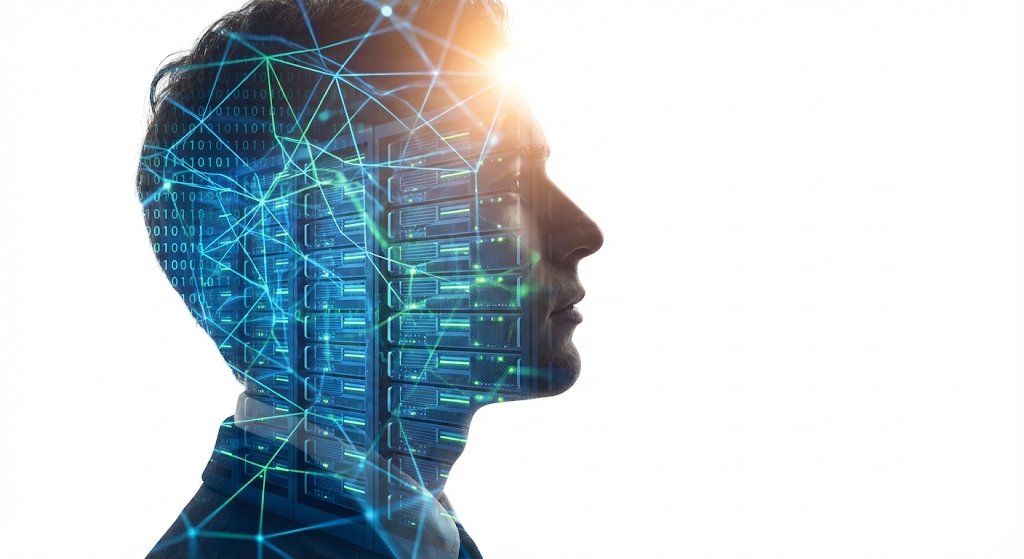
Double Exposure Portrait of an AI Engineer

Double Exposure Portrait of an AI Engineer

A double exposure photograph depicting the silhouette profile and headshot portrait of an AI engineer, with a symbolic environment constructed from glowing neural networks, floating code streams, and futuristic server architecture, in the style of double exposure photography, sun flare, white background, hyper-realistic, detailed rendering, stock photo, high-resolution photography.

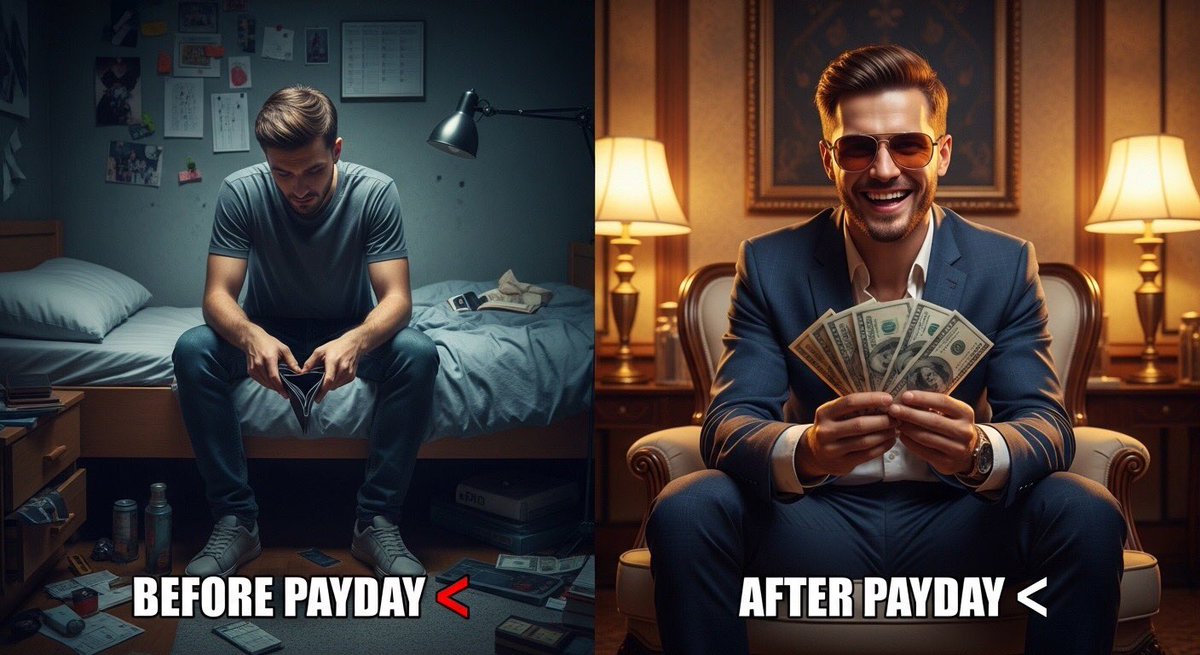
Split Scene 'Before and After Payday' Prompt for Nano Banana Pro

Split Scene 'Before and After Payday' Prompt for Nano Banana Pro

Ultra-realistic split scene of a young man. Left side: sitting on a bed in a small messy room, tired face, empty wallet, dim lighting, depressed mood. Right side: same man after payday, wearing stylish clothes and sunglasses, holding cash, confident smile, bright lighting, luxury background. Add bold meme text: “{argument name="meme text 1" default="Before Payday "}” and “{argument name="meme text 2" default="After Payday "}”. Cinematic lighting, 8K realism, sharp details, viral social media style.

Split-Screen YouTube Thumbnail: JD Vance Political Commentary

Split-Screen YouTube Thumbnail: JD Vance Political Commentary

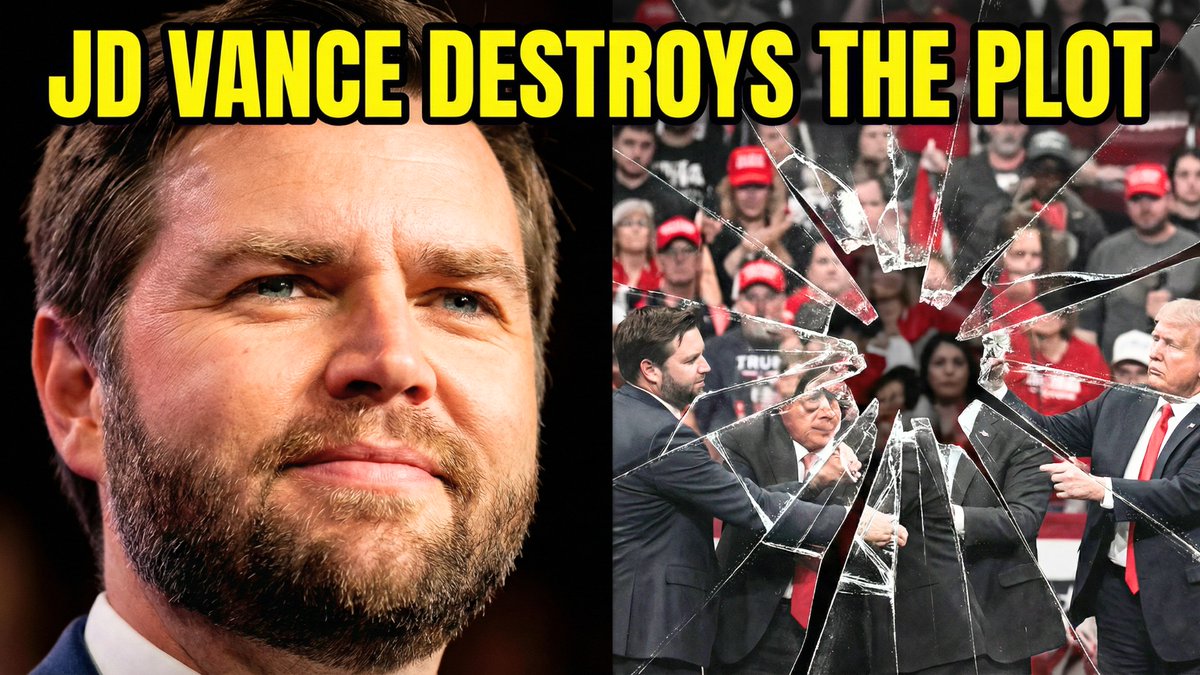
Split-screen YouTube thumbnail composition. LEFT SIDE (60%): JD Vance's face, professional warm lighting, determined confident expression with slight smirk, slight low angle shot looking up, high contrast and saturated colors, dark blurred background, heroic and resolute mood. RIGHT SIDE (40%): Shattered fractured glass effect overlaying darkened desaturated images of MAGA supporters and political figures pulling in different directions, visible crack lines and fragmentation throughout, chaotic and divided composition, dark grays and muted reds, broken and unstable visual. TOP OF ENTIRE THUMBNAIL: Bold yellow text with thick black outline reading "{argument name="text" default="JD VANCE DESTROYS THE PLOT"}", text spans across both sides at top third.

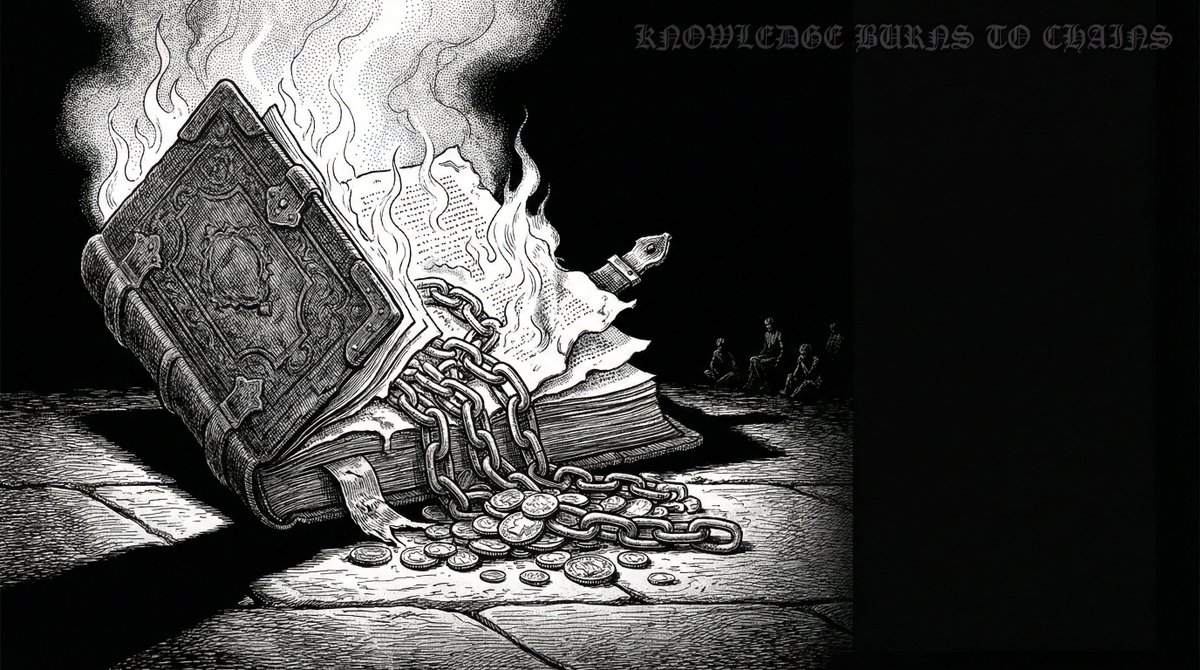
Advanced Two-Step Prompting Strategy for Nano Banana Pro Thumbnails

Advanced Two-Step Prompting Strategy for Nano Banana Pro Thumbnails

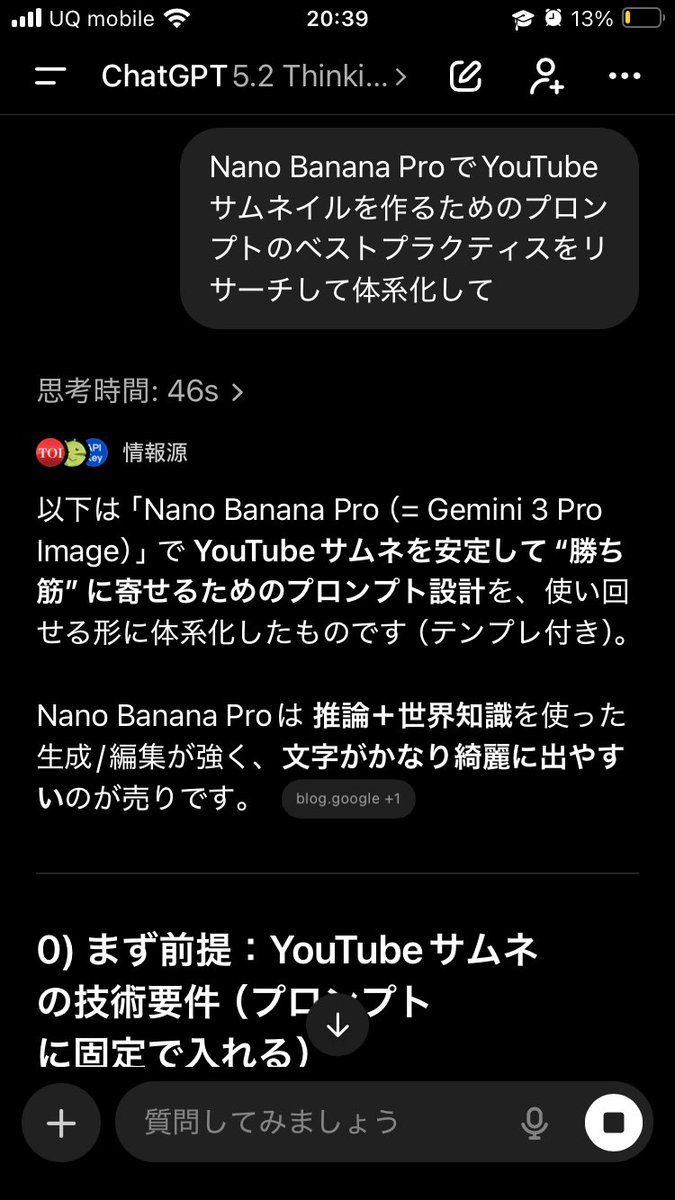
Actually, there's a trickier way to use this. First, have it systematically summarize the information → Then, based on that, have it create the output/deepen the discussion Just doing this makes the quality of the output completely different. This is because if you first create a blueprint in the AI's mind—including "terminology," "judgment criteria," "prohibited items," "patterns," and "priorities"— The next instructions will be output according to that blueprint, making it less likely to deviate. For example, if you want Nano Banana Pro to create a thumbnail: ① First, ask GPT-5.2: "Thoroughly research and systematize the best practices for creating prompts for YouTube thumbnails using Nano Banana Pro. Include common mistakes as well." ② After that, ask: "Based on the current system, create a prompt for making a YouTube thumbnail on the theme of {argument name="theme" default="XX"} using Nano Banana Pro. The video content is like this, and I want to include {argument name="wording" default="this kind of wording"}." Then, input the completed prompt into Nano Banana Pro. It becomes much easier to get the desired output. If you just ask it to "create" every time, the AI outputs based on the moment, leading to inconsistent results. But if you create a map (system) first, it's powerful. Moreover, this method works for side business strategies, sales copy, and video scripts. The versatility is insane. I highly recommend having the AI organize how to create good output before having it perform the task, and then having it think based on that organization. By the way, the thumbnail created this time is the third image. Since the first attempt was mediocre, I had it systematize how to create attractive YouTube thumbnails before generating the prompt.

YouTube thumbnail using a specific character for chat stream

YouTube thumbnail using a specific character for chat stream

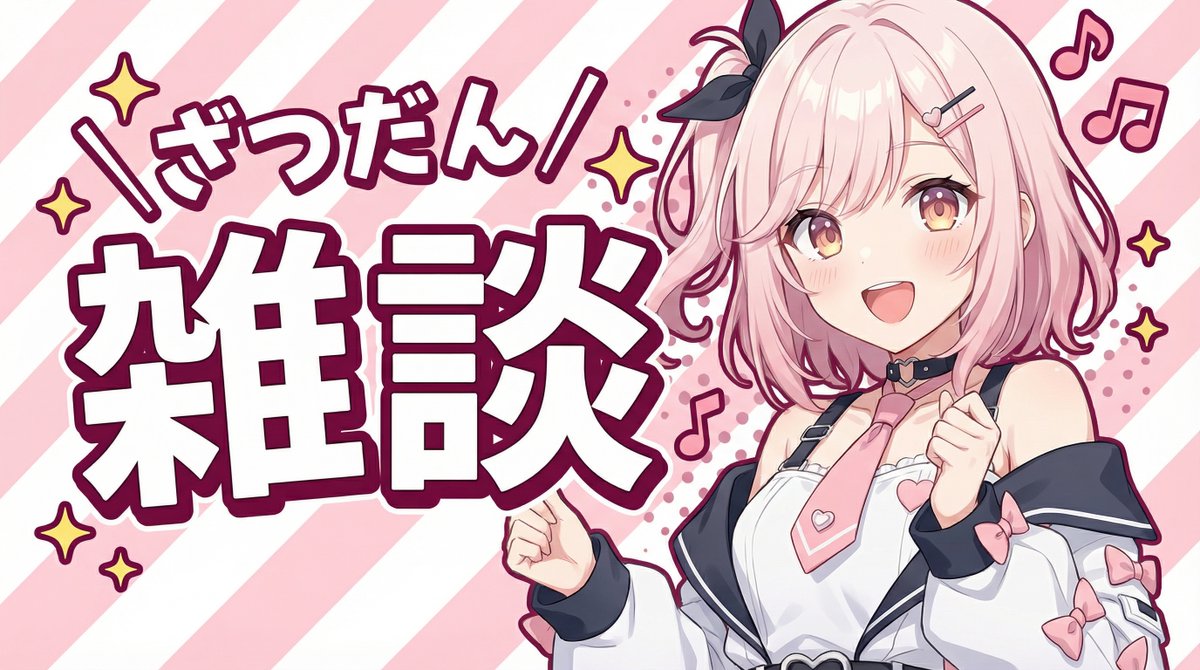
Please create a YouTube thumbnail using this character. - Use only the upper body, with a cheerful pose and expression. - Include large text that says “{argument name="title_text_en" default="雑談"}” and add the furigana “{argument name="furigana_en" default="ざつだん"}”. - Give it a pop feel, but make the background simple and composed of stripes.

Action Kayaking Selfie Prompt for Google Gemini Nano Banana Pro 2.5

Action Kayaking Selfie Prompt for Google Gemini Nano Banana Pro 2.5

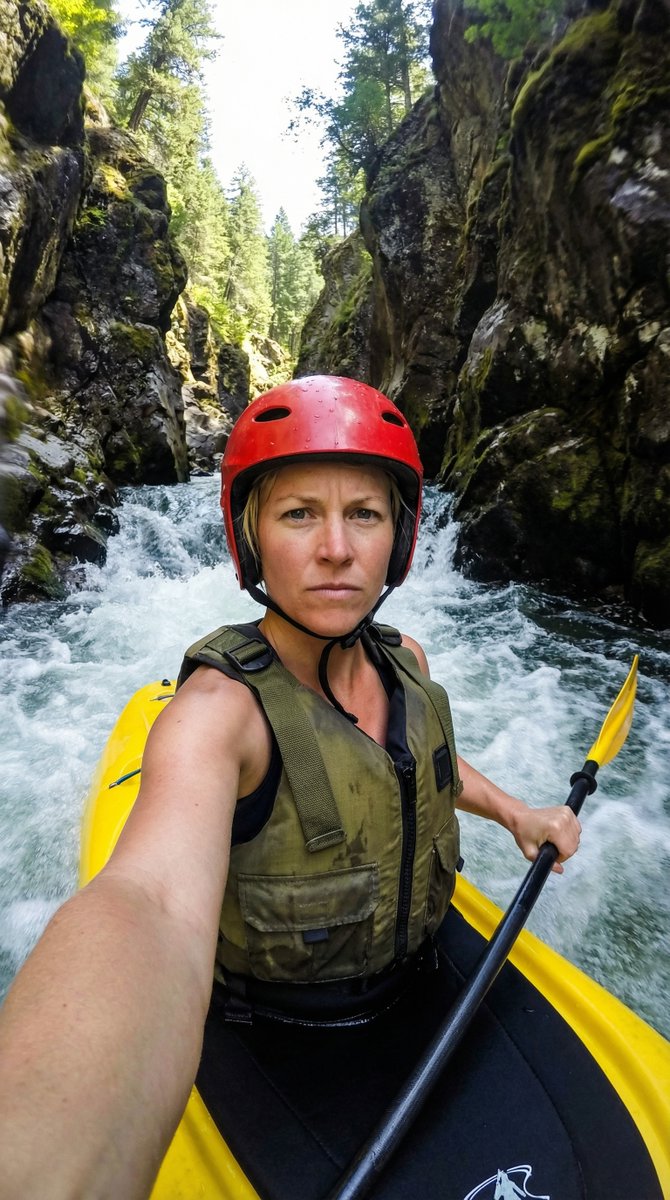
{ "action": "generate", "content": { "subject": { "description": "A close-up selfie of a determined athletic woman with short blonde hair, wearing a red protective helmet and a rugged olive-green life vest with black straps.", "pose": "The woman is seated in a yellow kayak, holding a black paddle with a yellow blade in his right hand while taking a selfie with his left arm extended toward the camera." }, "environment": { "setting": "A narrow, steep rocky canyon with dark, mossy cliff walls and lush green trees visible at the top peaks.", "water_conditions": "Fast-moving white water rapids with churning foam and splashes hitting the side of the kayak." }, "technical_details": { "camera_angle": "Low-angle wide-lens selfie perspective, creating a sense of immersion and speed.", "lighting": "Bright, natural sunlight filtering down from the top of the gorge, creating high-contrast shadows on the rocks and sparkling highlights on the water.", "style": "Hyper-realistic action photography with a shallow depth of field, focusing sharply on the man's intense expression while the background rapids have a slight motion blur." }, "color_palette": [ "Vibrant yellow kayak and paddle", "Deep red helmet", "Natural mossy greens and dark grey rock", "Crisp white water foam" ] } }

Santa's Switch Prank Multi-Angle Grid

Santa's Switch Prank Multi-Angle Grid

Read the motifs depicted in the attached image, generate multi-angle shots, and create four scenes divided into a 2x2 grid. 【Action 1】 Santa Claus, with a serious expression, is looking at documents (thick books) on a bookshelf in a Christmas-decorated warehouse. The book title is left to the AI's interpretation in a way that suggests a story. The photographer presses a button on a remote control in their hand, making a unique 'Pikoon!' electronic sound or a cute chime sound. 【Dialogue 1】 Santa jumps in surprise and immediately turns toward the camera (photographer). While shaking his white beard, he says a word or phrase that is slightly embarrassed yet playful (left to the AI's interpretation in a way that suggests a story). 【Action 2】 The photographer grins and immediately presses the 'Pikoon!' electronic sound again. 【Action 3】 Santa looks down shyly with an expression of "Oh, come on!" He curls his large body and squats momentarily in a "moe-costume" (instead of moe-sleeves), then stands up, laughs heartily, and covers his face with red gloves to hide his embarrassment. Caption: "{argument name="caption" default="I pressed the switch on Santa preparing in the warehouse 🎅✨"}" Two hashtags. The content of the hashtags is left to the AI's interpretation in a way that suggests a story.

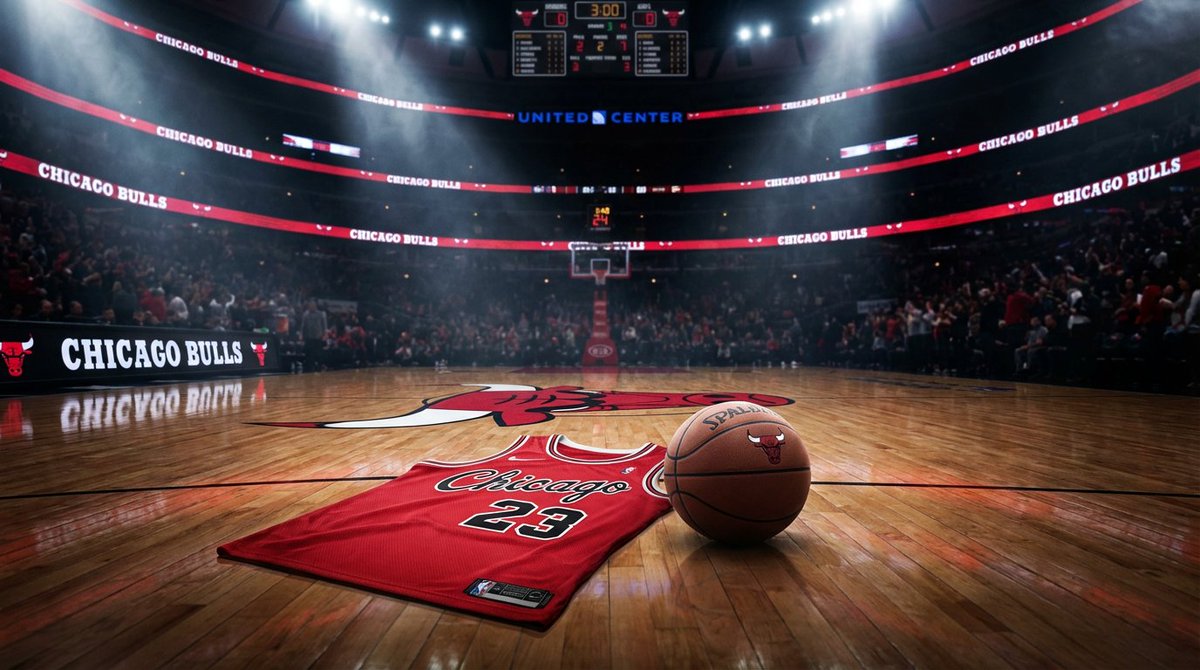
Master Prompt for NBA Finals Arena Promos

Master Prompt for NBA Finals Arena Promos

Master Prompt" using the Nano Banana PRO model that creates elite-tier arena promos. It doesn't just put a logo on a court; it captures the electric pre-game energy of any franchise.

Dan-Style Cover Image Prompt

Dan-Style Cover Image Prompt

A highly detailed, professional, and visually striking cover image for a blog post about {argument name="topic" default="AI tools"}. The image should feature a clean, modern design with bold typography and a minimalist color palette, emphasizing {argument name="visual focus" default="technology and innovation"}. Use dramatic, high-contrast lighting and a shallow depth of field to draw attention to the central subject. The style should be photorealistic and cinematic, similar to high-end tech editorial photography. Aspect ratio 16:9.

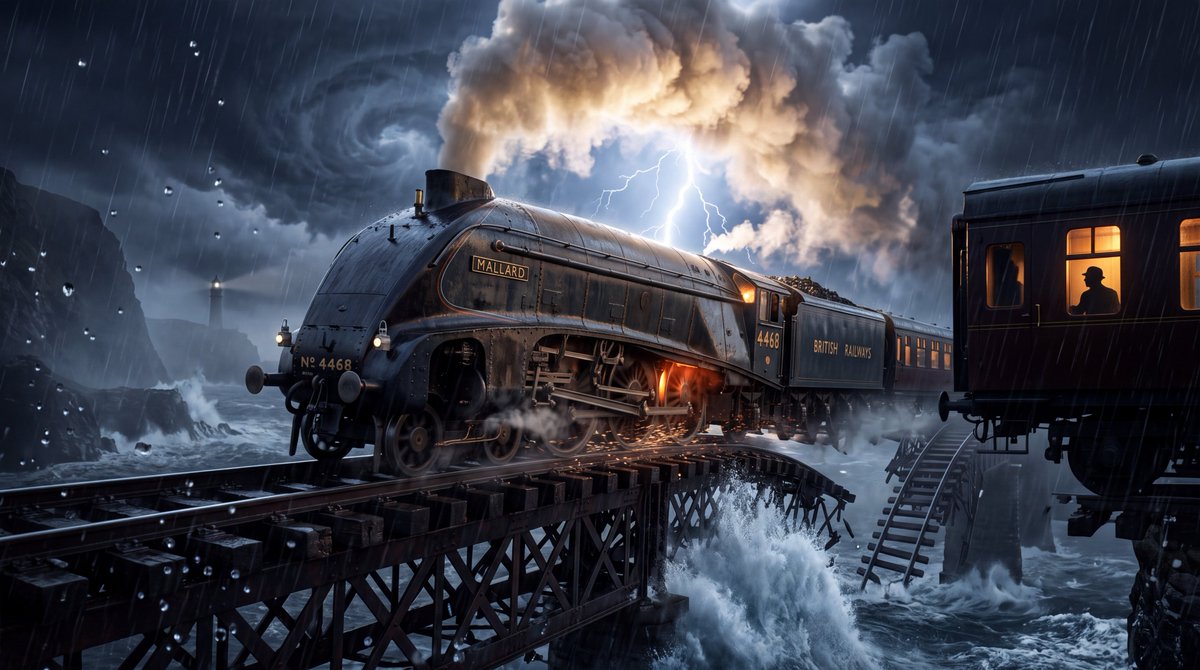
YouTube Thumbnail - Steam Locomotive Collapsing Bridge Storm
Nano Banana Pro

YouTube Thumbnail - Steam Locomotive Collapsing Bridge Storm

Ultra-realistic cinematic 4K image of a {argument name="locomotive" default="colossal vintage steam locomotive racing across an enormous collapsing railway bridge"} above a violent ocean during a {argument name="weather" default="supernatural-looking but physically grounded thunderstorm"}. The train is captured at the exact moment a massive wave crashes against the bridge far below, while lightning illuminates the entire scene. Hundreds of rain droplets freeze sharply in the foreground, reflecting tiny fragments of light. The locomotive is incredibly detailed: weathered black steel, polished brass components, glowing furnace light, realistic steam escaping from valves, wet metallic surfaces, spinning wheels throwing water and sparks against the rails. The environment is breathtaking and immense: towering dark cliffs disappearing into storm clouds, a distant lighthouse barely visible through heavy rain, enormous waves exploding against rocks, dramatic clouds spiraling across the sky, mist flowing beneath the bridge, broken sections of railway disappearing into the distance. A {argument name="mystery detail" default="lone passenger silhouette is visible through one warmly illuminated train window"}, creating mystery and emotional storytelling. Composition uses an extreme low-angle perspective from beside the railway tracks, making the locomotive feel enormous and powerful. Strong leading lines from the rails pull the eye directly toward the train. Lightning provides dramatic backlighting and creates a brilliant rim around the locomotive and steam. Warm interior light contrasts naturally against the cold storm atmosphere. Photorealistic materials, physically accurate reflections, realistic rain behavior, atmospheric perspective, volumetric mist, cinematic depth of field, subtle motion blur on the wheels while the locomotive remains razor sharp, HDR lighting, natural film grain, incredible micro-details, realistic scale, professional Hollywood cinematography, 35mm anamorphic lens aesthetic, high dynamic range, breathtaking visual storytelling, crystal-clear 4K Ultra HD, no text, no logo, no watermark, no artificial-looking CGI, no cartoon style. The key visual: gigantic train + collapsing bridge + ocean storm + lightning + tiny human silhouette = scale, danger, mystery, and cinematic storytelling in one frame.

@WeWant Mars
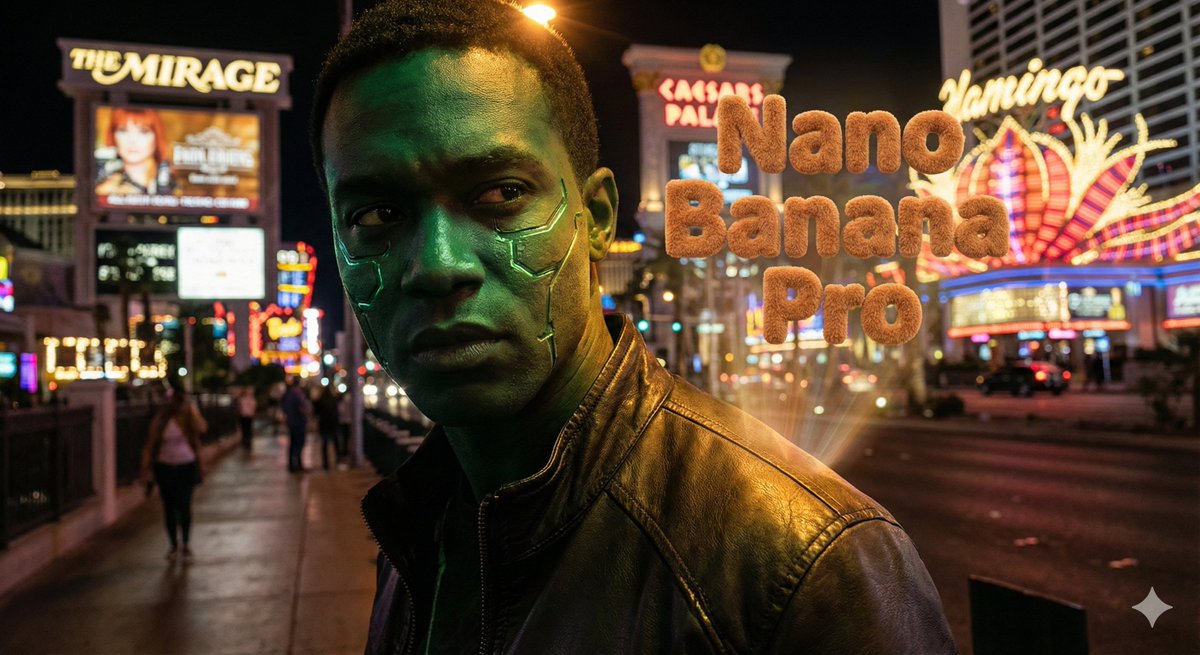
Hyper-realistic portrait with vibrant green skin on the Las Vegas Strip

Hyper-realistic portrait with vibrant green skin on the Las Vegas Strip

Hyper-realistic portrait of a main character with vibrant green skin, standing in front of the Las Vegas Strip at night with neon lights, casinos, and glowing signs in the background. Cinematic lighting on the face, deep shadows, crisp details, slight lens bloom from the Vegas lights, shallow depth of field. Add the text “{argument name="model's name" default="[model's name]"}” with 3D teddy bear texture typography integrated into the scene.

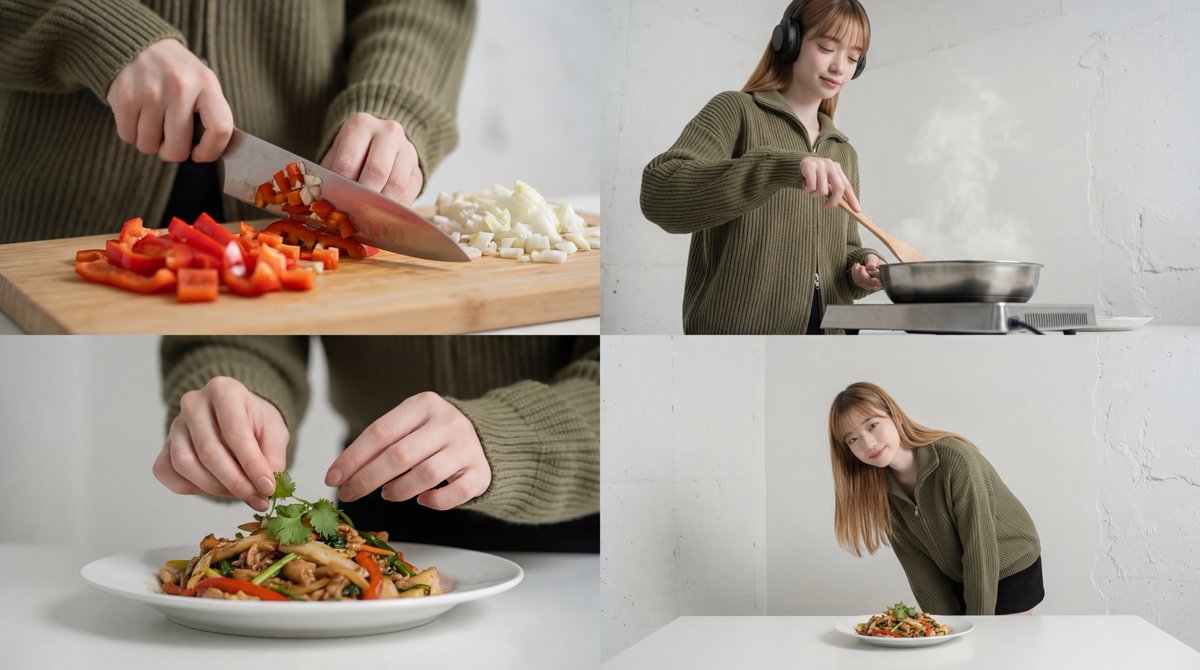
Cinematic Food Short Video Prompt (Summary)

Cinematic Food Short Video Prompt (Summary)

A cinematic food short video composed of 4 cuts, emphasizing warm lighting and ASMR sound. It smoothly transitions from rhythmic ingredient cuts captured with a macro lens to a slow-motion frying scene. Shallow depth of field is used to depict cute hand plating, concluding with the finished dish and the lingering feeling of the meal. Utilizing match cuts and motion blur to create an immersive experience where sight and sound seamlessly connect.

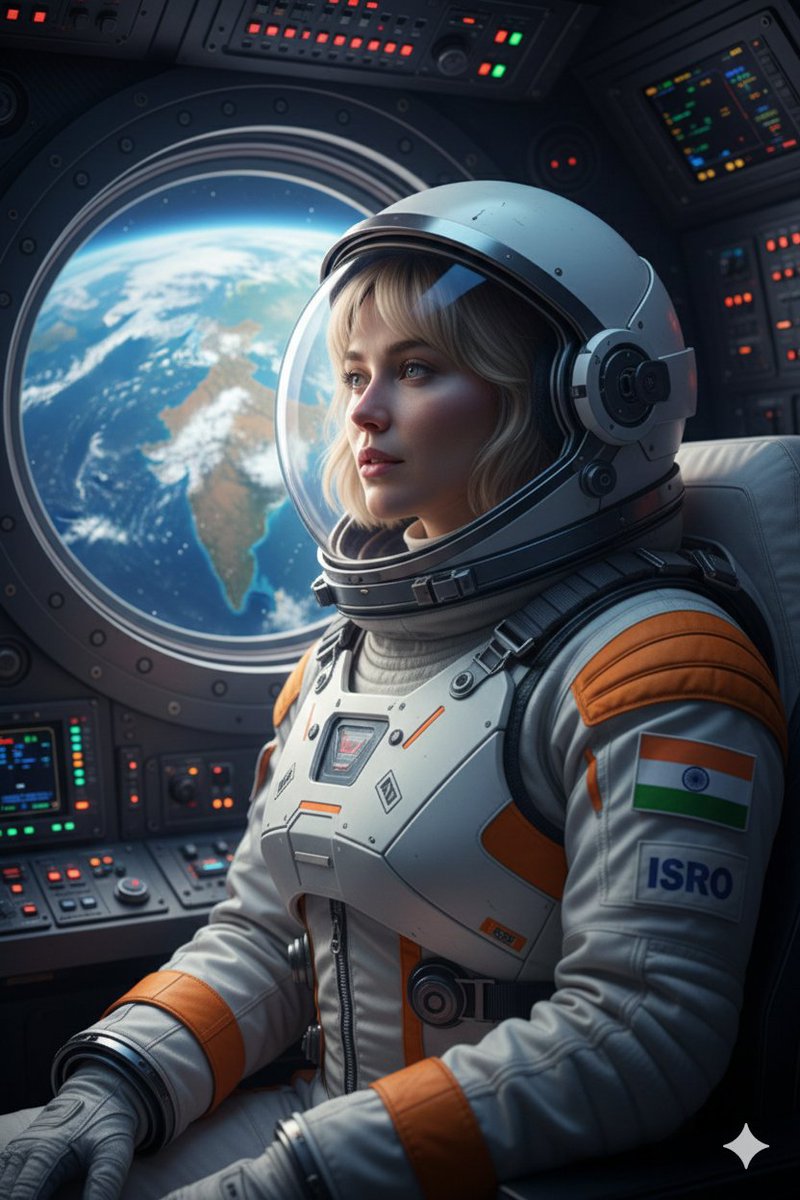
Cinematic Portrait of Indian Astronaut in ISRO Spacesuit

Cinematic Portrait of Indian Astronaut in ISRO Spacesuit

Create an ultra-realistic 8K cinematic portrait of an astronaut inside an Indian spacecraft, looking out of the circular window at the Earth below, with the Indian subcontinent clearly visible. wearing a modern white and saffron ISRO spacesuit with the Indian flag emblem on the shoulder. Expression is one of awe and quiet pride. The soft blue light from the Earth illuminates the face, while the complex buttons and screens of the cockpit glow faintly in the background. The mood is patriotic, futuristic, and deeply inspiring.Keep face and features exactly the same.

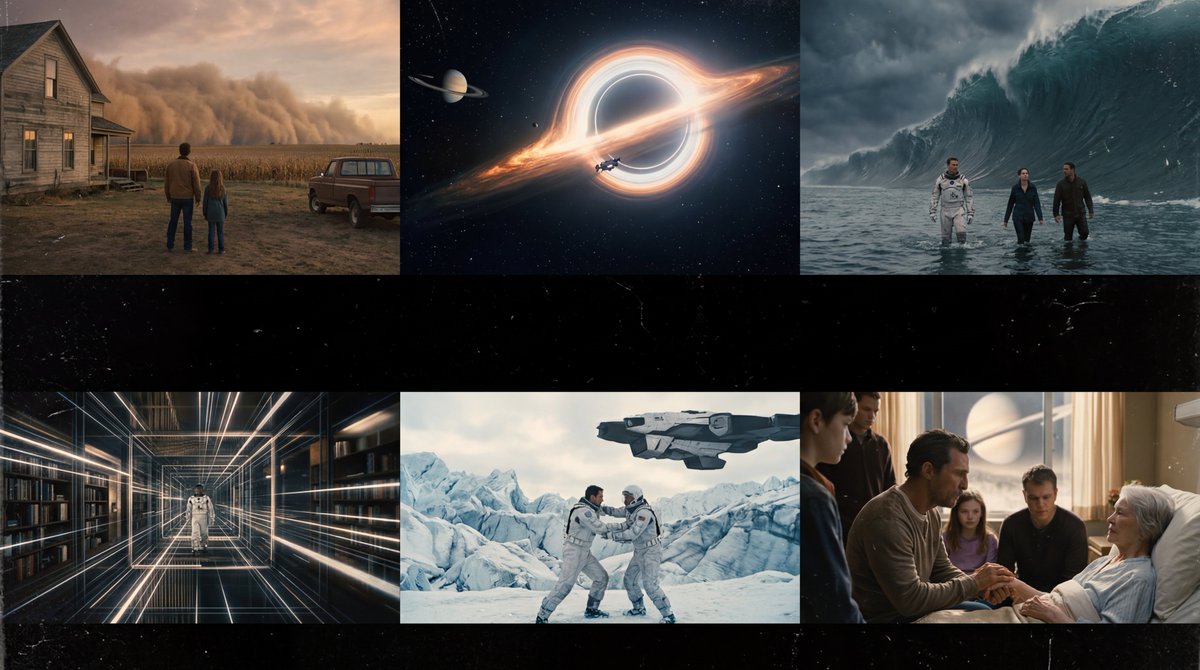
Interstellar-Inspired Cinematic Film Stills Prompt

Interstellar-Inspired Cinematic Film Stills Prompt

Create cinematic, ultra-realistic film stills inspired by Interstellar (Christopher Nolan vibe). Look like real movie screenshots with consistent color grading, Output as an aesthetic storyboard: visually cohesive, no text

Cinematic Alpine Travel Scene with Zootopia Characters Prompt

Cinematic Alpine Travel Scene with Zootopia Characters Prompt

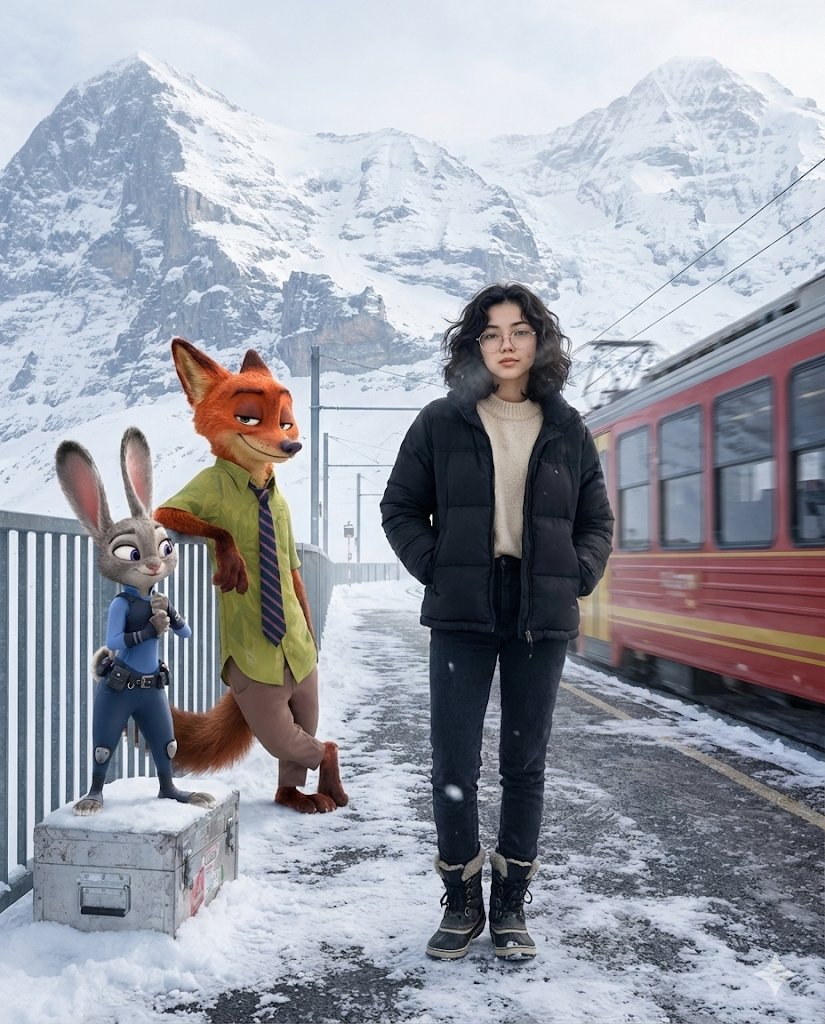
A cinematic winter travel moment set at a quiet Alpine mountain station just after snowfall. A young woman stands near the edge of a snow-dusted platform, wearing a matte black puffer jacket layered over a soft neutral sweater, dark winter jeans, and insulated boots. Her posture is relaxed and confident, hands tucked into her jacket pockets, breath faintly visible in the cold air. She has a calm, self-assured expression with natural, realistic skin texture and subtle winter glow. Beside her, {argument name="character 1" default="Nick Wilde from Zootopia"} leans casually against a metal railing, arms loosely folded, wearing his signature green shirt and striped tie, giving a knowing side-smirk as if mid-conversation. A few steps away, {argument name="character 2" default="Judy Hopps"} stands atop a snow-covered luggage crate, adjusting her blue police uniform with an upbeat, alert expression, ears slightly raised and lively. In the background, towering snow-covered Alpine peaks fade into a soft atmospheric haze. A red mountain train slowly departs the station, creating gentle motion blur and a sense of quiet journey. Cold winter daylight with soft, diffused lighting reflecting off the snow, realistic grounded shadows, ultra-detailed textures, crisp winter air, and cinematic depth of field. Photorealistic female subject seamlessly blended with high-quality animated characters. Travel-film aesthetic, emotionally warm yet minimal, high resolution, 4:5 aspect ratio.

AI Video Generation Prompt for Flying Superhero

AI Video Generation Prompt for Flying Superhero

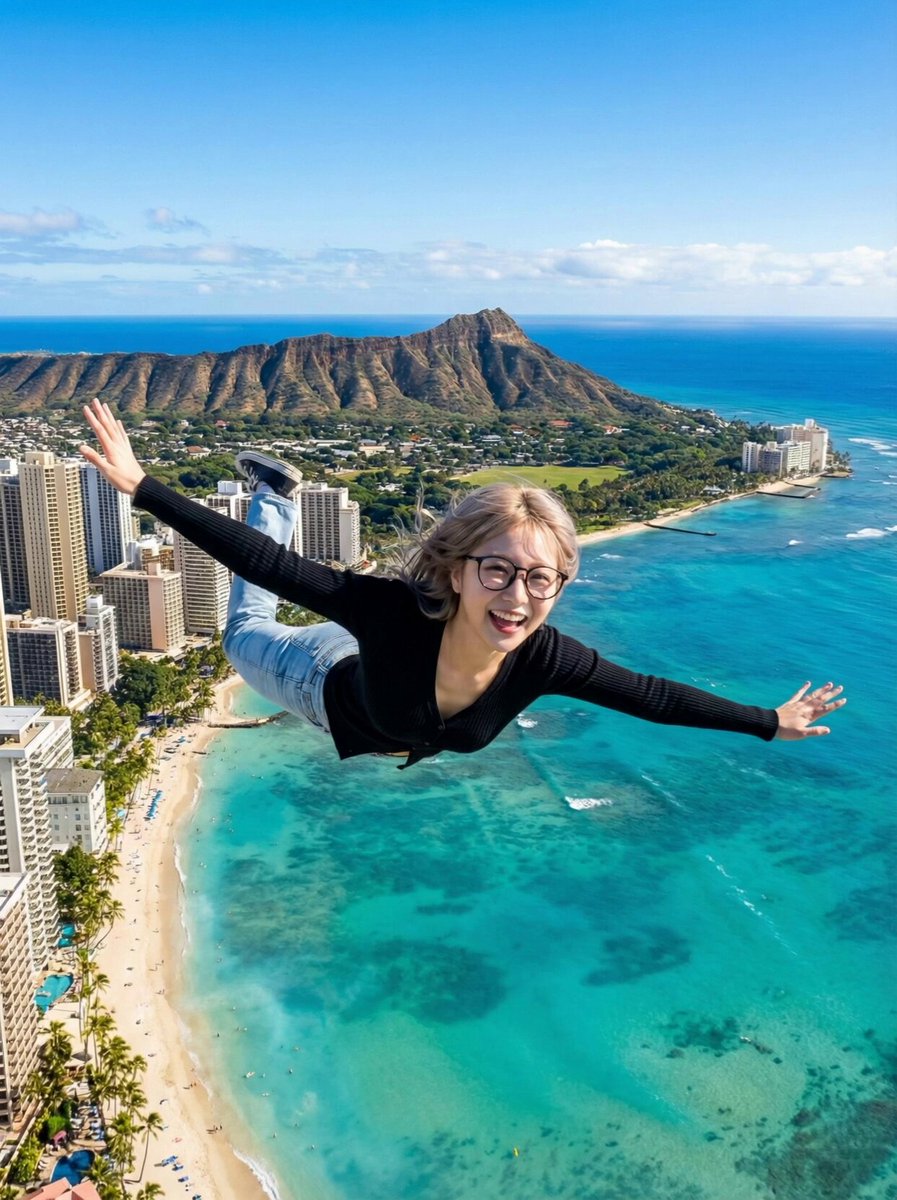
Scene: High altitude above Waikiki Beach, Hawaii. Sunny day. Action: The woman is flying forward at high speed (Superman pose). Her hair and clothes flap violently in the strong wind. She looks excited and shouts to the camera. Audio: Energetic female voice shouting in Chinese over the wind noise: "{argument name="Chinese Dialogue" default="Brothers, I can fly now! I can go anywhere I want!"}" (Xiongdi men, wo xianzai keyi fei le! Xiang qu nali jiu qu nali!). Loud wind rushing sound (Whoosh). Camera: Tracking Shot / Dolly Forward. The camera follows her at the same speed. The background city and ocean move backwards rapidly to show speed.

Some prompts are collected from creators on X. Copyright belongs to the original authors.