Kenerate AI

提示词库

AI 提示词库

汇集全球创作者的精选图像、视频与建站提示词。复制任意一条,替换主体或风格,即可用最新模型生成。

15,630 条提示词 · 每日更新 · 完全免费

共 599 条

Encyclopedic 3D Infographic Evolution Chart

Encyclopedic 3D Infographic Evolution Chart

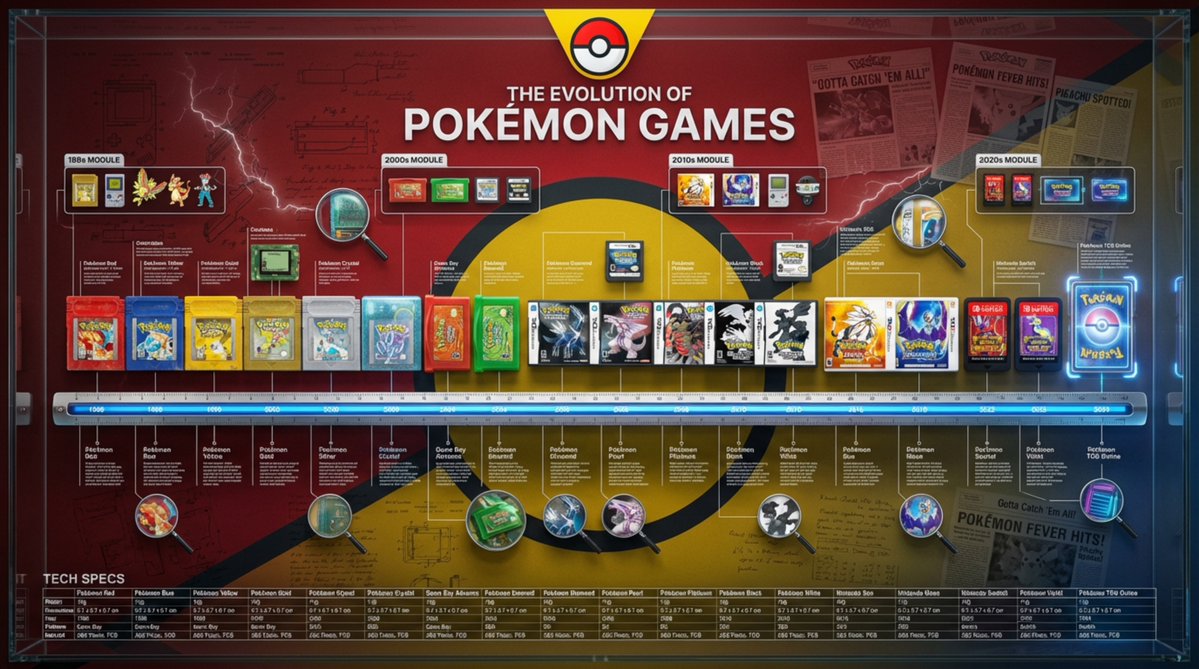
Role and Subject: A massive, encyclopedic 3D infographic poster with a 16:9 ratio. Title: “THE EVOLUTION OF {argument name="product name" default="[Product Name]"}”. The visual style is a high-end fusion of museum-quality product photography and complex technical blueprints. Core Lineup (Chronology): Arrange 8–12 historical versions of the {argument name="product name 2" default="[Product Name]"}, from the first prototype to the latest future model, completely and linearly. They are precisely positioned on a measuring scale/ruler base running horizontally across the center. Rendering: Ultra-realistic 3D, 8K resolution. Emphasize the evolution of texture: contrast the aging of the early {argument name="material atmosphere" default="[Material Atmosphere]"} with the clean, high-tech finish of the modern versions. Brand Atmosphere (Canvas): Background: A deep, rich [Brand Color] textured background. Overlaid with watermarks of low-opacity vintage patent drawings, handwritten engineering notes, and newspaper clippings related to the brand's history. Header: A prominent, high-contrast brand logo centered at the top, with the title displayed in bold typography. “Ultra-Dense” Information Layer (Punch Style): The layout is overwhelmed with systematized information (creating a “data aesthetic” look): High-Density Annotation Network: Hundreds of ultra-fine white hairlines connecting specific [Key Components] (e.g., curves, buttons, engines) to compact text blocks or data tables floating in space. Contextual Zones: “Era Modules” floating above the product. Representing different historical decades with iconographic markers. Magnified Inserts: Circular “zoom-in” lenses scattered in empty spaces. Showing extreme macro close-ups of texture details or internal mechanisms. Technical Specification Strip: A structured data bar placed at the bottom. Listing precise specifications (weight, dimensions, year, material code). Technical Specifications: Octane render, Unreal Engine 5 aesthetic, editorial layout, masterpiece of information design, volumetric lighting, sharp focus, professional color grading. --ar 16:9 --v 6.0 --stylize 300 (Reference style: The history of Coca-Cola's development)
Watercolor Culinary Travel Diary Illustration

Watercolor Culinary Travel Diary Illustration

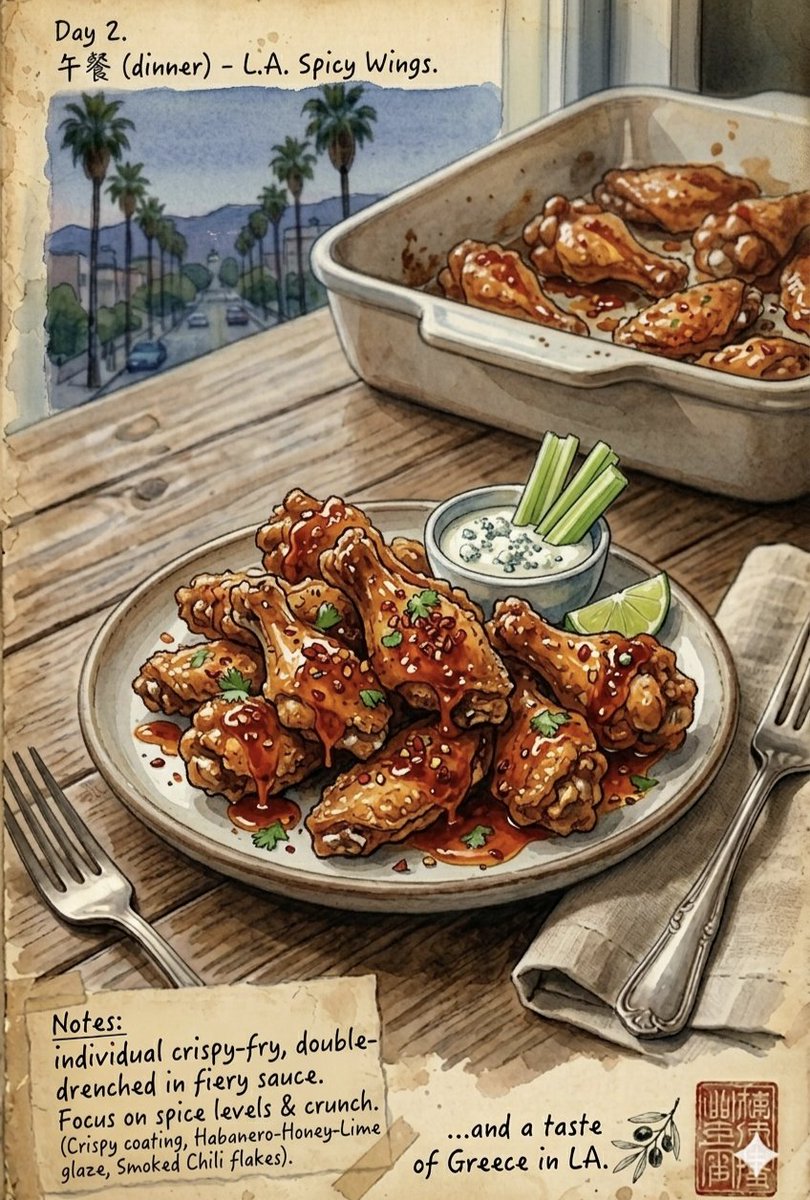
A beautifully detailed watercolor and ink journal illustration capturing a culinary travel diary titled "...and a taste of Greece in {argument name="location" default="LA"}." The scene is set on a rustic wooden table by a window overlooking a classic Los Angeles street lined with tall palm trees stretching into distant hazy mountains. The layout features a masterfully plated dish in the foreground on a ceramic plate flanked by a vintage fork and cloth napkin, with a larger baking pan of the same food resting just behind it. In the corners, there are taped-down parchment paper scraps with handwritten notes detailing the recipe layers, along with elegant Chinese calligraphy and a stamped seal. The artwork blends a warm, nostalgic paper texture with vibrant, glossy food rendering, creating a cozy and mouthwatering atmosphere that transitions from a "Day 1 (lunch) {argument name="dish one" default="Spicy L.A. Burger"}" layered with melting pepper jack, chili patty, jalapeños, and dripping chili oil on a brioche bun, to a "Day 2 (dinner) {argument name="dish two" default="L.A. Spicy Wings"}" showcasing crispy-fried, double-drenched chicken wings glistening in a habanero-honey-lime glaze, topped with smoked chili flakes and served with a side of creamy blue cheese dip and celery sticks.

Minimalist Plasma Core Data Sheet

Minimalist Plasma Core Data Sheet

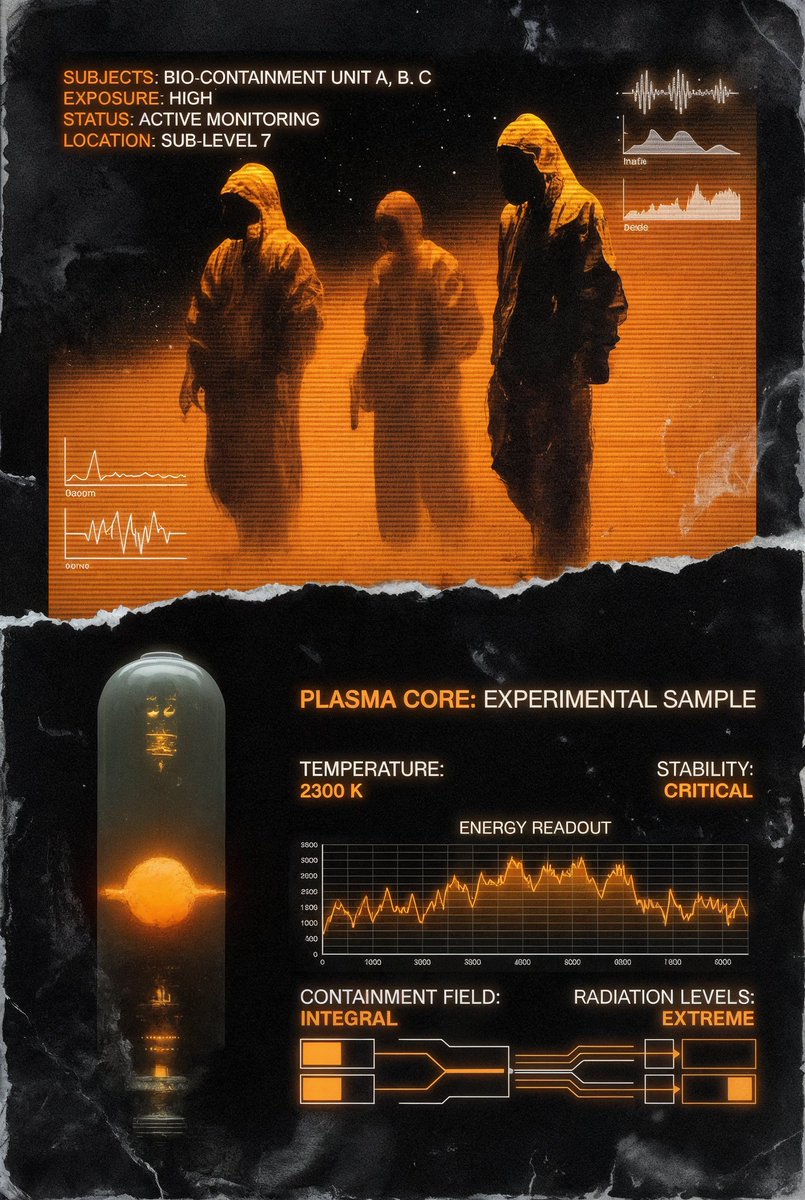
In the same image style, create a minimalist segmented experimental 'plasma core' data sheet using the attached images, with data readings, artistic segmentation.

Technical Schematic Overlay Prompt

Technical Schematic Overlay Prompt

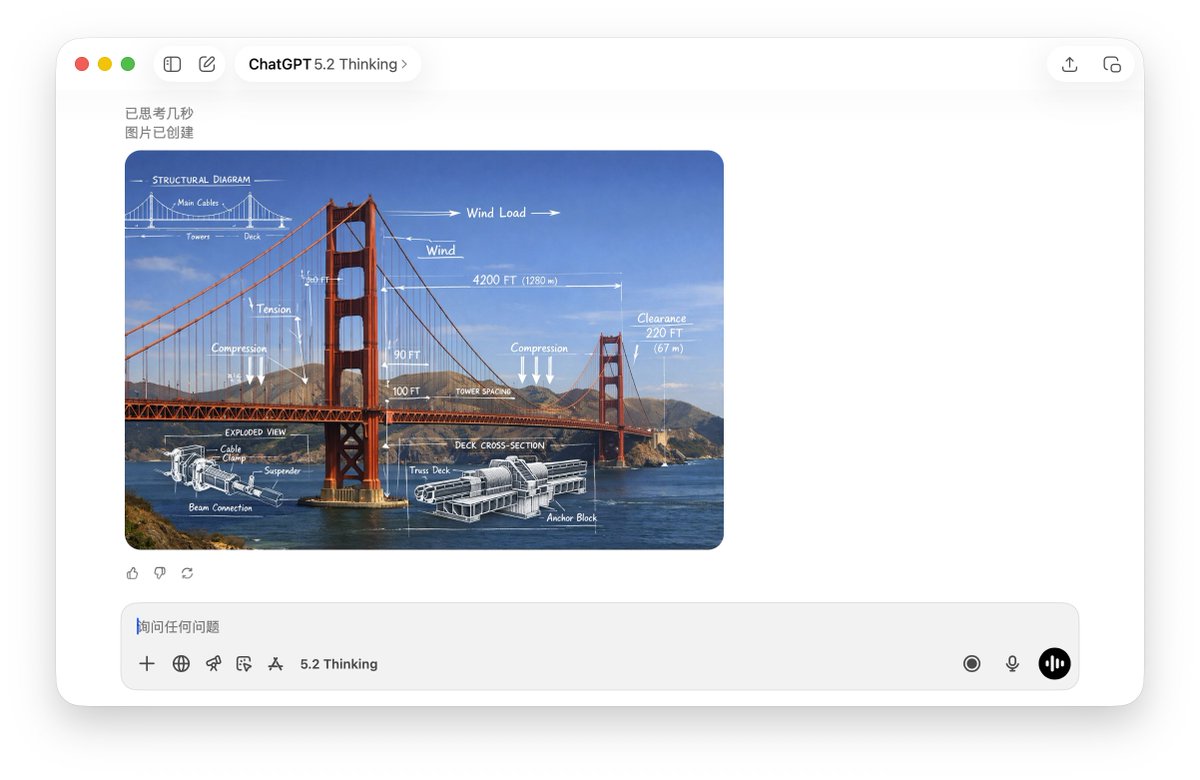
A high-resolution, realistic photograph of {argument name="subject" default="Golden Gate Bridge"}. The image features a mixed-media overlay of white, hand-drawn technical schematics and engineering diagrams superimposed on the subject. Elements include dimension lines, arrows indicating movement or force, text labels, and a cross-section detail. The aesthetic is an educational infographic, blending real-world photography with precise white chalk-style technical analysis, 4k resolution.

Side-by-Side Architectural Comparison of Hagia Sophia

Side-by-Side Architectural Comparison of Hagia Sophia

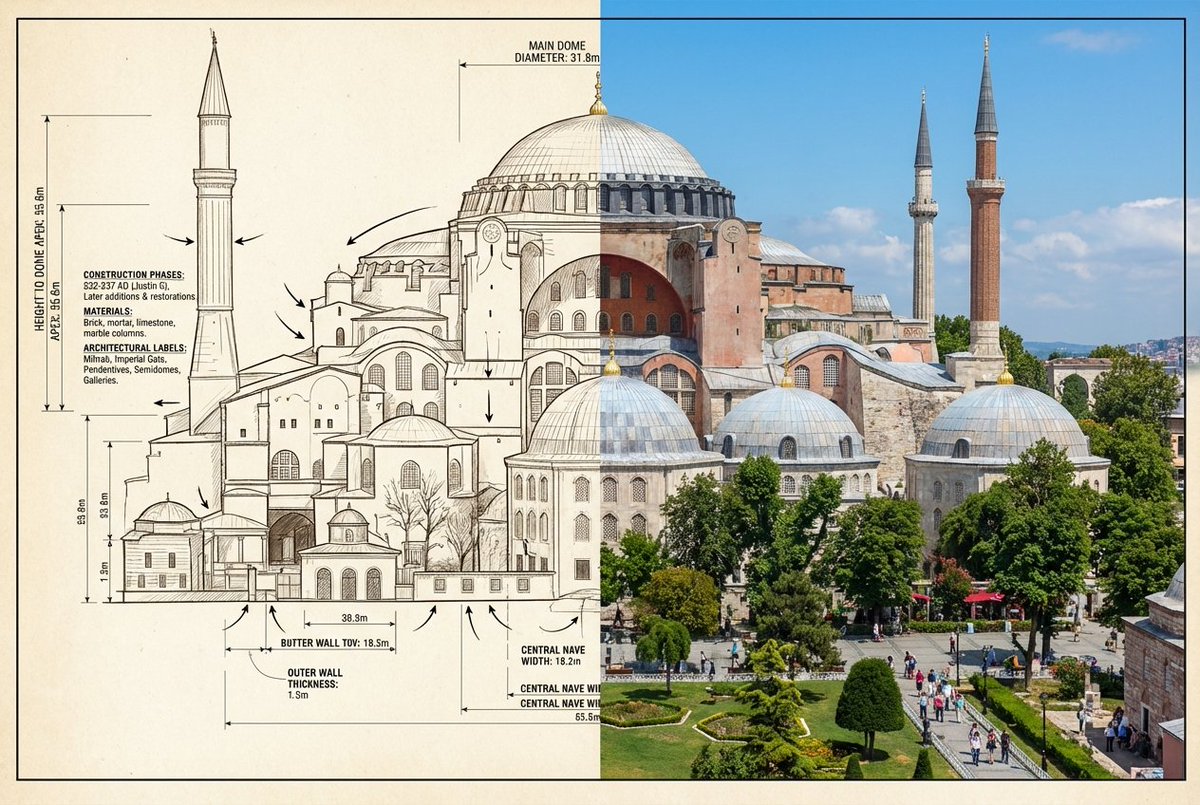
{ "objective": "Create a side-by-side visual comparison ofHagia Sophia, featuring a technical architectural sketch and a real-life photograph", "image_specifications": { "style": "Mixed media (Architectural drawing + Real photography)", "layout": "2-part horizontal split", "aspect_ratio": "3:2" }, "left_side": { "content_type": "Technical sketch or blueprint of the selected World Wonder", "features": [ "Accurate structural proportions", "Labeled dimensions depth", "Architectural elevation views or cutaways", "Text annotations in native or English language" ], "text_annotations": { "units": "Metric or imperial, based on region", "details": [ "Construction phases", "Material notes", "Architectural labels" ], "font_style": "Engineering or blueprint-styled text" }, "visual_style": "Monochrome, line art, or sepia blueprint", "positioning": "Left half of the image" }, "right_side": { "content_type": "High-resolution real-world image of the selected World Wonder", "features": [ "Wide-angle view or frontal perspective", "Natural or ambient lighting", "Color photo with environment context surroundings" ], "positioning": "Right half of the image" }, "visual_elements": { "border_division": "Clean vertical split or blended transition", "comparison_focus": "Contrast between design concept and real-world result" }, "output_format": { "type": "Image", "high_resolution": true, "use_case": [ "Educational poster", "Architectural showcase", "Tourist guide", "Infographic series" ] }, ]

Scientific Ultra-Macro Insect Capture Prompt

Scientific Ultra-Macro Insect Capture Prompt

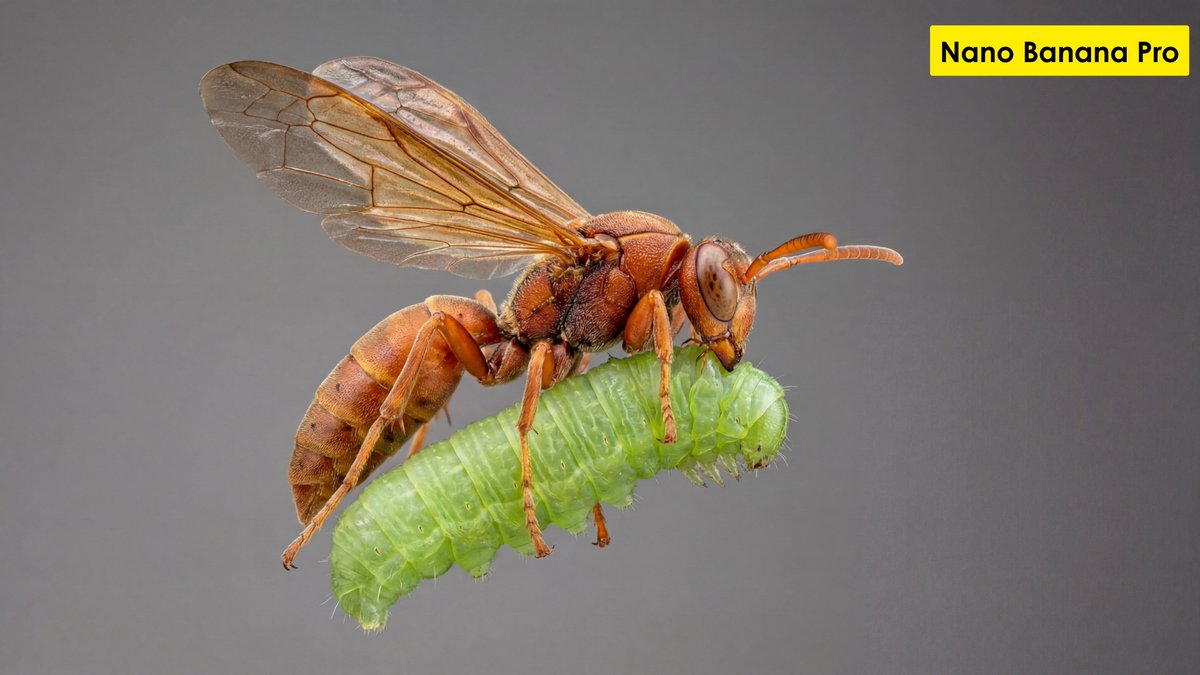
"[GOAL] Hyper-realistic ultra-macro insect capture in mid-air [SUBJECT] predatory wasp carrying a bright green caterpillar [POSE/STATE] wings stretched mid-beat, prey gripped tightly, both suspended in motion [FRAMING] full-body insect profile, isolated; subject centered with generous negative space [LENS] apochromatic macro 100mm, 2:1 magnification [APERTURE] f/11 deep global sharpness [SHUTTER] 1/8000 freeze-motion [LIGHTING] cross-polarized dual-diffused flash; wrap-around softbox; specular-suppression; rim accent camera-right 10° [COLOR] natural crimson-amber chitin; neon-green larvae tones; neutral matte background gradient [MATERIALS] chitin texture with micro-pitting; translucent wing membranes with vein fidelity; caterpillar skin with SSS and fine ridges [FX] none; zero motion blur; no halos; no glow [DOF] deep-plane focus stacked (40+ slices) [ENV/BG] seamless monotone backdrop, soft bokeh compression, no environmental clutter [RENDER] scientific-macro discipline; entomology documentation realism [POST] deconvolution sharpening; chromatic-aberration removal; micro-contrast S-curve; artifact-free edges; grain <3% [CONSTRAINTS] AR 16:9; forbid stylization, color bleed, softness, fictional anatomy"

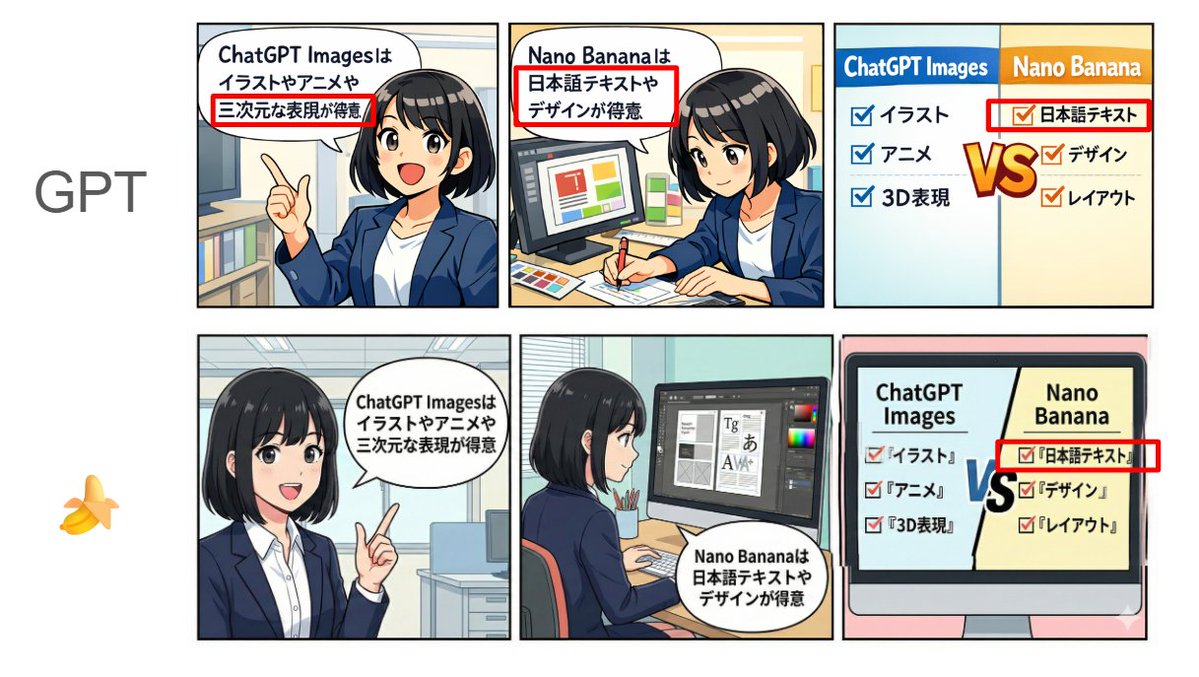
Japanese Text and Layout Comparison Prompt (3-Panel Manga)

Japanese Text and Layout Comparison Prompt (3-Panel Manga)

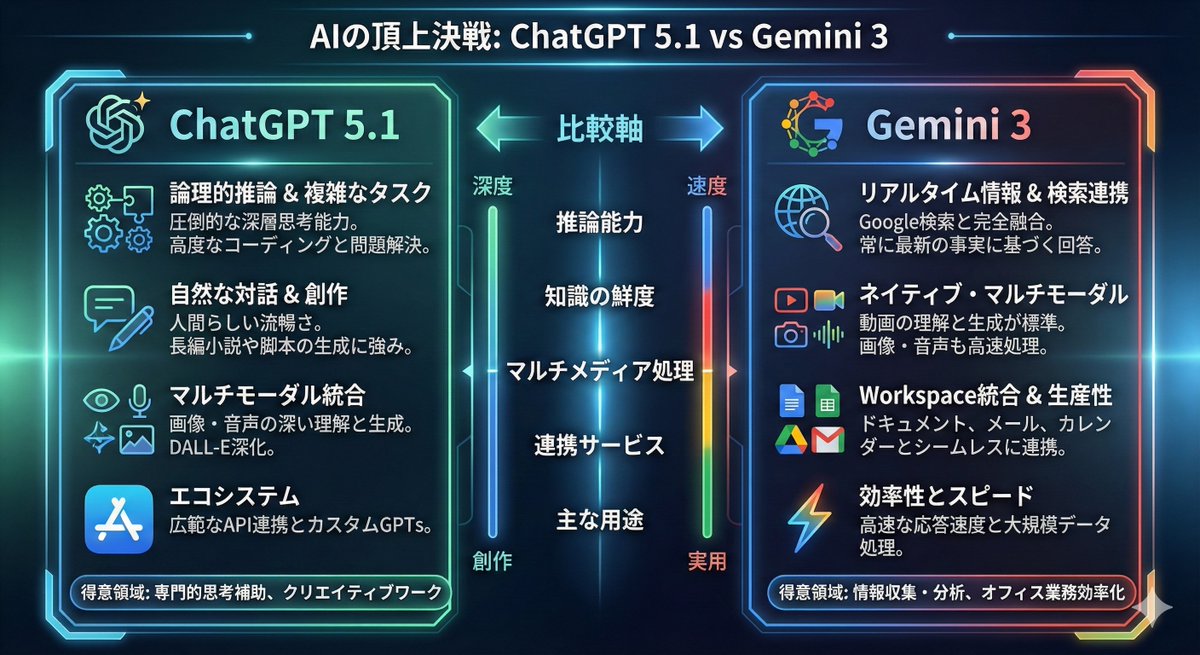
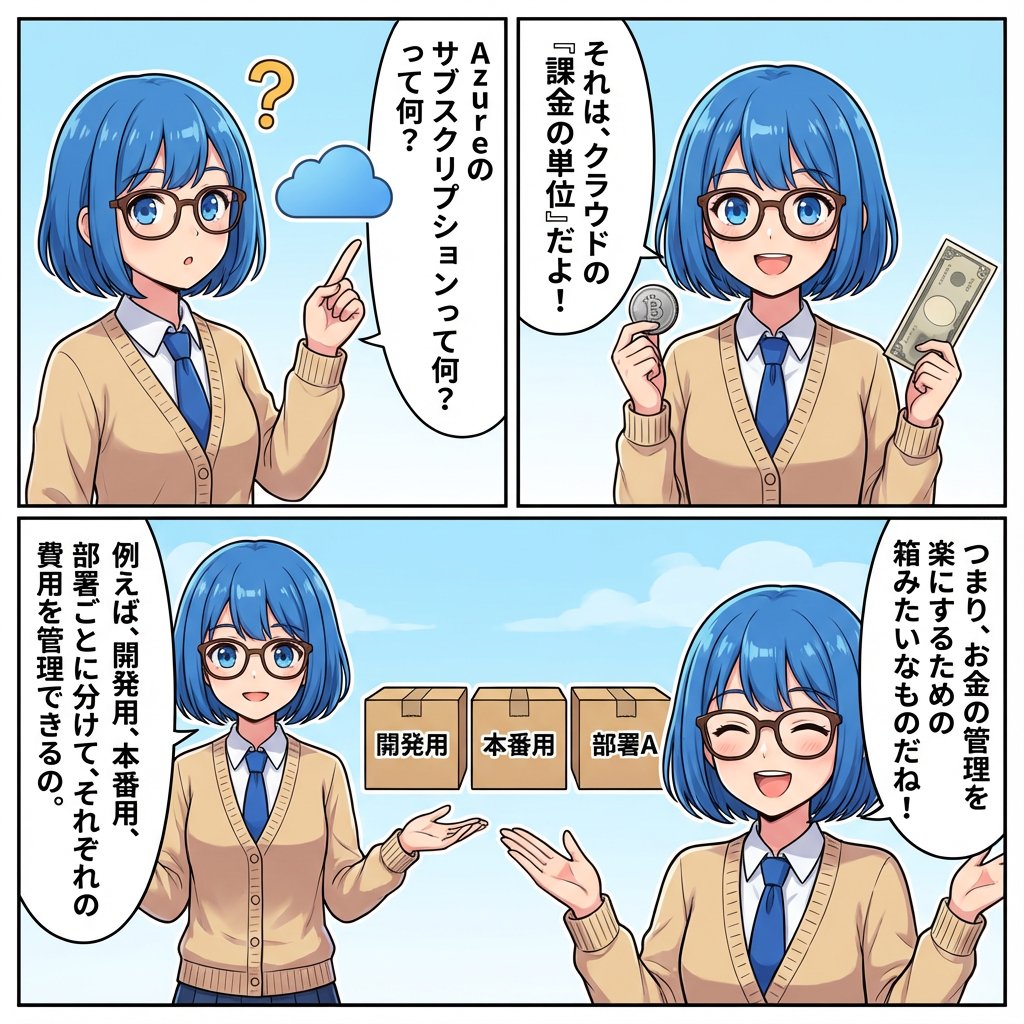
[Format] Horizontal 3-panel manga (left to right). Anime style + pop. Bright color scheme. Clean lines. Simple office background. [Characters] Emma (20s female, black bob, white shirt + navy jacket, expressive face). Consistent appearance across all panels. [Text] Japanese text displayed clearly and legibly. No typos, garbled characters, or broken text. Use the following text in the speech bubbles "exactly as written": Panel 1 (Left): Emma is explaining while pointing. Speech bubble text (exact match): "{argument name="Panel 1 Text" default="ChatGPT Images is good at illustrations, anime, and 3D expressions"}" Panel 2 (Center): Emma is doing design work (layout and typesetting). Speech bubble text (exact match): "{argument name="Panel 2 Text" default="Nano Banana is good at Japanese text and design"}" Panel 3 (Right): Comparison panel. Split the screen left/right, with headings "ChatGPT Images" on the left and "Nano Banana" on the right. Include checklists for each (in Japanese, short, and readable). Left (ChatGPT Images): 'Illustration', 'Anime', '3D Expression' Right (Nano Banana): 'Japanese Text', 'Design', 'Layout' Also, place a large "VS" in the center to compare the two compositions. [NG] No unnecessary text, arbitrary English additions, watermarks, signatures, unreadable text, or broken Japanese. [Image Quality] High resolution, sharp, suitable for SNS posting.

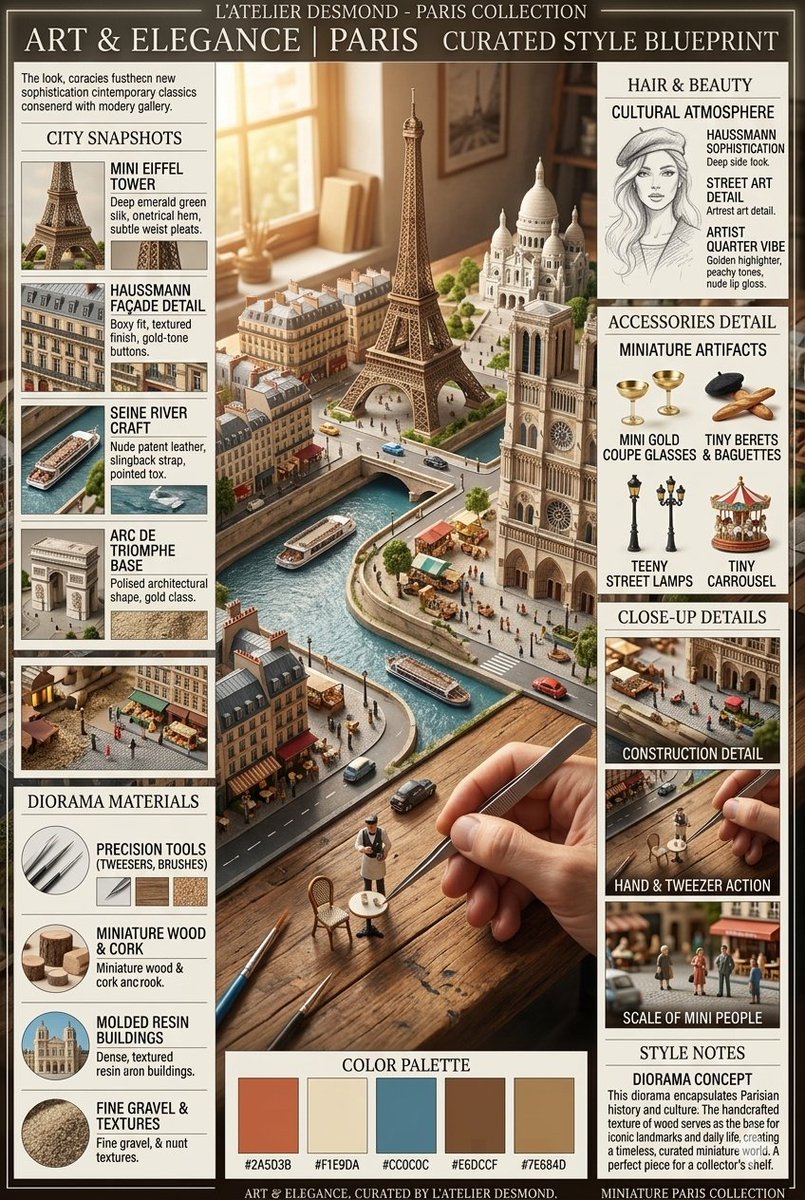
Parisian Diorama Infographic Blueprint

Parisian Diorama Infographic Blueprint

A unique infographic poster prompt showcasing a highly detailed miniature Parisian diorama with material breakdowns, city snapshots, and construction details.

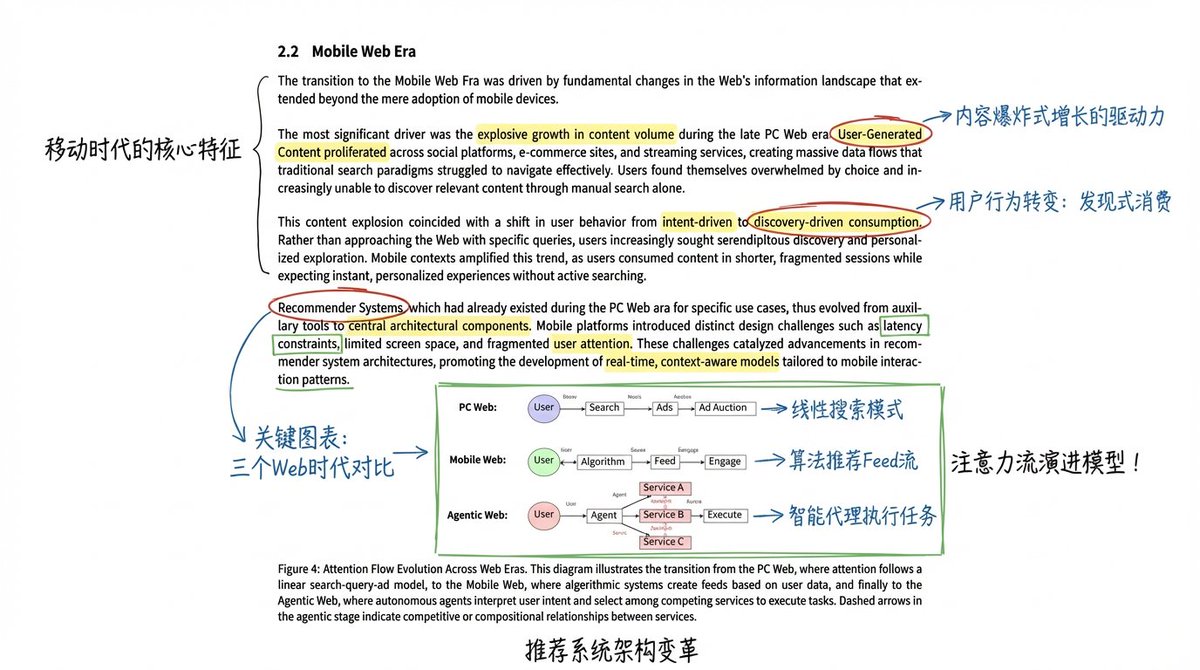
Academic Paper Annotation Prompt

Academic Paper Annotation Prompt

Please assist me in reading this page of the paper by using circles around content, drawing arrows to cite annotations, and using marker highlighters to precisely and deeply annotate important content and images (hand-drawn style)!

Time Progression Image Generation Prompt

Time Progression Image Generation Prompt

Please display the effect for {argument name="time point 1" default="5 minutes ago"}/{argument name="time point 2" default="30 minutes later"}/{argument name="time point 3" default="1 hour later"}/{argument name="time point 4" default="2 hours later"} respectively

信息图 / 教育视觉图 - 物体转建筑提示词
Nano Banana Pro

信息图 / 教育视觉图 - 物体转建筑提示词

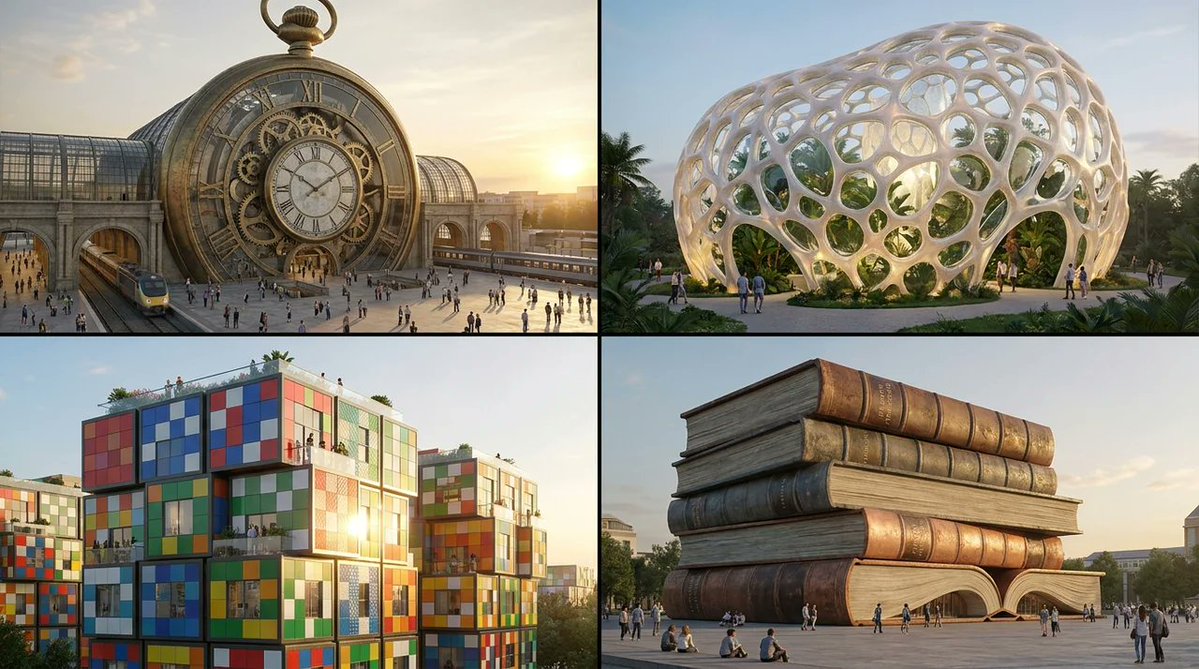
将随机物体转化为建筑。 2x2 网格布局,针对 4 个不同的随机物体执行此操作。概念:将物体转化为可能存在的标志性建筑。 1. 分析输入(体量与结构): 体量:(整体式/碎片化/堆叠式/纤细型) 表面:(反射性/多孔性/层状/图案化) 机制:(静态/动态/模块化) 2. 自动选择建筑类型: 若为整体式 + 石质感 → 博物馆 若为反射性 + 空气动力学造型 → 摩天大楼 若为模块化 + 堆叠式 → 住宅综合体 若为多孔性 + 有机形态 → 植物温室 若为动态 + 机械结构 → 交通枢纽 3. 执行: 黄金时段外观渲染,包含人物以体现比例,使用合理材质,电影感广角镜头。

@Gadgetify
Historical Ingredient Journey Diorama

Historical Ingredient Journey Diorama

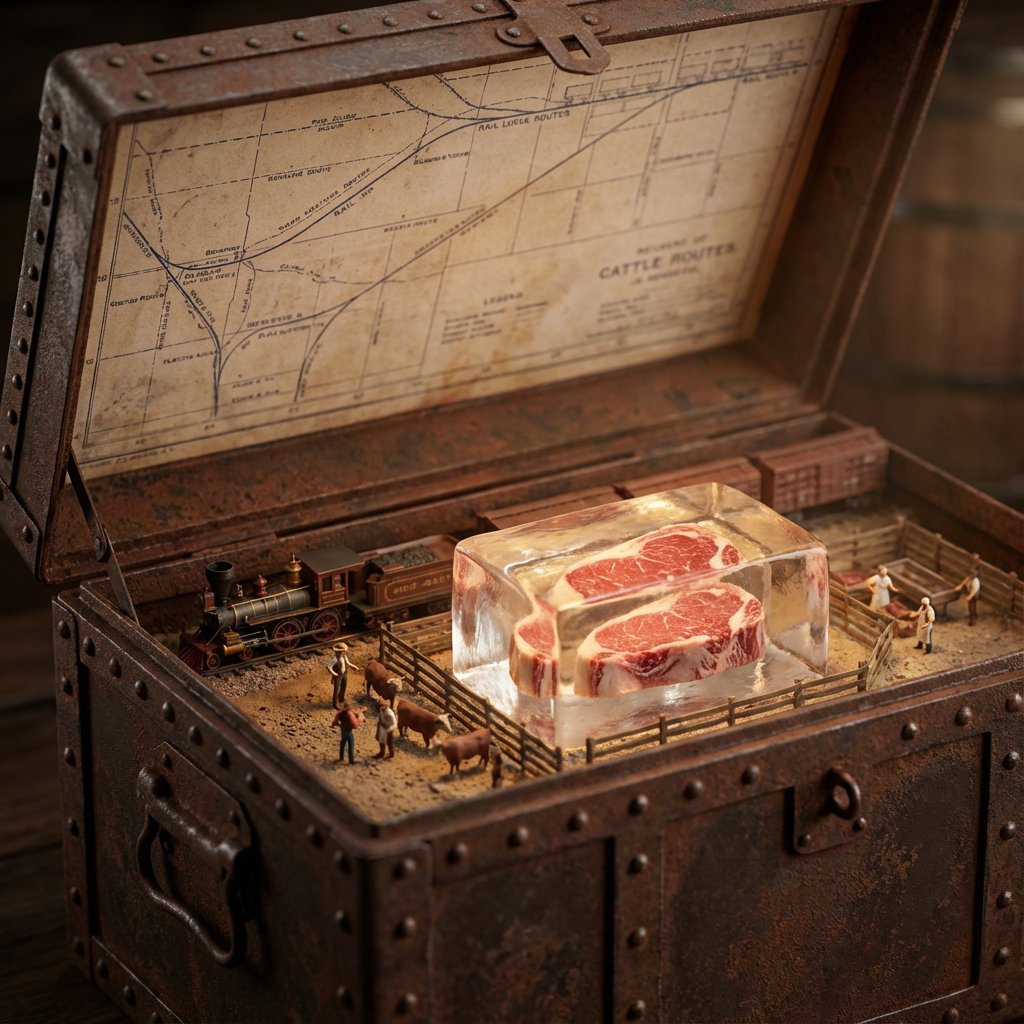
<instructions>Input Variable: {argument name="ingredient" default="INSERT INGREDIENT"} Logic 1. Analyze the Era: Before generating, determine the Golden Age of trade for the [Input]. (Example: Beef = 1880s Industrial Rail; Spices = 1500s Silk Road; Bananas = 1920s Steamships). 2. The Container: The chest material must match the Era. If Industrial: Rusted steel, riveted iron, or branded shipping crate wood. If Ancient: Carved sandalwood, brass-bound oak, or woven reed. If Modern: Polymer, aluminum, or sterile medical glass. 3. The Map (Inner Lid): Style must match the Era. (Blueprints for industrial, parchment for ancient, nautical charts for maritime). Route must be accurate. (Rail lines for beef, trade winds for fruit, caravan trails for spices). 4. The Diorama (Base): Transport: Use only the historically correct vehicle. (Steam train, Cargo ship, Camel, Truck, Ox-cart). Figures: Dress figurines in period-correct attire. (Cowboys/Butchers, Sailors/Dockworkers, Nomads/Merchants). Setting: The background of the box interior must match the source origin. (Stockyards, Tropical Port, Desert Oasis). 5. The Specimen (Center): The ingredient is the "Jewel." Encased in a preservation method distinct to the item. (Block of unmelting ice for meat, vacuum tube for delicate organics, crystal phial for powders, wax seal for liquids). Visual Output Rules: Macro lens, shallow depth of field. Volumetric lighting appropriate to the setting (e.g. sunlight, Lantern). No text overlays. Aspect Ratio 1:1.</instructions>

Universal Pet Feeding Guide Generator

Universal Pet Feeding Guide Generator

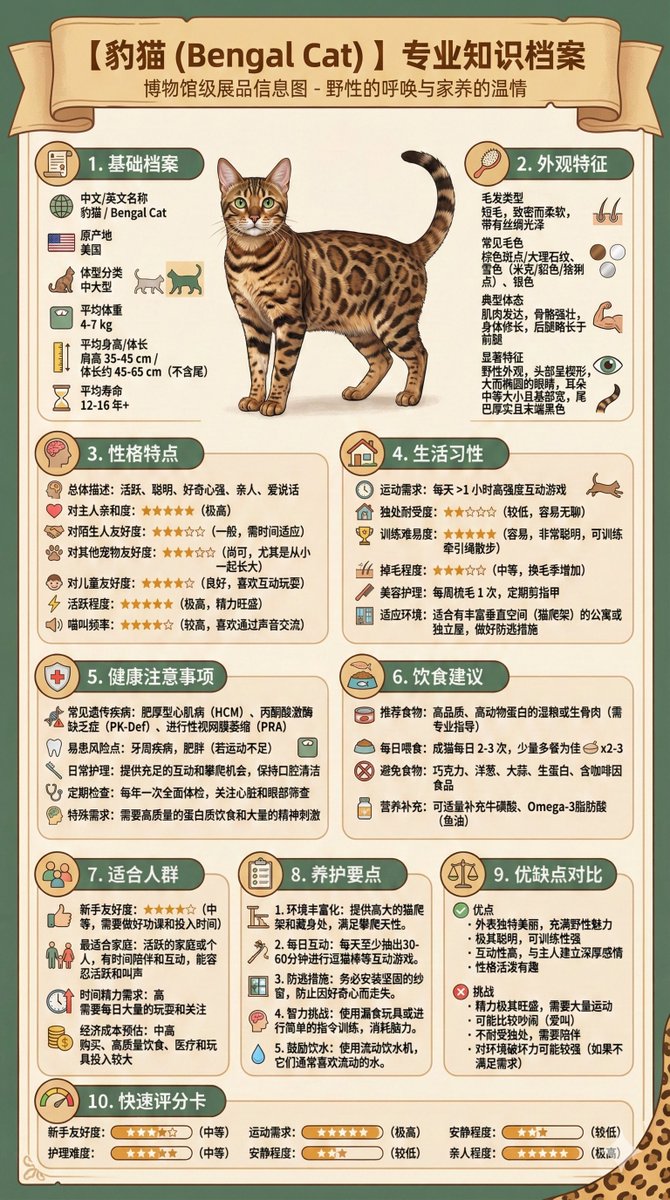
I am considering getting a pet dog but am still struggling to choose a breed. Please help me generate an infographic that centrally displays the characteristics, temperament, common health issues, and feeding guide for the following potential breeds: {argument name="breeds" default="Golden Retriever, Poodle, Corgi"}. The infographic needs to be clear and easy to compare.

Vintage Blueprint Timeline Infographic Poster Prompt

Vintage Blueprint Timeline Infographic Poster Prompt

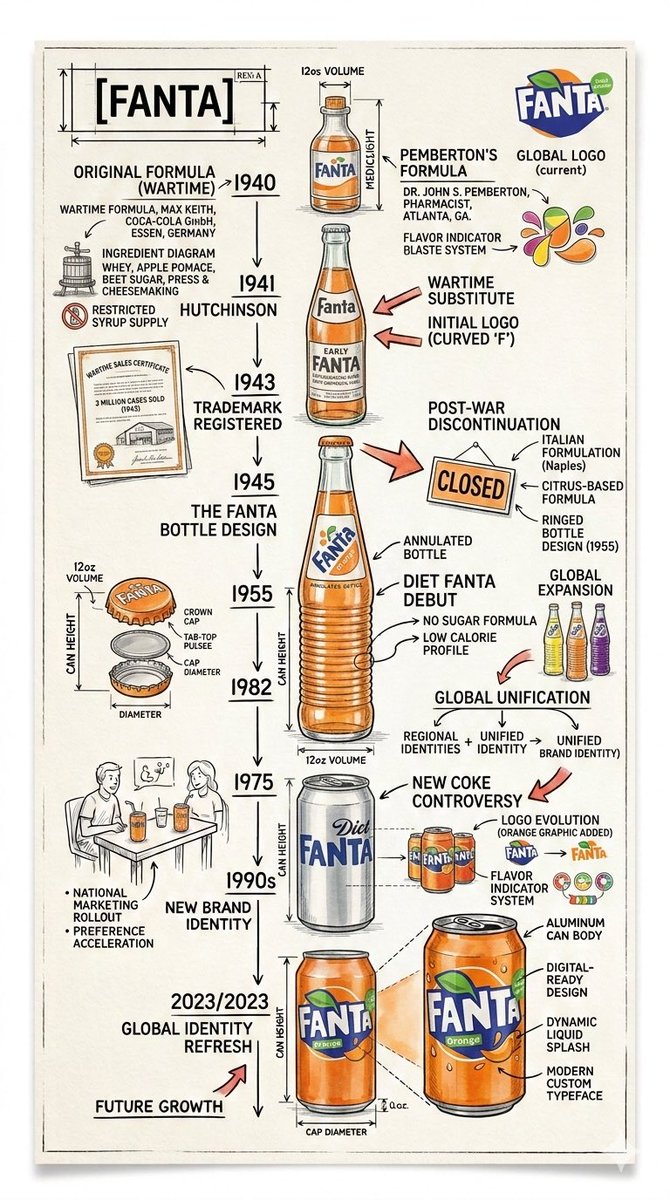
Create a technical infographic of timeline poster of {argument name="product name" default="[PRODUCT NAME]"}. Use sharp ink lines and soft watercolor on textured paper. Feature a central hero illustration with handwritten years, arrows, notes, and small sketches showing design evolution and key milestones. Keep it clean, lively, colourful and strong contrast. Highly detailed, vertical portrait. Visual Concept A realistic photograph or photorealistic render combined with dense technical annotation overlays, exactly like an engineering, Pure white studio background. Title Placement Product name in English , bold font, inside a hand-drawn technical annotation frame (as in engineering blueprints), positioned in the upper corner. Style & Layout • Very high information density • Annotations feel like an engineering / architectural sketch • Black lines — 70–80% of all graphics • Accent {argument name="brand color" default="[BRAND COLOR]"} — 20–30% (arrows, key zones, headings) • The realistic product remains fully readable • Educational, industrial-premium aesthetic • Small brand logo in the corner (in English) Visual Style Minimal technical illustration aesthetic: black linework over realistic imagery, precise, highly detailed, slightly hand-drawn, like professional technical manuals. Color Palette White background Black text and linework {argument name="brand color 2" default="[BRAND COLOR]"} used only for accents Output 9:16 Vertical portrait, 8K, highly detailed, Ultra-crisp image Social-feed optimized No watermark

Cartographer's Crisis Board Visualization

Cartographer's Crisis Board Visualization

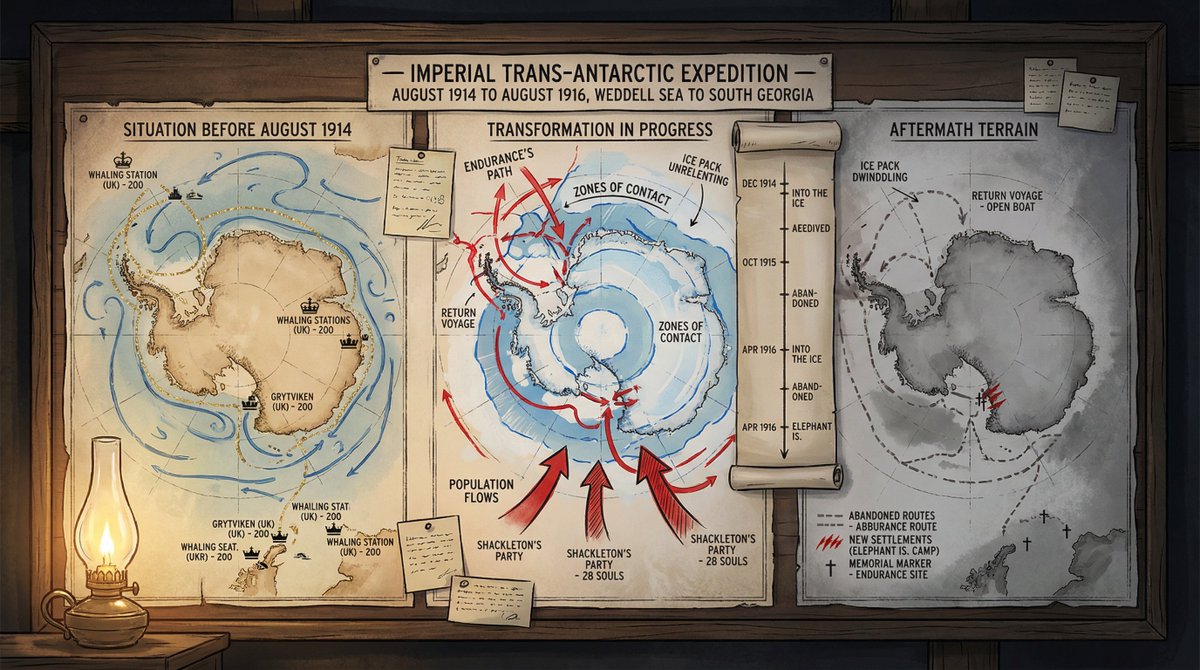
A cartographer's crisis board mapping {argument name="event type" default="CONFLICT"} — {argument name="time and place" default="ERA / REGION"}. Left section: the situation before—peaceful topography, trade routes in gold, settlements marked with period-appropriate symbols, populations annotated. Center section: the transformation in progress—arrows of movement, zones of contact marked in graduated intensity, timeline running vertically with key dates as waypoints, casualty figures or population shifts visualized as proportional flows. Right section: the aftermath terrain—changed borders, abandoned routes, new settlements, memorial markers, the landscape bearing scars of what passed through it. Visual style transitions from pastoral survey calm through urgent wartime graphics to melancholic documentary. Hand-lettered annotations throughout. Title block reading "{argument name="event name" default="EVENT NAME"} — [START DATE] TO [END DATE], [GEOGRAPHIC SCOPE]".

Knolling Flat Lay Product Photography Prompt (Inventions)

Knolling Flat Lay Product Photography Prompt (Inventions)

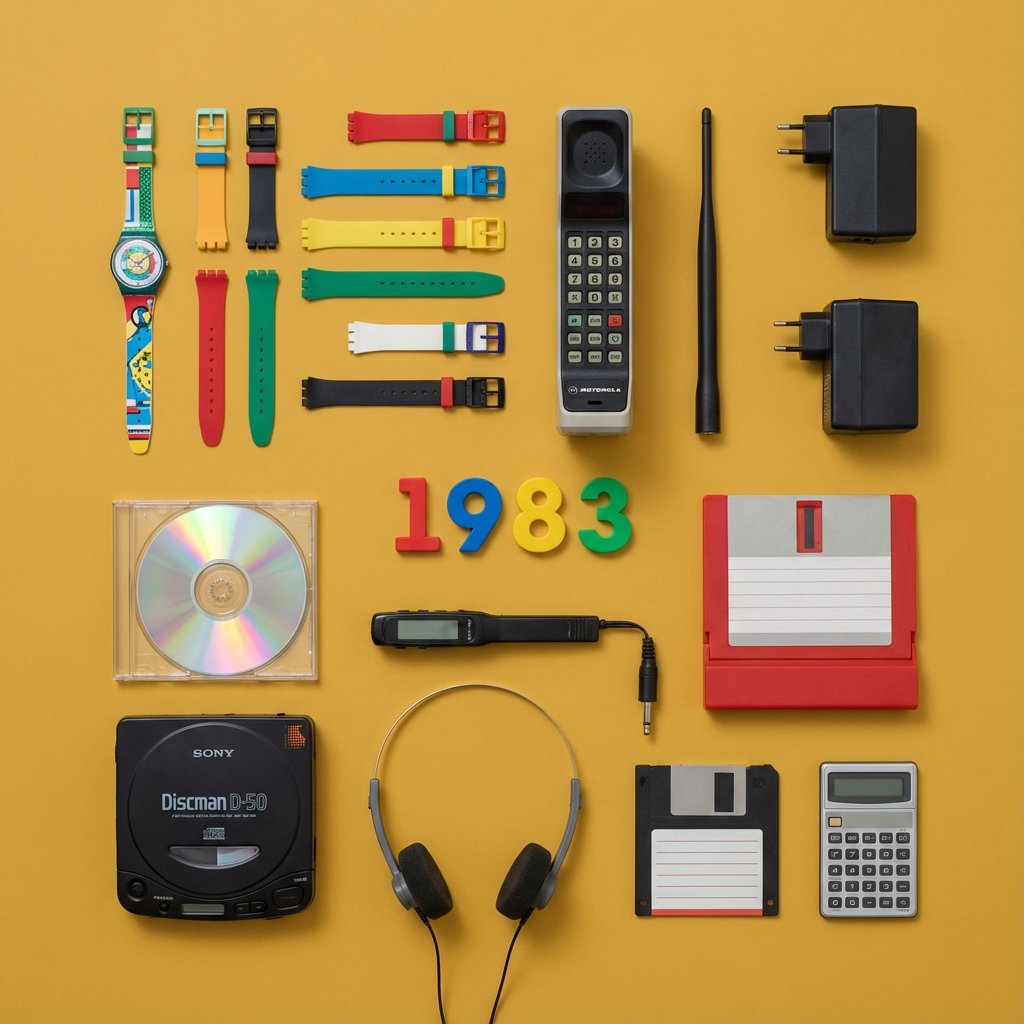
Do this for {argument name="year" default="1983"} > You are a Professional Product Photographer specializing in knolling Flat Lay photography. I will provide a Year or inventor. Step 1: The Selection. > Identify 3 to 5 inventions from that year, plus 5-7 smaller related accessories (e.g., if the invention is a camera, include film rolls; if it's a car part, include a wrench). Step 2: The Layout. Arrange all items on a flat, solid-colored matte background (choose a color that contrasts well with the items). The Grid: Align everything at perfect 90-degree angles. Organize them by size and shape. The Vibe: Deconstructed, organized, satisfying, geometric. The Lighting: Soft, flat, overhead studio lighting (shadowless). Output: A single 4:5 image. The Year (e.g., "1955") should be arranged using physical typography (like metal letters or cut paper) placed in the center of the grid. Style: Wes Anderson symmetry, high-end commercial advertising, vibrant.

Surreal Diorama and Don Quixote Miniature Prompts

Surreal Diorama and Don Quixote Miniature Prompts

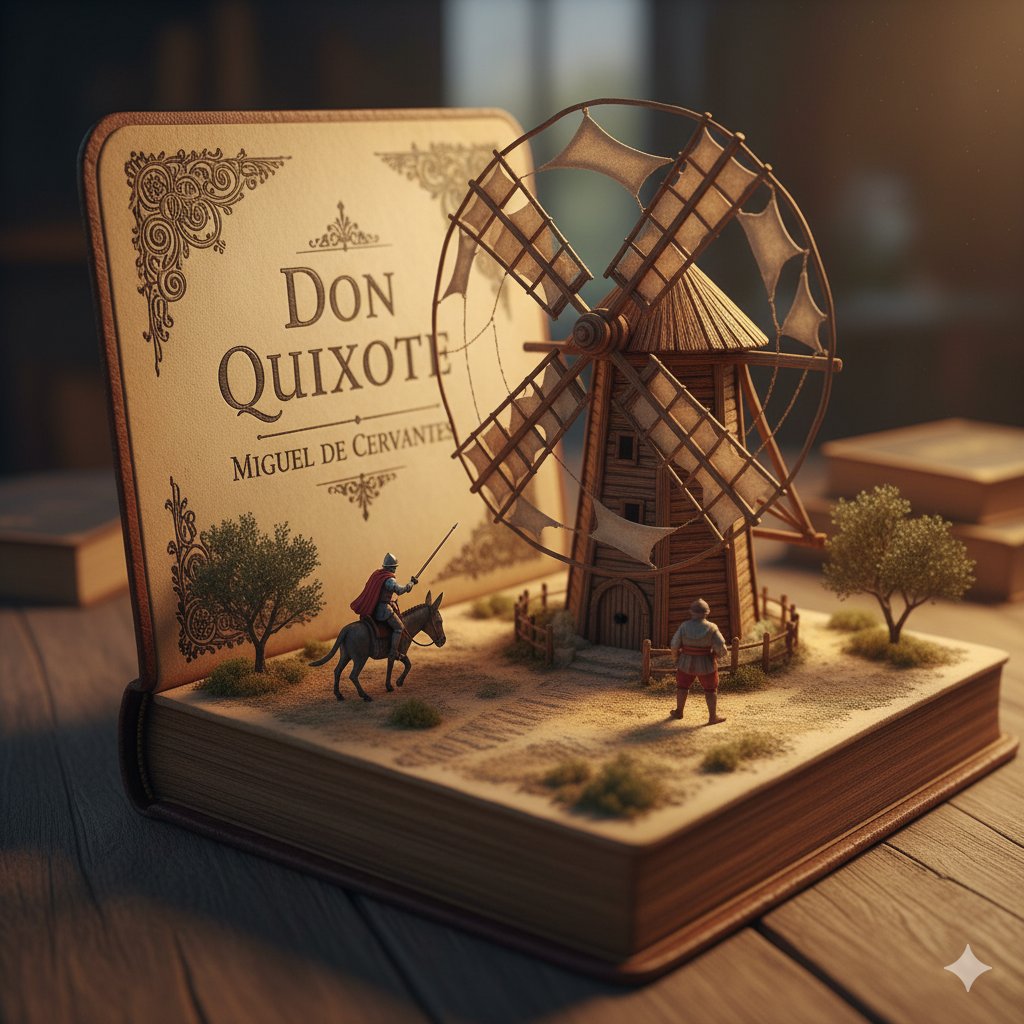
1. Surreal diorama emerging from an open vintage book of "{argument name="book title 1" default="Brave New World"}" by {argument name="author 1" default="Aldous Huxley"}: the pages form a futuristic hatching laboratory with rows of glowing test tubes containing embryonic figures on conveyor belts, lab-coated workers in white uniforms operating machines, a large all-seeing eye symbol on the wall, conveyor belts moving via hidden mechanisms, cool blue neon lighting, hyper-detailed miniature sculpture, clinical and eerie atmosphere, photorealistic. 2. Detailed miniature diorama in an open aged book for "{argument name="book title 2" default="Don Quixote"}" by {argument name="author 2" default="Cervantes"}: left page with "{argument name="engraving text" default="DON QUIXOTE"}" engraved, right pages sculpted into a Spanish landscape with a massive wooden windmill turning slowly, tiny knight on horseback charging with lance raised, Sancho Panza on donkey following, dusty plains and gears for windmill blades, warm golden hour lighting, hyper-realistic handcrafted sculpture, whimsical yet epic scale.

High-Fashion Zootopia Miniature Visualization

High-Fashion Zootopia Miniature Visualization

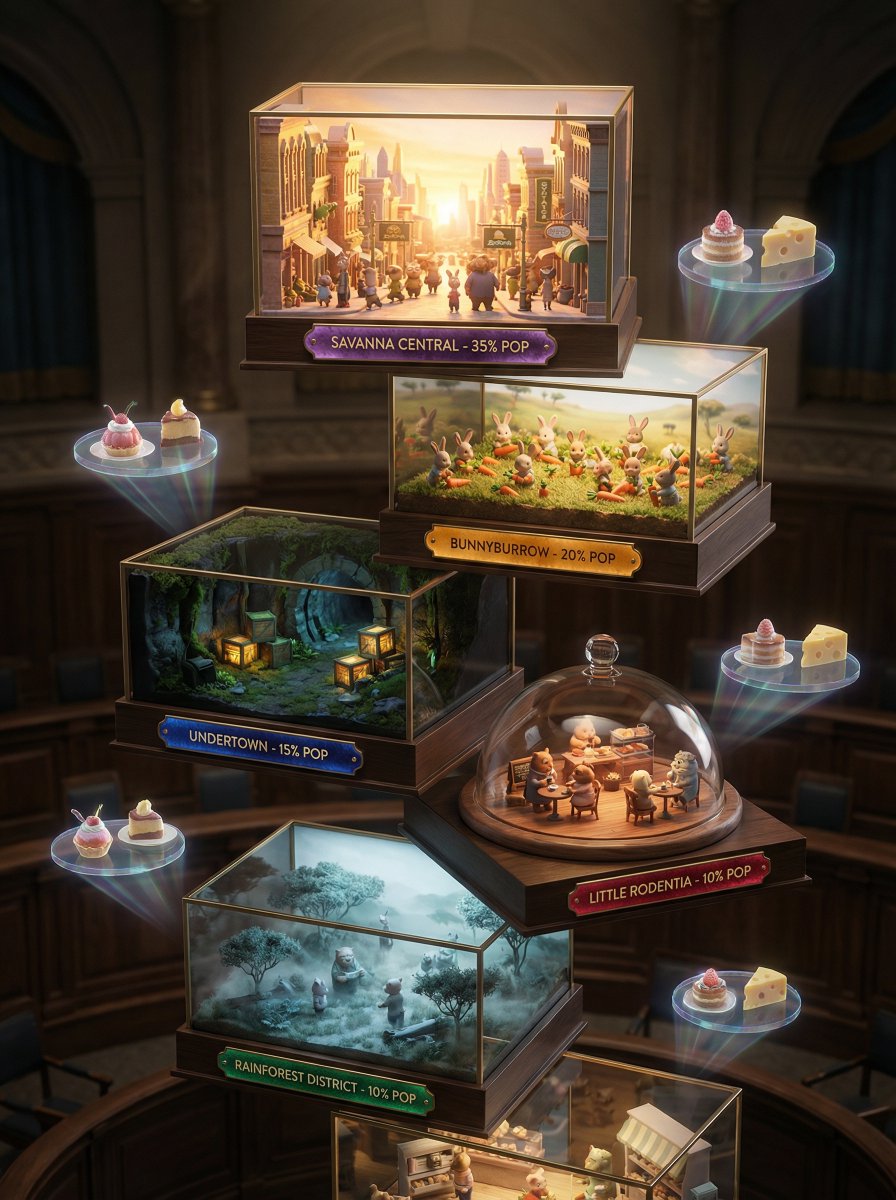
A 3D miniature Zootopia visualization, no human model, showcasing seven artistic miniature stages: bustling Zootopia streets kissed by sunrise, tiny animal citizens harvesting carrots, dimly lit underground tunnels with precise rows of produce crates, intimate city cafe gatherings, ethereal misty morning savanna ambiance. Each tier displays district name, population percentage, and Zootopia Gazette tasting notes designed like precious gems. Backdrop evokes an expensive city hall setting, utilizing strong chiaroscuro lighting to create a high-fashion editorial ambiance. Shot with Hasselblad H6D-100c, 100mm f/2.2, extremely shallow depth of field with exquisite bokeh. Holographic displays of carrot cake pairing suggestions drift subtly, featuring artisanal cheese pairings for whites, intense dark chocolate for reds. The color story shifts from deep earth tones and jewel tones for full-bodied wines to icy greens, silvery golds, and champagne hues for crisp varietals.

Vintage travel journal watercolor

Vintage travel journal watercolor

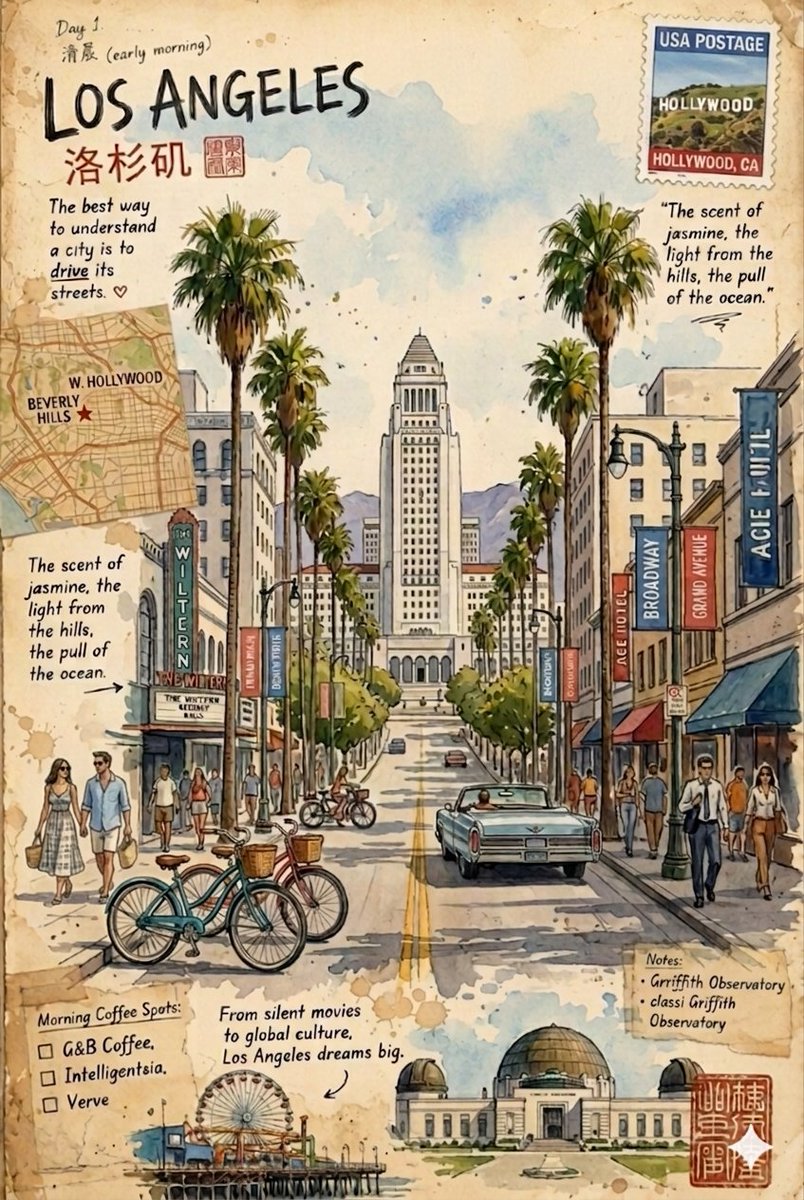
Vintage travel journal watercolor illustrations of {argument name="locations" default="two cities"} on aged paper with stamps, handwritten notes, and maps. First: {argument name="city one" default="Los Angeles street scene"} with palm trees, City Hall, Wiltern Theatre, classic cars, bicycles, and pedestrians, capturing the scent of jasmine and ocean breeze. Second: {argument name="city two" default="Artisan City inspired by Japanese culture"} with Mount Fuji in the background, showcasing lacquerware, tea bowls, geta sandals, kimonos, and a pagoda temple blended with modern elements like vending machines. Both use soft watercolor washes, ink details, warm earthy tones, and a mix of cultural landmarks, local crafts, and urban life in a scrapbook, postcard-like style.

Kickstarter Campaign Generator Prompt

Kickstarter Campaign Generator Prompt

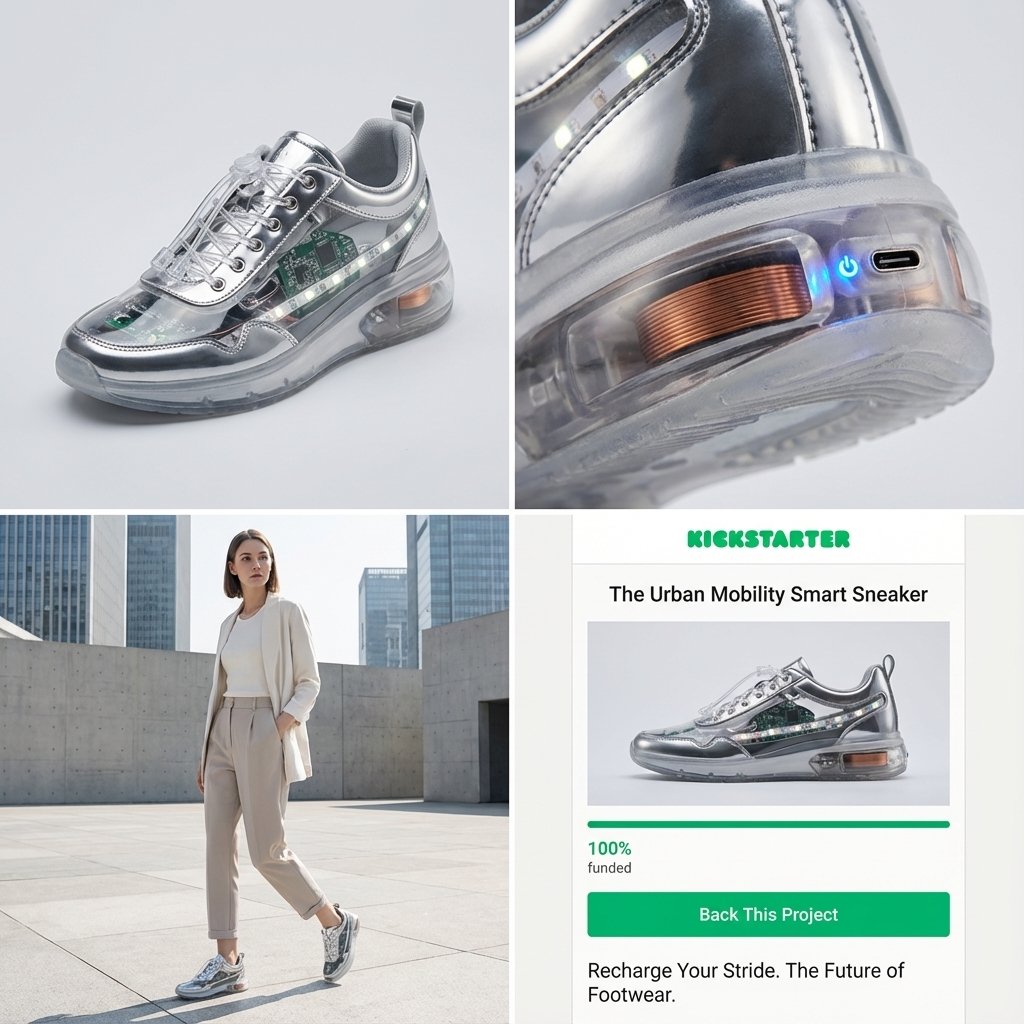
Act as a Senior Product Designer and Crowdfunding Campaign Manager. 1. ANALYZE INPUT Look at the attached image. Determine the material properties (Soft vs. Hard), the primary colors, and the texture. 2. AUTO-SELECT SMART WEARABLE Use this logic to choose the product category. The goal is Clean Modern Tech, not Cyberpunk. IF the input is Soft or Fabric-like ({argument name="soft input examples" default="Ramen, Towel, Moss"}) GENERATE: The All-Climate Smart Jacket. Features: Self-regulating temperature control, hydrophobic coating based on the input texture, and hidden magnetic pockets. IF the input is Rigid, Boxy, or Container-like ({argument name="rigid input examples" default="Toaster, Book, Suitcase"}) GENERATE: The Ultimate Commuter Backpack. Features: Integrated power bank with solar coating, anti-theft biometric zipper locks, and organized modular compartments. IF the input is Mechanical or Footwear-shaped ({argument name="mechanical input examples" default="Stapler, Car, Tool"}) GENERATE: The Urban Mobility Smart Sneaker. Features: Energy-returning sole technology, step-tracking sensors embedded in the heel, and auto-tensioning laces. 3. EXECUTE VISUALIZATION (2x2 GRID) Generate a single image split into a precise 2x2 grid layout. Top Left Panel (Hero Shot): A clean, studio-lit 3/4 angle view of the product on a white or light grey background. It must look refined and manufacturable, using the texture of the input image as a premium material. Top Right Panel (Detail Shot): A zoomed-in macro shot focusing on a specific high-tech feature (e.g., a USB-C port, a magnetic buckle, or a waterproof seam) that shows off the input texture quality. Bottom Left Panel (Lifestyle Shot): A photorealistic shot of a fashionable model wearing the item in a clean, modern city setting (daytime). They look comfortable and stylish. Bottom Right Panel (Campaign UI): A mockup of a Kickstarter campaign page. It should show the product title, a green progress bar at 100% funded, and a bright green button that says Back This Project. Overall Style: High-key lighting, soft shadows, 8k resolution, commercial product photography, minimalist design aesthetic.

部分提示词收录自 X 平台创作者,版权归原作者所有。