Kenerate AI

Prompt Library

AI Prompt Library

Curated image, video and web design prompts from creators around the world. Copy any prompt, swap the subject or style, and generate with the latest models.

15,630 prompts · Updated daily · 100% free

599 prompts

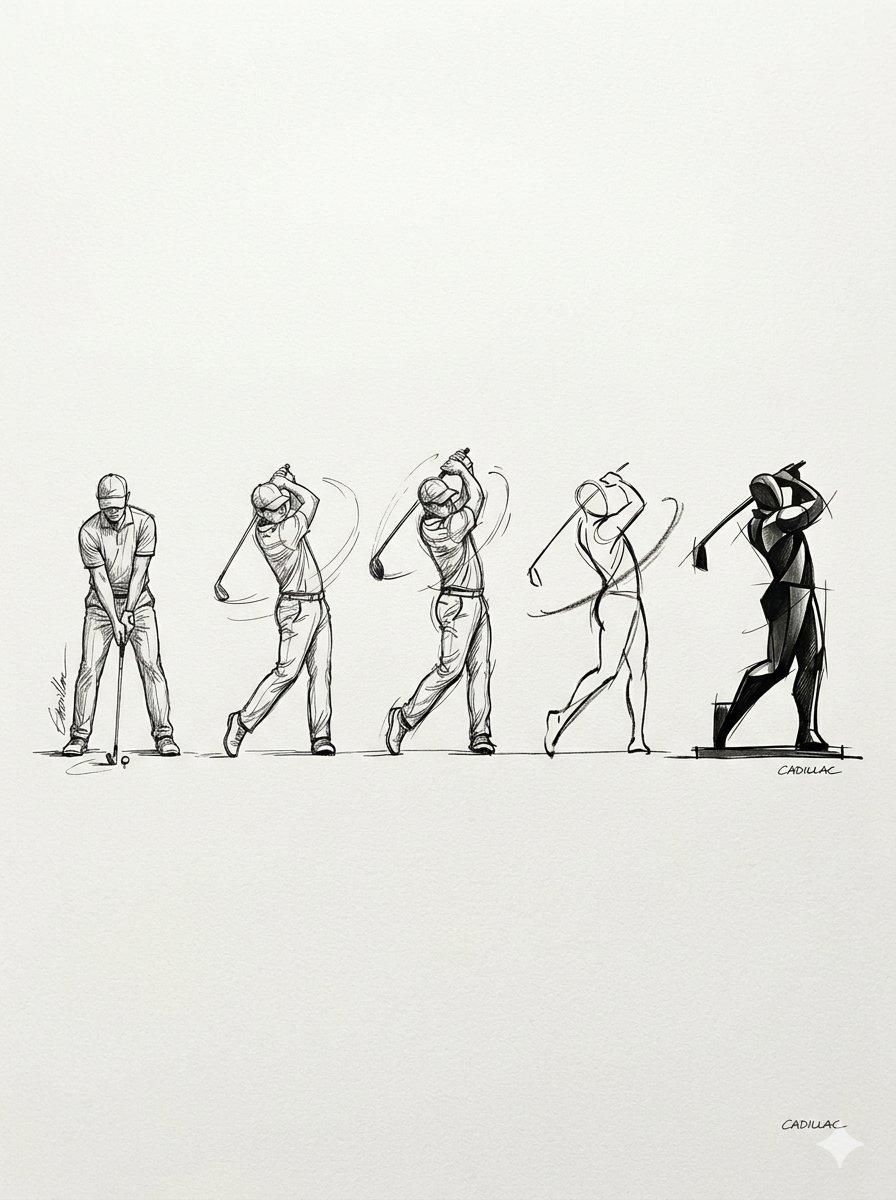
Progressive Golf Swing Artistic Sketch

Progressive Golf Swing Artistic Sketch

A prompt that generates a horizontal progression of golf swing sketches, moving from realistic ink drawings to minimalist abstract art, allowing for customization of the subject, art style, and artist signature.

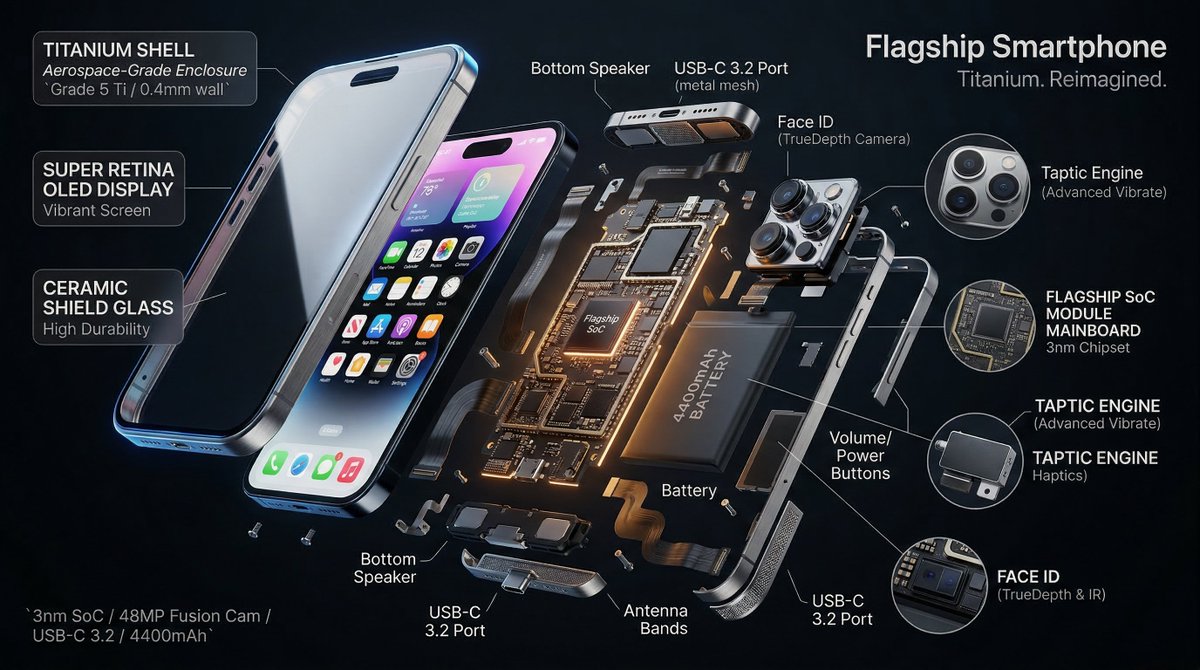
3D Radial Explosion Product Visualization Prompt for Nano Banana 2

3D Radial Explosion Product Visualization Prompt for Nano Banana 2

Hyperrealistic 3D radial exploded view of {argument name="product" default="PRODUCT"} {argument name="number of components" default="NUMBER"} components bursting outward from a central axis in every direction, frozen in mid-air. True spatial explosion, not a vertical stack, depth and parallax visible. COMPONENTS (core outward): {argument name="shell material" default="SHELL"} → DISPLAY → FRAME → MAINBOARD → BATTERY → MICRO PARTS shown in 3x floating callout circles MATERIALS: glass refracts and catches specular highlights, aluminium shows brushed grain and machined edges, PCB traces glow faintly amber, rubber gaskets matte with micro-texture, cables with soft bend physics. LABELS: hairline leader to floating box. "[COMPONENT]" uppercase / "[FUNCTION]" italic / "[KEY SPEC]" monospace. Radiate outward, no overlaps. LIGHTING: cool diffused overhead + warm amber underlighting on internals + thin blue rim on outer shell. Displays emit soft UI glow. Circuits self-illuminate. BACKGROUND: {argument name="background color" default="COLOR"}, deep, non-reflective. Midnight black recommended. TITLE: "[PRODUCT NAME]" top right. SUBTITLE: "[TAGLINE]". SPEC BLOCK: "[SPEC 1] / [SPEC 2] / [SPEC 3]" bottom left in monospace. Mood: iFixit teardown meets NASA manual meets WIRED cover. 4K, tack sharp, extraordinary material fidelity.

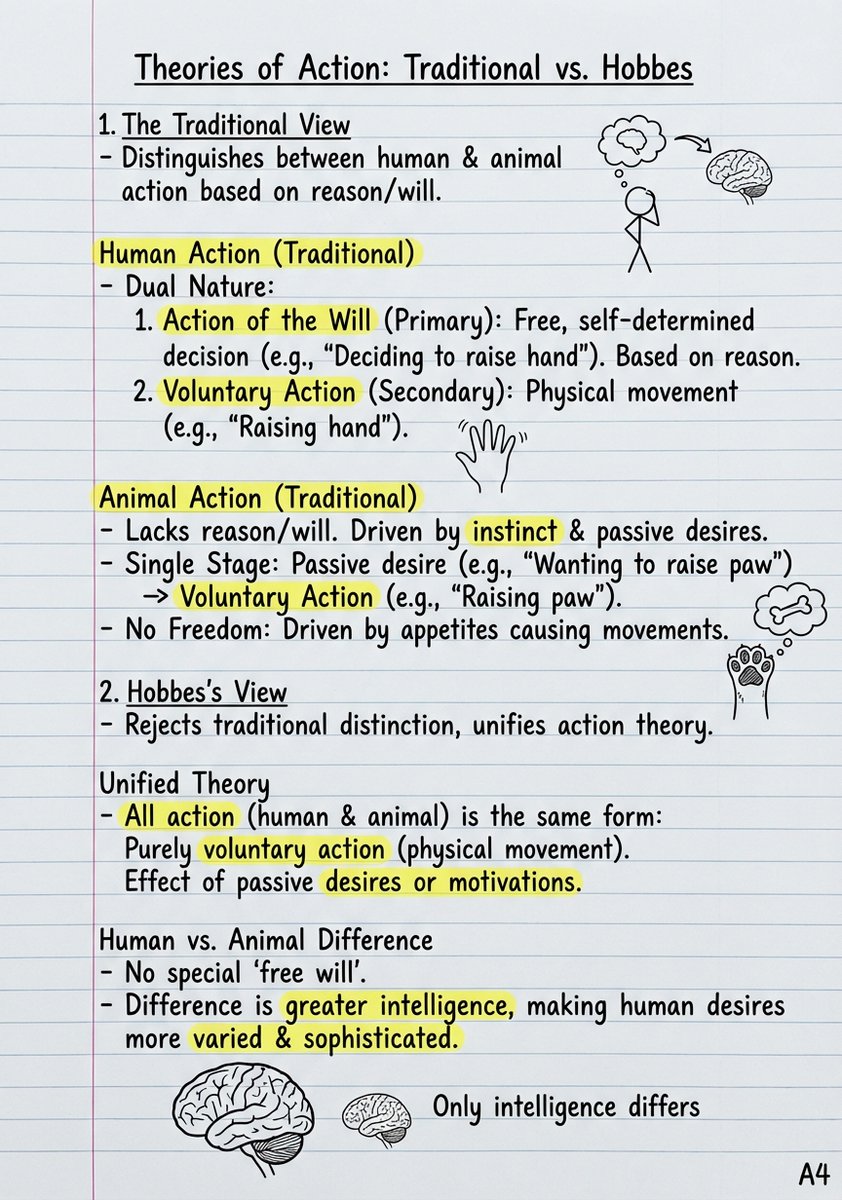
Handwritten Study Notes Generation

Handwritten Study Notes Generation

"Based on this content, create handwritten-style study notes. Use student handwriting font, with lined paper as the background. Mark key terms with {argument name="highlight color" default="yellow"} highlighter, circle dates with {argument name="circle color" default="red"} circles. Add doodles to help explain concepts. Page size is A4"

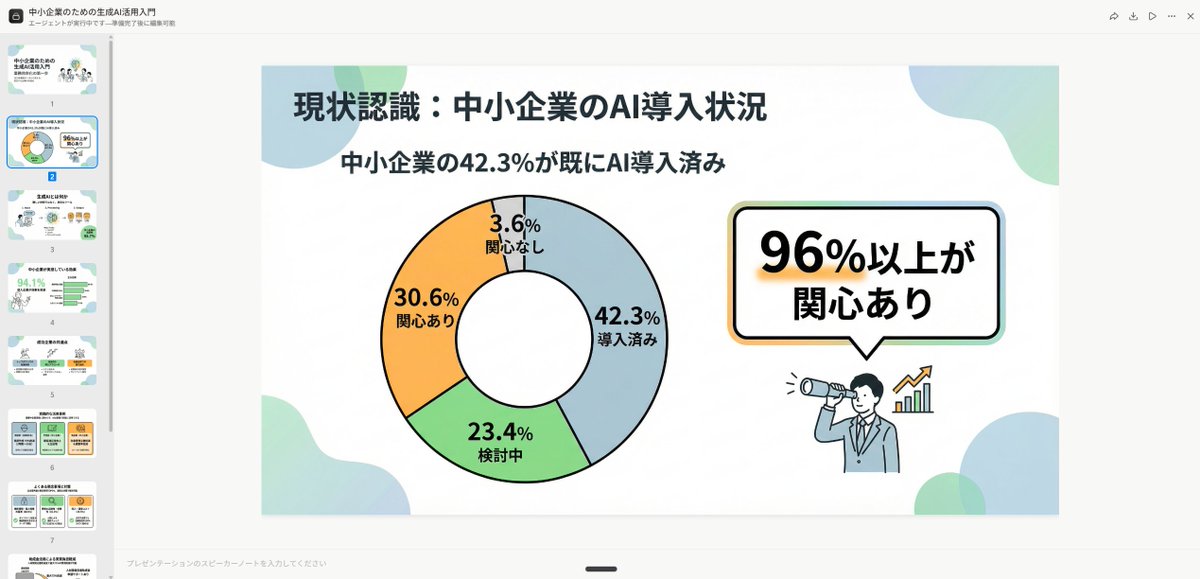
High-Quality Flat Design Slide Generation Prompt

High-Quality Flat Design Slide Generation Prompt

Simple and clean flat design. Place figures and icons drawn with uniform black outline lines, using pastel accent colors partially. Unify the line thickness as much as possible to create a modern impression. Emphasize rounded shapes and a soft impression. Diagram-centric composition (e.g., Venn diagrams, bar graphs, speech bubbles) with a friendly tone suitable for materials viewed by students and young people, or for social media. Maximize white space, focusing on visibility and balanced design.

Epic 3D Architectural Blueprint Awakening Scene

Epic 3D Architectural Blueprint Awakening Scene

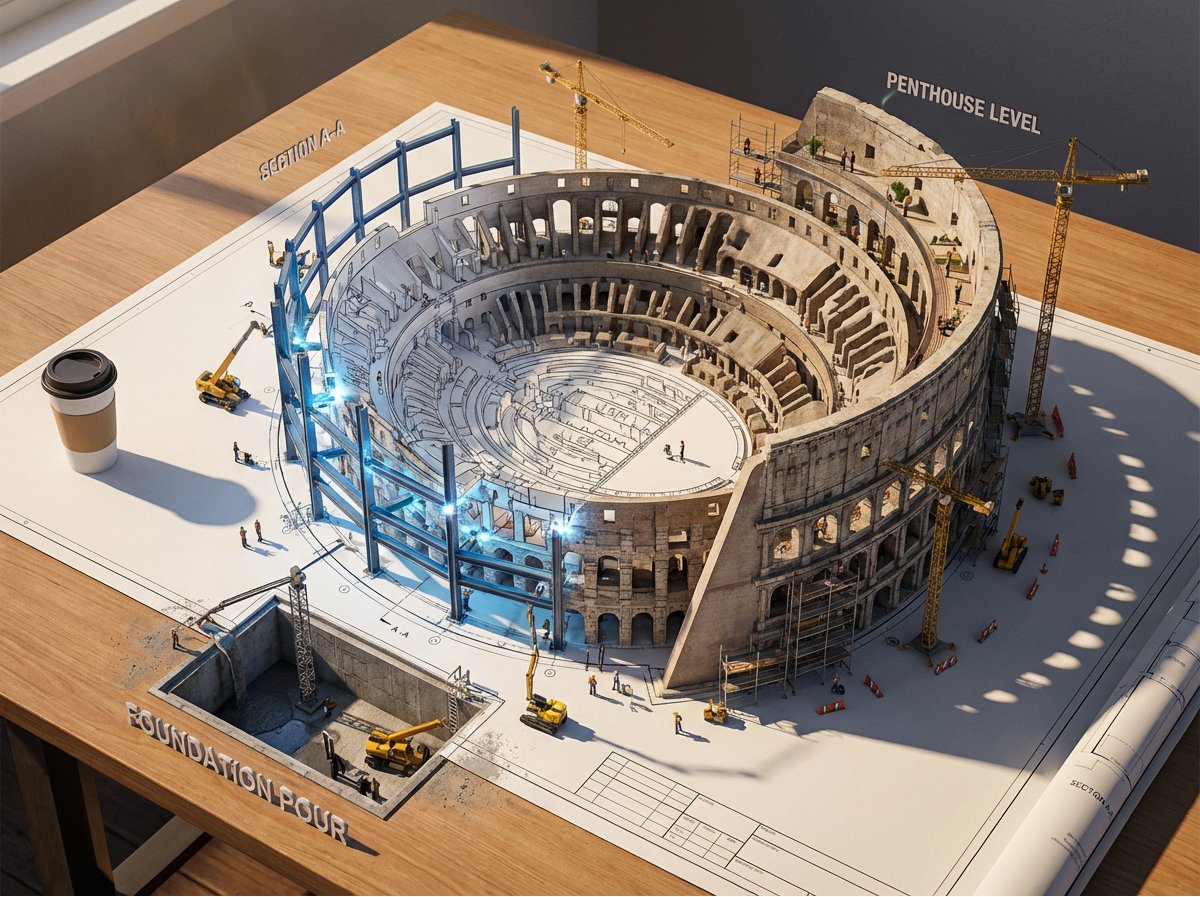
Epic 3D scene: a massive architectural blueprint of [{argument name="building type" default="BUILDING/STRUCTURE"}] pinned to a drafting table, its ink lines rising off the paper into fully realized construction. Blue lines become steel beams mid-weld, floor plans inflate into furnished rooms, elevation drawings push outward into facades with working windows. Construction phases coexist simultaneously: foundation being poured in one corner while the penthouse is already inhabited in another. Tiny workers, cranes, and scaffolding swarm the rising structure. The flat drawing and the living building merge at impossible angles. Technical annotations float as dimensional signage. Architect's coffee cup sits at the edge, casting shadow across unbuilt sections. Extreme scale contrast, construction dust catching afternoon light, 8K, photorealistic.

2x2 Grid Pop-Up Cookbook Diorama Prompt for Nano Banana

2x2 Grid Pop-Up Cookbook Diorama Prompt for Nano Banana

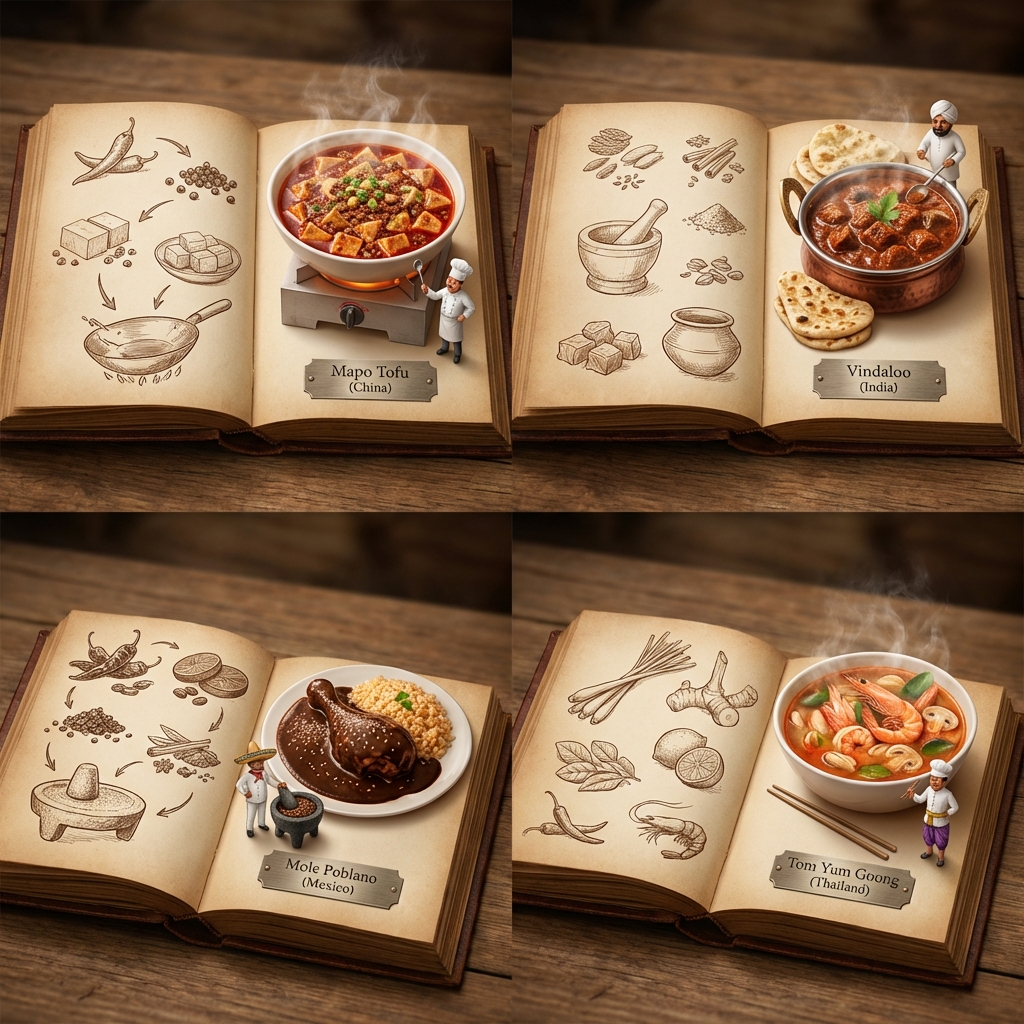
<instructions> [Use the UNIVERSAL WRAPPER above exactly as-is.] If input includes ingredients, pick 4 distinct countries with famous dishes that fit those ingredients (hidden gems welcome). Output one 2x2 grid: each panel shows an open book spread for that country. Per panel: - Left page: 2D vintage sepia sketches (timeline/illustrated recipe flow, minimal text). - Right page: 3D pop-up diorama of the finished steaming dish emerging from the page. - A tiny chef mini stands beside the dish. - All 4 books look like one cohesive atlas series. - Only readable text: engraved plate “Dish ({argument name="country name" default="Country"})”. Style: Cinematic top-down lighting emphasizing 2D vs 3D depth, macro detail, cohesive atlas design, clean background, shallow DOF, no logos, no long text. </instructions>

Mid-20th-century war photojournalism style framework

Mid-20th-century war photojournalism style framework

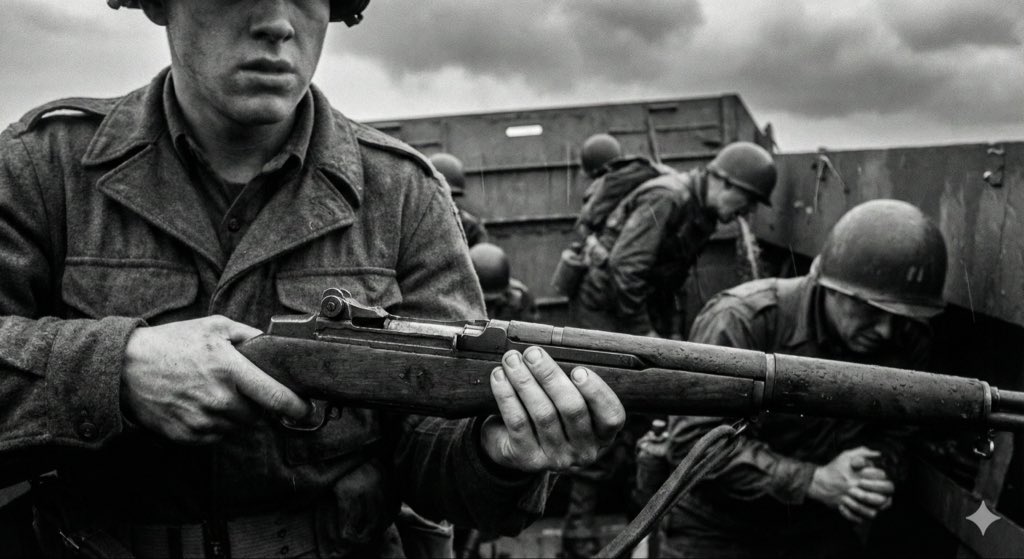
[Instruction: Based on the structured description below, generate an authentic documentary photography image.] Visual style: mid-20th-century war news photojournalism (1940–1970) – raw and unposed. 1. Core subject (specific micro narrative) {argument name="core scene" default="a mud-covered medic in a rainy trench bandaging a soldier’s arm, looking exhausted, with barbed wire obscuring the foreground"} 2. Aesthetic characteristics (anti-cinematic approach) Photography style definition: This must not look like a carefully lit movie still. It has to look like a raw, even slightly blurry moment, snapped by a war photographer under extreme pressure and danger. The composition should feel accidental, chaotic, slightly off-balance or imperfect. Prioritize absolute authenticity over perfect framing. Light and atmosphere: Avoid overly dramatic, theatrical, perfectly staged lighting. Use whatever light is available on site (usually bad): flat and oppressive overcast diffuse light, dim flickering indoor light, or harsh direct flash creating hard, ugly shadows. The atmosphere should feel gritty, dirty, and suffocatingly immersive. 3. Physical texture (film realism) Physical properties: Simulate high-speed, coarse-grain black-and-white film that has been push-processed. * Focus and blur: because of the chaotic, tense environment, the main subject may be slightly out of focus, soft, or shaken. Moving people or objects must show obvious motion blur to reflect the forced use of slow shutter speeds. * Grain: the whole image is covered with heavy, organic silver halide film grain. Avoid artificial scratches or frame borders added in post; focus on the rough materiality of the film itself. 4. Technical constraints * Color mode: monochrome black and white. * Lens language: 35mm wide-angle prime lens (classic reportage perspective including more environmental information). * Period accuracy: strictly consistent with the 1940s–1970s timeline (clothing, weapons, environmental details).

Museum-Grade 3D Diorama Poster for Historical Events

Museum-Grade 3D Diorama Poster for Historical Events

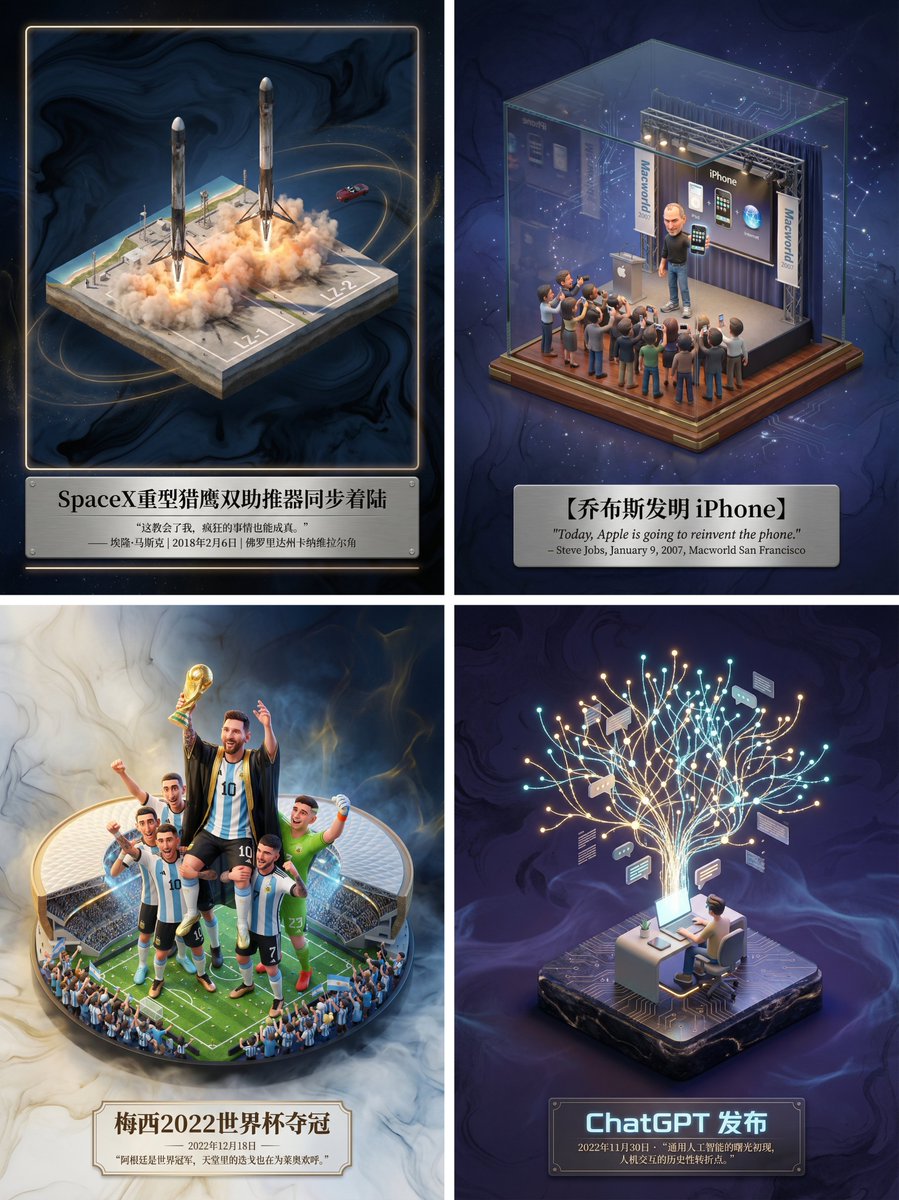
Please create a museum-grade 3D isometric miniature poster for [ {argument name="event name" default="SpaceX Heavy Falcon dual booster synchronous landing"} ], first retrieving relevant information to gain knowledge. Step 1, Intelligent Recognition and Scene Construction: First, call upon your knowledge base to determine the category of the theme I input (is it fictional literature, real historical event, sports competition, or scientific discovery). Then, accurately retrieve the specific environment, core character actions, clothing details, and atmospheric conditions when the theme occurred. In the center of the image, establish an exquisite 3D miniature scene model. The style should maintain the high-precision texture and soft lighting rendering style of Dreamworks animation. If it is sports, emphasize the explosiveness of the action and the frozen moment; if it is history, restore the sense of era and solemnity; if it is literature, emphasize the artistic conception. Step 2, Atmosphere and Background: Discard pure white backgrounds. Use a void environment with extremely faint ink wash texture and flowing light mist, with colors automatically adjusted according to the theme, creating a high-end sense of a “historical slice” or “precious artifact.” Step 3, Layout and Text: Generate Chinese typography centered at the bottom. The main title should be the name of the event or work, with a font design that matches the theme style. Below the title, automatically retrieve and lay out the most famous quote, commentary, date, or historical evaluation of the event, using an elegant serif font. The overall layout should be exquisitely balanced, like a high-end museum collection plaque.

Kid-Friendly Emotion Illustrations (Cartoon Dog)

Kid-Friendly Emotion Illustrations (Cartoon Dog)

Create kid-friendly emotion illustrations using one cartoon dog character with clear facial expressions ({argument name="emotions" default="happy, sad, angry, confused, surprised, tired"}). Simple style. White background. Designed for kids to point and identify emotions.

Monochrome Engraving Portrait Style

Monochrome Engraving Portrait Style

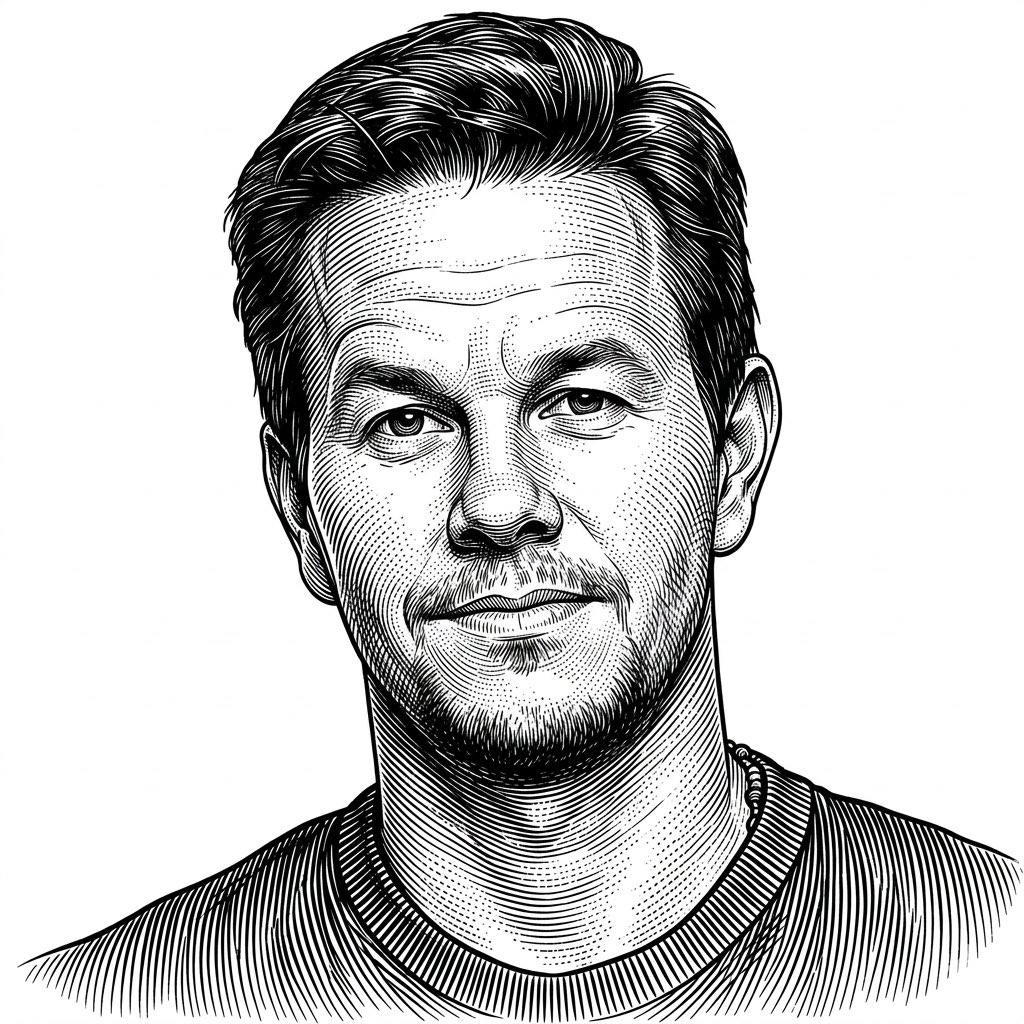
Use the Uploaded photo as reference, Vintage engraving illustration style, highly detailed black ink linework, dense parallel hatching and cross-hatching, precise contour engraving lines, woodcut and etching influence, classical printmaking aesthetic, monochrome black and white palette, intricate line density variation to create depth and volume, curved line flow following form anatomy, stippling accents for soft shading, old master engraving technique, baroque illustration feel, antique scientific illustration style, ultra fine (line precision), high contrast with clean negative space, ornamental yet anatomical rendering, hand-engraved texture simulation, timeless classical art style, meticulous craftsmanship, no color, no gradients, purely line-based shading.

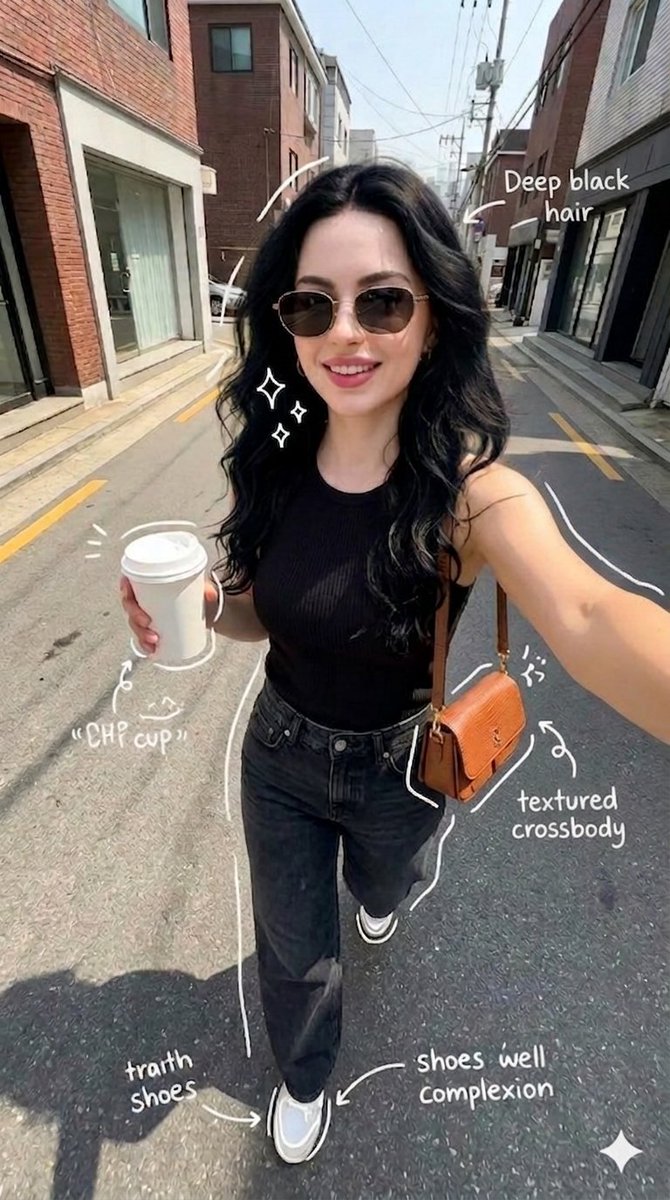
Street Style Selfie with Doodles

Street Style Selfie with Doodles

{ "scene": "a young woman taking a selfie while walking on a quiet urban street", "composition": { "camera_angle": "handheld selfie, slightly above eye level", "lens": "wide-angle smartphone lens", "framing": "upper body centered, extended arm visible" }, "subject": { "appearance": "woman with {argument name="hair style" default="long wavy deep black hair"}, fair skin, wearing sunglasses", "expression": "smiling", "outfit": { "top": "{argument name="outfit" default="black sleeveless top"}", "bottom": "black jeans", "shoes": "white sneakers", "accessories": [ "brown textured crossbody bag", "coffee cup" ] } }, "environment": { "location": "{argument name="location" default="narrow street with brick and modern buildings"}", "details": [ "parked cars", "overhead wires", "clean asphalt road" ] }, "lighting": { "type": "natural daylight", "condition": "bright sunny day" }, "style": { "aesthetic": "casual lifestyle selfie", "color": "natural tones" }, "overlays": { "style": "hand-drawn white doodles and annotations", "elements": [ "arrows pointing to hair, coffee cup, shoes, bag", "text labels like 'deep black hair', 'coffee cup', 'textured crossbody', 'shoes well complexion'" ] } }

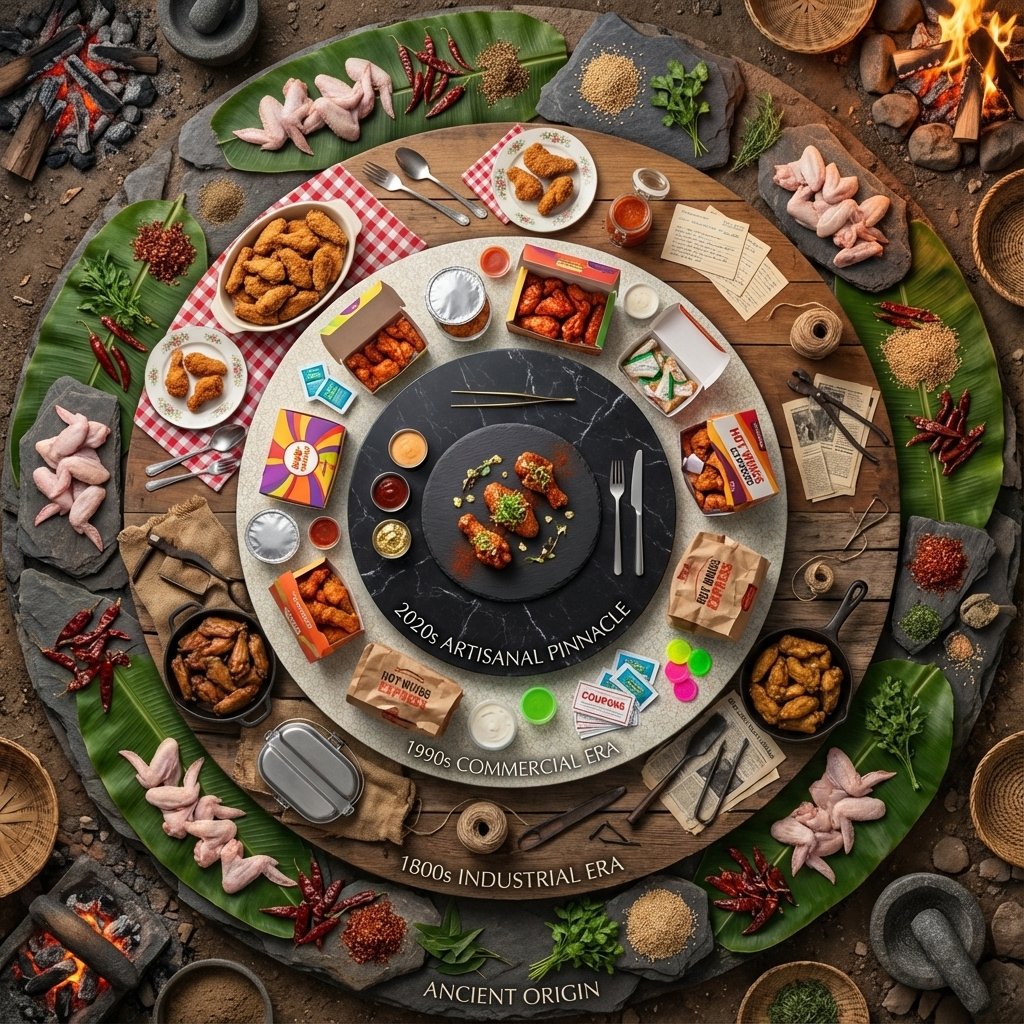
Food History Diorama in Mandala Format (Spicy Chicken Wings)

Food History Diorama in Mandala Format (Spicy Chicken Wings)

Input Variable: {argument name="food item" default="Spicy Chicken Wings"} System Instruction: Generate a hyper-realistic, high-angle "Food History Diorama" arranged in a Mandala format. CRITICAL: The scene must be populated by Tiny 1:87 Scale Figures (Chefs) that correspond to the specific era of each ring. 1. Timeline Analysis: Analyze the history of the Input Food to determine the Attire and Tools of the workers in 5 eras: Stage 0 (Center): The Modern Chef (White Coat, Toque, Tweezers). Stage 1 (Commercial): The Fast Food Worker (Visor, Polo Shirt, Headset). Stage 2 (Domestic): The Home Cook (Floral Apron, Oven Mitts). Stage 3 (Industrial): The Butcher/Baker (Dirty White Apron, Cleaver, Rolled Sleeves). Stage 4 (Ancient): The Hunter/Gatherer (Tunic, Loincloth, Stone Tools, Fire). 2. The Composition : Perspective: High Angle (75 Degrees). Not completely flat. We need to see the bodies of the tiny figures, not just their heads. The Orbits: 5 Distinct Concentric Rings. The Boundary (The Catwalk): Between each ring, there is a visible Negative Space (a thin gap). This is where the tiny chefs stand, presenting the food to the viewer. 3. The Rings & The Residents Logic): The Center (Modern Pinnacle): Food: Deconstructed, gourmet plating on slate. The Figure: A Master Chef carefully placing a micro-green garnish with tweezers. Ring 1 (The Commercial Age): Food: Bright packaging, uniformity. The Figure: A Teenage Fast Food Worker holding a tray or a soda cup, standing next to the cardboard boxes. Ring 2 (The Domestic Age): Food: Casserole dishes or patterned china. The Figure: A 1950s Housewife or Home Cook holding a serving spoon or pie cutter. Ring 3 (The Industrial Age): Food: Cast iron skillets, tin plates, hearty portions. The Figure: A burly 19th Century Butcher or Cook holding a heavy knife or iron ladle. Ring 4 (The Ancient Origin): Food: Cooking over open fire, stone tools, raw ingredients (but cooked/charred enough to look appetizing). The Figure: An Ancient Human tending to a mini-campfire or grinding spices with a stone. 4. The Background Morph: The surface texture underneath the figures changes with them: Center: Polished Stone. Middle: Linoleum/Wood Table. Edge: Dirt/Earth. 5. Lighting & Scale: Tilt-Shift: Blur the outer edges slightly to emphasize the miniature scale of the people. Shadows: The figures must cast long shadows across the food to prove they are physically standing there. Output: ONE image, 1:1 Aspect Ratio, 8k Resolution, Miniature Photography style.

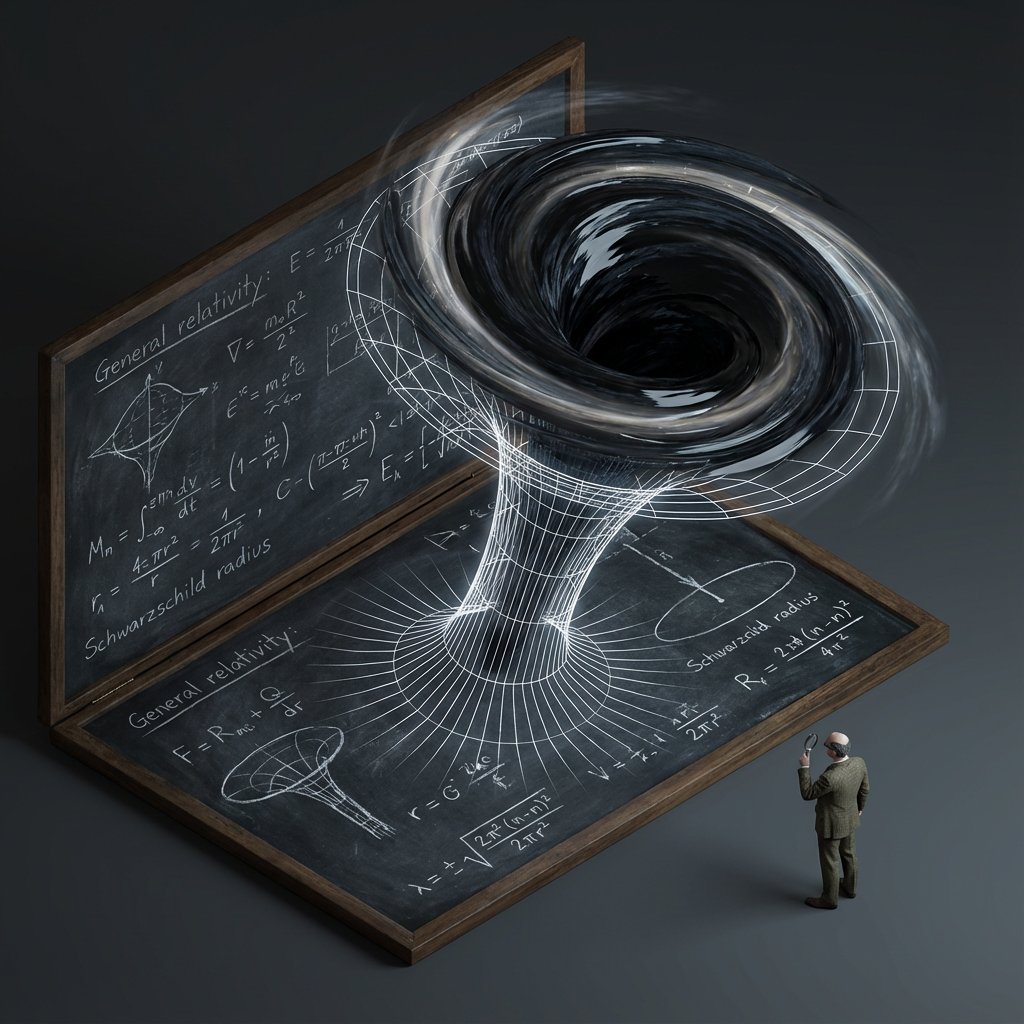
Scientific Theory Visualization Generator

Scientific Theory Visualization Generator

<instructions> do this for {argument name="scientific concept" default="black holes"} Input Variable: {argument name="theorem or formula" default="[Theorem / Formula]"} Phase 1: Schematic Decomposition Analyze the Notation: Identify the primary visual language of the scientist (Chalk on blackboard? Ink on parchment? Pencil on graph paper?). Identify the "Structure": If this theory were a building, what would it look like? Logic: Chaos Theory -> Fractal Spire. Thermodynamics -> Engine Block. Phase 2: The Dimensional Transition The Base: A flat surface covered in the [Notation Medium] (e.g., a slate blackboard covered in chalk equations). The Extrusion: The chalk lines physically lift off the surface. They begin as white wireframes, then gain opacity, then gain texture. The Climax: At the top of the image, the wireframes have fully solidified into a photorealistic, impossible structure representing the theory. The Observer: A tiny, scale-model figure of the scientist stands on the flat "2D" section, looking up in awe at the massive "3D" structure they have summoned. Output: High-Angle Isometric, "Architectural Visualization" style, stark contrast between sketchy lines and solid mass. </instructions>

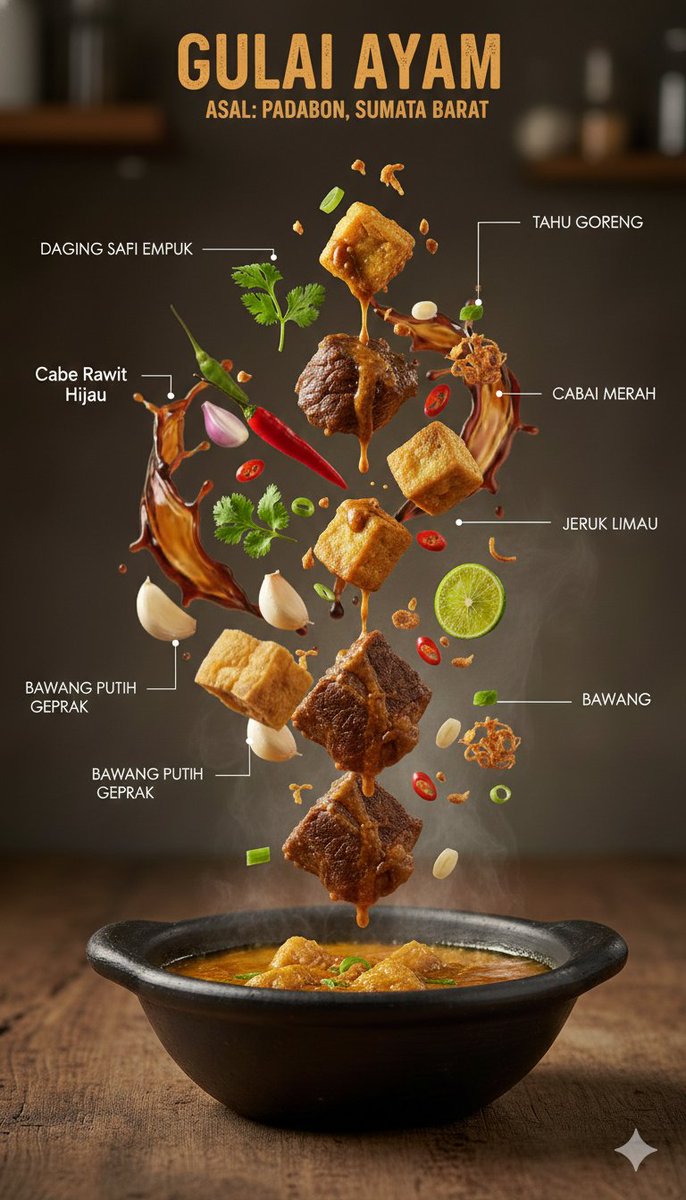
Ultra-Realistic Indonesian Culinary Infographic

Ultra-Realistic Indonesian Culinary Infographic

{ "image_prompt": { "type": "Ultra-realistic culinary infographic", "subject": { "cuisine": "{argument name="cuisine type" default="Indonesian"}", "base_element": "A traditional serving bowl holding a steaming hot dish", "levitating_ingredients": [ "Tender meat pieces", "Golden crispy tofu", "Rich sauce droplets in mid-air", "Fresh green herbs", "Red chilies", "Sliced lime", "Crushed garlic", "Crispy fried shallots" ] }, "composition": { "layout": "Minimal, vertically stacked layout", "arrangement": "Ingredients floating naturally as if suspended in motion", "background": "Textured rustic wooden tabletop", "visual_hierarchy": "The bowl remains grounded at the base, with ingredients ascending above it" }, "graphic_design_elements": { "labels": "Clean Indonesian-language annotations", "lines": "Fine white connector lines", "style": "High-end editorial food infographic, magazine-quality design" }, "lighting_and_mood": { "lighting": "Controlled cinematic studio lighting", "color_palette": "Warm, appetizing color tones", "effects": "Visible steam and frozen-action food elements" }, "technical_specs": { "camera_settings": "Shallow depth of field with crisp focal detail, DSLR-style capture", "details": "Extremely detailed surface textures", "resolution": "8K, photorealistic finish" } } }

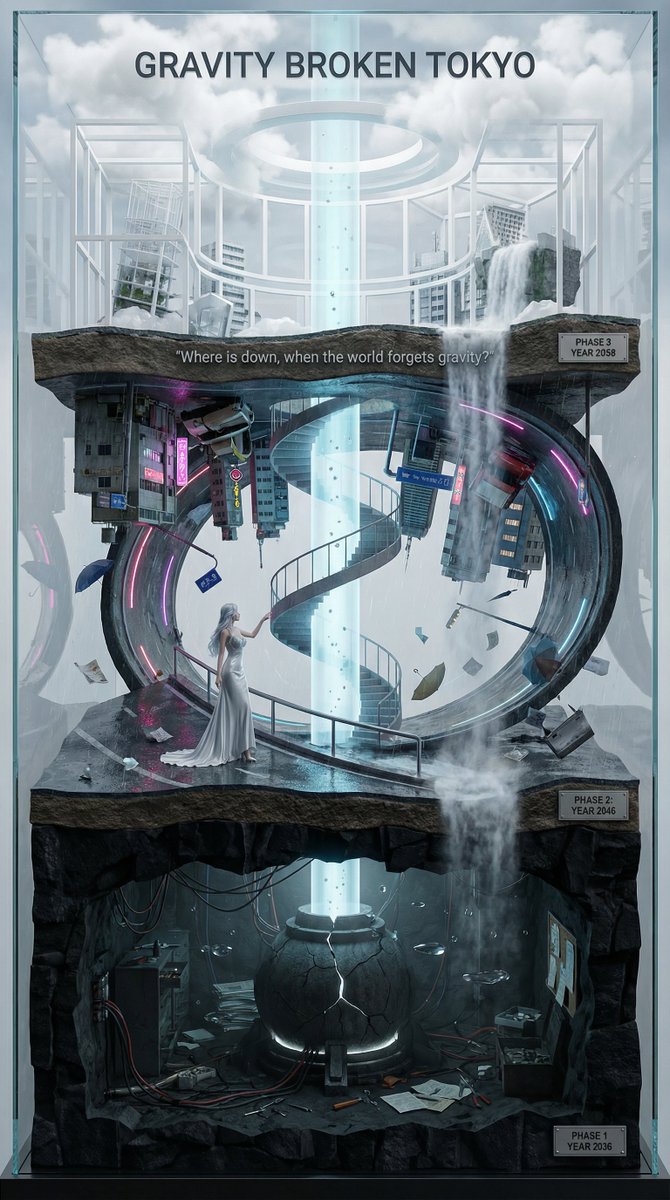
Vertical Layered Diorama Concept Art Prompt for Sci-Fi Film

Vertical Layered Diorama Concept Art Prompt for Sci-Fi Film

You are an **architect and concept artist who visualizes story structures**. Analyze the provided input text (the movie synopsis) and generate a **"Vertical Layered Diorama"** where the height direction represents the timeline. The character in the attached reference image should be placed in the "Present (Middle Layer)" or "Future (Top Layer)" of this vertical structure, acting as the **storyteller/time traveler**, and posed to **look down on the past / look up at the future**. --- ## ▼ Instructions for Generation Process (Nano Banana Pro: Thinking Mode) 1. **[Step 1: Timeline Mapping]**: Decompose the synopsis into three time phases and assign them to physical layers. * **Bottom Layer (Past/Origin)**: Cause of gravity collapse, sealing, deep underground. Dark and heavy tone. * **Middle Layer (Present/Conflict)**: Survival and conflict in gravity-broken Tokyo. Vivid and dynamic tone. * **Top Layer (Future/Conclusion)**: Birth of a new gravity order, hope or ruin. Open and symbolic tone. 2. **[Step 2: Connection Design]**: Design the layers so they are not disconnected, but physically connected by elements such as **Gravity Well pillars / inverted spiral staircases / magnetic elevators / waterfalls where falling turns into rising**. 3. **[Step 3: Text Integration]**: Place the movie title in a stable location at the very top or bottom, and engrave famous lines on the **layer boundaries**. --- ## ▼ Design and Style Specification * **Composition/Layout**: **Vertical Cross-section / Tower structure**. Aspect ratio is vertical (**9:16**). Viewpoint is **slightly above the front**, at an angle that shows the thickness and depth of the layers. * **Taste**: **Precise museum model, geological cross-section, surreal architecture**. Express different eras and materials in each layer (concrete → neon metal → white structure on clouds) while integrating them as one giant object. * **Texture/Image Quality**: Photorealistic, precise detail, **8k**. Raindrops, wet asphalt, reflections, fog, volumetric light. * **Gravity Expression (Important)**: * Tokyo roads **curve 90 degrees as a continuous surface**, where the ground becomes a wall, and then arches to the ceiling, connecting in a **loop**. * Buildings, signs, cars, and pipes **protrude vertically** from the curved surface, and landmarks exist **upside down** suspended in the air. * Depict as a **physically continuous urban structure**, not just a reflection. * Light sources match the reality of a rainy night (reflections of neon and streetlights, diffused light through clouds). --- ## ▼ Input Text (Fictional Movie) **Title**: **{argument name="Movie Title" default="GRAVITY BROKEN TOKYO (Gravity Fault City Tokyo)"}** **Genre**: Sci-Fi Thriller / Disaster / Human Drama **Synopsis**: One night, due to the fracture of the "Gravity Lattice" above Tokyo, the city's gravity lost its uniformity. Roads bend into the sky, buildings lose their up and down, and falling chooses a direction. People survive by redefining "where the ground is." The narrator (reference character) dives across time to the origin of the gravity collapse, struggles in the current city, and reaches the new order of the future. ### [Bottom Layer / Past and Origin] (PHASE 1: YEAR 2036) * **Setting**: Deep underground research complex. Black basalt-like strata, old wiring, gravity control reactor "Atlas Core." * **Description**: Suggests that the device meant to "fix" gravity instead triggered the "tearing" of gravity. Tools and paper documents are scattered on the floor, and water droplets float horizontally due to gravity disturbances. * **Tone**: Dark, oppressive. Warning lights, fine dust, the stillness of low gravity. ### [Middle Layer / Present and Conflict] (PHASE 2: YEAR 2046) * **Setting**: The center of gravity-broken Tokyo, where rain continues to fall. A continuous city where **wet asphalt curves 90 degrees, becoming a wall, and continuing to the ceiling**. * **Description (Reflecting Gravity Prompt)**: * Roads rise vertically and then arch overhead to loop. * Landmarks are suspended upside down, and road signs protrude into the air. * Neon lights bleed along the curved surfaces in the fog and light rain, and reflections establish the light of a real rainy night. * **Character Placement**: Place the reference character in the **"Present" of the Middle Layer**. Grasping a railing or pipe with one hand, pointing to the light of the upper layer with the other. Gaze **looking down on the past (bottom layer) while looking up at the future (top layer)**. * **Tone**: Dynamic, tense. People's evacuation routes continue along the "wall roads." ### [Top Layer / Future and Conclusion] (PHASE 3: YEAR 2058) * **Setting**: The "Stable Gravity Layer" above the clouds. City remnants are rearranged, forming a new residential area composed of white frame structures and transparent materials. * **Description**: Ambiguous whether the gravity lattice was "repaired" or if a "new direction" was accepted. A pale column of light from the gravity well extends into the sky, connecting to the darkness below. * **Tone**: Open and symbolic. Hope and unease coexist. --- ## ▼ Connection Points (Gimmicks connecting the layers: Required) * **Gravity Well Light Column**: A column of pale blue volumetric light penetrating from the core of the bottom layer to the top layer. Particles flow upward. * **Inverted Spiral Staircase**: "Up" and "down" switch midway. Small year plates on the staircase railing. * **Waterfall where Falling Turns into Rising**: The water flow reverses at the boundary, emphasizing the layer separation. --- ## ▼ Visual Elements (Motifs to emphasize) * Wet asphalt, trajectory of raindrops, neon reflections, fog, volumetric light. * Curved City: Roads, architecture, and signs bend as a **continuous surface**, forming a **physical loop**. * Small objects floating in the air (umbrellas, paper scraps, tools, petals) visualize the disturbance in the direction of gravity. * Material changes in each layer: Rough rock stratum underground → Wet concrete and metal in the present → White structure and transparent material in the future. --- ## ▼ Text Instructions (On-screen Typography) * **Title**: "**{argument name="Title" default="GRAVITY BROKEN TOKYO"}**" * Placement: **Sky of the Top Layer**, or engraved on the pedestal of the bottom layer. * Font: Inorganic sans-serif, movie poster style. * **Famous Line** (Engrave on layer boundaries): * `{argument name="Famous Line" default=""Where is down, when the world forgets gravity?""}` * Placement: **Boundary between Middle and Top Layers**, like a sculpture on the landing of the inverted staircase or the edge of the light column. * **Timeline Display (Optional)**: Small next to each layer * `PHASE 1 / YEAR 2036` * `PHASE 2 / YEAR 2046` * `PHAS

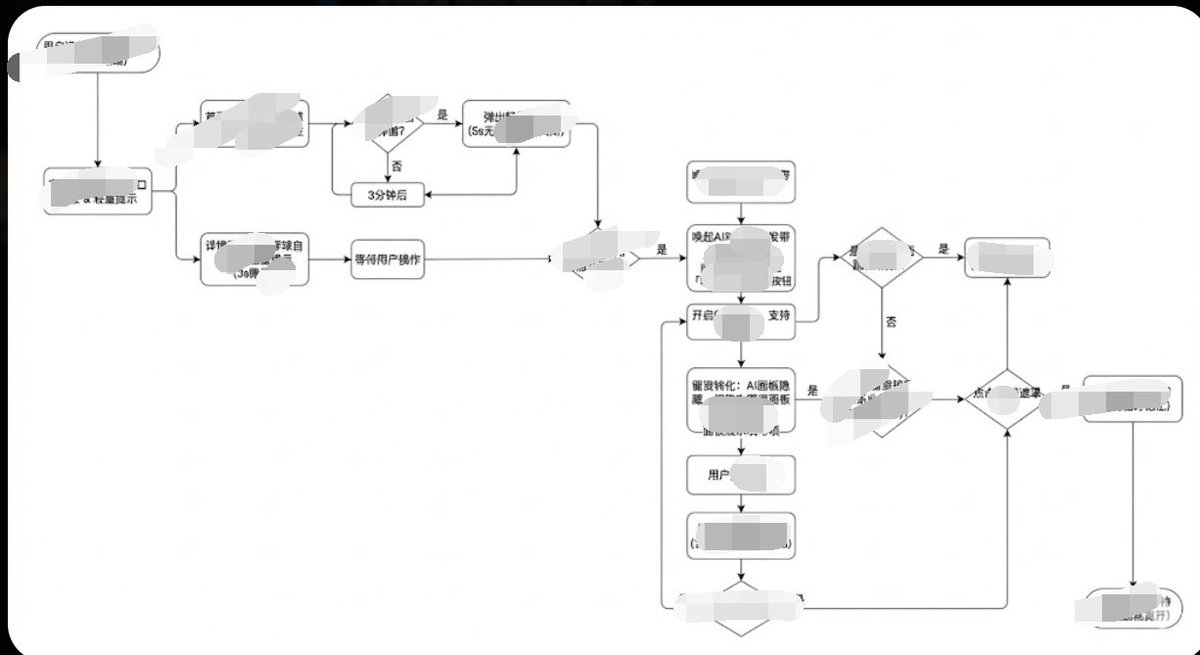
Minimalist Flowchart/Diagram Generation Style Guide

Minimalist Flowchart/Diagram Generation Style Guide

Generate image, 1. Style Core Parameter Extraction (Style Guide) Please refer to the following parameters: Color Palette: Background: Pure white (#FFFFFF) Lines/Borders: Dark gray or pure black (#333333 or #000000) Text: Dark gray (#333333), regular weight, no bold. Fill: No fill (transparent) or pure white fill, to cover lines behind. Lines/Connectors: Type: Orthogonal/Elbow lines, meaning only vertical and horizontal lines, with right-angle corners. Thickness: Extremely thin (1px). Arrow: Solid small triangle (Solid Arrowhead), black. Shapes: Normal Node: Rounded Rectangle, very small corner radius (approx. 4px - 8px). Decision Node: Diamond. Start/End: Capsule shape or rectangle with larger rounded corners. Typography: Alignment: Center aligned. Font: Sans-serif font, such as Arial, Roboto, or Source Han Sans. Small font size (approx. 12px-14px). Apply the style above along with your user journey/process to Gemini, and it will present the corresponding effect without needing adjustments.

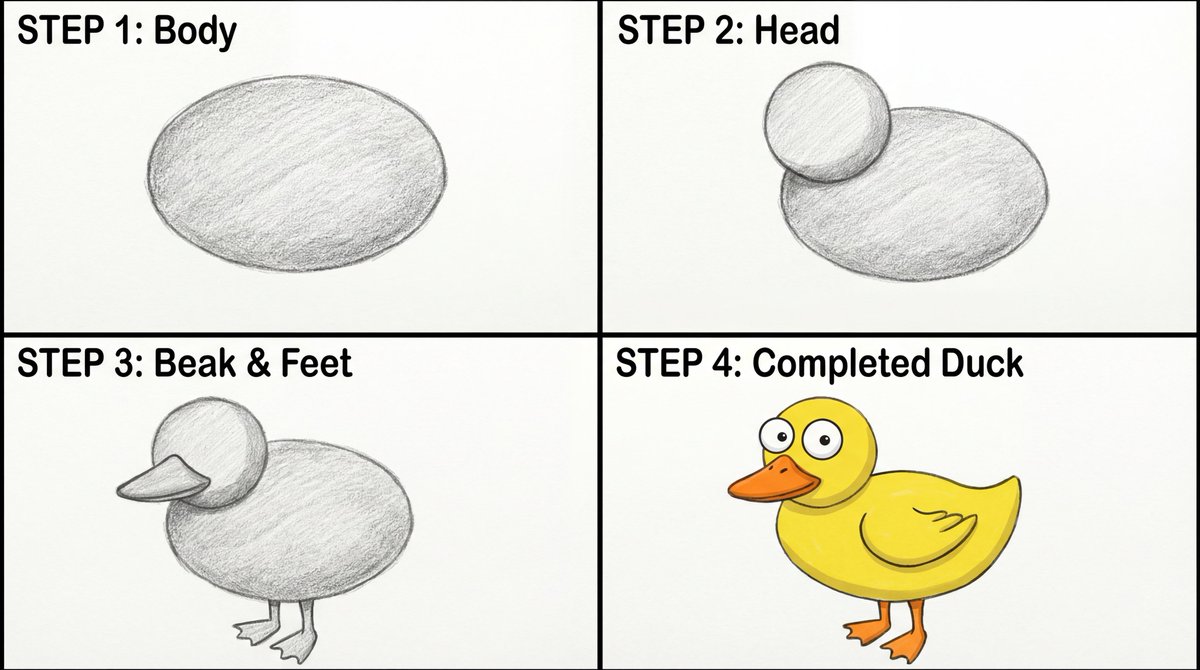
Four-Panel Guide for Drawing a Cartoon Duck

Four-Panel Guide for Drawing a Cartoon Duck

Create a four-panel, square layout guide for drawing a simple cartoon duck. 1. Panel one displays a grayscale oval for the duck's body. 2. Panel two shows a grayscale smaller circle overlapping the front of the oval for the head. 3. In panel three, a grayscale beak is added to the head, and webbed feet are attached to the bottom of the body. 4. The final panel reveals the completed duck with color now with two eyes on the head, and a wing outline on the body.

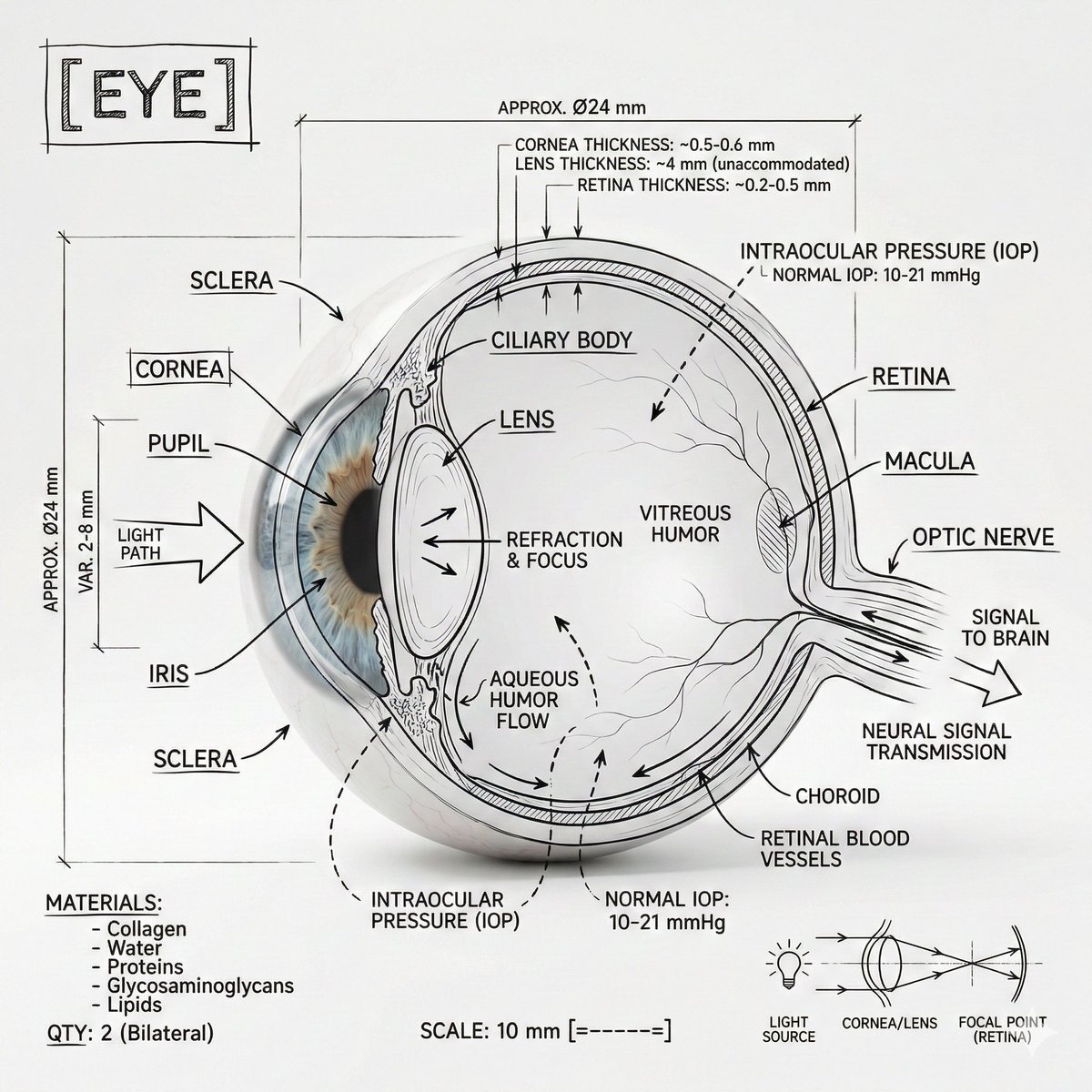
Infographic Prompt Template for Body Parts

Infographic Prompt Template for Body Parts

Create an infographic image of [{argument name="body part" default="Eye"}], combining a realistic photograph or photoreal render of the object with technical annotation overlays placed directly on top. Use black ink–style line drawings and text (technical pen / architectural sketch look) on a pure white studio background, including: •Key component labels •Internal cutaway or exploded-view outlines •Measurements, dimensions, and scale markers •Material callouts and quantities •Arrows indicating function, force, or flow (air, sound, power, pressure) •Simple schematic or sectional diagrams where relevant Place the title [BODY PART] inside a hand-drawn technical annotation box in one corner. Style & layout rules: •The real object remains clearly visible beneath the annotations •Annotations feel sketched, technical, and architectural •Clean composition with balanced negative space •Educational, museum-exhibit / engineering-manual vibe Visual style: Minimal technical illustration aesthetic, black linework over realistic imagery, precise but slightly hand-drawn feel. Color palette: White background, black annotation lines and text only. No colors. Output: 1080×1080, ultra-crisp, social-feed optimized, no watermark.

Some prompts are collected from creators on X. Copyright belongs to the original authors.