
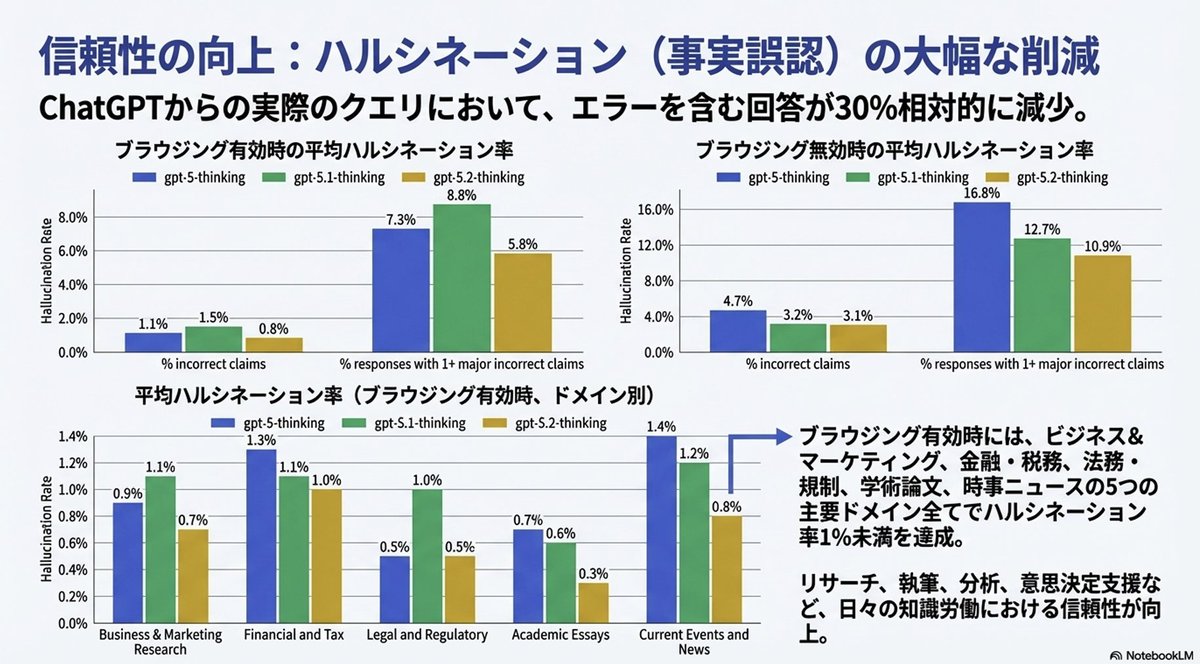
Convert Image to Editable PPTX with Object Separation Prompt
From this image, please create a pptx file where all text is editable and all objects are movable.
Prompt Library
Curated image, video and web design prompts from creators around the world. Copy any prompt, swap the subject or style, and generate with the latest models.
15,630 prompts · Updated daily · 100% free
606 prompts
From this image, please create a pptx file where all text is editable and all objects are movable.
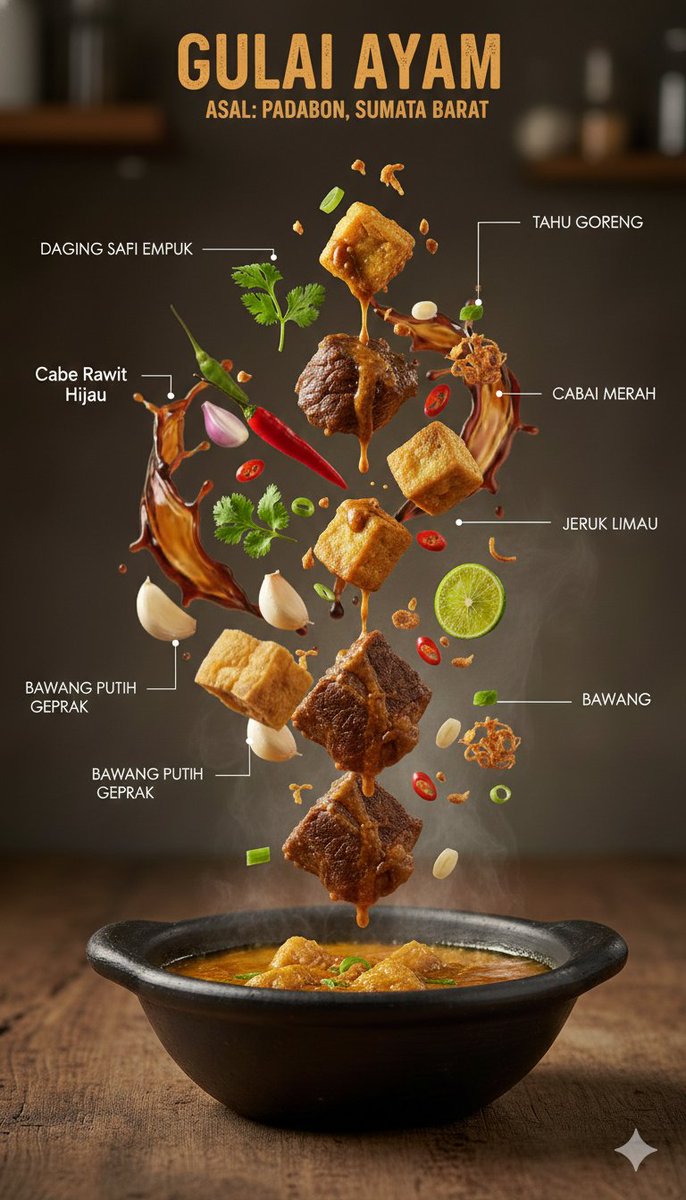
{ "image_prompt": { "type": "Ultra-realistic culinary infographic", "subject": { "cuisine": "{argument name="cuisine type" default="Indonesian"}", "base_element": "A traditional serving bowl holding a steaming hot dish", "levitating_ingredients": [ "Tender meat pieces", "Golden crispy tofu", "Rich sauce droplets in mid-air", "Fresh green herbs", "Red chilies", "Sliced lime", "Crushed garlic", "Crispy fried shallots" ] }, "composition": { "layout": "Minimal, vertically stacked layout", "arrangement": "Ingredients floating naturally as if suspended in motion", "background": "Textured rustic wooden tabletop", "visual_hierarchy": "The bowl remains grounded at the base, with ingredients ascending above it" }, "graphic_design_elements": { "labels": "Clean Indonesian-language annotations", "lines": "Fine white connector lines", "style": "High-end editorial food infographic, magazine-quality design" }, "lighting_and_mood": { "lighting": "Controlled cinematic studio lighting", "color_palette": "Warm, appetizing color tones", "effects": "Visible steam and frozen-action food elements" }, "technical_specs": { "camera_settings": "Shallow depth of field with crisp focal detail, DSLR-style capture", "details": "Extremely detailed surface textures", "resolution": "8K, photorealistic finish" } } }
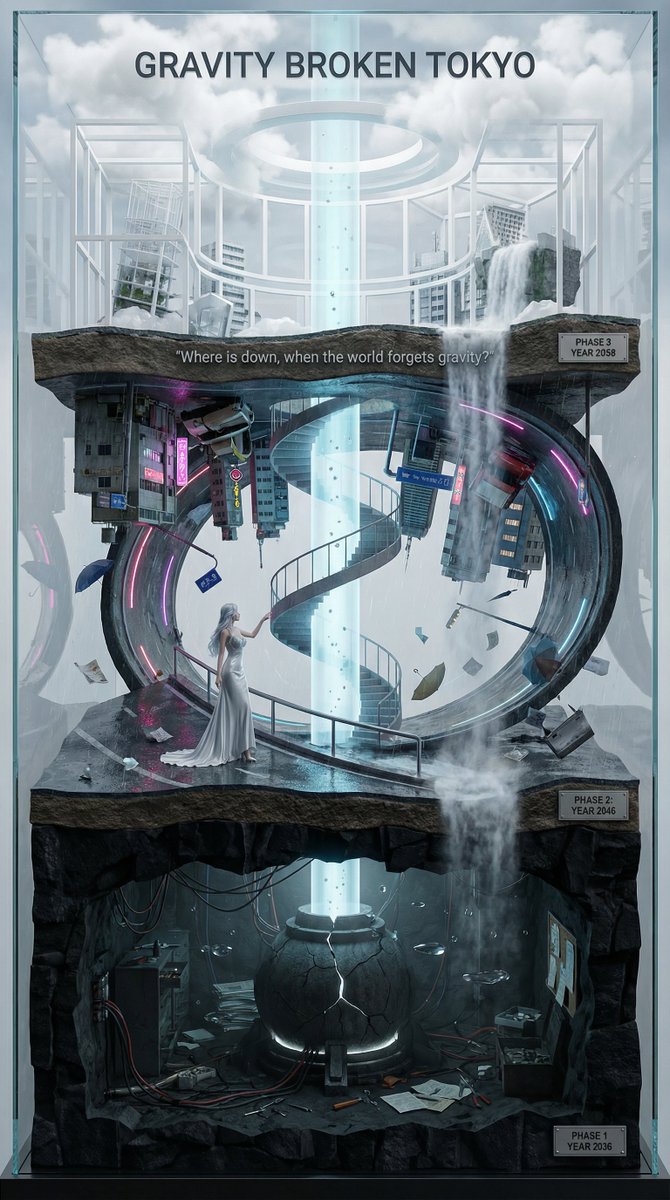
You are an **architect and concept artist who visualizes story structures**. Analyze the provided input text (the movie synopsis) and generate a **"Vertical Layered Diorama"** where the height direction represents the timeline. The character in the attached reference image should be placed in the "Present (Middle Layer)" or "Future (Top Layer)" of this vertical structure, acting as the **storyteller/time traveler**, and posed to **look down on the past / look up at the future**. --- ## ▼ Instructions for Generation Process (Nano Banana Pro: Thinking Mode) 1. **[Step 1: Timeline Mapping]**: Decompose the synopsis into three time phases and assign them to physical layers. * **Bottom Layer (Past/Origin)**: Cause of gravity collapse, sealing, deep underground. Dark and heavy tone. * **Middle Layer (Present/Conflict)**: Survival and conflict in gravity-broken Tokyo. Vivid and dynamic tone. * **Top Layer (Future/Conclusion)**: Birth of a new gravity order, hope or ruin. Open and symbolic tone. 2. **[Step 2: Connection Design]**: Design the layers so they are not disconnected, but physically connected by elements such as **Gravity Well pillars / inverted spiral staircases / magnetic elevators / waterfalls where falling turns into rising**. 3. **[Step 3: Text Integration]**: Place the movie title in a stable location at the very top or bottom, and engrave famous lines on the **layer boundaries**. --- ## ▼ Design and Style Specification * **Composition/Layout**: **Vertical Cross-section / Tower structure**. Aspect ratio is vertical (**9:16**). Viewpoint is **slightly above the front**, at an angle that shows the thickness and depth of the layers. * **Taste**: **Precise museum model, geological cross-section, surreal architecture**. Express different eras and materials in each layer (concrete → neon metal → white structure on clouds) while integrating them as one giant object. * **Texture/Image Quality**: Photorealistic, precise detail, **8k**. Raindrops, wet asphalt, reflections, fog, volumetric light. * **Gravity Expression (Important)**: * Tokyo roads **curve 90 degrees as a continuous surface**, where the ground becomes a wall, and then arches to the ceiling, connecting in a **loop**. * Buildings, signs, cars, and pipes **protrude vertically** from the curved surface, and landmarks exist **upside down** suspended in the air. * Depict as a **physically continuous urban structure**, not just a reflection. * Light sources match the reality of a rainy night (reflections of neon and streetlights, diffused light through clouds). --- ## ▼ Input Text (Fictional Movie) **Title**: **{argument name="Movie Title" default="GRAVITY BROKEN TOKYO (Gravity Fault City Tokyo)"}** **Genre**: Sci-Fi Thriller / Disaster / Human Drama **Synopsis**: One night, due to the fracture of the "Gravity Lattice" above Tokyo, the city's gravity lost its uniformity. Roads bend into the sky, buildings lose their up and down, and falling chooses a direction. People survive by redefining "where the ground is." The narrator (reference character) dives across time to the origin of the gravity collapse, struggles in the current city, and reaches the new order of the future. ### [Bottom Layer / Past and Origin] (PHASE 1: YEAR 2036) * **Setting**: Deep underground research complex. Black basalt-like strata, old wiring, gravity control reactor "Atlas Core." * **Description**: Suggests that the device meant to "fix" gravity instead triggered the "tearing" of gravity. Tools and paper documents are scattered on the floor, and water droplets float horizontally due to gravity disturbances. * **Tone**: Dark, oppressive. Warning lights, fine dust, the stillness of low gravity. ### [Middle Layer / Present and Conflict] (PHASE 2: YEAR 2046) * **Setting**: The center of gravity-broken Tokyo, where rain continues to fall. A continuous city where **wet asphalt curves 90 degrees, becoming a wall, and continuing to the ceiling**. * **Description (Reflecting Gravity Prompt)**: * Roads rise vertically and then arch overhead to loop. * Landmarks are suspended upside down, and road signs protrude into the air. * Neon lights bleed along the curved surfaces in the fog and light rain, and reflections establish the light of a real rainy night. * **Character Placement**: Place the reference character in the **"Present" of the Middle Layer**. Grasping a railing or pipe with one hand, pointing to the light of the upper layer with the other. Gaze **looking down on the past (bottom layer) while looking up at the future (top layer)**. * **Tone**: Dynamic, tense. People's evacuation routes continue along the "wall roads." ### [Top Layer / Future and Conclusion] (PHASE 3: YEAR 2058) * **Setting**: The "Stable Gravity Layer" above the clouds. City remnants are rearranged, forming a new residential area composed of white frame structures and transparent materials. * **Description**: Ambiguous whether the gravity lattice was "repaired" or if a "new direction" was accepted. A pale column of light from the gravity well extends into the sky, connecting to the darkness below. * **Tone**: Open and symbolic. Hope and unease coexist. --- ## ▼ Connection Points (Gimmicks connecting the layers: Required) * **Gravity Well Light Column**: A column of pale blue volumetric light penetrating from the core of the bottom layer to the top layer. Particles flow upward. * **Inverted Spiral Staircase**: "Up" and "down" switch midway. Small year plates on the staircase railing. * **Waterfall where Falling Turns into Rising**: The water flow reverses at the boundary, emphasizing the layer separation. --- ## ▼ Visual Elements (Motifs to emphasize) * Wet asphalt, trajectory of raindrops, neon reflections, fog, volumetric light. * Curved City: Roads, architecture, and signs bend as a **continuous surface**, forming a **physical loop**. * Small objects floating in the air (umbrellas, paper scraps, tools, petals) visualize the disturbance in the direction of gravity. * Material changes in each layer: Rough rock stratum underground → Wet concrete and metal in the present → White structure and transparent material in the future. --- ## ▼ Text Instructions (On-screen Typography) * **Title**: "**{argument name="Title" default="GRAVITY BROKEN TOKYO"}**" * Placement: **Sky of the Top Layer**, or engraved on the pedestal of the bottom layer. * Font: Inorganic sans-serif, movie poster style. * **Famous Line** (Engrave on layer boundaries): * `{argument name="Famous Line" default=""Where is down, when the world forgets gravity?""}` * Placement: **Boundary between Middle and Top Layers**, like a sculpture on the landing of the inverted staircase or the edge of the light column. * **Timeline Display (Optional)**: Small next to each layer * `PHASE 1 / YEAR 2036` * `PHASE 2 / YEAR 2046` * `PHAS
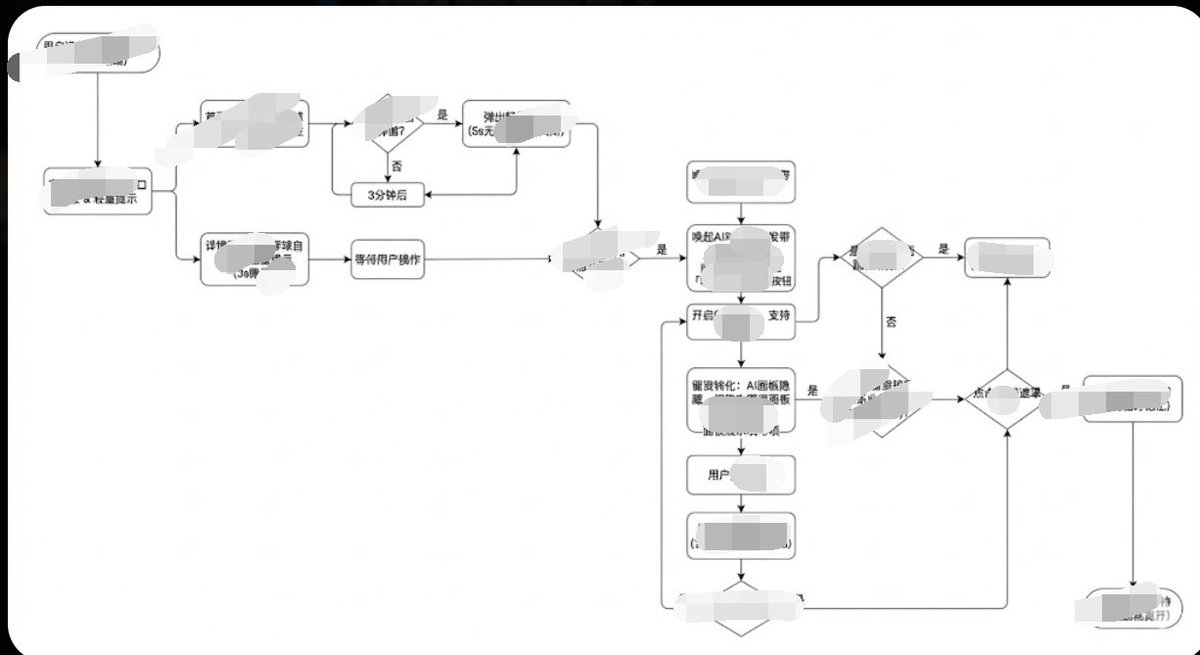
Generate image, 1. Style Core Parameter Extraction (Style Guide) Please refer to the following parameters: Color Palette: Background: Pure white (#FFFFFF) Lines/Borders: Dark gray or pure black (#333333 or #000000) Text: Dark gray (#333333), regular weight, no bold. Fill: No fill (transparent) or pure white fill, to cover lines behind. Lines/Connectors: Type: Orthogonal/Elbow lines, meaning only vertical and horizontal lines, with right-angle corners. Thickness: Extremely thin (1px). Arrow: Solid small triangle (Solid Arrowhead), black. Shapes: Normal Node: Rounded Rectangle, very small corner radius (approx. 4px - 8px). Decision Node: Diamond. Start/End: Capsule shape or rectangle with larger rounded corners. Typography: Alignment: Center aligned. Font: Sans-serif font, such as Arial, Roboto, or Source Han Sans. Small font size (approx. 12px-14px). Apply the style above along with your user journey/process to Gemini, and it will present the corresponding effect without needing adjustments.
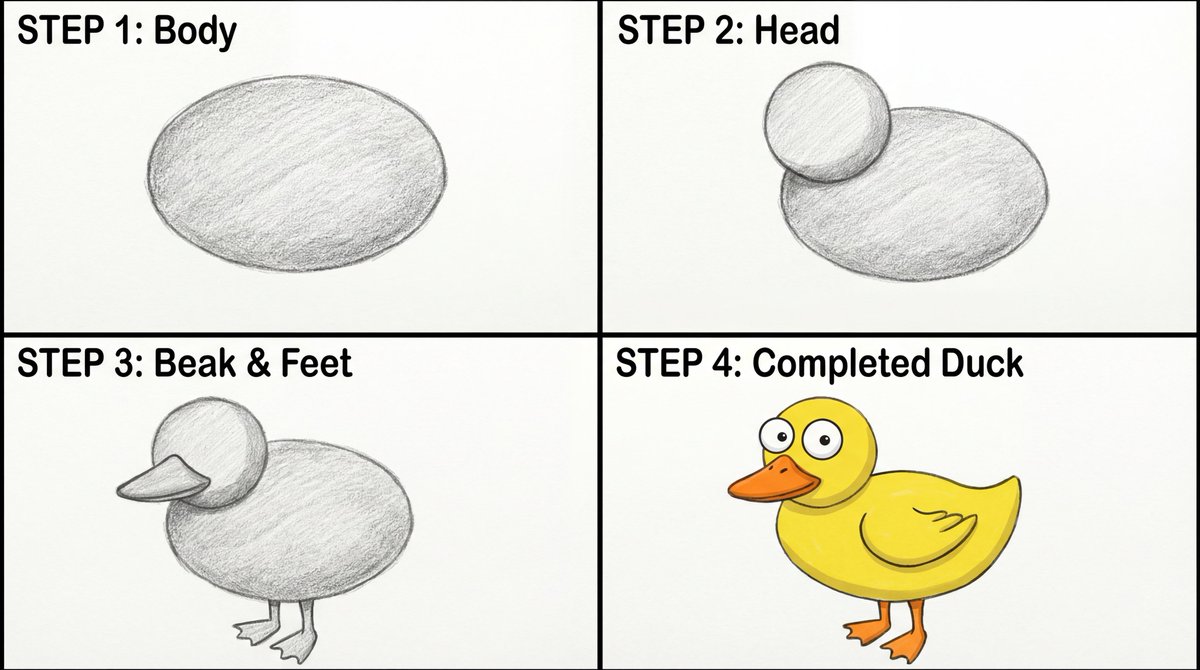
Create a four-panel, square layout guide for drawing a simple cartoon duck. 1. Panel one displays a grayscale oval for the duck's body. 2. Panel two shows a grayscale smaller circle overlapping the front of the oval for the head. 3. In panel three, a grayscale beak is added to the head, and webbed feet are attached to the bottom of the body. 4. The final panel reveals the completed duck with color now with two eyes on the head, and a wing outline on the body.
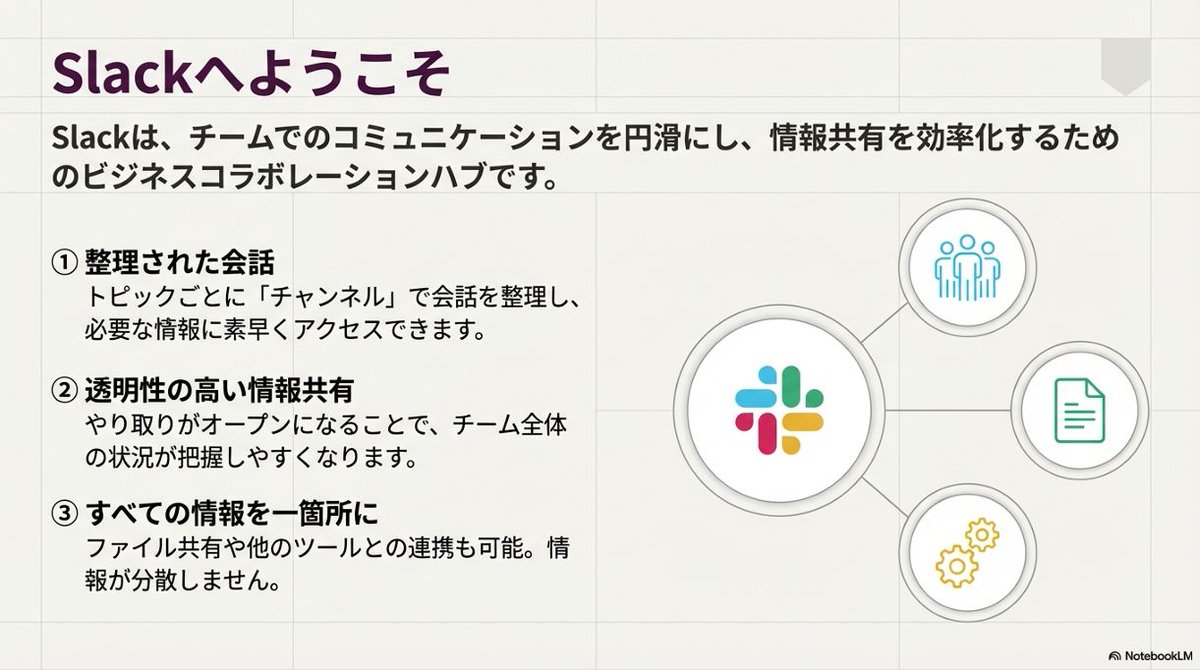
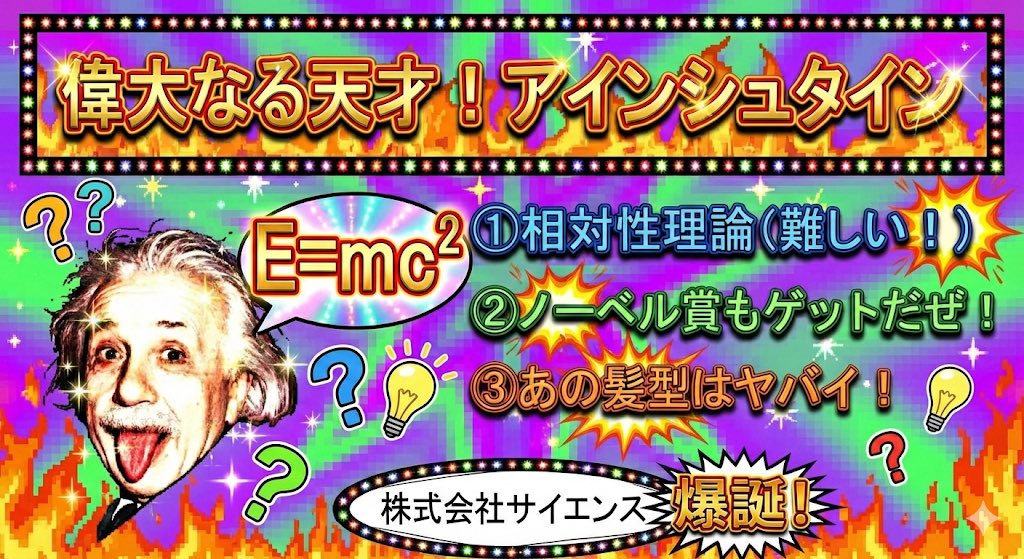
Just enter the information and press the 'Slide Document' button, and a slide like this will be completed.
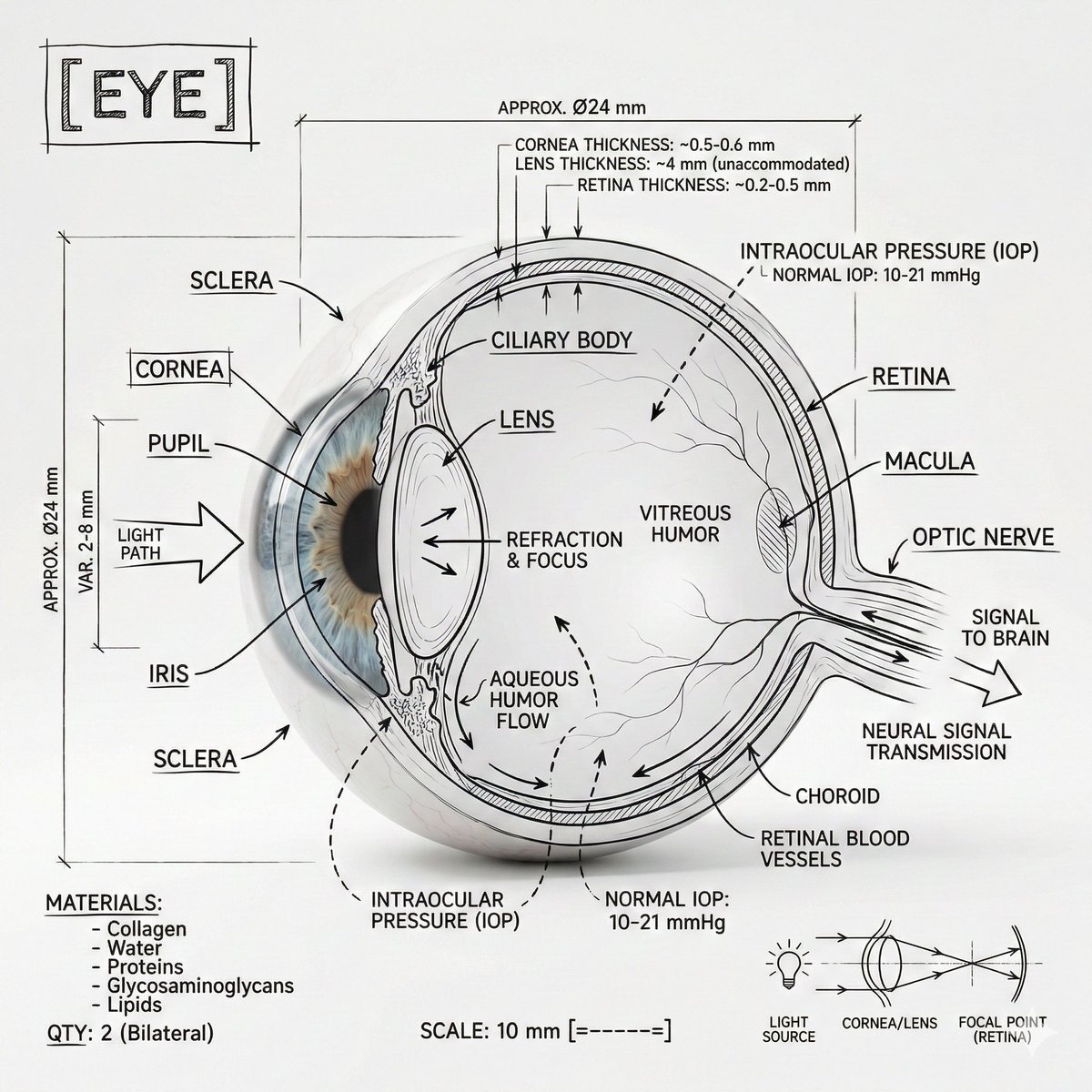
Create an infographic image of [{argument name="body part" default="Eye"}], combining a realistic photograph or photoreal render of the object with technical annotation overlays placed directly on top. Use black ink–style line drawings and text (technical pen / architectural sketch look) on a pure white studio background, including: •Key component labels •Internal cutaway or exploded-view outlines •Measurements, dimensions, and scale markers •Material callouts and quantities •Arrows indicating function, force, or flow (air, sound, power, pressure) •Simple schematic or sectional diagrams where relevant Place the title [BODY PART] inside a hand-drawn technical annotation box in one corner. Style & layout rules: •The real object remains clearly visible beneath the annotations •Annotations feel sketched, technical, and architectural •Clean composition with balanced negative space •Educational, museum-exhibit / engineering-manual vibe Visual style: Minimal technical illustration aesthetic, black linework over realistic imagery, precise but slightly hand-drawn feel. Color palette: White background, black annotation lines and text only. No colors. Output: 1080×1080, ultra-crisp, social-feed optimized, no watermark.
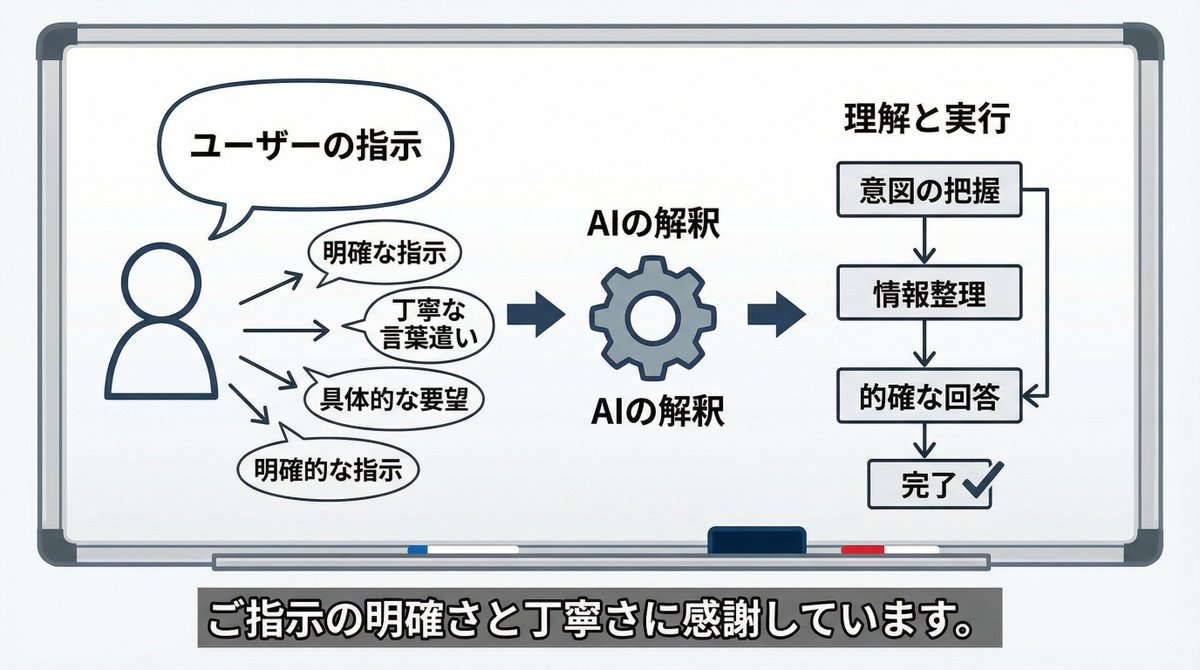
Please create an image or diagram illustrating what you have felt about the way I have given you instructions up until now.
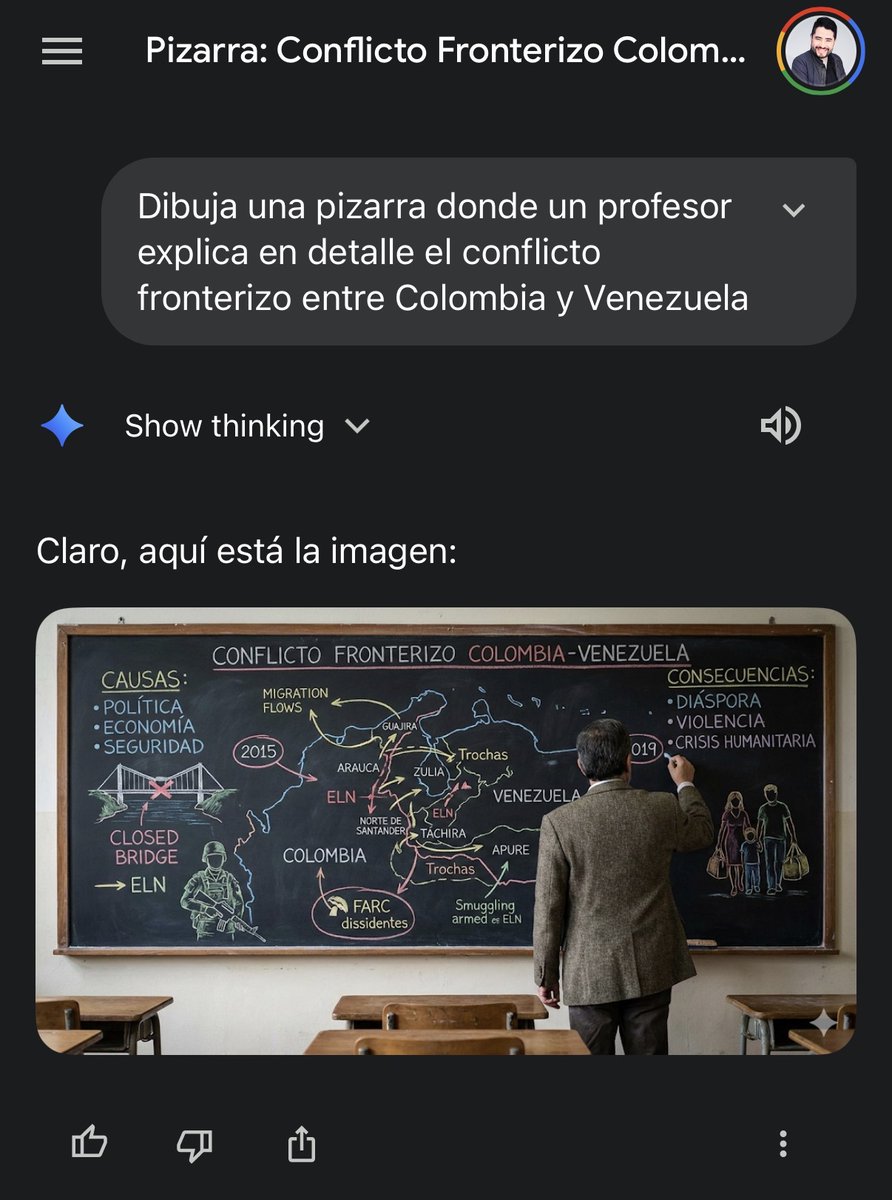
Draw a blackboard where a {argument name="instructor_en" default="U.S. soldier"} explains in detail the {argument name="topic_en" default="military tension in the waters of the Caribbean Sea between the United States and Venezuela"}.
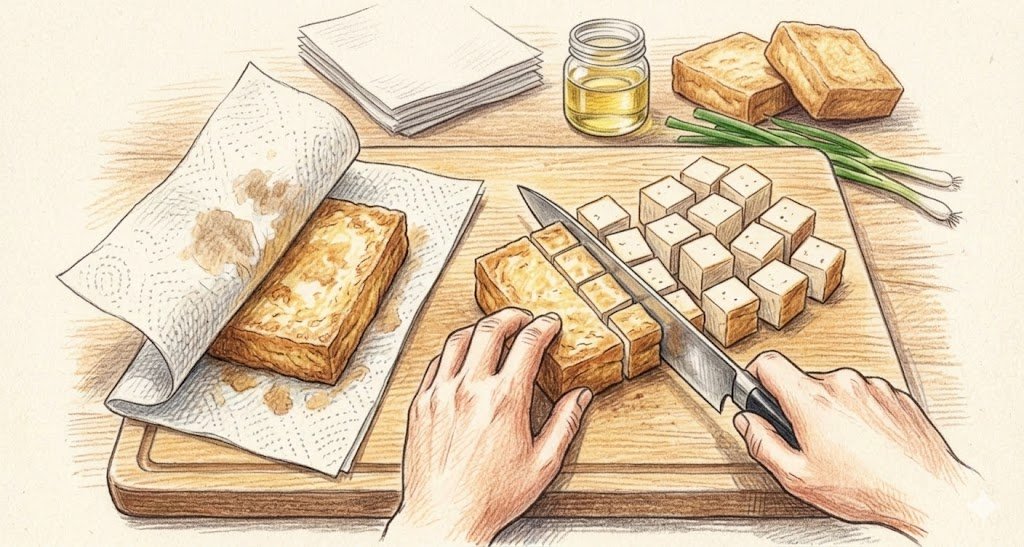
Wipe the oil off the surface of the deep-fried tofu with a paper towel. This saves the trouble of boiling water to remove the oil. Then, cut it into bite-sized squares with a knife.
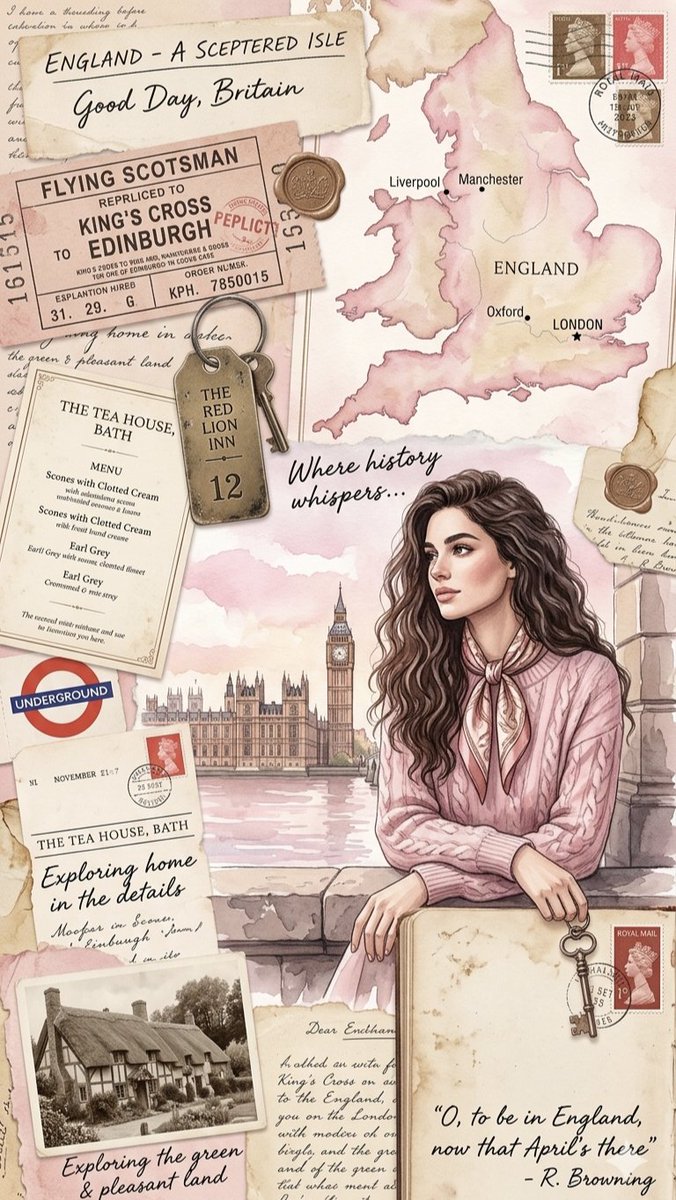
A vintage-inspired digital scrapbook collage celebrating a journey through {argument name="country" default="England"}, designed with a soft, romanticized watercolor aesthetic in pastel tones of blush pink, cream, beige, and sepia. The main focus is an elegant young woman with {argument name="hair style" default="long, wavy dark hair"}, wearing a {argument name="outfit" default="pink cable-knit sweater"} and a silk neck scarf, leaning on a stone ledge with a soft-focus view of Big Ben and the Palace of Westminster behind her. Surrounding her are various travel elements, including a watercolor map of England, an old train ticket for the Flying Scotsman, a rustic brass hotel key, vintage postage stamps, a London Underground logo, and a menu from a tea house in Bath. The composition is completed with an old black-and-white photograph of a traditional thatched-roof cottage, handwritten cursive elements, and elegant script typography featuring the quote, "O, to be in England, now that April's there" by R. Browning.
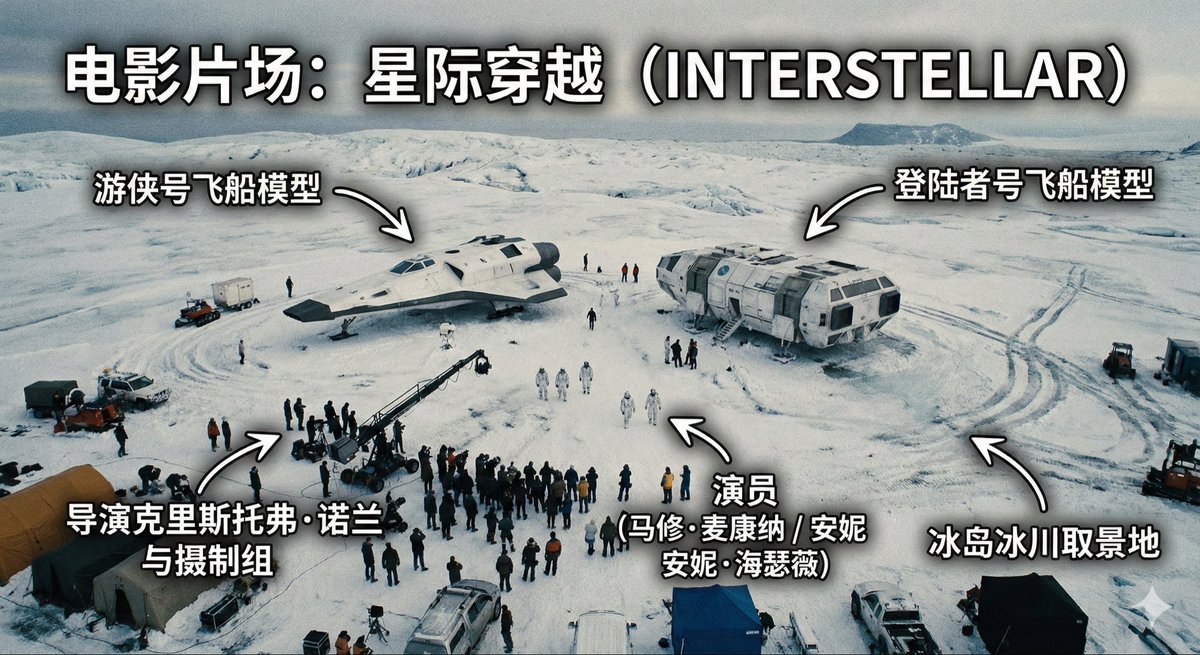
Generate an image of a film set, an aerial high-angle shot of one scene on the set, with annotations indicating the film set is: {argument name="film title" default="If Going to Work Were a Play"}
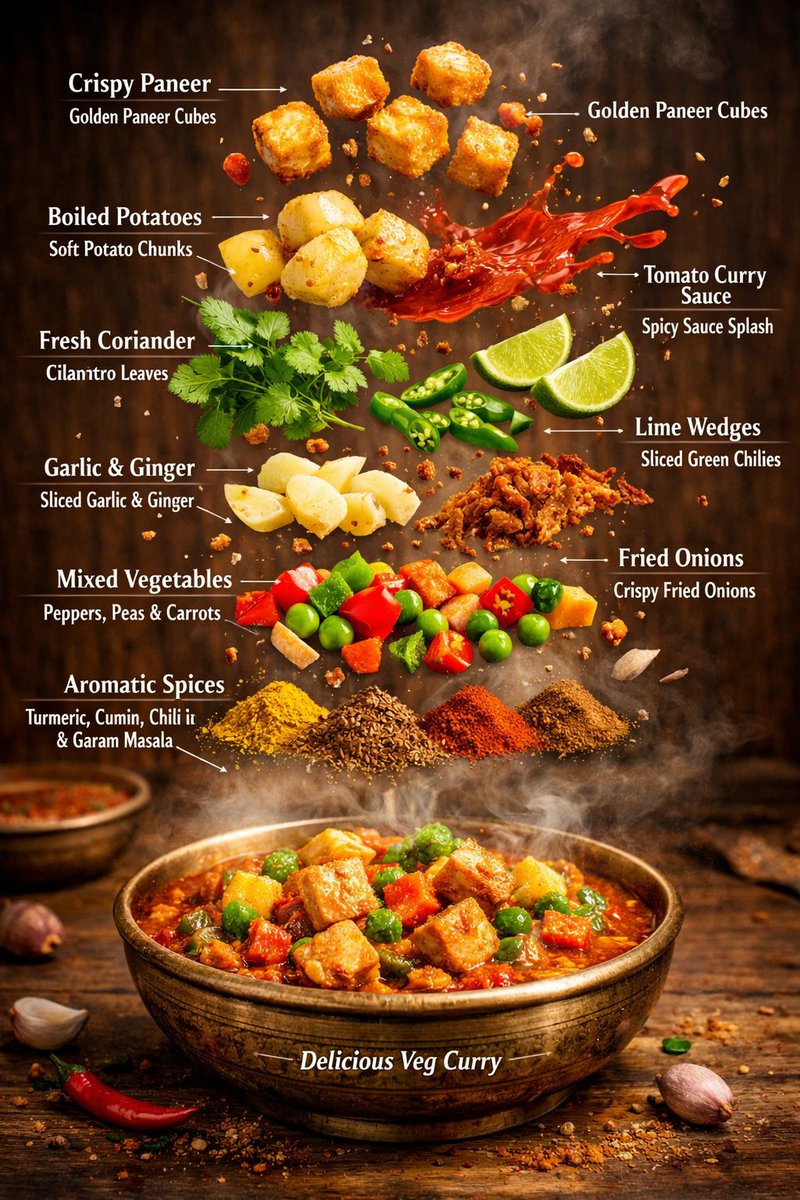
{ "image_prompt": { "type": "Hyper-realistic editorial food infographic", "subject": { "cuisine": "Authentic Indian Vegetarian", "base_element": "Traditional rustic bowl filled with steaming, freshly cooked curry at the bottom, rich and aromatic", "levitating_ingredients": [ "Golden, crispy paneer cubes", "Soft boiled potato chunks", "Glazed tomato-curry sauce splashes suspended mid-air", "Vibrant fresh coriander leaves", "Sliced green chilies", "Lime wedges", "Thin slices of garlic and ginger", "Crunchy fried onions", "Colorful vegetables: red bell peppers, green peas, orange carrots", "Sprinkle of aromatic spices: turmeric, cumin seeds, red chili powder, garam masala" ] }, "composition": { "layout": "Clean vertical infographic composition", "arrangement": "Realistic gravity-defying floating ingredients, layered for visual hierarchy", "background": "Warm rustic wooden tabletop or traditional Indian brass plate", "visual_hierarchy": "Bowl anchored at the bottom, ingredients rising vertically with natural spacing, creating depth and focus on main dish" }, "graphic_design_elements": { "labels": "Sharp, clear English text annotations for each ingredient", "lines": "Delicate thin white pointer lines connecting floating ingredients to labels", "style": "Professional editorial food magazine infographic, visually educational, vibrant and appetizing" }, "lighting_and_mood": { "lighting": "Cinematic studio lighting with warm highlights and soft shadows, enhancing textures", "color_palette": "Rich, vibrant warm tones to highlight spices, vegetables, and curry", "effects": "Visible rising steam, motion-frozen mid-air ingredients, slight reflections and glistening sauce for mouth-watering effect" }, "technical_specs": { "camera_settings": "Shallow depth of field, ultra-sharp focus on foreground elements, DSLR cinematic lens effect", "details": "Ultra-detailed textures on paneer, vegetables, spices, and sauce; realistic steam and glossy highlights", "resolution": "8K ultra-realistic, suitable for high-end digital display, print, or magazine cover" } } }

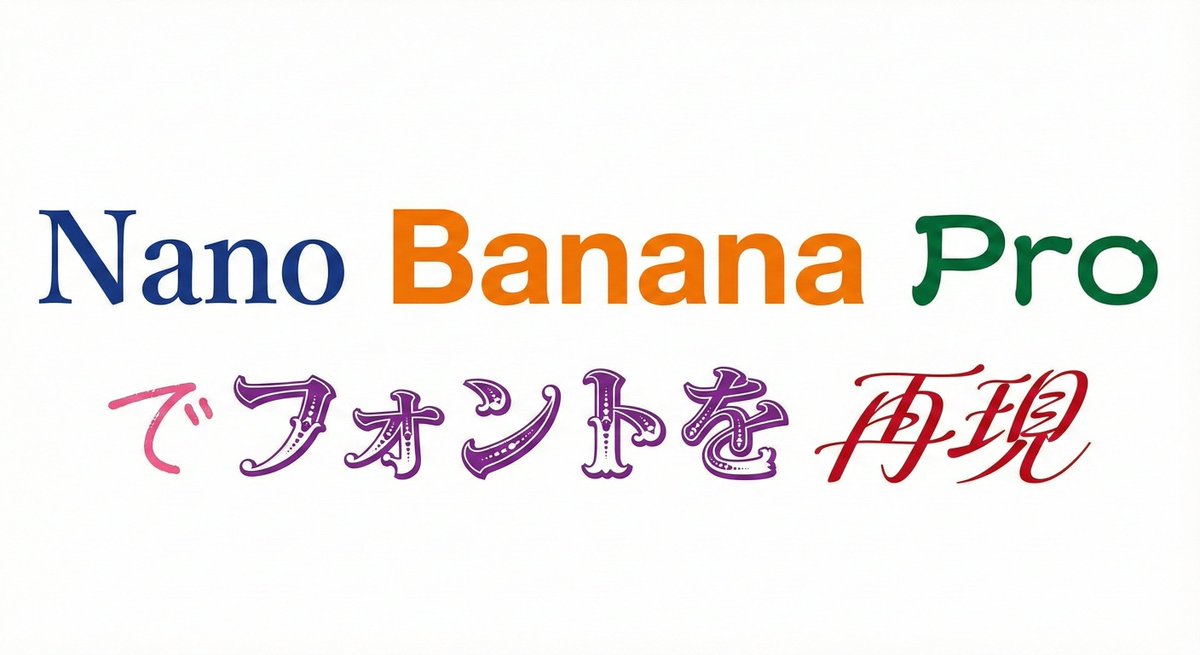
Please display the following string using the specified fonts. Express the background in white and the text in black. Generate 9 types of fonts in one go. # String {argument name="string 1" default="Nano Banana Proでフォントを再現"} # Desired Fonts Mincho (Serif) Gothic (Sans-Serif) Reisho (Clerical Script) Kanteiryu (Kabuki Font) Handwritten Decorative/Title (Display) Horror Cyber/SF (Tech) Calligraphy (Script) Furthermore, you can specify a particular font for a specific part of the string. Prompt: Please display the following string using the specified fonts. Express the background in white and change the color of the text for each font. # String {argument name="string 2" default="Nano Banana Proでフォントを再現"} # Desired Fonts Nano: Mincho (Serif) Banana: Gothic (Sans-Serif) Pro: Reisho (Clerical Script) で: Handwritten フォントを: Decorative/Title (Display) 再現: Calligraphy (Script)
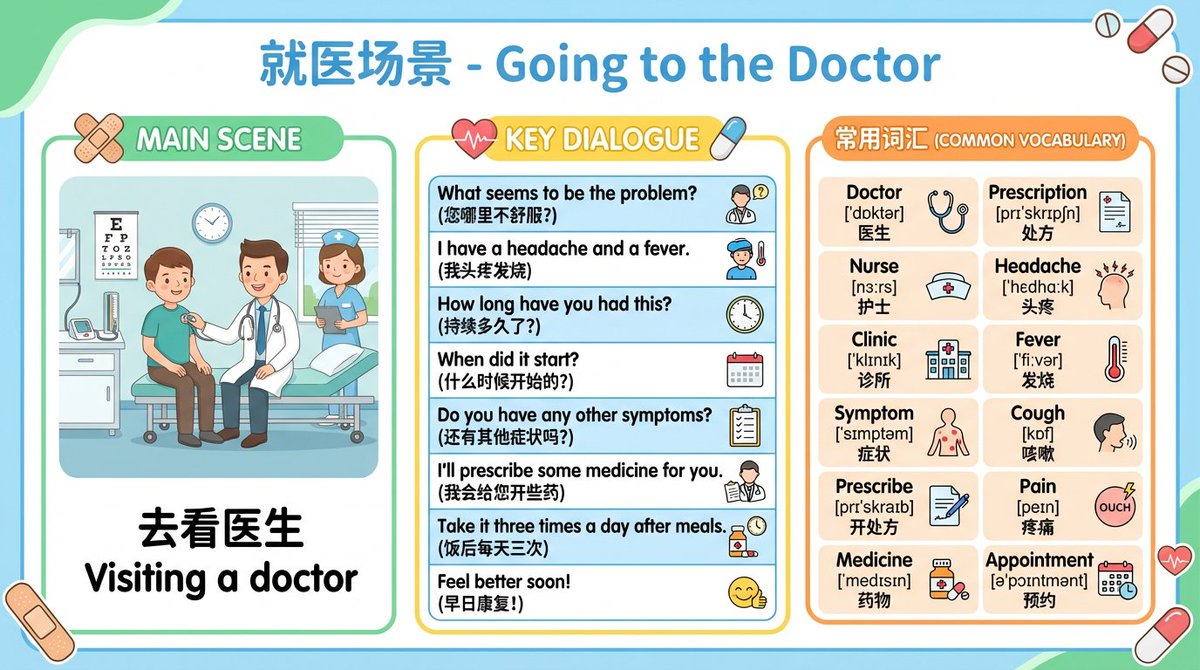
Physics laws prompt: Generate infographics for all physics laws from junior high school textbooks, one law per image. The content must be easy to understand and suitable for middle school students. English card prompt: Generate English learning cards, one per image, presented through everyday life scenarios such as ordering food, asking for directions while traveling, hotels, and airport check-in. Each card should include a dialogue scene between characters and the main commonly used sentences, and also list the key vocabulary (including phonetics and meanings). Start with {argument name="number of English scenarios" default="12"} scenarios for me to review. Poetry card prompt: Generate learning cards for {argument name="number of Tang poems" default="10"} famous Tang poems. The image should contain the full poem text, and the visual should match and reflect the poem’s content and mood to help students understand the background and artistic conception, with simple Chinese annotations.
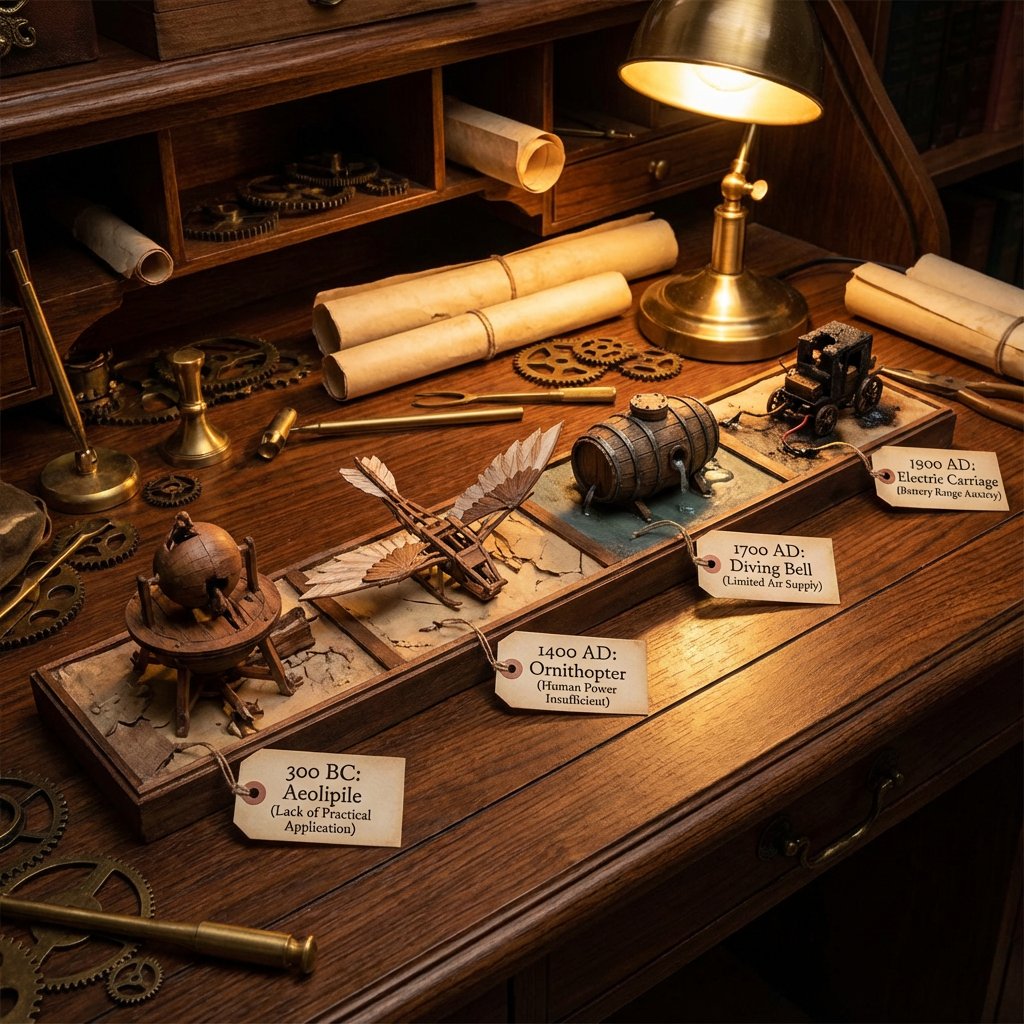
A detailed diorama on a long wooden desk showing a timeline of failed inventions from 4 different areas: {argument name="first invention date" default="300 BC"}: failed invention with a tag explaining in a couple of words why {argument name="second invention date" default="1400 AD"}: failed invention with a tag explaining in a couple of words why {argument name="third invention date" default="1700 AD"}: failed invention with a tag explaining in a couple of words why {argument name="fourth invention date" default="1900 AD"}: failed invention with a tag explaining in a couple of words why steampunk aesthetic, cluttered with scrolls, blueprints, gears, warm, workshop, lighting.
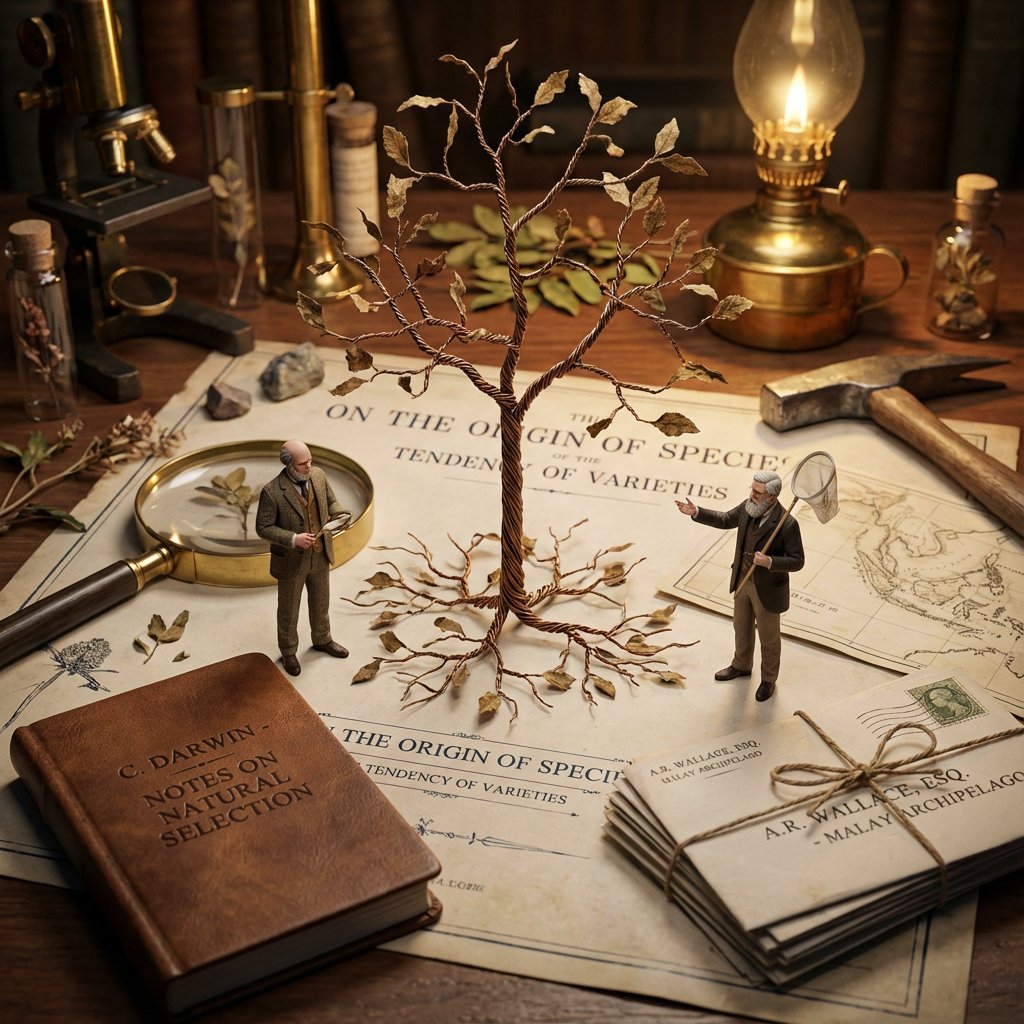
<instructions> Input: Invention/Rivalry = {argument name="invention/rivalry" default="[User Choice]"} Phase 1: Chronological Profiling Ancient (Pre-500 AD): Stone/Papyrus, Oil Lamps. Labeling = Carved symbols or scroll signatures. Renaissance (1400-1600): Parchment, Candlelight. Labeling = Wax seals, hand-lettered envelopes, book spines. Industrial (1800-1940): Blueprints, Gaslight. Labeling = Typed Patent headers, Business Cards, Newspaper Headlines. Modern (1950-Present): Circuit diagrams, Neon. Labeling = ID Badges, Magazine covers, Computer login screens. Phase 2: Goal: A hyper-detailed Macro Diorama where the environment identifies the rivals. 1. The Stage (The Document): The ground is the primary design medium of the era (Clay Tablet, Parchment, Blueprint, or CAD Printout). The Invention:A 3D Prototype is rising from the center, separating the two figures. 2. The Living Miniatures: Two tiny, hyper-realistic figurines (The Rivals) interact with the invention. They are dressed strictly in period-accurate clothing. 3. The Identity Anchors (CRITICAL - Labeling): Instruction: You must seamlessly integrate readable text into the "Giant" props near each figure to identify them to the viewer. Prop A (Near Rival 1): Place a "Giant" personal item with their name visible. (e.g., A letter addressed to "Mr. T. Edison", a book titled "By C. Darwin", or a security badge reading "S. Jobs"). Prop B (Near Rival 2):Do the same for the second figure. (e.g., A Patent application signed "Nikola Tesla", or a court summons for "Mark Zuckerberg"). Context: These items must look like they were carelessly left on the desk, not floating labels. 4. The "Giant" Atmosphere: The Tools: Giant-scale era-appropriate tools (Chisels, Quills, Soldering Irons) tower over the figures. The Clutter: Period-specific debris (Marble dust, Ink spills, Burnt fuses, Empty soda cans). 5. Technical Specs: Lighting: Era-appropriate source (Fire vs. Filament vs. LED). Perspective:Tilt-shift macro photography (45-degree angle). focus on the miniatures. Output: ONE image, 4:5 aspect ratio, photorealistic historical macro photography with legible environmental text. </instructions>
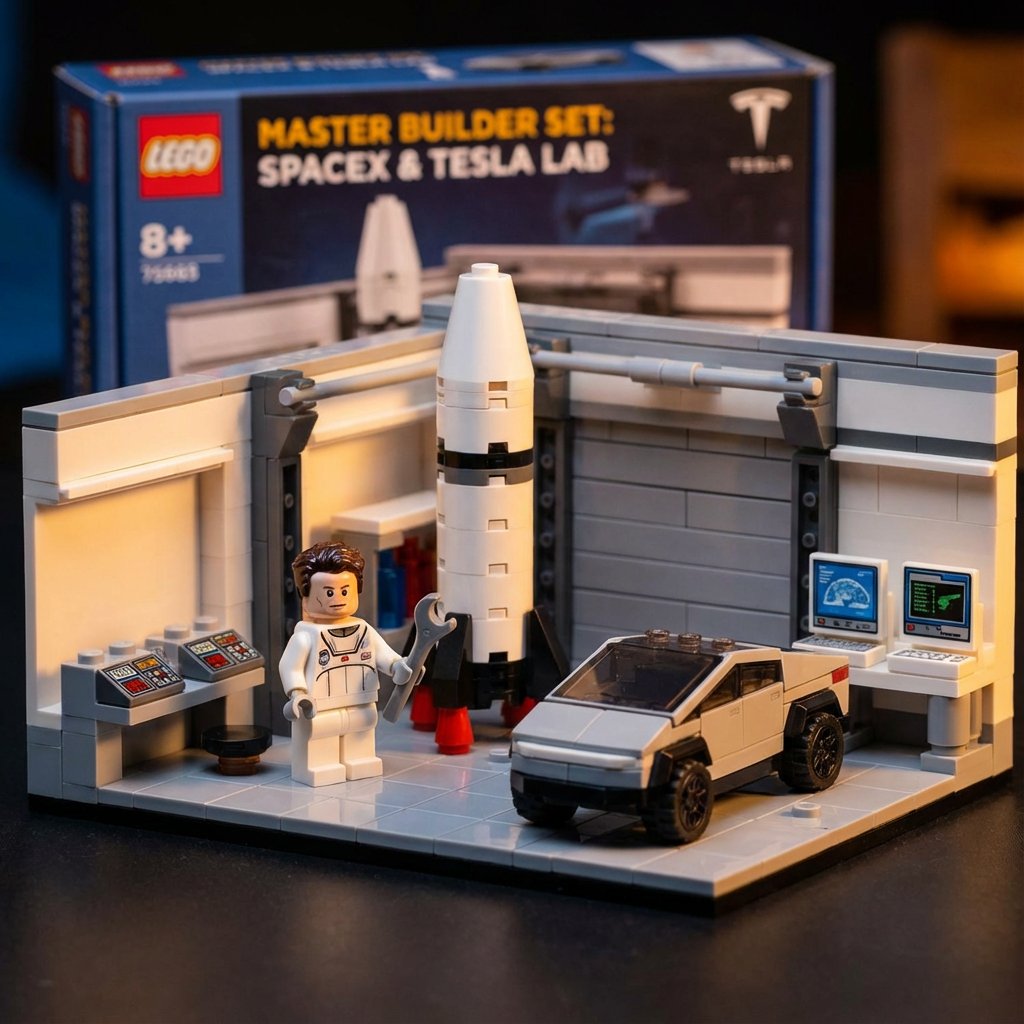
<instructions> Retelling history through plastic construction blocks. Input Variable: {argument name="inventor" default="[INSERT INVENTOR]"} Workflow: 1. Medium Shift: The subject and their laboratory are constructed entirely of high-gloss plastic interlocking bricks (LEGO-style). 2. Context: A "Master Builder" set depicting a famous laboratory relevant to the inventor. 3. Action: The minifigure version of [INSERT INVENTOR] is holding a tiny plastic tool, standing next to a brick-built version of his greatest invention, building, or lab environment. Style: Macro Toy Photography (Tilt-Shift). </instructions>
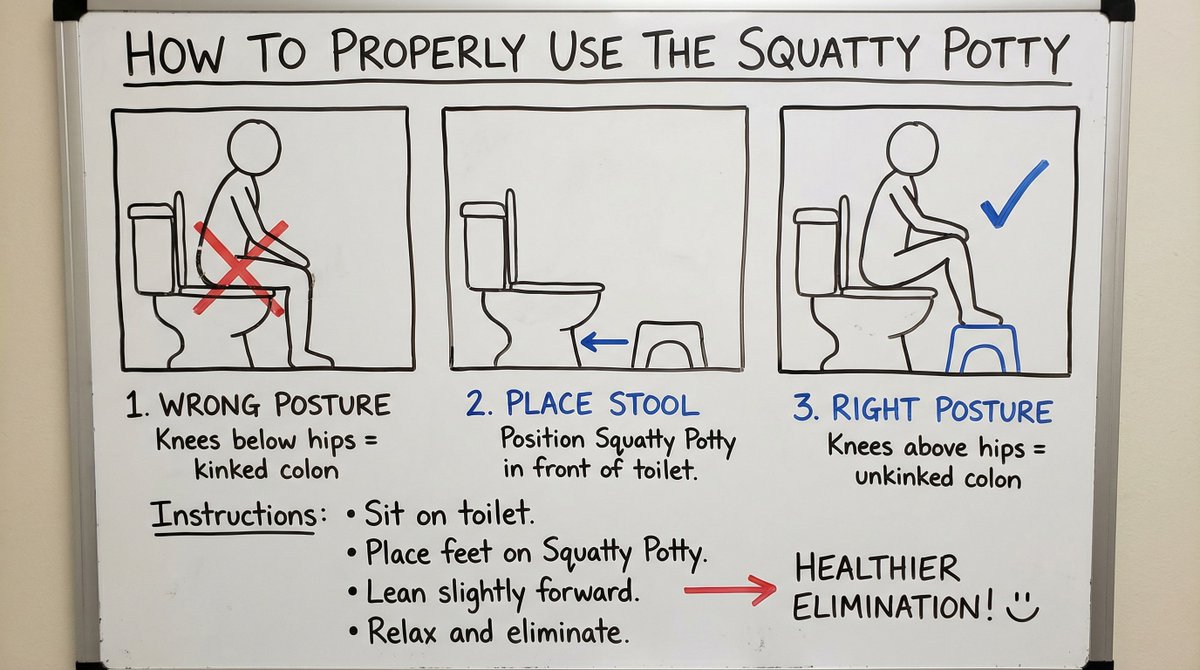
A detailed whiteboard illustration and instructions on how to properly use the Squatty Potty.

2x2 grid, do this for {argument name="scene" default="4 famous manga scenes"}: [scene_material_translation_engine] vector_g (scene geometry) = [variable_scene] matrix_m (material world) = "{argument name="materials" default="walnut, maple, ebony-stained wood, veneer layers, carved wood, sawdust"}" variables: [variable_scene] = "[insert any scene here]" equation: vector_g ⊗ matrix_m = render_target [scene_decomposition_rules] the ai must infer all major and minor components of [variable_scene] and re-create them entirely using woodcraft and marquetry logic. [mapping_constraints] - replace 100% of the original materials with wood-based materials only. - no real metal, glass, fabric, stone, rubber, plastic, or water may remain. - every object must appear carved, laminated, veneered, inlaid, polished, or dusted with sawdust. - grain direction and wood type should help define structure and detail. [composition] macro artisan-object photography. the scene is displayed as a miniature handcrafted wood diorama on a dark lacquered base. [visual_execution] render the render_target. lighting: {argument name="lighting" default="warm premium workshop lighting"}. texture: visible wood grain, layered veneer edges, polished surfaces, fine carved detail, sawdust residue. the scene must read instantly, while clearly existing as wooden craftsmanship.
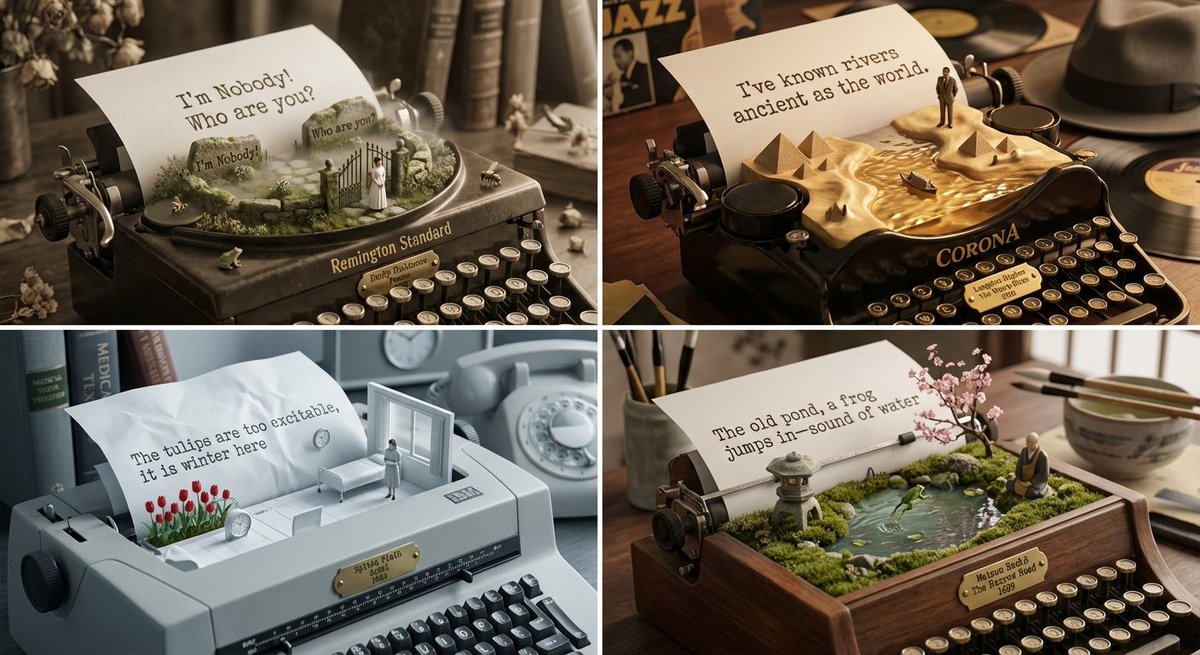
Role: Literary Curator & Typewriter Sculptor Input: {argument name="input" default="[Poet or Poem, e.g., T.S. Eliot, Pablo Neruda]"} Phase 1: Poetic Voice Analysis Identify the poet's signature rhythm, recurring imagery, and emotional core Select 4 contemporary or lesser-known poets with parallel sensibilities Extract 5-8 physical objects mentioned repeatedly in their work Phase 2: Visual Execution Goal: 2x2 Grid of "Typewriter Output as 3D Landscapes" Rules per Panel: The Base: A vintage typewriter (different model per poet's era) The Paper: A single sheet of paper loaded in the roller The Transformation: The typed text physically rises from the page, forming a 3D topographical landscape The Words: Key lines from the poem carved into the terrain like engraved stone The Symbols: Miniature objects from the poem placed in the landscape (tiny boat, rose, clock, door) The Poet: Microscopic figurine of the poet wandering through their own words The Mood: Lighting matches emotional tone (fog for melancholy, harsh light for anger, soft gold for longing) The Metadata: Brass typewriter key showing "Poet | Collection | Year" **background: poet and poet era relevant items in the background. Output: 2x2 Grid, Macro Photography, shallow depth of field
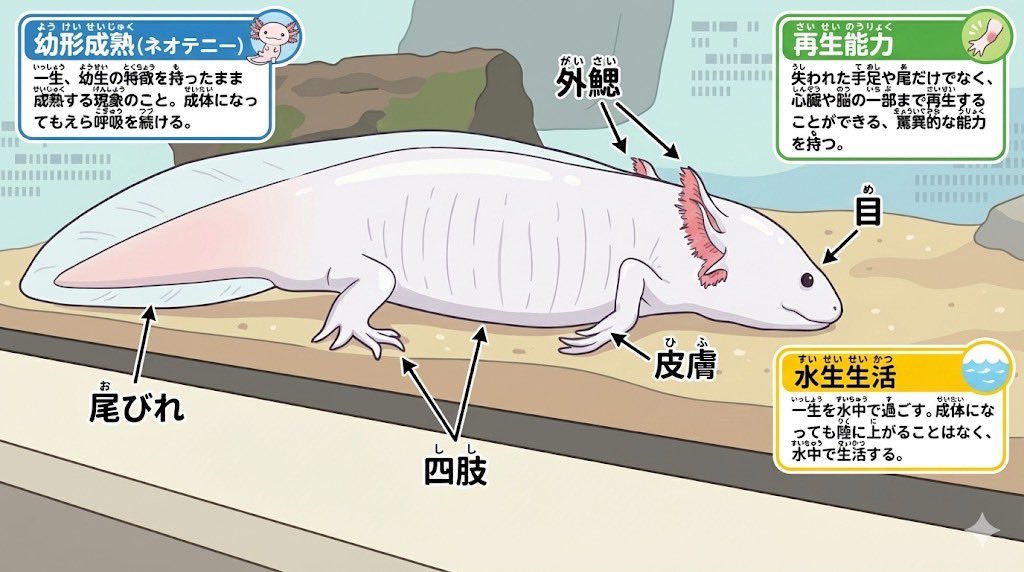
Animal photo -> Diagram Clean diagram completed ↓ Modified for elementary school students Ruby text (furigana) is also included in the coloring ↓ Turn it into a coloring book page ↓ Your own diagram is complete♪
Some prompts are collected from creators on X. Copyright belongs to the original authors.