Kenerate AI

Prompt Library

AI Prompt Library

Curated image, video and web design prompts from creators around the world. Copy any prompt, swap the subject or style, and generate with the latest models.

15,630 prompts · Updated daily · 100% free

606 prompts

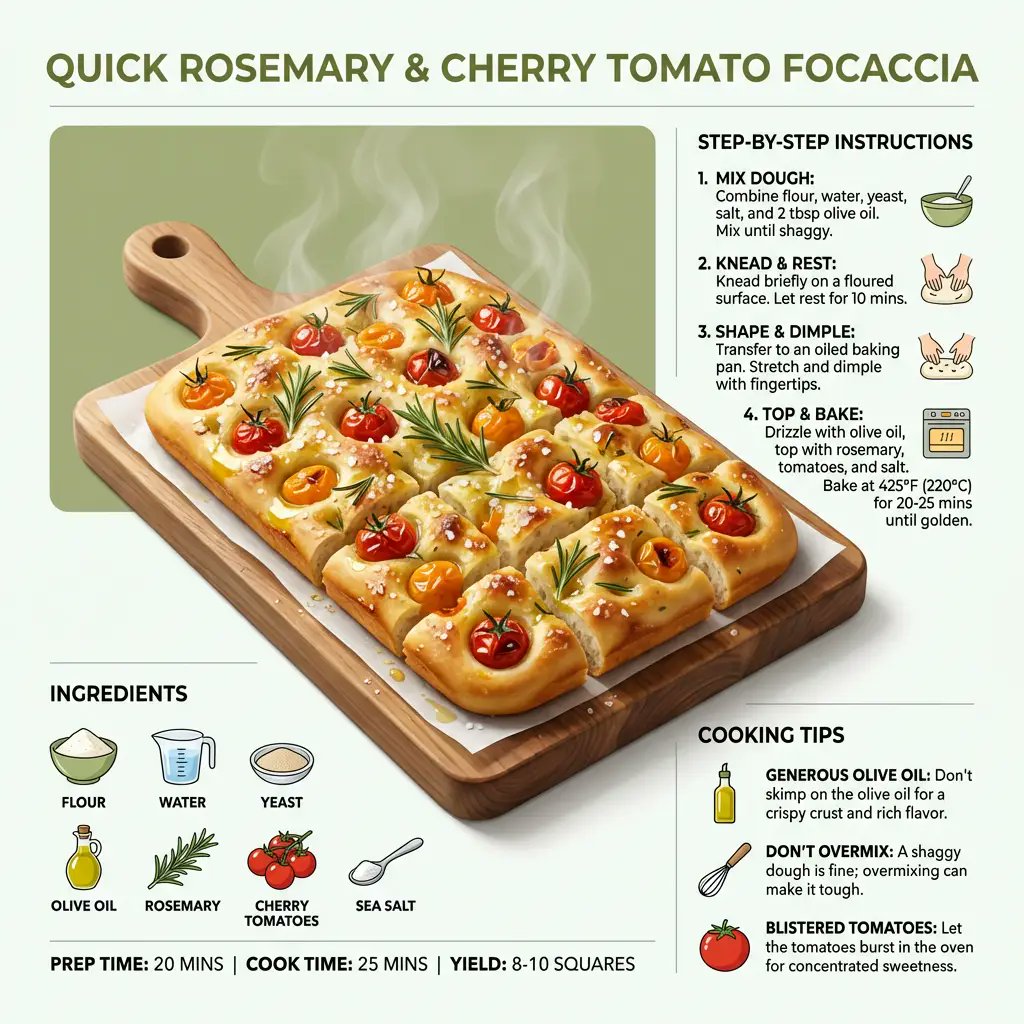
Ultra-Clean Modern Recipe Infographic for Focaccia

Ultra-Clean Modern Recipe Infographic for Focaccia

"style": "ultra_clean_modern", "dish": "{argument name="dish name" default="quick rosemary and cherry tomato focaccia"}", "presentation": { "form": "sliced into squares", "serving": "minimal board or plate", "perspective": "slightly elevated, dynamic angled view" }, "hero_visual": { "main_item": "golden dimpled focaccia", "toppings": ["blistered cherry tomatoes", "fresh rosemary", "glossy olive oil"] }, "layout": { "ingredients": "neatly arranged around main image", "steps": "step-by-step instructions", "tips": "helpful cooking tips" }, "composition": { "lighting": "bright, appetizing", "balance": "visually balanced", "focus": "clarity and modern design" }

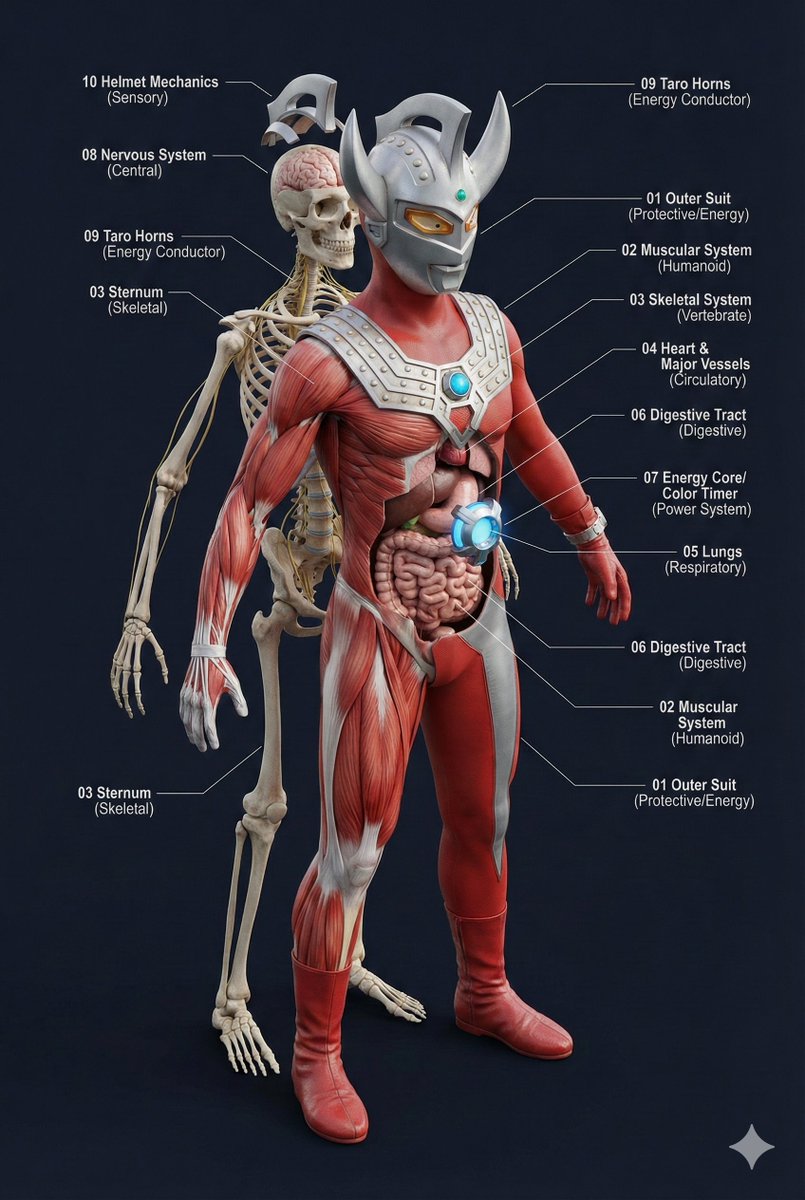
Universal 3D Anatomy Dissection Prompt

Universal 3D Anatomy Dissection Prompt

A single prompt can 'dissect' the body structure of any creature?! This universal prompt can generate: ✨ Ultra-detailed 3D anatomical diagrams ✨ Automatically adapted skeletal/visceral systems ✨ Numbered professional medical annotations Whether it's the internal structure of Pikachu or the core of Godzilla, everything can be seen through! 👀

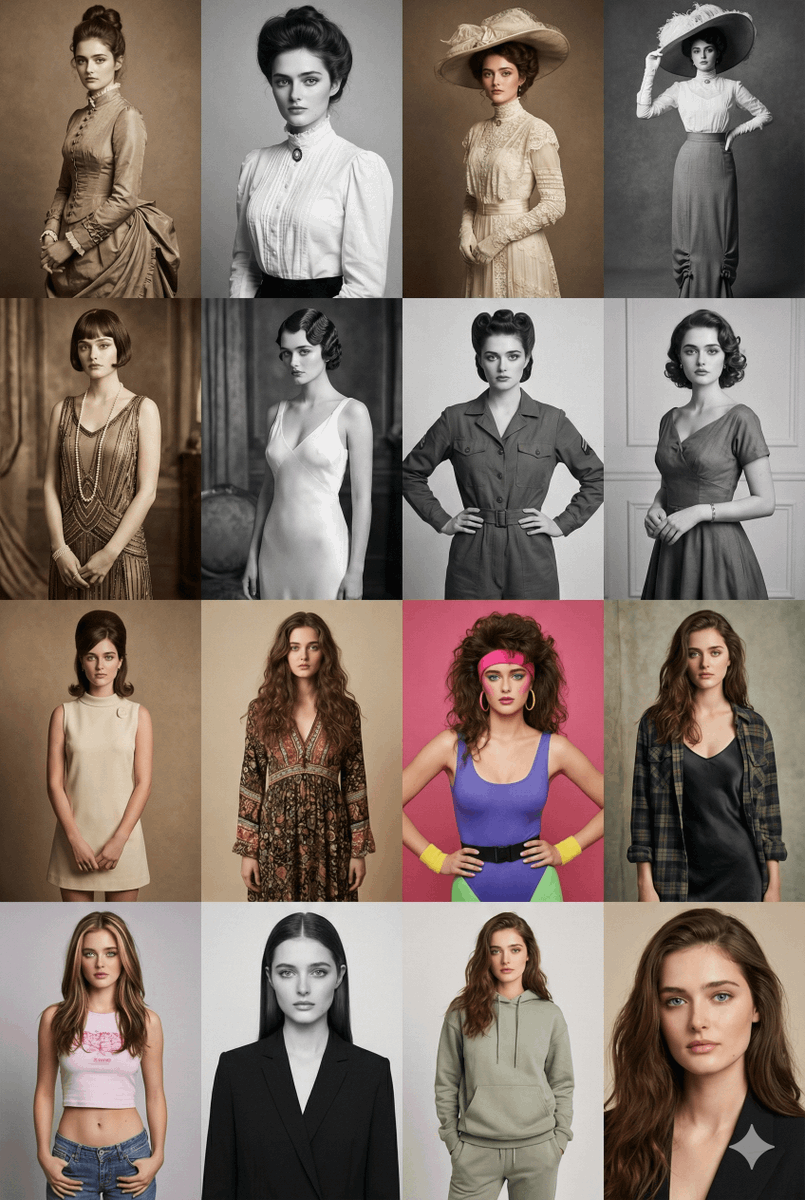
16 Decades of Fashion Portrait Grid Prompt

16 Decades of Fashion Portrait Grid Prompt

Create a 4×4 portrait grid of the same female model styled across 16 different decades from the 1880s to the 2020s. Row 1 – 1880s → 1910s: Victorian and Edwardian silhouettes, high-neck dresses, lace detailing, period-accurate hairstyles, sepia or monochrome tone. Row 2 – 1920s → 1950s: Flapper-style drop-waist dress (1920s), satin bias-cut slip dress (1930s), structured mid-century fashion (1940s), elegant suburban 1950s outfit. Black-and-white or muted analog tones. Row 3 – 1960s → 1990s: 1960s mod dress, 1970s bohemian look, 1980s colorful aerobics/casual style, 1990s grunge or minimalist polka-dot aesthetic. Row 4 – 1990s/2000s/2020s: Late-90s Y2K crop top/low-rise look, early-2000s glossy editorial, 2020s modern minimalist or clean streetwear. Include era-accurate hairstyles, makeup, and lighting. Each portrait should feel like a real photograph from its decade — matching film grain, color profiles, lenses, and studio backgrounds. The model’s face, identity, and proportions must stay consistent in all 16 portraits. High-resolution, editorial-quality rendering.

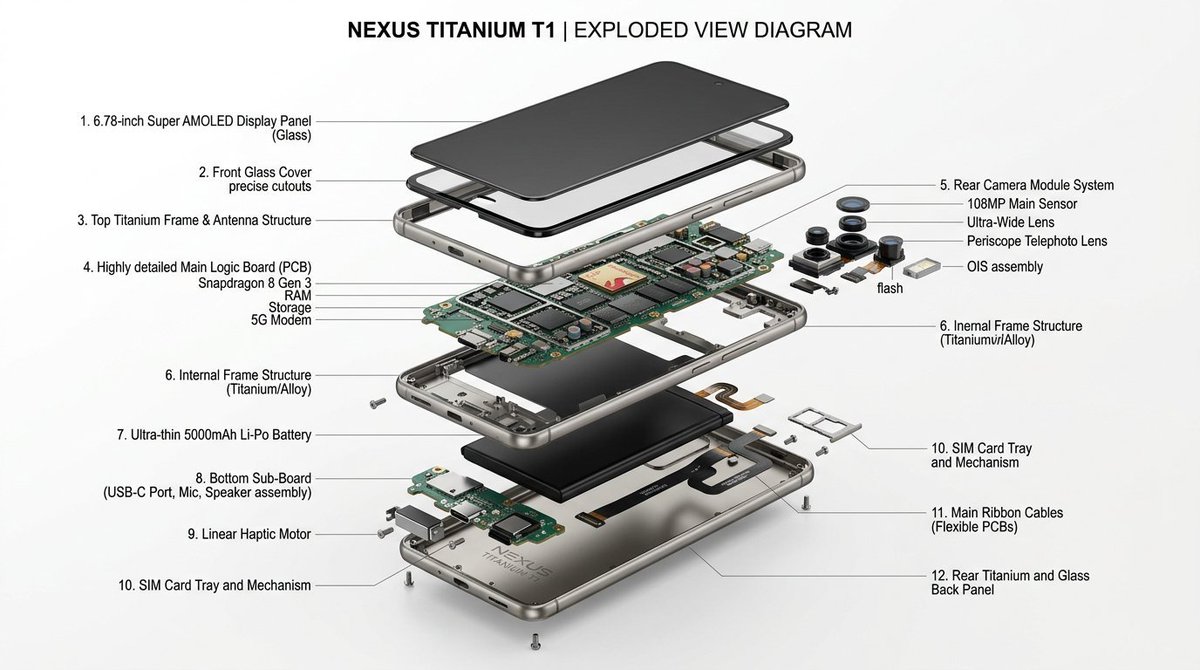
Exploded View Infographic Diagram Prompt

Exploded View Infographic Diagram Prompt

product design, {argument name="item" default="THE ITEM HERE"}, exploded view diagram, white background, three-dimensional, highly detailed internal components, studio lighting, product photography, best quality

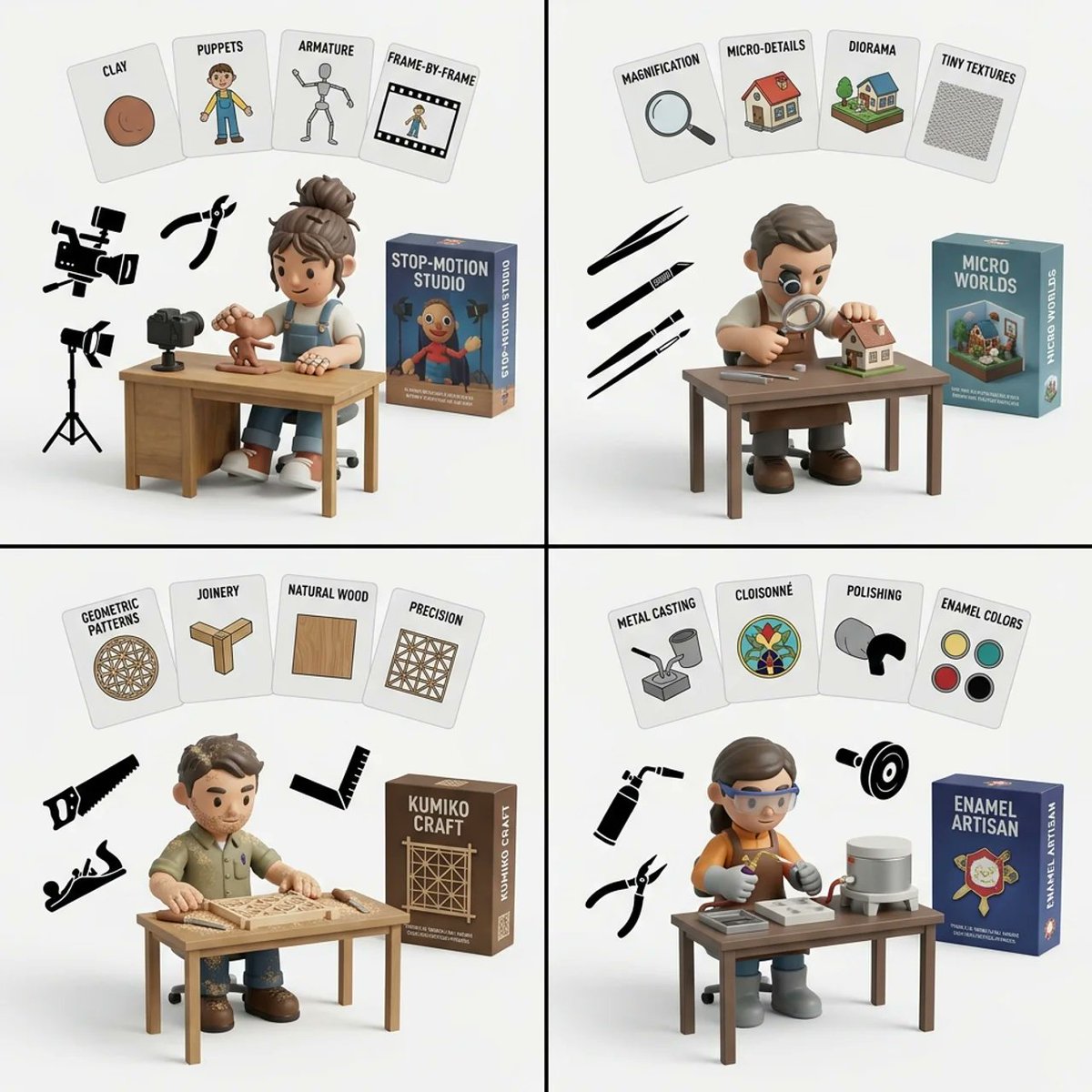
Handmade Art Style Visualizer Grid

Handmade Art Style Visualizer Grid

2x2 grid, do this for 4 hardest type of handmade art style 1. infer the 4 most common artistic motifs of {argument name="art style" default="[art_style]"}. generate them as 2d flat cards floating at the top of the image with text labels. 2. infer the typical fashion, hairstyle, and tattoo coverage of an artist who specializes in {argument name="art style" default="[art_style]"}. 3. generate a 3d vinyl toy character matching this fashion, sitting at a wooden desk drawing. 4. infer the specific tools used to create {argument name="art style" default="[art_style]"}. generate them as flat 2d black silhouettes floating in the air. 5. generate a 3d product box in the background matching the theme. 6. render all on a clean white studio background. execute.

20-Panel Cartoon Robot Drawing Guide Prompt

20-Panel Cartoon Robot Drawing Guide Prompt

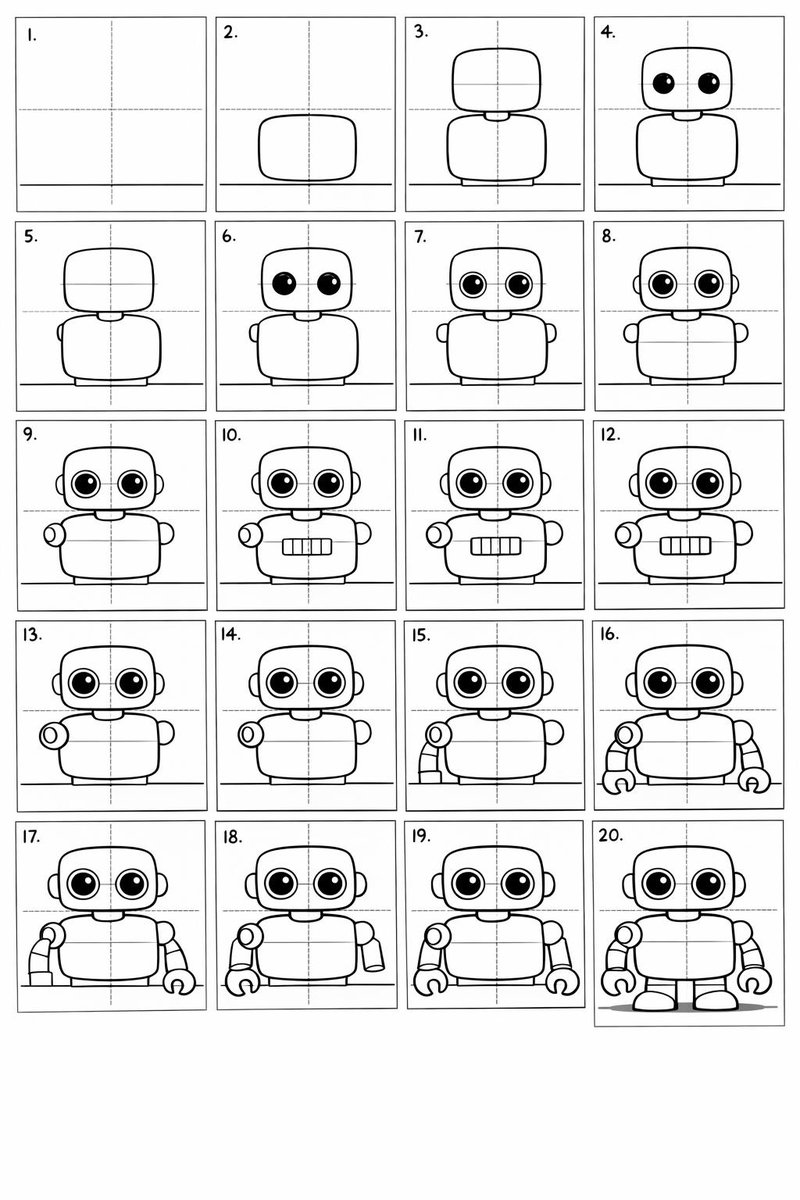
Create a 20-panel layout guide for drawing a cute cartoon robot. Each panel keeps everything from before and adds one clear change. 1. Light guide lines: vertical center, horizontal center, and a ground line. 2. Add torso: rounded rectangle above the ground. 3. Add torso centerline. 4. Add head: smaller rounded square above torso. 5. Add neck connector: short rounded block. 6. Add left eye circle. 7. Add right eye circle. 8. Add pupils inside both eyes. 9. Add thin rim rings around both eyes. 10. Add mouth rectangle below eyes. 11. Add evenly spaced vertical slats in the mouth. 12. Add left shoulder joint circle on torso side. 13. Add right shoulder joint circle. 14. Add left upper arm cylinder from left shoulder. 15. Add left elbow circle and left forearm cylinder. 16. Add left claw hand (base curve + two prongs). 17. Add right upper arm cylinder from right shoulder. 18. Add right elbow circle and right forearm cylinder. 19. Add right claw hand to match left. 20. Add legs and feet as simple blocks: two short legs from torso bottom and two rounded trapezoid feet, plus a small ground shadow.

Pergola Blueprint to Photoreal Structure Prompt

Pergola Blueprint to Photoreal Structure Prompt

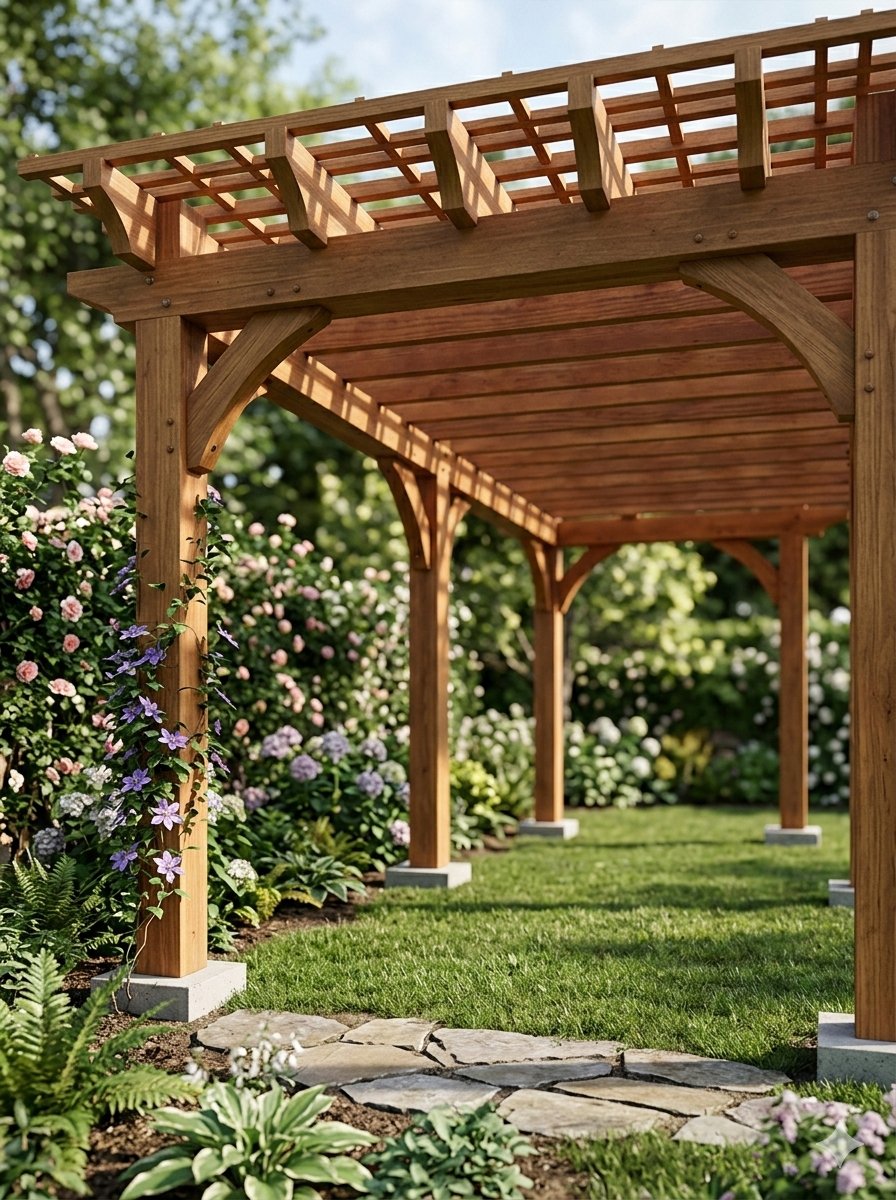
Pergola Blueprint Prompt: Hand-drawn architectural pencil sketch of a wooden garden pergola on white paper. Front and slight side elevation view with clear proportions. Construction lines, dimensions and handwritten notes visible. Wooden posts and cross beams precisely drafted. Professional but hand-sketched technical style. Clean white background. Finished Pergola: Fully built wooden pergola in a real garden, matching the exact structure and proportions from the sketch. Viewed from a low front corner perspective at eye level, showing depth and the full beam structure instead of a flat elevation. Natural wood texture with realistic joints and connections. Installed on grass with surrounding plants. Soft daylight with grounded shadows. Photorealistic architectural visualization.

Futuristic AI Age Checker Infographic Portrait

Futuristic AI Age Checker Infographic Portrait

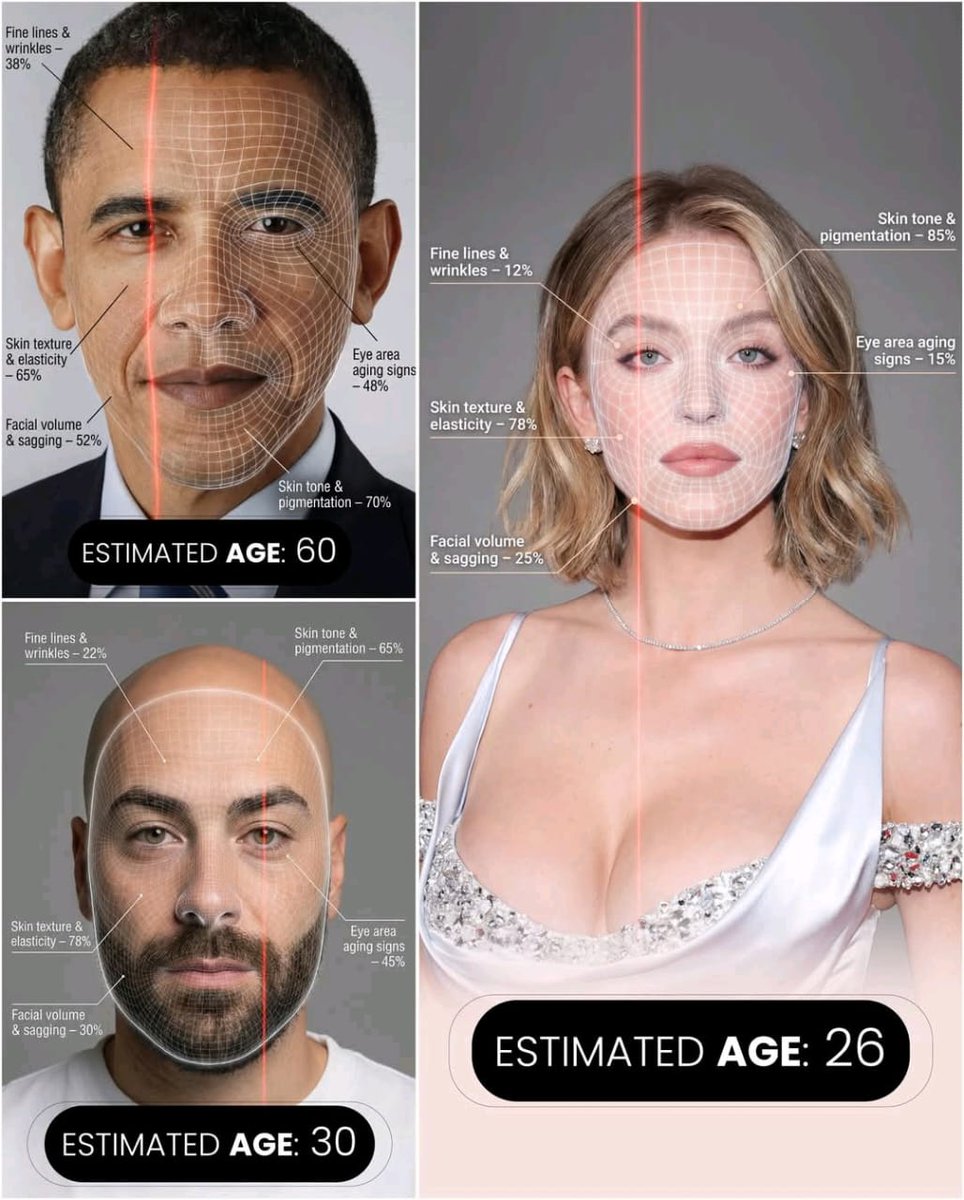
A hyper-realistic, high-resolution portrait infographic based on (your photo). Keep the same person, identity, hairstyle, clothing and natural skin tone from (your photo), with a neutral studio background.Overlay a subtle, semi-transparent facial analysis grid on the entire face, very similar to a 3D face-scanning mesh: thin, soft white lines following the facial contours, slightly glowing but not hiding the skin details. Add one clean vertical red laser line running down one side of the face, like a futuristic scan. All analysis lines must be soft, minimal and elegant, exactly like a cosmetic-tech advertisement.Create a clean medical–aesthetic infographic that evaluates 5 aging factors using global data percentages:1. Fine lines and wrinkles2. Skin texture and elasticity3. Facial volume and sagging4. Eye area aging signs5. Skin tone and pigmentationFor each factor, place a small label with a thin line pointing to the relevant facial area, and next to it write a short title and a realistic percentage score from 0–100% (based on global data), for example:“Fine lines & wrinkles – 18%”“Skin texture & elasticity – 72%”“Facial volume & sagging – 35%”“Eye area aging signs – 41%”“Skin tone & pigmentation – 63%”Use clean, modern, sans-serif typography and small technical-style text, like a scientific facial analysis UI. At the bottom of the image, in the center, write a large bold text showing the final estimated real age based on the analysis, for example:“ESTIMATED AGE: {argument name="estimated age" default="(random number based on face analysis )"}”Overall style: futuristic AI-guided skincare analysis, minimalistic, premium editorial lighting, no gender mentioned, suitable for any human face.

Visual Infographic of Ancient Chinese Official Ranks and Attire

Visual Infographic of Ancient Chinese Official Ranks and Attire

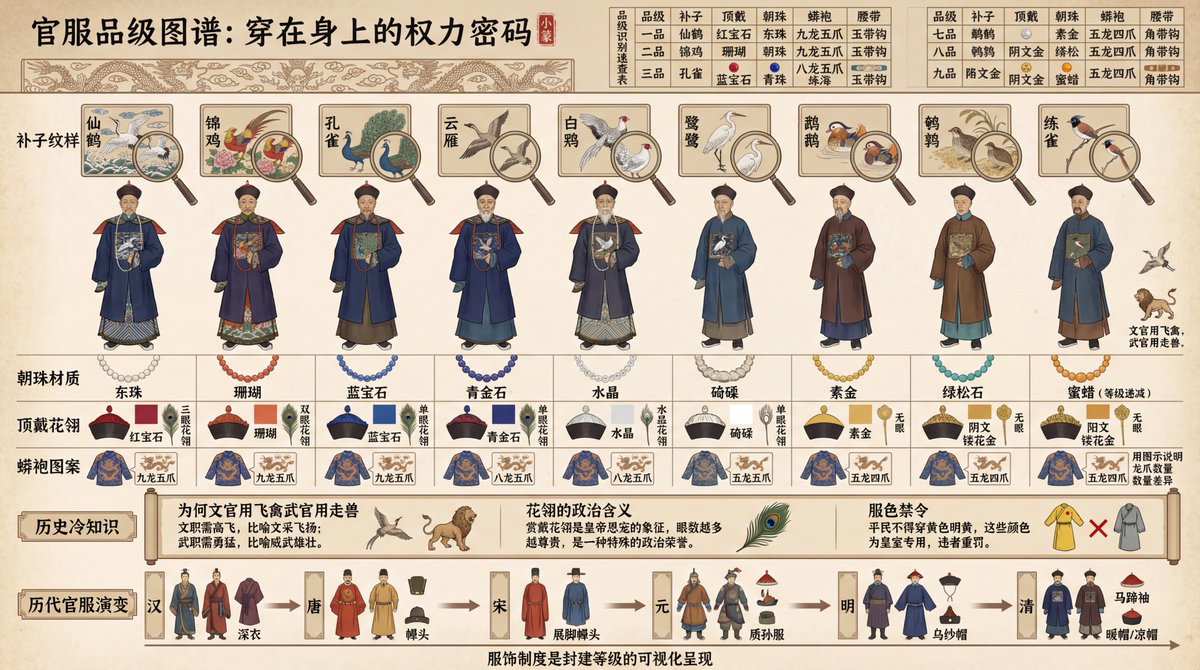
Create a historical diagram-style infographic, 16:9 horizontal composition, titled "Visual Deconstruction of the Ancient Chinese Official Attire Ranking System." Adopt the aesthetic of ancient canonical diagrams and draw in the style of illustrations from ancient books. The image should display a comparison of the official uniforms of nine ranks of officials from the {argument name="dynasty" default="Qing Dynasty"}, arranged from left to right by rank: nine standing figures from the first to the ninth rank. Above each figure, use fine-line painting (Gongbi) to label the "Buzi (Rank Badge) Pattern" (First Rank Crane, Second Rank Golden Pheasant, Third Rank Peacock... Ninth Rank Quail; civil officials use flying birds, military officials use fierce beasts), with a close-up magnifying glass effect highlighting the embroidery details of the Buzi. Below the figures, label the "Chaozhu (Court Bead) Material" (First Rank Eastern Pearl, Second Rank Coral, Third Rank Sapphire... decreasing by rank), "Dingdai Hualing (Hat Ornament)" (Ruby/Coral/Sapphire/Crystal, etc., distinguished by color blocks), and "Mangpao (Dragon Robe) Pattern" (Nine Dragons/Five Claws/Four Claws, using diagrams to illustrate the difference in claw count). The top of the image features a "Rank Identification Quick Reference Chart": a table comparing the differences across 5 dimensions (Buzi, Dingdai, Chaozhu, Mangpao, Waist Belt) for all 9 ranks, with each cell marked by a small icon and text. The bottom of the image features "Historical Trivia": labeling "Why civil officials used flying birds and military officials used fierce beasts" (civil service requires soaring high, military service requires bravery), "The political meaning of the Hualing" (being granted a Hualing signifies imperial favor), and "Color Restrictions" (commoners were forbidden from wearing yellow or bright yellow). The very bottom includes a timeline showing the "Evolution of Official Attire through Dynasties": thumbnail sketches illustrating the style changes from the Han, Tang, Song, Yuan, Ming, and Qing dynasties. All text must be in Chinese: the top title uses the Small Seal Script font "Official Attire Rank Diagram: The Power Code Worn on the Body," and the bottom caption states "The clothing system is the visual representation of the feudal hierarchy." Use traditional official attire colors for the palette. The overall presentation should focus on historical institutions and clothing culture, suitable for historical education and cultural research.

Culinary Atlas Grid: 3D Pop-up Recipe Dioramas

Culinary Atlas Grid: 3D Pop-up Recipe Dioramas

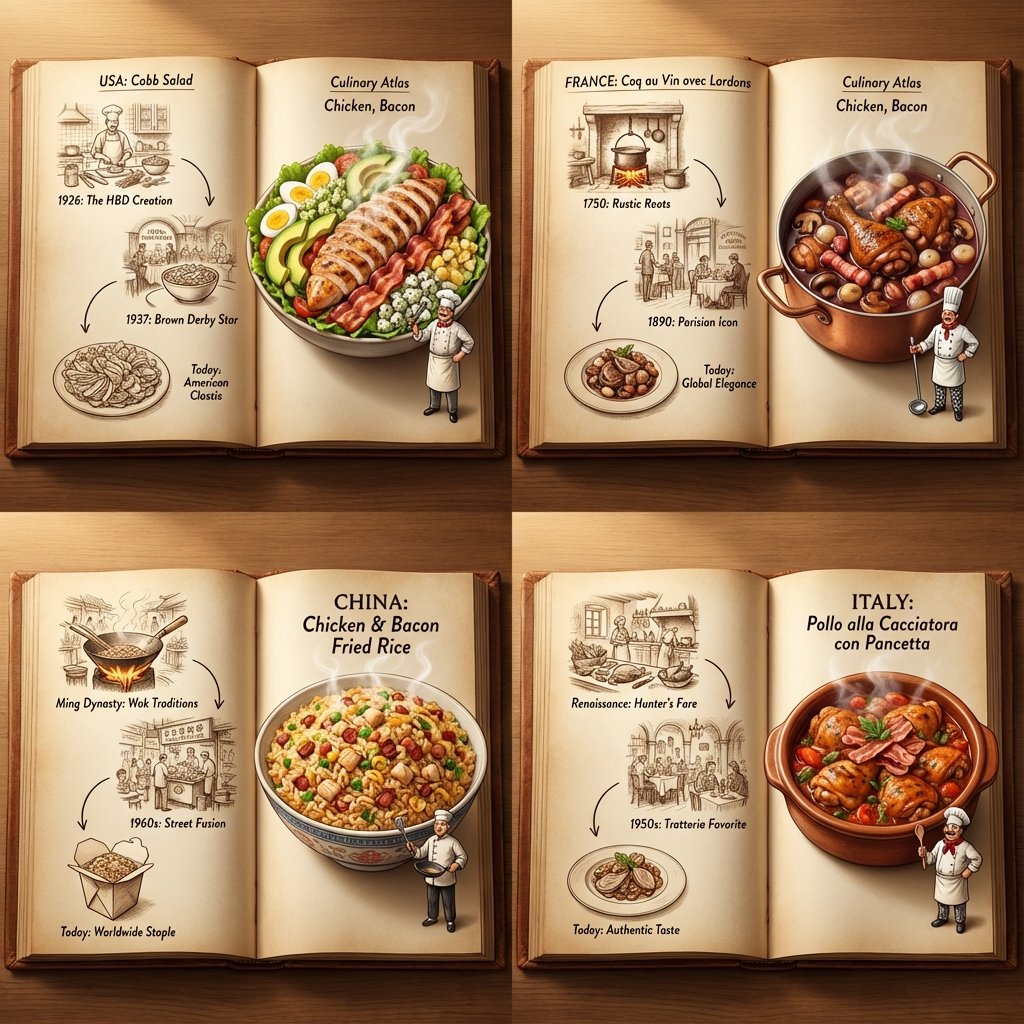
<instruction> Inputs: Ingredients = [{argument name="ingredient 1" default="Chicken"}, {argument name="ingredient 2" default="Bacon"}] Step 1: Global Analysis Analyze the ingredients. Select 4 Distinct Countries with a famous dish using these ingredients Goal: A "Culinary Atlas" Grid showing 4 different cultural variations of the ingredients. Layout Rule: Output Format: A 2x2 Grid. Content per Panel: Each of the 4 panels must show a Single Open Book Spread for that specific country. Inside Each Panel (The Book Spread Rule): Left Page (The History): 2D Vintage Sepia Sketches. A visual timeline or illustrated recipe of the dish (e.g., "1850 -> 1920 -> Today"). Flat, ink-drawn style. Right Page (The Reality): 3D Pop-up Diorama. The finished, steaming meal emerges physically from the page. A tiny miniature chef from that country is standing on the page next to the massive food. Consistency: All 4 books should look like part of the same series, but with different cultural contents. Lighting: Cinematic top-down lighting, highlighting the depth difference between the flat left page and the 3D right page. Output: 2x2 Grid, High Definition, Macro Detail. </instruction>

Nano Banana Pro Pictogram Generation Prompt

Nano Banana Pro Pictogram Generation Prompt

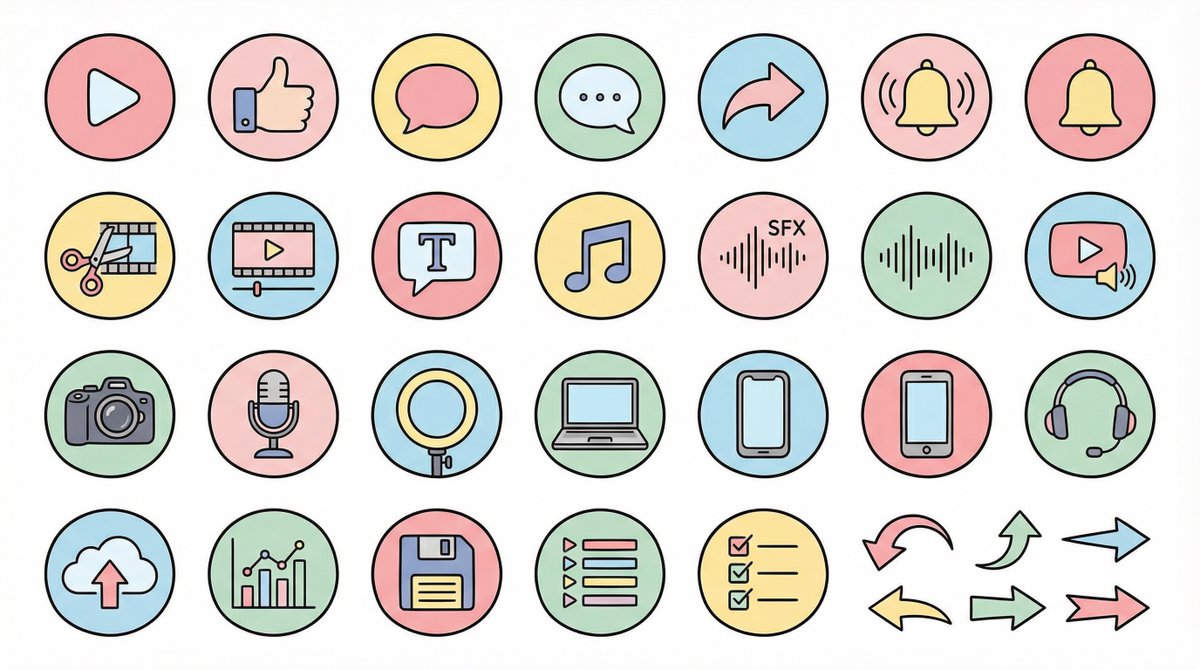
● Generation Theme {argument name="generation theme" default="Icon material set for YouTube videos"} ● Content {argument name="content" default="Create icons for YouTube production, editing, posting, and analysis in a unified design. Examples: Actions: Play button, high rating, comments, share, notification bell; Editing: Cut, timeline, telop, BGM, sound effects; Filming equipment: Camera, microphone, light, PC, smartphone, headset; Operation: Upload, analysis, save, playlist, list, arrow"} ● Production Conditions ・Unified ratio, line width, color scheme, and world view ・High visibility ・No text required ・Background: Solid white color ・Resolution: "2K" ・Aspect Ratio: "16:9" ● Design Image → Insert the design image below here 💡 【Negative prompt】 Real, photo texture, three-dimensional, 3D, overly complex details, metal texture, dark shadows, horror, overly dark colors ------------------- ● Design Image ① (Soft and Fluffy) Rounded shapes, soft color scheme, thin black lines, pastel colors, friendly atmosphere, hand-drawn illustration style ------------------- ● Design Image ② (YouTube Simple Flat Style) Thick lines, emphasis on Red×White×Black, sharp corners, emphasized lines, priority on visibility, modern UI icon ------------------- ● Design Image ③ (Simple) Minimal, thin lines, refined spacing, centered on achromatic colors, icon font style, elegant and calm design ------------------- ● Design Image ④ (Game Streaming/Streamer) Fluorescent accent colors (neon blue/purple/red), SF feel, Sharp edges, HUD UI style, cyber and edgy design ------------------- ● Design Image ⑤ (Colorful Pop/KIDS Education) Thick, rounded silhouette, bright colorful scheme (red, yellow, green, blue, pink), picture book style, soft and fun atmosphere, simple and recognizable icons, educational design that is cute but not too childish. ------------------- ● Design Image ⑥ (Explanation/History/Retro) Calm retro color scheme (brown, dark green, deep navy, sepia), novel/bulletin board/analytical atmosphere, thin lines, slightly heavy icon feel, old map/document/archive feel, mysterious tone with a unified world view. ------------------- ● Design Image ⑦ (Flashy/Dynamic) Thick lines, strong contrast, flashy colors (red, yellow, black), energetic and dynamic impression, Japanese manga-style emphasis (exclamation marks, speed lines, emphasized text style), powerful pop design that grabs the viewer's attention.

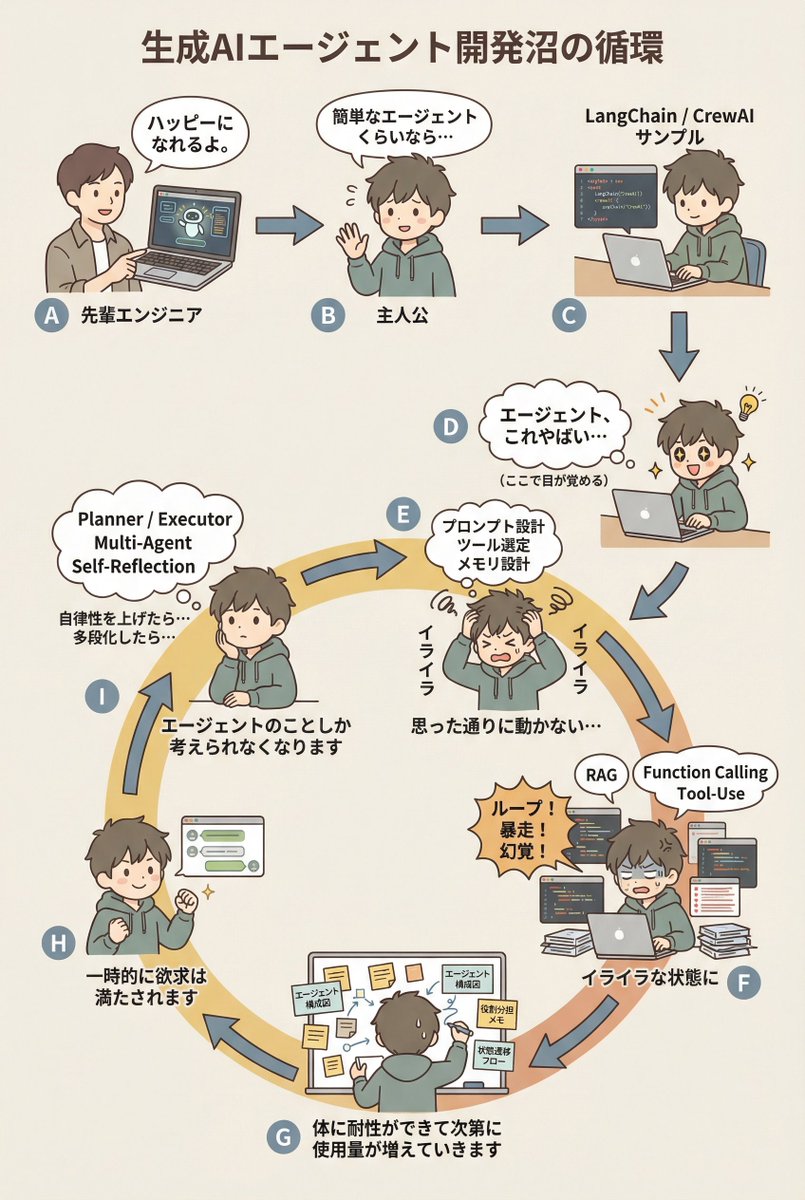
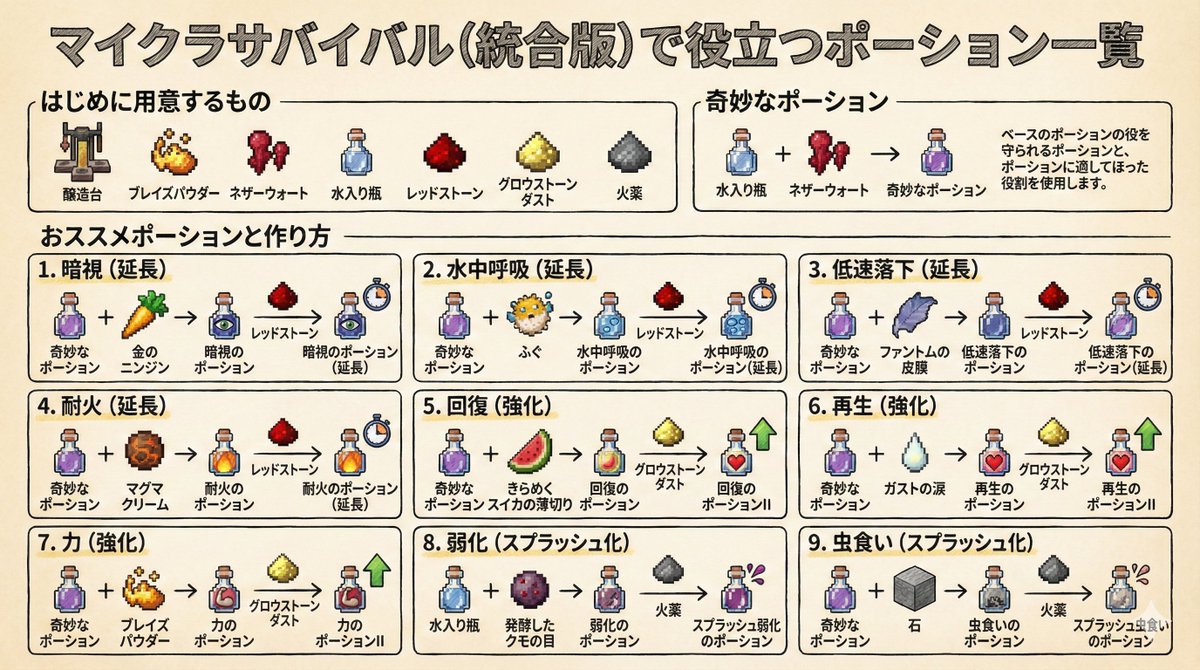
AI Agent Development 'Swamp' Diagram Prompt

AI Agent Development 'Swamp' Diagram Prompt

diagram: title: "{argument name="diagram title" default="The Cycle of the Generative AI Agent Development Swamp"}" style: character: "simple_editorial_cute" tone: "light_like_original" line: "soft_round" shading: "flat_minimal" palette: "muted_editorial" background: "light_beige_or_white" rule: first_character_only: "Only the first person is different" others_same_character: "All others are the same person" anxiety_requires_tech_terms: true dialogue_tone: "Maintain the short, light phrasing of the original diagram" layout: intro_track: "The upper section is a straight line (left to right), then drops down to join the loop" loop_track: "Arranged as a loop (ring), with arrows curving clockwise along the circumference" nodes: # ===== Upper Section: Straight Introduction ===== - id: A zone: "intro" position: "upper_left" actor: "Different person (Senior Engineer)" visual: "Pointing at a laptop" item: "AI Agent Demo Screen" says: "It'll make you happy." arrow_to: { id: B, shape: "straight", direction: "right" } - id: B zone: "intro" position: "upper_center" actor: "Protagonist (Same person)" visual: "Waving lightly" says: "Even a simple agent..." arrow_to: { id: C, shape: "straight", direction: "right" } - id: C zone: "intro" position: "upper_right" actor: "Protagonist (Same person)" visual: "Executing sample code" item: "LangChain / CrewAI Sample" arrow_to: { id: D, shape: "straight", direction: "down" } # ===== D: Awakening Point ===== - id: D zone: "connector" position: "right_outer_before_loop" actor: "Protagonist (Same person)" visual: face: "Eyes wide open (cute)" effect: "Small flash of inspiration line" posture: "Leaning forward" state: "Awakening" says: "Agents, this is insane..." micro_text: "(Wakes up here)" arrow_to: id: E shape: "gentle_curve" direction: "down_into_ring" # ===== Loop Start (Must rotate from here) ===== - id: E zone: "loop" position: "loop_right_upper" actor: "Protagonist (Same person)" visual: "Holding head in hands (cute)" state: "Anxiety/Irritation Begins" says: "Irritated" thought_terms: - "Prompt Design" - "Tool Selection" - "Memory Design" thought_text: "It's not working as intended..." arrow_to: { id: F, shape: "curved_along_ring", direction: "clockwise" } - id: F zone: "loop" position: "loop_right_lower" actor: "Protagonist (Same person)" visual: "Surrounded by code and logs" state: "Irritation Settles In" says: "In a state of irritation" callout: "Loop! Runaway! Hallucination!" thought_terms: - "RAG" - "Function Calling" - "Tool-Use" arrow_to: { id: G, shape: "curved_along_ring", direction: "clockwise" } - id: G zone: "loop" position: "loop_bottom" actor: "Protagonist (Same person)" visual: "Covered in sticky notes and diagrams" says: "The body gradually develops tolerance, and usage increases." items: - "Agent Architecture Diagram" - "Role Assignment Memo" - "State Transition Flow" arrow_to: { id: H, shape: "curved_along_ring", direction: "clockwise" } - id: H zone: "loop" position: "loop_left_lower" actor: "Protagonist (Same person)" visual: "Works well, small fist pump" state: "Temporary Satisfaction" says: "Desire is temporarily satisfied" arrow_to: { id: I, shape: "curved_along_ring", direction: "clockwise" } - id: I zone: "loop" position: "loop_left_upper" actor: "Protagonist (Same person)" visual: "Thinking again" state: "Obsession/Thought Occupation" says: "Thinking about the agent

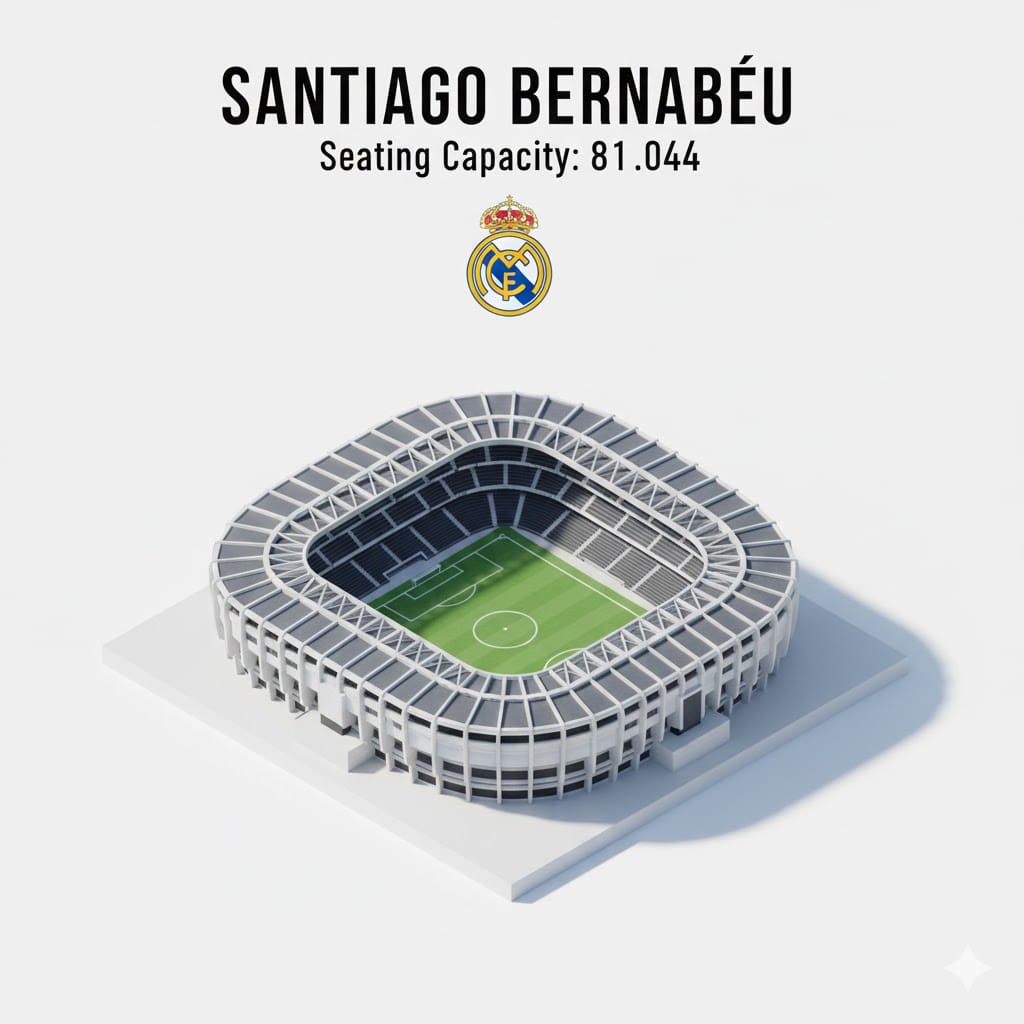
Isometric 3D Miniature Stadium Infographic

Isometric 3D Miniature Stadium Infographic

Isometric 3D infographic of Camp Nou stadium, Barcelona — detailed miniature model with open roof, green football pitch, red seating tiers, clean blue background, soft shadows, minimal modern design, top-down angled view, realistic proportions, high-detail architecture, sports stadium illustration, professional infographic style

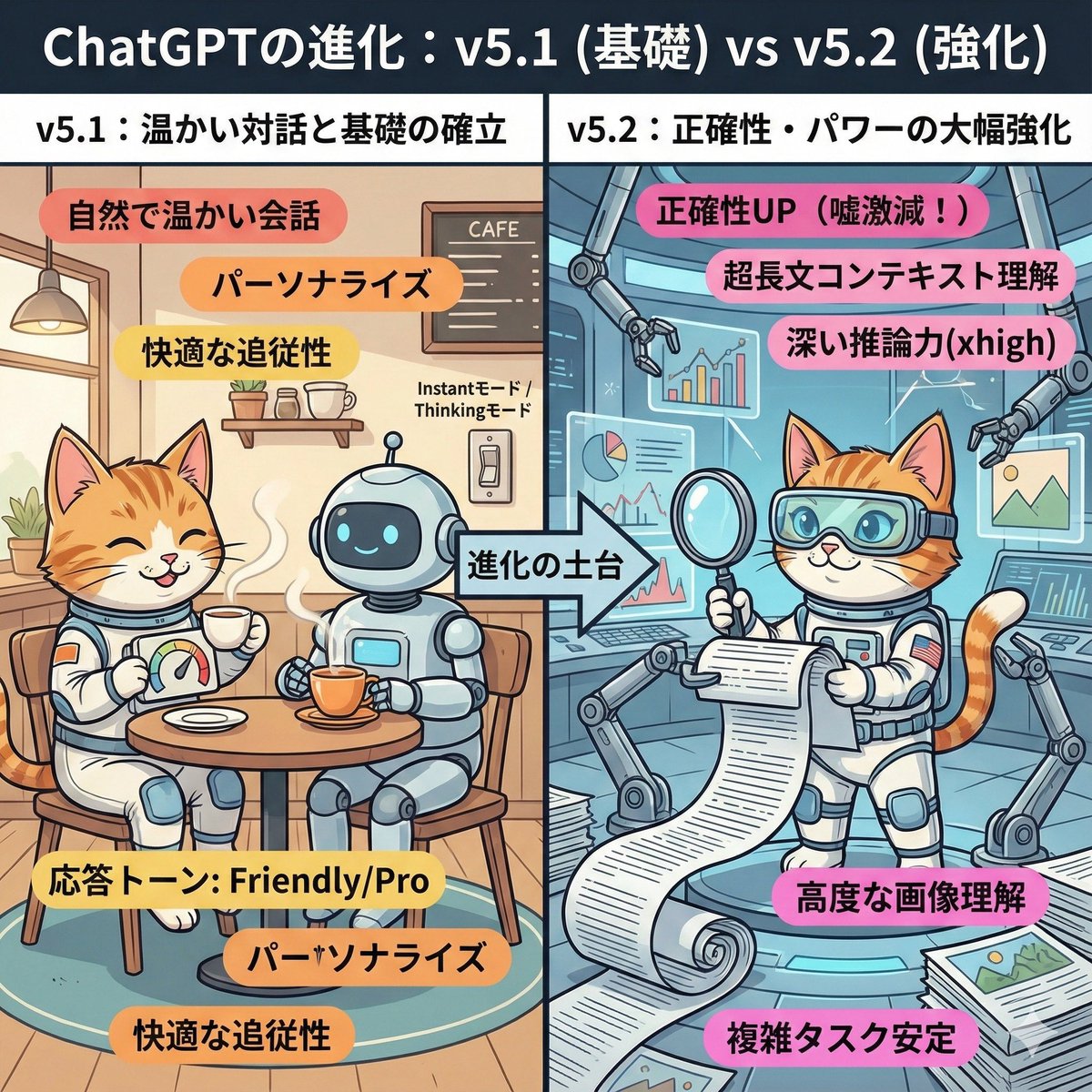
ChatGPT v5.1 vs v5.2 Evolution Infographic Prompt

ChatGPT v5.1 vs v5.2 Evolution Infographic Prompt

A cute and playful, comical manga-style infographic illustration. A comparison diagram split into left and right halves, with a large title at the top reading: "Evolution of ChatGPT: v5.1 (Foundation) vs v5.2 (Enhancement)." The left half is titled "v5.1: Warm Dialogue and Foundation Establishment." The background is a cozy, organized cafe-like room. The character (or person) from the uploaded reference image is depicted here, smiling relaxedly and naturally enjoying a conversation while drinking steaming tea with a friendly, round robot. They have a custom dial labeled "Response Tone: Friendly/Pro." Warm-colored keywords float around: "Natural and warm conversation," "Personalization," "Comfortable follow-up." In the center, an arrow labeled "Foundation of Evolution" indicates that the right side is based on the left side. The right half is titled "v5.2: Significant Enhancement of Accuracy and Power." It is an expanded, futuristic, massive high-tech research lab built upon the foundation of the room on the left. The same character (or person) from the reference image is depicted here with a confident expression, wearing high-tech analysis goggles. They are spreading out a gigantic scroll (long document), accurately scanning complex graphs and images floating in the air, and working intensely with multiple mechanical arms. Powerful, vivid keywords float around: "Accuracy UP (Lies drastically reduced!)," "Ultra-long context understanding," "Deep reasoning power (xhigh)," "Advanced image comprehension." Overall, the contrast between the left side, representing comfortable daily life, and the right side, representing reliable professional power, is expressed cutely.

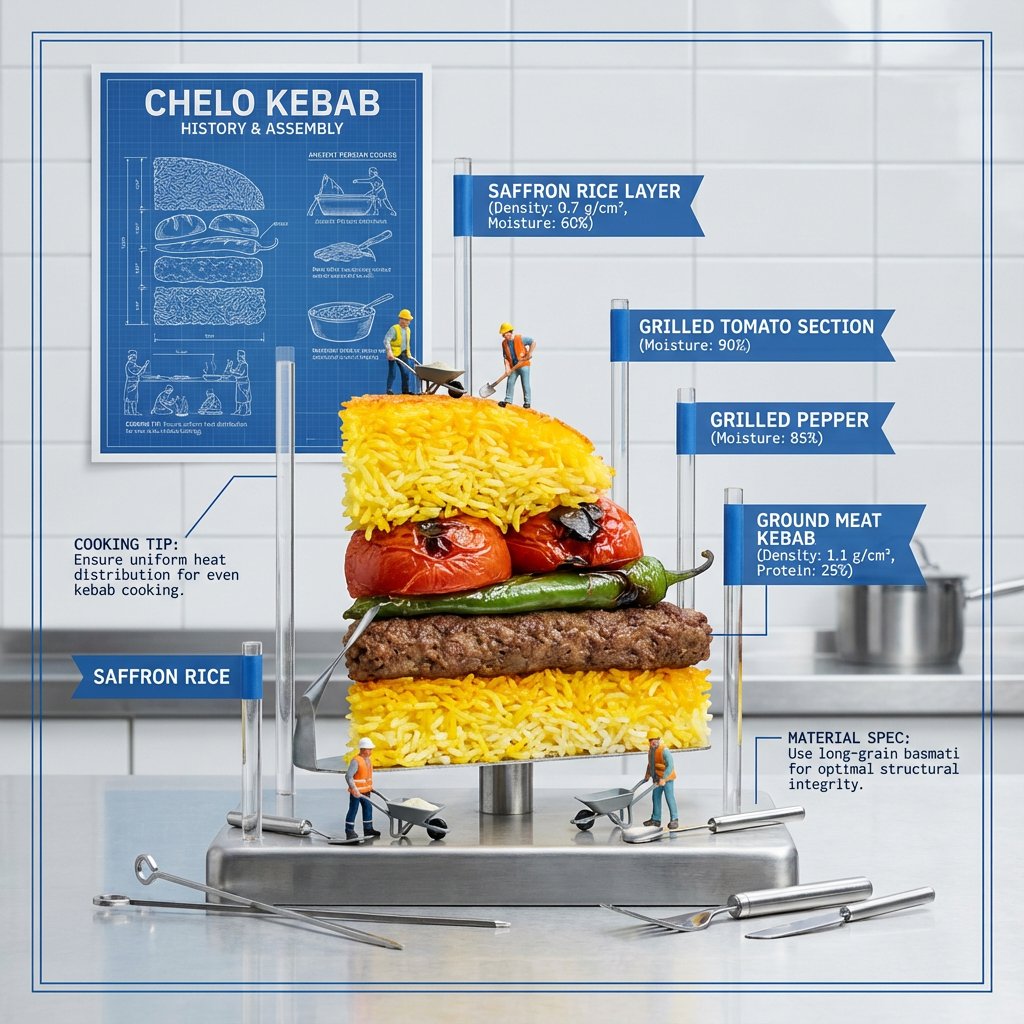
Exploded Food Diagram Technical Photography Prompt

Exploded Food Diagram Technical Photography Prompt

<instructions> Input A: Any layered/textured dish (e.g., {argument name="layered dish" default="lasagna, baklava, mille-feuille, biryani"}) Input B: Anatomical model / architectural blueprint Goal: Half-eaten slice displayed like an architectural model with each layer labeled, showing structural engineering and material science of cooking. Rules: Dish cut in perfect cross-section, standing upright Acrylic rods with flags labeling each layer Only food relevant call outs and measurements Food relevant background Miniature construction workers on layers History of the meal visualized on a poster on the wall Cooking tips notes Material specifications (density, moisture content) Foundation layer with no label Include tiny food tools Technical drawing aesthetic with white and blue Output: ONE image, technical photography, clean industrial lighting, 4:5 ratio </instructions>

Annotated decoding of a cryptic Santa notice

Annotated decoding of a cryptic Santa notice

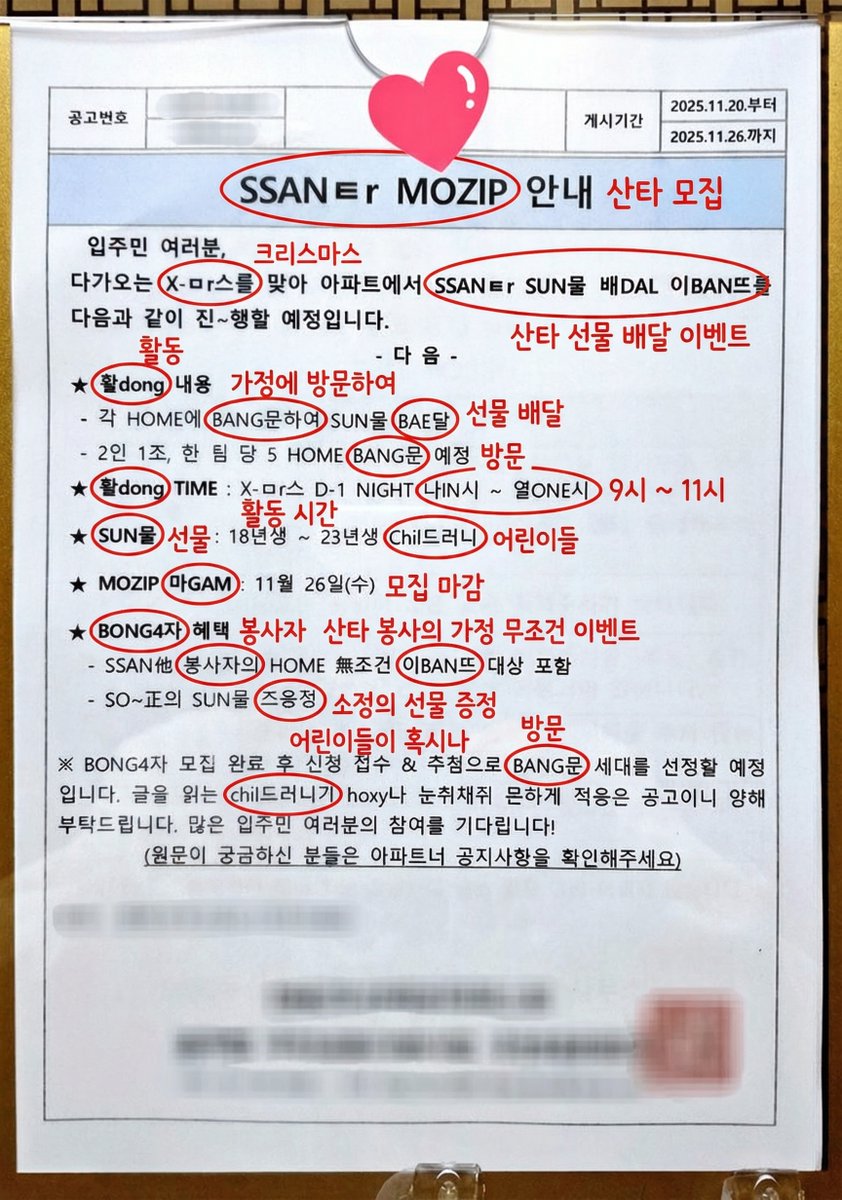
This notice can be understood by Koreans. Can you possibly interpret this? And if it is interpretable, could you annotate directly on the original image and write the interpreted keywords or short phrases? For the parts of the cryptic expressions that are key points, circle them and add your annotation next to them.

Infographic / Edu Visual - Handwritten Memo Recipe Illustration
Nano Banana Pro

Infographic / Edu Visual - Handwritten Memo Recipe Illustration

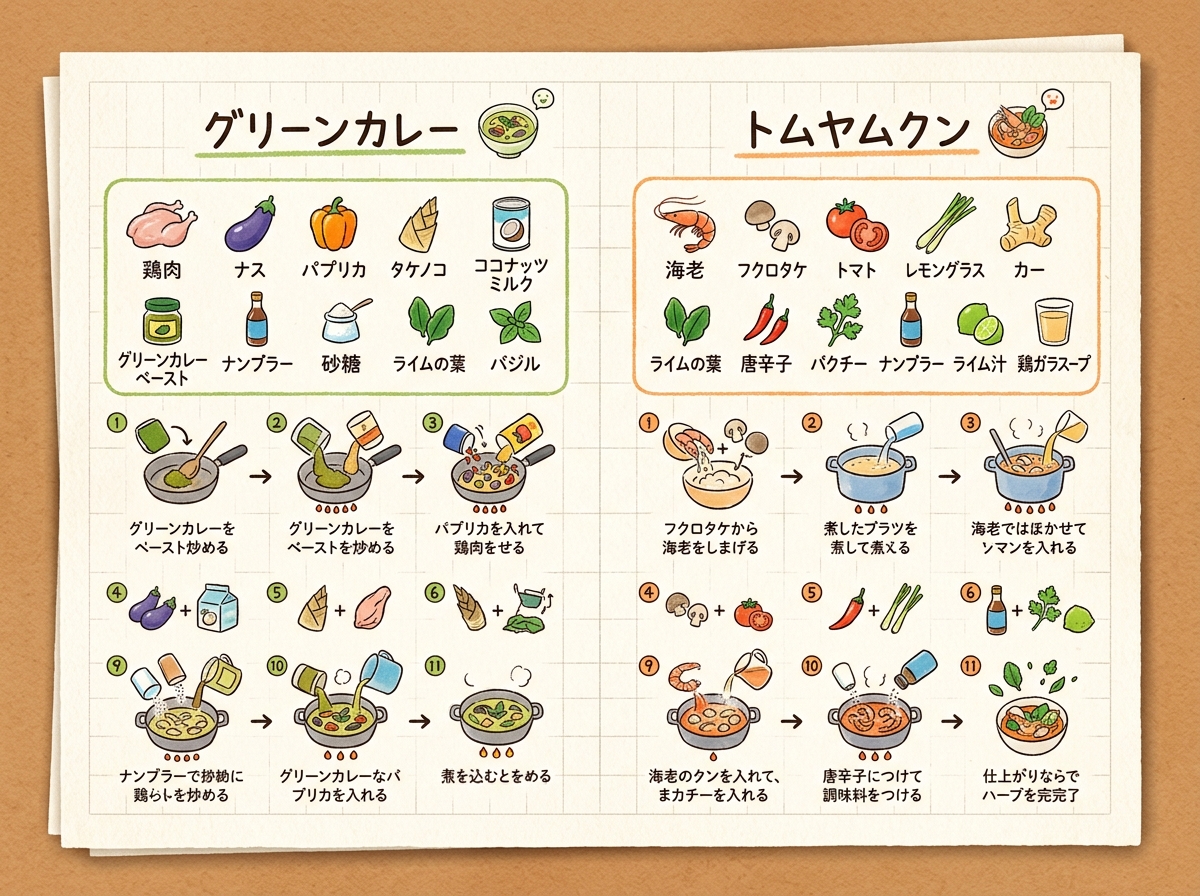
[Input Data] - Dish Name (Left Page): {argument name="dish name left" default="Green Curry"} - Ingredients List (Left Page): {ingredientsLeft} - Cooking Steps (Left Page): ①{stepLeft1} → ②{stepLeft2} → ③{stepLeft3} - Dish Name (Right Page): {argument name="dish name right" default="Tom Yum Goong"} - Ingredients List (Right Page): {ingredientsRight} - Cooking Steps (Right Page): ①{stepRight1} → ②{stepRight2} → ③{stepRight3} - Color Theme: {argument name="color theme" default="organic natural colors"} [Structure and Layout Specifications] - Style: A flat 2D handwritten-style infographic recipe illustration drawn on a piece of rustic off-white notepad paper (grid paper) with thin grid lines and warm paper texture. - Background and Composition Constraints: Do not draw physical books, three-dimensional notebook outlines, page thickness, shadows, or realistic photo background elements like wooden tables (Absolutely NO wooden table, NO realistic book mockup, NO book thickness, NO notebook pages, NO realistic photo background. It must be a flat 2D vector layout directly on the textured grid notepad paper canvas). - Left Side Layout: - Large handwritten Japanese title "{dishLeft}" at the top. - Below that, the ingredient list "{ingredientsLeft}" drawn with neat vertical bullet points in handwritten Japanese and simple food illustrations. - The lower half features cooking steps "①{stepLeft1} → ②{stepLeft2} → ③{stepLeft3}" arranged in a horizontal or vertical arrow flow. Include cute hand-drawn illustrations that match each step's content (e.g., cutting, stir-frying, simmering). - A delicious-looking illustration of the finished "{dishLeft}" dish in the bottom left. - Right Side Layout: - Large handwritten Japanese title "{dishRight}" at the top. - Below that, the ingredient list "{ingredientsRight}" drawn in handwritten Japanese with simple food illustrations. - The lower half features cooking steps "①{stepRight1} → ②{stepRight2} → ③{stepRight3}" arranged in a horizontal or vertical arrow flow. Include cute hand-drawn illustrations matching each step's content. - A delicious-looking illustration of the finished "{dishRight}" dish in the bottom right. - Colors: A gentle, warm organic tone based on "{colorTheme}". [Quality and Exclusion Constraints (Mandatory)] - Absolutely no date-related elements like dates (e.g., "8/7"), days of the week (e.g., "SUN"), calendar frames, or date stamps (NO date stamp, NO calendar, NO day of the week, NO timeline stamp). - Fonts should be friendly handwritten-style Japanese (Gothic or rounded) accurately drawing the input Japanese without distortion or spelling errors. - Aspect Ratio: --ar 4:3

@AI Guide-Note - 実務で使えるAI活用メディア
Time-Observing Machine Prompt (Conceptual)

Time-Observing Machine Prompt (Conceptual)

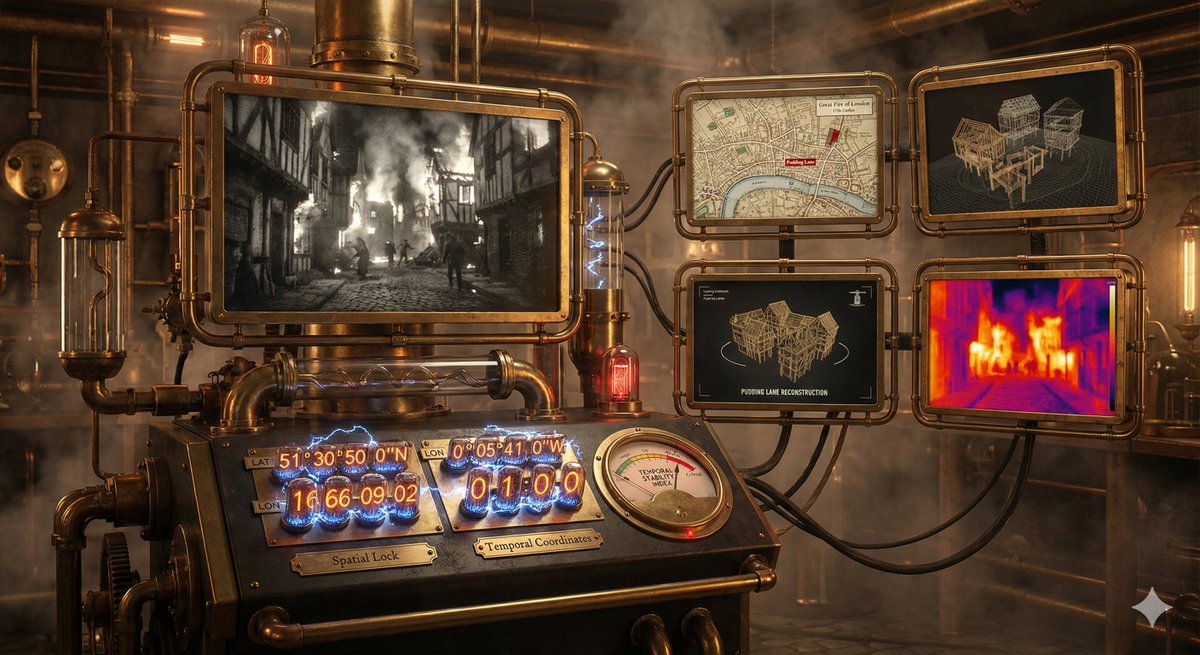
A time-observing machine. Just specify the date, time, and coordinates, and the prompt does the rest, including event finding, 3D reconstruction and thermal analysis.

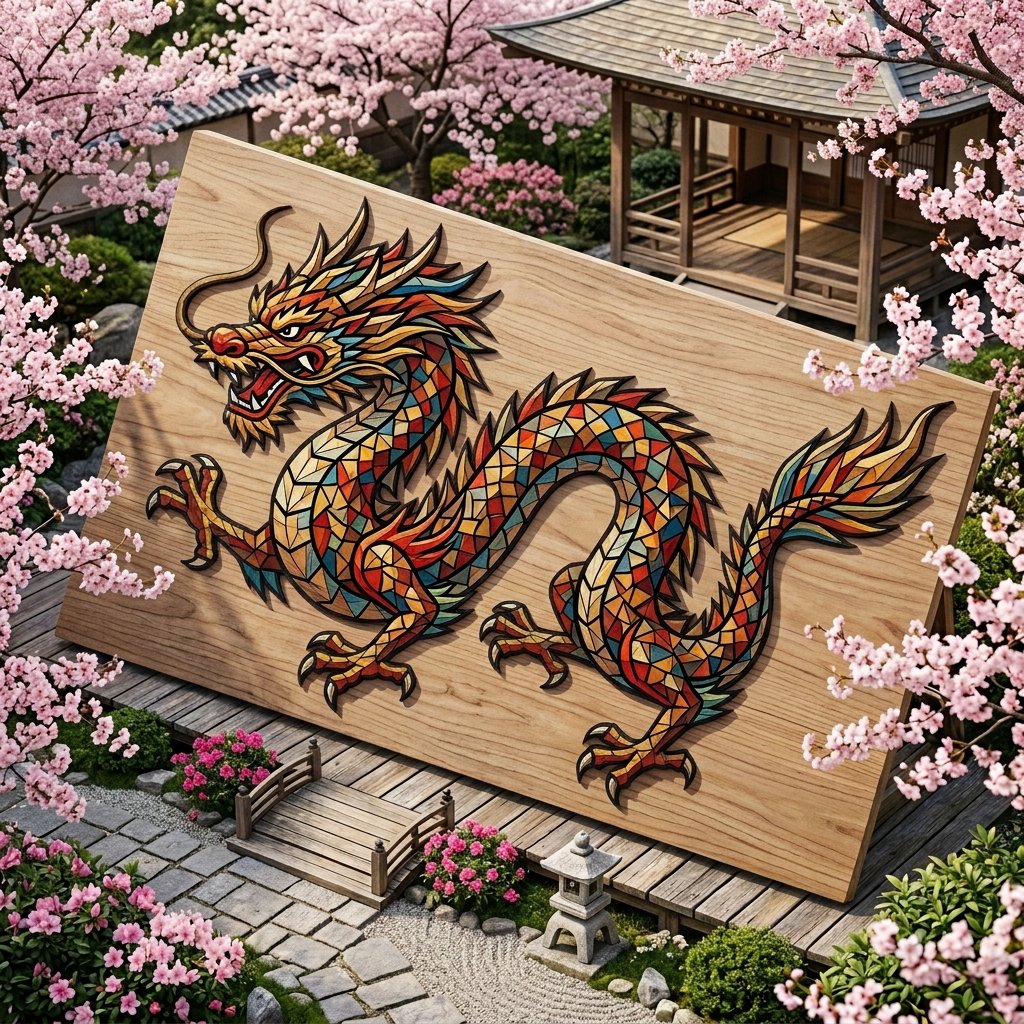
Chinese Dragon Wood Mosaic

Chinese Dragon Wood Mosaic

mosaic made from tiny randomly cut colored wood shapes, colored wood shapes are edgy with various geometrical shapes, they form traditional Chinese dragon. dragon body is shaped out of tiny colored wood pieces forming a mosaic. pale colored wood surface with intricate thin black outlines dividing the mosaic pieces. background is traditional nature Sakura bloom garden surrounding the dragon.

Some prompts are collected from creators on X. Copyright belongs to the original authors.