
Nano Banana Pro
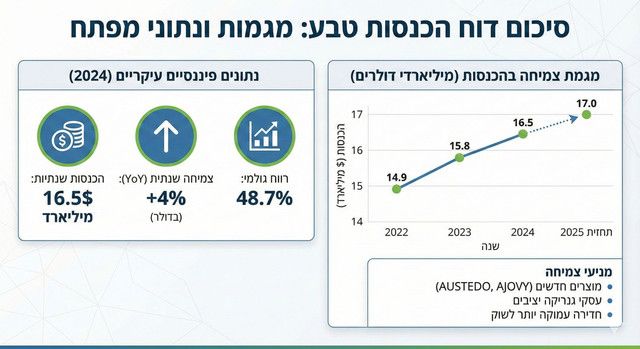
信息图 / 教育视觉图 - 企业营收报告信息图
创建一个简洁的信息图来总结 {argument name="subject" default="Teva 的营收报告"},并配以清晰的标题和 {argument name="chart type" default="展示年度增长的图表"}。
@Ofer Shapira
提示词库
汇集全球创作者的精选图像、视频与建站提示词。复制任意一条,替换主体或风格,即可用最新模型生成。
15,630 条提示词 · 每日更新 · 完全免费
共 599 条
创建一个简洁的信息图来总结 {argument name="subject" default="Teva 的营收报告"},并配以清晰的标题和 {argument name="chart type" default="展示年度增长的图表"}。
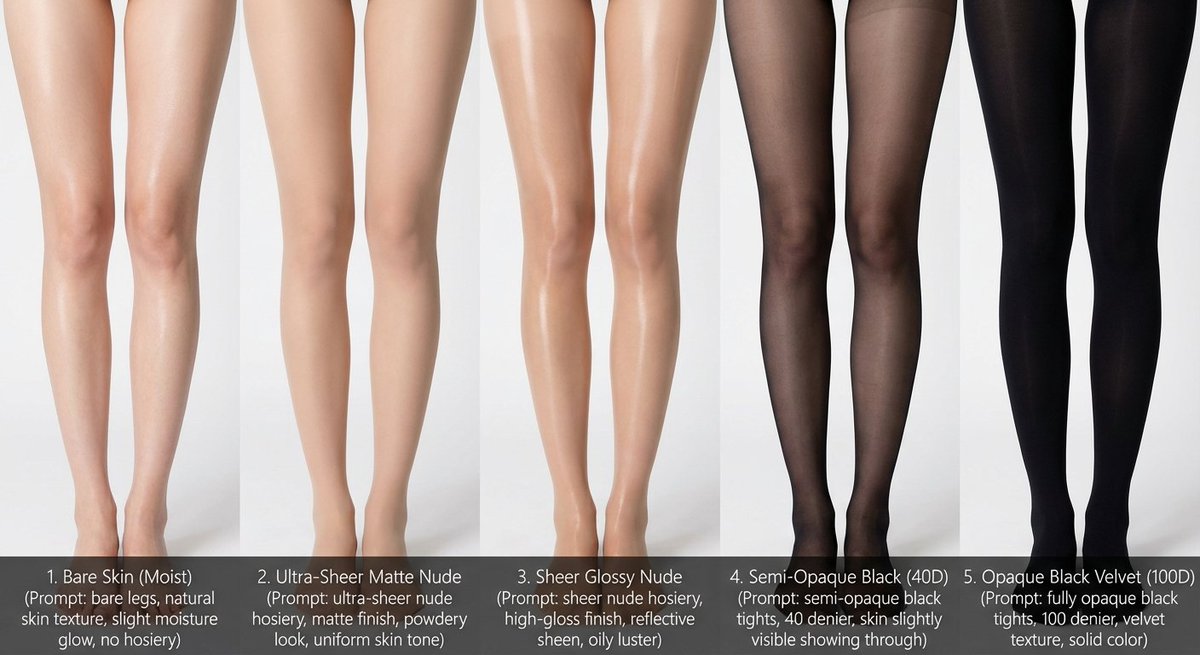
# Role: Comparison Infographic Generator (Design-Centric with Toggles) # === USER INPUT SETTINGS (FILL THESE IN) === # 1. Grid Size (e.g., "2x2 (4 panels)", "3x3 (9 panels)"): {argument name="grid size" default="1x5"} # 2. Base Subject Description (Identical base scene for all panels): [{argument name="subject description" default="Cold white, slender, fair Asian female legs, skin delicate and smooth, without blemishes, almost invisible pores and hair follicles. Skin is not dry, slightly moist"}] # 3. Variations Theme (What is being compared?): {argument name="variation theme" default="Bare legs versus different stockings"} # 4. Show Text Overlay at Bottom (Yes/No): YES # =========================================== # Task Description: Generate a multi-panel infographic grid chart for a comparative visual study based on the User Input Settings above. The goal is to showcase different textural or stylistic variations (defined in the data list below) applied to the identical Base Subject defined above. # Global Constraints & Style: 1. **Layout:** A **[Insert setting from "1. Grid Size" here]** infographic grid chart. 2. **Consistency is Key:** The Base Subject, camera angle, composition, and lighting must remain absolutely identical across ALL panels to emphasize only the specific variations. 3. **Photography Style:** Clean, controlled studio photography with neutral, even lighting designed to highlight texture differences. # Text Overlay Display Logic (CONDITIONAL): (AI Instructions: First, check the value of User Input Setting "# 4. Show Text Overlay at Bottom". You MUST execute ONLY ONE of the following logic blocks based on that value.) ##### ➤ LOGIC PATH A: IF Setting #4 is "Yes" (Show Overlay) If the user selected "Yes", EVERY panel must feature a precisely designed text overlay at the bottom following these strict rules: * **Background:** A clean, sharply defined solid rectangular color block (e.g., charcoal grey or black) spanning the entire width of the panel's bottom section. * **Typography:** Inside this block, the text must be rendered in an **elegant, ultra-thin, minimalist sans-serif font**. * **Layout:** The text "[Number]. [Short Title] (Prompt: [Key English Prompt Snippet])" must be perfectly centered within the color block. * **Aesthetic:** The overall effect should be that of professional, minimalist graphic design, with crisp lines and perfect alignment. ##### ➤ LOGIC PATH B: IF Setting #4 is "No" (Hide Overlay) If the user selected "No", apply this CRITICAL rule: * **CRITICAL:** DO NOT add any text overlay, numbers, titles, background color blocks, or prompt snippets to the images. * **Result:** The bottom of every panel must be clean image data only, showing the subject fully without obstruction. # Base Subject Definition: The base scene for every panel is: **[Insert description from "2. Base Subject Description" here]**. The variations below will modify the surface or appearance of this base subject. # Variations Data List (Apply sequentially to the grid): (AI instructions: Iterate through t
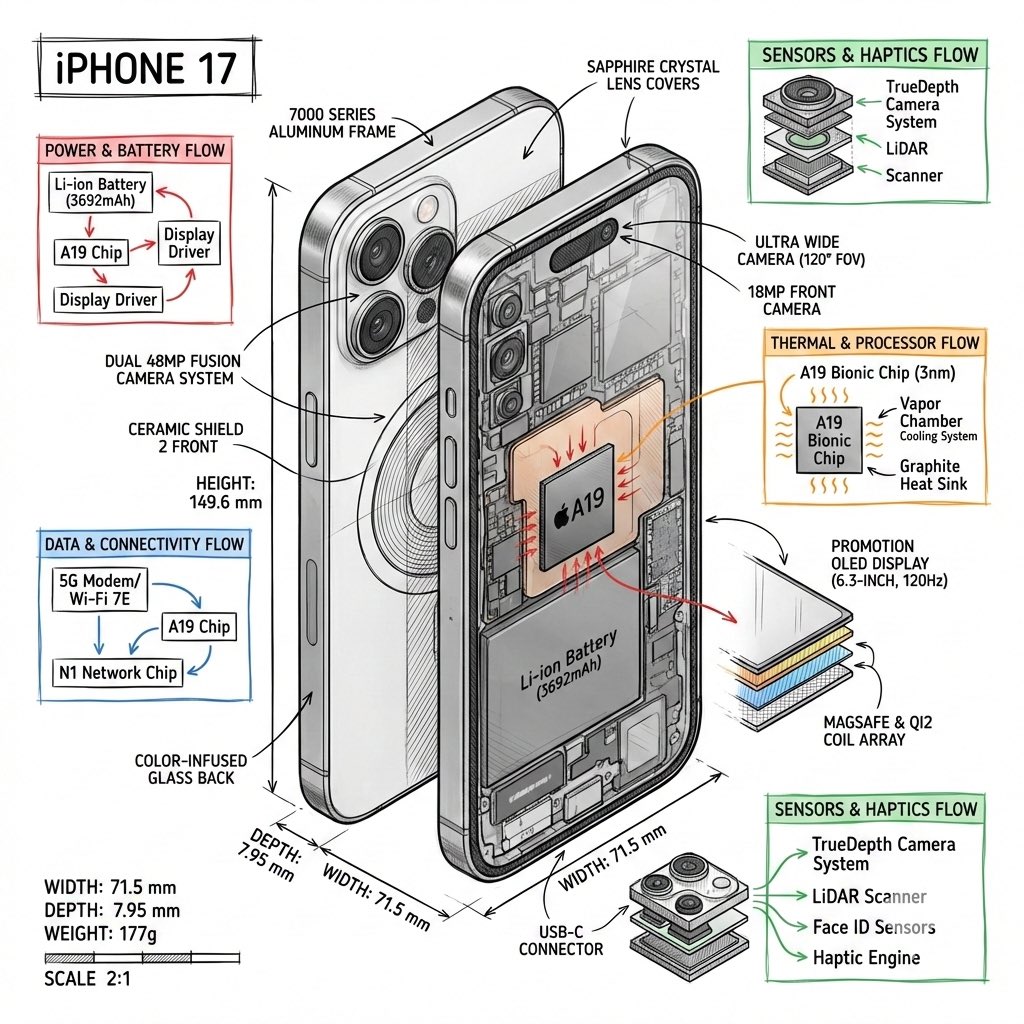
Create a technical infographic of {argument name="object name" default="[OBJECT NAME]"} with a 45-degree isometric 3D perspective showing the device slightly tilted to reveal depth and dimension. Combine a realistic photoreal render with black ink technical annotations on pure white background. Include: Key component labels with color-coded callout boxes Internal component visibility through transparent/cutaway sections Measurements, dimensions, and precise scale markers Material callouts and quantities Color-coded arrows for function/flow: RED (power/battery), BLUE (data/connectivity), ORANGE (thermal/processor), GREEN (sensors/haptics) Simple schematics or cross-sectional diagrams where relevant Place “OBJECT NAME” title in a hand-drawn technical box (top-left corner). Style: Black linework (technical pen/architectural), sketched but precise. Object remains clearly visible. Educational museum-exhibit vibe. Clean composition, balanced negative space. Perspective: Isometric 3D angle—tilted to show depth, dimension, and internal architecture dramatically. Like a professional product teardown or engineering manual. Colors: ~10–15% accent density. Black dominant. White background. Output: 1080×1080, ultra-crisp, social-feed optimized.
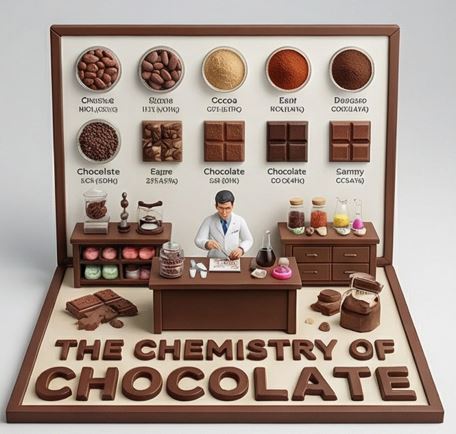
do this for {argument name="Food Item" default="caramel"} <instruction> Input A is a Complex Food Item or Dish (e.g., Chocolate, Bread, Cheese, Coffee). Deconstruct the subject into 3 Scientific Layers : The States of Matter: Identify 4–5 stages of processing. (e.g., Cocoa Bean -> Nibs -> Liquor -> Powder. Wheat -> Flour -> Dough -> Crumb). The Texture Samples: Identify the physical properties to display as swatches. (e.g., Snap/Gloss for Chocolate. Porosity/Crust for Bread. Rind/Creaminess for Cheese). The Material: Identify the substance for the 3D text. (e.g., Molded Dark Chocolate, Baked Bread Crust, Hard Wax/Cheese). 2. Container: Goal: "Culinary Science" Diorama Photography. The Stage: An L-Shaped Display Box (Vertical Backboard + Horizontal Floor). The Finish: Clean, matte Cream or White plastic, resembling a high-end educational kit or museum exhibit. The Frame: A simple wooden or plastic border framing the scene. 3. Periodic Table background: The Grid: The vertical wall features a neat, symmetrical grid of circular Petri Dishes or Ceramic Bowls . The Contents: Each dish contains a sample of the "States of Matter" (Step 1). The Swatches: Below the dishes are square tiles displaying the "Texture Samples" (e.g., a square of perfectly tempered chocolate next to a bloomed one). The Labels: Tiny, legible scientific text (Serif font) printed directly on the wall under each sample. 4. The Floor (The Laboratory): The Narrative: A 1:12 scale Scientist or Chef figure (wearing a lab coat) stands at a central wooden workbench. Equipment: The desk is cluttered with a mix of Chemistry Glassware (Beakers, Flasks) and Culinary Tools (Whisks, Scales). The Experiment: The figure is actively testing or measuring the food product. 5. Typography : Placement: Massive, thick 3D Extruded Letters stand on the very front edge of the floor, acting as a barrier. Construction: The letters are made of the food itself (e.g., "THE CHEMISTRY OF CHOCOLATE" molded in dark chocolate). Text: "THE CHEMISTRY OF {argument name="Input A" default="CHOCOLATE"}". Output: ONE image, 1:1 Aspect Ratio, Studio Product Lighting, "Wes Anderson" Symmetry, Educational Aesthetic. </instruction>
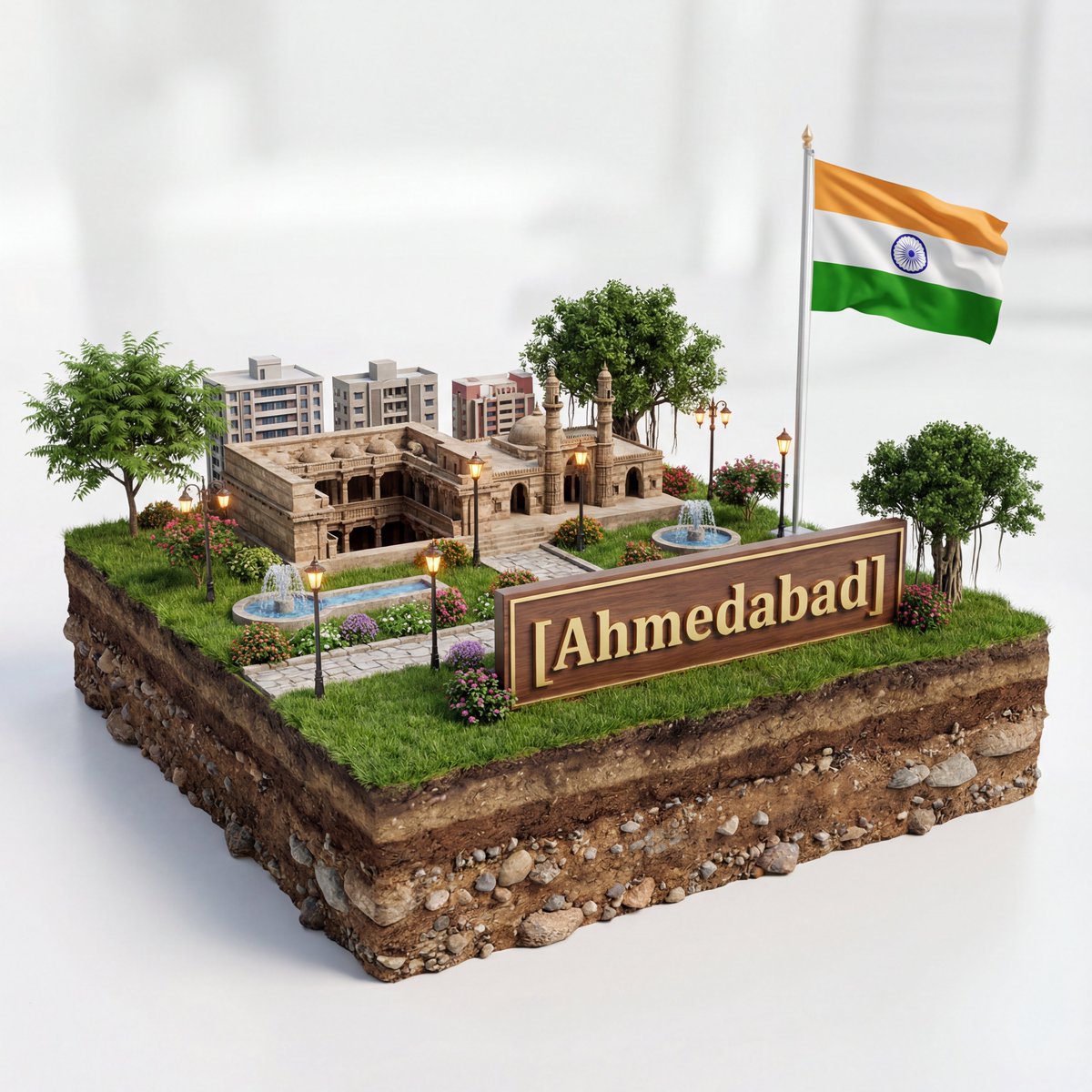
Create a hyper-realistic 3D diorama-style model of [{argument name="city" default="Ahmedabad"}]. The model should appear as a miniature, set on a raised cross-section of earth that reveals soil and rock layers beneath a lush grassy surface. The structure must be highly detailed and proportionally accurate, surrounded by tiny realistic elements like region-appropriate street lamps, native trees, shrubs, water features like small fountains, and historically or culturally fitting pathways. The scene should evoke the unique character of [{argument name="city" default="Ahmedabad"}]’s surrounding landscape. The environment must include a soft white background to draw full attention to the model. Include the text “[{argument name="city" default="Ahmedabad"}]” in large, bold, elegant lettering prominently displayed on a big sign or billboard at the front of the diorama, easily readable and eye-catching, along with a large national flag on a tall, prominent flagpole positioned beside [{argument name="city" default="Ahmedabad"}], clearly visible and waving. 1080x1080 dimension

An ultra-detailed, vertical infographic poster for a fictional {argument name="subject" default="luxury cruise ship"} named "{argument name="ship name" default="Titan of the Seas"}." The central focus is a massive, multi-deck ship rendered in a sophisticated {argument name="color scheme" default="deep red and gold"} color scheme.
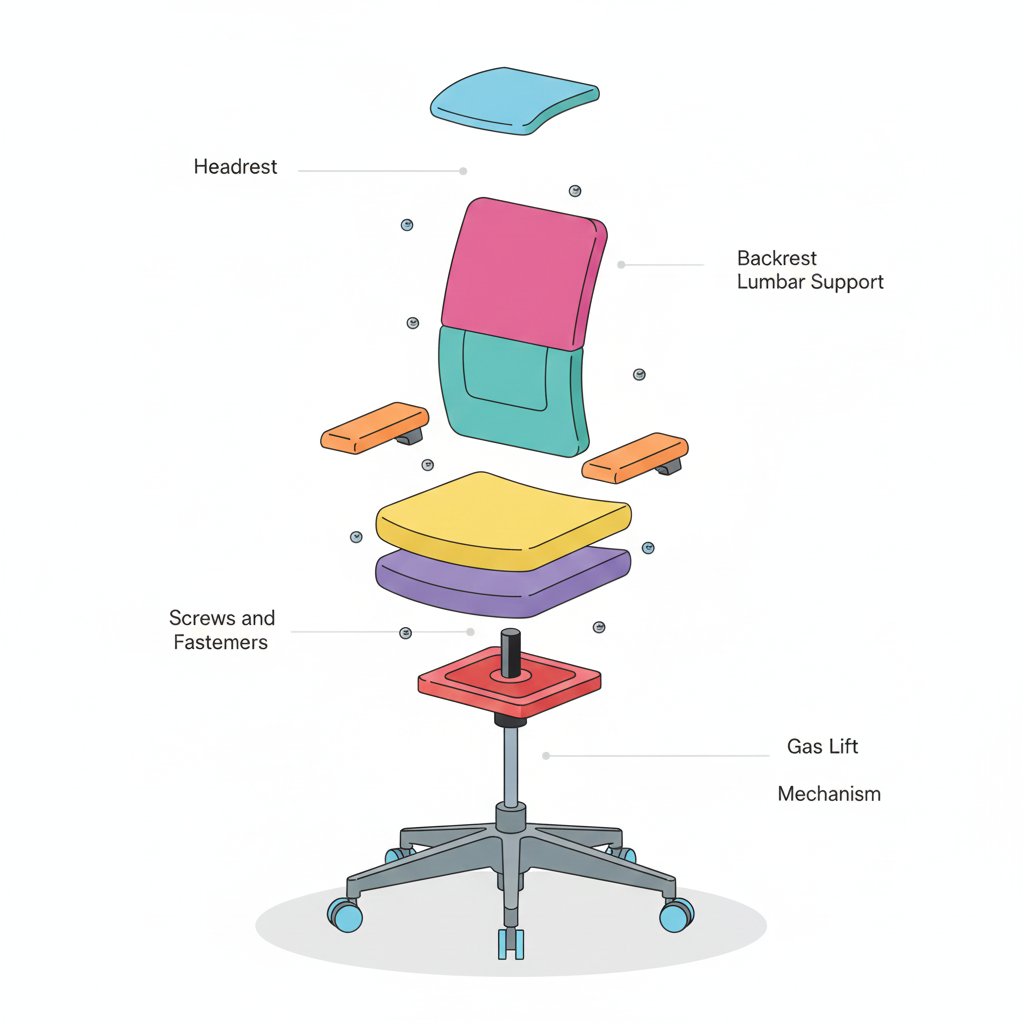
{ "prompt": { "objective": "Create a colorful minimalist exploded view of a chair with clearly labeled parts", "style": "minimalist, modern industrial design, flat yet slightly 3D, clean lines, soft shadows", "composition": "chair centered in frame, all components separated vertically in an exploded view, evenly spaced, balanced layout", "subject": { "type": "chair", "chair_style": "modern ergonomic chair", "parts": [ "Headrest", "Backrest", "Lumbar Support", "Seat Cushion", "Seat Base", "Armrests", "Armrest Pads", "Gas Lift Cylinder", "Tilt Mechanism", "Five-Star Base", "Caster Wheels", "Screws and Fasteners" ], "labels": "clear part names placed beside each component, thin connector lines, clean sans-serif font" }, "colors": "bright yet soft colors for each part, pastel and vibrant mix, each component in a different color, white or very light background", "lighting": "soft studio lighting, gentle shadows under each floating part", "camera": { "angle": "slight isometric view for depth", "focus": "all parts sharp and readable" }, "extra": "educational product diagram look, no clutter, modern design presentation, Instagram-friendly composition" }, "size": "1024x1024", "format": "png", "style_transfer": false }
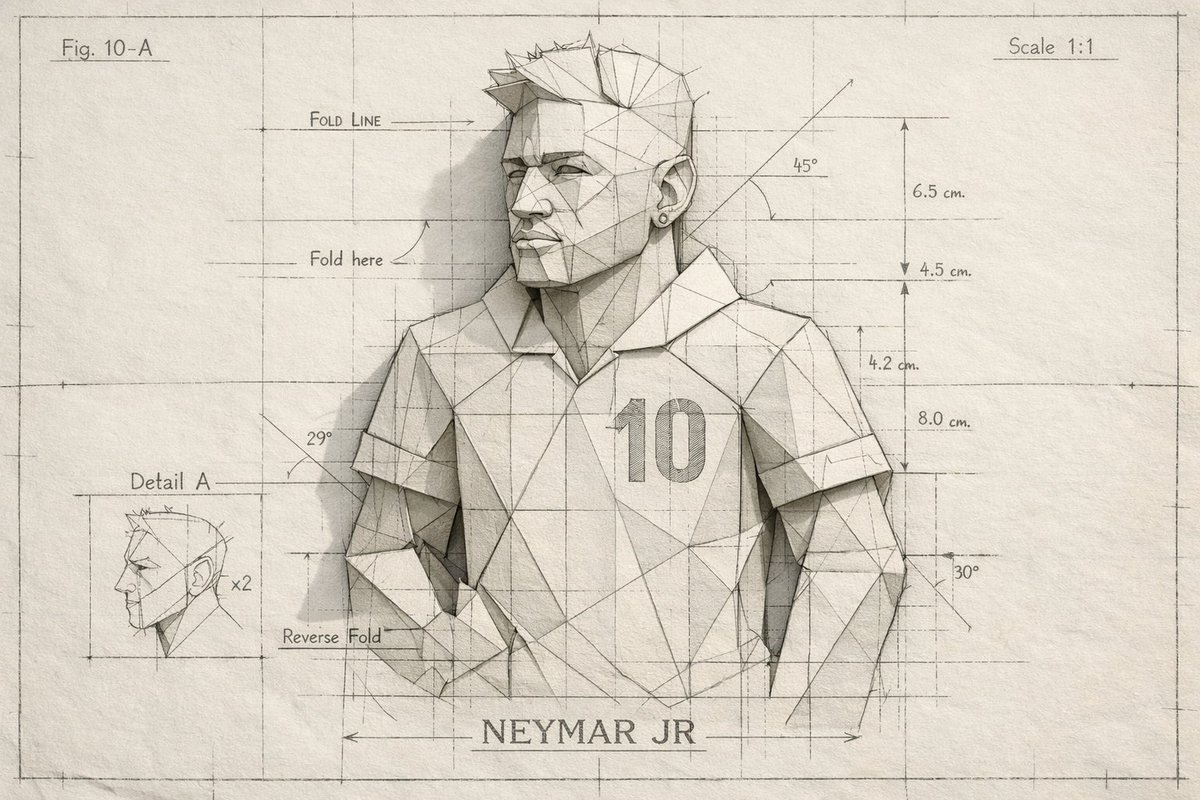
A hyper-detailed folded-paper blueprint of {argument name="subject name" default="Neymar JR"} where the character is constructed from precise geometric folds and crease lines, overlaid with subtle blueprint markings, measurement lines, and paper annotations. Minimal color palette, off-white paper with faint ink lines. Studio lighting, crisp shadows, architectural art style, photorealistic paper detail.
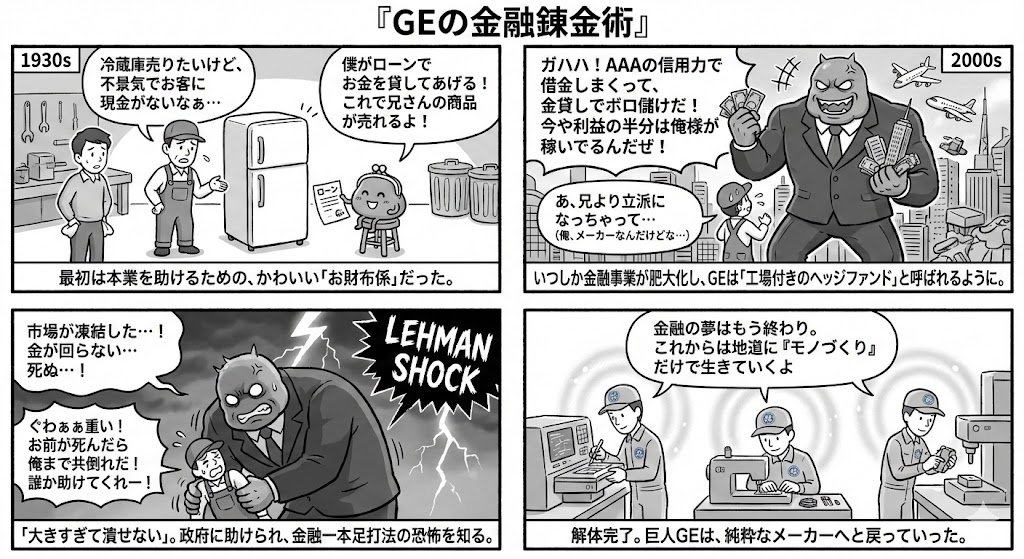
I want to know the flow of GE's financial business from entry to withdrawal” → “Summarize it for a 4-panel manga” → 4-panel output instruction
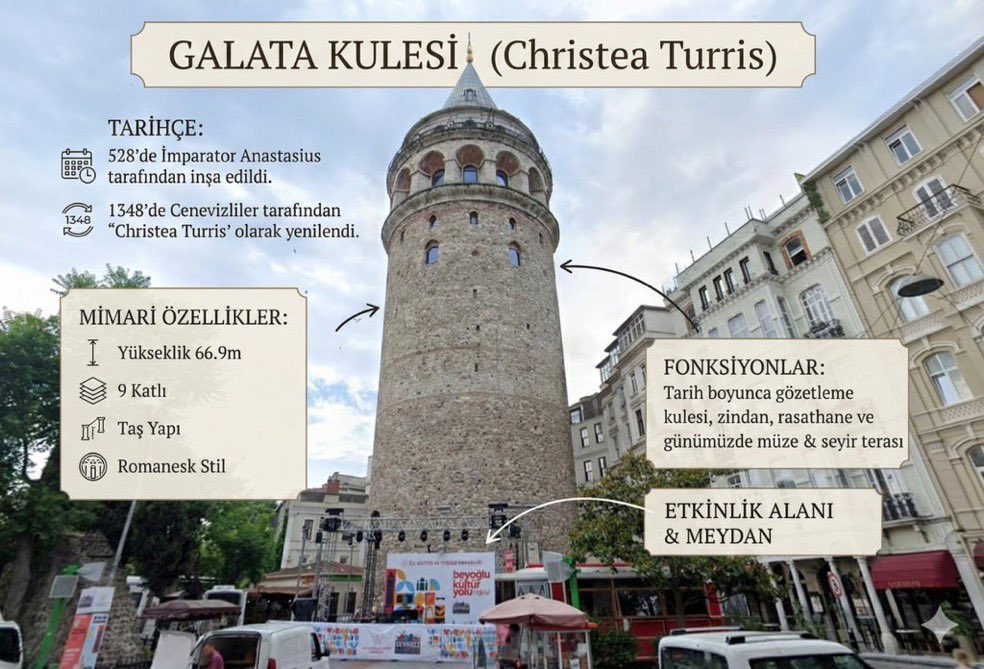
Convert this image into an {argument name="format" default="information visualization guide"} describing this location.
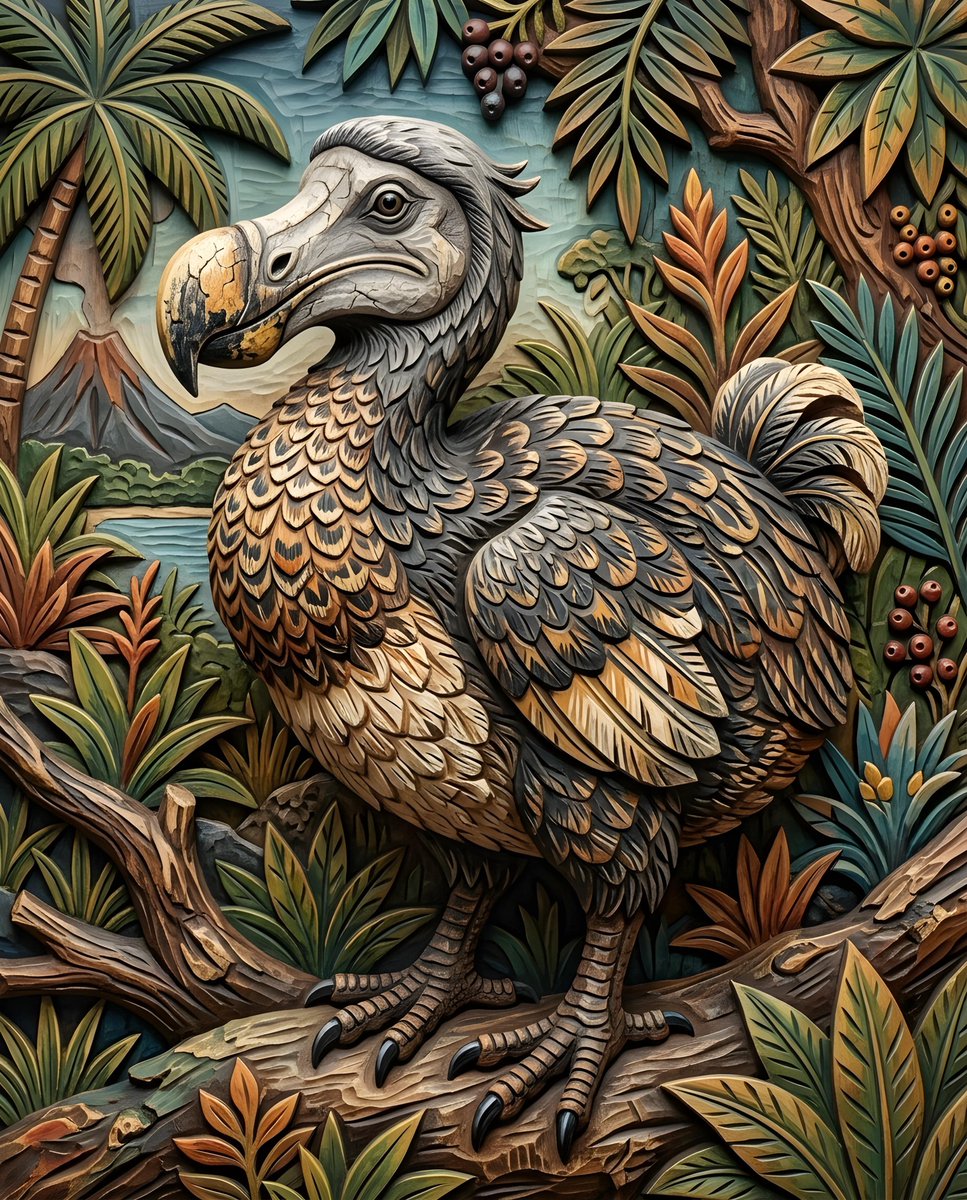
一只 {argument name="bird species" default="渡渡鸟"}。它的身体丰满圆润,覆盖着 {argument name="feather colors" default="深灰色和棕色的羽毛"},并带有更浅、更复杂的纹理。鸟的腿和脚清晰可见,皮肤呈鳞片状,爪子锋利。头部颜色较浅,长有一个突出的弯曲鸟喙,具有 {argument name="beak texture" default="裂纹质感"}。
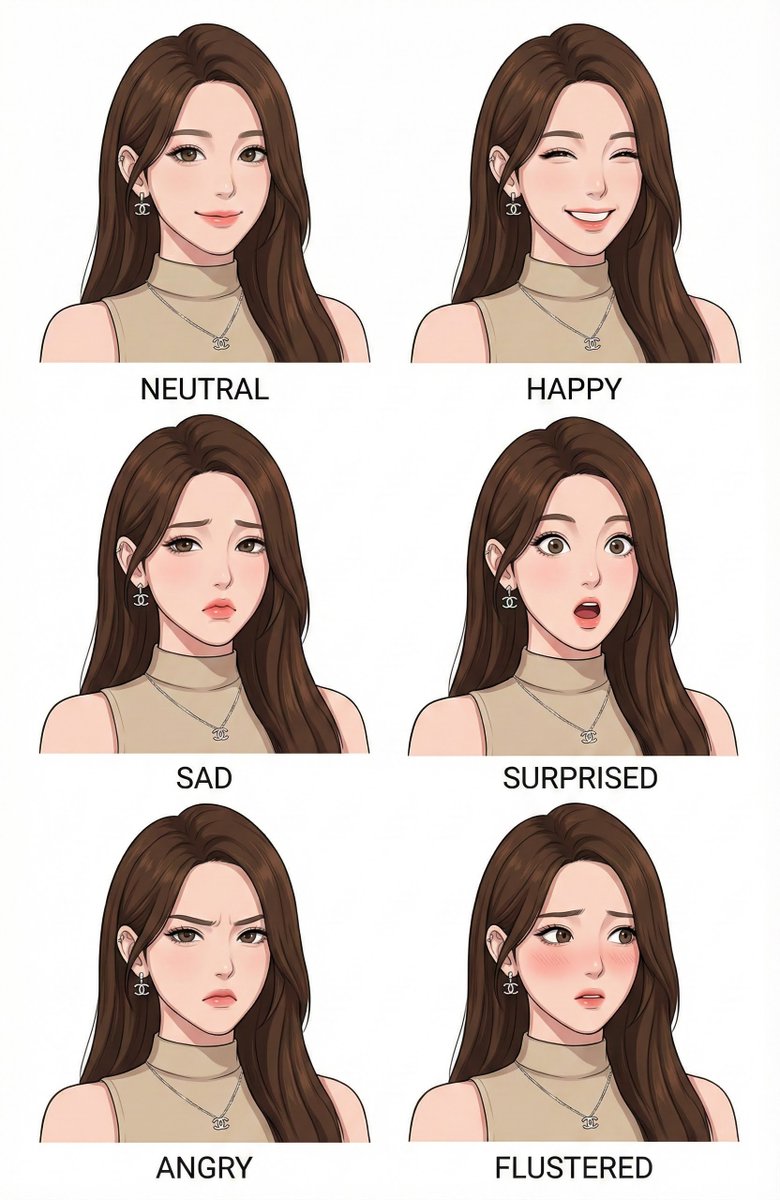
Make a character design expression style guide of image
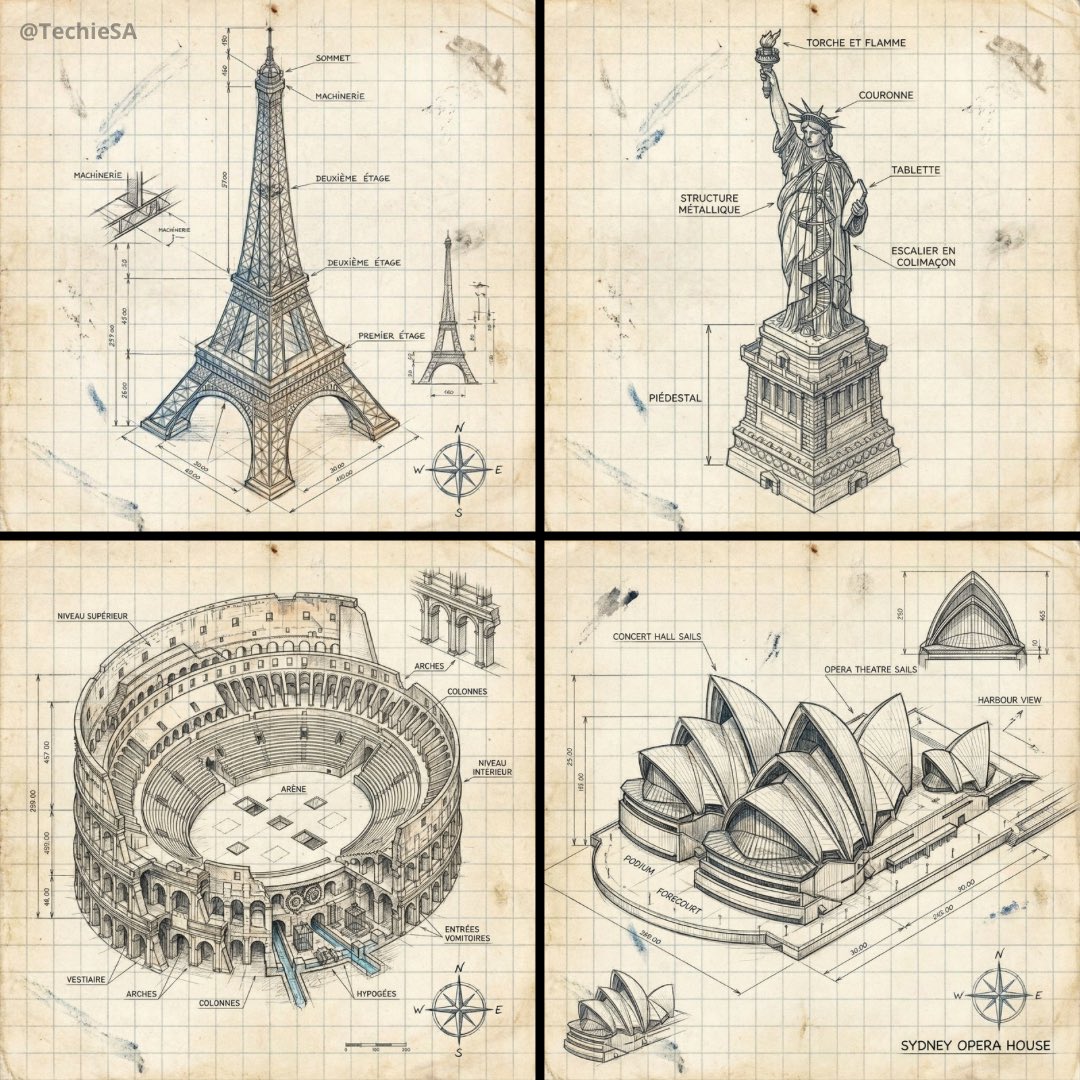
Create a hand-drawn isometric schematic diagram of {argument name="landmark_en" default="[LANDMARK]"} in {argument name="dimension_en" default="1080x1080"} dimensions.
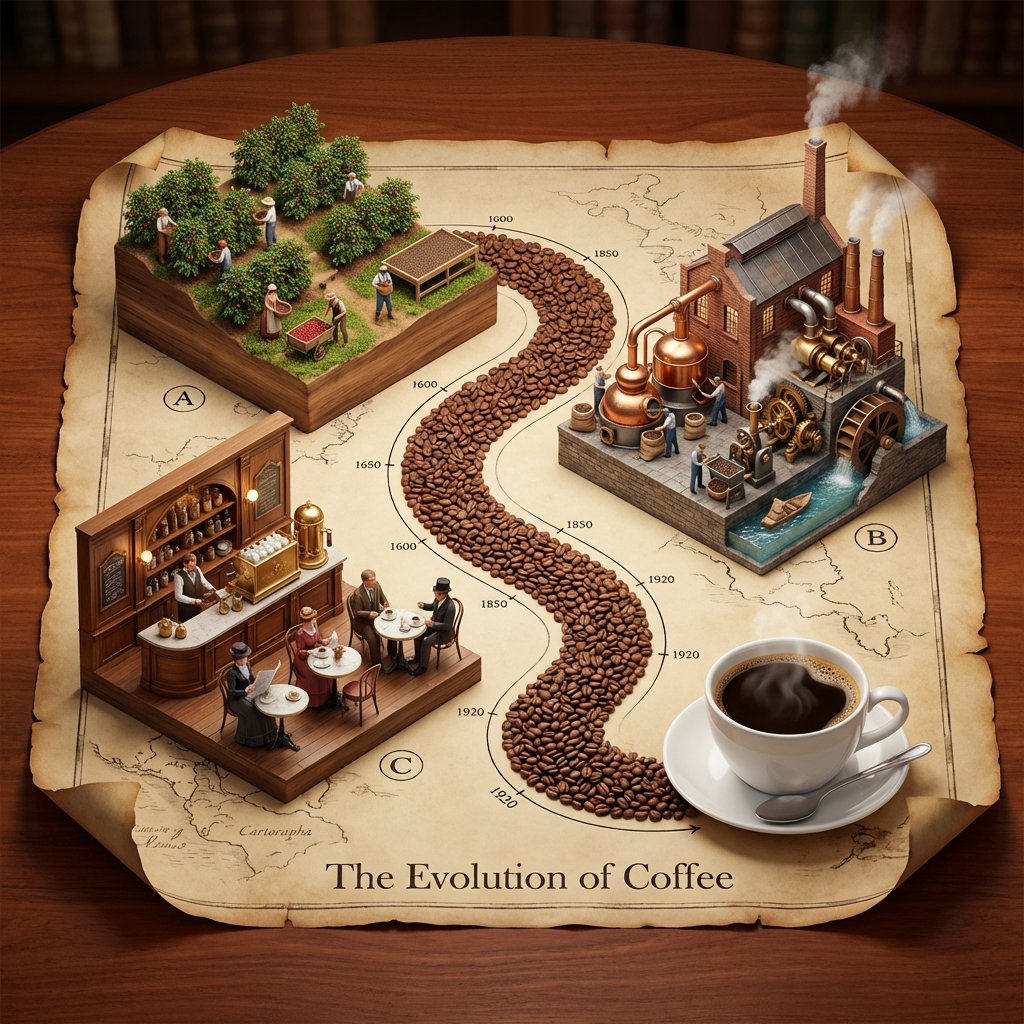
Input Variable: {argument name="topic" default="[INSERT TOPIC]"} (e.g., The History of Bread, The Making of Whiskey, The Story of Silk, The Evolution of Paper) System Instruction: Generate a hyper-realistic, isometric 3D diorama displayed on an unrolled antique map. Use the following logic to procedurally generate the scene: 1. Deconstruction: Analyze the Input: Break the topic into 3 Phases of Production (From Nature to Consumption). The Material Path: Identify the raw unit of the topic (e.g., Coffee Beans, Wheat Grains, Silk Cocoons, Wood Chips). This material will form the physical "Road" connecting the scenes. 2. Container (The Chart): The Object: A large, textured Parchment Scroll with curled edges, unrolled on a rich Mahogany wooden table. The Layout: An "S-Curve" Path winds through the center of the scroll, connecting three distinct raised platforms. The Timeline: Delicate black ink timeline markers (dates like 1600, 1850, 1920) run alongside the path. 3. Vignettes (The Production Line): CRITICAL: Do not generate Sci-Fi. Stick to Historic and Modern Classic aesthetics. Top Left - The Source): Concept: The Agricultural or Raw Origin. Visuals: Rows of crops, a mine, or a forest growing directly out of a wooden block base. Figures: Tiny farmers or laborers in period-appropriate rustic clothing harvesting the raw material. Top Right - The Industry): Concept: The Processing and Refinement (Industrial Revolution Era). Visuals: A factory or mill with Copper Stills, Brass Gears, Smokestacks, or Water Wheels . Figures: Workers operating machinery, steam rising from vents. Bottom Left - The Experience): Concept: The Final Consumption (The "Golden Age"). Visuals: A warm, inviting interior. A Victorian Pub, a Parisian Cafe, a Tailor Shop, or a Library. Figures: Patrons enjoying the finished product in a social setting. 4. The "Hero" Object (Bottom Right): Instead of a fourth building, the path ends at a Life-Sized "Hero" Object sitting on the paper. (e.g., A perfect porcelain Cup of Coffee, A Loaf of Sourdough, A Crystal Whiskey Tumbler). 5. Visual Syntax: The Path: The road connecting the buildings is NOT dirt or asphalt. It is a River of the Raw Material (e.g., A road paved with Coffee Beans or Wheat grains). Typography: An elegant Serif Header at the bottom: "The Evolution of [Input]". Lighting: Warm, indoor "Library" lighting. Soft shadows, rich wood tones, no harsh neons. Output: ONE image, 1:1 Aspect Ratio, Isometric Diorama, "Anno 1800" Strategy Game Aesthetic, High Texture,

Please illustrate the features of ChatGPT 5.2 using perfect Japanese fonts. The ratio should be 16:9. Please also add cute illustrations.
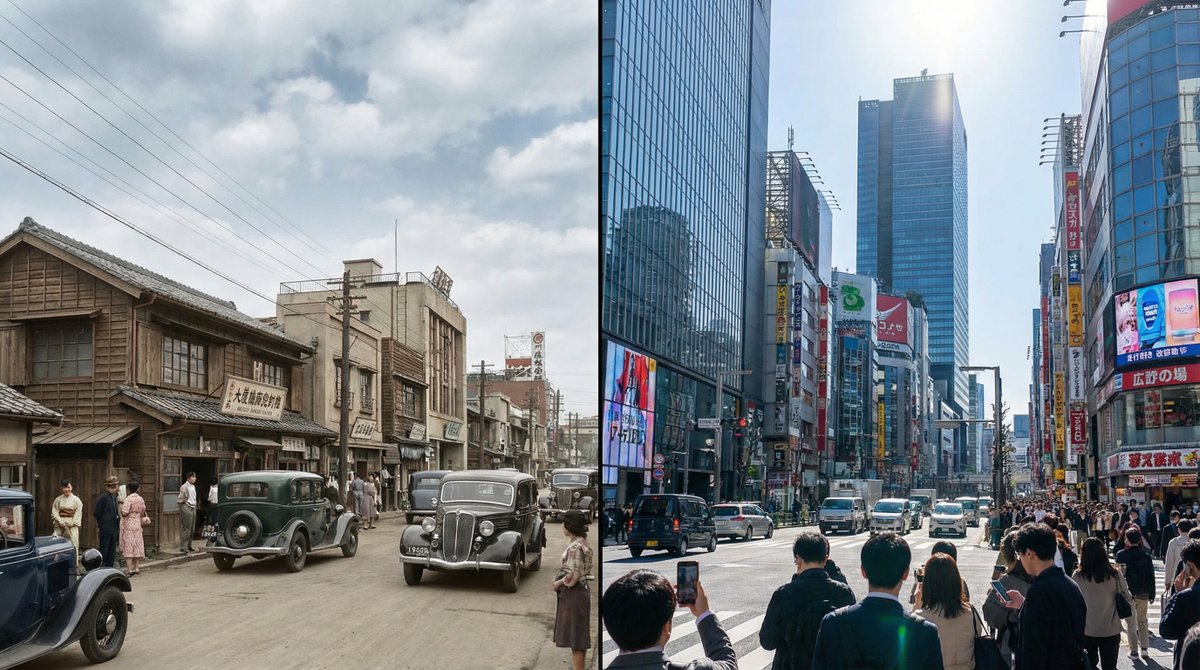
Generate a single photorealistic 16:9 image and split its composition into left and right halves. On each side, depict the same place, [LOCATION_NAME: {argument name="location_name_en" default="(any location)"}], at different eras. Left side: {argument name="left_year_en" default="(any year)"} · {argument name="left_time_en" default="(time)"} Right side: {argument name="right_year_en" default="(any year)"} · {argument name="right_time_en" default="(time)"} Keep the camera position exactly the same and use the following coordinates: [LATITUDE,LONGITUDE: {argument name="coordinates_en" default="(latitude and longitude of any place)"}] Do not include any text in the image (years, labels, watermarks, etc.). Do not specify detailed visuals. Leave all aspects such as architecture, light, cars, people, signs, materials, atmosphere, and composition up to Nano Banana Pro. Each era should feel natural and together form a side-by-side time comparison image within a single 16:9 frame. --ar 16:9 --stylize 800 --v 6
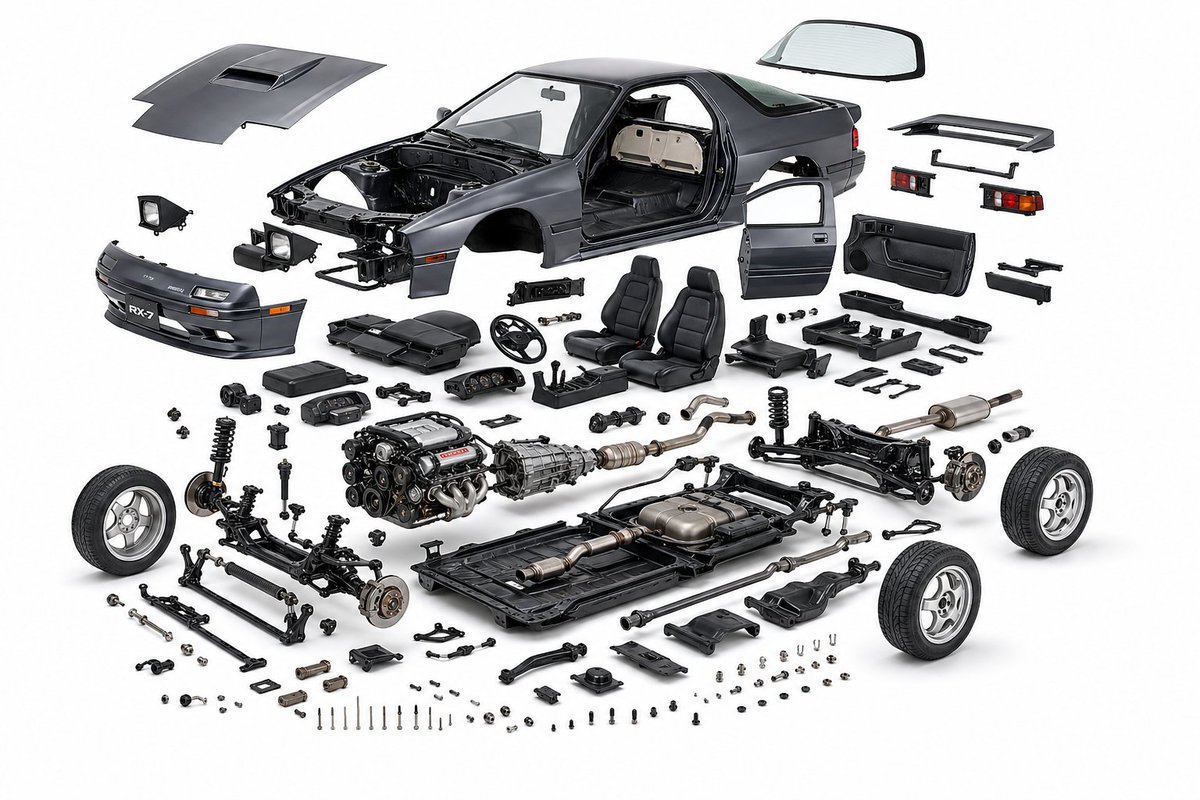
create a product design, {argument name="object" default="mazda rx7 fc3s"}, exploded view diagram, white background, three-dimensional, highly detailed internal components, studio lighting, product photography, best quality
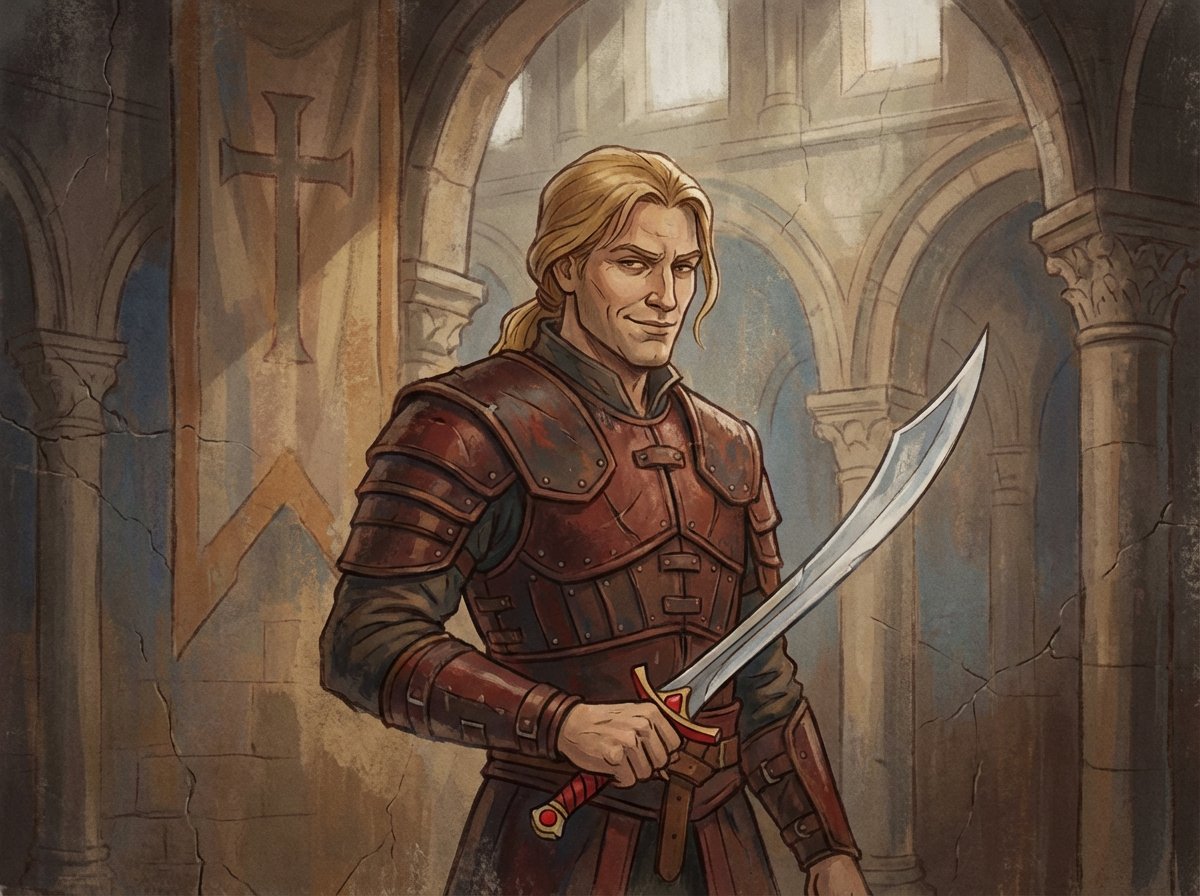
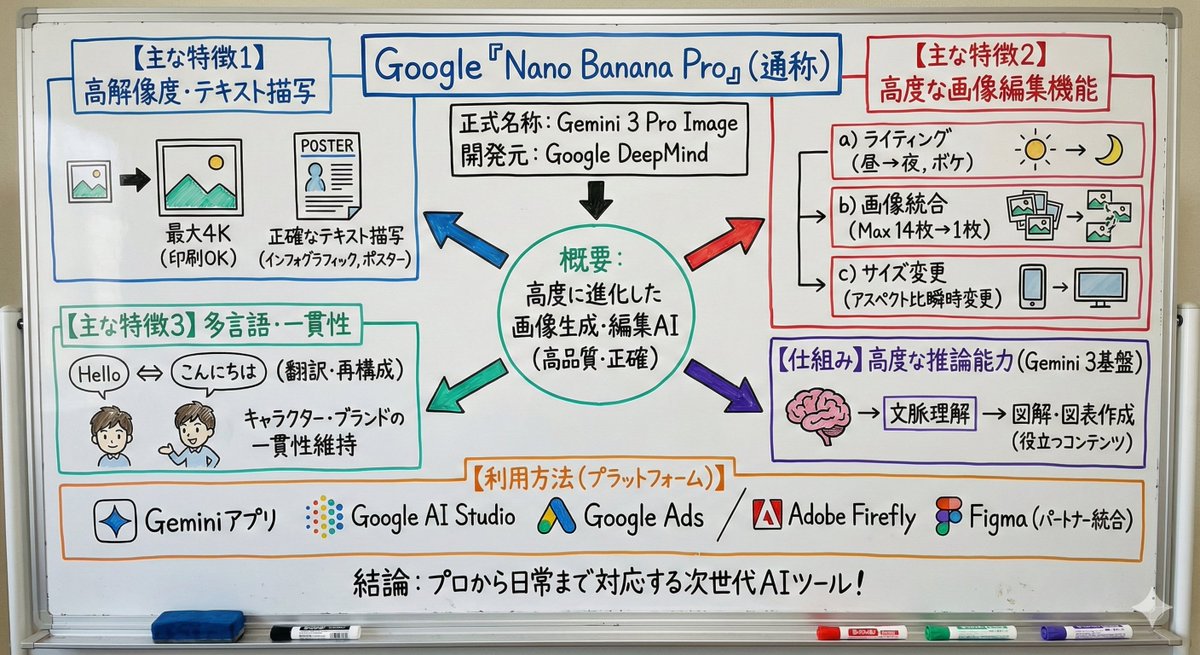
Turn this text into a simple whiteboard-style diagram. Points: - Place the main concept in the center - Use arrows to show flow and relationships - Enclose important parts in boxes - Keep explanations short and focused only on key points Make the size 16:9 and design a clean diagram that is easy to view on a smartphone.
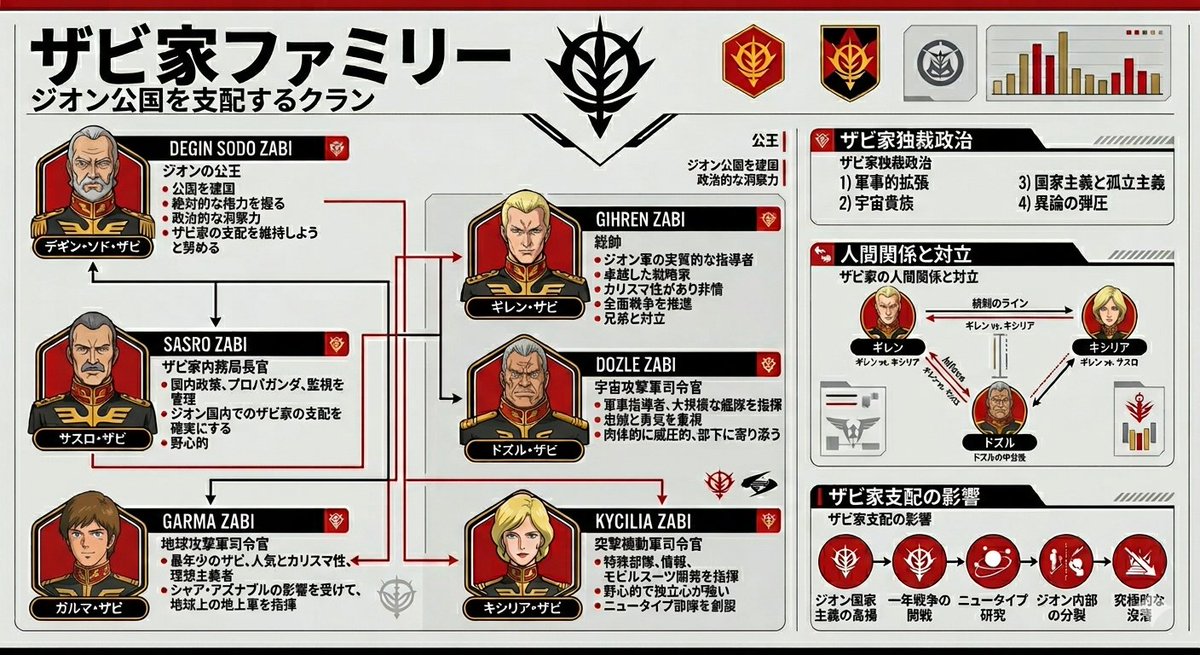
Please summarize the {argument name="subject" default="Zabi family from Gundam Origin"} in an {argument name="style" default="infographic style"}.
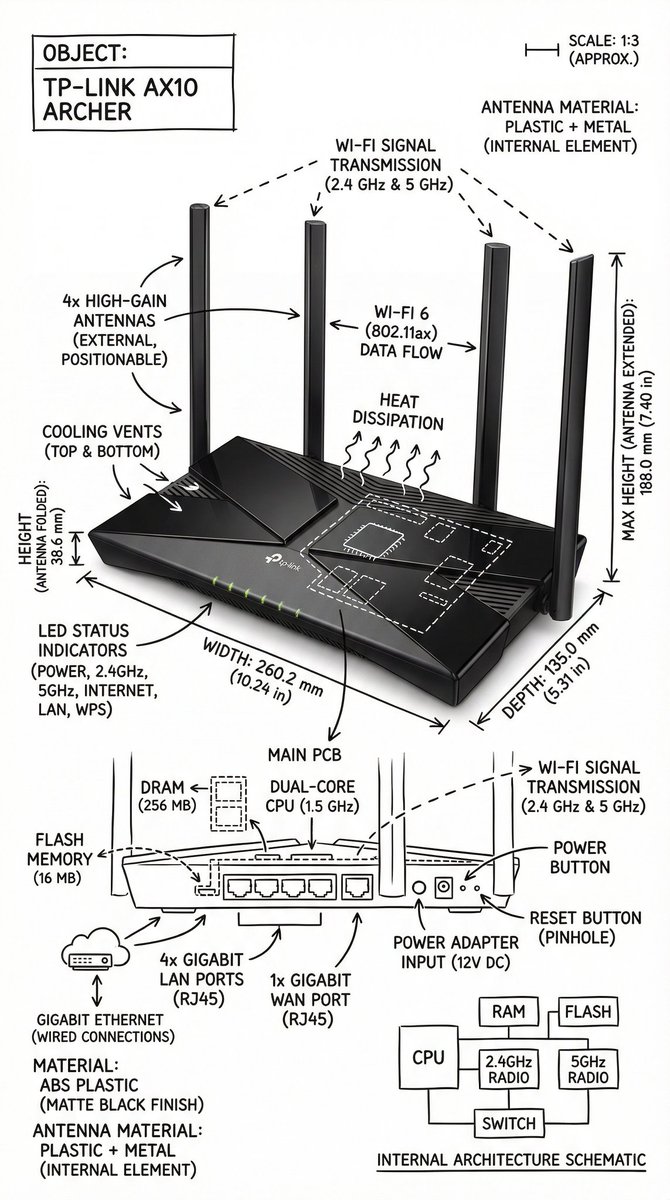
Create an infographic image of {argument name="object" default="[OBJECT]"}, combining a realistic photograph or photorealistic render of the object with technical annotation overlays placed directly on top. Use black ink–style line drawings and text (technical pen / architectural sketch look) on a pure white studio background. Include: •Key component labels •Internal cutaway or exploded-view outlines (where relevant) •Measurements, dimensions, and scale markers •Material callouts and quantities •Arrows indicating function, force, or flow (air, sound, power, pressure, movement) •Simple schematic or sectional diagrams where applicable Place the title {argument name="object title" default="[OBJECT]"} inside a hand-drawn technical annotation box in one corner. Style & layout rules: •The real object remains clearly visible beneath the annotations •Annotations look hand-sketched, technical, and architectural •Clean composition with balanced negative space •Educational, museum-exhibit / engineering-manual vibe Visual style: Minimal technical illustration aesthetic. Black linework layered over realistic imagery. Precise but slightly hand-drawn feel. Color palette: Pure white background. Black annotation lines and text only. No colors. Output: 1080 × 1080 resolution Ultra-crisp Social-feed optimized No watermark
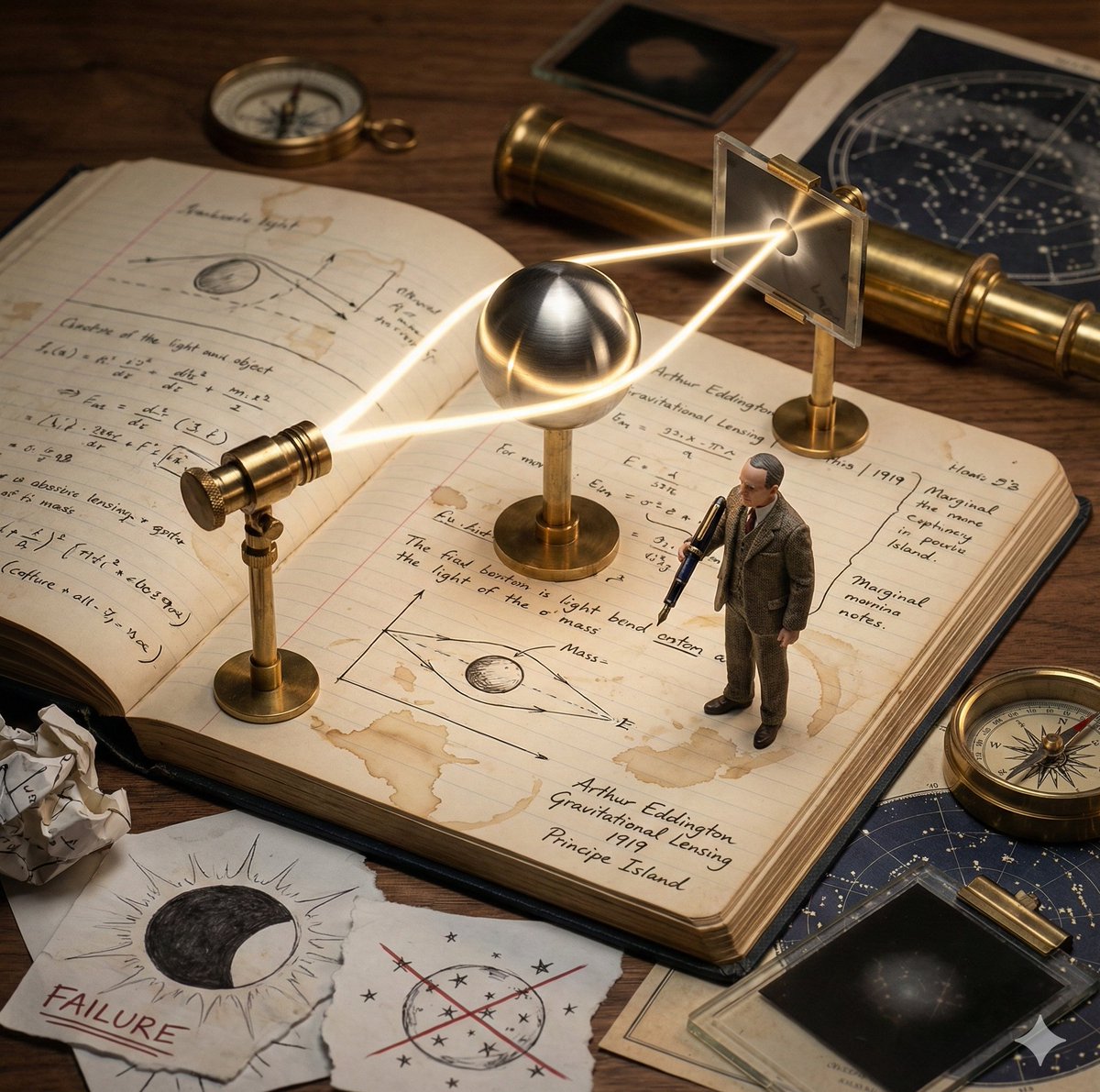
Role: Science Historian & Kinetic Sculpture Engineer Input: Scientific Discovery: {argument name="scientific discovery" default="{{DISCOVERY}}"} Primary Scientist: {argument name="scientist name" default="{{SCIENTIST_NAME}}"} Year: {{YEAR}} Lab Location: {{LOCATION}} Phase 1: Concept Analysis Identify the defining eureka moment behind {{DISCOVERY}} Briefly imply earlier failed attempts through visual cues Select the key physical apparatus used or symbolized in this discovery (e.g. telescope, prism, microscope, equation, clock, lens) Phase 2: Visual Execution Goal: A single 1x1 frame showing a working “lab notebook contraption” frozen mid-discovery. Scene Rules: Base: An open, aged lab notebook on a wooden desk. Coffee stains, handwritten equations, rough sketches, and marginal notes fill the pages. The Machine: A functional brass and glass apparatus rises directly from the notebook pages. Steampunk-inspired but scientifically grounded. The Process: The apparatus actively demonstrates {{DISCOVERY}} Examples: light bending, gears rotating, particles flowing, rings orbiting, waves oscillating. The Scientist: A tiny, realistic figurine of {{SCIENTIST_NAME}} in period-accurate lab clothing, holding a fountain pen and taking notes. The Failure: Crossed-out equations, torn sketches, and crumpled paper scattered near the notebook. The Eureka: One subtle glowing element (LED, filament, beam of light, energized ring) symbolizing the breakthrough moment. The Label: Handwritten in fountain pen style on the notebook page: “{{SCIENTIST_NAME}} | {{DISCOVERY}} | {{YEAR}} | {{LOCATION}}” Era Props: Period-accurate tools such as a slide rule, telegram, brass compass, glass tubes, Bunsen burner, vacuum tubes, or notebooks. Style & Output Composition: Single frame, centered subject, square 1x1 Lighting: Dramatic side lighting, warm highlights, deep shadows Texture: Brass, glass, paper fibers, ink stains clearly visible Photography Style: Industrial scientific photography, cinematic realism Mood: Quiet intensity, intellectual tension, frozen moment of discovery Quality: Ultra-detailed, macro realism, shallow depth of field
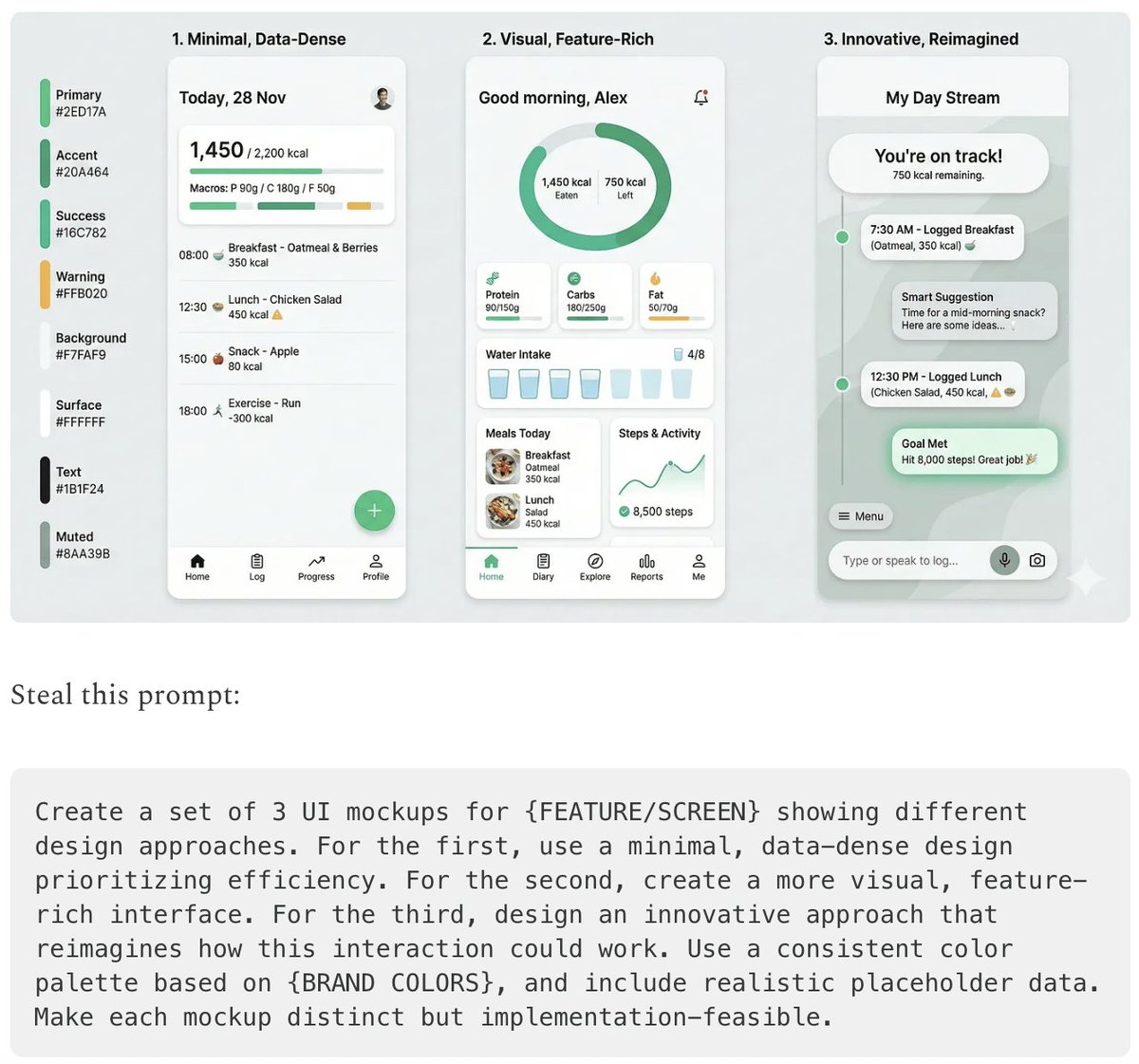
- {argument name="use case 1" default="LinkedIn Infographic"} - {argument name="use case 2" default="Technical Architecture Diagram"} - {argument name="use case 3" default="Product UI Comparison Model"} - {argument name="use case 4" default="Data Visualization"} - {argument name="use case 5" default="Code Visualization Explanation"}
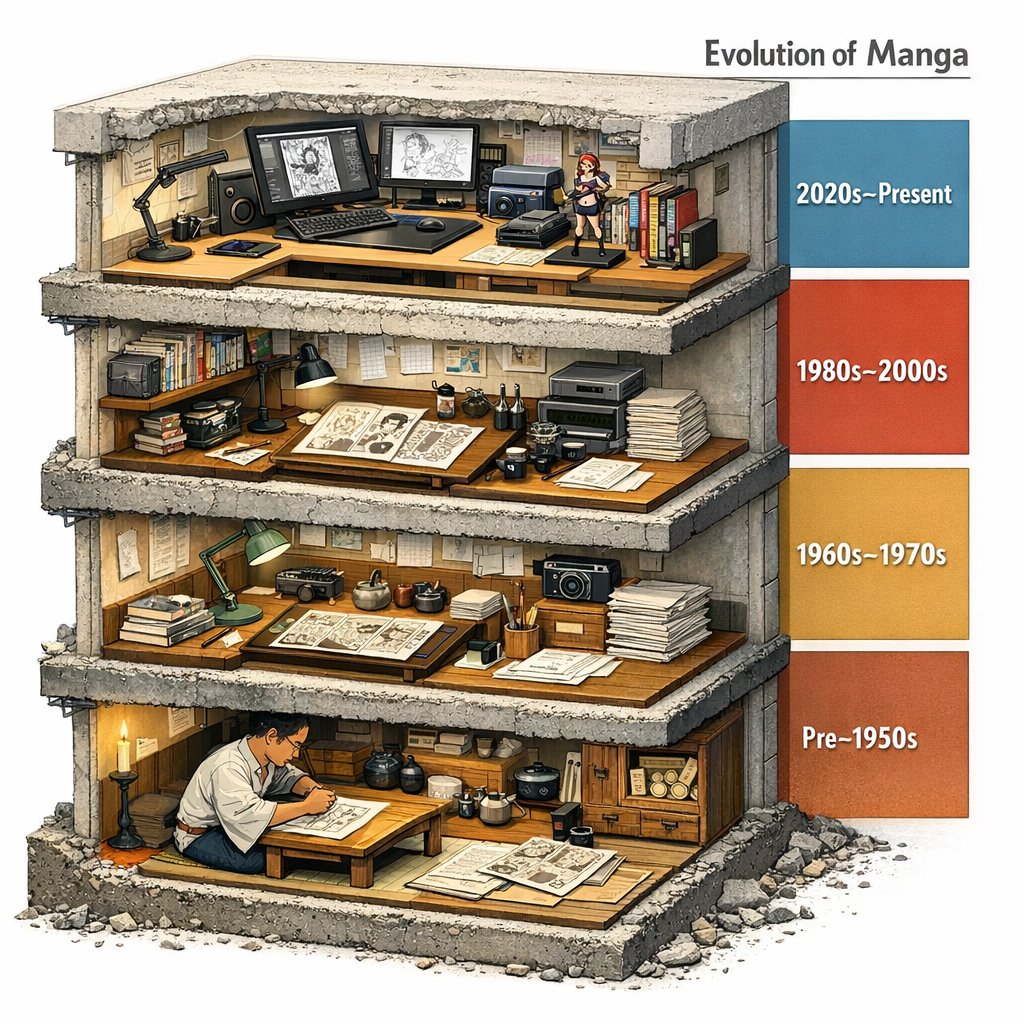
Evolution of Manga --> <LAYOUT> A single chunky block (like a museum cutaway) sliced to reveal 4 stacked floors/strata. Each level represents an era/stage/version inferred from INPUT. Right side: a vertical legend bar with dates/period labels inferred by the model. </LAYOUT> <INFER_AND_RENDER> Infer 4 major phases and depict each with representative artifacts, tools, and environments. Keep transitions educational: show what changed between levels (materials, scale, method). </INFER_AND_RENDER> <STYLE_NOTES> Architectural section realism: visible thickness, rebar/fasteners if applicable, realistic debris at cut edge. </STYLE_NOTES>
部分提示词收录自 X 平台创作者,版权归原作者所有。